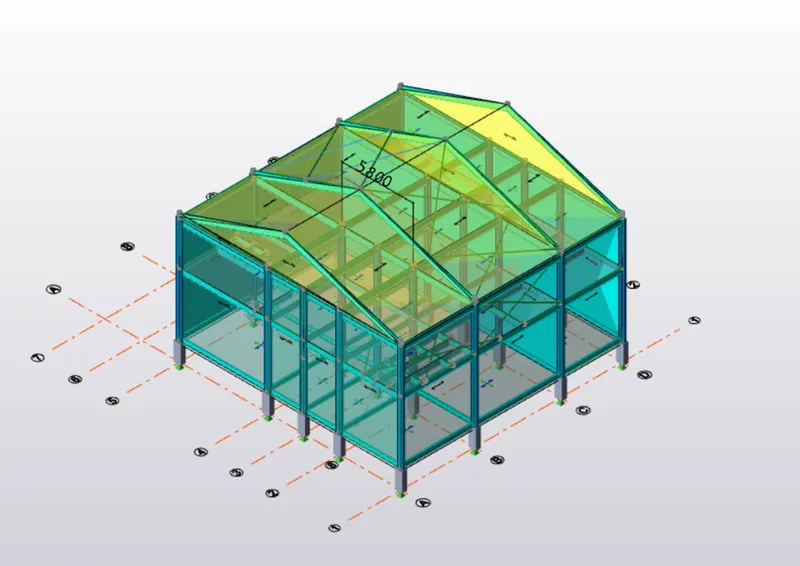
To calculate wind load for industrial steel structures and to apply it by using TSD
Que :- 1.Generate manual wind loading in the design report based IS code as per the following input
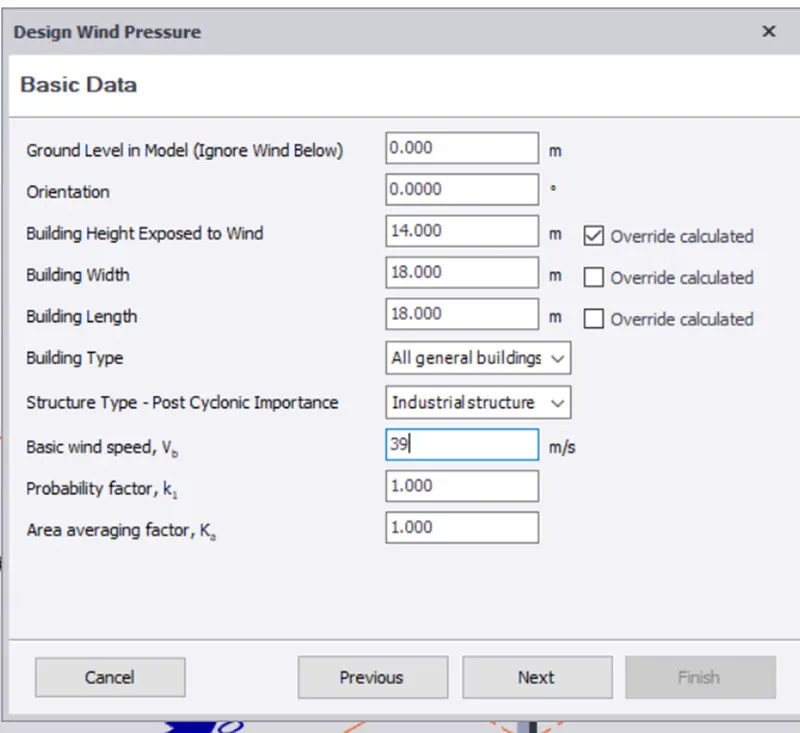
- Basic wind speed = 39m/s
- Terrain category 2
Ans :-
Aim :
Generate manual wind loading in the design report based IS code as per the following input
- Basic wind speed = 39m/s
- Terrain category 2
Procedure :-
First Calculate Load Combination
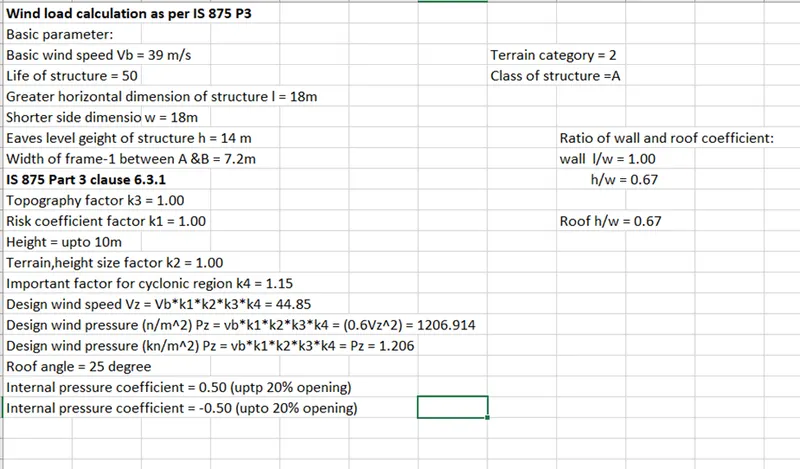
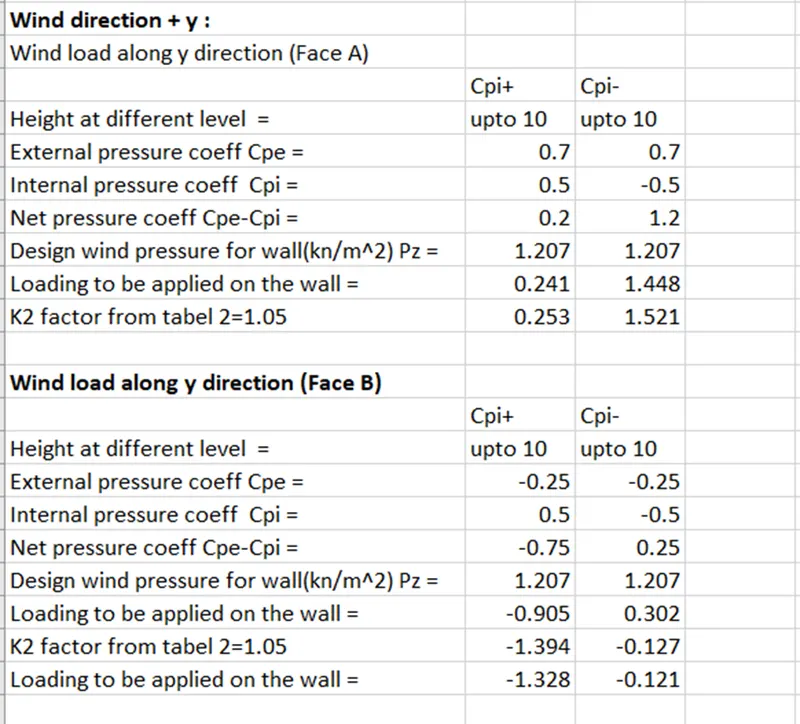
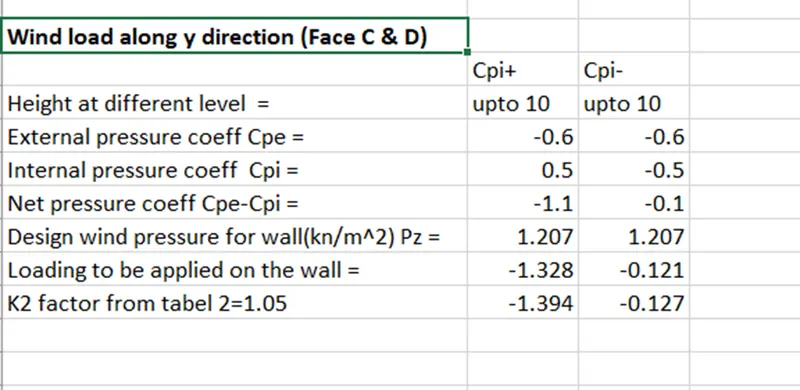
Result :-
Calculations Are Done For The Wall Panel
Que :- 2.Based on the above calculation apply the loadings on the model
Ans :-
Aim : Based on the above calculation apply the loadings on the model
Procedure :-
- Open tekla Structural Software And Open Week 4 File
- Select Load Tab , In That select Loadcases And Add New Loadcases
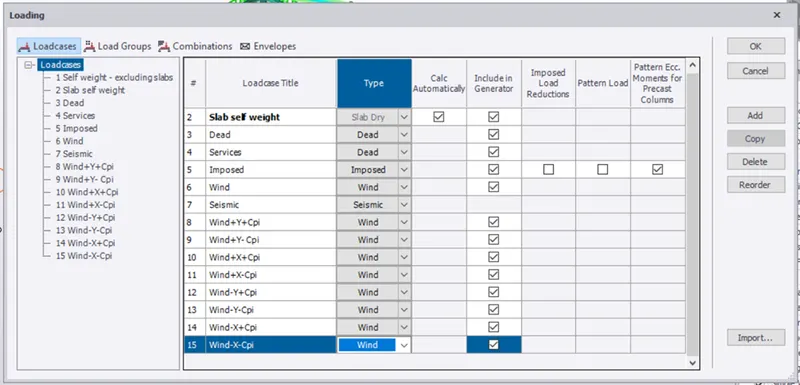
- Now As Per value Apply The Load
- Frame 1 = Wind + Y + cpi = 0.253 KN/m^2
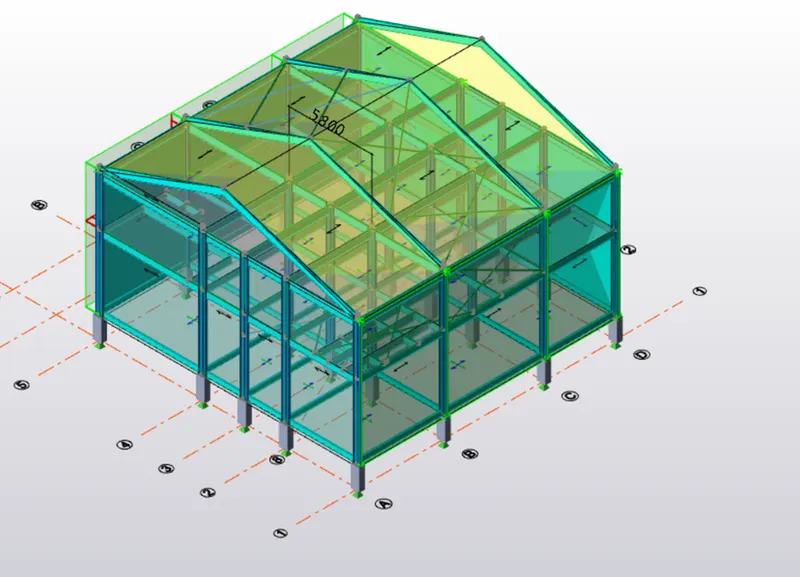
- Apply Load Or Frame 5 = Wind + y + cpi = 0.951 KN/m^2
- Negative Value Means Wind Acting Away From The Wind Paneel
- Apply Load On Face 1 = Wind + y - cpi = 1.52 KN/m^2
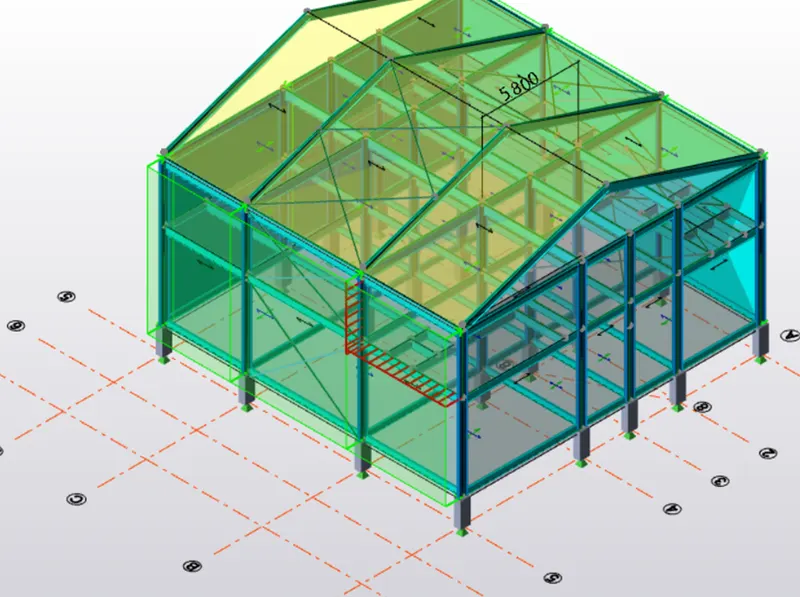
- Apply Load On face 1 = Wind + y - cpi = 1.52 KN/m^2
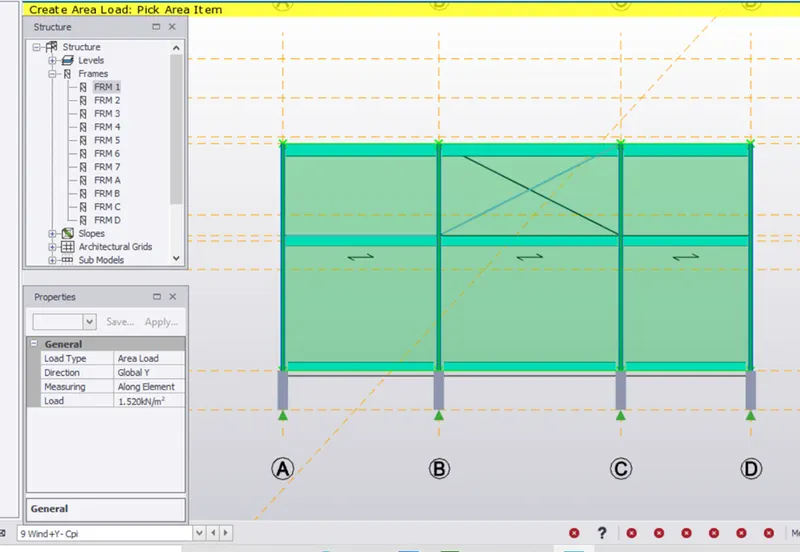
- Apply Load On Face 5 = Wind + y - cpi = 0.317 Kn/m^2
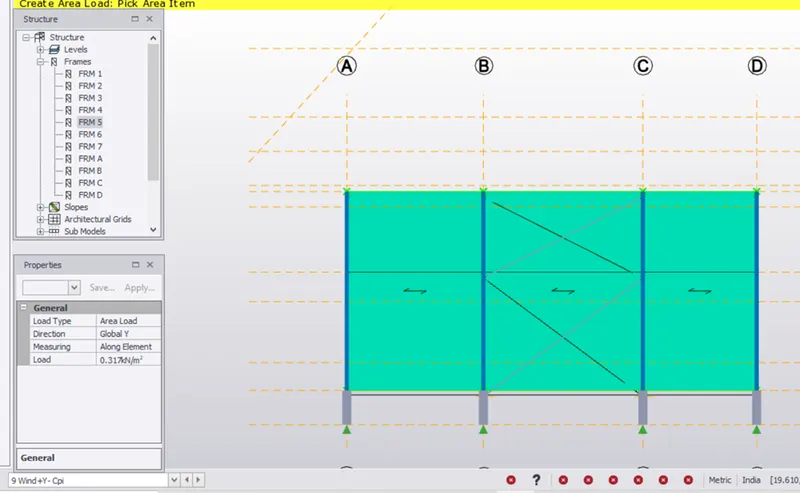
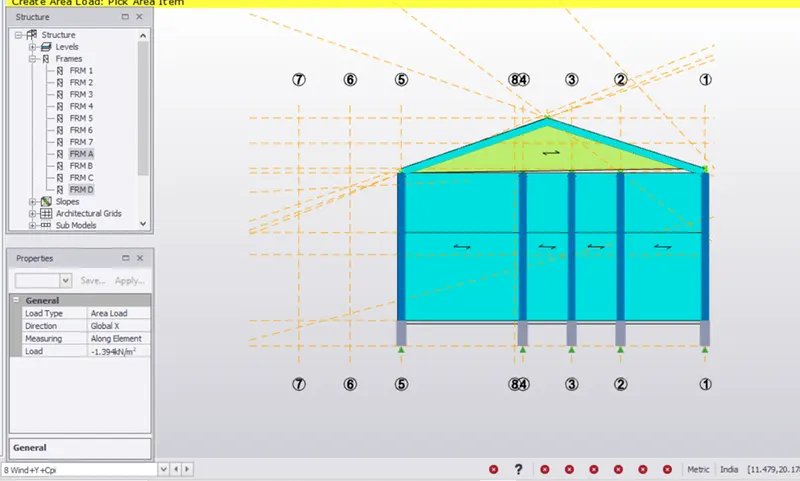
- Apply Load On face C = Wind + y + cpi = 1.394 KN/m^2
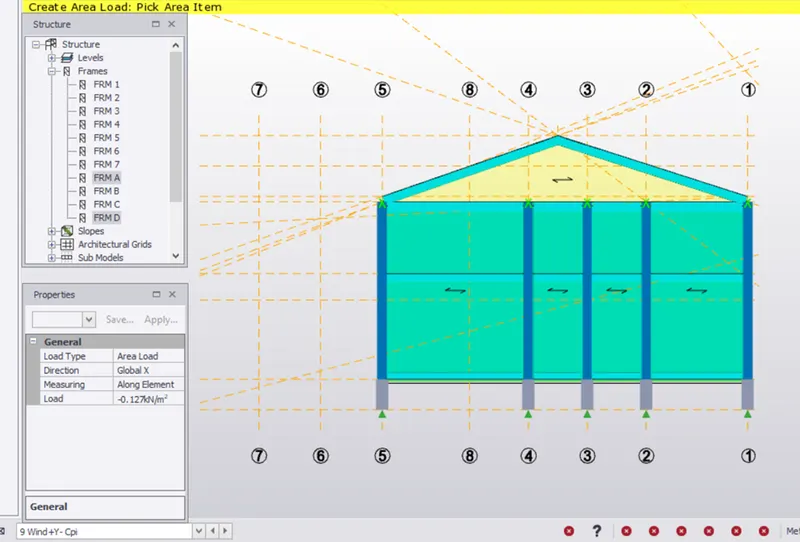
- Apply Load On Face D = Wind + y - cpi = - 0.127 KN/m^2
- Now We Will Apply Load Of - Y
- All Loading Will Be Similar Just The Direction Wind Is Changed
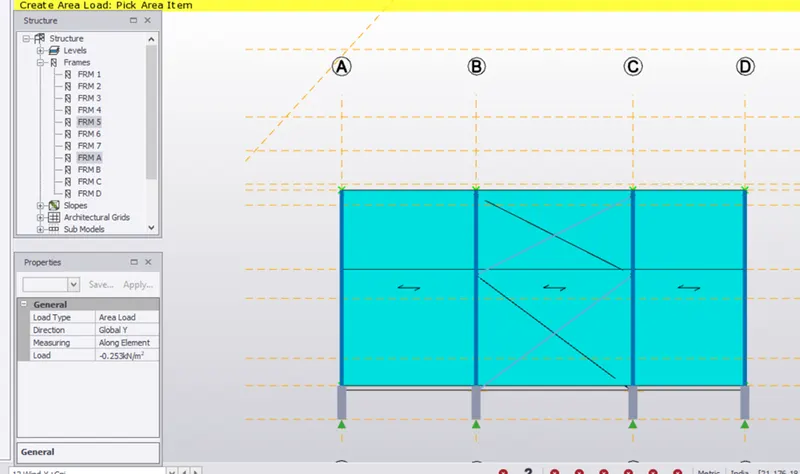
- Frame 5 = Wind - y +cpi = - 0.253 Kn/m^2
- Apply Load On Frame 1 - Wind + cpi = 0.951 KN/m^2
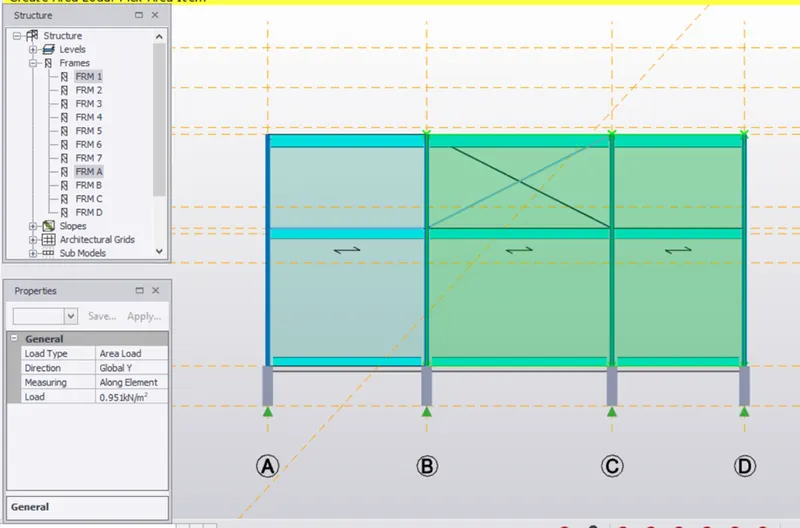
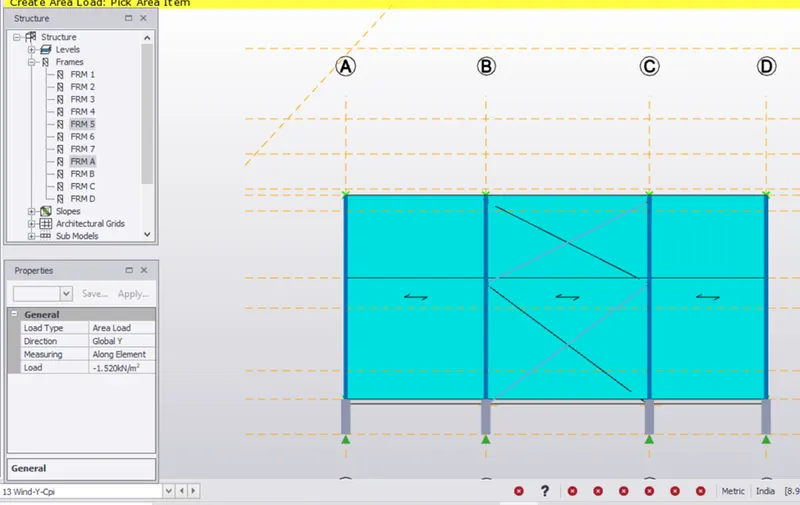
- Apply Load On Frame 5 = Wind - y - cpi = - 1.521 KN/m^2
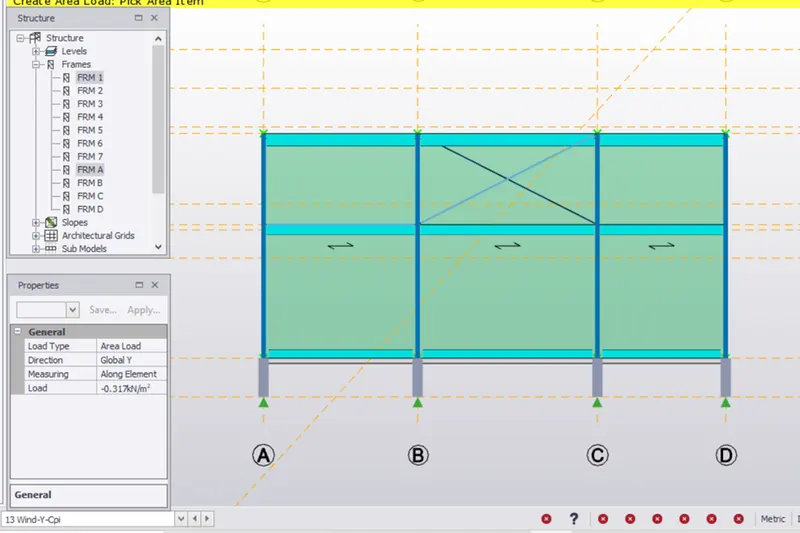
- Appply Load On Frame 1 = Wind - y - cpi = - 0.317 KN/m^2
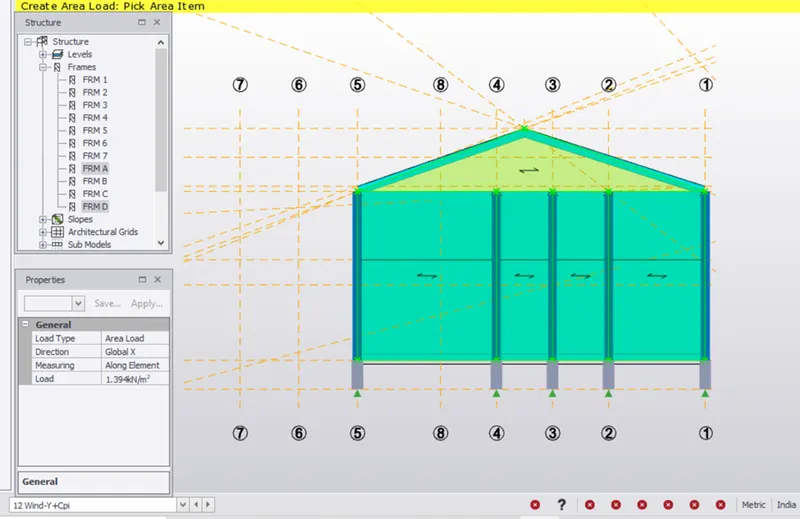
- Apply Load On Frame D = Wind - y + cpi = 1.394 KN/m^2 On Global X Axis
- Apply Load On Frame A = Wind - y - cpi = 0.127 KN/m^2 On Global X Axis
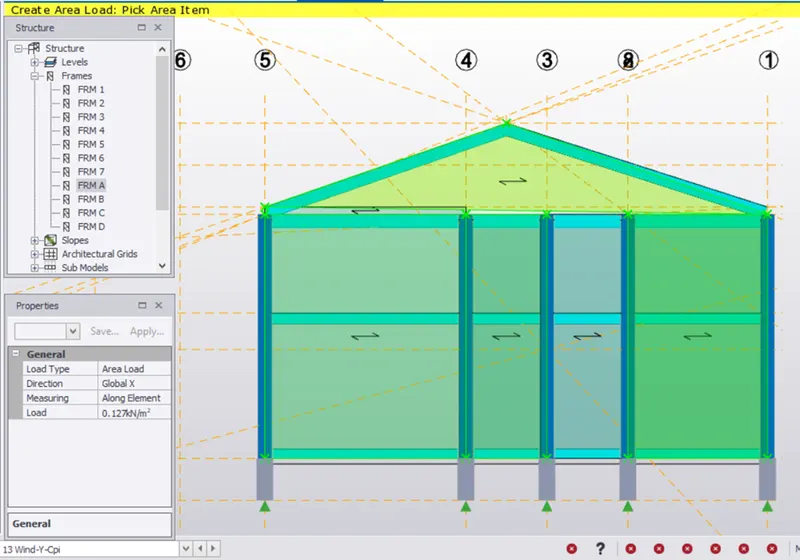
- Apply Load On Face C = Wind + y - cpi = 0.317 KN/m^2
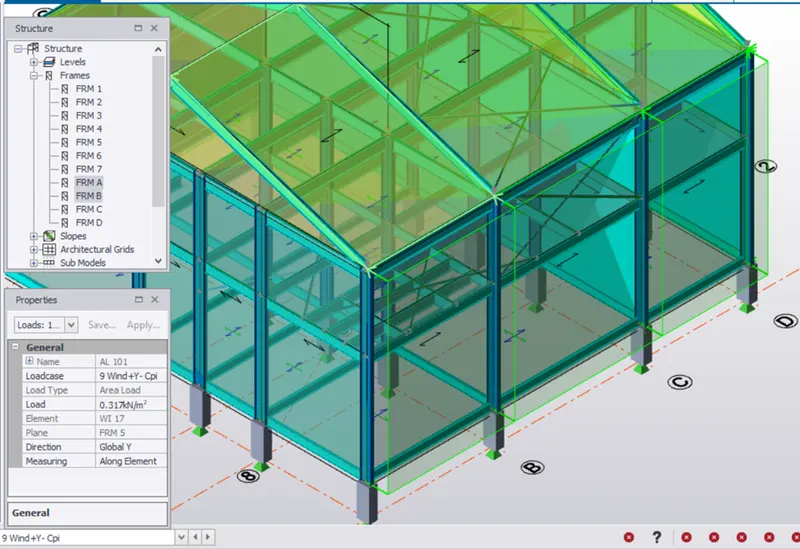
- Now Apply Wind Load On Roofs And Taken Roof Angle As 25 Degree
- From IS 875 Part 3 Table 3 Clauses 6.2.3.2
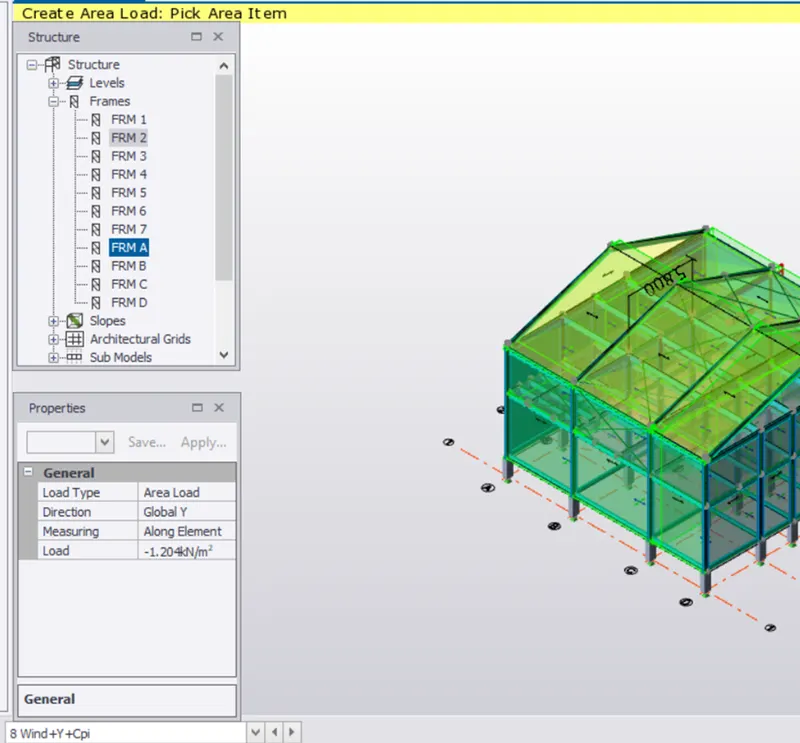
- Now Apply Roof Load On PQ
- Frame 2 = Wind + y + cpi = 1.204 KN/m^2
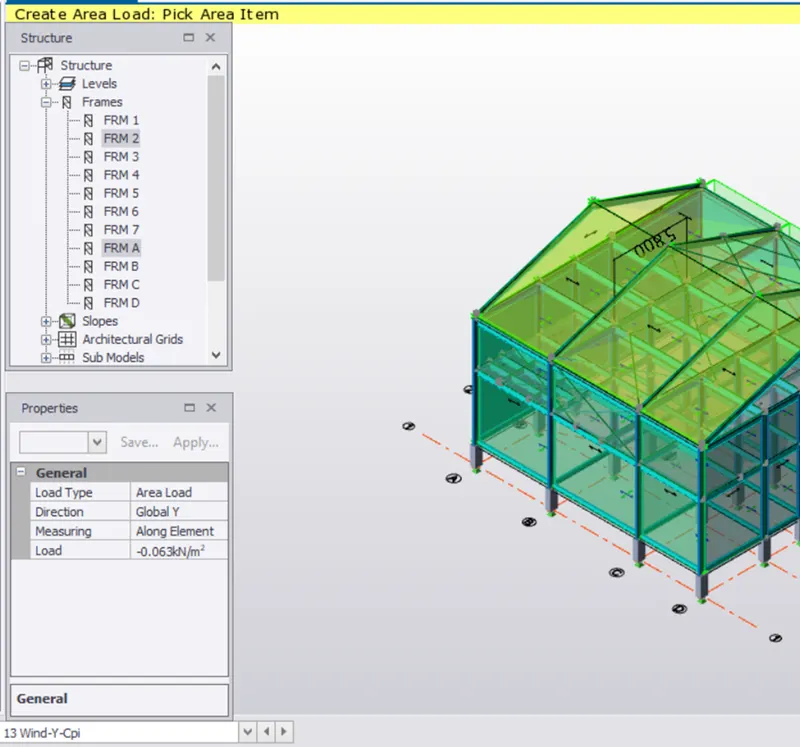
- Apply Load On Frame 2 = Wind + y - cpi = 0.063 KN/m^2
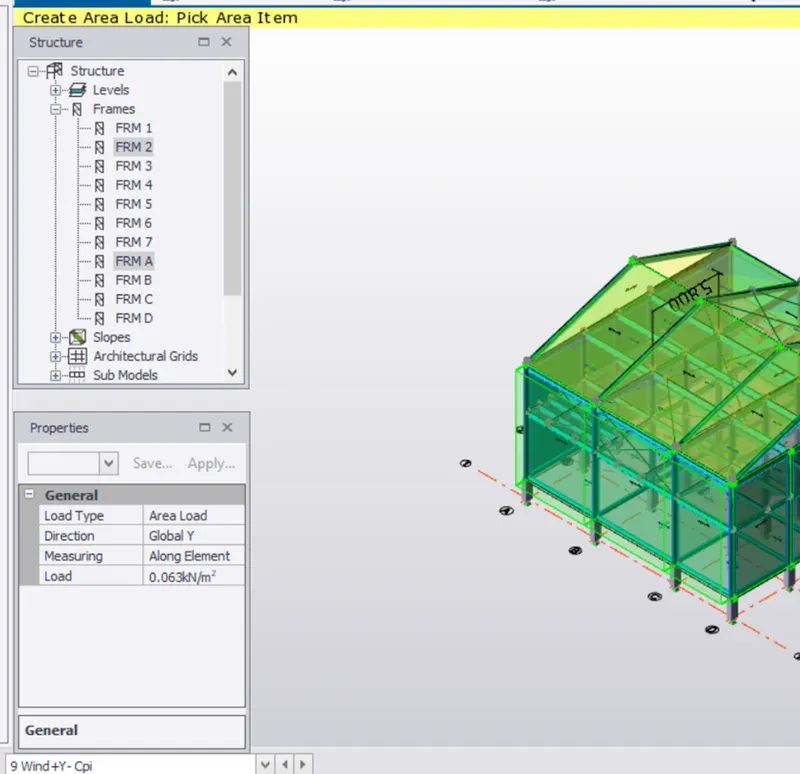
- Roof Xy
- Apply Load On frame 1 = Wind + y - cpi = 0 KN/m^2
- Roof PQ
- Applly Load On Frame 1 = Wind - y + cpi = 1.204 KN/m^2
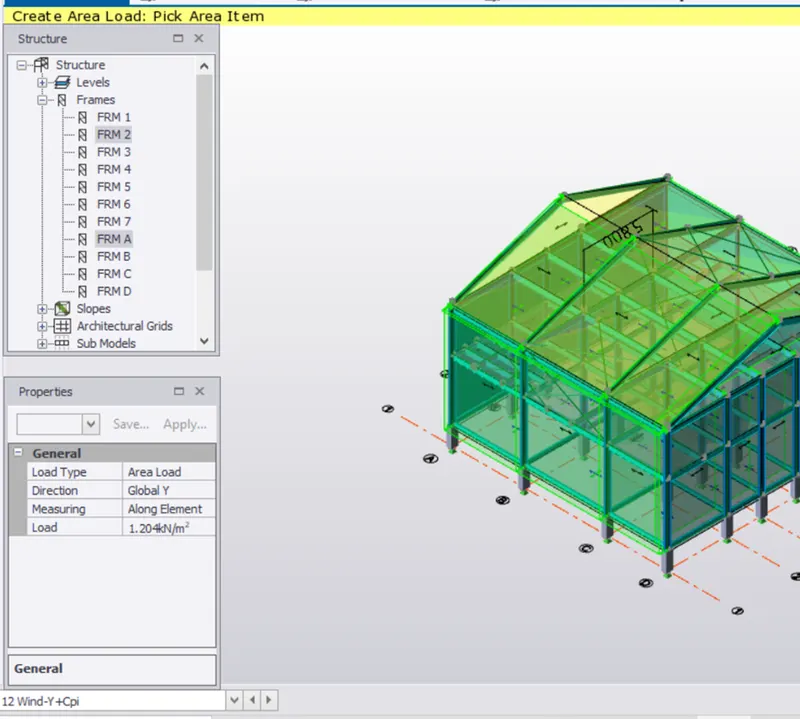
- Apply Load On Frame 1 = Wind - y - cpi = 0.063 KN/m^2 On Roof PR
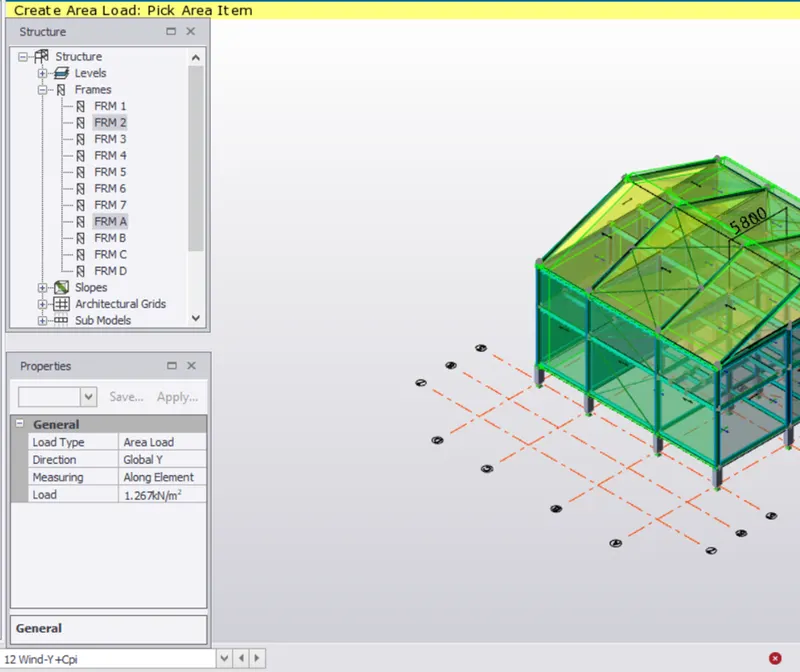
- Apply Load On frame 2 Of Roof XY = Wind - y + cpi = 1.267 KN/m^2
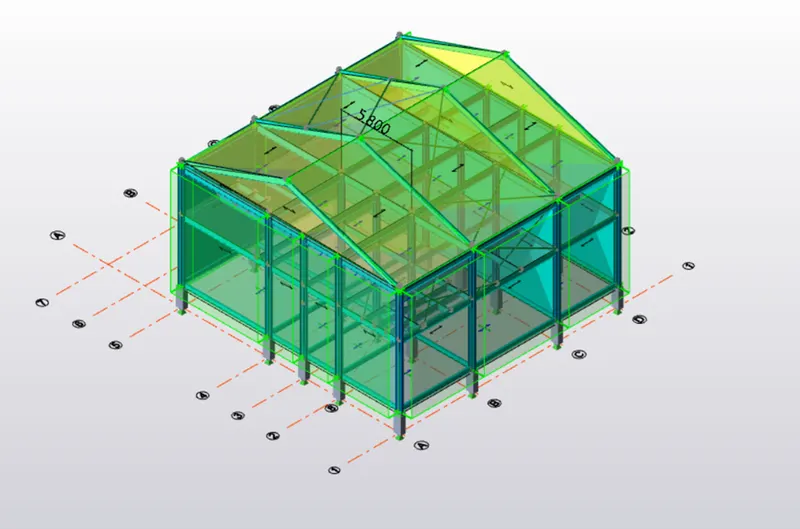
- Apply 0 KN/m^2 On Roof XY Of Frame 2.
Result :-
Que :- 3. On a separate model generate wind loading using wind wizard
Ans :-
Aim : On A Separate Model Generate wind Loading Using Wind Wizard
Procedure :-
- Open The File
- Open Load cases In Load tab
- Delete All Load Cases and Set Only Default looad cases
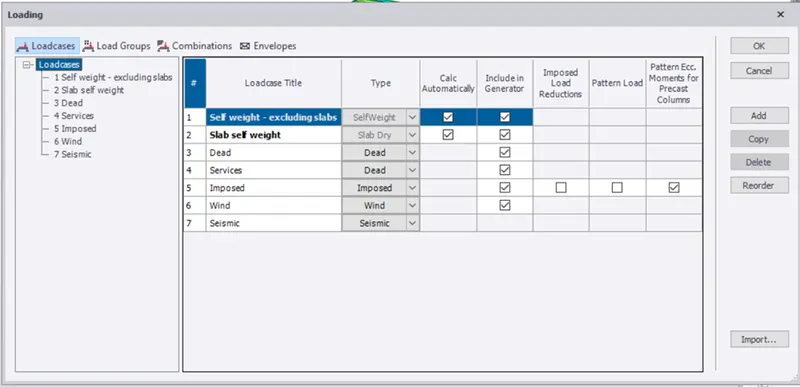
- On Load panel Select Wind Wizardand Select The Cyclonic Effect
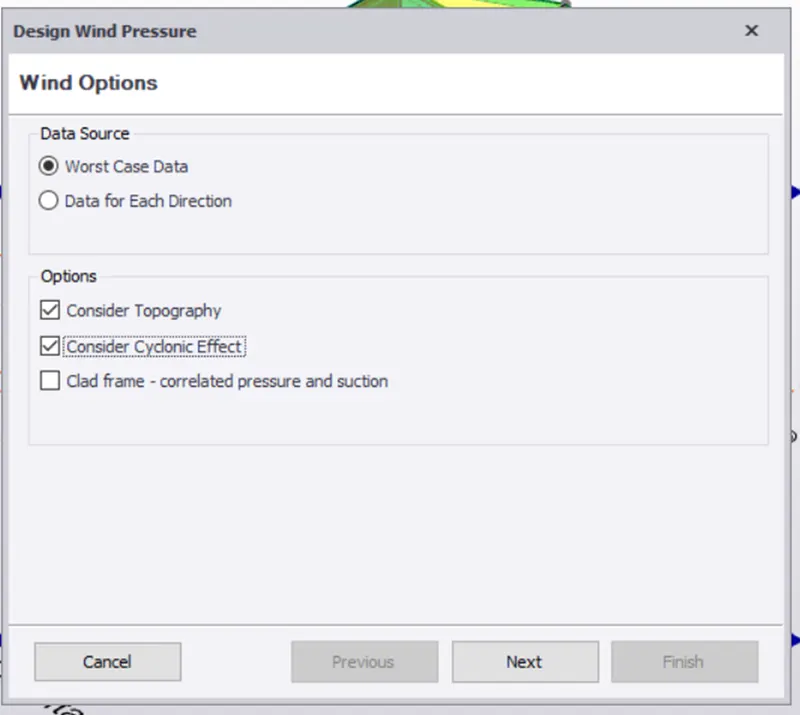
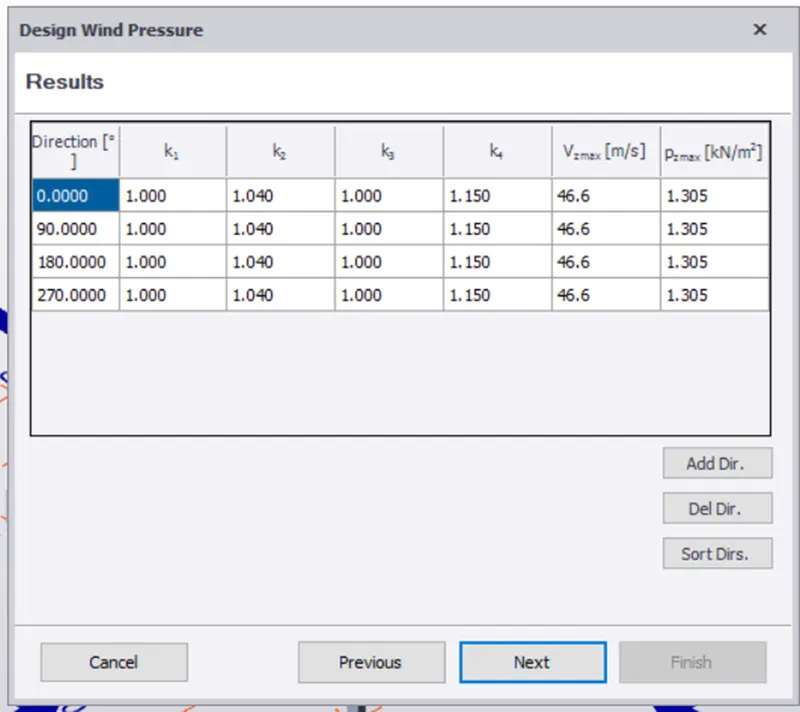
- Check All The Details Of The Building Like Wind Speed Of Height Of Building Affected By wind And also K1 And k2 Factor
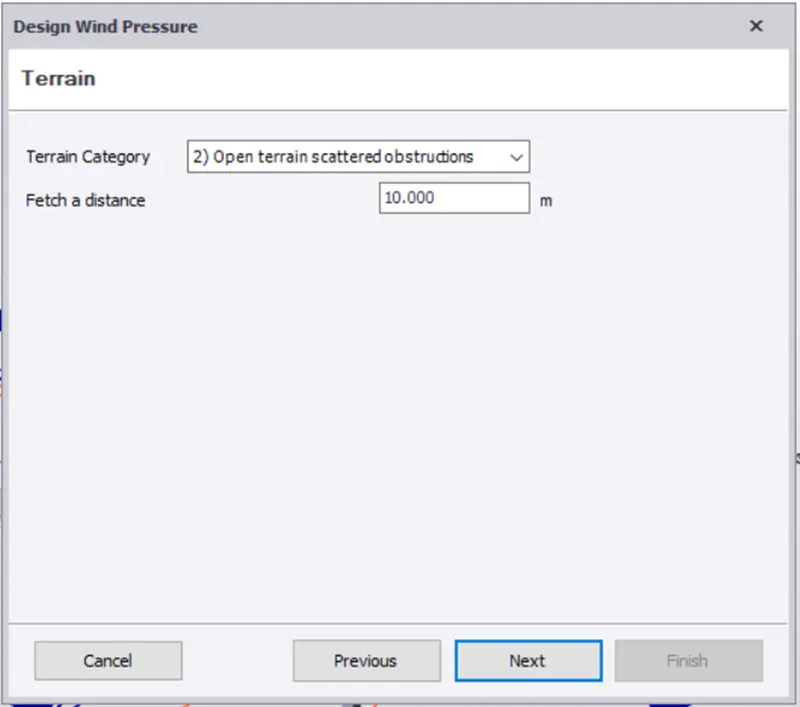
- Select terrain Category As Open Terrain Scattered Obstructions
- Fetch Distance Is 10
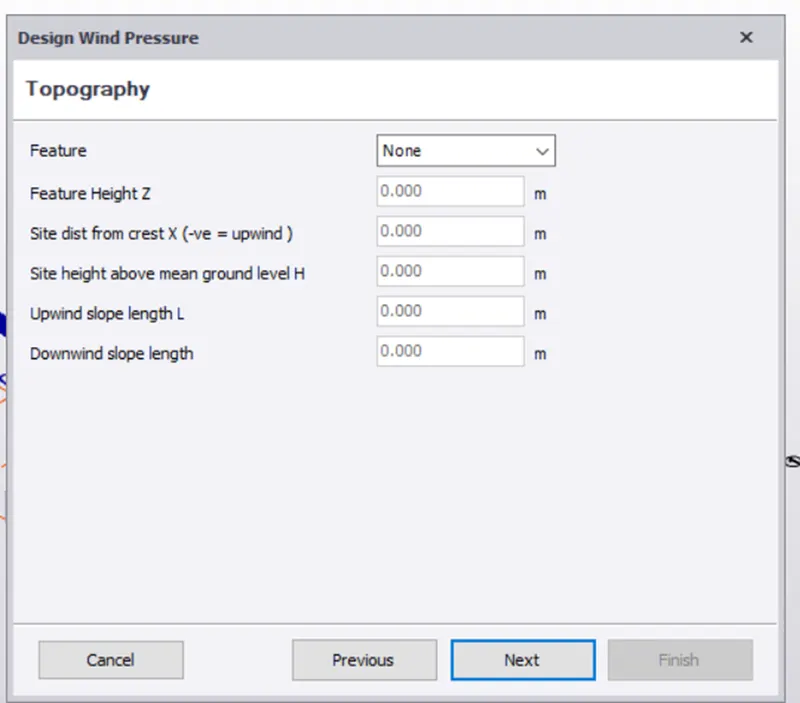
- Click Next Then The select Topography And Then Next
- After That , It Shows Resultant Wind Pressure
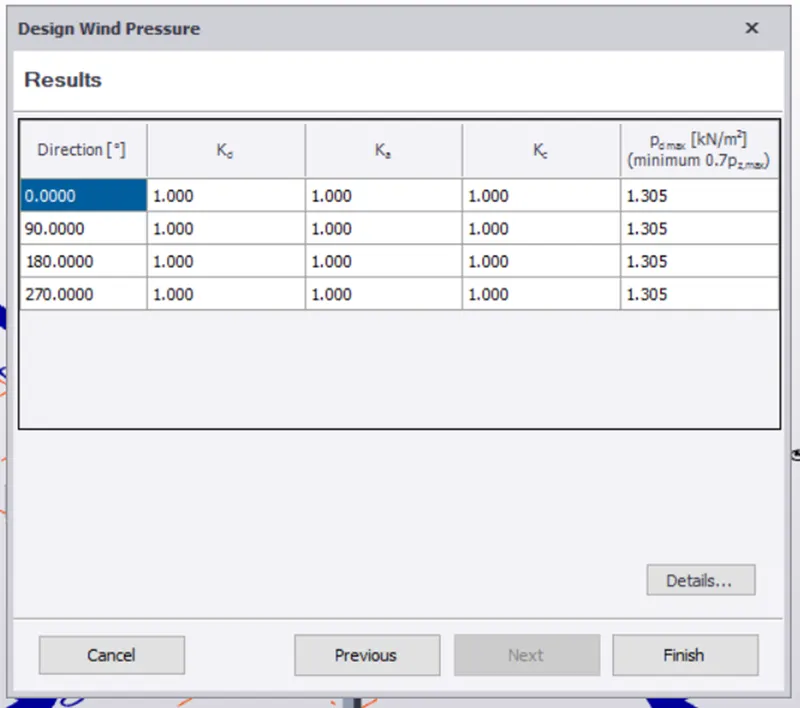
- Click On finish
- Now Click On Wind Load Cases
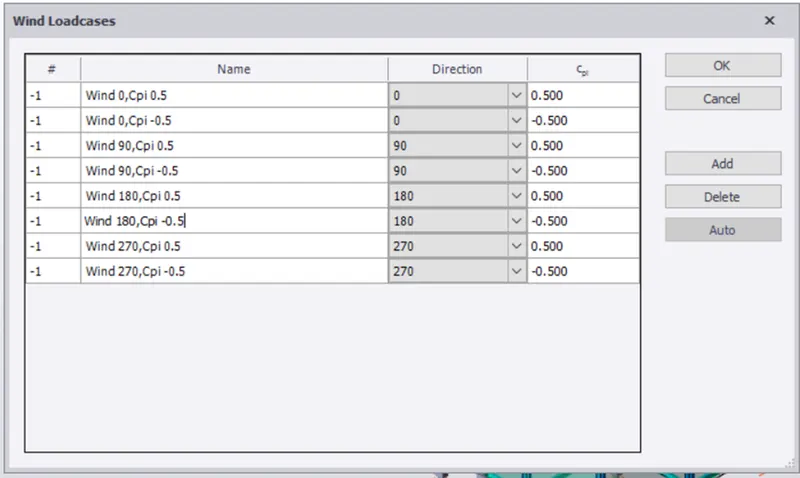
- Now All The Loads are Applied And Click On Valid Action to Check For Errors.
Result :-