To Analysis and Design of Steel Structures using TSD
Que :- 1. Summarize your study for the bending moment, shear force and deflection diagrams for the elements of the mode
Ans :-
Aim : Summarize Your Study for The Bending Moment , Shear Force And Deflection Diagrams For The Elements Of The mode
Procedure :-
- Initally Open The Tekla File You saved Previously
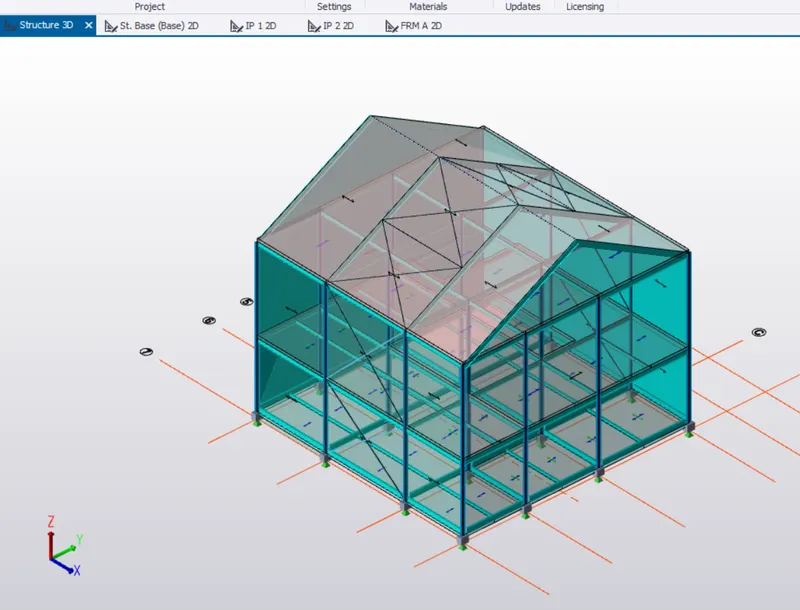
- After opening The file - > we ste The Seismic data In The structural
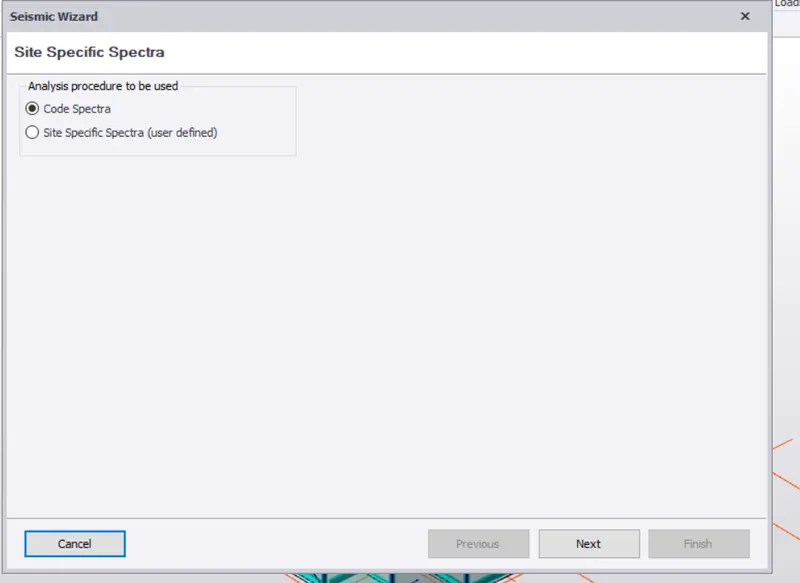
- To set - > Go to Load panel - > Under Seismic Load go To Seismic Wizard
- Select The Code Spectra - > Next
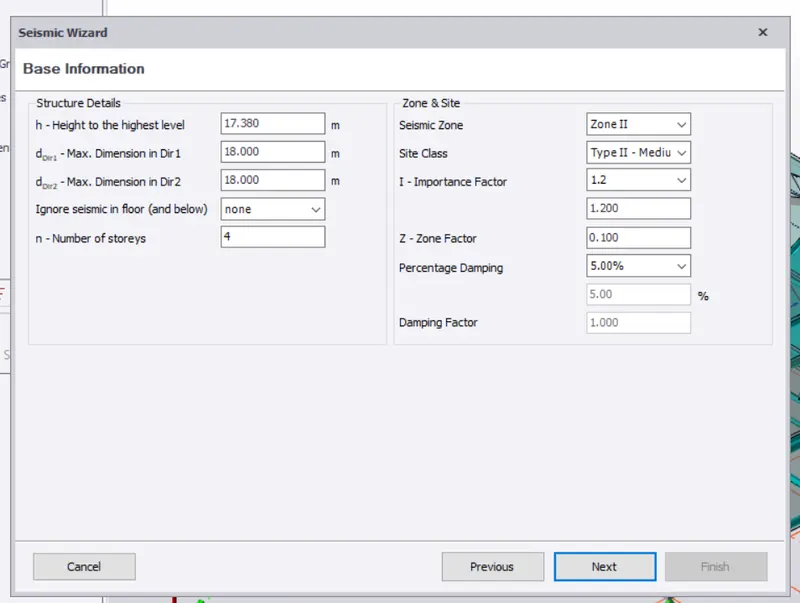
A New tab Opens - > Check The Base Information Of The Model
- Check Seismic Zone And Site - > Click Next
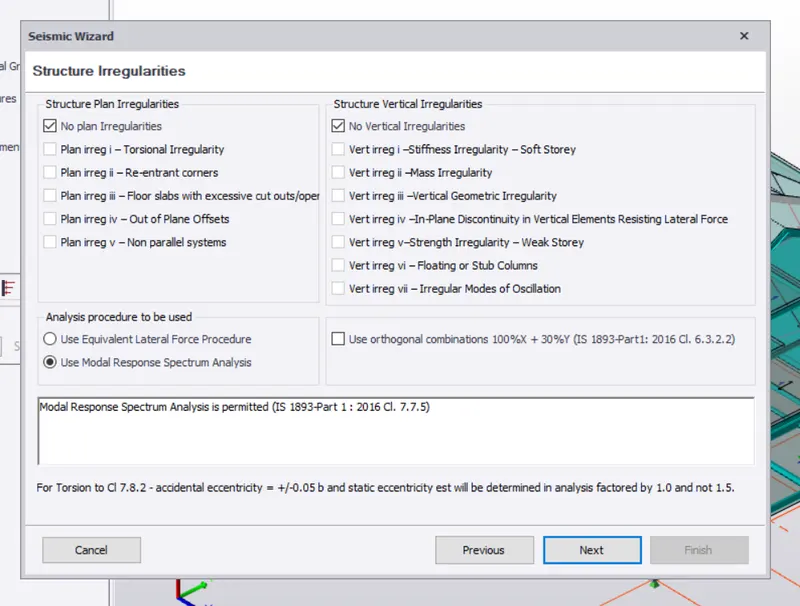
- Now Set The Structural Irregularities - > If Any Plane Or Cliff Give
- Or Else Click Next
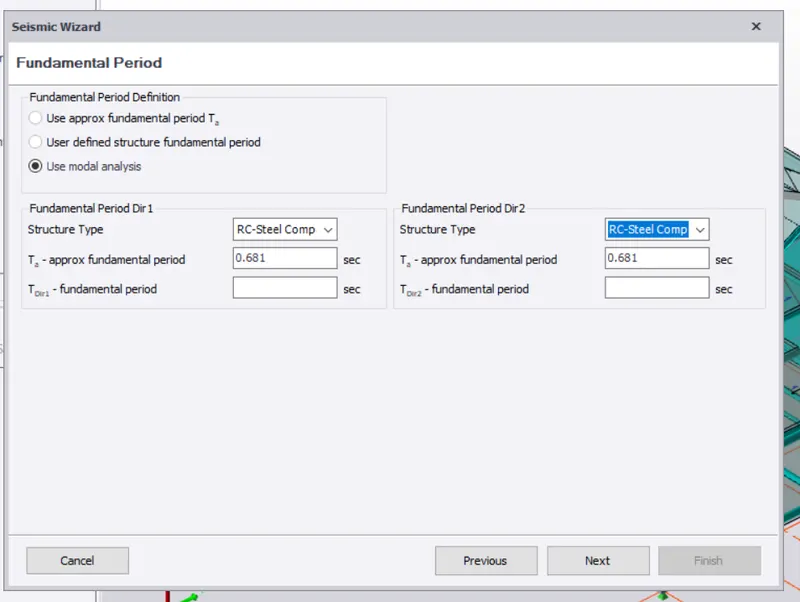
- On The Fundamental Period - > Select Structural As RC steel Composite
- Click On Next
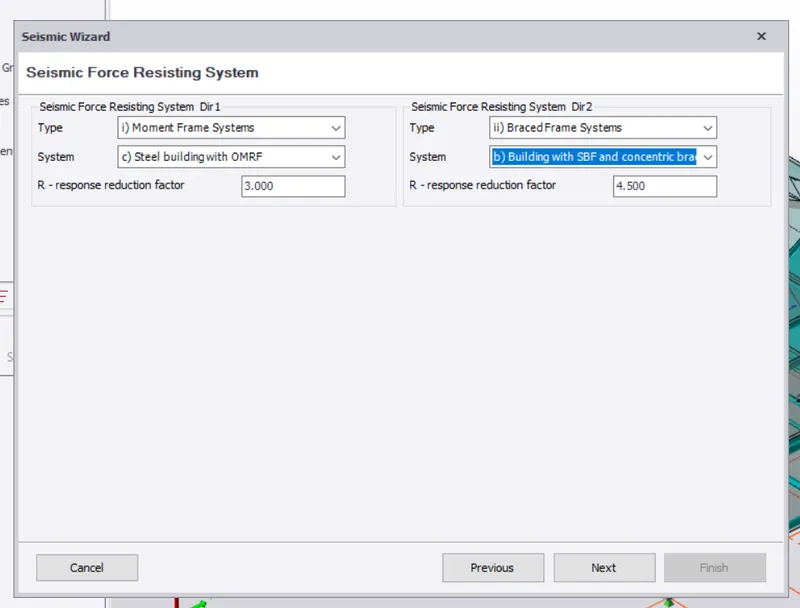
- In Seismic Force Esisiting System - > Select The Type As Moment Frame Systems - > Steel building With OMRE
- In Dir 2 select The Braced System - > Building With SBF And Concentreic Braces
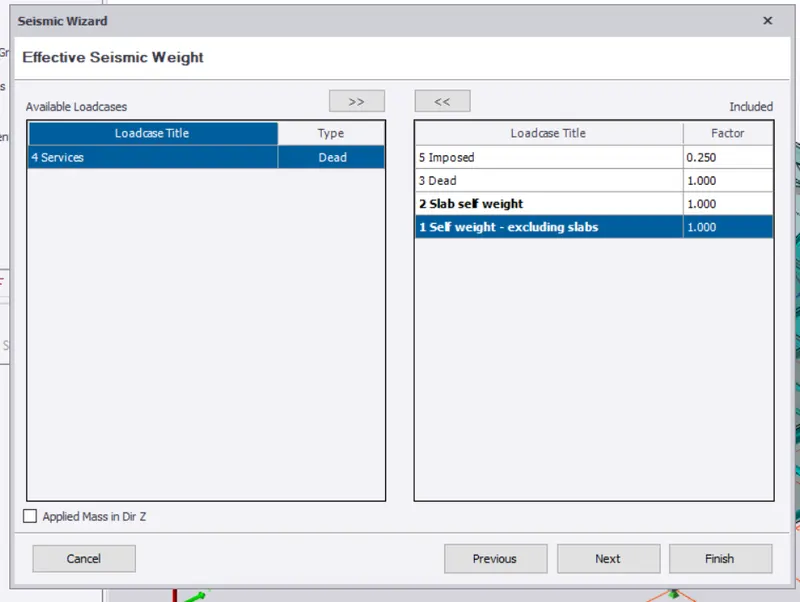
- On Next tab - > Exclude The Service Load And Select All Others
- Click Next
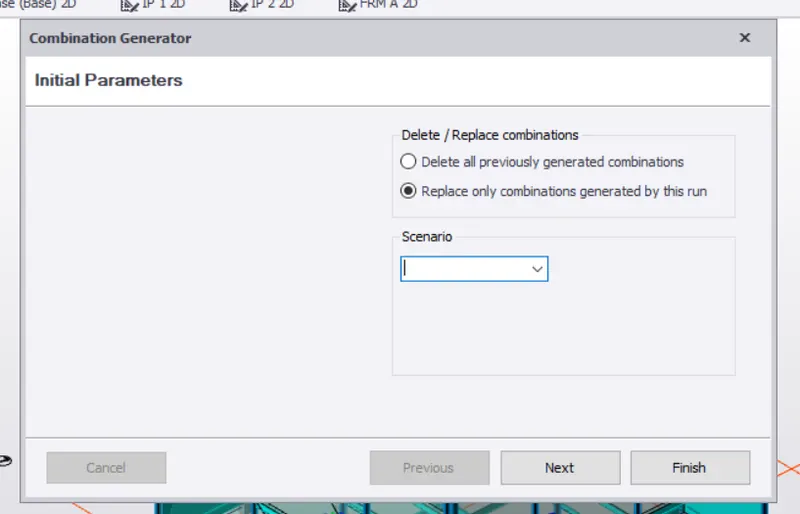
- Select The seismic Combination - > Click Next
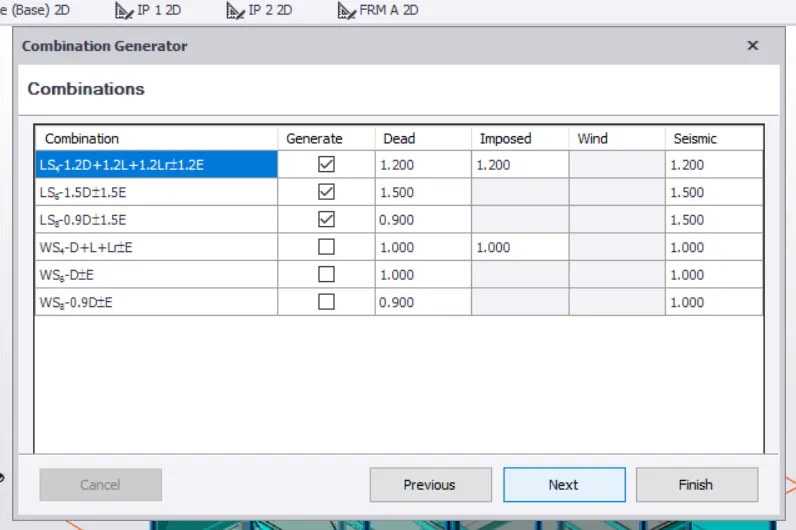
- Click OM Finish
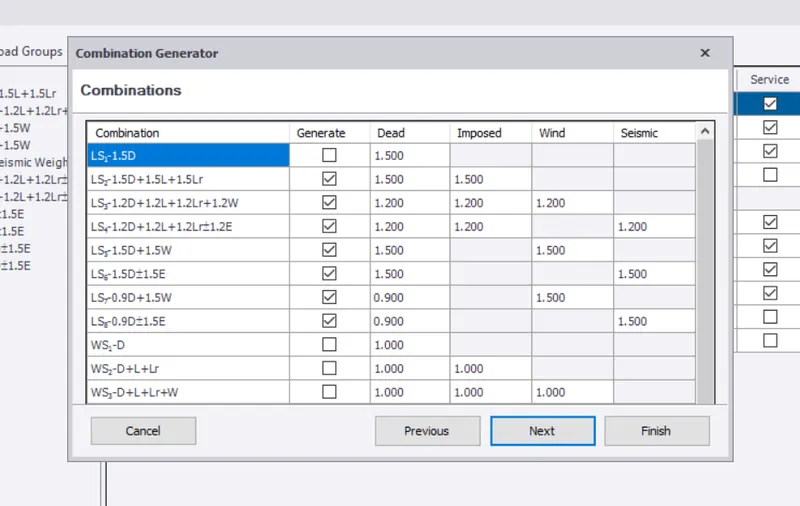
- Now Go To Load Combination - > Click On Generate
- Click next And select The load combination And finish
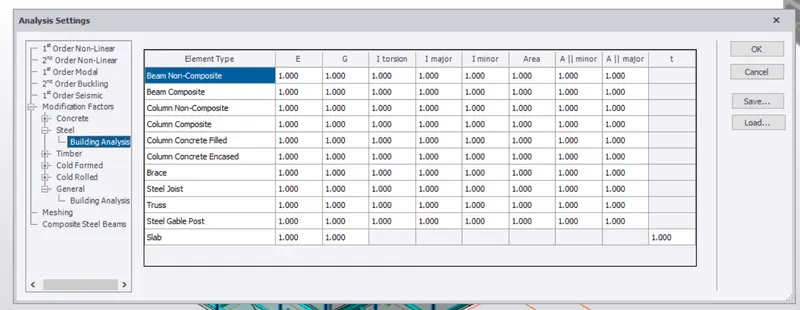
- Now Before starting The analysis Use Check The Factors
- Go To analysis tab - > Go To setting
- Under The Modification factors Tab - > Select steel
- Check for Tall The Factors To Be 1.0
- You can modify The factors If Needed
- Now To analyse The Structure - > click On 1st Order Analysis
- After select the Combination And cases You Want To Analyze
- Click On Ok
- After The analysis Is Done - > Go to result View From The Bottom right Corner
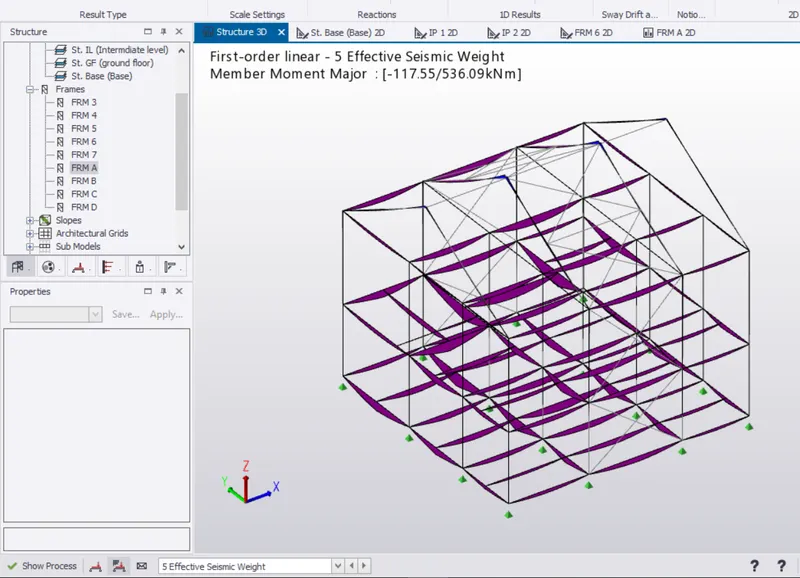
- On The result panel - . Go To result - > Moment major - > select The axis
- It 'll show the Results Of The Bending moment Major
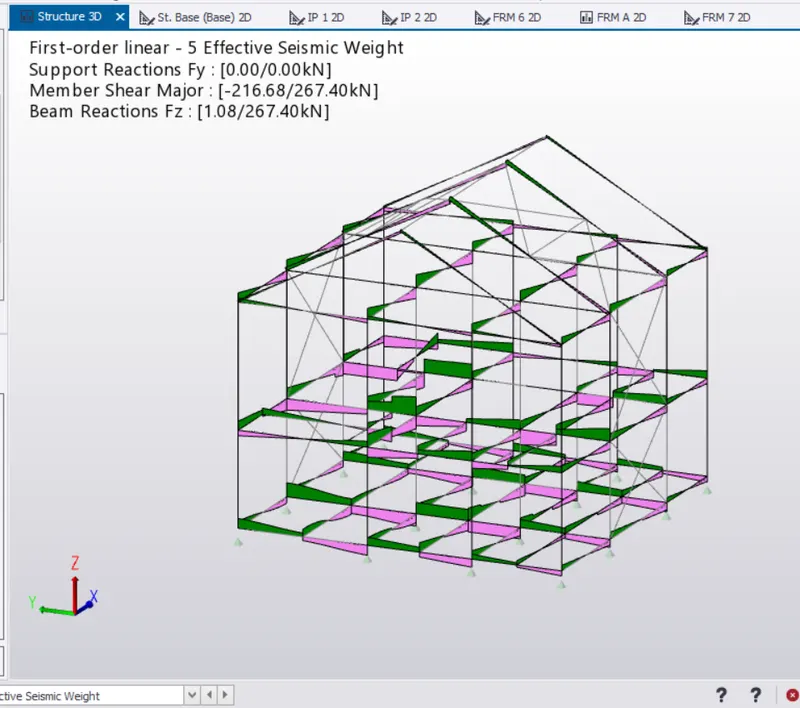
- These Are The Loads Of Effective Seismic Weight
- Shear Major
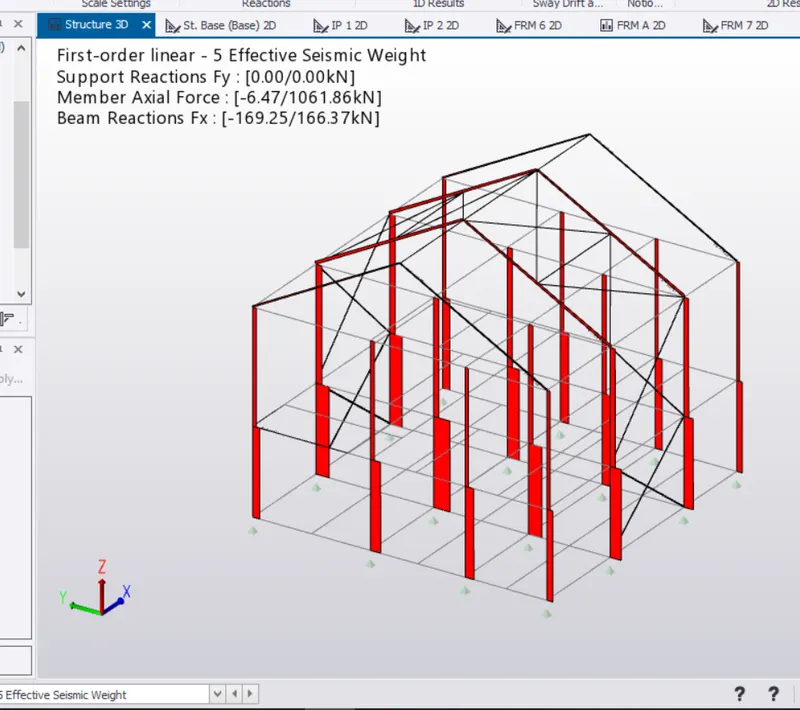
- Axial Force
- Now Check For The Frames members Individually
- For Now Open frame A Section
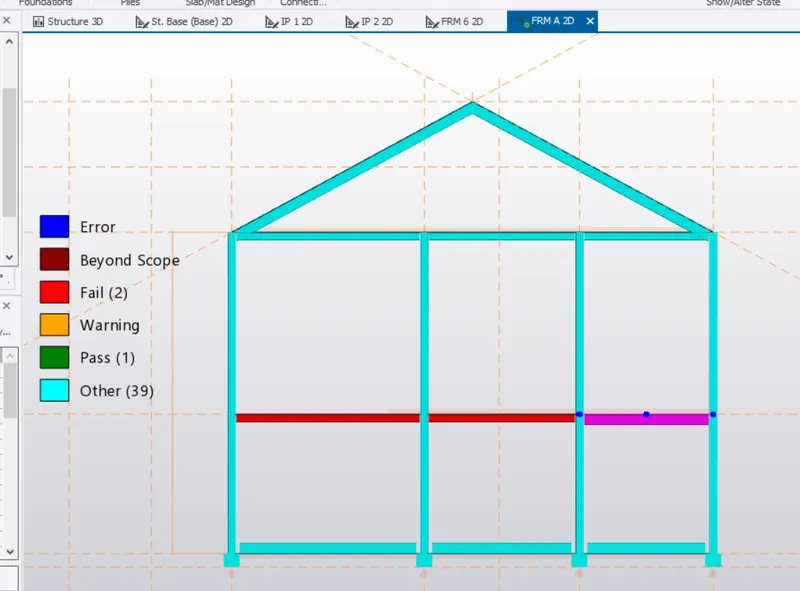
- The frame A above - > The Beam shown Red Has failed So We Try To Check The Member
- Select The Beam - > Right Click - > check Member
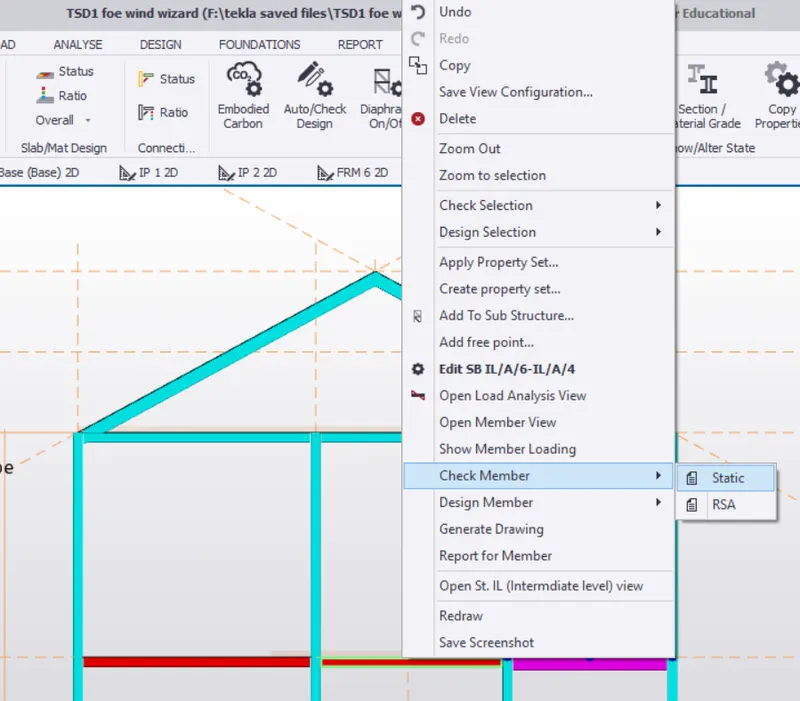
- Click On Check Member - > A List Is Shown Here The Crictal Failure Of Beam In Moment Major
- So We Try Changing The Beam Section To MB400 ( Previously MB300 )
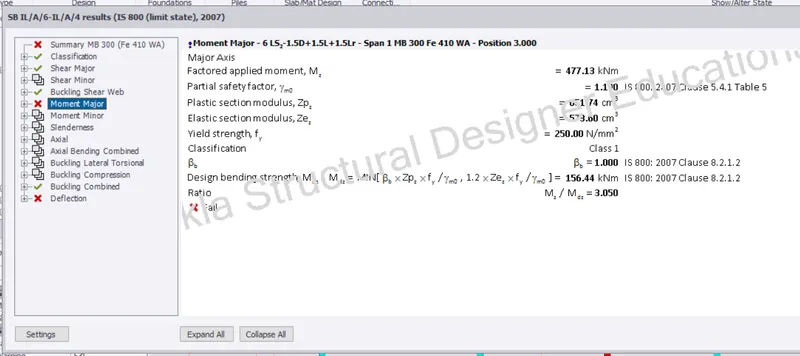
- After Trial And Erors We Rectify The Error By Giving The section Of MB500 To The Beam
- Similarly We Check The Other Member And change The Section Or Areas Accordingly
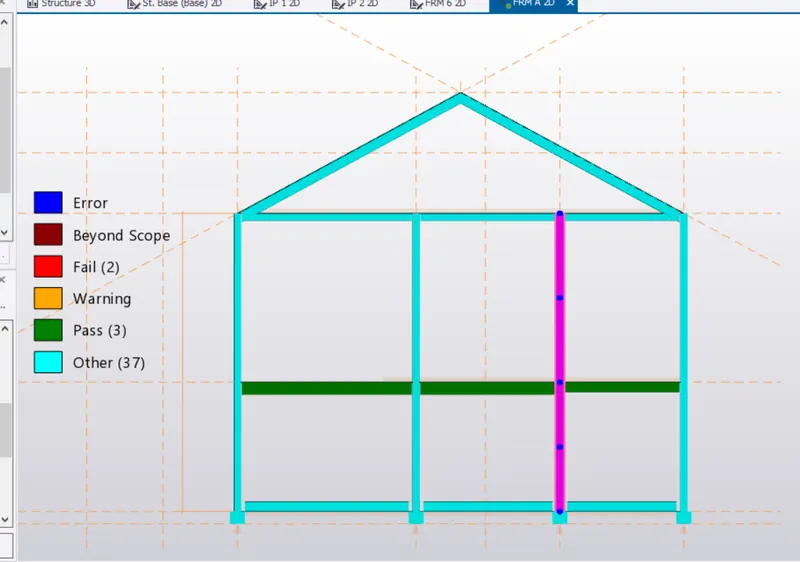
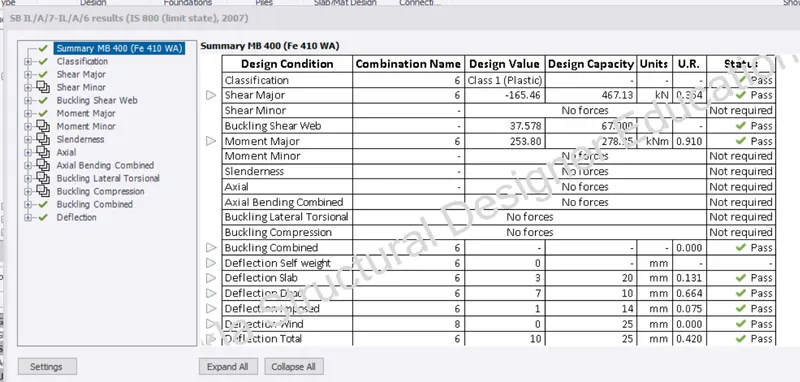
- Similary Do It For All Other Members And Check For The Errors
Que :- 2. Based on the analysis design the members and outline the thought process in selecting the member sizes along with
the foundation design
Ans :-
Aim : Based On The Analysis Design The Members And Outline The Thought Process In Selecting The Member Sizes Along With
The Foundation Design
Procedure : -
- Now For The Design Of The Foundation Under The Columns
- Go To The foundation tab
- Open the Base Level - > Under The Foundation Panel click On Pade Base Foundation
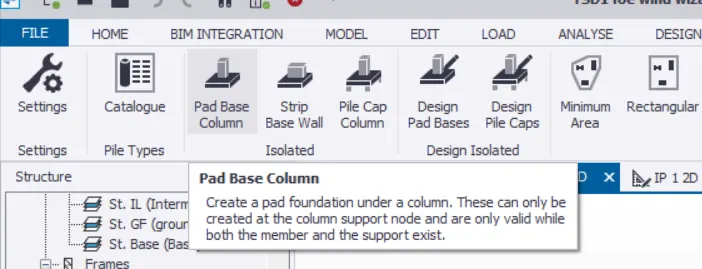
-Select The pad Base Foundation - > Click On the Columns Under Which You Want The Foundation To Be Placed
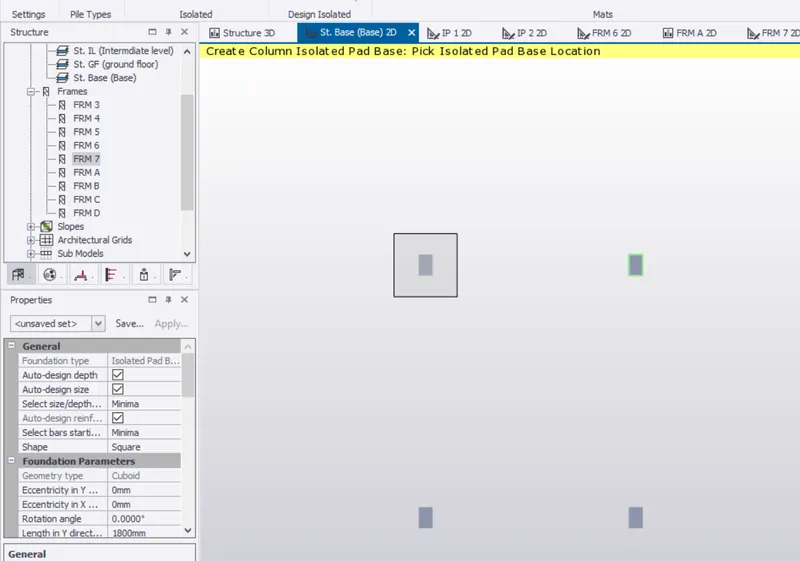
- Select The Column - > Right Click And Member - > This Foundation Is Falling Under Bending capacity
- So We Try To Increases The Area Of Steel Provided
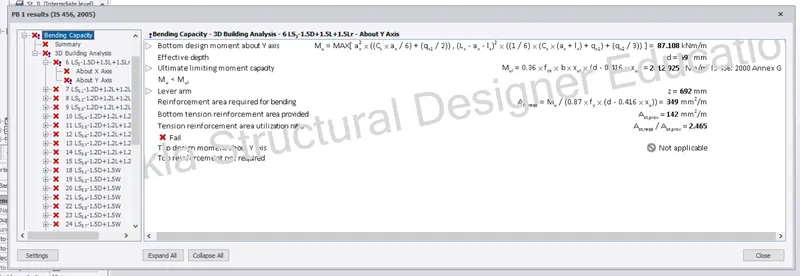
Providing 25 mm Dia Bars With 300mm Spacing And Increasing The Depths
- The dimension Of Foundation Is 2500 mm Both In X & Y Direction And Depth 850 mm
- We Again Check The Foundation And The Errors Are Removed
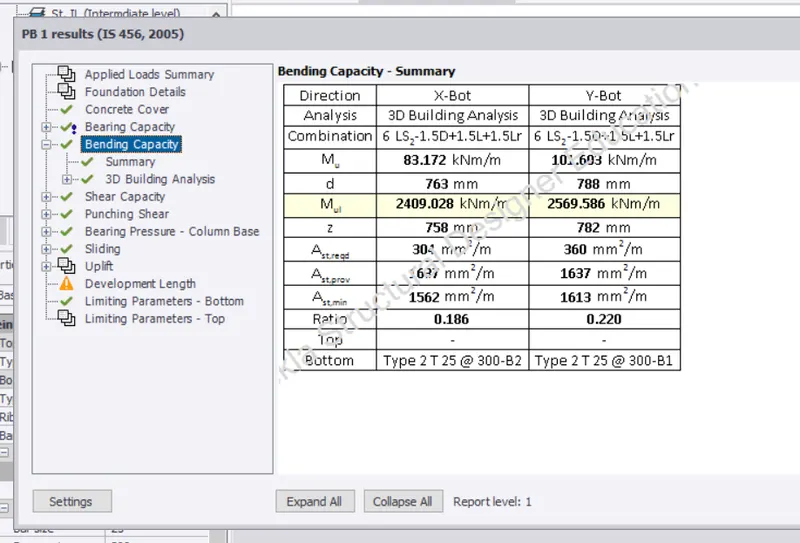
- Similarly We provide Foundation To All Other Columns
- Select The Foundation - > Copy And Apply To All Other Columns
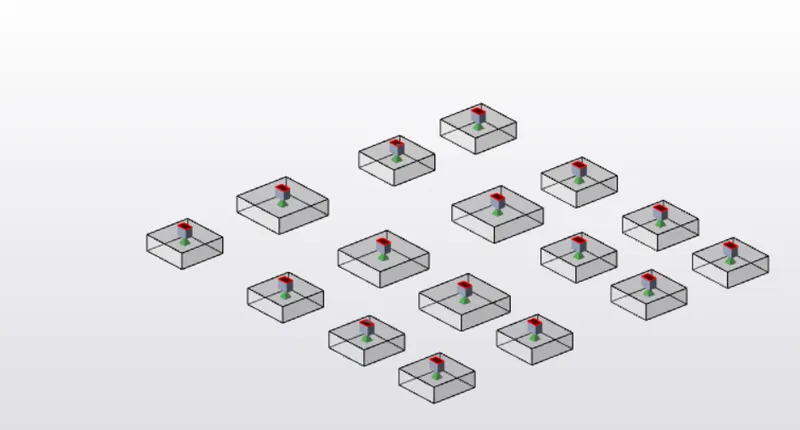
- Check The Foundation for The Errors
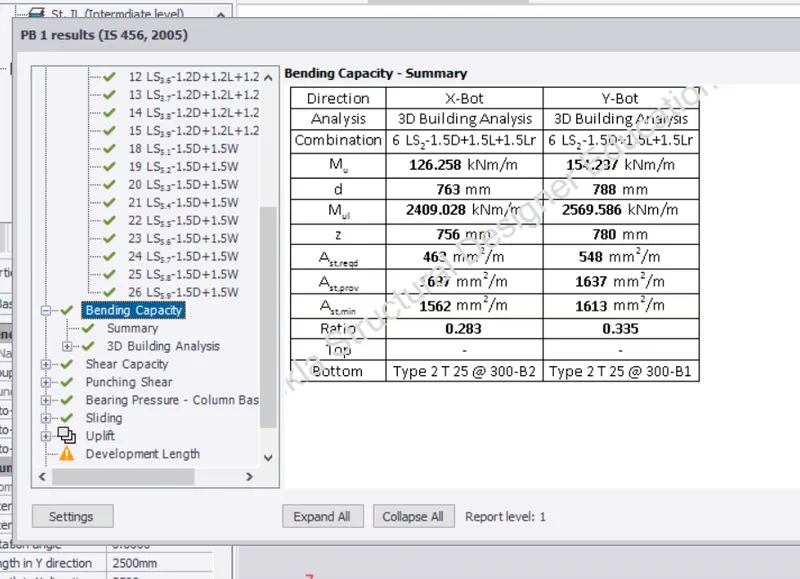
-All Foundation are Check There Are No Shown Errors
Result :-
- Successfully Desigined The Foundation And The Beams
- removed The Errors Of The Section which were Failing Under The Critical loads.