Advanced Sheet Metal Design Using NX Cad Challenge_1_Casing Design
Casing Design
Objective:
The main objective of this project is to design Casing using NX-CAD software in sheet metal.
Introduction:
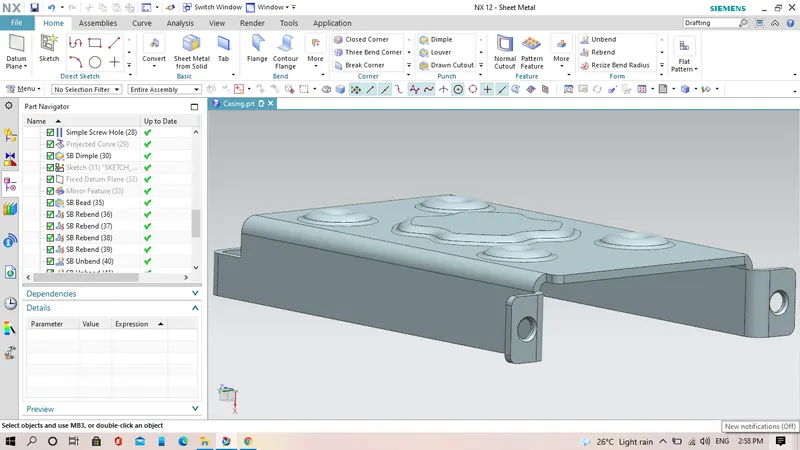
In this project i have design a casing which is a sheet metal part by using NX-CAD software version 12.0.1 have explained all the tools and feature which are used in this sheet metal part modeling such as Tab, Flange, Dimple, Bend, Hole etc.
Design Methodology of Casing:
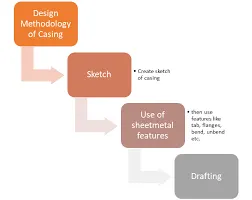
Feature used in design of casing:
- Sketch: This is the basic or common feature use in any type of modeling but it plays vital role it is the foundation of our part model. NX-CAD provides number of sketch entities and tools for creating sketches such as line, arc, rectangle, spline, circle, ellipse, polygon etc. In case of our casing i have used sketch entities like rectangle, circle, arc.
- Tab:
This feature is used to create a solid body by extruding the sketch along a vector by given thickness value or it is also use to add material along a planer face.
- Flange:
This adds an flange along a face at an angle we can change the angle value their by providing bend between a face, this is very handy feature to create flange as it propell the bend values which are required to create flange.
- Normal Cut-Out:
This feature cuts or removes material from an existing solid body by projecting the sketch along the model and then cuts perpendicular the faces which intersects the projecting sketch.
- Bend:
It modifies the model by bending it on one side of drawn sketch line their by providing smooth round profile to the corners.
- Break Corner:
It round or breaks the sharp corner of the tab create there by providing smooth round profile to the corners.
- Mirror Feature:
This is used to mirror the selected of our featured along a plane byu selecting the mirror plane from the existing planes, it is a handy tool to replicate our featured which are created once and saves time and effort required to relocate that some feature.
- Unbend:
It is use to create a flat sheet of our sheetmetal model, it does by unbending the bend and material adjecent to the bend.
- Rebend:
It again restore the bend which were given to the model previously along with any other featured added to the model after unbend.
- Bead:
It lifts material along a contour of the sketch thereby acting like a stamping tool.
- Dimple:
It is similar to that of Bead feature this also lifts the areas of model inside the sketch and acts like a stamping tool.
- Flatpattern:
It is used to create a flat pattern of our existing sheetmetal part, it generates a separate Flat view of our sheetmetal model, which can be used further as a base view in drawing mode to create a 2D view of our sheet metal.
Differnt Views of this model
Front View
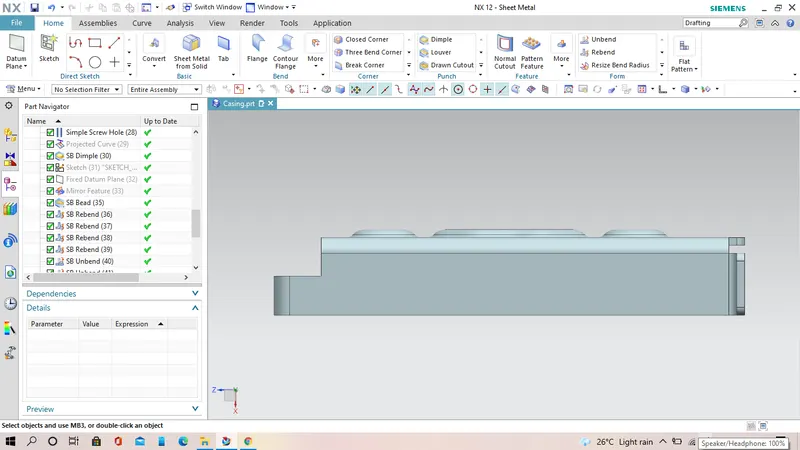
Side View
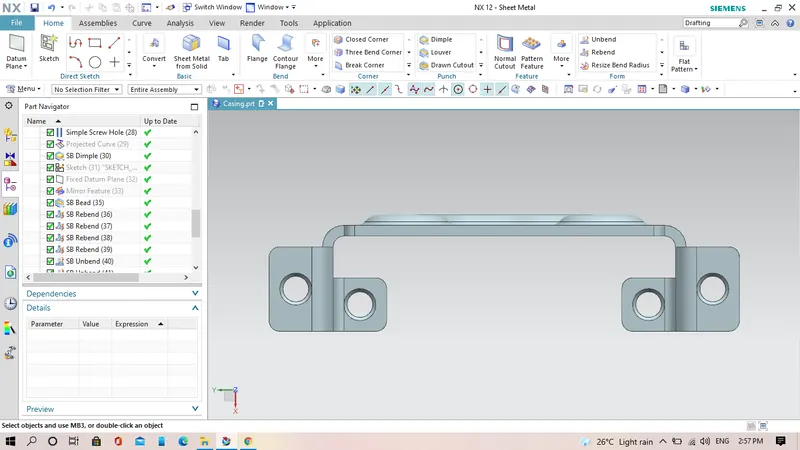
Top View
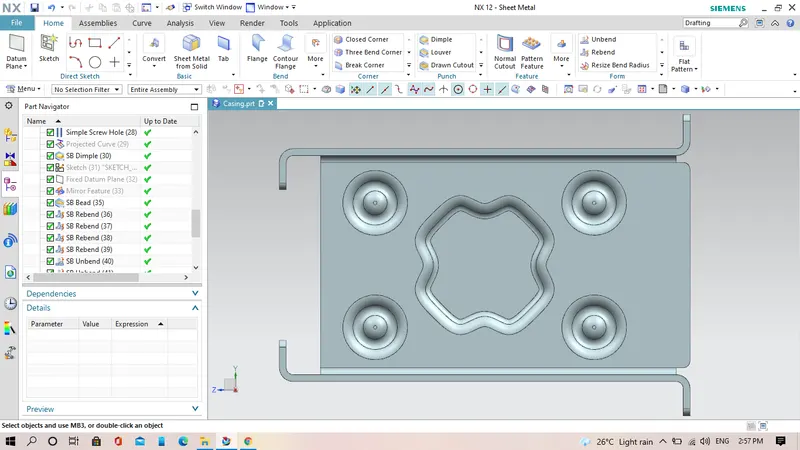
Isometric View
Drafting:
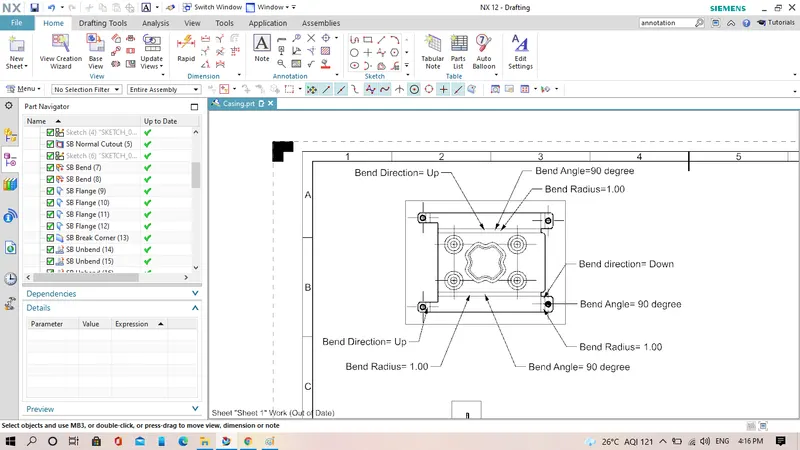
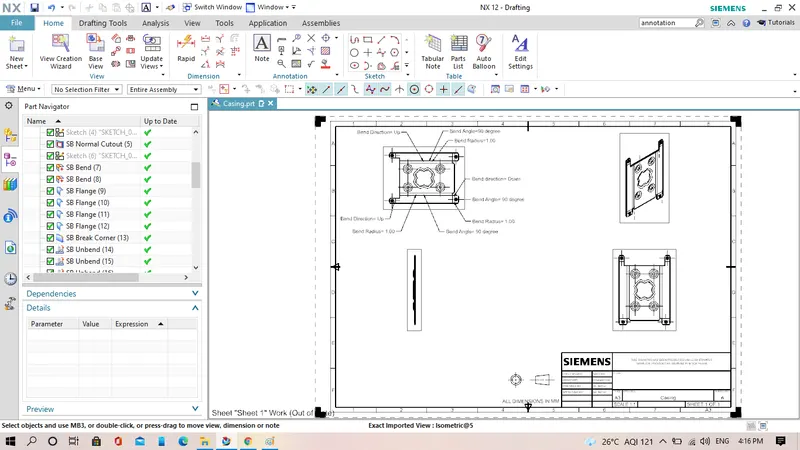
This is another working environment in NX-CAD in which we can create or draft the 2D views of our 3D model to generate the drawing of our model.
Conclusion:
- I have succesfully completed the Casing design by using NX-CAD software.
- As per the design guide lines drafting is carried out