Advanced Sheet Metal Design Using NX Cad Challenge_1_Casing Design
OBJECTIVE :
To design a Sheet metal casing that should be manufacturable with considering all Engineering characteristics.
INTRODUCTION :
sheet metals are used in almost all the areas that we pass through. for example the system which we are using CPU outer body is a sheet metal casing, the pan that we used to cook it is also a shhet metal component, it is playing a vital role in automobiles and almost in all areas.
sheet metal has some own characteristics which are the sheet metal parts have a uniform thickness. it can be bendable but not with a corner edge it has some bend radius.
generally sheet metals are manufacturing by several type of process like punching, bending , stamping, shearing, stretching, deep drawing and a lot...
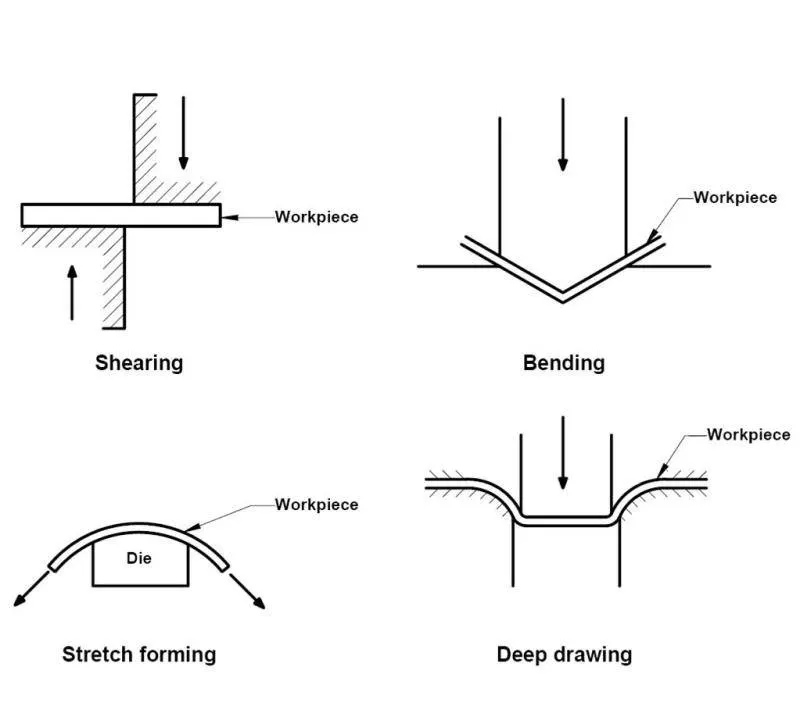
DESIGN APPROACH:
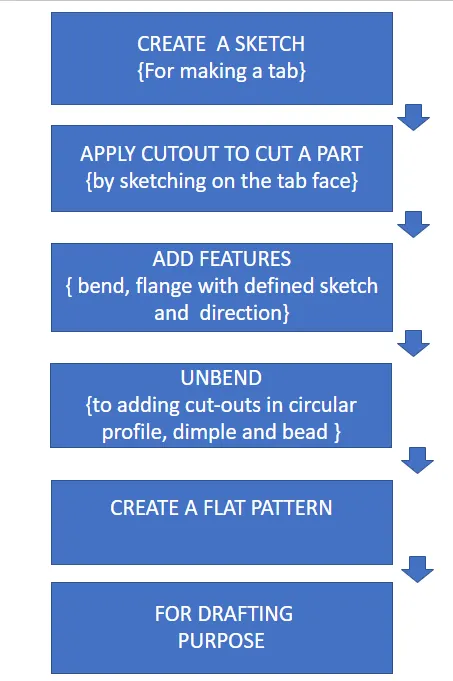
these are the major steps that i followed in order to make a sheet metal casing.lets tkae a look into a detailed version.
DESIGNING STEPS
CREATING A TAB
the tab is a command used to extrude a sketch along a vector by a uniform thickness. it is the first step generally in sheet metal modeling.
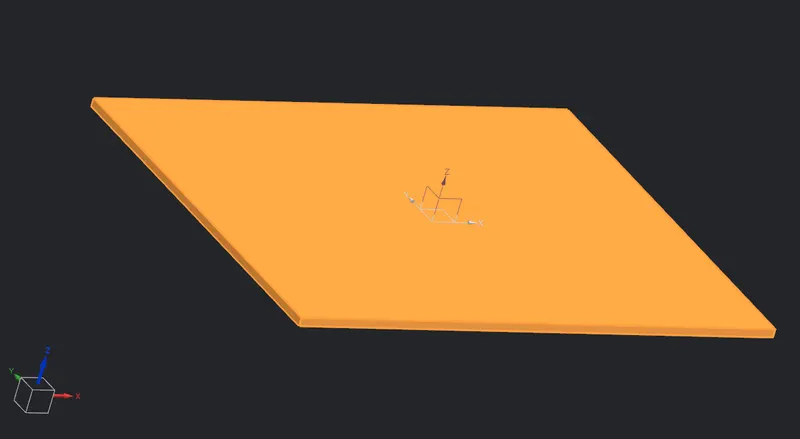
sketch dimensions = 60*50
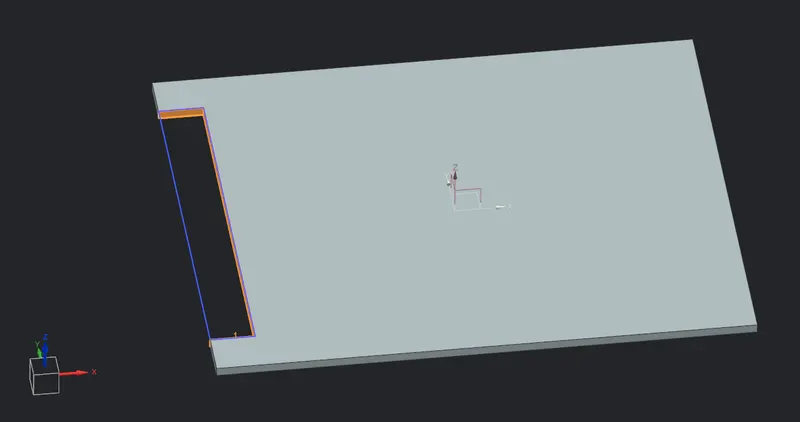
CREATE A CUTOUT
here just we have to make a sketch on the tab face. it will be our cutout profile.
BEND
make a bend as shown in the figure. by sketching a line on the tab and give an appropriate direction. make sure you have set global values. what we have used
material thickness,bend radius,relief depth, relief width= 1mm
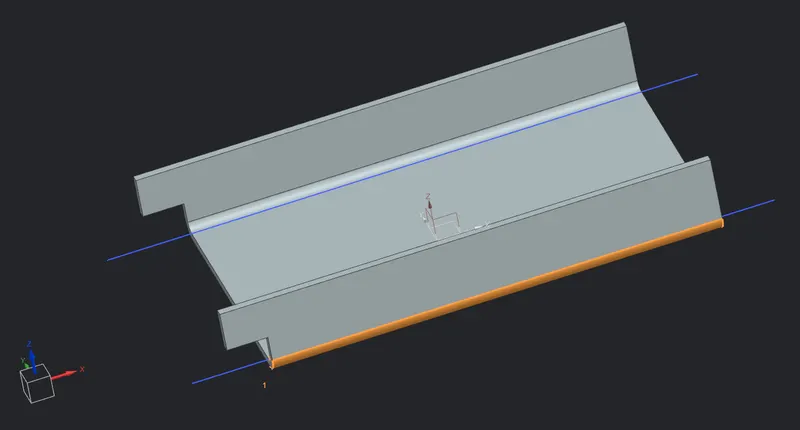
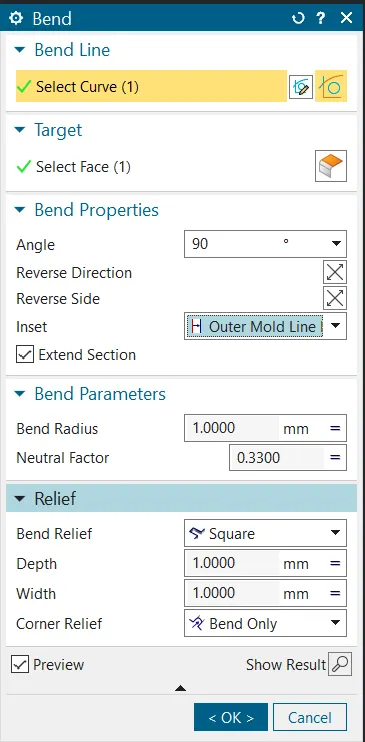 these are the bend feature that i have just applied.
FLANGE
A flange generally consist of bend region and a and web. here we have created a four flanges , detailed pics will given below
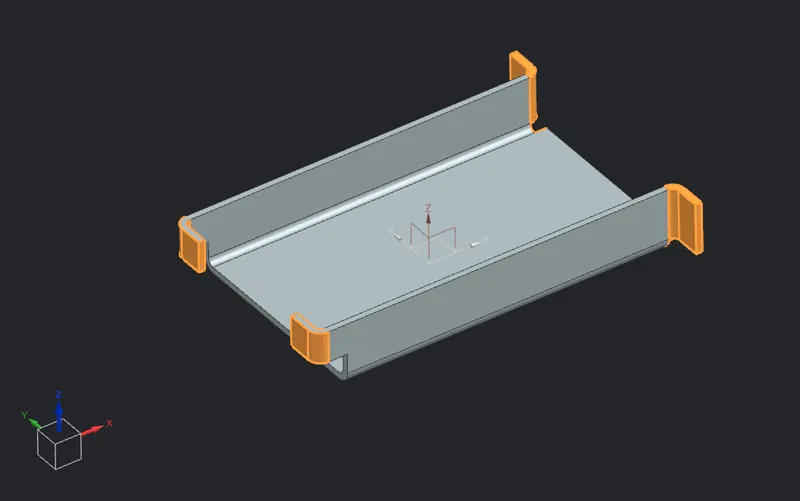
flange lenth value = 5 mm
BREAK CORNERS
apply a broken corner to give a smothness on the edges. it is like a fillet and the radius would be 1mm
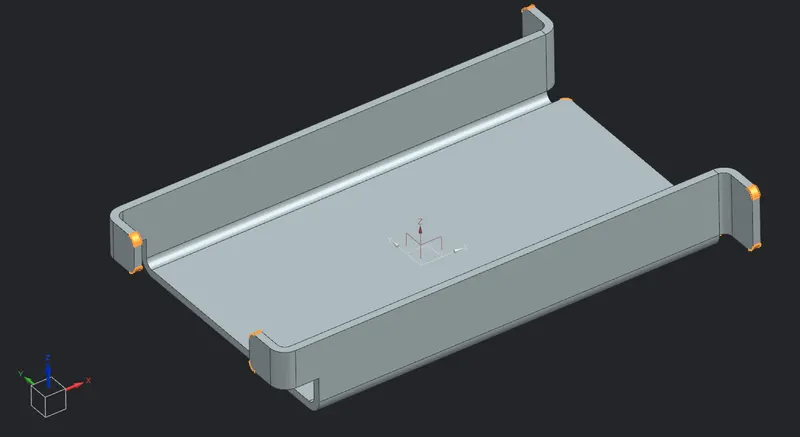
UNBEND
we do unbend to apply some extra features on our sheet metal part. it because this is a sheet metal we can do bend and rebend when ever we want. in the upcomming features, we are going to use simple and bead.
to do a unbend we have to select a stationary face and the bent regions as shown in the fig.
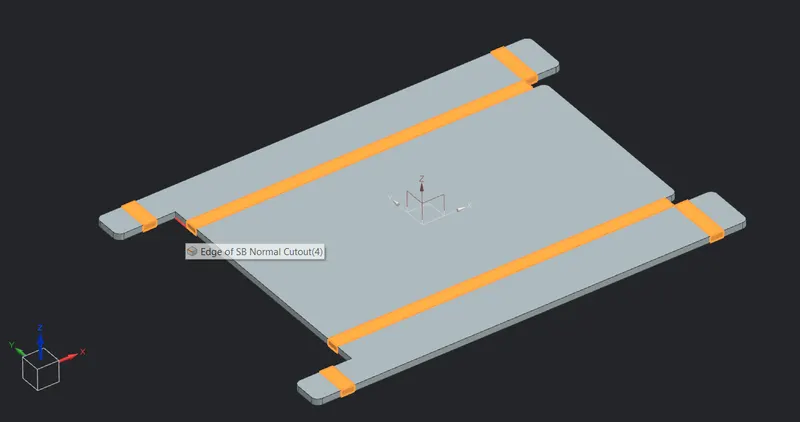
CREATING HOLE
create a hole { M2 SCREW CLEARANCE ON THE FLANGES} by sketching a line and points.
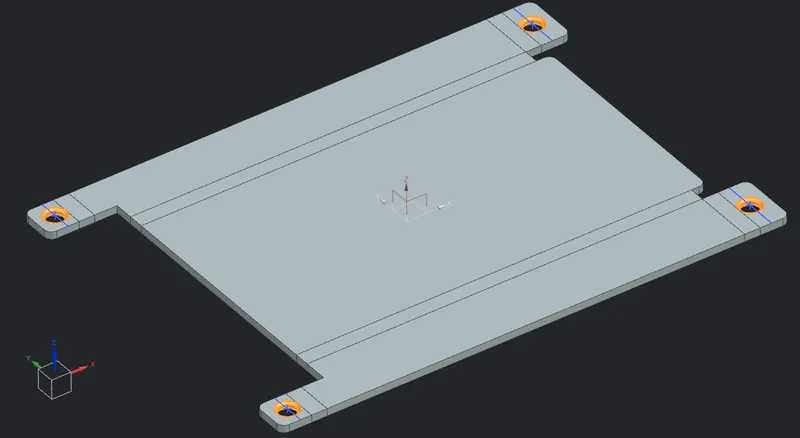
chamfer angle = 45 degree
PUNCH DIMPLE
for making a punch we have to create a sketch on the sheet metal part. here we have to consider some parameters like depth of s dimple must be smaller than the bend radius.
by applying dimple and bead which we gonna use in upcoming steps will helped to improve the sheet metal strength and stiffness.
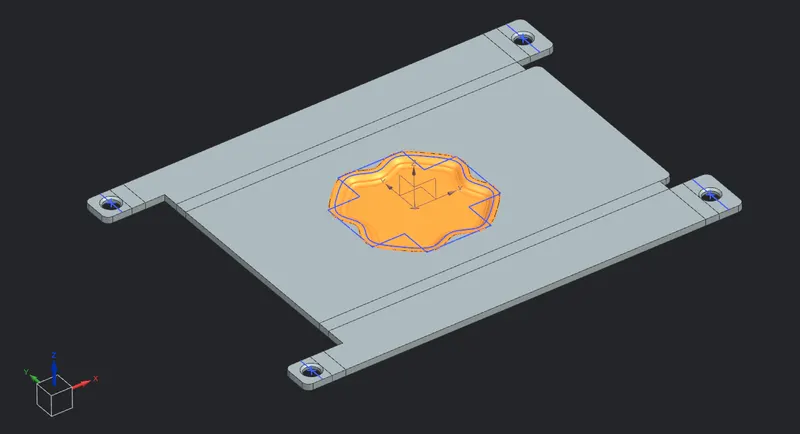
for making a sketch i have used a line and spline sketches.
depth value =1
punch tool clearance = 5 mm
BEAD
bead command lifts material along the contour of sketch in our case it will be a circle that stimulate a stamping tool. use feature mirror command to mirror it so don't need to make it individually.
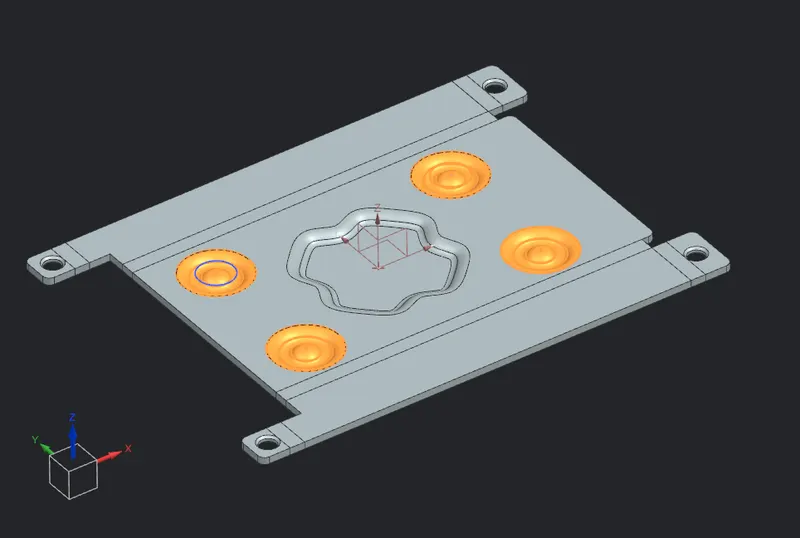
REBEND
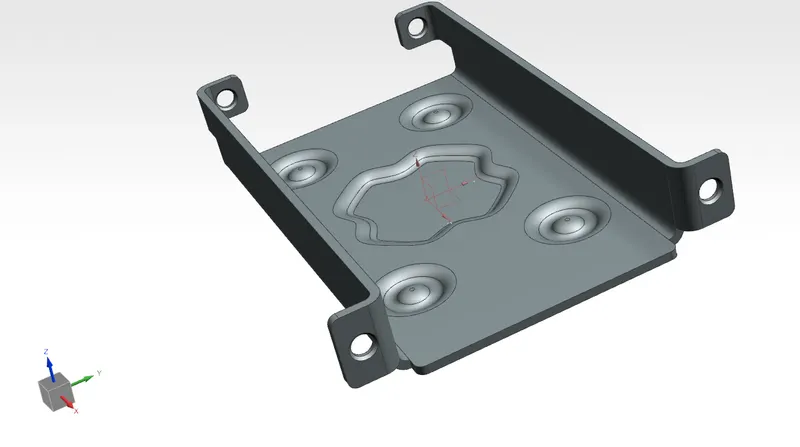
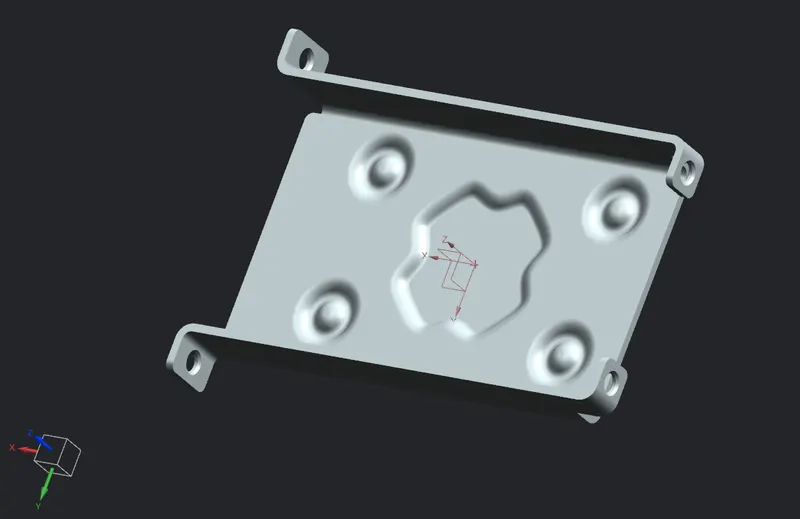
do the rebend to bring the sheet metal back to its final step. this is how the part will look like after the manufacturing process.
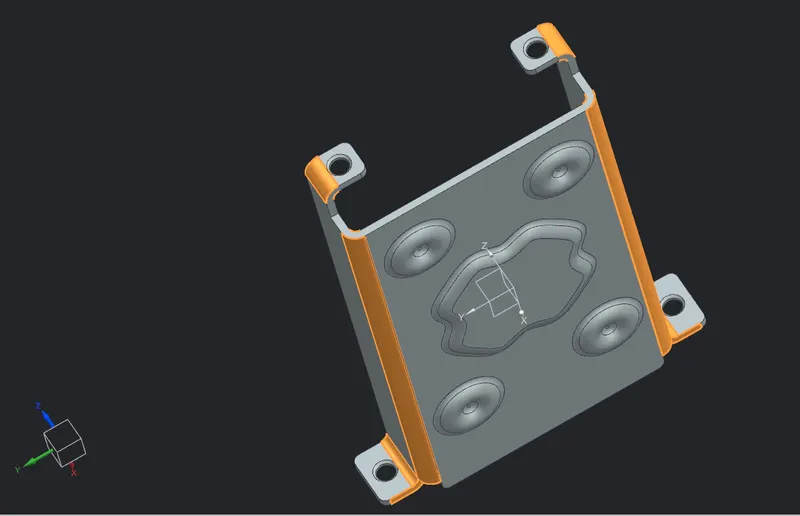
that's it in upcomimg parts we are going to concentrate on drafting this part to a drawing sheet. then it will be ready for manufacturing which is called design for manufacturing.
FLAT PATTERN
the flat pattern used to create a 2D representation of 3D sheet metal part. if we neeeded we can add an annotation for bending, punching and etc.
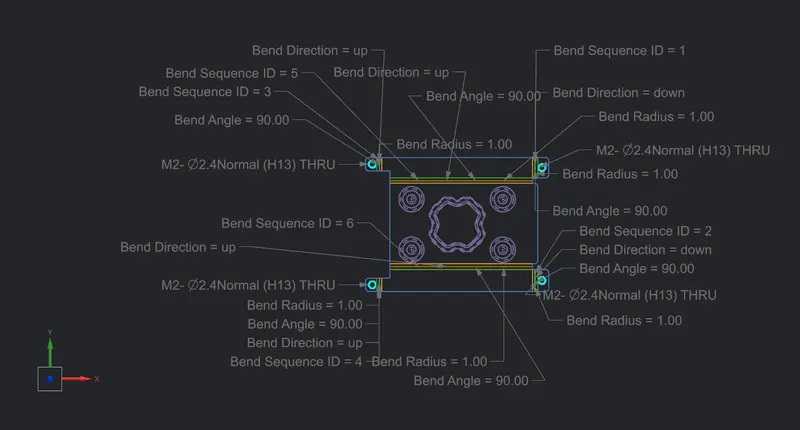
it will be added as a one of the view, just like front and top views. it is called flat pattern view.
DRAFTING
drafting is drawing 2d representaion of 3d sheet metal part { it it a line diagram} this is very usefull to convey our design to manufacturing area. or to others.
drawing sheet
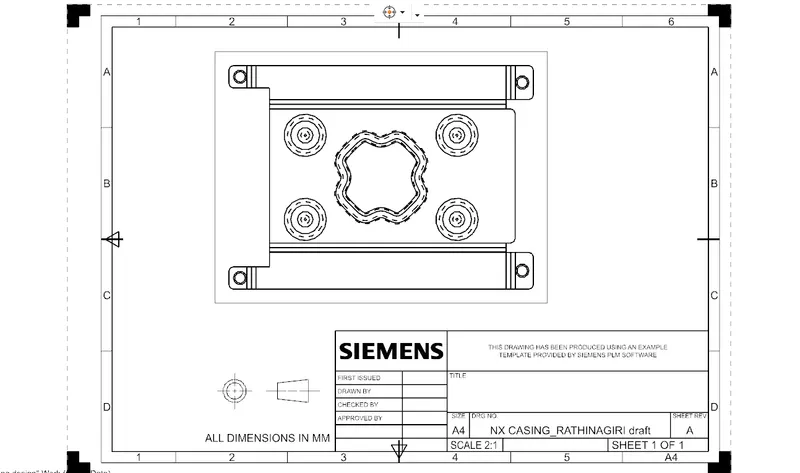
now it is ready to manufacturing.
FRONT VIEW
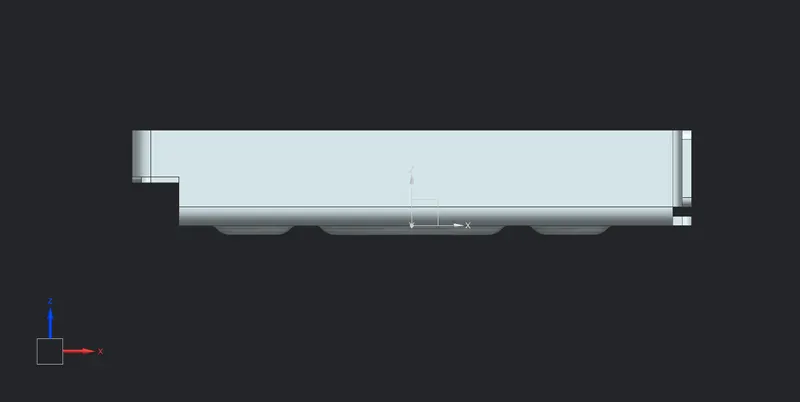
BACK SIDE VIEW
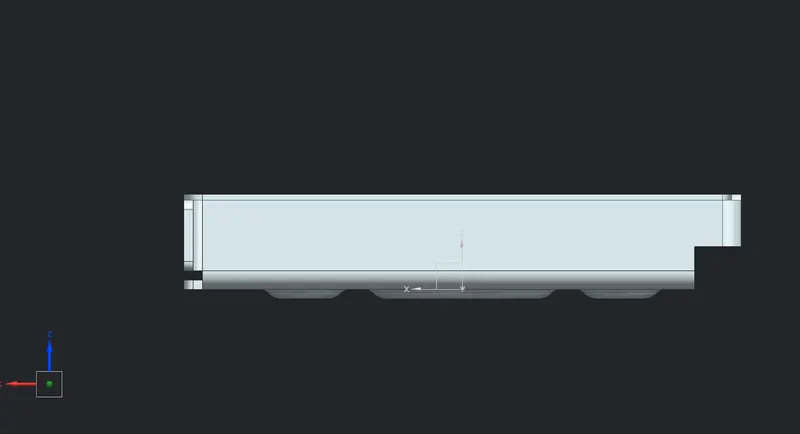
TOP VIEW
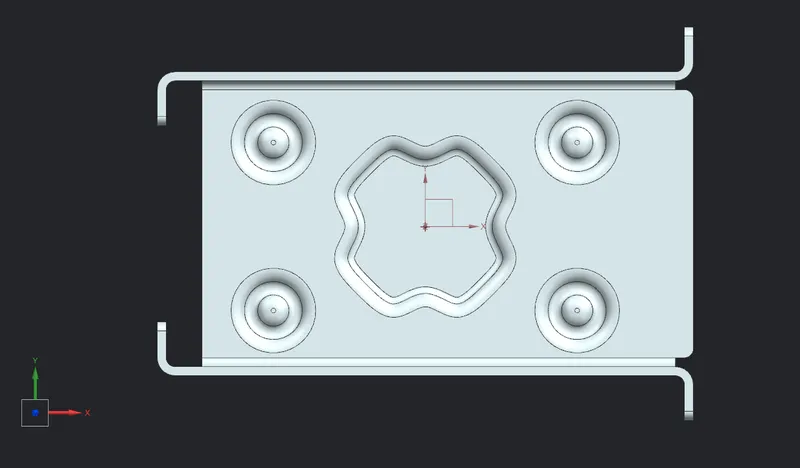
BOTTOM VIEW
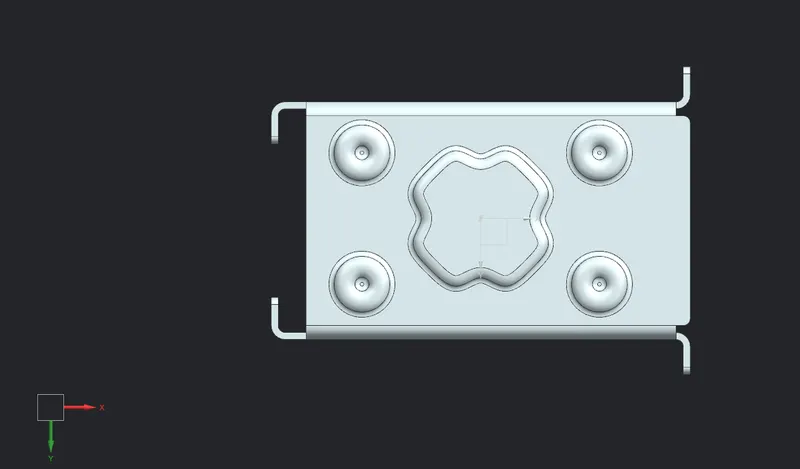
ISOMETRIC VIEW
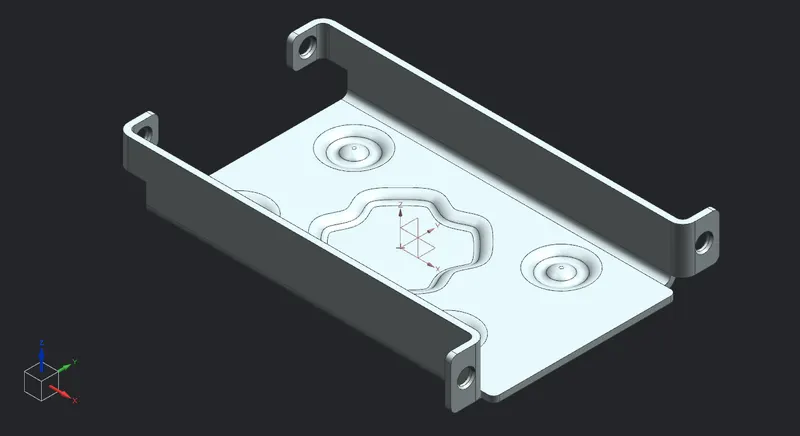
CONCLUSION
here i have sucessfully designed sheet metal casing part,. by doing this project i have learned how to design a sheet metal part and its characteristics.