Week-6 Calculate the Stretch Ratio by comparing the ELFORM (-2,-1,1,2) with Ogden_Material Model.
AIM- To perform smulation using ELFORM=1,2,-1,-2 and calculate stretch ratio
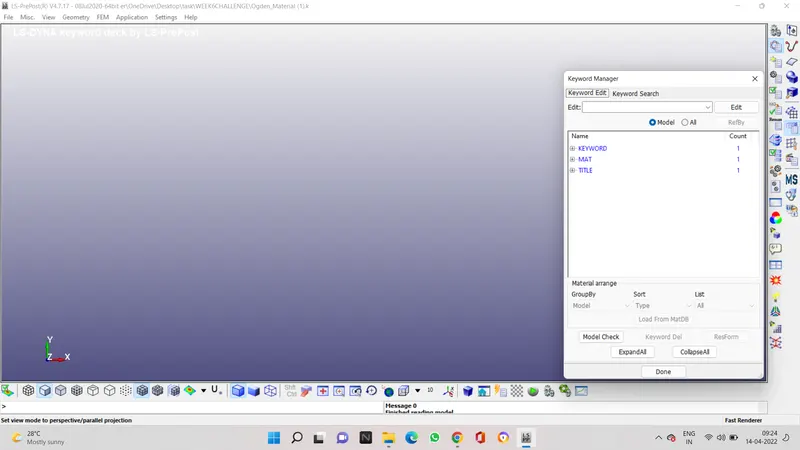
PROCEDURE- OPEN THE FILE IN LS PREPOST
AND SEE THE KEYWORD MANAGER
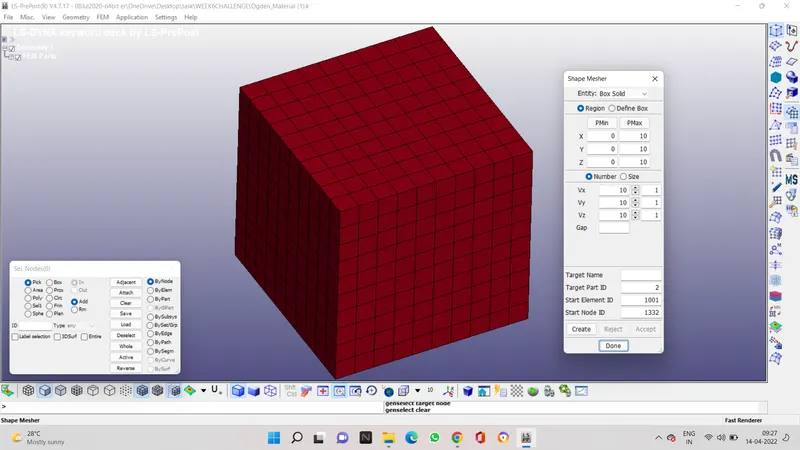
TO CREATE A BOX GO TO THE ELEMENT AND MESH AND THEN TO SHAPE MESHER TO CREATE THE BOX TO 10 *10
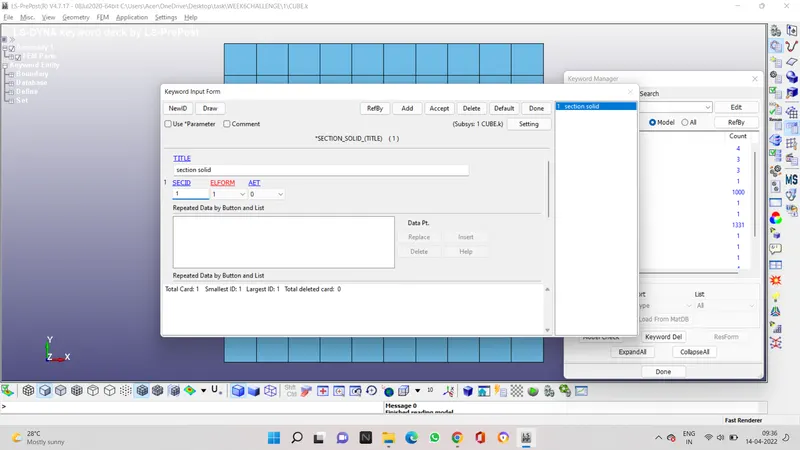
SECTION PROPERTIES ARE ASSIGNED TO THE SOLID ELEMENT WITH ELFORM 1,2,-2,-1
CASE 1- ELFORM=1
CASE 2- ELFORM=2
CASE 3- ELFORM=-1
CASE 4- ELFORM=-2
THE GIVEN FILE HAS THE MATERIAL PROPERTY
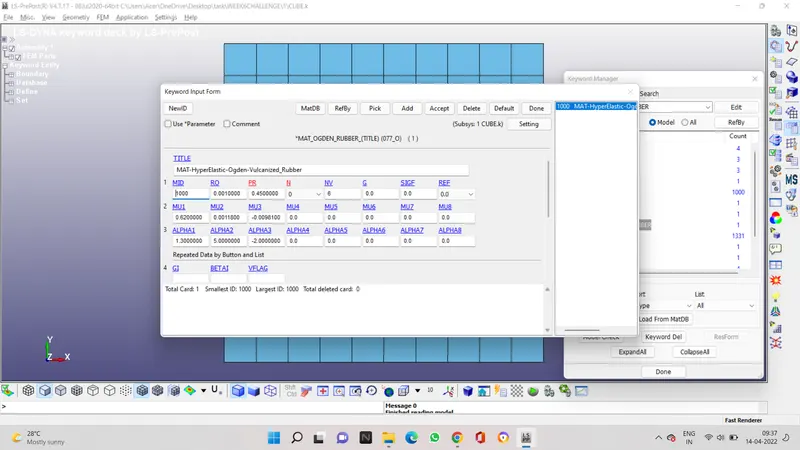
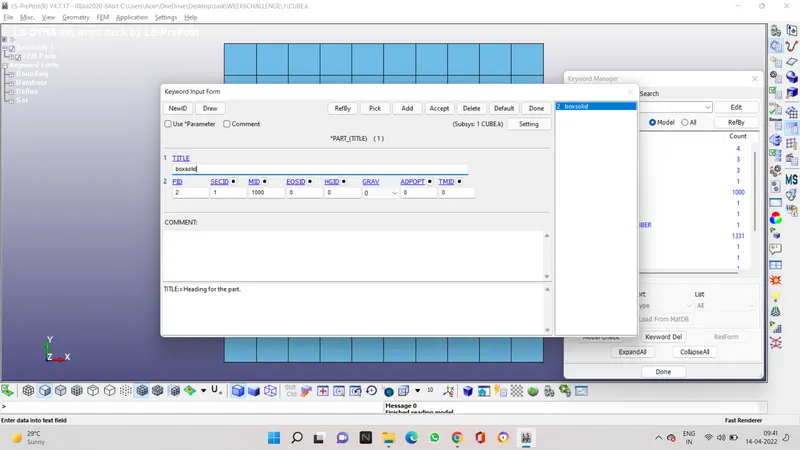
NOW WE WILL ASSIGN THE MATERIAL ID AND THE SECTION ID TO THE PART WHICH IS BOX
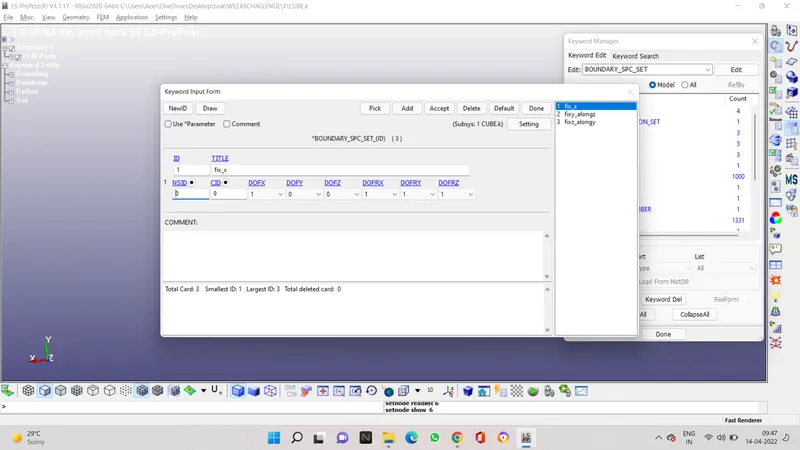
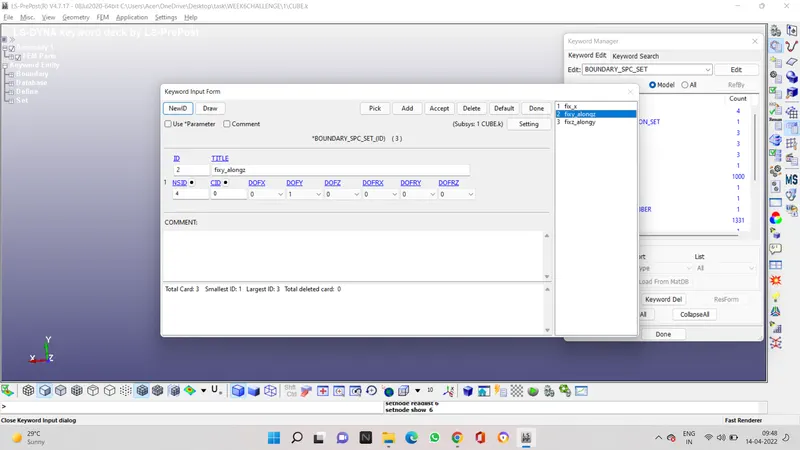
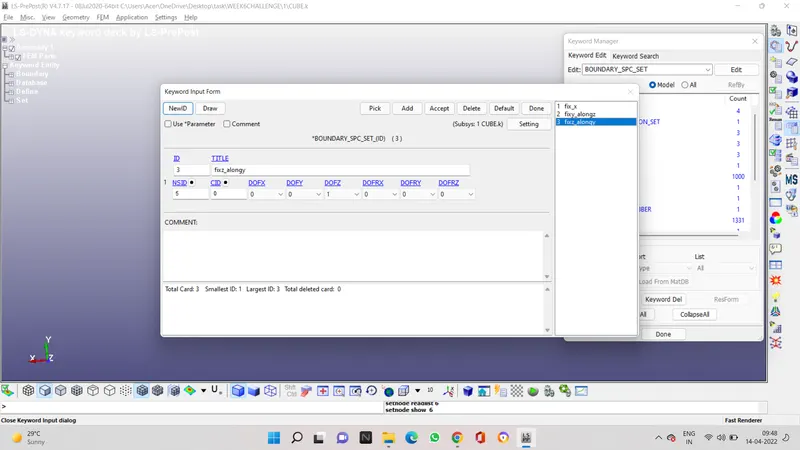
NOW WE CREATE BOUNDARY CONDITION TO FIX ONE SIDE OF THE BOX SO THAT WE SEE CHANGE IN ONLY X DIRECTION
WE WILL CREATE MOTION ON THE OTHER SIDE OF THE FIXED END
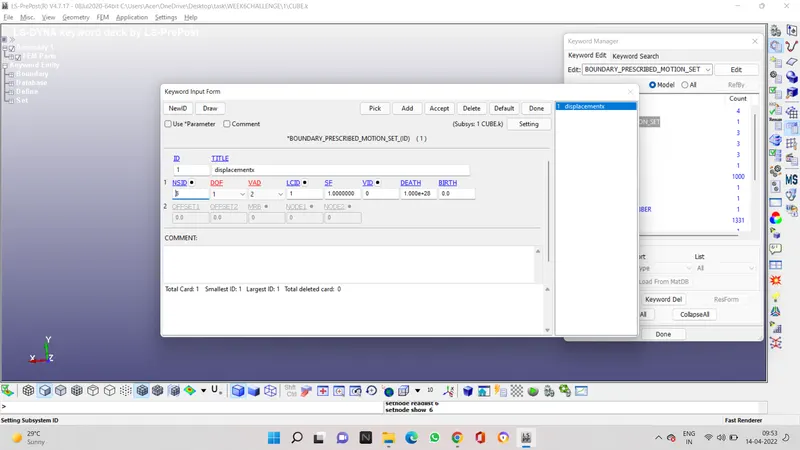
THE MINIMUM LOAD TO BE APPLIED ON THE MOVING SURFACE TO ATTAIN A STRETCH RATIO OF 5, IS CALCULATED BY USING THE FOLLOWING RELATION
TRUE STRAIN = LN(1+ ENGG. STRAIN)
STRETCH RATIO = 1+ ENGG. STRAIN
5= 1+(DELTA L/ L)
DELTA L= 40MM
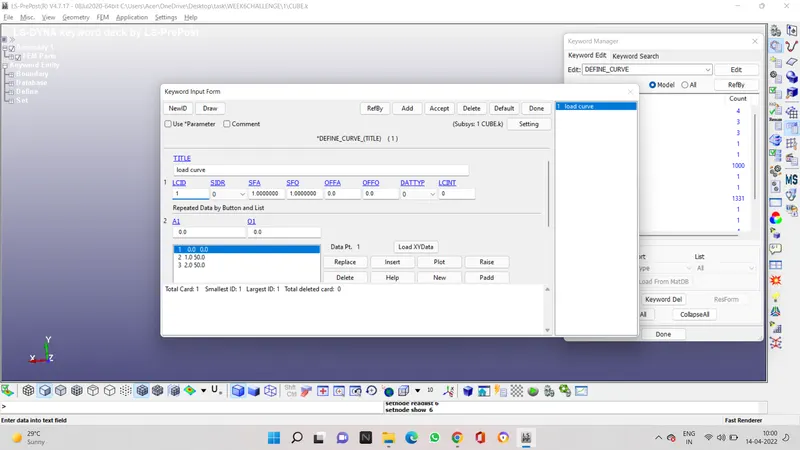
INTRODUCE THE CURVE IN THE MOTION SET BY GIVING LCID OF THE CURVE IN THE MOTION SET DATA BOX
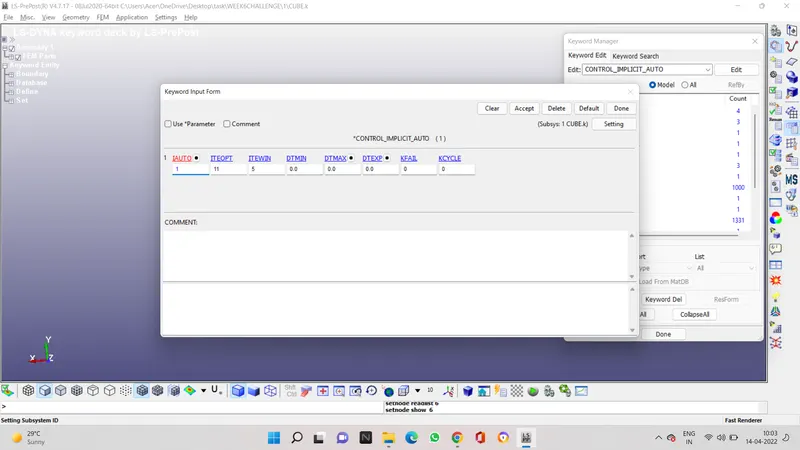
NOW INTRODUCE CONTROL IMPLICIT AUTO WHICH IS USED FOR AUTOMATIC TIME STEP CONTROL
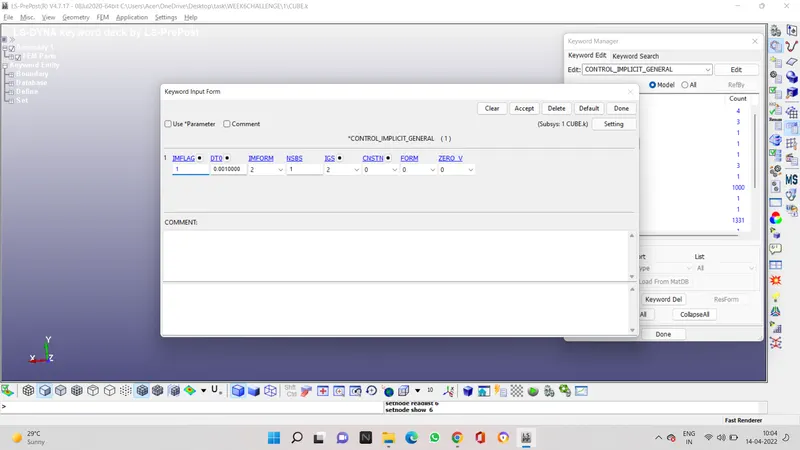
NOW INTRODUCE CONTROL IMPLICIT GENERAL WHICH IS USED ACTIVATE IMPLICIT ANALYSIS
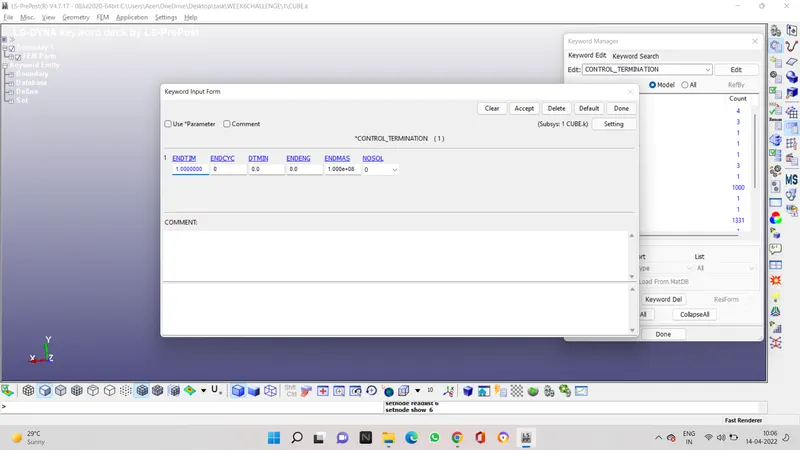
NOW INTRODUCE TERMINATION TIME CONTROL CARD
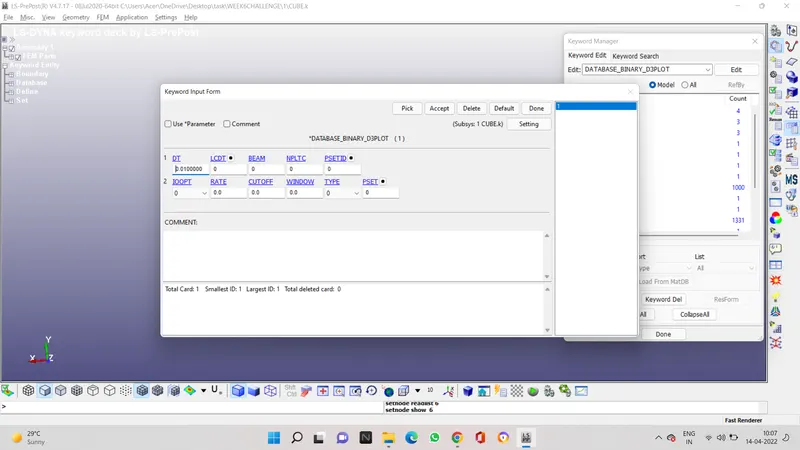
NOW INTRODUCE DATABASE D3PLOT CARD SO THAT WE CAN STUDY THE SIMULATION
THEN INTRODUCE ASCII OPTION CARD AND IN IT INTRODUCE ELOUT AND GLSTAT
now introduce another database card which is extent binary
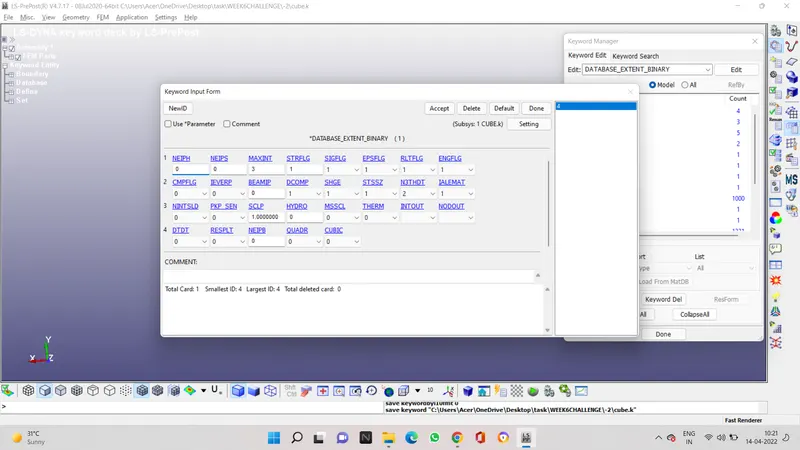
now introduce history solid card in the database option
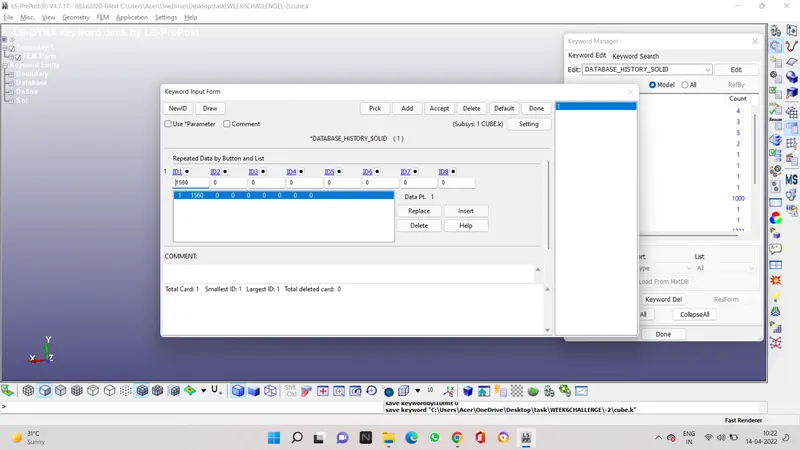
now check the model for any error or warning or any unreferrwed point
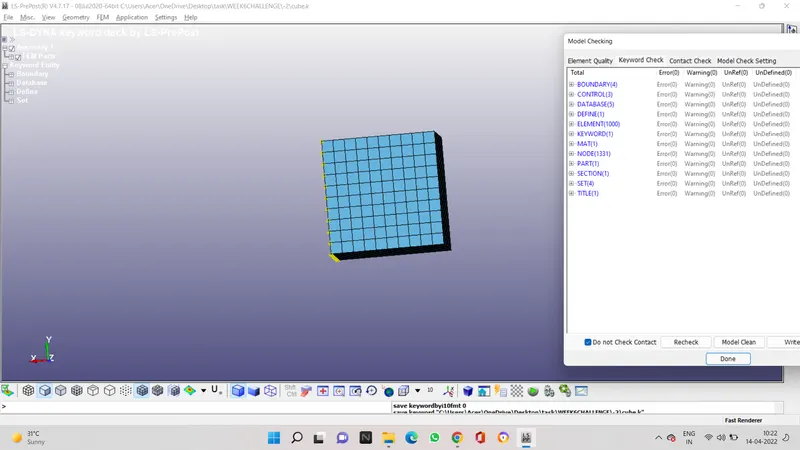
now run the ls run for each case of ELFORM
AND OPEN THE ANIMATION FILE
NOTE THE VON MISES STRESS AND THE PLASTIC STRAIN IN AN EXCEL SHEET WITH TIME
| CASE 1 | |||||
| TIME | TRUE STRESS | TRUE STRAIN | ENGG STRESS | ENGG STRAIN | STRETCH RATIO |
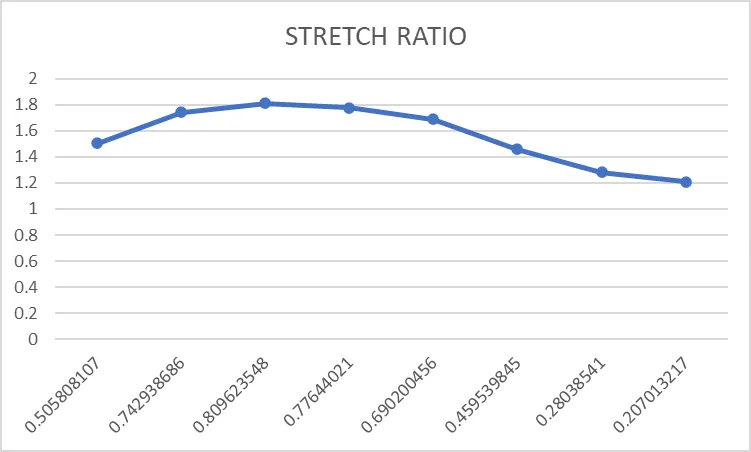
| 0.105 | 0.567766 | 0.115552 | 0.505808107 | 0.122492883 | 1.505808107 |
| 0.205 | 1.0455 | 0.341637 | 0.742938686 | 0.407249373 | 1.742938686 |
| 0.305 | 1.50694 | 0.621267 | 0.809623548 | 0.861284796 | 1.809623548 |
| 0.403 | 1.962 | 0.927 | 0.77644021 | 1.526917044 | 1.77644021 |
| 0.503 | 2.443 | 1.264 | 0.690200456 | 2.539551414 | 1.690200456 |
| 0.713 | 3.513 | 2.034 | 0.459539845 | 6.644603698 | 1.459539845 |
| 0.901 | 4.506 | 2.777 | 0.28038541 | 15.07073635 | 1.28038541 |
| 1 | 5.023 | 3.189 | 0.207013217 | 23.26415116 | 1.207013217 |
| CASE -1 | |||||
| TIME | TRUE STRESS | TRUE STRAIN | ENGG STRESS | ENGG STRAIN | STRETCH RATIO |
| 0.105 | 0.5677 | 0.1155 | 0.505775609 | 0.122434515 | 1.505775609 |
| 0.205 | 1.0459 | 0.3416 | 0.743250428 | 0.407197306 | 1.743250428 |
| 0.355 | 1.738 | 0.7742 | 0.80134399 | 1.168856348 | 1.80134399 |
| 0.505 | 2.451 | 1.271 | 0.687630331 | 2.564415196 | 1.687630331 |
| 0.605 | 2.95566 | 1.627 | 0.580841117 | 4.088586039 | 1.580841117 |
| 0.705 | 3.47 | 2.002 | 0.468675145 | 6.403848999 | 1.468675145 |
| 0.805 | 4.001 | 2.394 | 0.365146853 | 9.957235343 | 1.365146853 |
| 0.9 | 4.504 | 2.776 | 0.280541361 | 15.05467364 | 1.280541361 |
| 1 | 5.0238 | 3.19149 | 0.206531284 | 23.32464417 | 1.206531284 |
| CASE 2 | |||||
| TIME | TRUE STRESS | TRUE STRAIN | ENGG STRESS | ENGG STRAIN | STRETCH RATIO |
| 0.105 | 0.5677 | 0.1155 | 0.505775609 | 0.122434515 | 1.505775609 |
| 0.205 | 1.0459 | 0.3416 | 0.743250428 | 0.407197306 | 1.743250428 |
| 0.355 | 1.738 | 0.7742 | 0.80134399 | 1.168856348 | 1.80134399 |
| 0.505 | 2.451 | 1.271 | 0.687630331 | 2.564415196 | 1.687630331 |
| 0.605 | 2.952 | 1.628 | 0.579542029 | 4.09367717 | 1.579542029 |
| 0.705 | 3.473 | 2.003 | 0.468611493 | 6.411256551 | 1.468611493 |
| 0.805 | 3.997 | 2.393 | 0.365146761 | 9.946283585 | 1.365146761 |
| 0.9 | 4.528 | 2.797 | 0.276175248 | 15.39538676 | 1.276175248 |
| 1 | 5.0218 | 3.189 | 0.206963762 | 23.26415116 | 1.206963762 |
| CASE -2 | |||||
| TIME | TRUE STRESS | TRUE STRAIN | ENGG STRESS | ENGG STRAIN | STRETCH RATIO |
| 0.105 | 0.5677 | 0.1155 | 0.505775609 | 0.122434515 | 1.505775609 |
| 0.205 | 1.0459 | 0.3416 | 0.743250428 | 0.407197306 | 1.743250428 |
| 0.355 | 1.738 | 0.7742 | 0.80134399 | 1.168856348 | 1.80134399 |
| 0.505 | 2.451 | 1.271 | 0.687630331 | 2.564415196 | 1.687630331 |
| 0.605 | 2.952 | 1.628 | 0.579542029 | 4.09367717 | 1.579542029 |
| 0.705 | 3.47 | 2.003 | 0.468206704 | 6.411256551 | 1.468206704 |
| 0.805 | 3.997 | 2.393 | 0.365146761 | 9.946283585 | 1.365146761 |
| 0.9 | 4.528 | 2.797 | 0.276175248 | 15.39538676 | 1.276175248 |
| 1 | 5.0233 | 3.1905 | 0.206715276 | 23.30057469 | 1.206715276 |
CASE 1 STRETCH RATIO VS ENGGINEERING STRESS
CASE 2
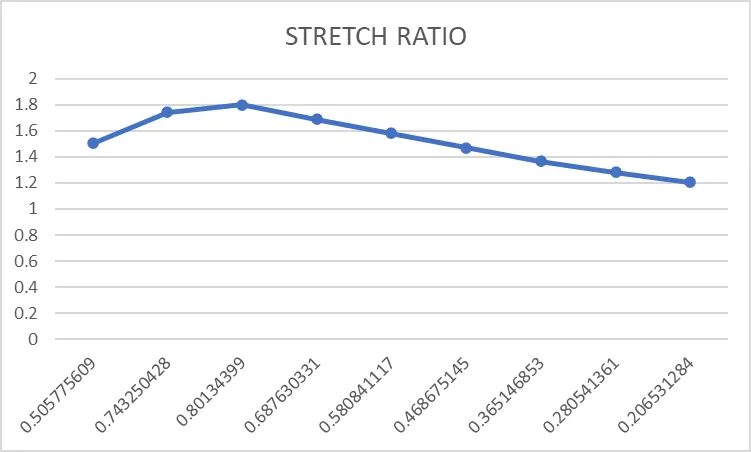
CASE 3 STRETCH RATIO VS ENGINEERING STRESS
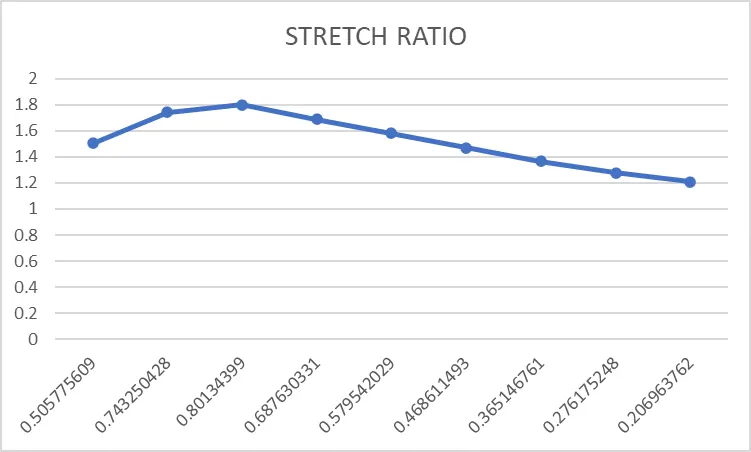
CASE 4 STRETCH RATIO VS ENGINEERING STRESS
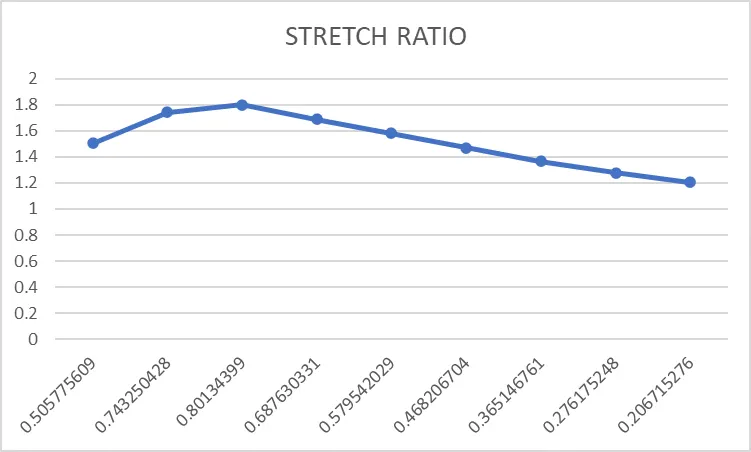
CONCLUSION
A FE MODEL OF SOLID BLOCK WAS CREATED WITH OGDEN MATERIAL TO SIMULATE A UNIAXIAL TENSION TEST FOR DIFFERENT CASES OF ELFORM (1,2,-1,-2)
THE UNIAXIAL TENSION TEST WAS SOLVED USING AN IMPLICIT SOLVER SINCE THE ANALYSIS IS SIMILAR TO A QUASISTATIC ANALYSIS ON A HYPERELASTIC NON LINEAR MATERIAL WITH SLOW STEADY LOADING CONDITIONS