Menu

Executive Programs

Workshops

Projects

Blogs

Careers

Student Reviews


More

Academic Training

Informative Articles

Find Jobs

We are Hiring!


All Courses

Choose a category

Loading...

All Courses

All Courses

logo

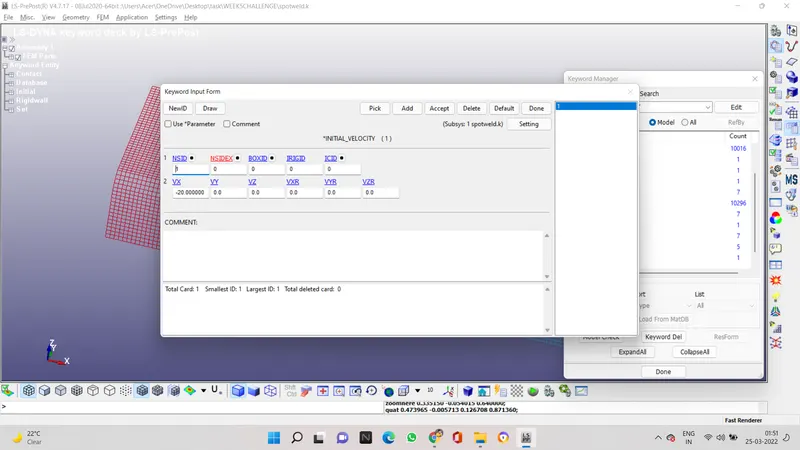
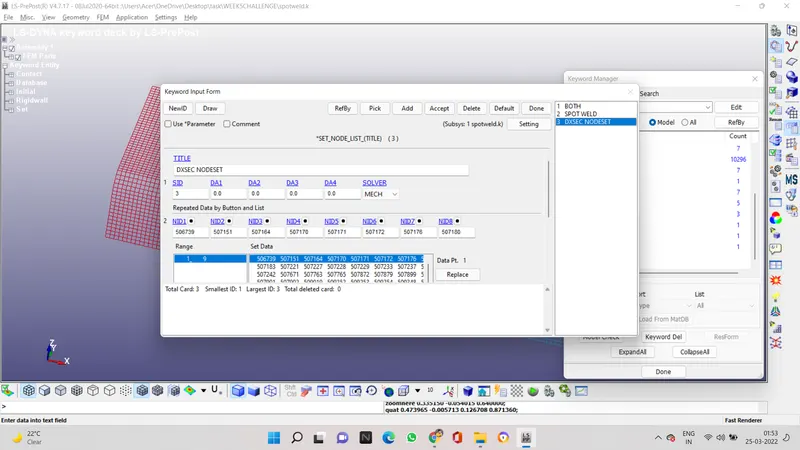
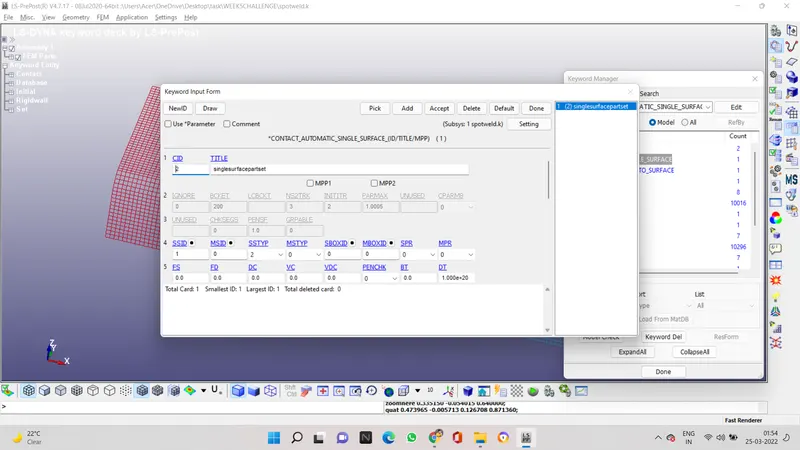
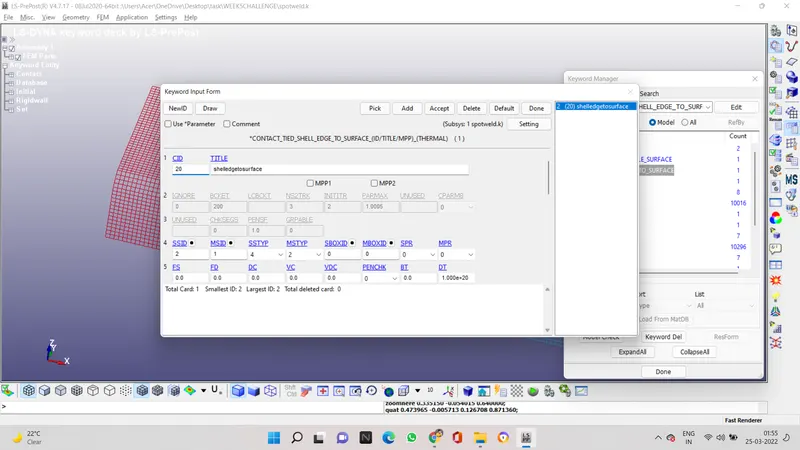
Week - 5 - Modelling Spotwelds

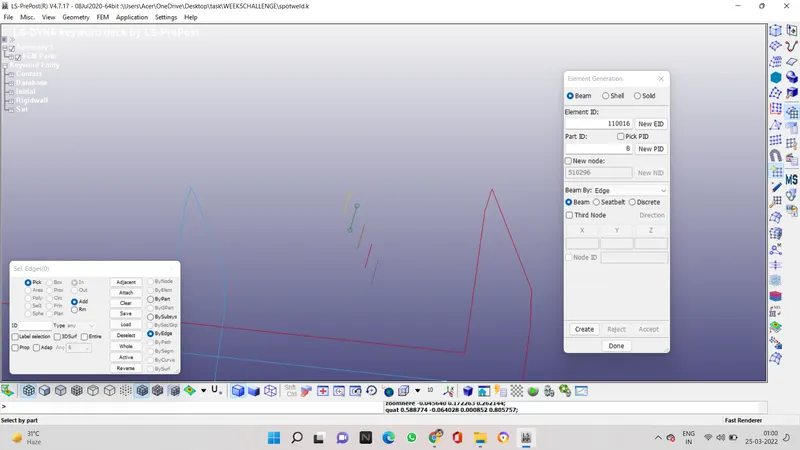
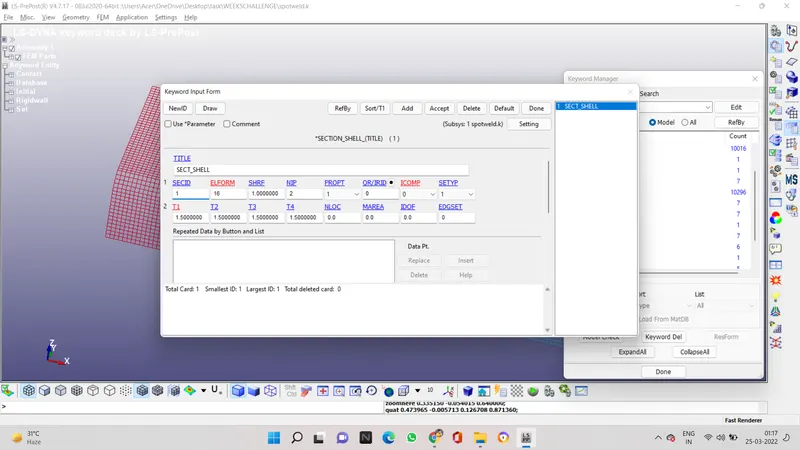
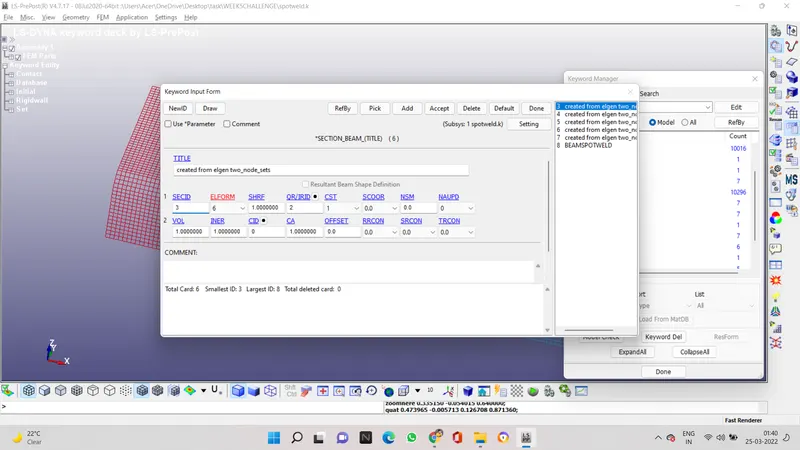
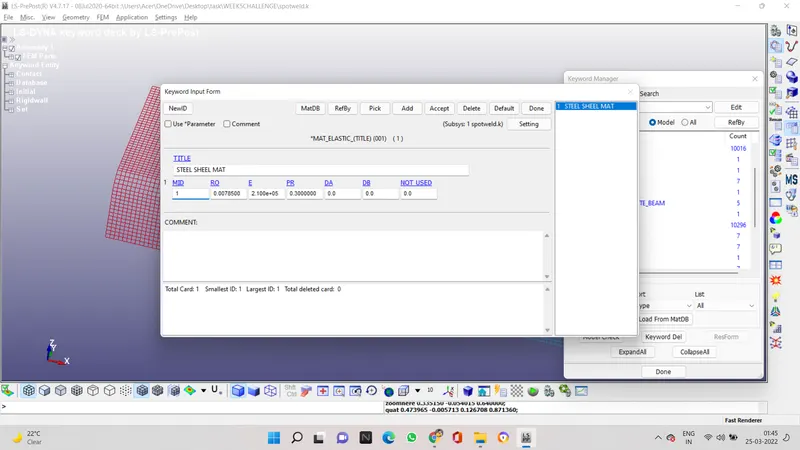
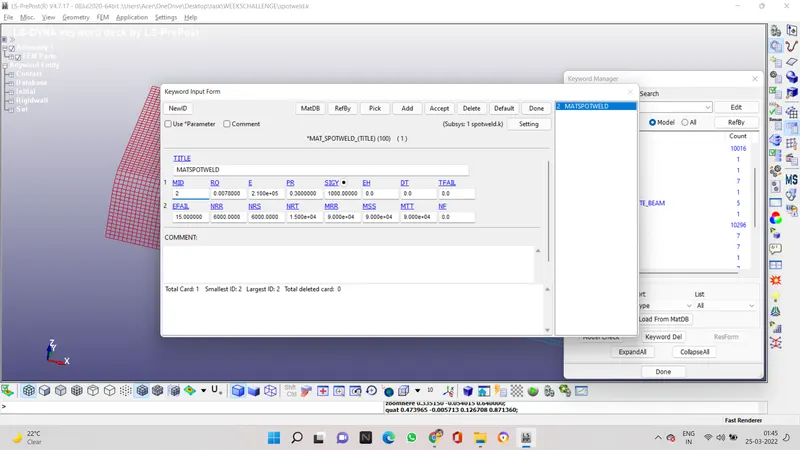
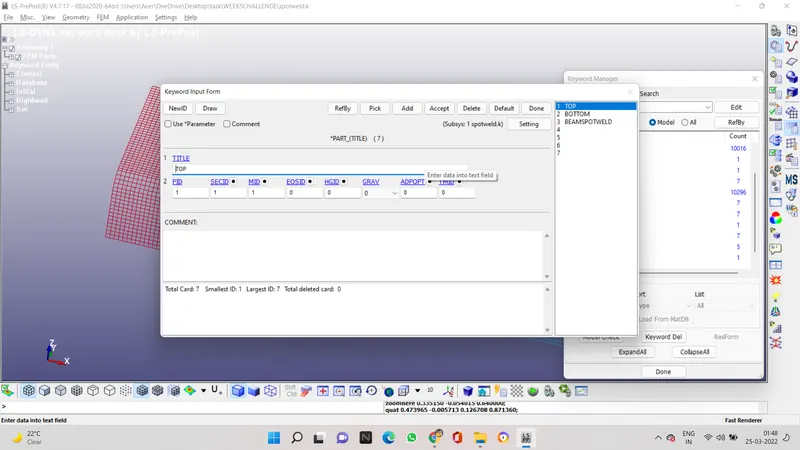
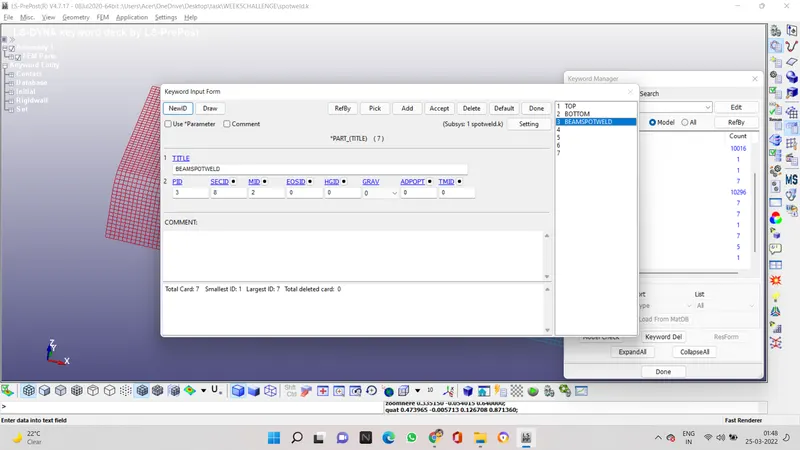
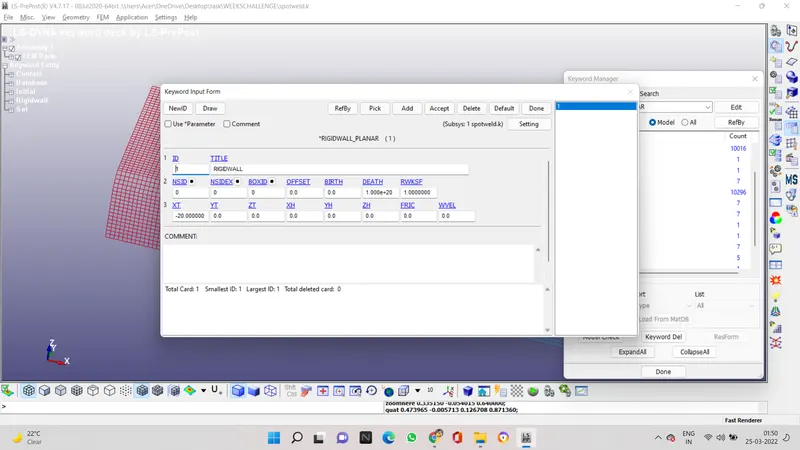
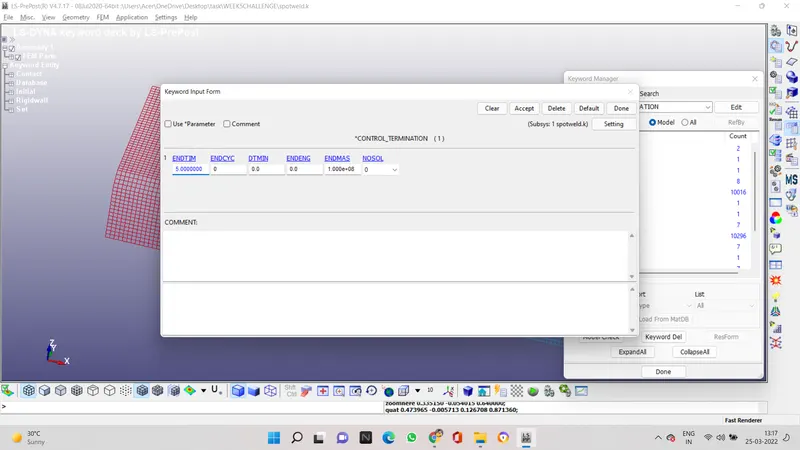
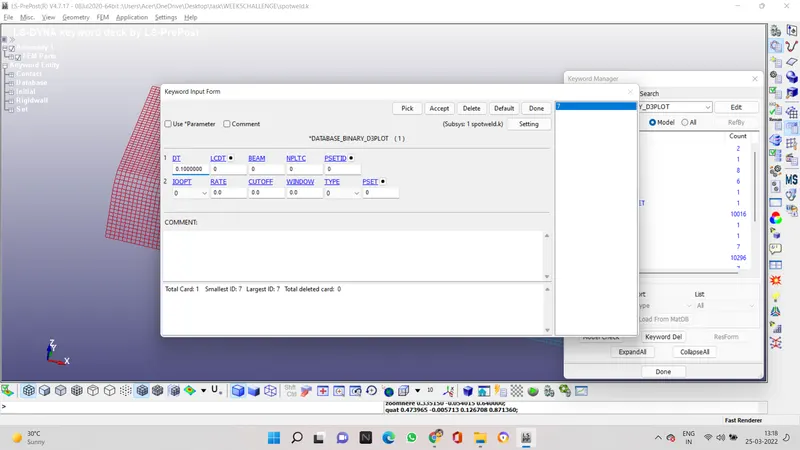
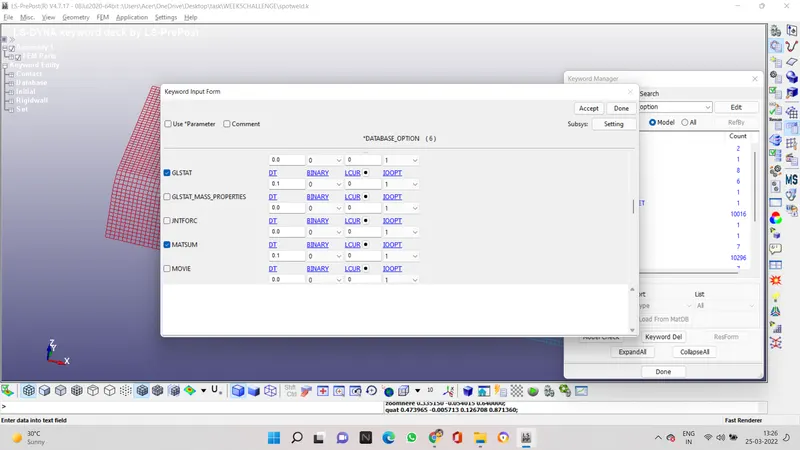
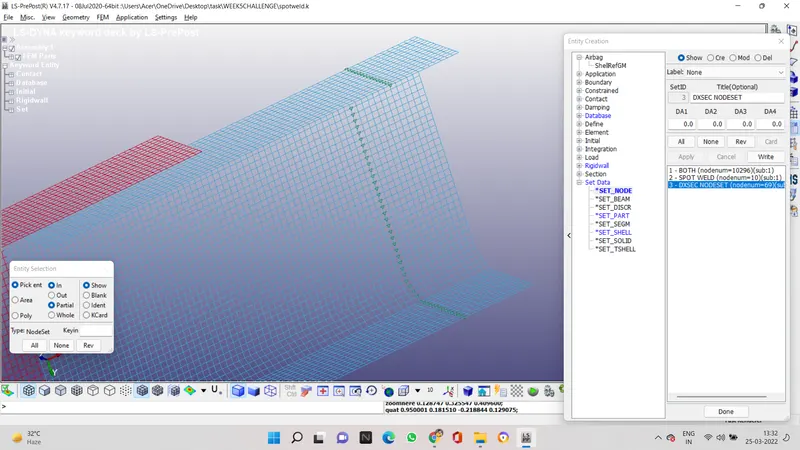
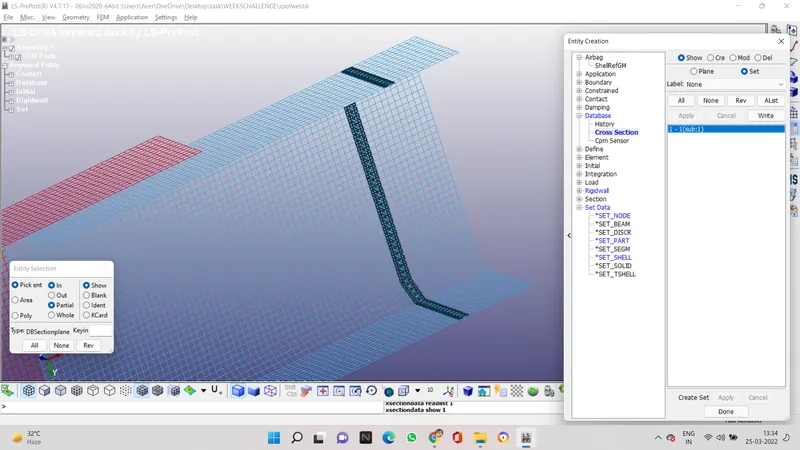
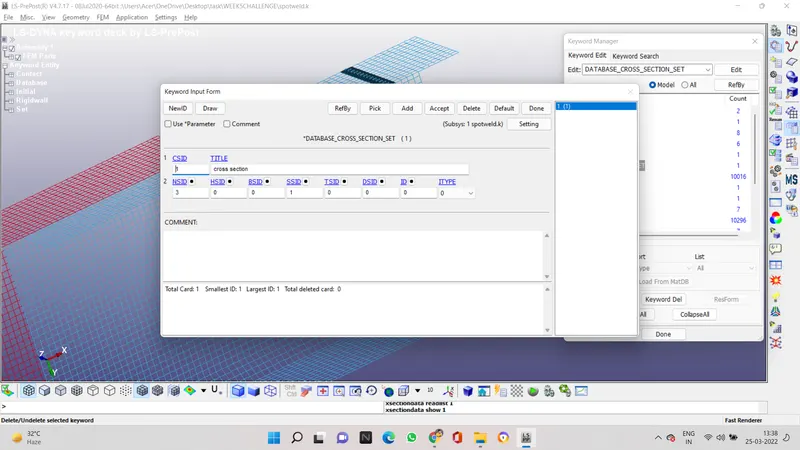
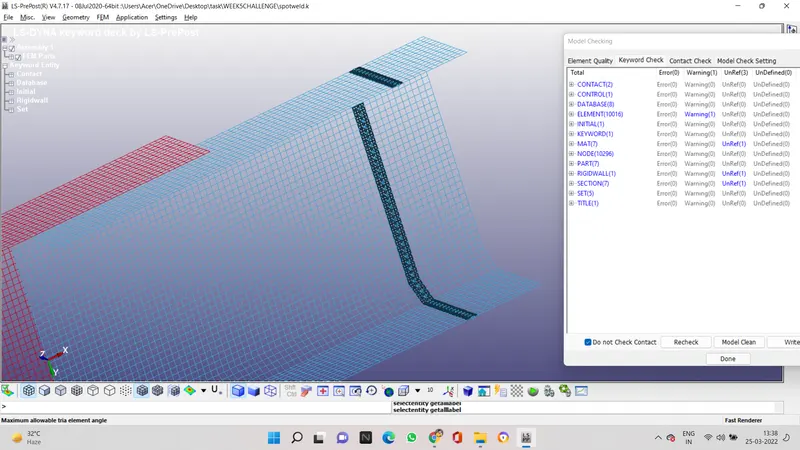
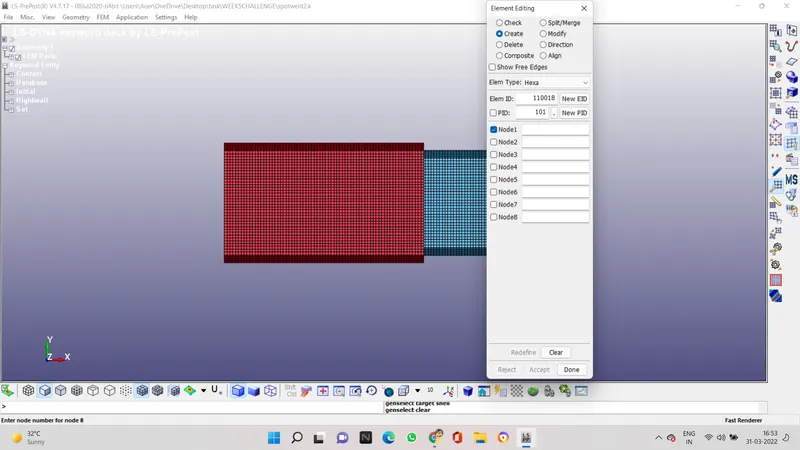
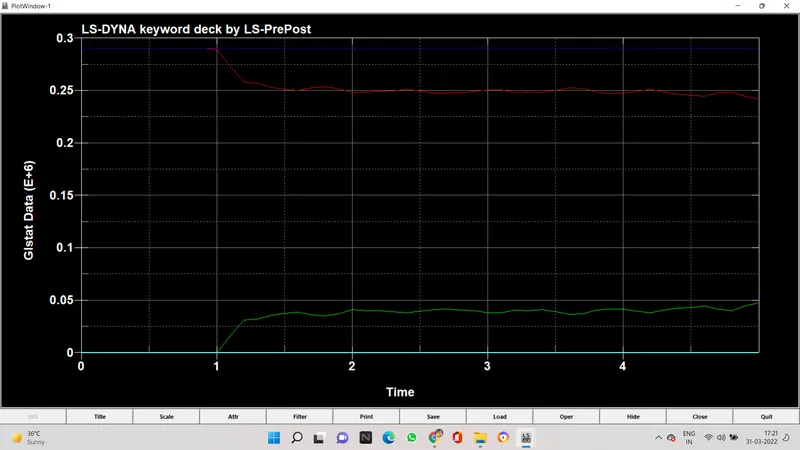
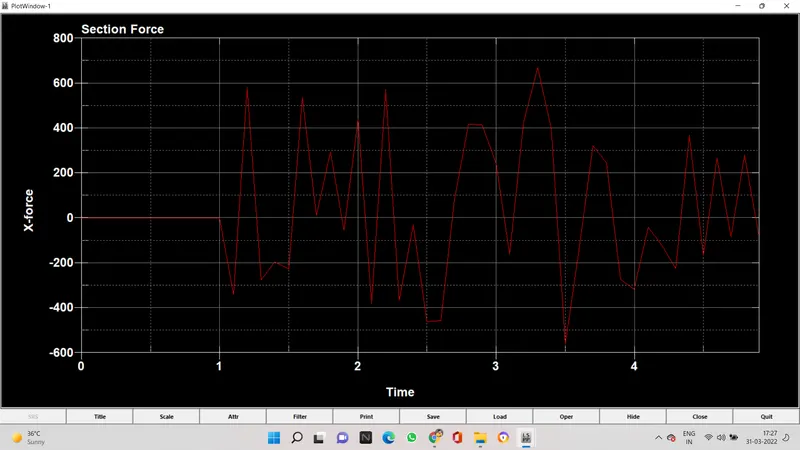
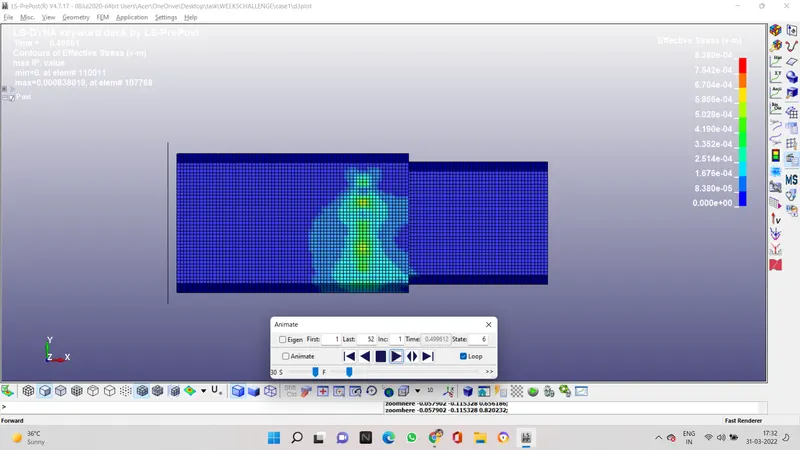
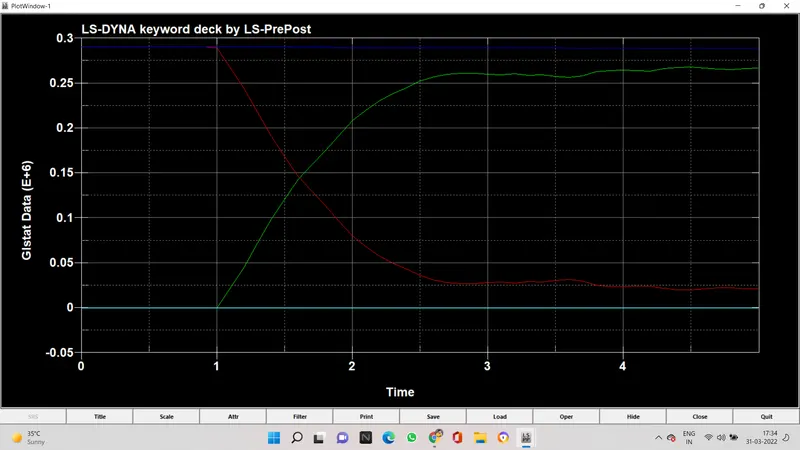
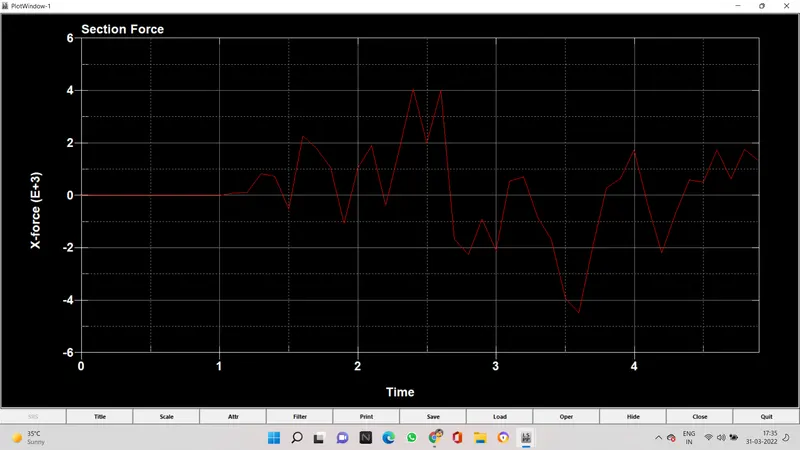
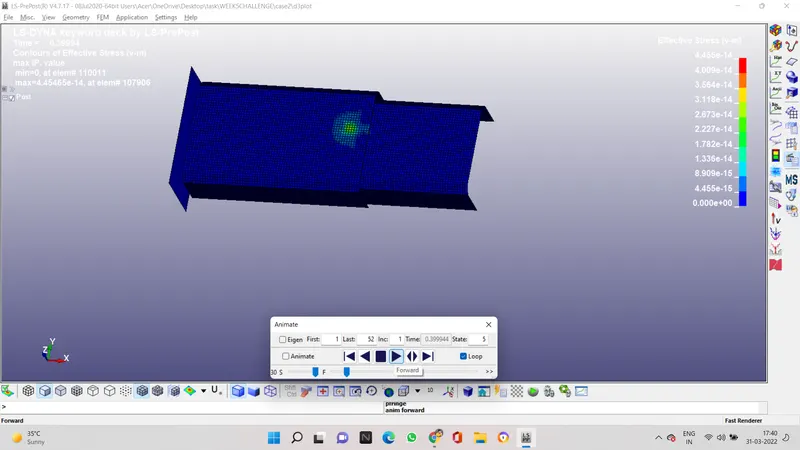
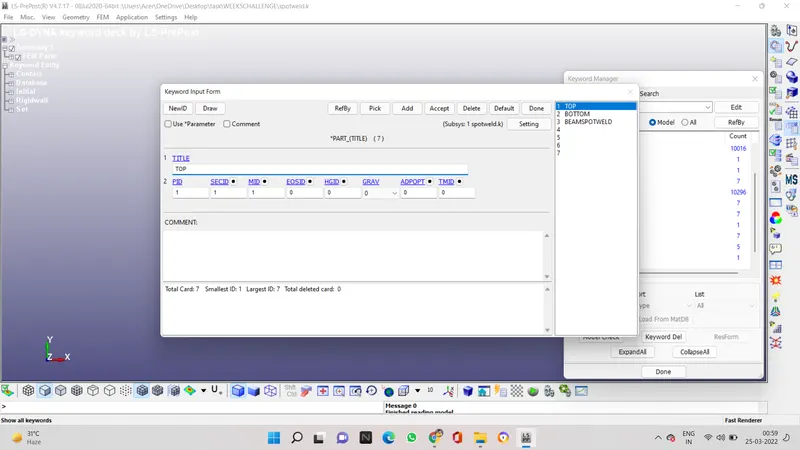
Aim - To model spot welds for the assembly and simulate crash test analysis for the given Procedure - open the k file in ls prepost check all the keywords in the model then lets start with renaming the parts in the model by top and bottom now to connect we need to ontroduce spot weld in between the top and the bottom of…
    Project Details

    Loading...

    Leave a comment

    Thanks for choosing to leave a comment. Please keep in mind that all the comments are moderated as per our comment policy, and your email will not be published for privacy reasons. Please leave a personal & meaningful conversation.

    Please  login to add a comment

    Other comments...

    No comments yet!
    Be the first to add a comment

    Read more Projects by Mehul Wangnoo (22)

    Week-6 Calculate the Stretch Ratio by comparing the ELFORM (-2,-1,1,2) with Ogden_Material Model.

    Objective:

    AIM- To perform smulation using ELFORM=1,2,-1,-2 and calculate stretch ratio PROCEDURE- OPEN THE FILE IN LS PREPOST  AND SEE THE KEYWORD MANAGER TO CREATE A BOX GO TO THE ELEMENT AND MESH AND THEN TO SHAPE MESHER TO CREATE THE BOX TO 10 *10 SECTION PROPERTIES ARE ASSIGNED TO THE SOLID ELEMENT WITH ELFORM 1,2,-2,-1…

    calendar

    14 Apr 2022 06:20 PM IST

      Read more

      Week - 5 - Modelling Spotwelds

      Objective:

      Aim - To model spot welds for the assembly and simulate crash test analysis for the given Procedure - open the k file in ls prepost check all the keywords in the model then lets start with renaming the parts in the model by top and bottom now to connect we need to ontroduce spot weld in between the top and the bottom of…

      calendar

      31 Mar 2022 12:19 PM IST

        Read more

        Week - 4 - Crash Box Simulation

        Objective:

        aim- crash analysis of a box havng two different thickness 1.2 and 1.5 and study the changes in the energy or forces thru graphs procedure- open the keyword file provided in the question in ls dyna software and see the keyword manager now we need to create section properties KEYWORD MANAGER> SECTION> SHELL Now we…

        calendar

        11 Mar 2022 06:55 PM IST

          Read more

          Week - 3 Drop test Challenge

          Objective:

          AIM- To perform drop test of cell phone using ls dyna solver and give detailed report procedure open the keyword file which was given in the question the file consists of a mobile phone model and a rigis wall solid element and shell element i this we are going to delete the solid wall element because the solid element…

          calendar

          05 Mar 2022 06:41 PM IST

            Read more

            Assignment 7-Side Pole Crash Simulation Challenge

            Objective:

            Aim- To study the deformation causes by a side pole when a car hits the pole sideways, studing the forces and energy graph to see the changes Procedure- 1 import the model in hyperworks and check the units in use 2 the open this file in hypercrash to check penetration and add mass and velocity check all solver contact…

            calendar

            20 Feb 2022 08:51 AM IST

              Read more

              Assignment 6-Frontal Crash Simulation Challenge

              Objective:

              aim - to set up the given simulation conditions on the model for frontal crash simulation in hypermesh/radioss and discuss the result observed procedure first check the unit system used it should be kg mm ms, you can see it by open starter file in notepad then import the starter file in hypercrash now check for any penetration…

              calendar

              29 Jan 2022 11:15 PM IST

                Read more

                Assignment 5-RADIOSS Interfaces & Study of Effect of Notches Challenge

                Objective:

                AIM- To see the difference in forces when different boundary conditions are apply/ any change on the body is done. procedure- 1 open the bumper system file in hyper mesh, and select radios and ok 2 then first go to surface edit and trim with surf/ plane select every surface and use trim. 3 to attach the different surfaces…

                calendar

                24 Jan 2022 07:44 PM IST

                  Read more

                  Week - 2 - Explicit and Implicit Analysis

                  Objective:

                  Explicit methods calculate the state of a system at a later time from the state of the system at the current time, while implicit methods find a solution by solving an equation involving both the current state of the system and the later one. Mathematically, if {\displaystyle Y(t)} is the current…

                  calendar

                  26 Oct 2021 02:26 PM IST

                  • HTML
                  Read more

                  Assignment 4-RADIOSS Material Laws Challenge

                  Objective:

                  CASE 1 1 IMPORT THE FAILURE JOHNSON FILE WHICH HAS 0000.RAD IN THE ENDING, 2 THEN AFTER IMPORTING THE FILE CLICK ON ANALYSIS THEN RADIO, MAKE A NEW FOLDER OF CASE 1, AND IN THE RADIOS OPERATION NAME THE RADIOS FILE AS LAW2_EPSMAX_FAILURE_0000.RAD 3 AFTER CLICKING ON RADIOS A BOX WILL APPEAR WHICH WILL GENERATE THE SOLUTION…

                  calendar

                  15 Sep 2021 08:30 PM IST

                    Read more

                    Assignment 3-2D Element Formulation Challenge

                    Objective:

                    Aim- to study the change in energy when we change the shell properties and analyse the difference 1 import the starter file in hyperworks 2 to change the Tstop we need to go to cards and click on eng_run, and change Tstop from 60 to 55. 3 in second question we have to change the animation steps which means we ahve to change…

                    calendar

                    26 Aug 2021 09:48 PM IST

                      Read more

                      Assignment 2-RADIOSS Engine File Editing & 3D Meshing Challenge

                      Objective:

                      1 speed of sound is `sqrt (E/rho` which when is put value E =210000 and 'rho' =0.0078    c = 5188.74 2  delta tc= l/c 1000/5188.74 = 0.1927 3 0.1927sec 4 and 5  3 D MESHING 1 CHECK IF THERE IS ANY EDGE THAT NEEDS TO BE TOGGLED OR IS CREATING ANY SINGLE CONS, IF NOT THEN NEXT STEP IS THAT AS THERE…

                      calendar

                      10 Aug 2021 08:16 AM IST

                        Read more

                        Project - 2 - Meshing on the suspension Assembly

                        Objective:

                        AIM - To show how meshing of suspension assembly is done. PROEDURE - 1 FIRST DO THE TOPO CLEAN UP AND STITCHED AAL THE SINGLE CONS THEN GO TO THE MESH MODULE IN MESH PARAMETERS< LENGTH = 4 2 IN THE QUESTION WE ARE GIVEN 2 DIFFERENT CRITERIA FOR THE RIM AND TYRE AND FOR REST OF THE CONNECTIONS 3 SEPERATE THE RIM AND…

                        calendar

                        28 Jul 2021 07:47 AM IST

                        Read more

                        Week - 1 - Consistency of Units

                        Objective:

                        aim - to get the conversion value of the given units in different measurement system 1. mass 1 kg- Kg cm ms= 1      Kg cm s= 1      gm mm ms= 10^3      kg m s = 1        g cm s = 10^3      g cm us = 10^3 g mm s= 10^3       …

                        calendar

                        21 Jul 2021 07:21 PM IST

                          Read more

                          Assignment 1-2D Meshing Challenge

                          Objective:

                          1 firstly edit and the unnecessary extra edges and toggle them to there places. 2 check if there is any yellow edges if yes then it is sign of overlapping surface so delete one surface 3 after you done withe the clean up go to the mid surface option in the geometry module. 4 then select all the surface in the in component…

                          calendar

                          19 Jul 2021 07:26 PM IST

                            Read more

                            Project 1 - 2D meshing on the instrumental Panel

                            Objective:

                            aim :- to mid surface the ip console half component and do 2d meshing procedure :-1 do the topo clean up in the component 2 then go to the mesh module parameter and choose length as 1 3 off set the base surface of the component 4 mid surface all the fines by using middle in the surface tool bar 5 closed cylinders can be…

                            calendar

                            16 Jul 2021 11:31 PM IST

                              Read more

                              Week - 8 - Morphing

                              Objective:

                              Aim - To practice morphing on the component and hand rest given  Procedure- 1 first all the necessary step apply topo on the model to avoid gaps, and then go to the perimeter<length in the mesh module and enter value 1 in length 2 then shift to the morphing module and click on new option in the boxes menu and select…

                              calendar

                              10 Jul 2021 10:09 AM IST

                                Read more

                                Week 6 - Creating connection for Rear door

                                Objective:

                                AIM:- Defining degree of freedom and motion in the rear door. PROCEDURE:- 1 we need to give different pids to all the parts which will make are connecting easier. 2 after create all the pids we need to look for single face holes and to fix it by using RBE2 option in NASTRAN module. 3 after finishing all single face hole…

                                calendar

                                02 Jul 2021 02:23 PM IST

                                  Read more

                                  Tool Test-2

                                  Objective:

                                  done the meshing and volumetric meshing. thanks for your support

                                  calendar

                                  22 Jun 2021 03:20 PM IST

                                    Read more

                                    Week- 5 - Solid meshing

                                    Objective:

                                    1 FIRST STEP OF EVERY MESHING PROCESS IS TO FIRST CHECK THE GEOMETRY AND FIX ALL THE GEOMETRICAL ERRORS. 2 AFTER FIXING GEOMETRY WE DO TOPO TO ATTACH THE DESIGN FACES 3 GO TO MESH DROP DOWN AND THEN SELECT LENGTH AND THEN PERIMETER AND ENTER 1 IN THE DIALOG BOX. 4 THEN MEASURE EVERY SURFACE LENGTH IF IT IS LESS THAN MINIMUM…

                                    calendar

                                    20 Jun 2021 09:40 AM IST

                                    Read more

                                    Tool Test 1

                                    Objective:

                                    I couldnt extend some surfaces because of the triple cons generated before the extend and intersection

                                    calendar

                                    16 Jun 2021 03:12 PM IST

                                      Read more

                                      Week - 4 - 2D meshing for Plastic components

                                      Objective:

                                      1 First we will check the geometric clean up, there should be no errors in it. 2 Then after geometry clean up, we use middle option to create mid surface of the fins and teeth because offset option will not give perfect mid surface 3 We will take mid surface from the side where there is more grooves to get best mid surface…

                                      calendar

                                      14 Jun 2021 05:10 AM IST

                                        Read more

                                        Week 3 - 2D meshing for sheet metal

                                        Objective:

                                        aim - to do 2d meshing and misd surfacing procedure - 1 try to check for any geometric erroe by executing geometric checks 2 try to show only one part at a time 3 after you select one part go to the mesh and then enter length as 1 4 then revert back to the topo menu 5 then offset 6 click on minus in bottom tool bar and…

                                        calendar

                                        23 May 2021 10:31 AM IST

                                          Read more
                                          Showing 1 of 22 projects