Simulation of Crash Box using LS DYNA
OBJECTIVE :
To simulate a crash test for a crash box for which mesh is given. A crash box is a highly energy absorbing structure that crashes on application of loads and reduces impact on other components nearby. A full-fledges crashbox is a highly sophisticated design but in this case we will go with a rectuangular channel which can thought of as the most simple crashbox.
PROCEDURE :
CREATING RIGID FLOOR:
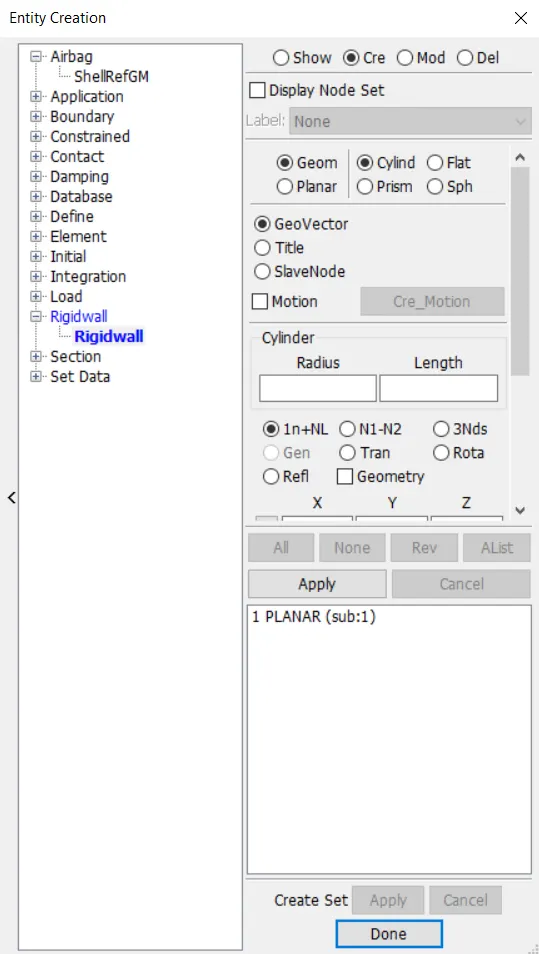
Create Entity -> Rigidwall -> Create -> Planar -> Normal to Z -> Select an element in the srface for which plane has to be created.
Select -> Create -> Planar -> Select a Node to which the plane should be Normal -> Translate ->Done
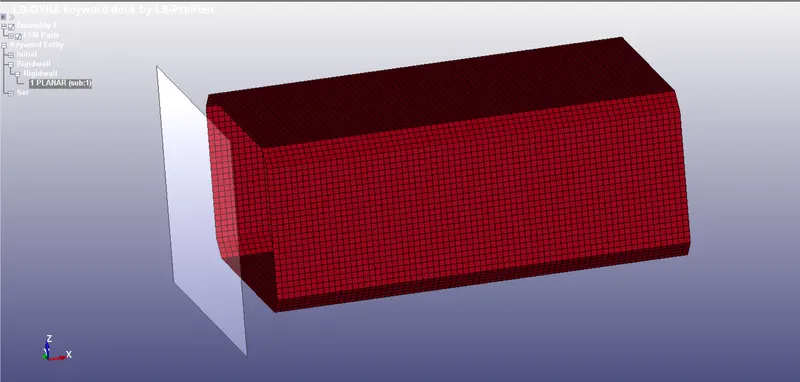
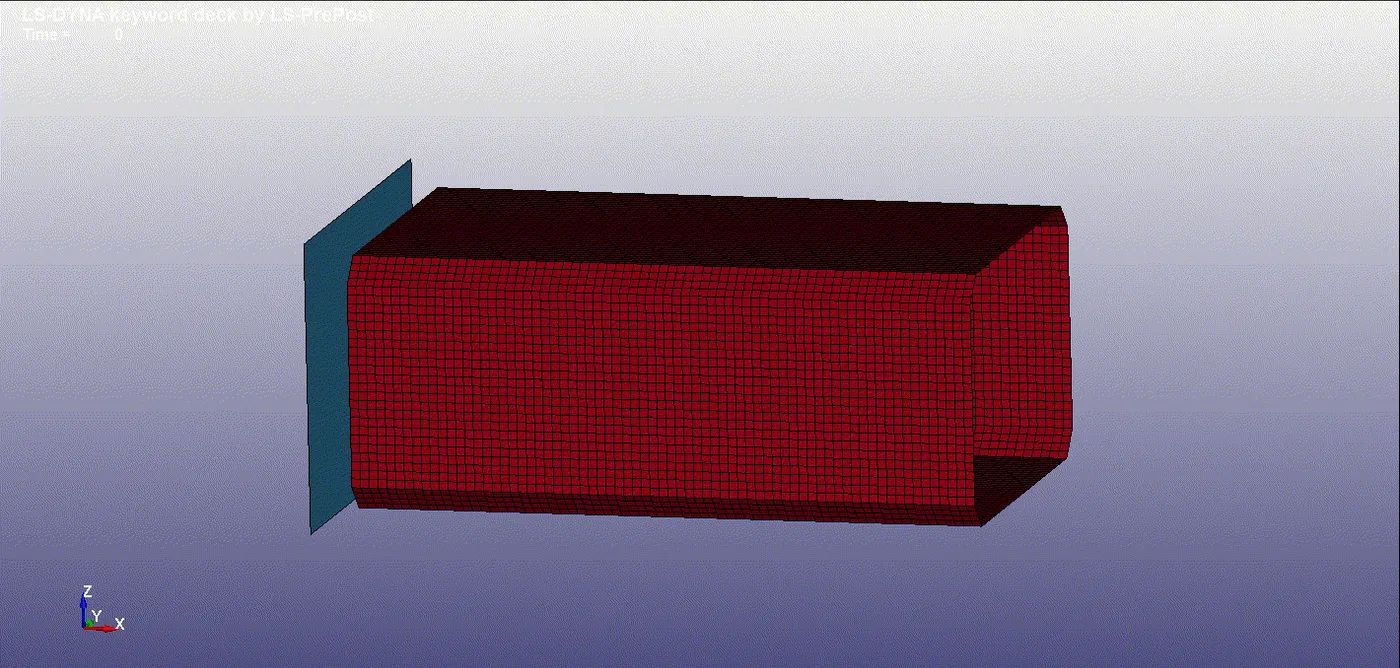
The Rigid floor is here created as shown.
CREATING SECTION :
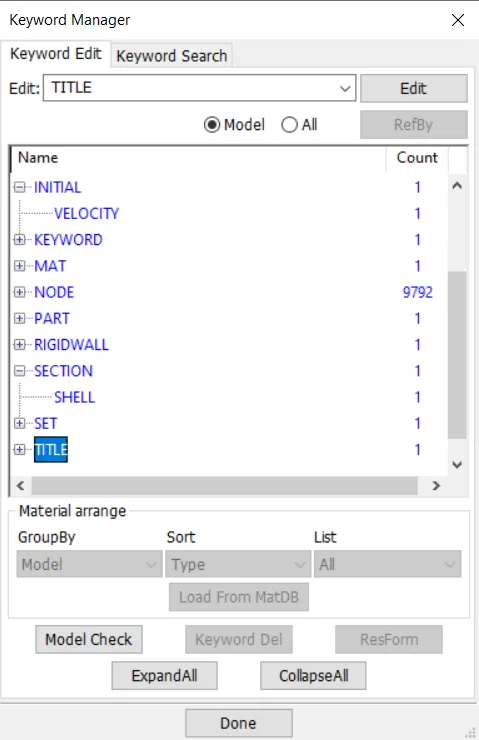
SECTION -> Select Solid (As Mobile is an solid defined part)
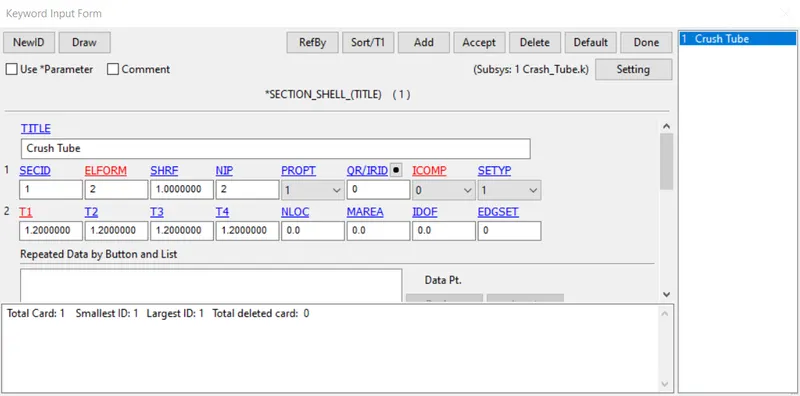
Input Section ID adn Title, which should be unique.
APPLYING MATERIAL PROPERTIES :
Select 24- Piecewise Linear Plasticity
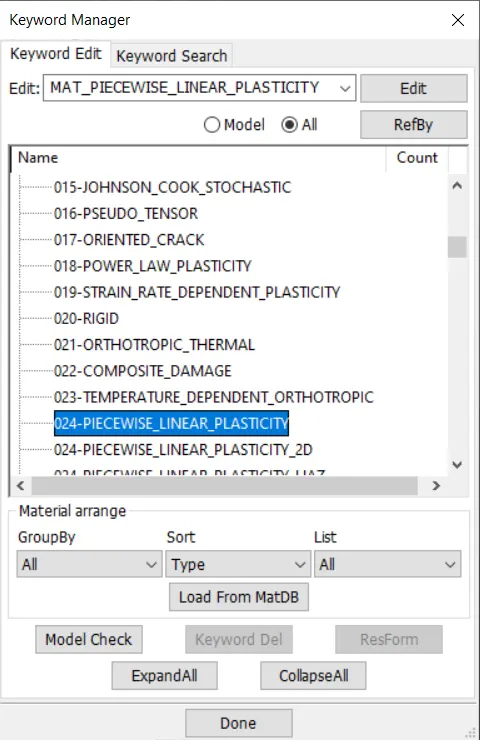
Material Properties for Aluminium Frame with unit consistency of mm | mg | gm
ETAN is given approx of (2-10% Youngs modulus)
APPLYING VELOCITY :
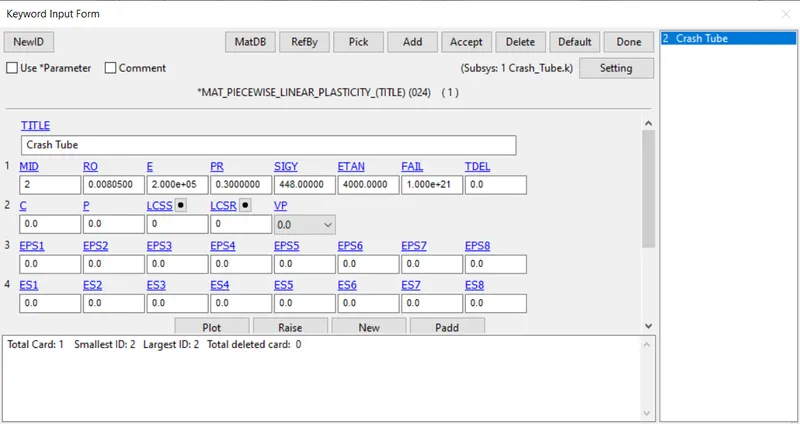
Initial -> Velocity
potential drop due to gravity, v=√2gh
here, we consider it as forced drop, in which the velocity is taken as -13.88mm/ms
SIMULATION TERMINATION:
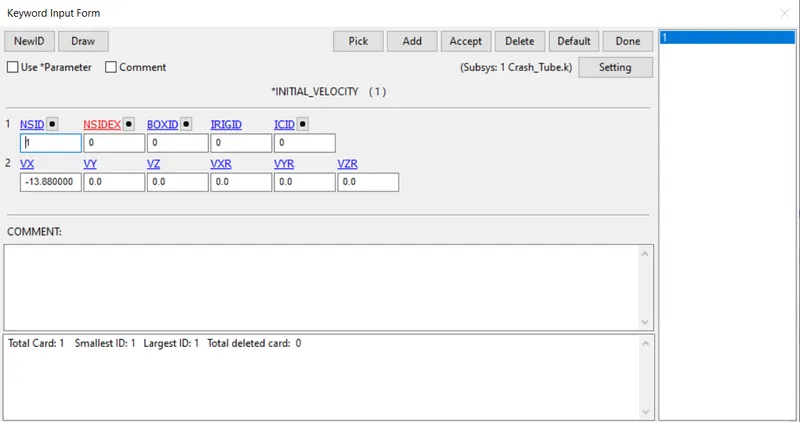
Control -> Termination Time
End Time is given as 12.00
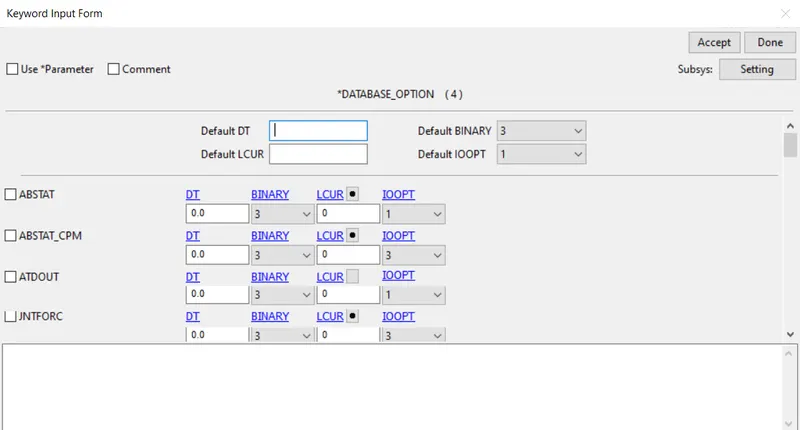
DATABASE SPECIFICATION:
ASCII_Option:
In this Time output between intervals is specified as 0.08
for the following output Requests,
D3PLOT
Resultant Interface Forces (RCFORC)
Global Statistics (GLSTAT)
Sliding Interface Energies (SLEOUT)
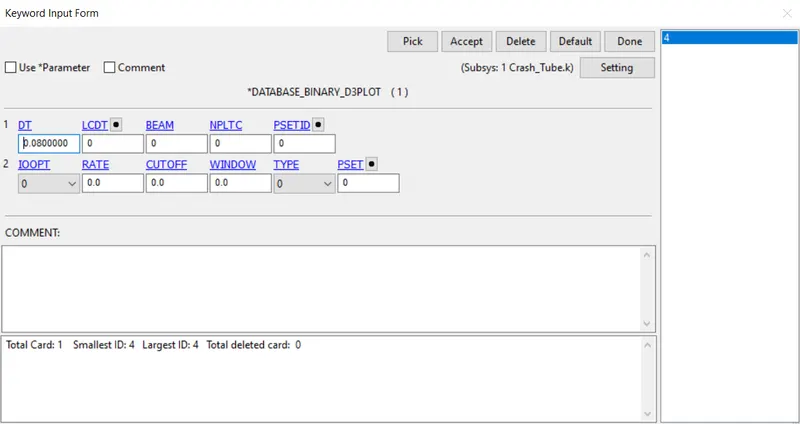
BINARY OUTPUT:
In this Time output between intervals is specified as 0.08
 .
.
INITIATING SIMULATION:
-> Open LS-RUN
-> Input file -> Select the keyword file of the Drop test
-> Run the Simulation
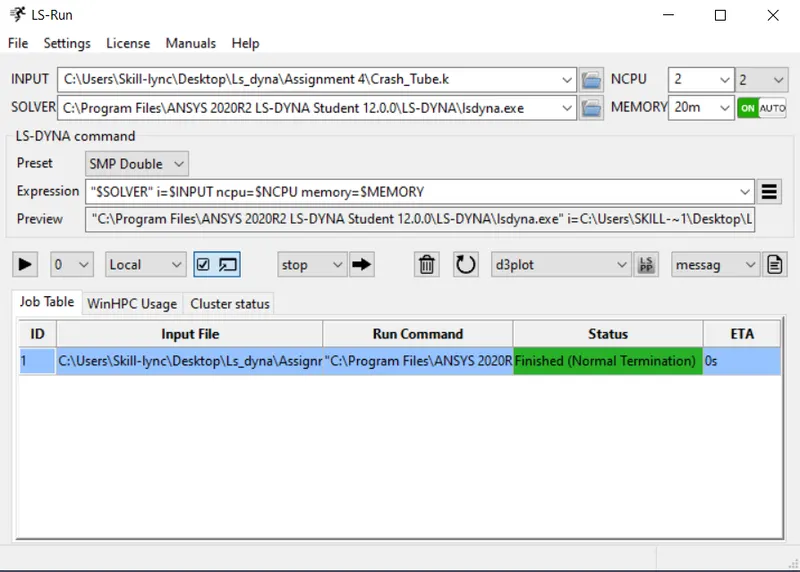
REPORT SUMMARY OF SIMULATION WINDOW:
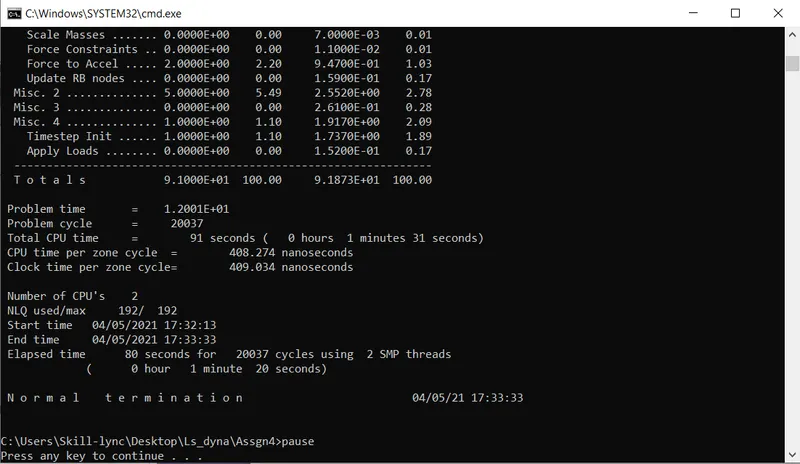
SIMULATED DROP TEST : (LS-RUN)
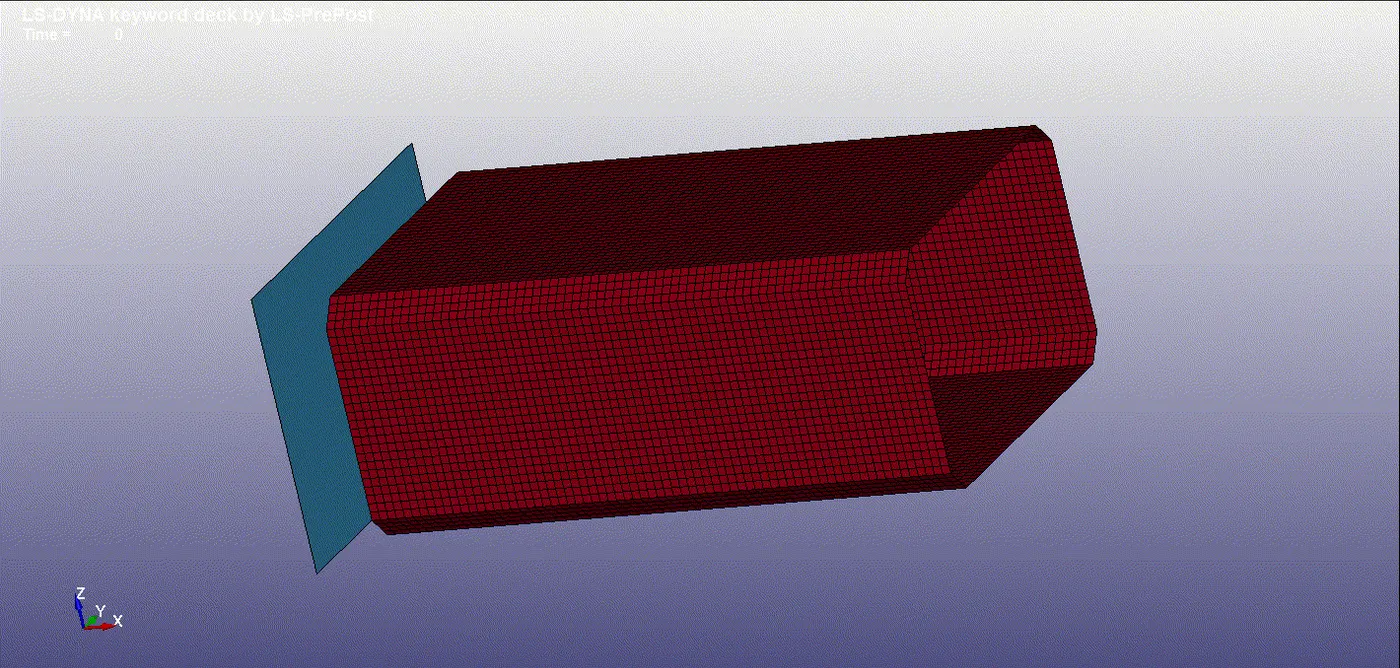
SECTIONAL PLOT :
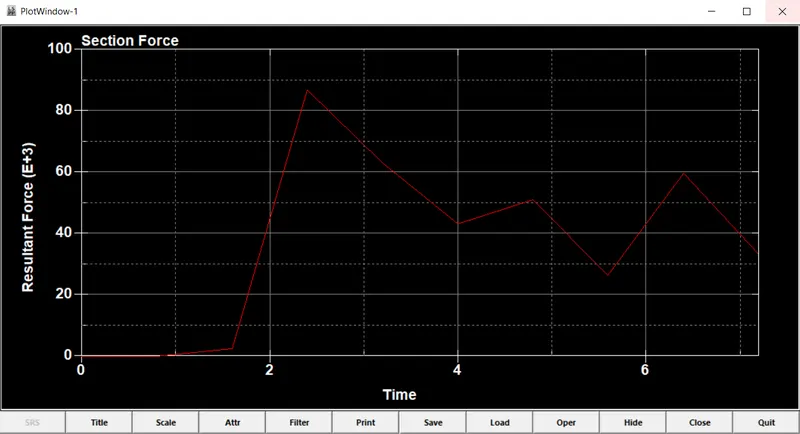
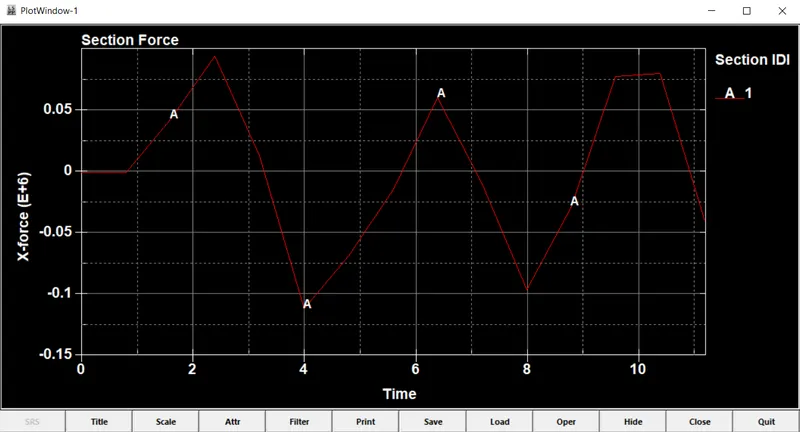
- The crash box has experienced a stress of about 85N
ACCELERATION PLOT :
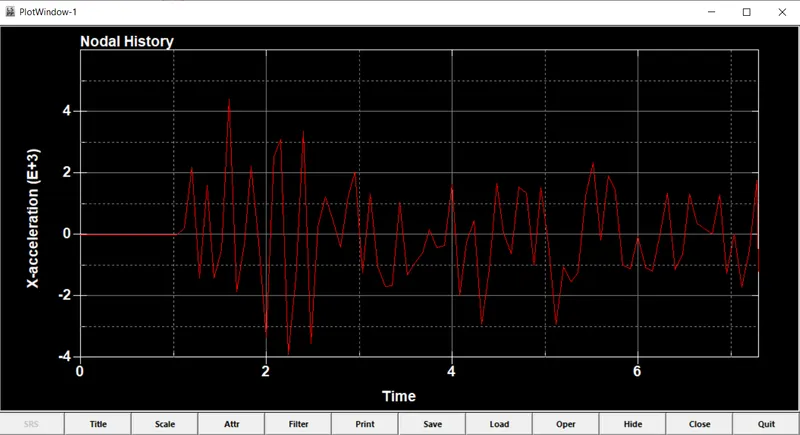
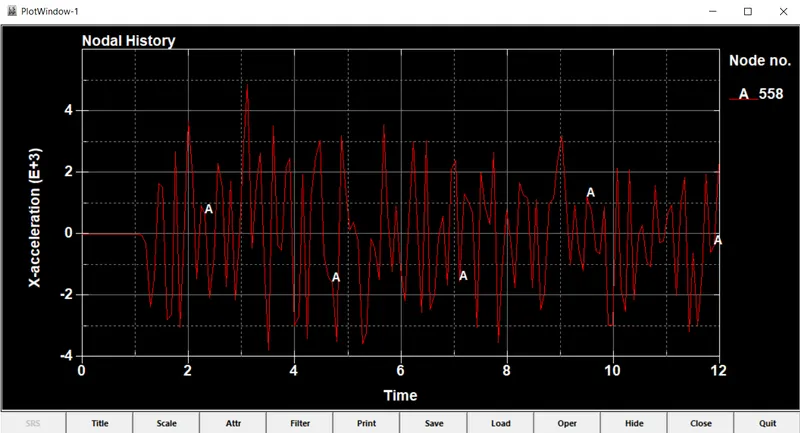
- The acceleration of the crash box is of is about 4
STRESS :
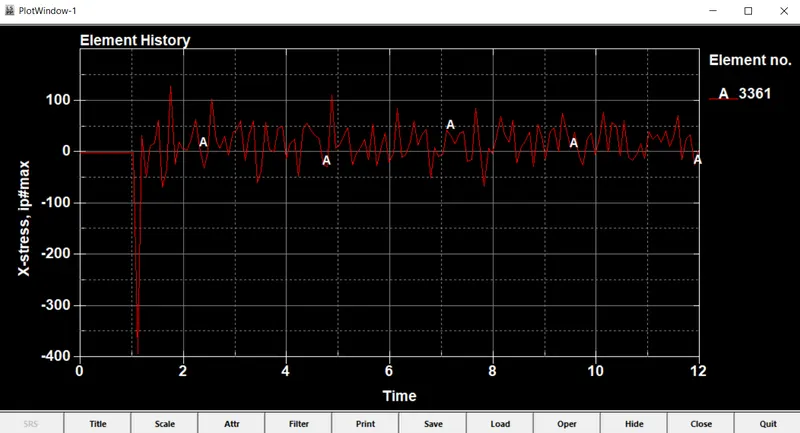
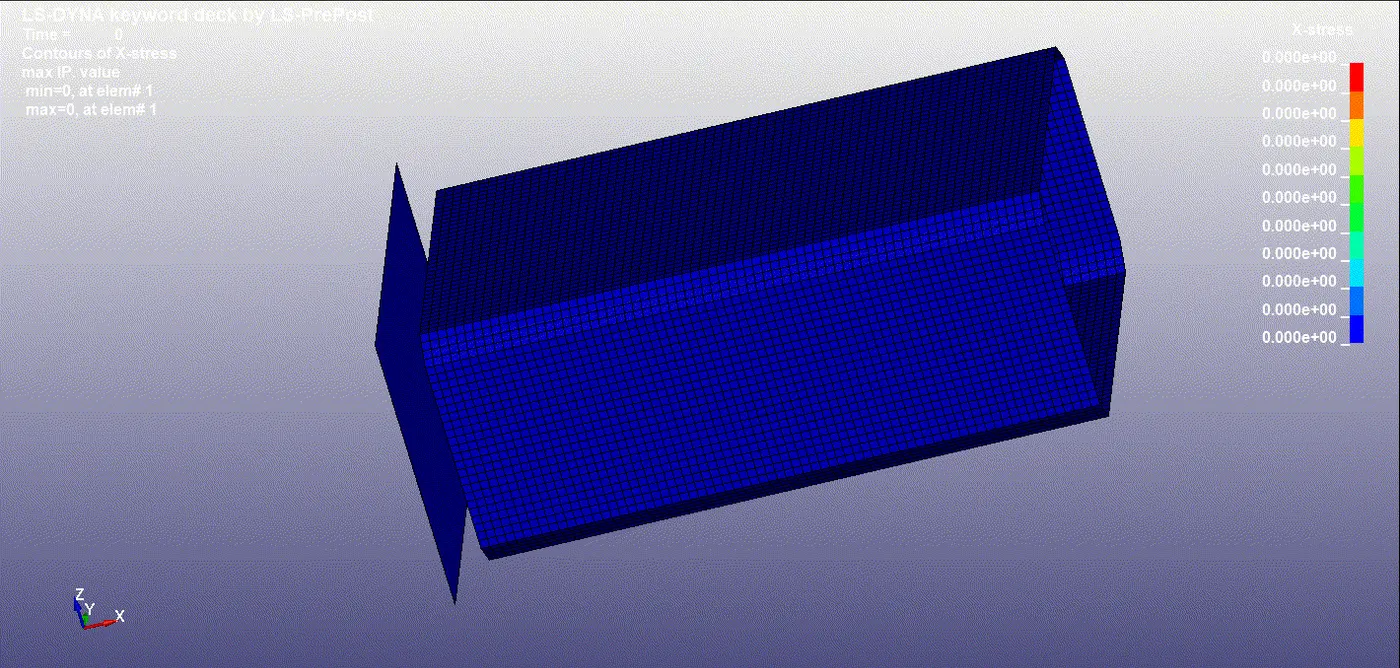
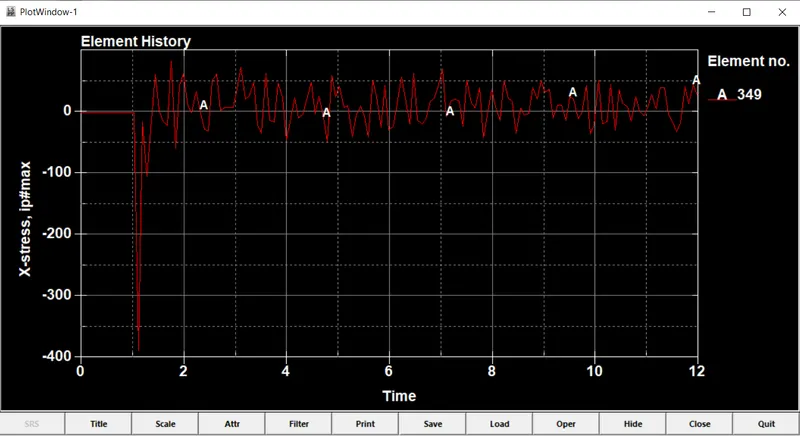
- The stress is about 100
STRAIN :
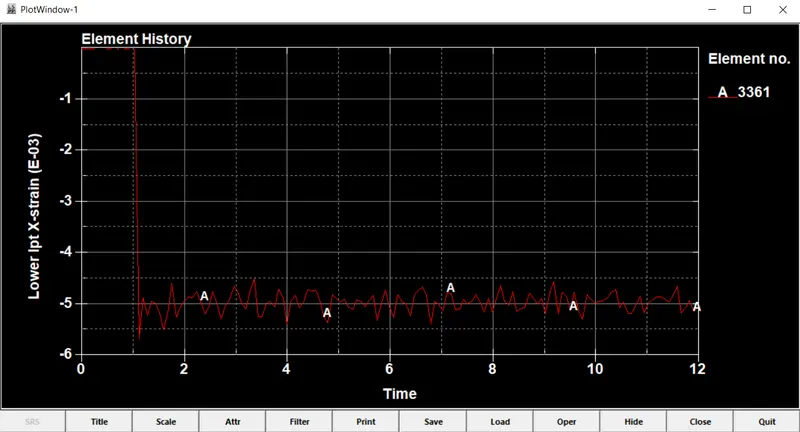
- Strain is not produced in the crash box
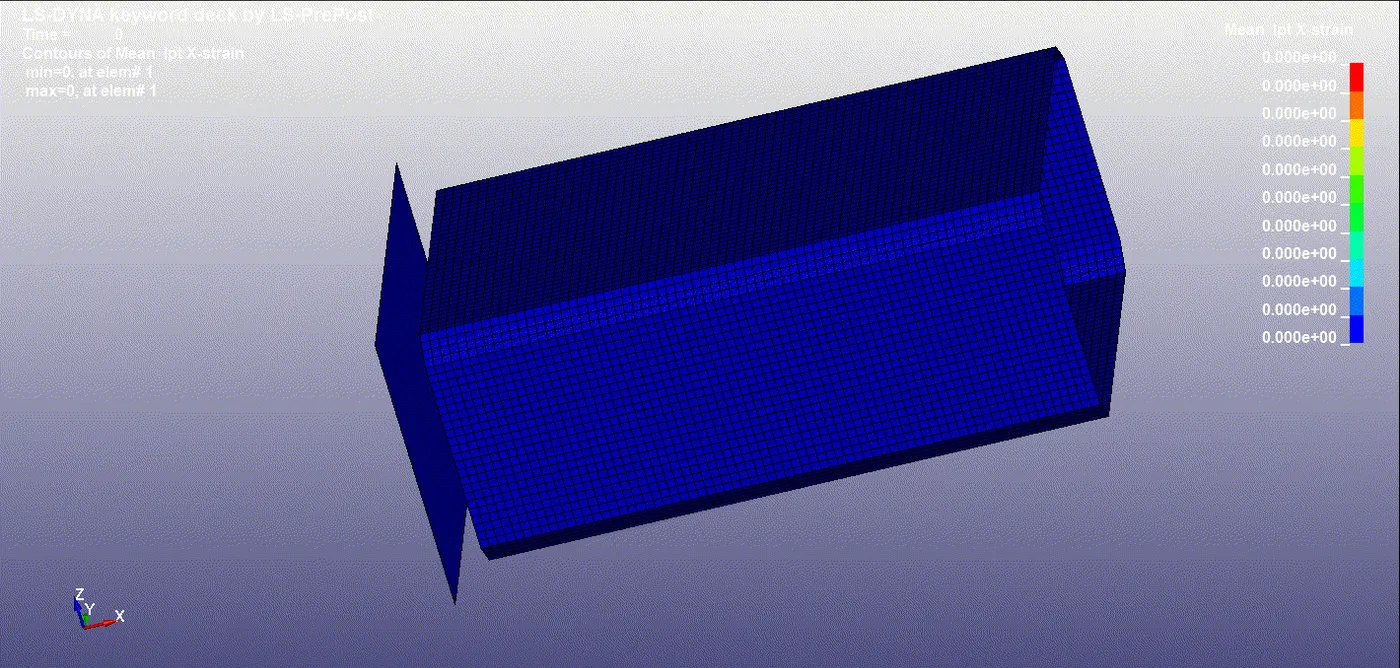
- From the graph it is visible, that the crash box is not under going deformation, hence it remains 0
ENERGY PLOTS:
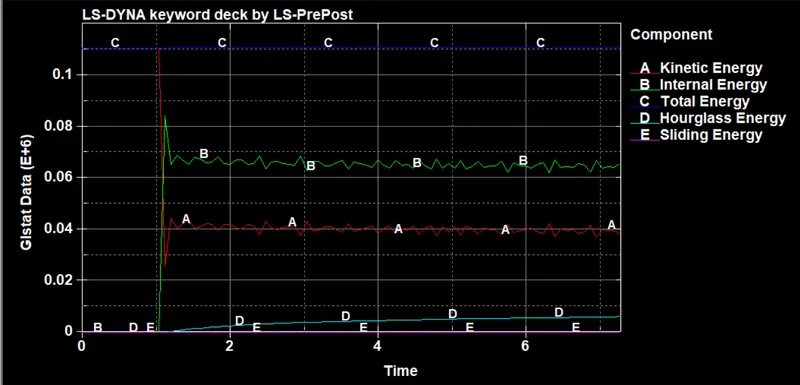
- Kinetic Energy is about 0.04
- Internal Energy is about 0.08
- Total Energy is of 0.11
- Hour glass energy is about 0.005
- The Sliding Energy is of 0
1.5mm Thickness :
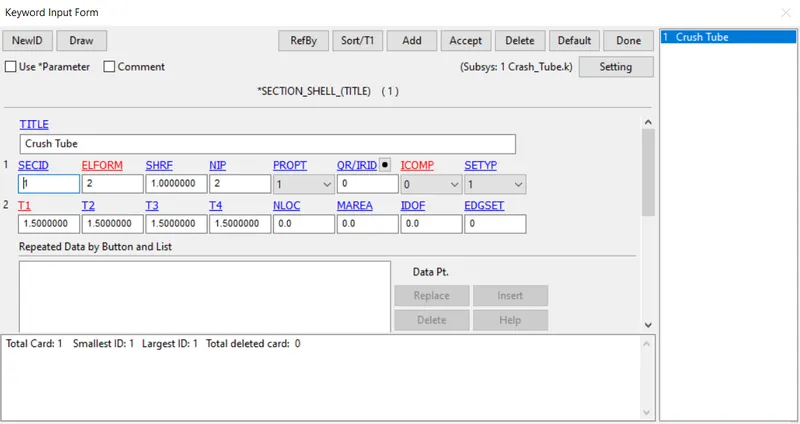
Input Section ID adn Title, which should be unique.
APPLYING MATERIAL PROPERTIES :
Select 24- Piecewise Linear Plasticity
Material Properties for Aluminium Frame with unit consistency of mm | mg | gm
ETAN is given approx of (2-10% Youngs modulus)
APPLYING VELOCITY :
Initial -> Velocity
potential drop due to gravity, v=√2gh
here, we consider it as forced drop, in which the velocity is taken as -13.88mm/ms
SIMULATION TERMINATION:
Control -> Termination Time
End Time is given as 12.00
DATABASE SPECIFICATION:
ASCII_Option:
In this Time output between intervals is specified as 0.08
for the following output Requests,
D3PLOT
Resultant Interface Forces (RCFORC)
Global Statistics (GLSTAT)
Sliding Interface Energies (SLEOUT)
BINARY OUTPUT:
In this Time output between intervals is specified as 0.08
.
INITIATING SIMULATION:
-> Open LS-RUN
-> Input file -> Select the keyword file of the Drop test
-> Run the Simulation
REPORT SUMMARY OF SIMULATION WINDOW:
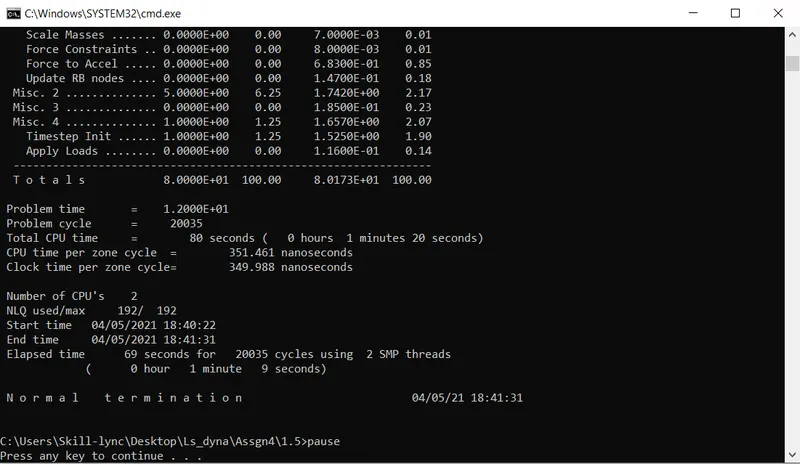
SIMULATED DROP TEST : (LS-RUN)
SECTIONAL PLOT :
ACCELERATION PLOT :
STRESS :
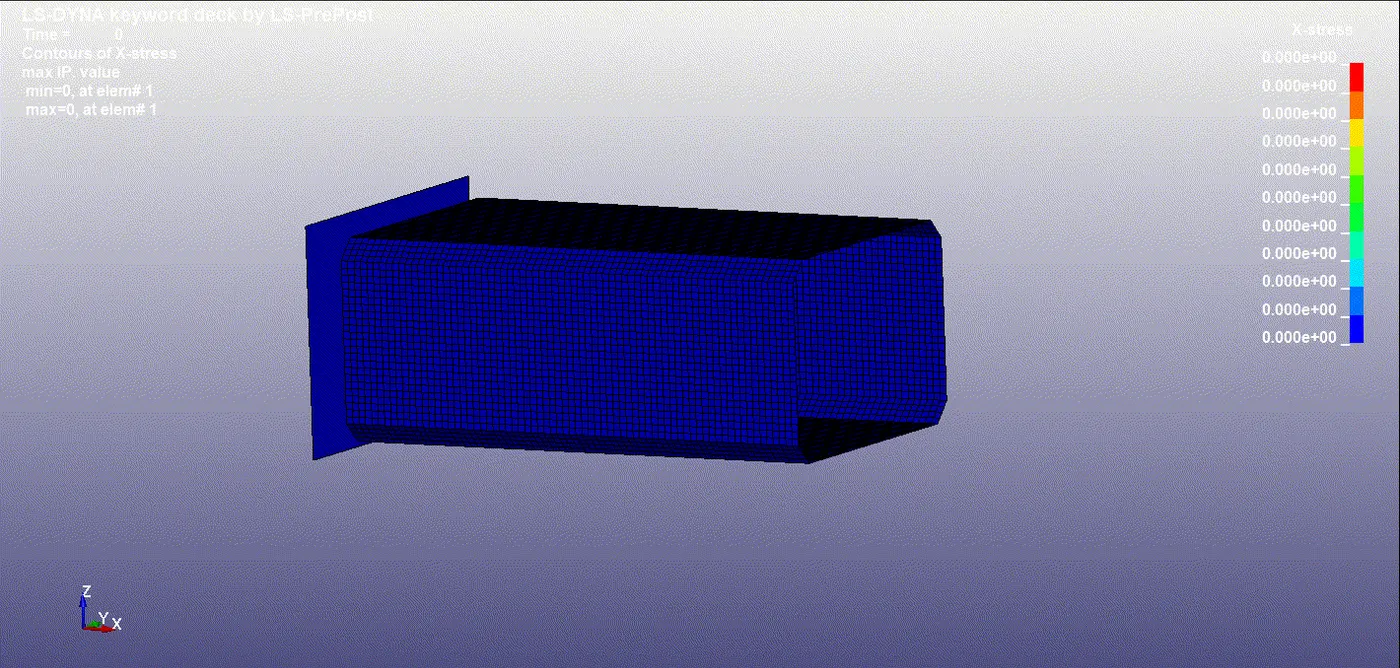
STRAIN :
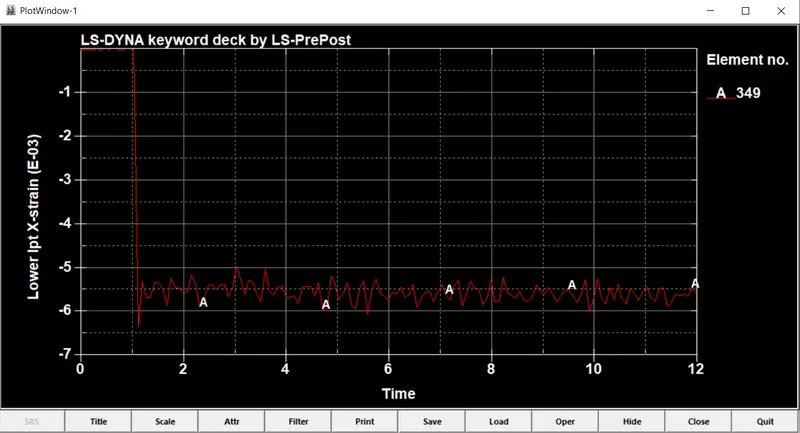
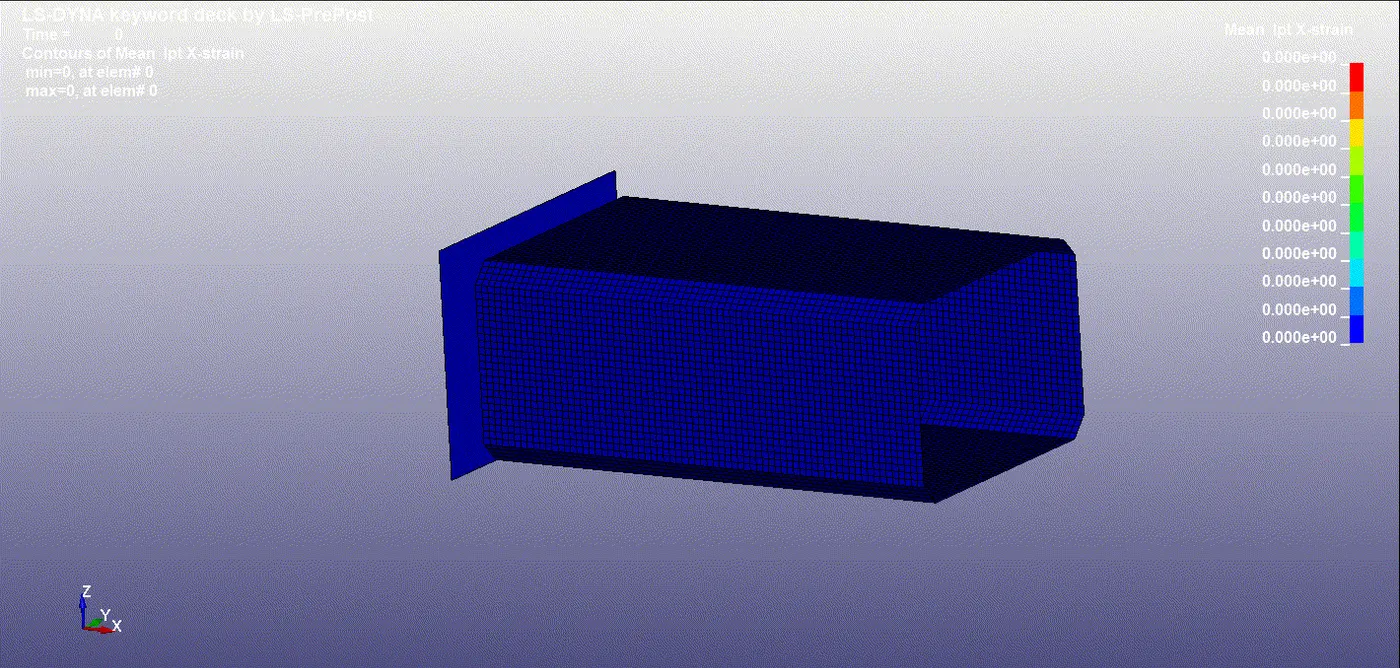
- From the graph it is visible, that the crash box is not under going deformation, hence it remains 0
ENERGY PLOTS:
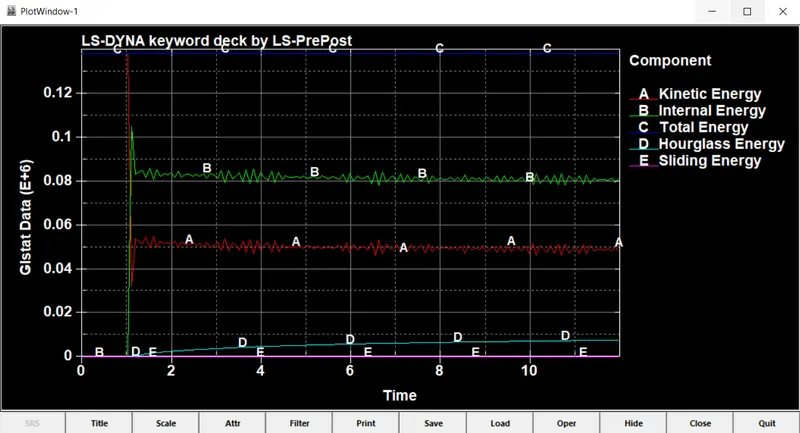
- Kinetic Energy is of about range droping from 0.06
- Internal Energy is about 0.1-0.08
- Total Energy is about 0.14
- Hour glass Energy is of 0.008
- The sliding energy remains 0
COMPARISON :
| Thickness | 1.5 mm | 1.2mm |
| Kinetic Energy | 0.06 N-mm | 0.04 N-mm |
| - Internal Energy | 0.1-0.08 N-mm | 0.08 N-mm |
| - Total Energy | 0.14 N-mm | 0.11 N-mm |
| - Hour glass Energy | 0.008 N-mm | 0.005 N-mm |
| - The sliding energy | 0 | 0 |
| strain | 0 | 0 |
| stress | 130 g/(ms^2*mm) | 80 g/(ms^2*mm) |
| Acceleration | 4 mm/ms^2 | 4.4 mm/ms^2 |