Week 4-1D Element Creation Challenge
Mesh the Given component with the Size of 5 Units. Create 1D elements on the following component with given cross-section and DOF
a. Rod element:- Translational DOF should be Constrained with RBE2 link
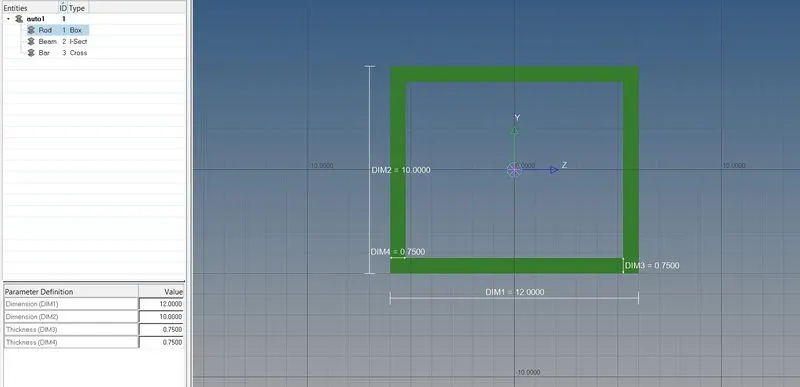
Cross-Section: BOX- Dimension a= 12 mm
dimension b=10 mm
Thickness t= 0.75 mm
b. Beam element:- All DOF should be constrained with RBE3 link
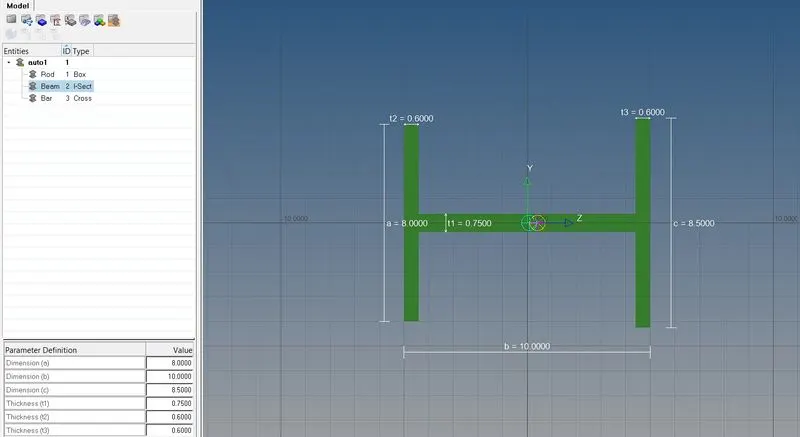
Cross-Section: I Section- Dimension a= 8 mm
Dimension b= 10 mm
Dimension c= 8.5 mm
Thickness t1= 0.75 mm
Thickness t2= .6 mm
Thickness t3= .6 mm
c. Bar element:- Constrain only x and y DOFs With RBE3 link
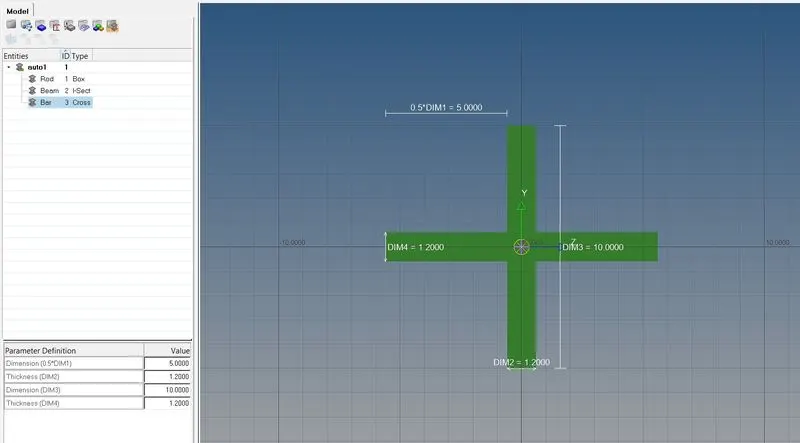
Cross-section: X section- Dimension DIM1= 5 mm
Thickness DIM2= 1.2 mm
Dimension DIM3= 10 mm
Thickness DIM4= 1.2mm
d. & e. Apply the mass of magnitude 10 with the RBE2 link
f. Join the two components with Spring elements
PROCEDURE:
1.Importing the geometry-
- Import the geometry into the workspace and delete the wireframe.
2.Creating the mid surface for the given component-
- Select the component and create a mid surface for the top component (bracket 1) by making it current selection.
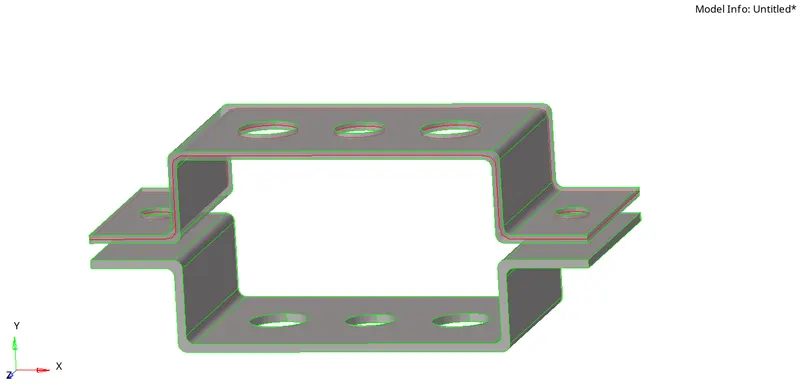
BRACKET 1
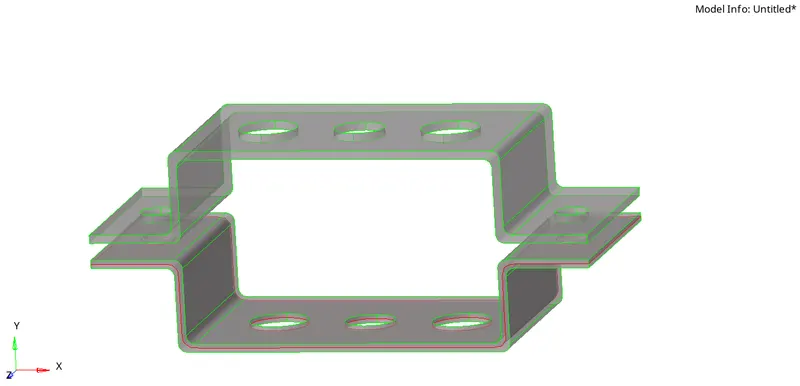
BRACKET 2
- Select the component and create a mid surface for the bottom component (bracket 2) by making its current selection
3. Meshing the component-
- To mesh the given component, we need to create washer splits near the hole region for a smooth mesh. Washer split offset we selected is 5mm.
- Generate the mesh with element size as 5mm with mixed element type.
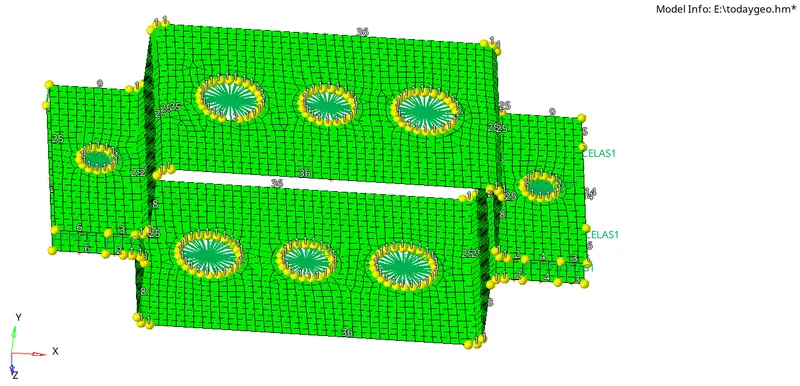
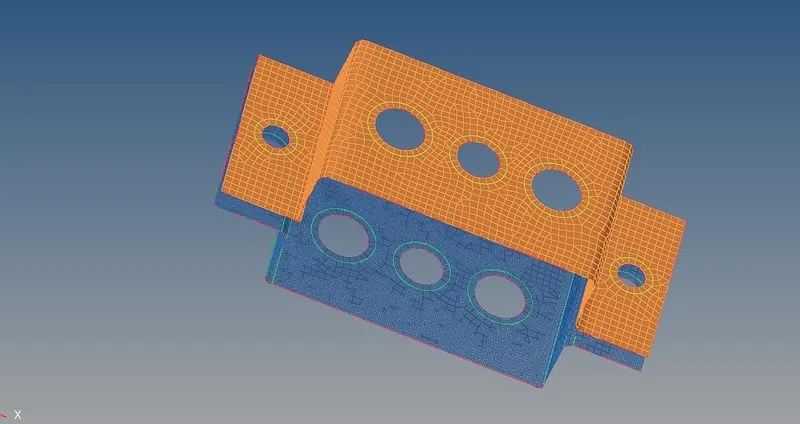
4.Create Material -
- We select steel as the material for this component.
5.Creating the properties-
- We created the properties for the respective component also creating rod, beam bar& mass properties with assigning the Card ID and material.
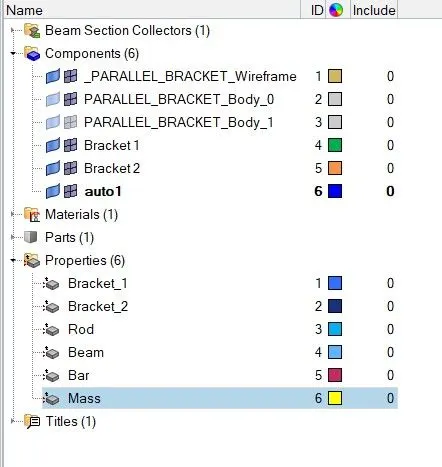
6. Create the 1D Elements-
- To create the 1D element, we need to go the hyper beam tool and select the respective cross-section for creating the 1D element and give the assigned dimension to the geometry as mentioned in the specification.
ROD 1D:
BEAM 1D:
BAR 1D:
7.Create the rigid at points a, b, c & d-
- Create the RBE2 and RBE3 at the respective holes with the given DOF.
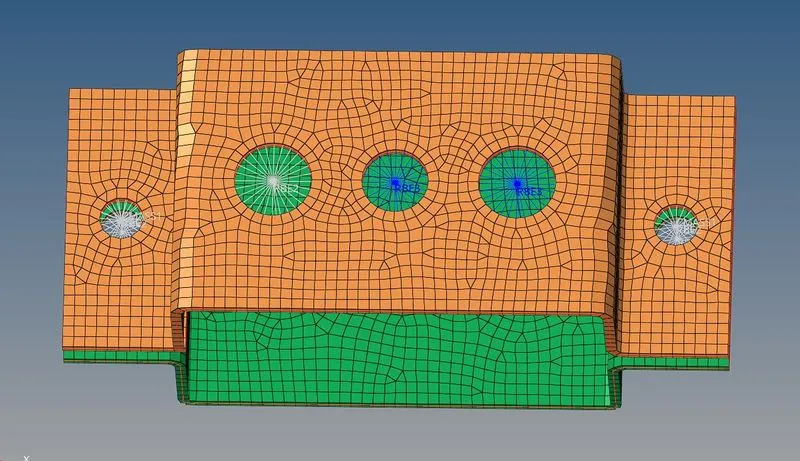
8. Create the 1D element on the rigid -
- Creating the rod, bar and beam 1D elements at the respective node points.
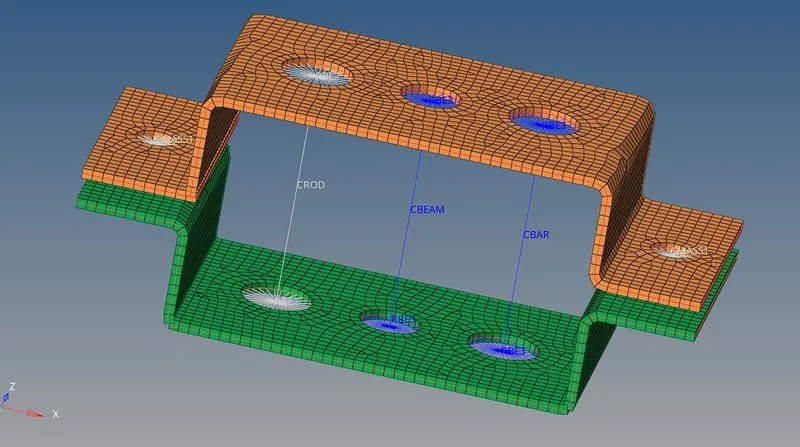
- Update the 1D element with respect to their property.
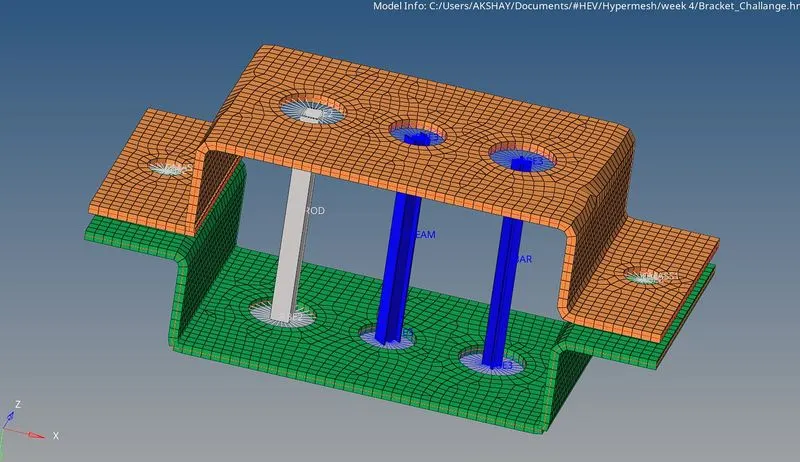
- Create the mass at node d and spring between 2 brackets.
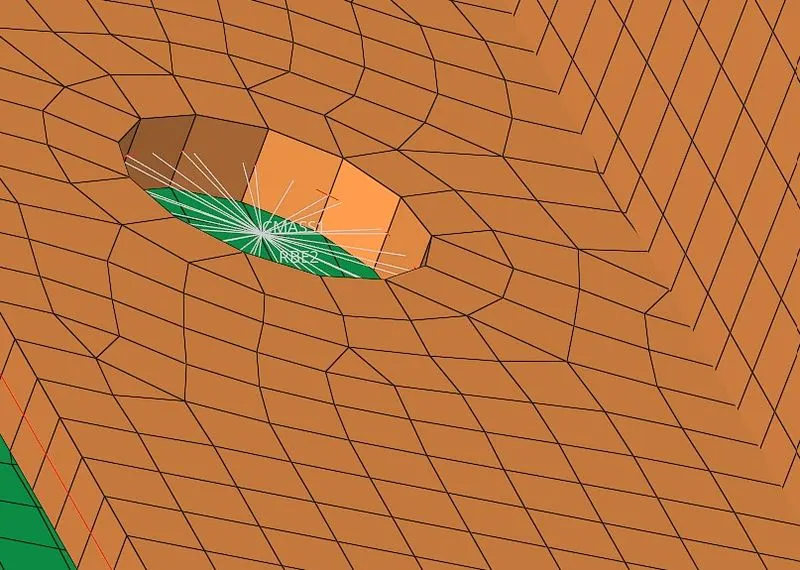
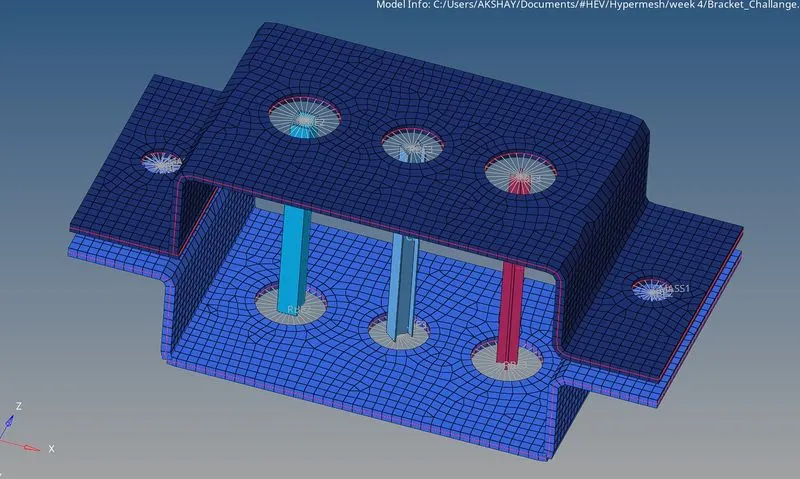
2-D element detailed representation:
Learning Outcomes :
- Understanding the use of 1D elements
- Deploying the suitable 1D elements on the respective places
- Assigning the cross-section and property to that
- Solid representation of 1D elements
Conclusion:
- Extracted the mid-surface for the given component and Created a Mesh on the mid-surface
- Deployed suitable 1D Element ( RBE2, RBE3, ROD, BAR, BEAM , MASS, SPRING etc ) to the respective places.
- Assigned Cross-section and property to the 1D elements
- Created Solid representations of 1D Element.