Week 2 Railwheel and Track
WEEK 2: SIMULATION ON RAIL WHEEL AND TRACK
AIM:
- To simulate the Rail wheel and track for their lifecycle and the stress, strain, and total deformation provided by the wheel running on the track by the given forces.
OBJECTIVE:
- The main focus of this component is to evaluate the result of the product life cycle and the stress, strain, and total deformation in the static structural material. This component to be examined by tow cases
Case 1: Load of 100000 N.
Case 2: Load of 5 times of 100000N.
- And Implement user-defined results and compare both results in all aspects of the evaluation.
INTRODUCTION:
Rail wheel concept-
- The train wheel or a rail wheel is specially designed for use of railway tracks. This rolling component (wheel) is especially pushed onto on axle and mounted directly on a railway carriage or locomotive or indirectly we can say boogie. This wheel is cast or forged and is heated or treated to have a specific hardness. New wheels are trued, using a lathe, to a specific profile before being pressed onto an axle. All wheels profile must be regularly checked to ensure proper interaction between the rail and wheel. Incorrectly trued or worn out wheels can increase rolling resistance, reduce energy efficiency and many even cause a derailment.
Rail Profile:
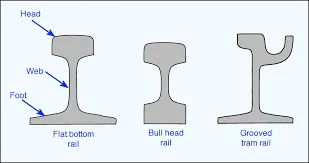
- The rail profile is the cross sectional shape of a railway rail, perpendicular to its length. Early rails were made of wood, cast iron or wrought iron. All modern rails are hot rolled steel with a cross section (profile) approximate to an I-beam, but asymmetric about a horizontal axis (however see grooved rail below). The head is profiled to resist wear and to give a good ride, and the foot profiled to suit the fixing system. Unlike some other uses of iron and steel, railway rails are subject to very high stresses and are made of very high quality steel. It took many decades to improve the quality of the materials, including the change from iron to steel. Minor flaws in the steel that may pose no problems in other applications can lead to broken rails and dangerous derailments when used on railway tracks. By and large, the heavier the rails and the rest of the track work the heavier and faster the trains these tracks can carry.
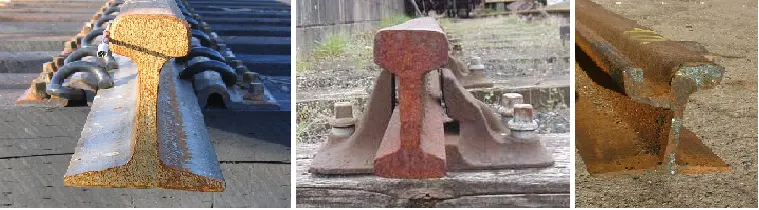
There are so many types of rail profiles. Some of them are listed below:
- Flat bottom Rail
- Bull Head Rail
- Grooved Tram Rail
Analysis-
- We are interested in structural analysis of Rail Wheel and Track setup.
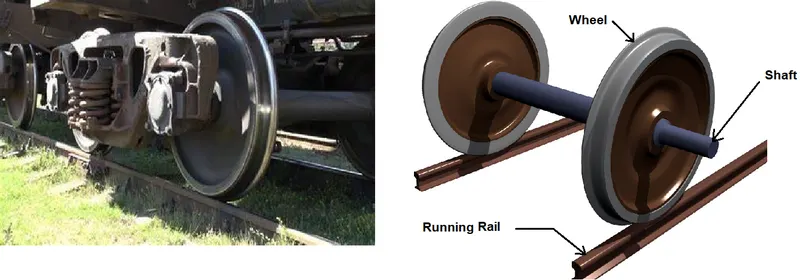
- We can see in above image that wheel is attached with shaft and in contact with running rail. Due to shaft, there is bearing load acts in the wheel bore.
- We are concerning about stress, strain and deformation variation at different bearing loads. So cases on the bases of bearing loads are as given below
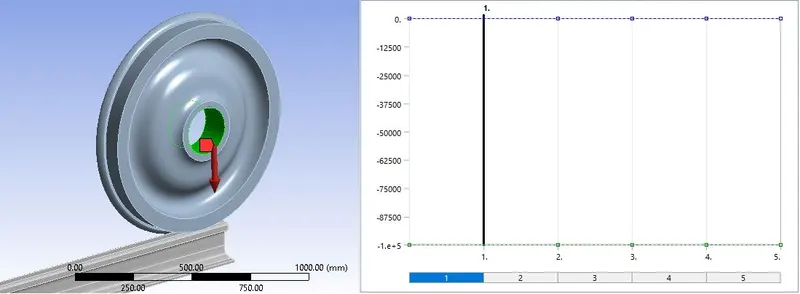
CASE_1: Bearing Load = 100000 N
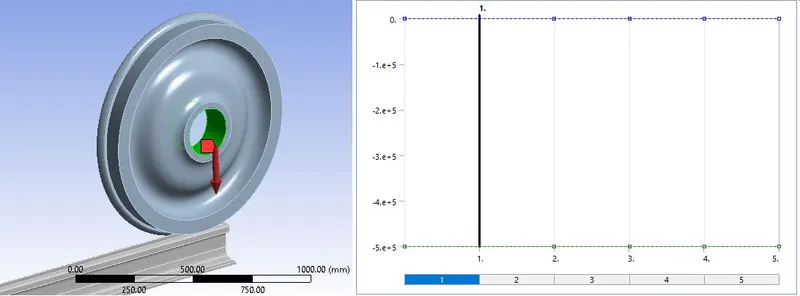
CASE_2: Bearing Load = 500000 N
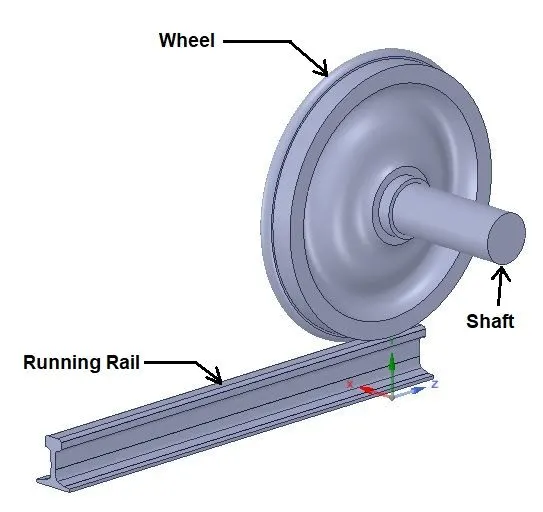
Geometry:
Mesh:
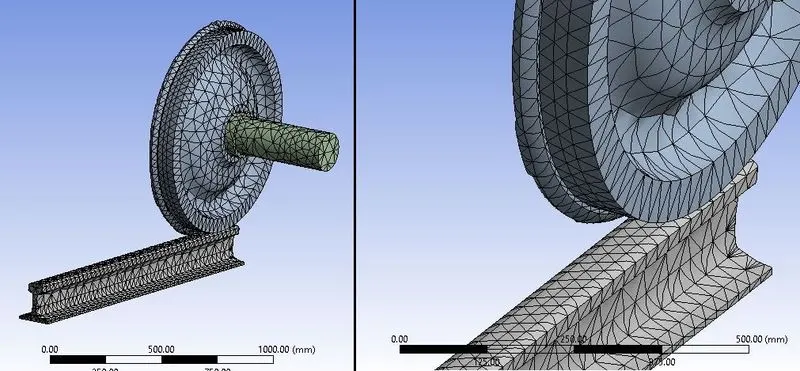
Mesh Details:
- Global element size=50
- Face sizing=35
Procedure:
- Import model “Skill_Lync_Railwheel_Track.x_t” in geometry.
- In model, check or set the names of components as “Running Rail”, “Wheel” and “Shaft” as per geometry.
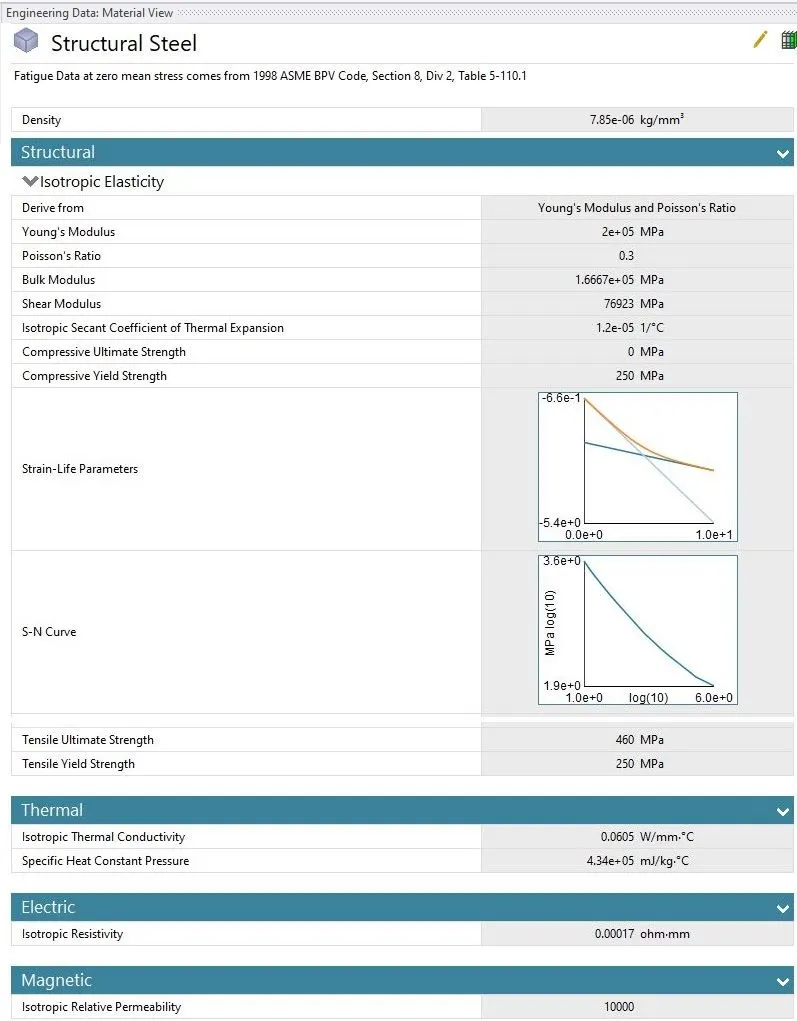
- By default material is “Structural Steel”.
Connections:
- Make contacts based on definitions.
- Contacts:
Contact_1:
Contact Body = Wheel
Target Body = Running Rail
Type: Frictional
Friction Coefficient: 0.3
Contact_2:
Contact Body = Shaft
Target Body = Wheel
Type: Frictionless
- Joints:
Joint_1: Connection Type: Body-Ground
Type: Fixed
Body: Running Rail
Joint_2: Connection Type: Body-Ground
Type: Translational
Body: Shaft
Joint_3: Connection Type: Body-Ground
Type: Planar
Body: Wheel
Boundary Conditions:
- After meshing as described above, create Boundary Conditions as given below:
Analysis Settings:
No. of Steps = 5
Solver Type: Direct
Output Controls: All “Yes”
Non Linear Controls: Force Convergence: ON
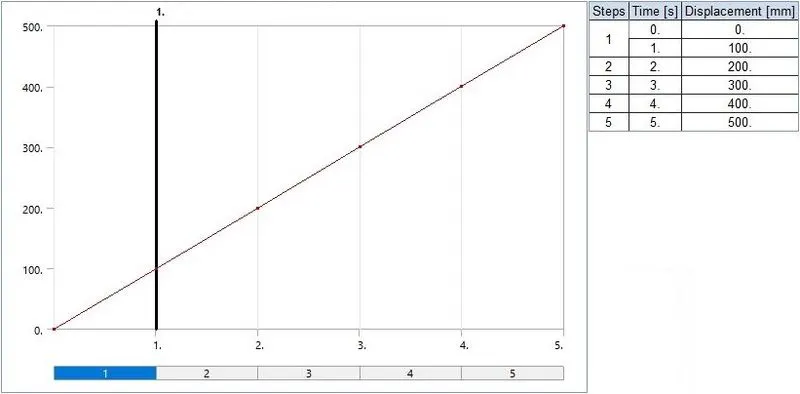
- Here we want Wheel to translate on Running Rail up to distance 500 mm with 100 mm on each step.
- Also there is a load imposed by a carriage transferred to shaft and from shaft to Wheel through Hole.
So, Other Boundary conditions for joints are as given below:
- For CASE_1:
Bearing Load:
Direction: -Y (Negative)
- For CASE_2:
Bearing Load:
Direction: -Y (Negative)
- For CASE_1 & CASE_2:
Joint Displacement:
Joint: Translational – Ground to Shaft
Type: Displacement
Magnitude: Tabular Data
Tabular Data:
Solution:
- After giving proper boundary conditions, create desired solutions for output results.
- Create Solutions for “Equivalent (Von Mises) Stress”, “Equivalent (Von Mises) Strain” for over all setup and for Wheel and “Total Deformation". Also create solution for “Fatigue Life”.
Results:
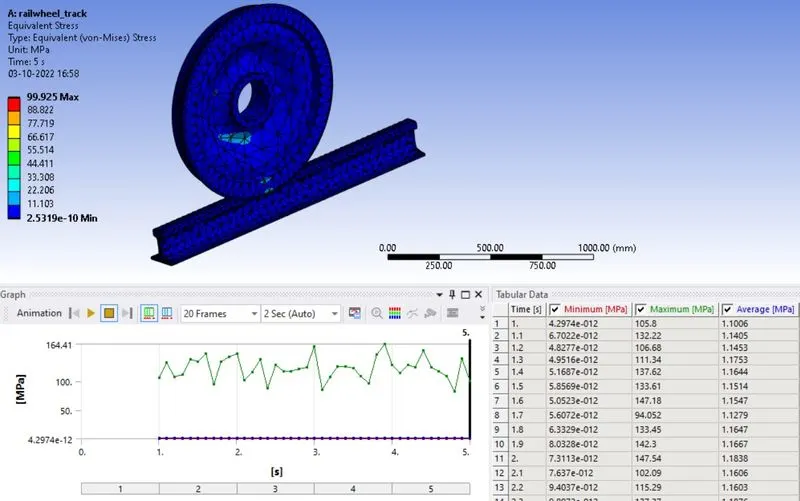
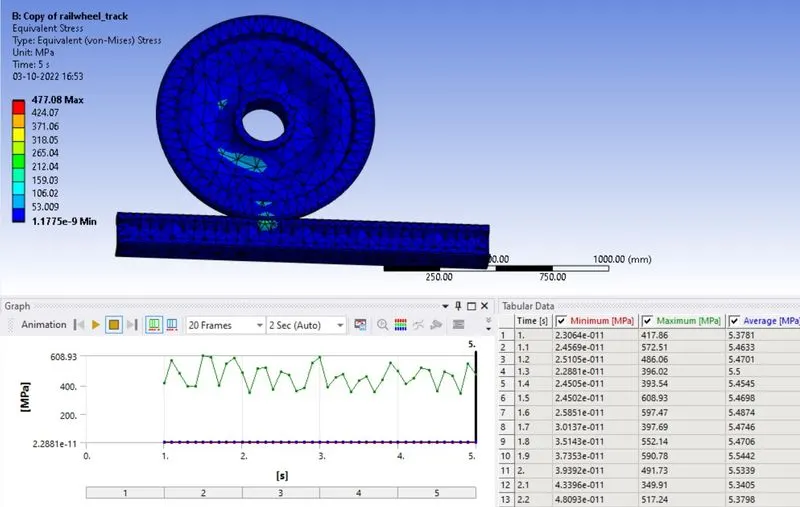
- Now we will see all results with comparison. Results for CASE_1 and CASE_2 are as given below:
EQUIVALENT_STRESS-
- CASE_1:
- CASE_2:
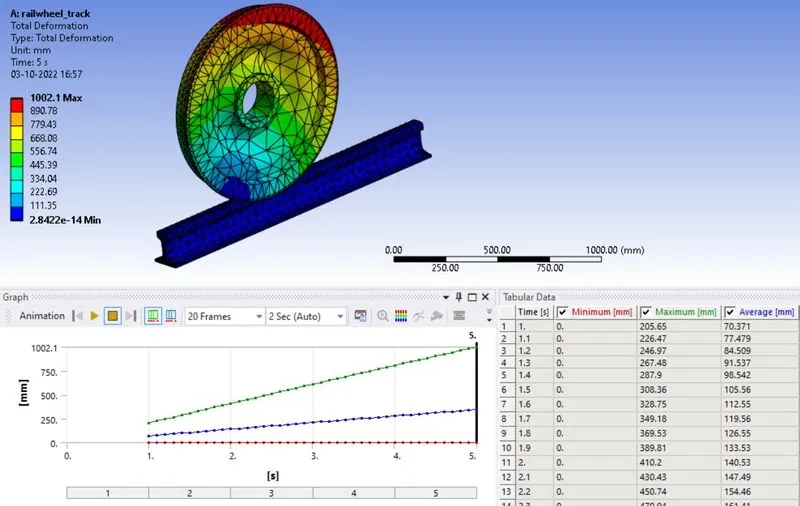
DEFORMATION-
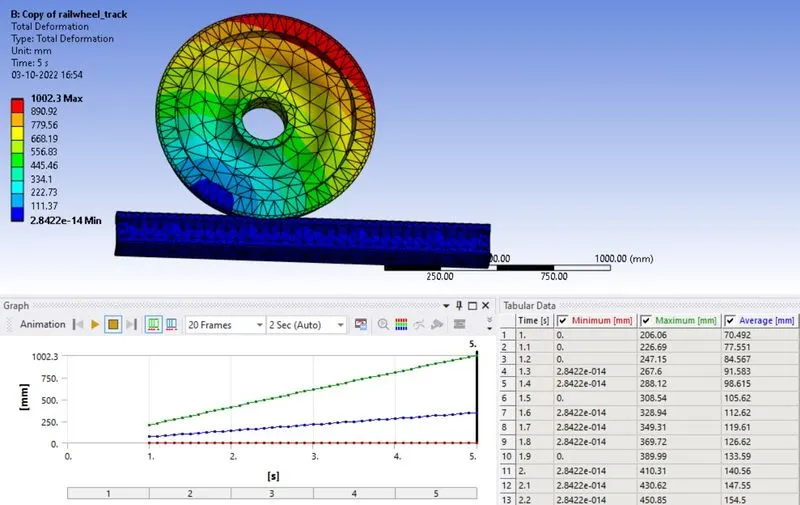
- CASE_1:
- CASE_2:
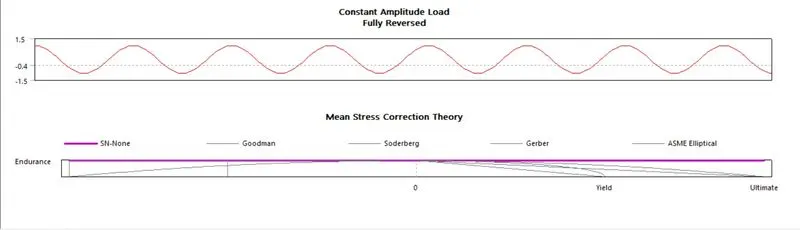
FATIGUE LIFE-
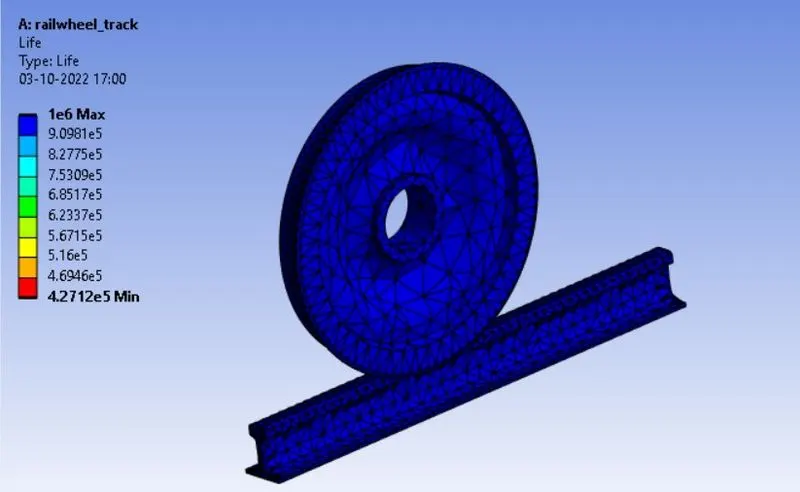
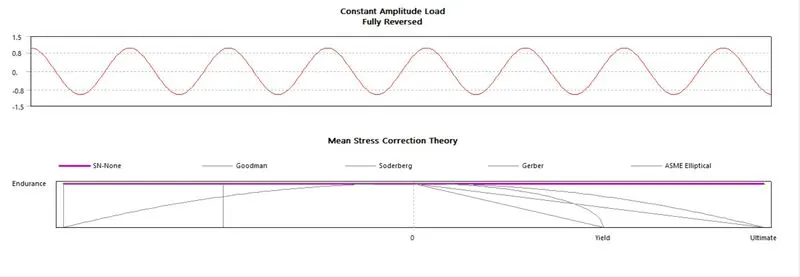
- CASE_1:
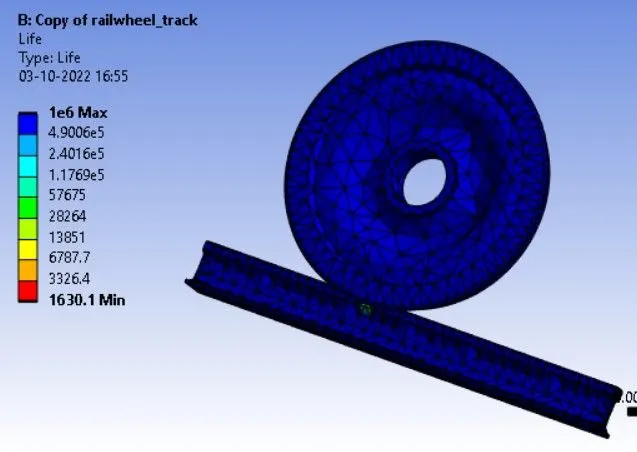
- CASE_2:
Comparison of result:
| Sr No | 100KN | 500KN |
| Total deformation Min (mm) | 2.8422e-014 | 2.8422e-014 |
| Total deformation Max (mm) | 1002.1 | 1002.3 |
| Total deformation Avg (mm) | 345.83 | 345.88 |
| Equivalent stress von mises Min (MPa) | 2.5319e-010 | 1.1775e-009 |
| Equivalent stress von mises Max (MPa) | 99.925 | 477.08 |
| Equivalent stress von mises Avg (MPa) | 1.1157 | 5.357 |
User Defined Result:
- In many situations, we have seen customers ask for ways to output custom results from Ansys Mechanical. The usual results like Total Deformation, Equivalent Stress or Equivalent Plastic Strain may not be enough for our needs. Depending on the requirements, we can create User Defined Results to output the needed result.
- There are various output quantities given in the Worksheet of Ansys Mechanical. Somehow, any results not output automatically, than we can write expression for that result and get needed results.
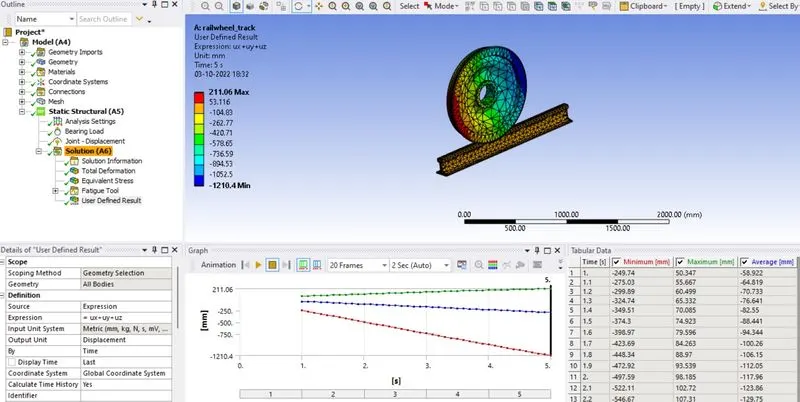
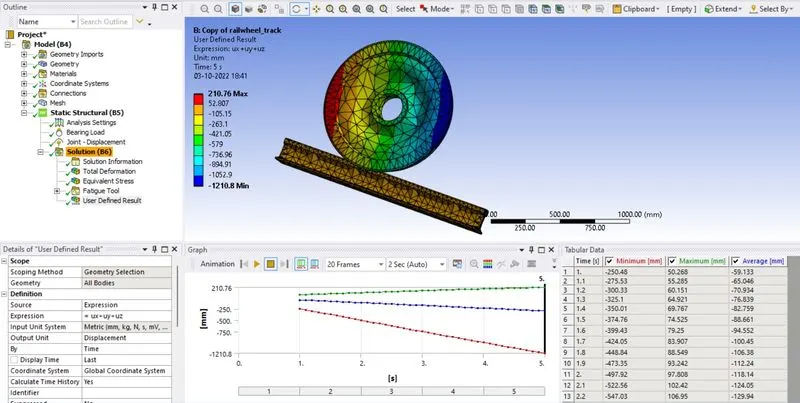
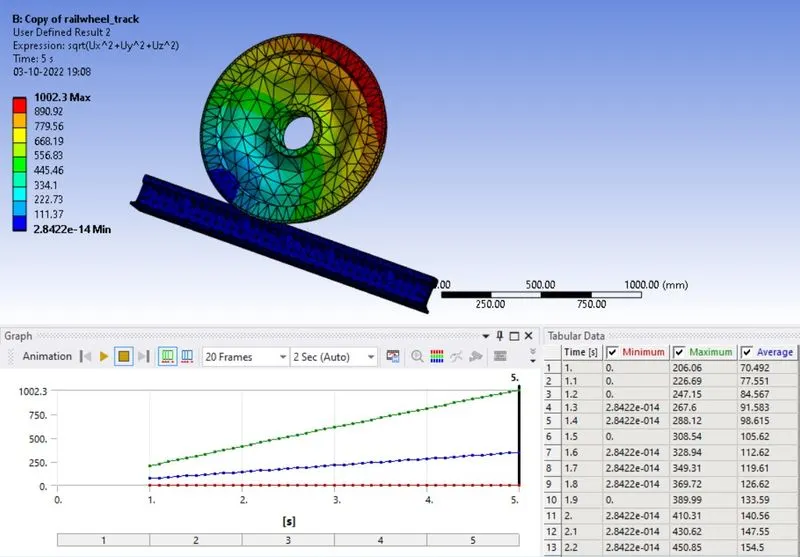
- To evaluate the user-defined result for both loads as I have taken the result for both loads. The expression used to evaluate the result expression used is UX + UY +UZ and the output unit is displacement.
- CASE_1:
- CASE_2:
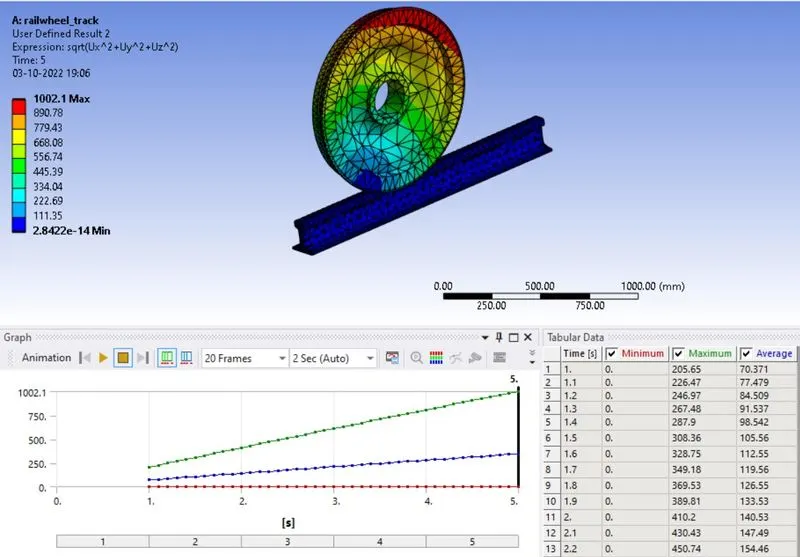
- If we want Total Deformation results, then we can use algebraic equation for Resultant Deformation in the form of vector quantities. Here we want to find out the Total Deformation as a User Defined Result and want to check if it is similar to inbuilt result. So, symbol for the Deformation used is U. So, for expression we can write it in the form as given below:
`U=sqrt(ux2+uy2+uz2)`
- UDF results for both cases are as given below:
- CASE_1:
- CASE_2:
Conclusion:
- From the observations of comparative results, we can see high amount of increase in Stress
- User Defined results are same as inbuilt results and near same in both cases.
- We know that Tensile Yield Strength of Structural Steel is 250 MPa. So in case of 500000 N loads, Stress is going beyond the limit up to 477.08 MPa. So there will be plastic deformation or permanent deformation can happen.
- As per results, we can see that fatigue life in 100000 loads is minimum 4.27 E5 cycles and for 500000 loads it is only 1630.1 cycles.
- So we should avoid higher loads for safety purpose.