Flow through a backward facing step
STEADY STATE FLOW SIMULATION VIA BACKWARD FACING STEP USING CONVERGE CFD
(WEEK-3 CHALLENGE)
- AIM
Our aim is to setup a steady state flow through a backward facing step in converge, simulate it using Cygwin terminal and post process in Paraview for three different mesh sizes and compare the results.
- THEORY/EQUATIONS/FORMULAE USED
Structure of CONVERGE CFD simulations
The basic steps for a simulation are as follows,
- Pre-processing [Converge Studio v3.0] – It is a leading CFD package for simulating 3D fluid flow. It is a user friendly interface which provides high productivity and easy-to-use workflows. Its features includes autonomous meshing, state of the art physical models, robust chemistry solver, and the ability easily accommodate complex moving geometries.
- Solving [Cygwin] – It is a large collection of GNU and Open Source tools which provide functionality similar to a Linux distributionon Windows.
- Post-processing [ParaView 5.9.0] – It includes analyzing the results by plotting the results as charts, contour, and exporting the data, also validating the results both qualitatively and quantitatively.
Backward Facing Step (BFS)
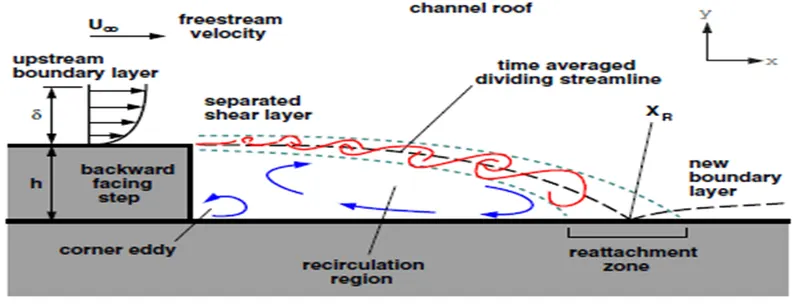
Backward Facing Step is a benchmark problem studied to understand turbulence in internal flows. It is widely used to validate the physics of newly written CFD code as a lot of experimental data are available. In BFS, the fully developed flow enters the flow domain from the inlet, and falls from the step due to the changes in geometry and flow separation takes place as the pressure gradient exists. This creates a zone of recirculation and reattachment zone as it touches the bottom wall. The shear layer is created which separates the recirculation zone from the free stream flow.
Problem – Backward Facing Step
The challenge includes steady state flow simulation through a backward facing step, Grid Independent study and to check the results.
Mesh Size
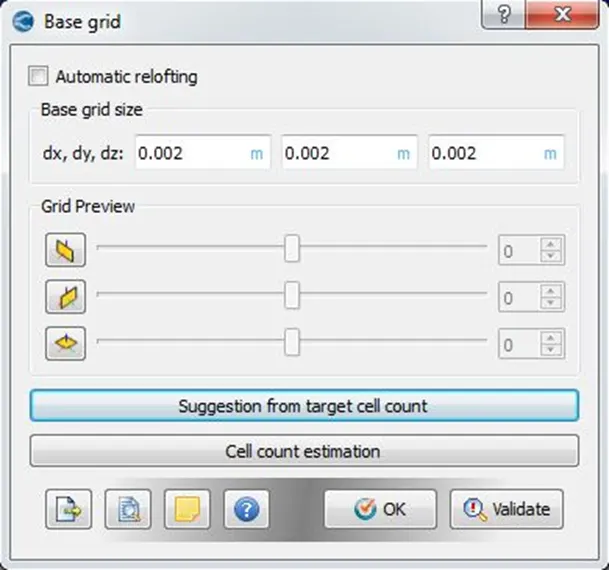
dx = dy = dz = 0.002 m
dx = dy = dz = 0.0015 m
dx = dy = dz = 0.001 m
- PROCEDURE
- Firstly all the softwares are downloaded and installed in the system.
- Geometry is created in converge studio, boundary is flagged, and boundaries are checked for normals and orientation is done as per the requirement and finally diagnosis check is carried out to check for any errors such as intersections, open edges, non-manifold edges, overlapping triangles etc.
- Case setup is done using setup wizard, then the input files are exported to a specific directory and also converge executable application are also copied into the directory.
- The simulation is run using Cygwin commands and post converted the output files so that it is compatible for post processing in Paraview.
- NUMERICAL ANALYSIS
- Geometric Model
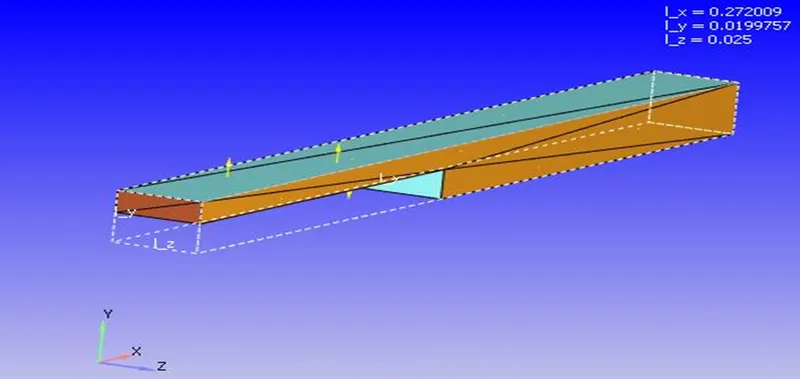
The 3D geometry of Backward Facing Step flow domain is created in Converge Studio as per the figure given below.
Size - dx -0.272 dy-0.0199 dz -0.025
3D Geometry – Rectangular Channel
- Mesh
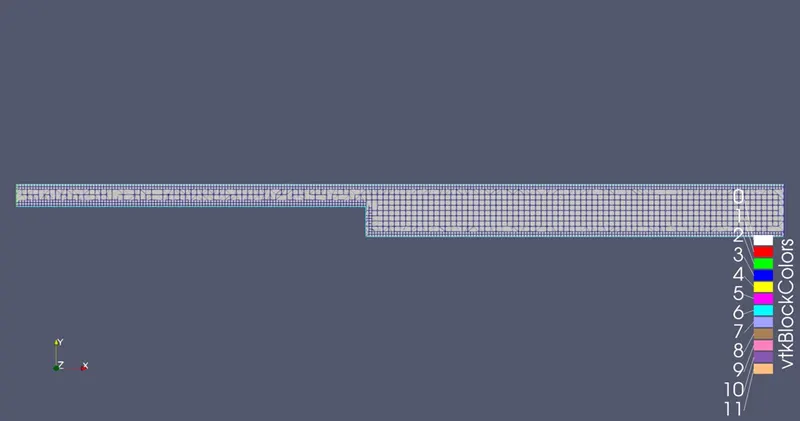
Fig: Mesh
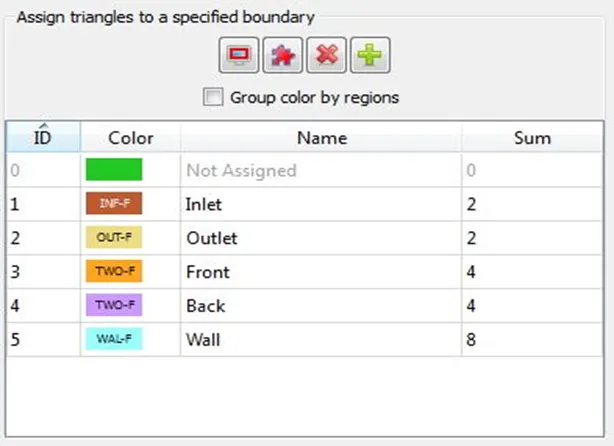
- Boundaries
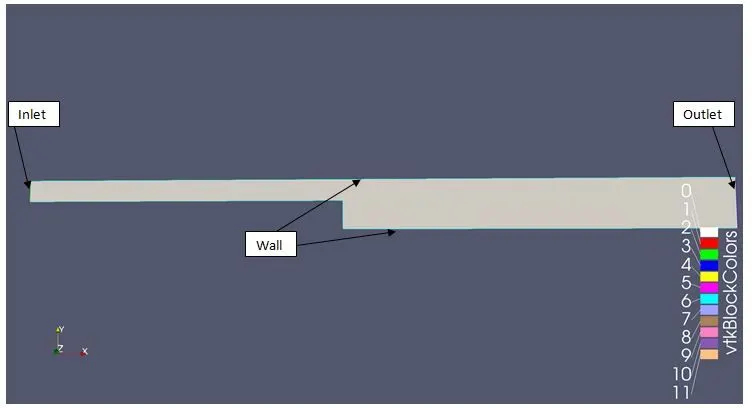
Fig: Boundaries of the domain
Case Set-up
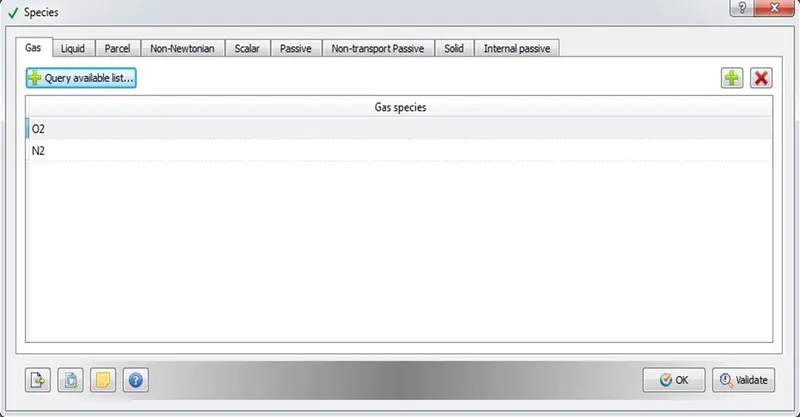
- In Materials tab, materials – Air, species – O2, N2 and global transport parameters are selected.
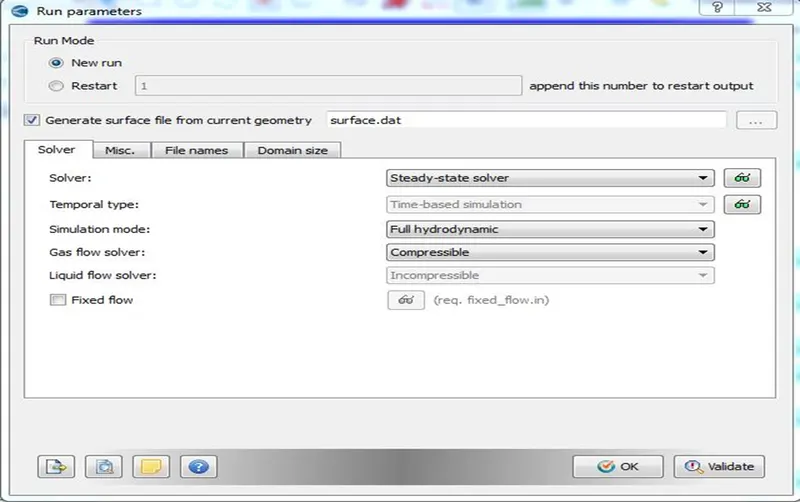
- In Simulation Parameters tab, Run parameters such as Solver type, Simulation Mode and Gas flow Solver are set. In Misc. Tab uncheck the shared memory and check the steady state monitor.
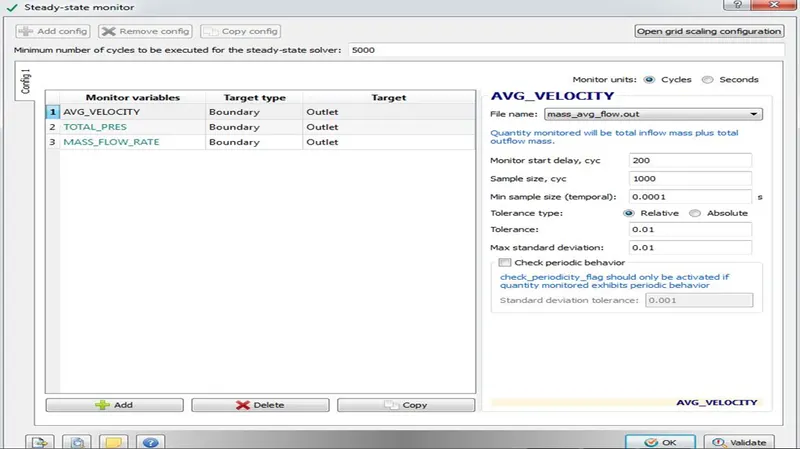
- Steady State monitors are created as by specifying the target type as boundaries and target as outlet for the problem.
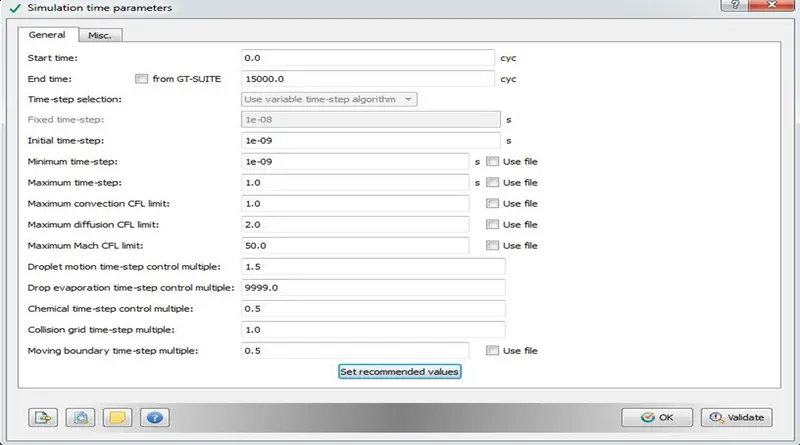
- Simulation time parameters such as total number of cycles, time step, CFL limits etc are set as shown in the figure below.
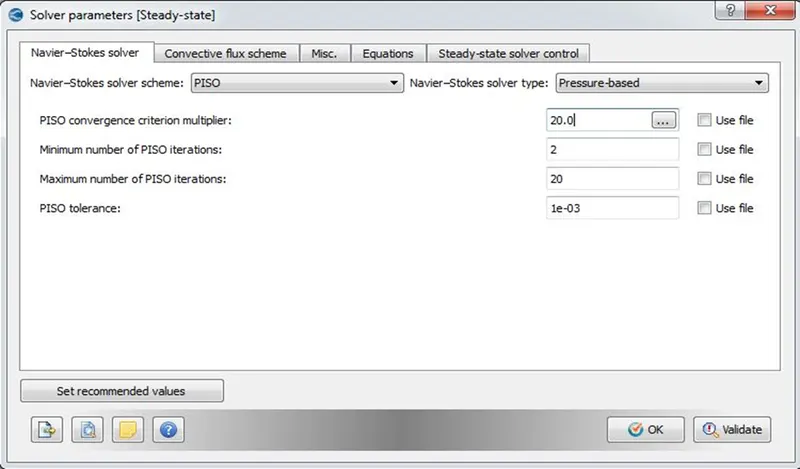
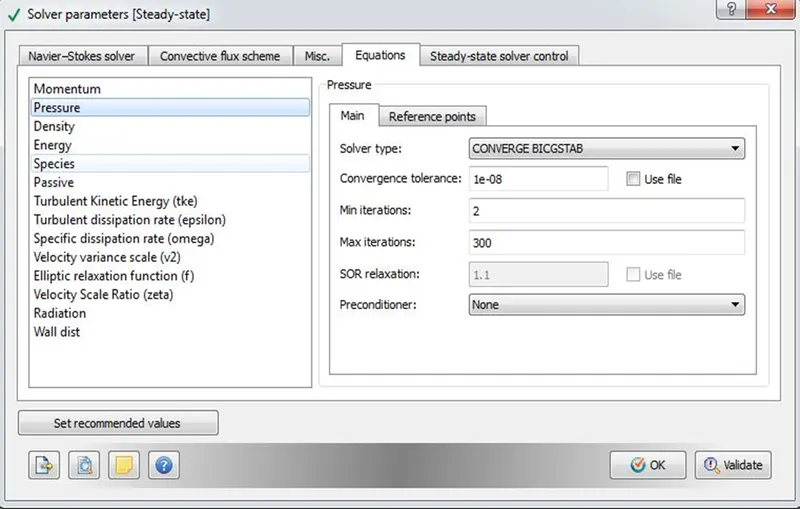
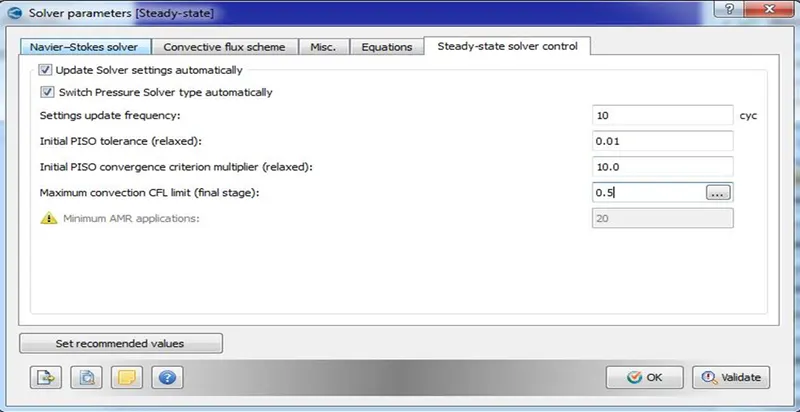
- Solver parameters such as the Navier stokes solver type, equations preconditions type, solver controls are set.
- Boundary Conditions and Initial Conditions
|
Zone |
Type |
Boundary Condition |
Additional conditions (if any) |
|
Inlet |
Pressure - Inlet |
Total Pressure – 110325 Pa, |
Steady State, Pressure Based, Switched OFF Energy equation Turbulence Model- RNG k-w |
|
Outlet |
Pressure - Outlet |
Static Pressure – 101325 Pa |
|
|
Top_Bottom_Wall |
Wall |
Law of the Wall |
|
|
Front and Back |
2D |
2D |
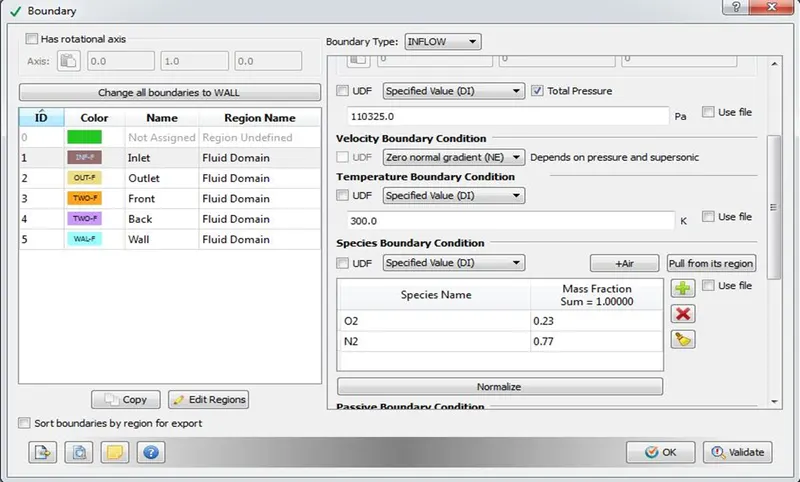
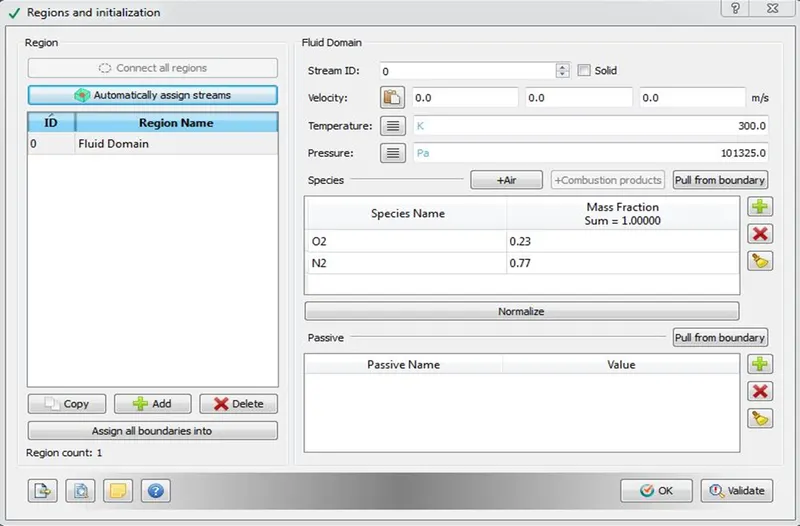
- Regions and Initialization – Fluid domain is created and the Species is added to the fluid domain.
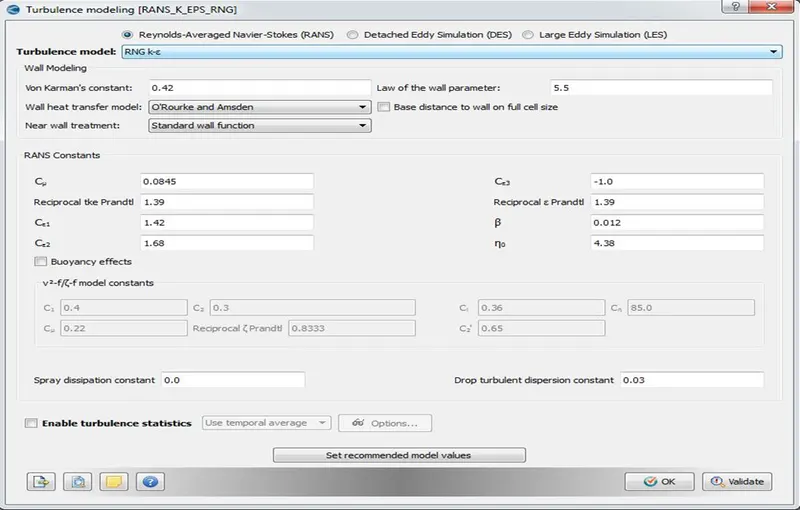
- Turbulence Modelling – Reynolds Averaged Navier Stokes – RNG K-epsilon Model.
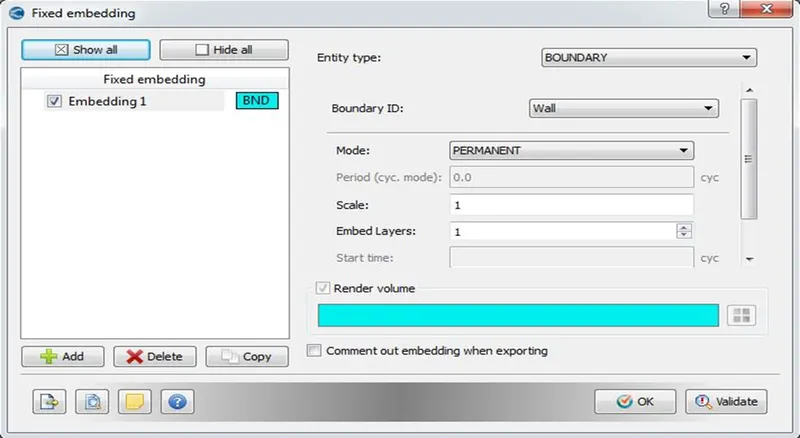
- Base Grid – Mesh sizes are entered as per the problem and fixed embedding is done at the wall boundary.
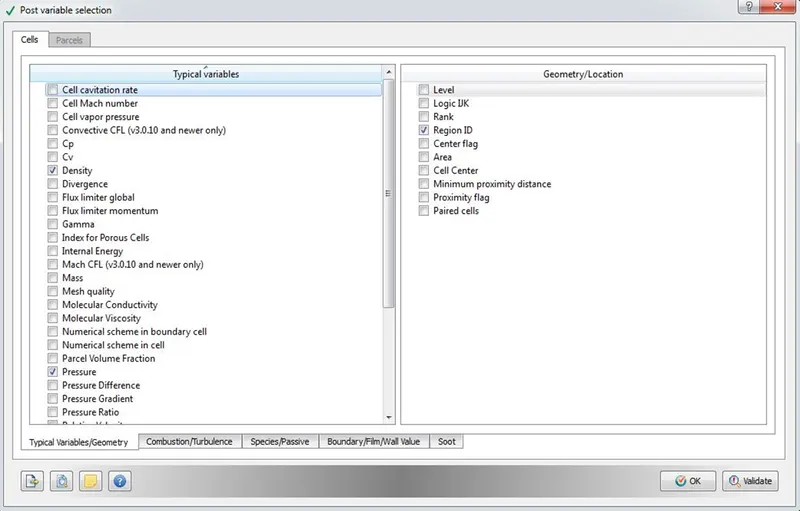
- Post Variable Selection - Select all the necessary variables and the location that needs to be checked while post processing.
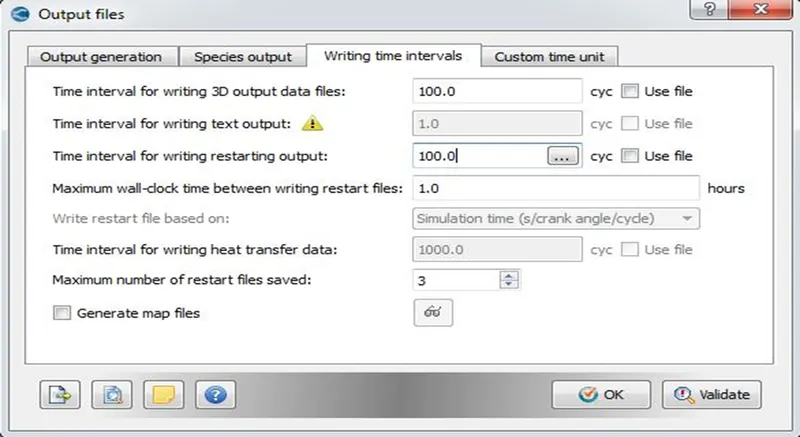
- Output Files – Output files writing time intervals, restart files are set as per the requirement.
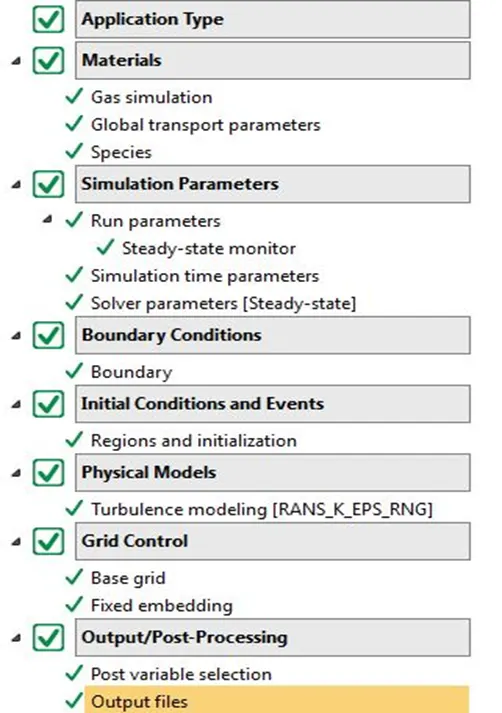
- After the setup is done click on “Validate all” option to check for any issues with the case setup. If everything is correct then green tick will appear for all tabs as shown in the figure below. Once the Setup is done, export the input files.
- With input and executable files, navigate to the specific directory in Cygwin and run the simulation using "exe -n 4 converge.exe restricted </dev/null> logfile &"
- After the run is completed Post convert the output files using “exe -n 4 post_convert.exe” into binary inline vtk format.
- Using the vtm group files, post processing is done in ParaView in order to study the results.
- RESULTS
- Case 1 [dx = dy = dz = 0.002 m]
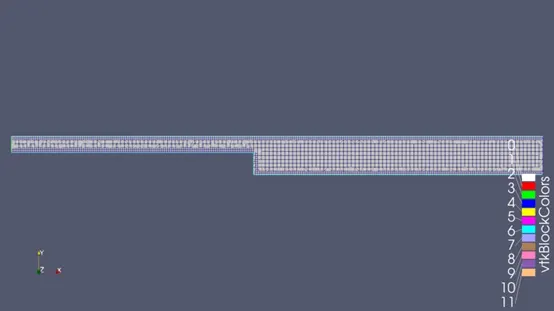
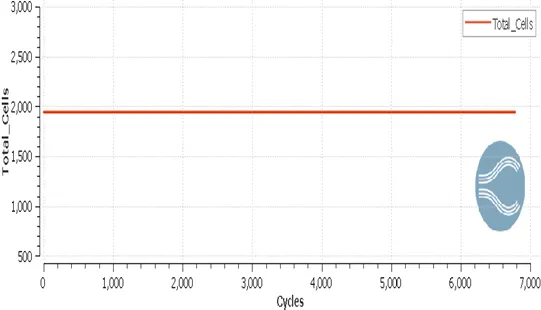
Fig: Mesh Fig: Total Cell Count
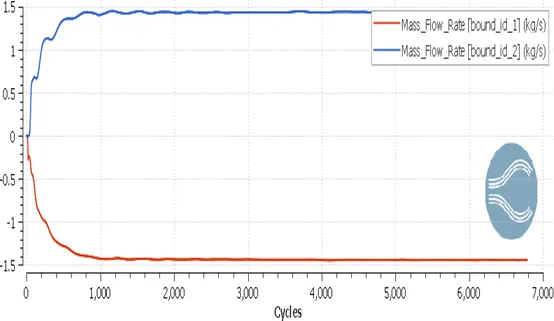
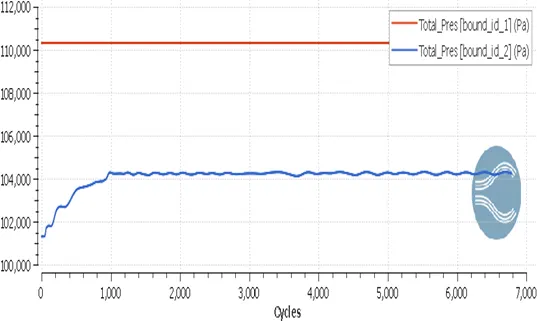
Fig: Mass Flow Rate Plot Fig: Total Pressure Plot
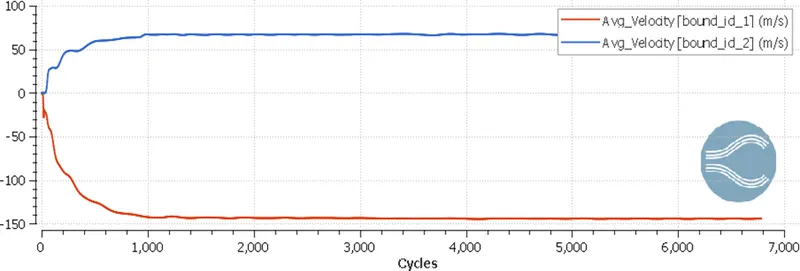
Fig: Average Velocity Plot
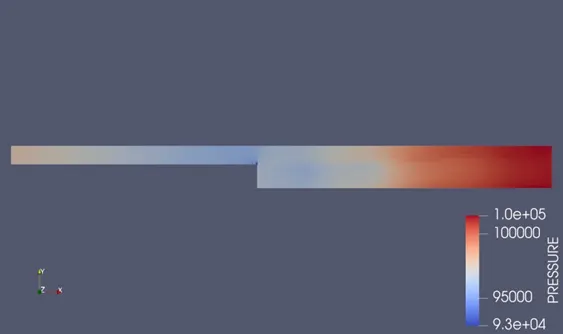
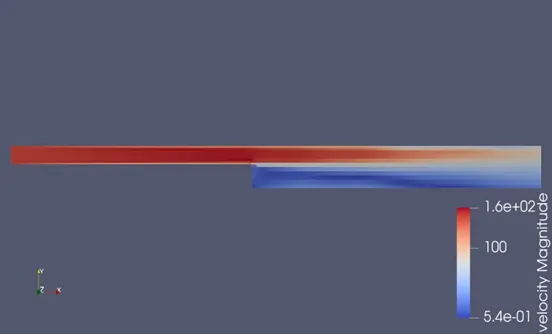
Fig: Pressure Contour Fig: Velocity Contour
Animation Link
Velocity – https://youtu.be/J3LX8ZH3am0
Pressure – https://youtu.be/DoKvUPK-1tU
- Case 2 [dx = dy = dz = 0.0015 m]
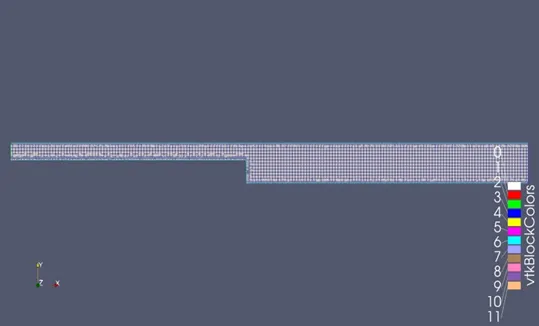
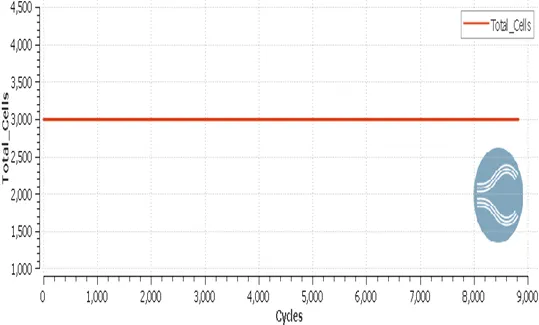
Fig: Mesh Fig: Total Cell Count
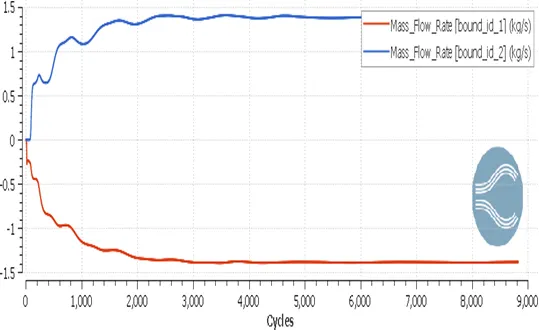
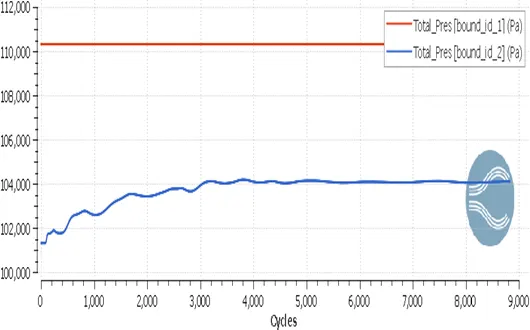
Fig: Mass Flow Rate Plot Fig: Total Pressure Plot
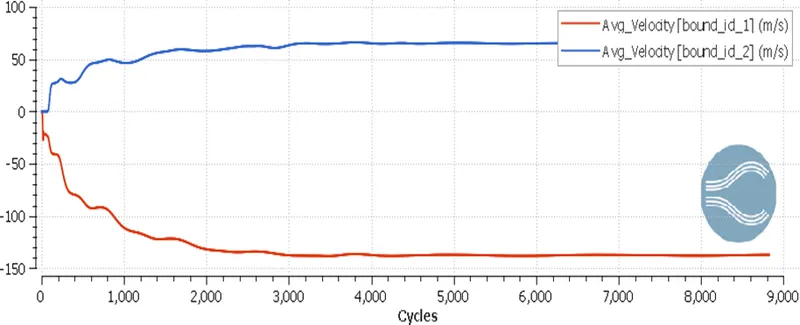
Fig: Average Velocity Plot
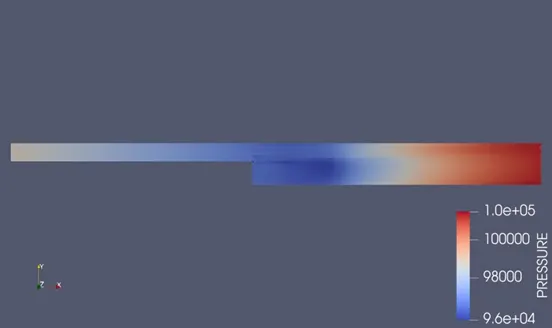
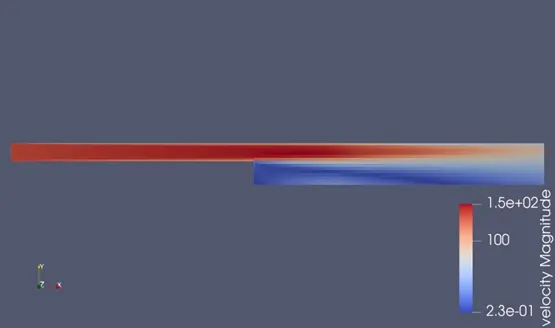
Fig: Pressure Contour Fig: Velocity Contour
Animation Link
Velocity – https://youtu.be/mXuCujcpf4M
Pressure – https://youtu.be/pPGDJylHRiA
- Case 3 [dx =dy =dz = 0.001 m]
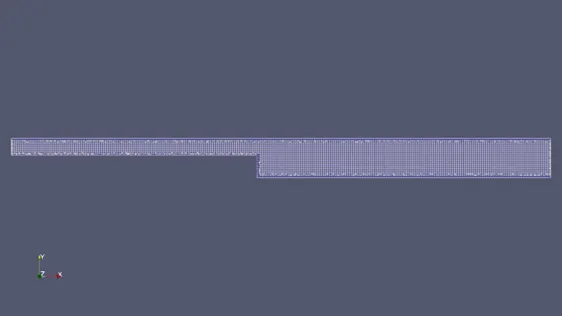
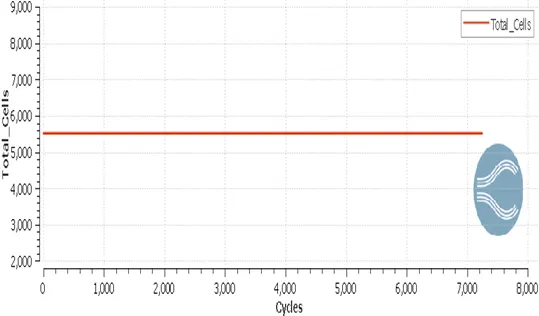
Fig: Mesh Fig: Total Cell Count
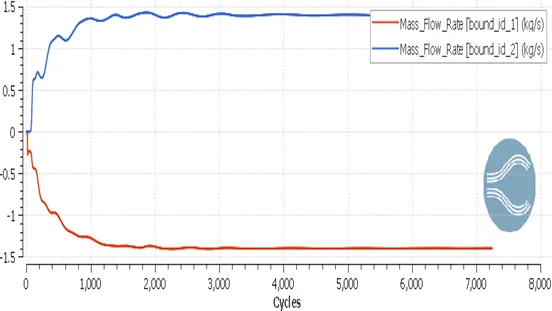
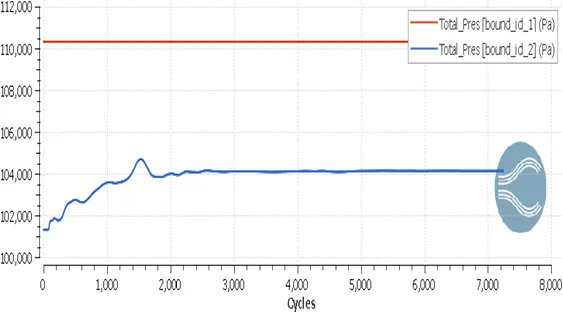
Fig: Mass Flow Rate Plot Fig: Total Pressure Plot
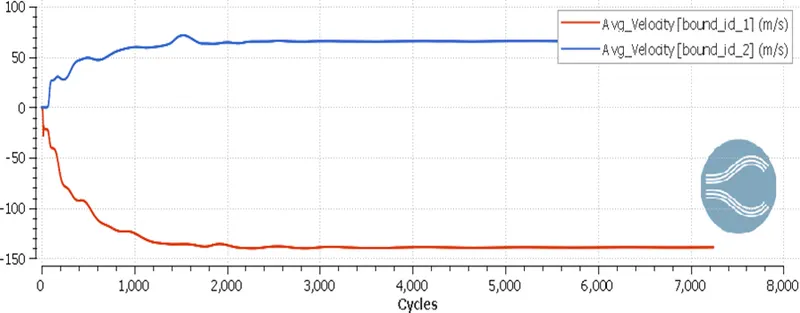
Fig: Average Velocity Plot
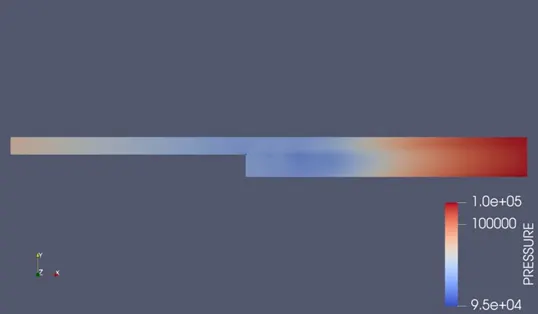
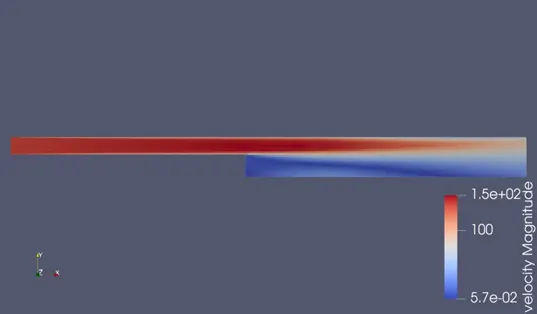
Fig: Pressure Contour Fig: Velocity Contour
Animation Link
Velocity – https://youtu.be/ldKkNiwHuIU
Pressure – https://youtu.be/ZtS7cn4o2dgl
6. CONCLUSION
- The steady state internal flow simulation of backward facing step is carried out for three different mesh sizes and noticed that the solution got converged within 6000-8000 cycles for all three cases.
- Plots of Velocity, Total Mass flow rate, Pressure at the inlet and outlet regions for different cases are compared.
- The total cell count for case 1, 2 and 3 are 1950, 3000, and 5500 respectively. As the mesh gets finer the computational time and the accuracy increases.
- The physical quantity plot shows that initially there are fluctuations, they eventually die down and after about 3000-4000 cycles the steady state convergence in the results is attained.
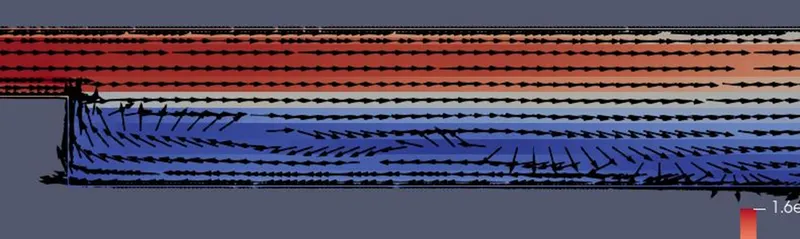
- Results shown by the plots are almost same in all three cases. Contours show the flow getting detached from the bottom wall as the boundary layer is developed and then gets separated after the step due to the changes in geometry.
- Due to the separation the laminar streamlined flow becomes turbulent. Pressure and Velocity contour indicates the shear layer as the separation occurs.
- Pressure contours shows the low pressure region near the step but increase in pressure at the downstream of the step at a distance away and this pressure gradient leads to the recirculation zone. The velocity vector plot shows the direction of the flow as shown in the figure above.
7. REFERENCES
- https://www.researchgate.net/figure/Detailed-flow-features-of-the-backward-facing-step-flow_fig1_263794614
- https://aip.scitation.org/doi/abs/10.1063/1.5141565#:~:text=Backward%20Facing%20Step%20(BFS)%20is,a%20point%20of%20flow%20reattachment.
- https://www.learncax.com/knowledge-base/blog/by-category/cfd-software-tutorials/tutorial-cfd-simulation-of-backward-facing-step
- https://skill-lync.com/blogs/simulating-flow-through-backward-facing-step