Week 1- Mixing Tee
Objective
To simulate the flow of air through mixing tee and understand the effect of length of pipe and momentum ratio of velocity for mixing of air by using two different types of pipe i.e. short pipe and long pipe.
About
In industrial process engineering, mixing is a unit operation that involves the manipulation of a heterogeneous physical system with the intent to make it more homogeneous. Mixing is performed to allow heat and/or mass transfer to occur between one or more streams, components or phases. Modern industrial processing almost always involves some form of mixing. Mixing tee is a type of mixing mechanism. Mixing Tees utilizes a specifically engineered internal geometry to efficiently mix two fluid streams into one combined stream. Mixing tees are widely used in the petrochemical, HVAC industry etc. in which two fluid streams with different physical and/or chemical properties mix together.
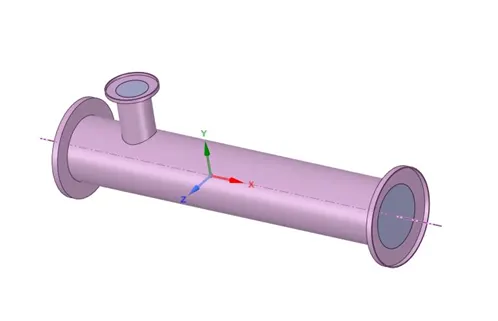
Hot air flowing in the main pipe is mixed with cold air flowing through a tee. The standard deviation of temperature is computed to quantify the degree of mixing. The velocity and temperature fields are also computed. The effects of the mesh size, turbulence model on results were examined.
For this, we have created two versions of the mixing tee. One of them is longer than the other.
It is set up as steady-state simulations to compare the mixing effectiveness when hot inlet temperature is 360C & the Cold inlet is at 190C.
- Case 1
- Short mixing tee with a hot inlet velocity of 3m/s.
- Momentum ratio of 2, 4.
- Case 2
- Long mixing tee with a hot inlet velocity of 3m/s.
- Momentum ratio of 2, 4.
Momentum ratio is defined as the ratio of velocity at the cold inlet to the velocity at the hot inlet.
CASE setup-
CAD cleanup/Pre-processing- SpaceClaim.
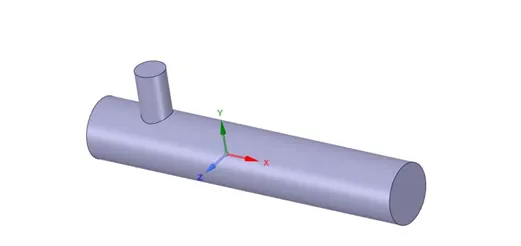
The CAD model is imported into the SpaceClaim to extract the flow volume field from the model. The extracted volume is shown below:
Mesh
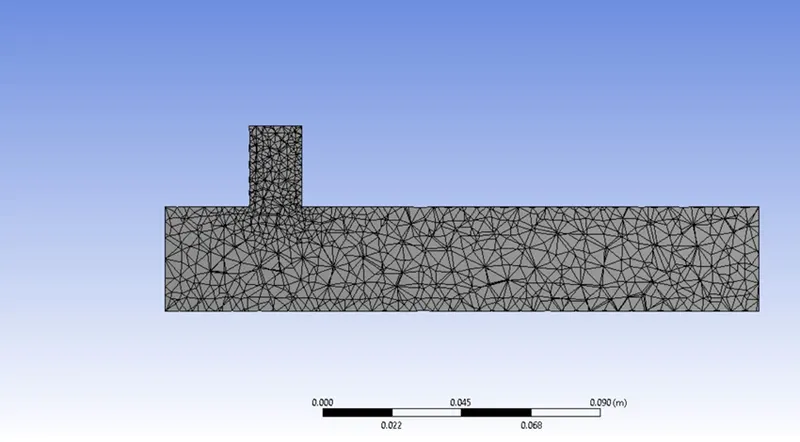
The boundary names are applied in this section and a mesh is generated.
Setup
In this section, we apply different boundary conditions like inlet, outlet boundary conditions. Turbulence models are set up like K-epsilon or K-omega for solving the turbulent mixing of air. The number of iterations is set in this section.
CFD-Post
Post-processing is carried in this section in which different contours are setup to visualize the properties (such as Temperature, velocity etc.) for which simulation is run.
BASELINE SIMULATION-
For inlet velocity of 3m/s and momentum ratio of 2
Default mesh- 0.010219 m
MESH:
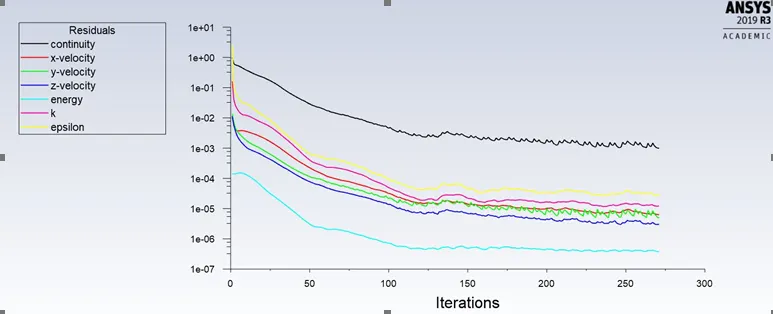
Residual plot:
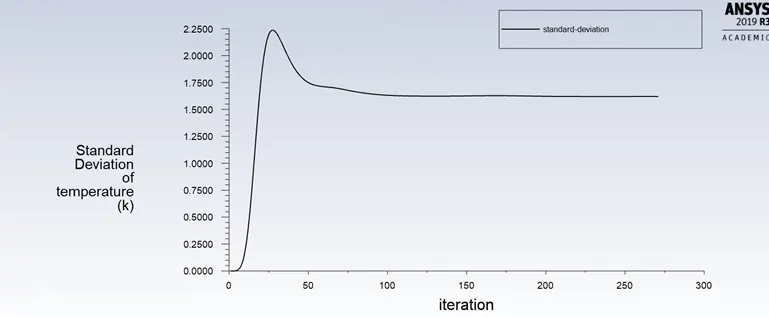
Standard Deviation:
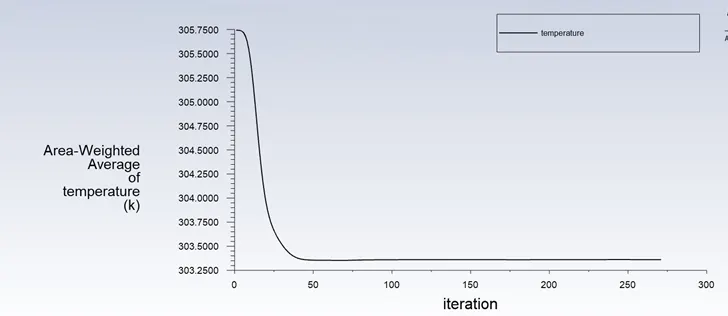
Temperature:
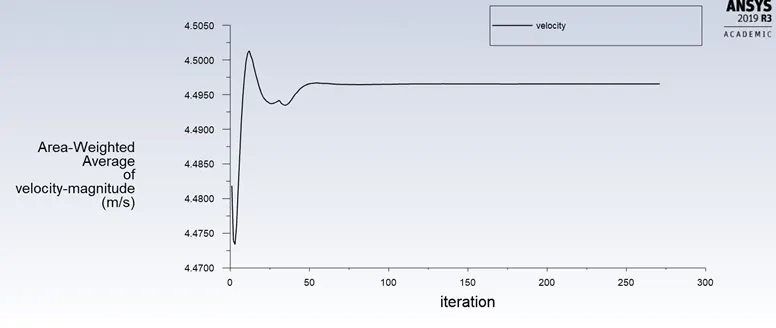
Velocity:
Contours-
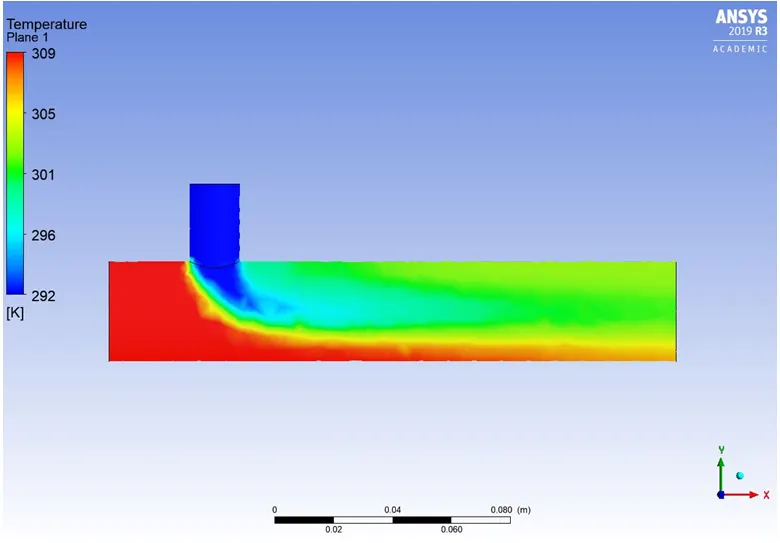
1) Temperature:
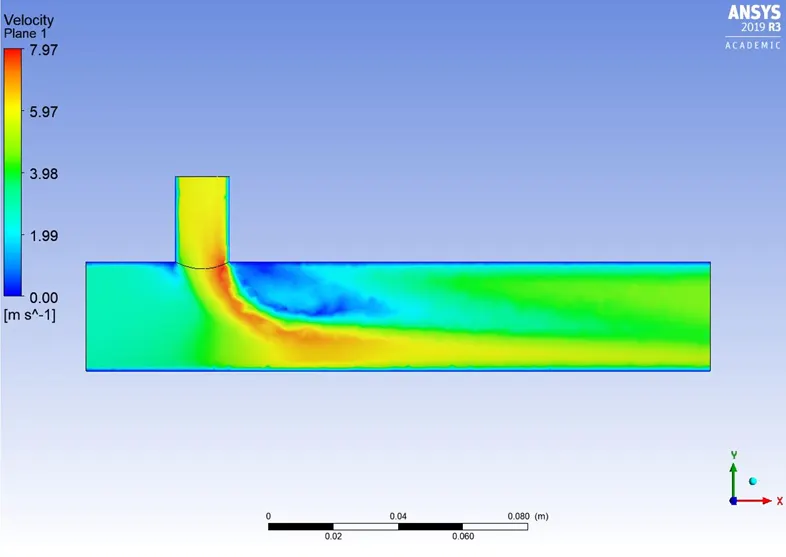
Velocity:
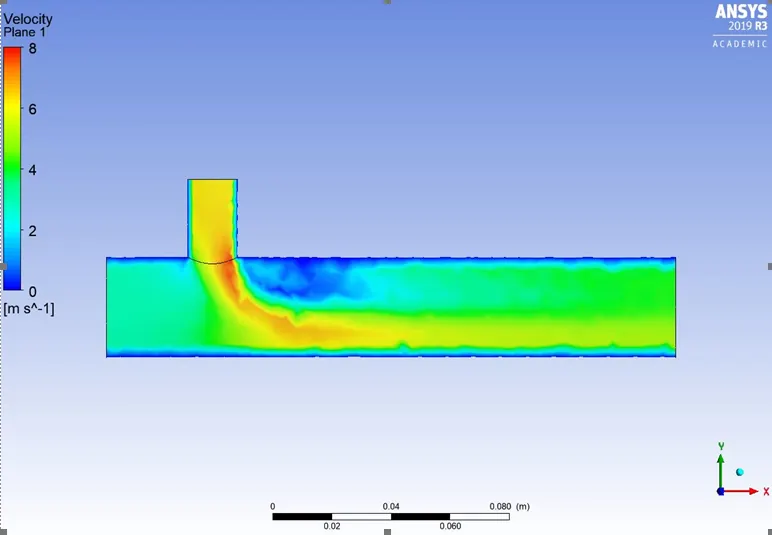
As seen from the above contour pictures, the flow field of air in velocity and temperature is diffused and not adequately picturised due to coarse mesh. The number of elements is 12,760 which is less to capture the physics properly. Therefore, a finer mesh is set up for further simulation.
CASE 1- SHORT TEE
a) For inlet velocity of 3m/s and momentum ratio of 2
Mesh size- 0.002 m
A mesh element metric that identifies the quality of mesh was employed and it can be seen that the elements of the lowest quality are minimal. Most of the elements have quality in the range of 0.7-1. Hence, the mesh is of acceptable quality.
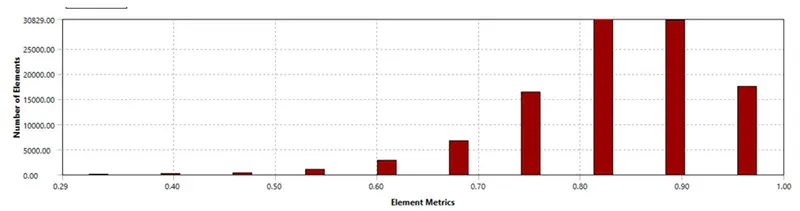
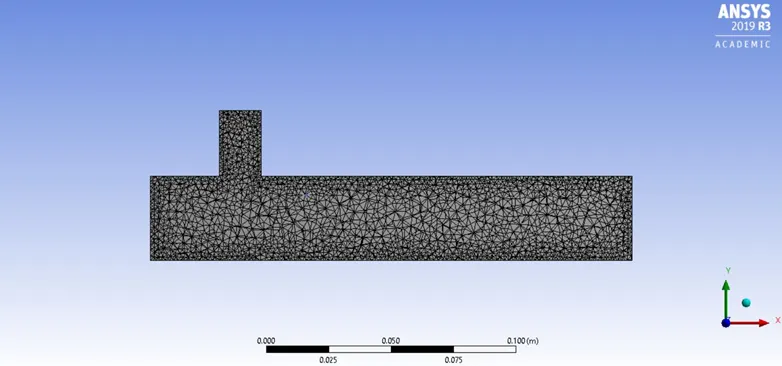
MESH- The number of elements is 1,05,751
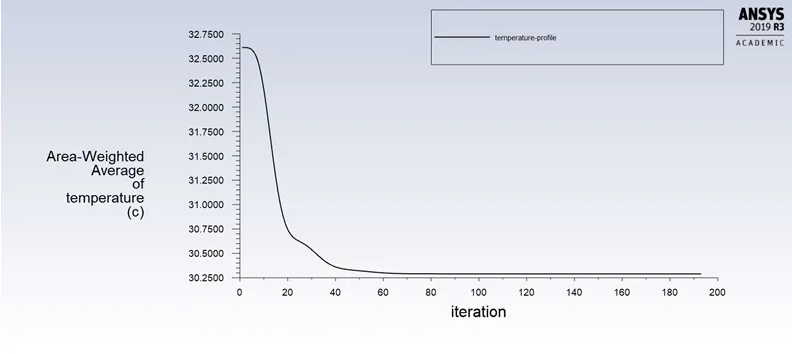
Temperature plot:
Contour-
1) Temperature:
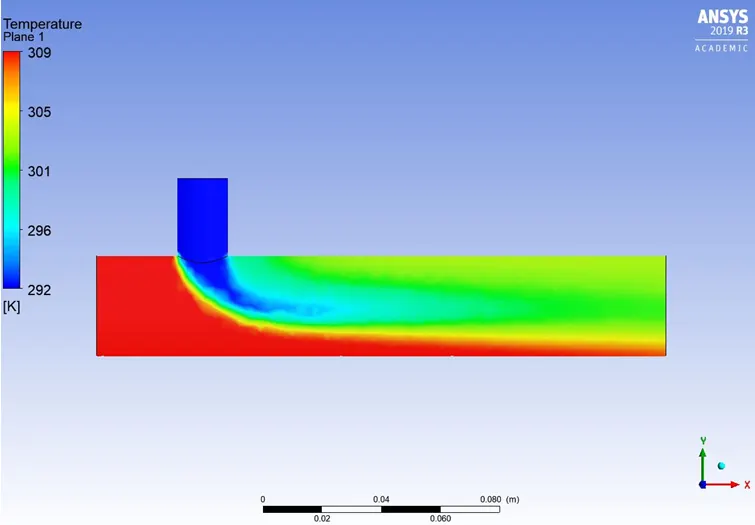
2) Velocity:
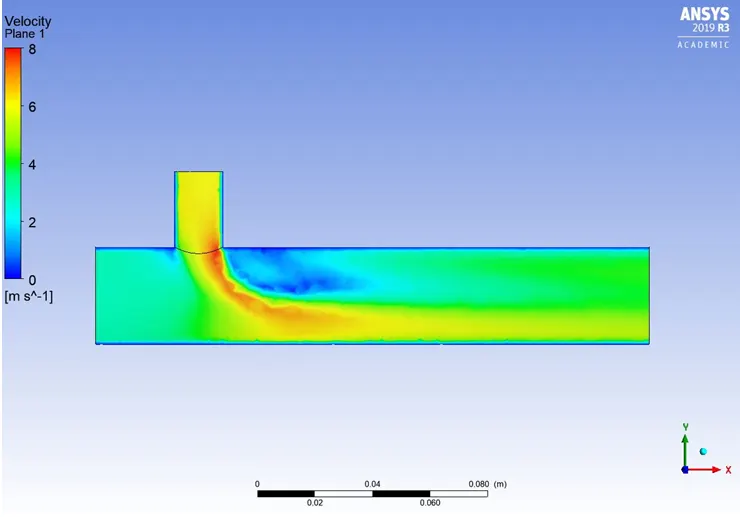 b)For inlet velocity of 3m/s and momentum ratio of 4
Mesh size- 0.002 m (mesh remains the same as the above case)
Temperature plot:
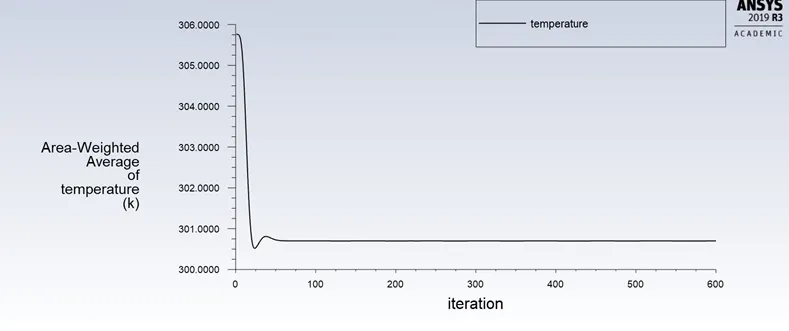
Velocity plot:
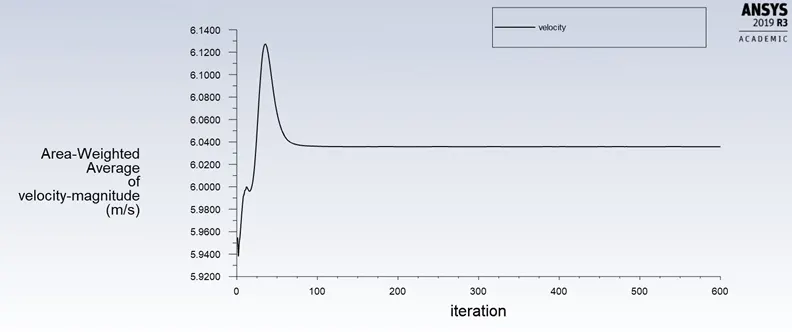
Contour-
1) Temperature:
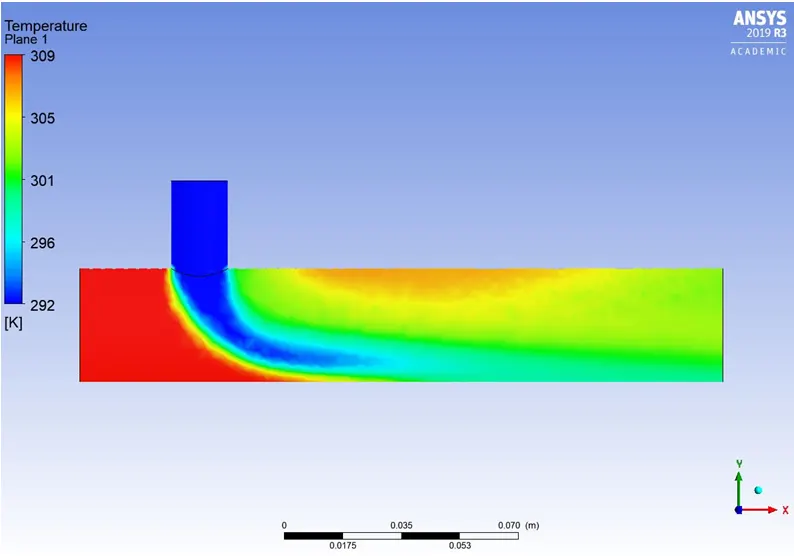
2) Velocity:
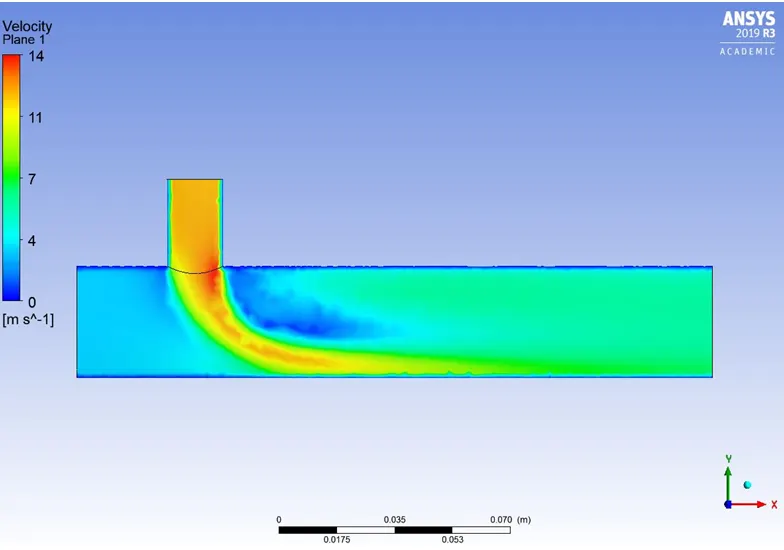
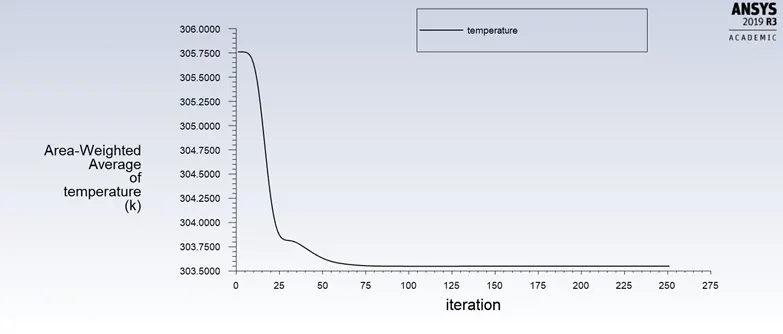
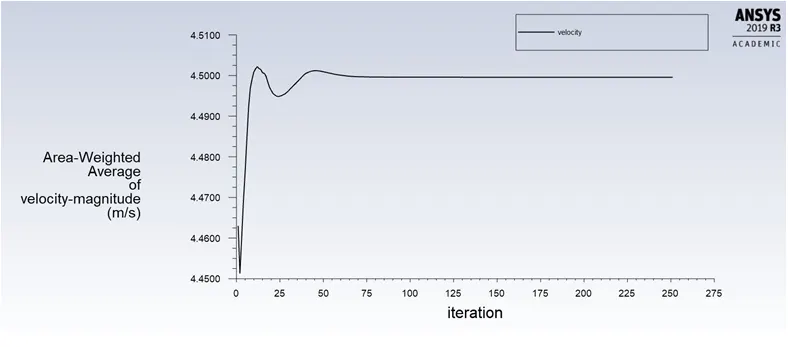
CASE 2- LONG TEE
a) For inlet velocity of 3m/s and momentum ratio of 2
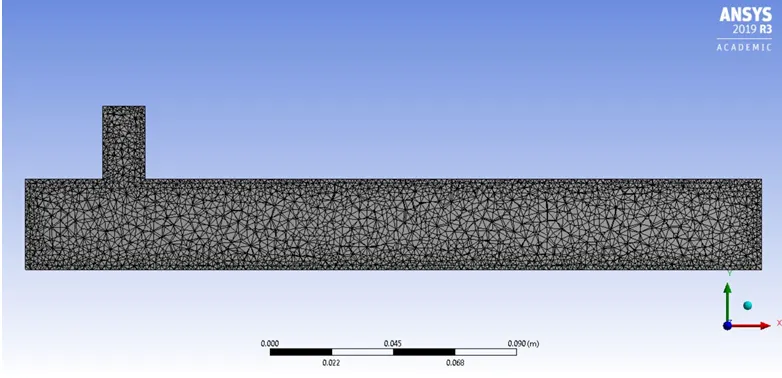
Mesh size- 0.002 m
A mesh element metric that identifies the quality of mesh was employed and it can be seen that the elements of the lowest quality are minimal. Most of the elements have quality in the range of 0.7-1. Hence, the mesh is of acceptable quality.
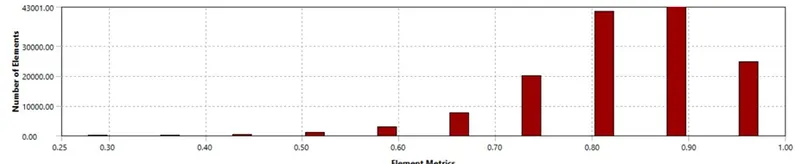
Mesh: The number of elements is around 1,40,000.
Temperature plot:
Velocity plot:
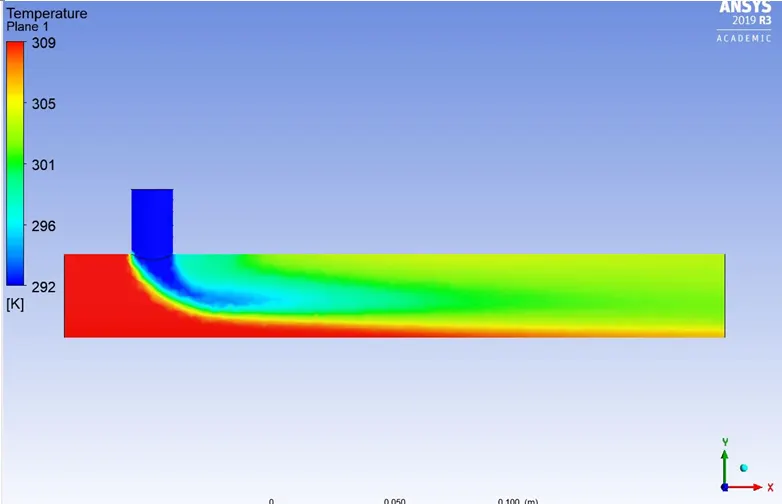
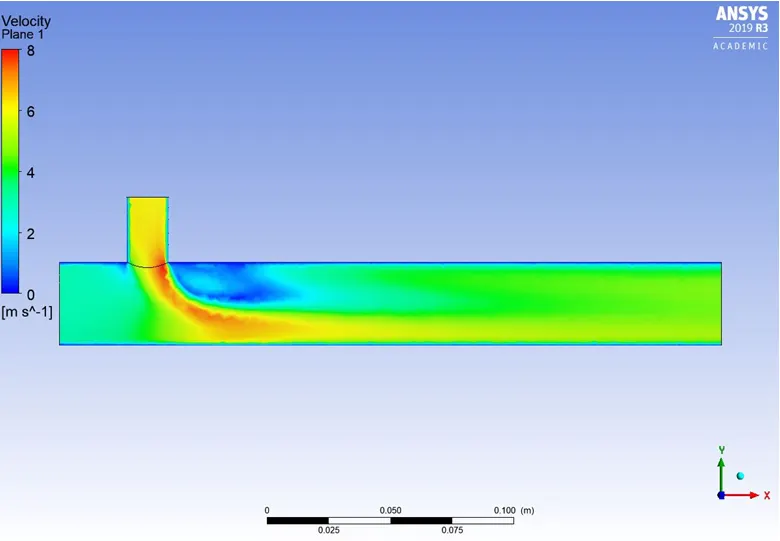
Contour-
1) Temperature:
2) Velocity:
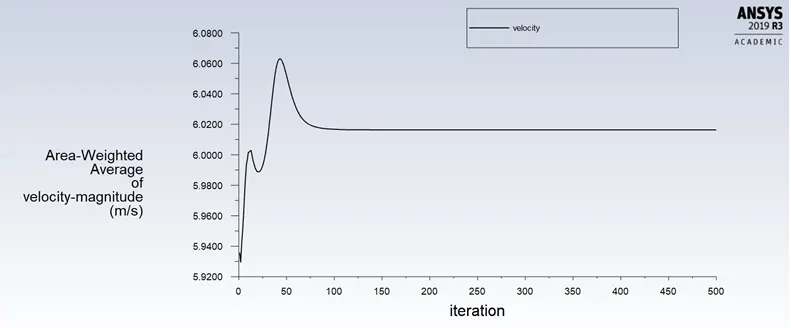
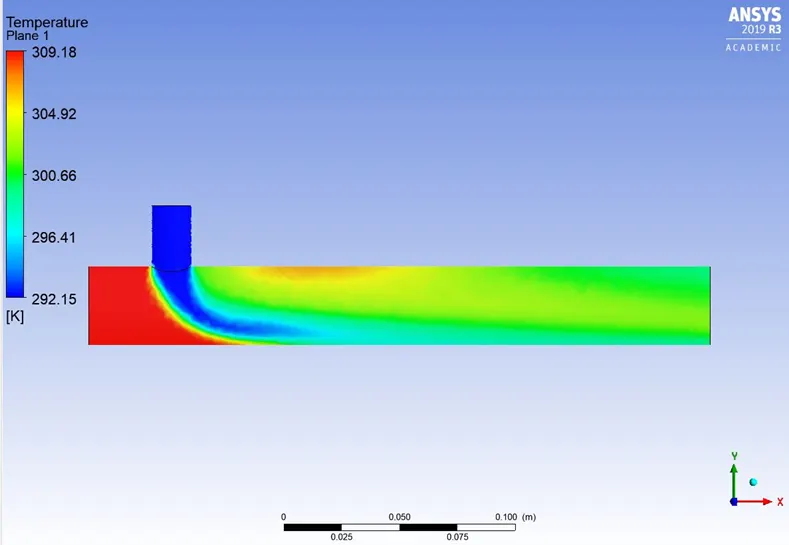
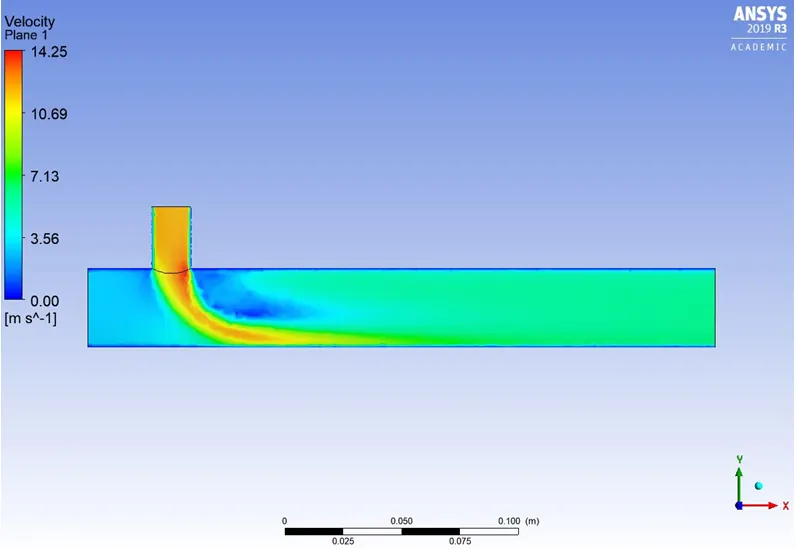
 b) For inlet velocity of 3m/s and momentum ratio of 4
Mesh size- 0.002 m
Mesh- It is same as the above case.
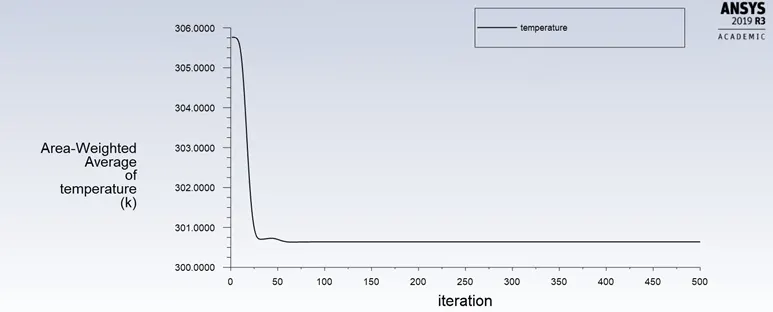
Temperature plot:
Velocity:
Contour-
1) Temperature:
2) Velocity:
Effect of Turbulence model:
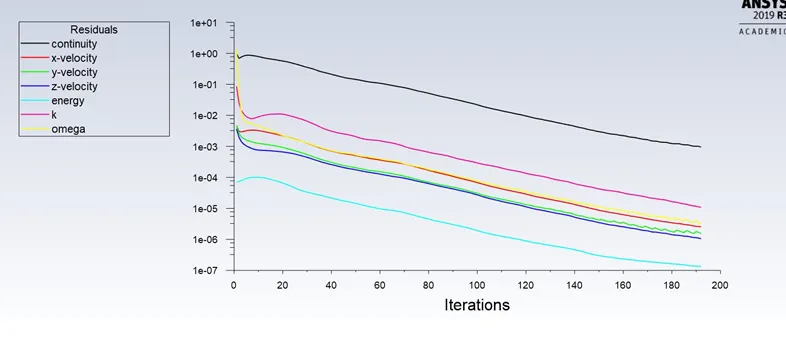
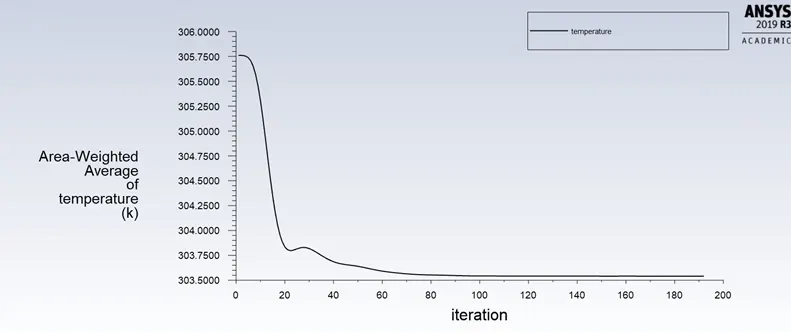
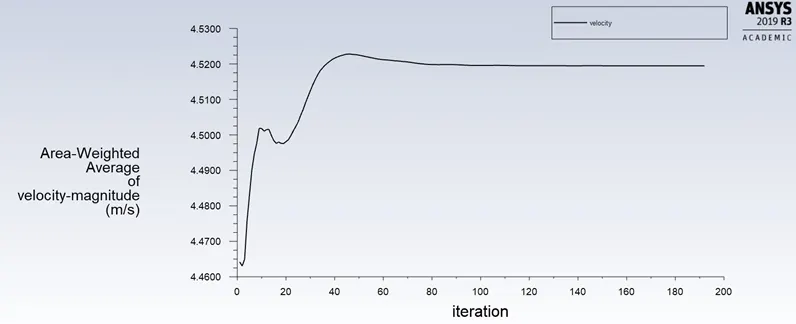
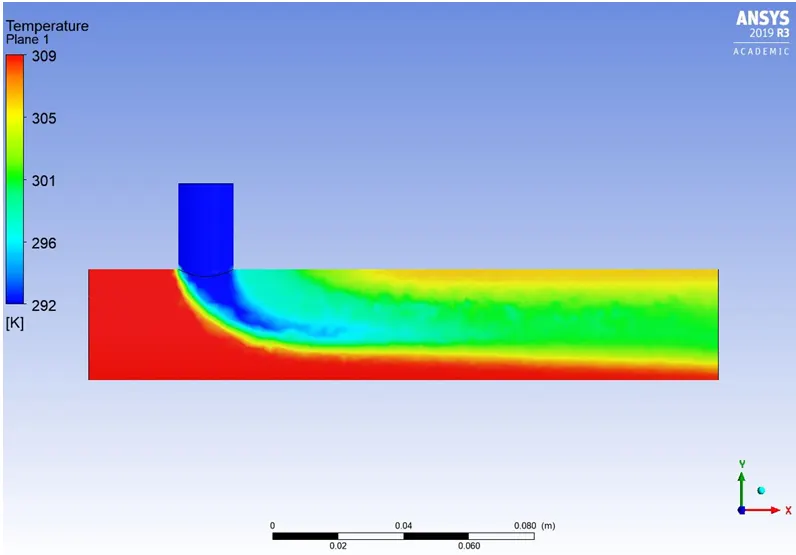
K-ωSST model used for carrying out this experiment is Short TEE. Mesh remains the same as the Short tee mesh picture is visualized. The inlet velocity is 3 m/s and the momentum ratio is 2.
Residual:
Temperature Plot:
Velocity plot:
Contour-
1) Temperature:
2) Velocity:
Comparison of all cases:
|
Case |
Cell count |
Average outlet temperature (K) |
Number of iterations for convergence |
|
Short tee- Momentum ration 2 |
1,05,751 |
303.439 |
192 |
|
Short tee- Momentum ration 4 |
1,05,751 |
300.699 |
200-250 |
|
Long tee- Momentum ration 2 |
1,40,510 |
303.549 |
250 |
|
Long tee- Momentum ration 4 |
1,40,510 |
300.639 |
200-250 |
CONCLUSION:
- As seen in the Case-1-a and Case-1-b, the temperature at the outlet drops down significantly due to high velocity of cold air from the inlet. This is possible due to the turbulent mixing at the tee joint between hot air and cold air because of the high velocity of cold air., which is not possible in case of low-velocity cold air.
- The temperature contour at the outlet for short tee cases shows that some of the high temperatures flow sips through without properly mixing with the flow. Whereas, in the temperature contour of long tee cases, the high temperatures flow thoroughly mixes with the rest of the flow.
- Therefore, we can recommend using the long tee and high-velocity inlet for application. This is because we have a low standard deviation in case of long tee compared to the short tee for both momentum ratios.
- k- epsilon model predicts well far from the boundaries (wall) and k- omega model predicts well near the wall. Even though it depends on Y+. Therefore, K-epsilon model is majorly used for free flow away from the wall and as in this project, there is no dealing with the wall of the mixing tee for change in temperature along the length of it, so K-epsilon model was chosen for further simulations.