Final Project: Design of an Electric Vehicle
Aim :-
Create a MATLAB model of electric car which uses lithium ion battery and induction motor. Choose suitable blocks from Powertrain block set. Prepare a report about your model including following:
Objectives:
System-level configurations: The first objective is to create a system-level configuration of the electric car model. This will involve selecting suitable blocks from the Powertrain block set in MATLAB. The Powertrain block set contains blocks for simulating different components of a vehicle's powertrain, including the battery, DC motor, and controller.
Model parameters: The second objective is to specify the model parameters for each block in the system-level configuration. This will involve specifying values for the battery capacity, motor torque, and controller gain, among other parameters. The model parameters should be chosen based on the specifications of the actual electric car that the model is intended to represent.
Results: The third objective is to simulate the electric car model and analyze the results. This will involve running the simulation and examining the outputs of the various blocks to determine the performance of the system. The results should be compared against the actual performance of the electric car, if available, to validate the accuracy of the model.
Conclusion: The final objective is to draw conclusions about the performance of the electric car model and its potential applications. This will involve summarizing the key findings of the simulation and discussing the implications for real-world electric car design and operation.
To create a MATLAB model of an electric car that uses a battery and a DC motor, you can follow the steps below:
Open a new Simulink model in MATLAB.
From the Simulink Library Browser, navigate to the Powertrain block set and select the blocks for the battery, DC motor, and controller. Drag and drop these blocks onto the Simulink canvas to create a system-level configuration.
Double-click on each block to open its block parameters dialog. Specify the model parameters for each block based on the specifications of the actual electric car that the model is intended to represent.
Connect the blocks together by drawing lines between their input and output ports. Ensure that the connections are consistent with the physical layout of the electric car.
Set the simulation parameters, including the simulation time and step size, in the Simulation Parameters dialog.
Run the simulation and examine the outputs of the various blocks to determine the performance of the system. Compare the results against the actual performance of the electric car, if available, to validate the accuracy of the model.
Summarize the key findings of the simulation in a report and draw conclusions about the performance of the electric car model and its potential applications.
Solution: -
(Reference: https://www.youtube.com/watch?v=tM9Akdo8QeA )
An electric vehicle (EV) is defined as a vehicle that uses an electric motor or a traction motor for propulsion unlike an internal combustion (IC) engine used by conventional vehicles. Electric vehicles use electric power instead of fuels as conventional vehicles would and because of this difference, electric vehicles do not produce any exhaust gases or pollution (Zero emission). The power needed for the operation of an EV can come from a variety of sources such as batteries, generators, or a collector system.
MATLAB model of the electric car which uses a lithium-ion battery and induction motor. Choose suitable blocks from the Powertrain block set:
To Model and Simulate an electric vehicle with SIMULINK.
Let us consider a model in this report, an electric vehicle with an Induction motor and battery system using the SIMULINK. In modeling this EV for a drive cycle and checking performance parameters: to measure speed, SOC, and the current characteristics of its battery system, etc.
Components
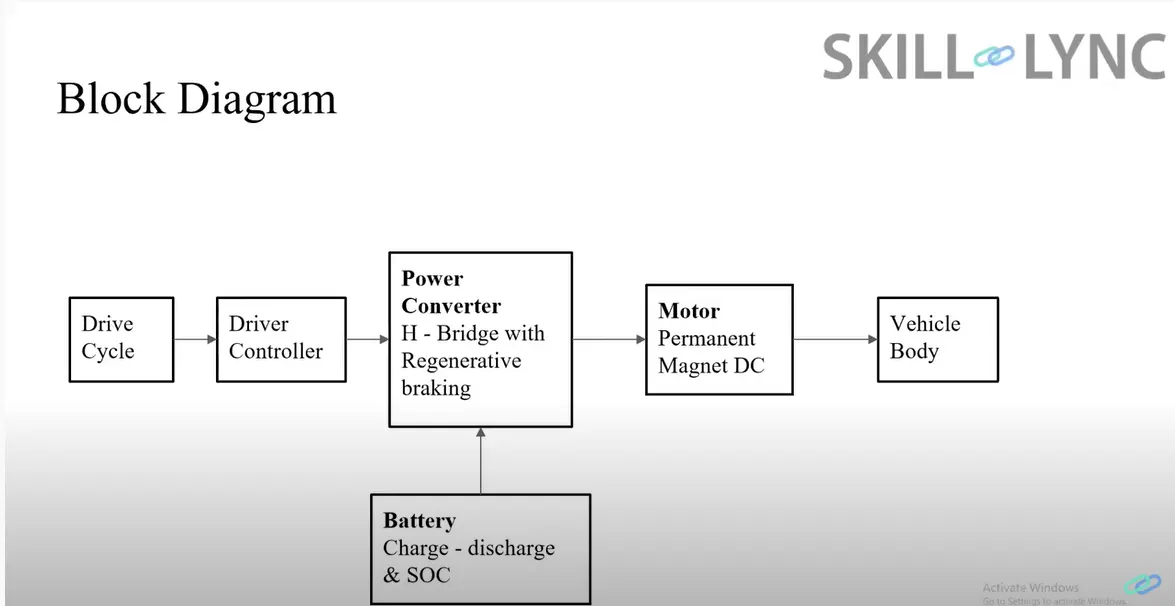
The main components of modeling an EV are:
- Vehicle body
- Motor & motor controllers
- Power converters
- Batteries
- Drive cycle
BLOCK DIAGRAM:
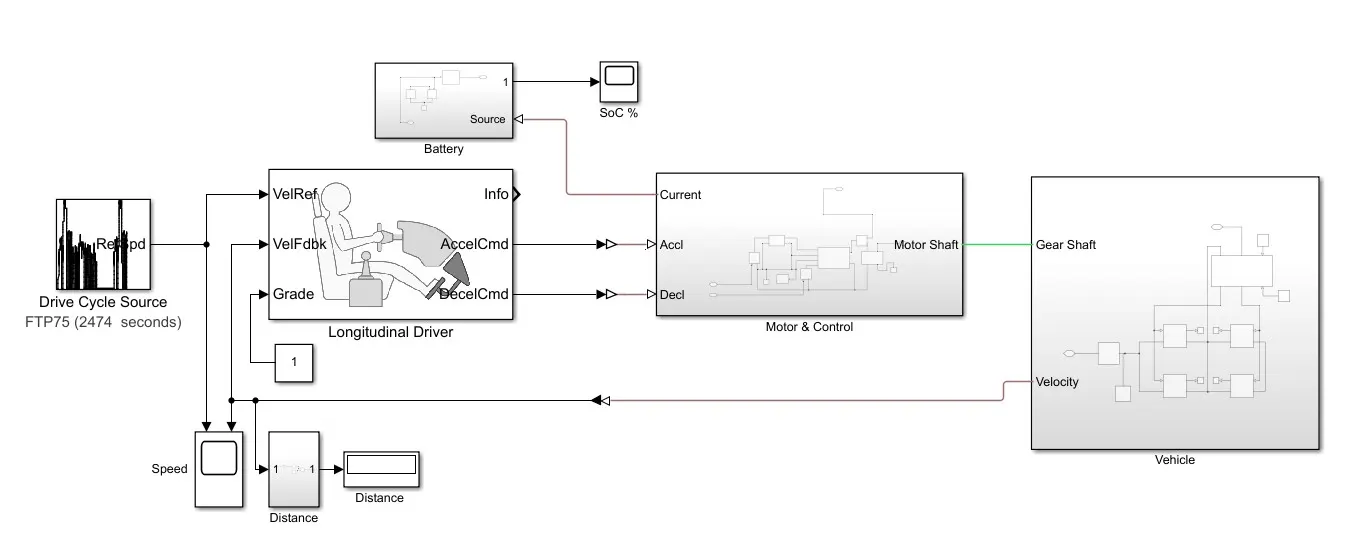
DETAILED MODEL STUDY:
Sub-systems:
. Vehicle body
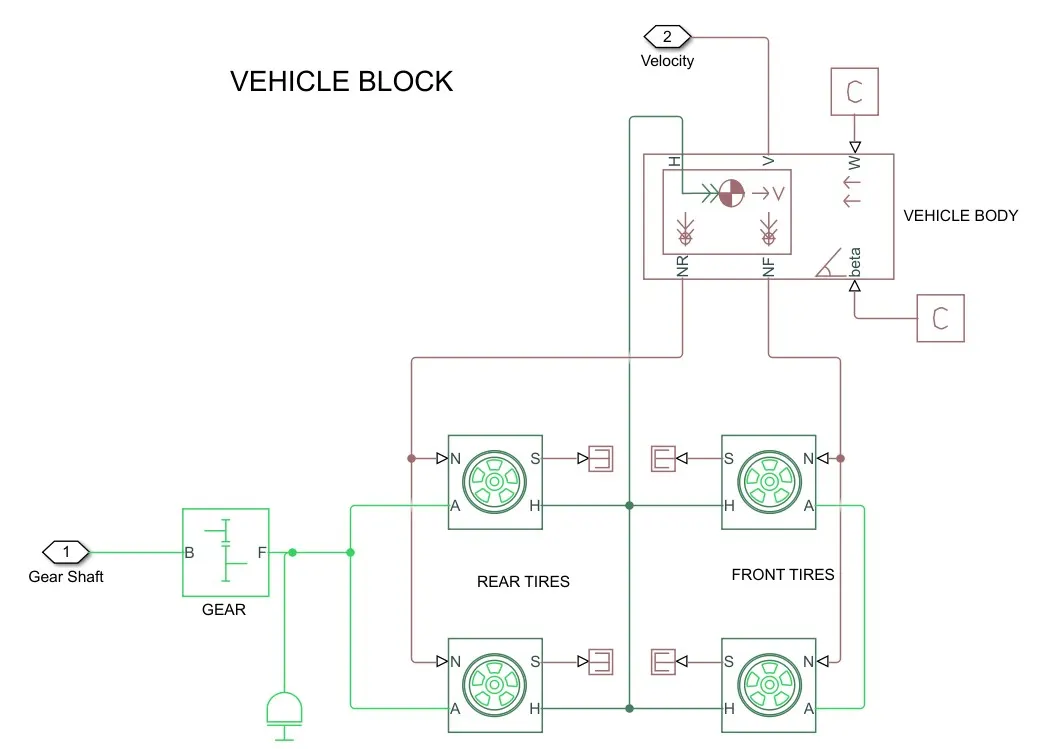
- represents a two-axle vehicle body in motion.
- accounts for body mass, aerodynamic drag, grade,externally-defined mass, and center of gravity of the vehicle body.
Input Ports:
- W - Wind Velocity in m/s
- beta - Grade angle in radians
Output Ports:
- V - Velocity in m/s
- NR - Normal force on Rear Axle (N)
- NF - Normal Force on Front Axle (N)
Vehicle Body Parameters:
- Vehicle body mass, Centre of gravity distance values, and aerodynamic drag variables are modified.
- Pitch dynamics are kept ON with other variable values as default values.
Tires

- used to model a tire with longitudinal behavior given by an equation based on four fitting coefficients.
- The block can model tire dynamics under constant or variable contact surface conditions.
Input Port:
- N - Normal force acting on the tire, positive when force is acting downwards/towards the contact surface,
Output Port:
- S - Slip value relative to tire and surface of contact.
Conserving Ports:
- H - represents the wheel hub which transmits thrust generated by the wheel to the body of the vehicle.
- A - represents the axle on which the tires are mounted.
Gear

- A simple gear block is used to connect the motor to the rear axle of the vehicle.
- It represents the gearbox that connects the input shaft to the base gear and output from the foller gear.
Conserving Ports:
- B - port associated with an input shaft (motor shaft)
- F - port associated with the output shaft (axle/differential)
Simple Gear Parameters:
- The gear ratio and output direction is modified.
- Meshing loss is kept constant and gear has a constant efficiency throughout the simulation.
- Viscous losses and faults are kept at default conditions.
. MOTOR & POWER CONVERTER:
The motor & its control block is as shown below:
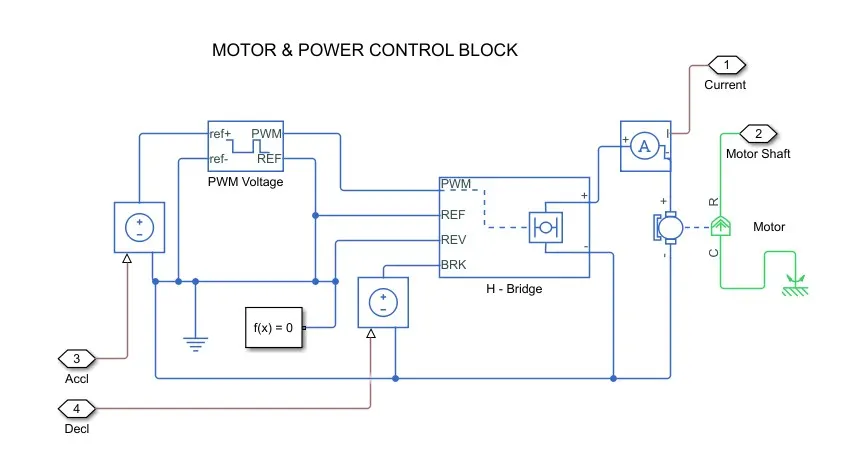
H-Bridge
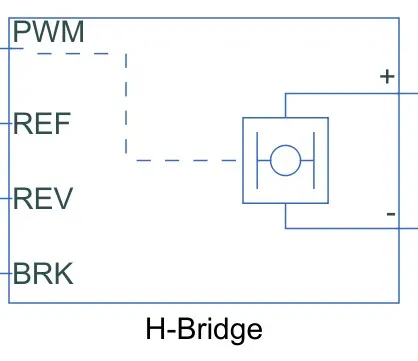
The H-Bridge helps in controlling the power that is input according to the requirement. The output provided are converted voltage as per the controlled parameters.
. DC Motor
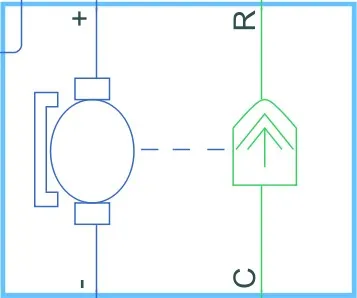
This is the DC Motor which would give the rotational power to the wheels and become the sole power generation source.
The DC Motors terminals are connected as mentioned below,
+ = Electrical signal to the motor Positive Terminal
- = Electrical signal to the motor Negative Terminal
R = Casing of the Motor connected with the Mechanical Rotational Reference Block
C = Rotor Case connected to the Mechanical Rotational reference
The parameter considered are, The Armature inductance is as default, varied the changes in the No-Load Speed @ 8000 rpm, the rated speed @ 5000 rpm, the Rated Load at 50kW, and the Rated DC Supply Voltage @ 300 V. All other parameters are as default.
. Controlled PWM Voltage
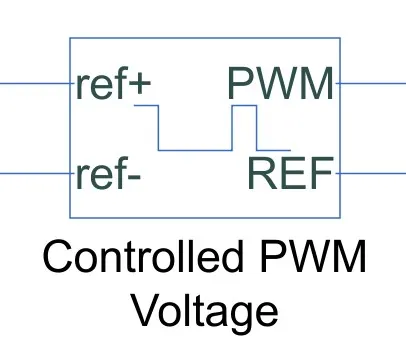
The Controlled PWM Voltage Block helps in keeping the Modulated Pulses as per the required pulses. So that the operations happens smooth and higher variations are not observed.
The Ports are connected as follows,
ref+ = Reference Positive connected with the Acceleration Commands from the Driver Model
ref- = Reference Negative connected with the Deceleration Commands from the Driver Model
PWM = PWM connected directly to the H-Block
REF = REF connected directly to the H-Block
Note :The parameters are set as default.
. Battery Source
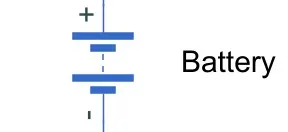
The battery is connected as the power source to the model so that the power could be generated and the same power is transmitted accordingly to all the operating sources.
The terminals connected are to,
+ = The positive terminal of the operating sources
- = The negative terminal of the operating sources.
Components of battery block is depicted below:
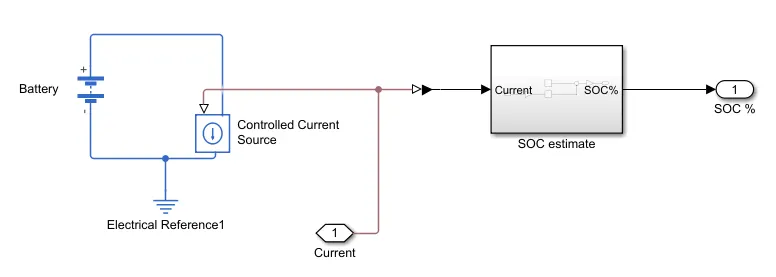
The paramters considered of the battery are -
The battery Nominal Voltage is rated as per 300 Volts,
The internal resistance is as per 0.5 Ohms and others set as default.
. Driver Model
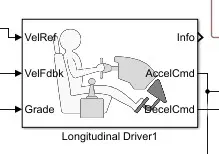
The Driver Model has the Input and Output Ports which are connected to the following,
Velocity Reference - Drive Cycle
Velocity Feedback - Distance Calculation
Grade - Constant 0
Info - Not Connected
Acceleration Command - Controlled PWM Source
Deceleration Command - Brake in H-Bridge to maintain the speed according to the Drive Cycle.
. Drive Cycle:
Starting with the Drive Cycle, let's consider a WOT Drive Cycle for the operation of the Cycle in which the test duration would be 60 seconds.
Outputs :
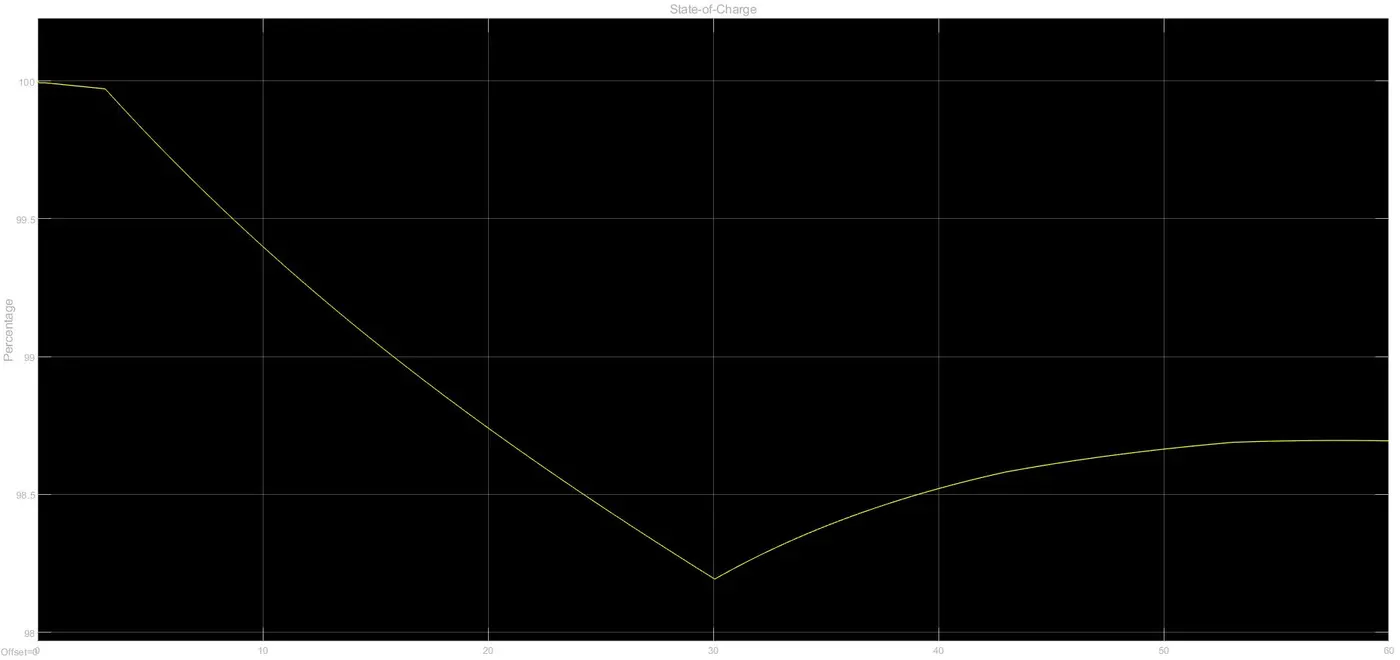
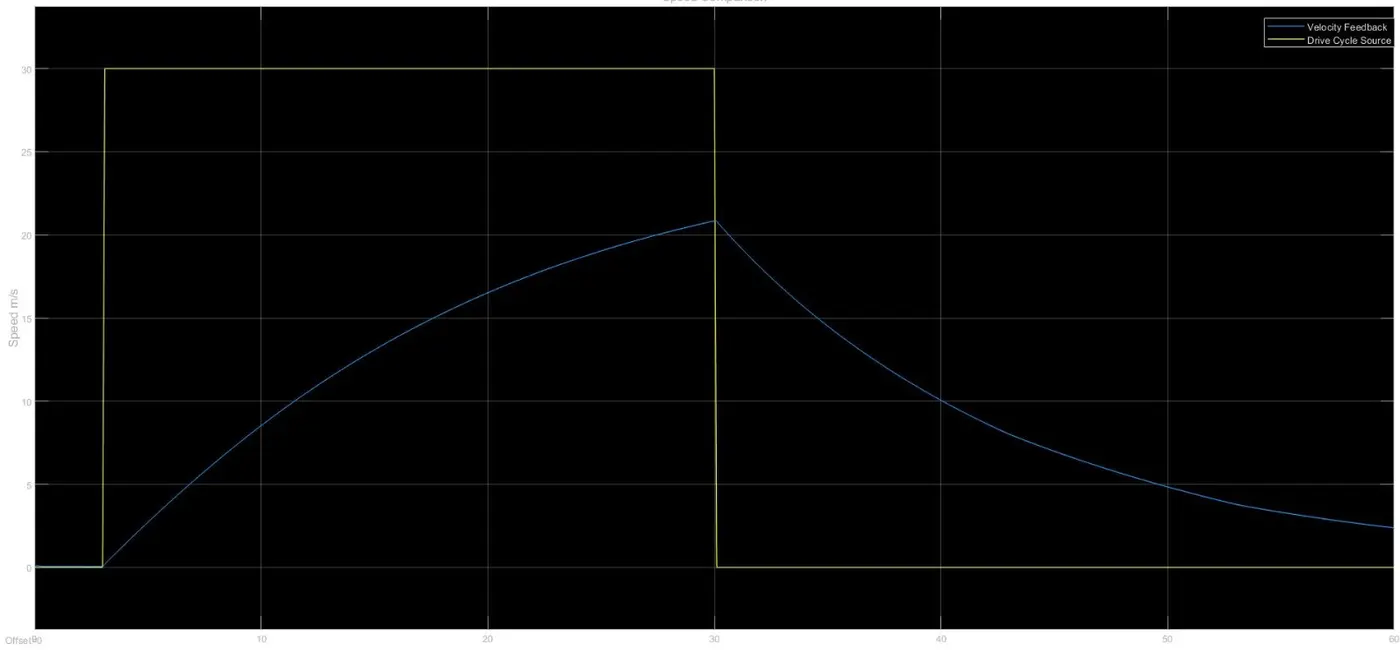
The model with the above details is simulated and the results are as follows :-
1.The Velocity Feedback and the Drive Cycle Source :
2. Battery SOC: