Advanced Sheet Metal Design Using NX Cad Challenge_5_Odd Shaped Enclosure
DESIGN OF ODD SHAPED ENCLOSURE USING SIEMENS NX CAD
OBJECTIVES
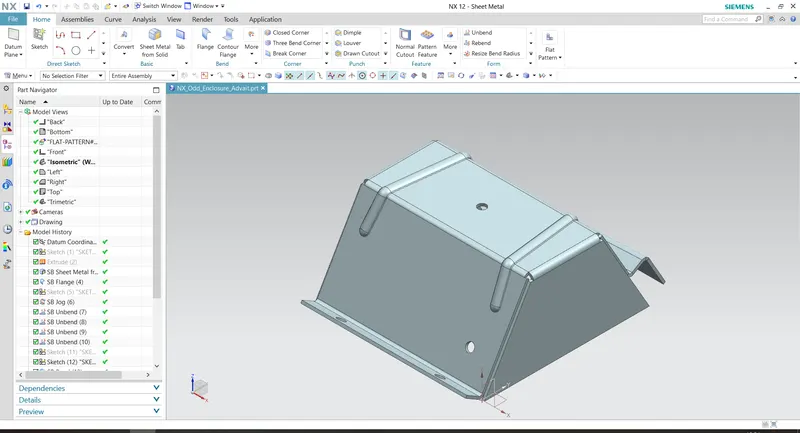
To design the sheet metal enclosure in Siemens NX CAD 12.
DESIGN METHODOLOGY
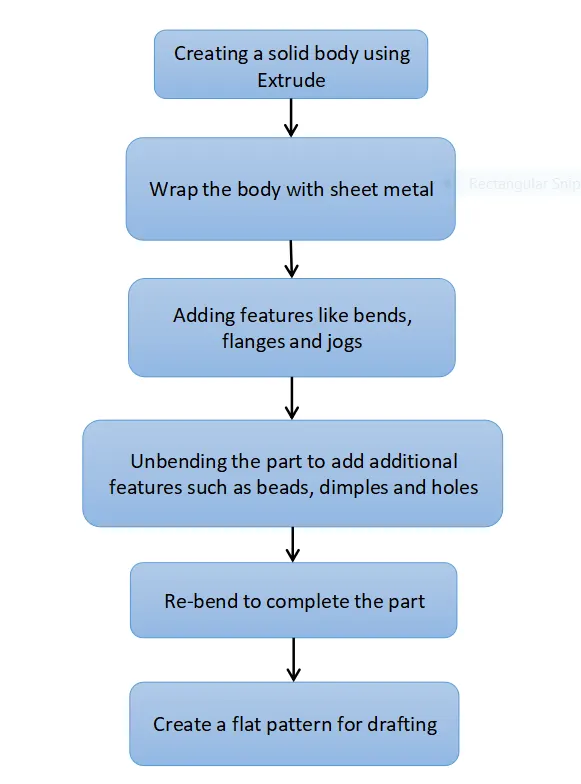
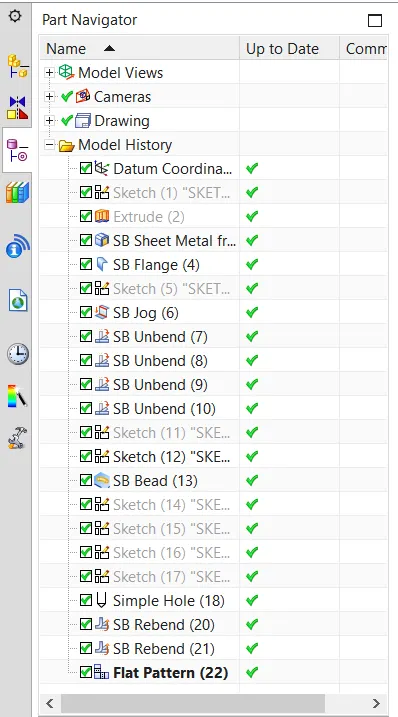
FEATURES USED
- Sketch: Two dimensional drawings to be created with respect to a plane of view.
- Extrude: Creates a solid body by extruding a two dimensional sketch.
- Sheet Metal from Solid: Wraps a solid body with sheet metal feature.
- Bend: Bends the sheet metal as per the required shape by choosing a face and a sketch along which the sheet should be bent.
- Flange: Creates a flange at an edge at any specified angle.
- Jog: Creates a step shaped feature on any surface.
- Unbend: Unbends a formerly created bend or flange.
- Re-bend: Re-bends a former unbent operation.
- Hole: Creates a normal hole on a flat surface.
- Bead: Creates a drawn out shape along a length on a flat feature.
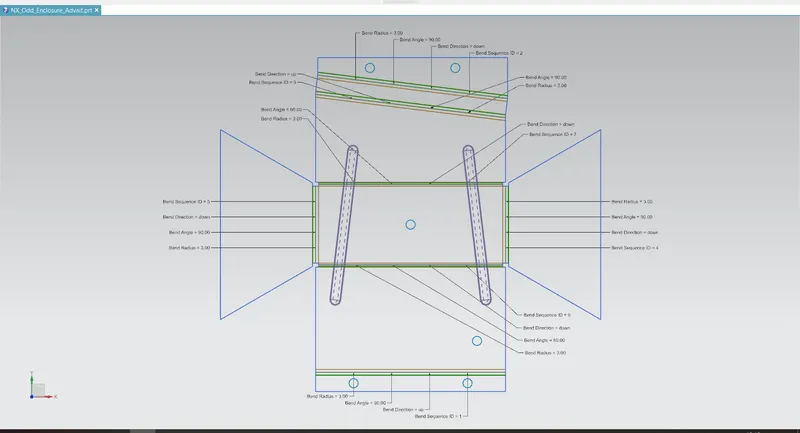
- Flat Pattern: Creates a flattened pattern of the sheet metal part for drafting purposes.
PART VIEWS
- Front View
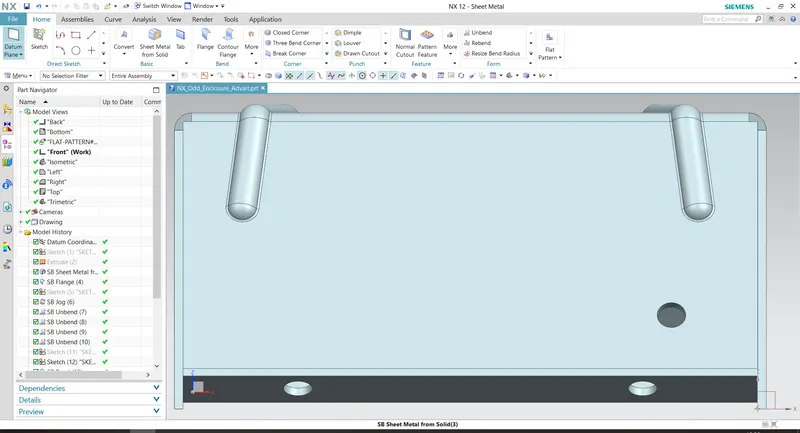
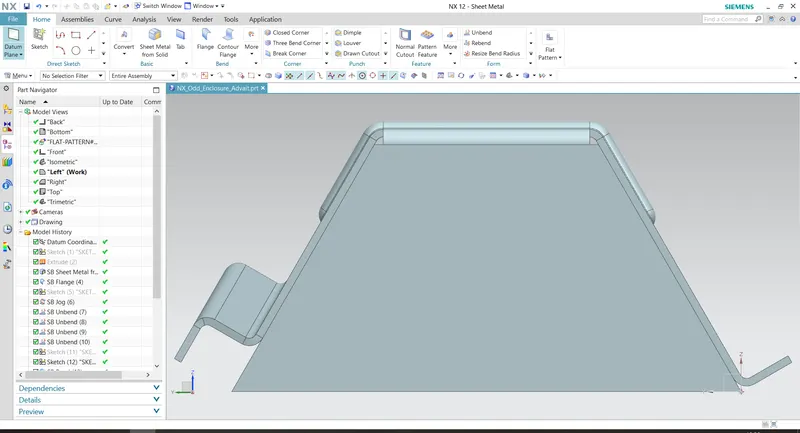
- Side View
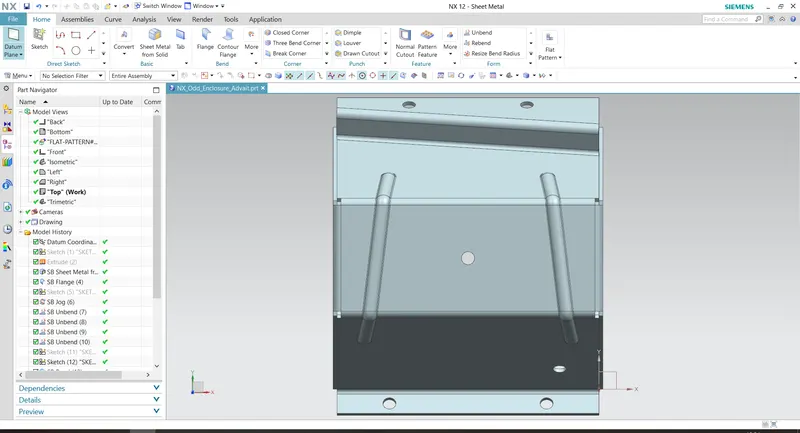
- Top View
- Isometric View
- Flat Pattern View
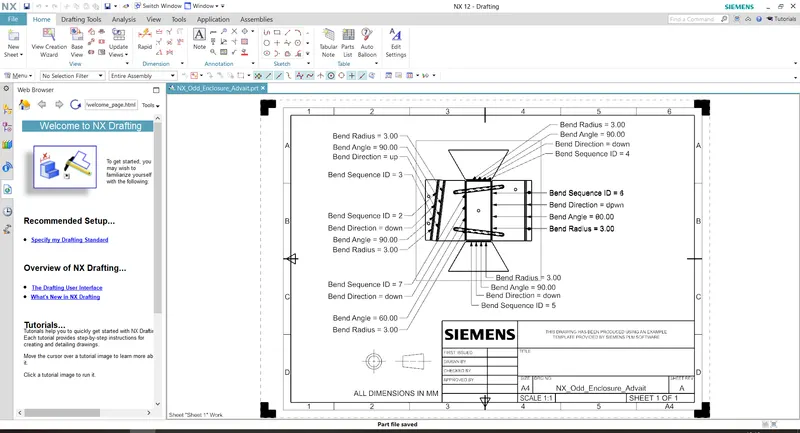
- Drafting View
- Feature Tree
CONCLUSION
The sheet metal enclosure is successfully designed and drafted using NX CAD 12.