Wiring harness design in CATIA V5 - 3D modeling Week 7 Challenge
1.
- Define all the neccessary Geometrical elements, Connector connection points, Bundle connection point, Bundle harness, Branch points and assemble the product and check for the bundle continuity using various workbenches like Part design, Assembly Design, Electrical part Design and Electrical Harness Assembly respectively.
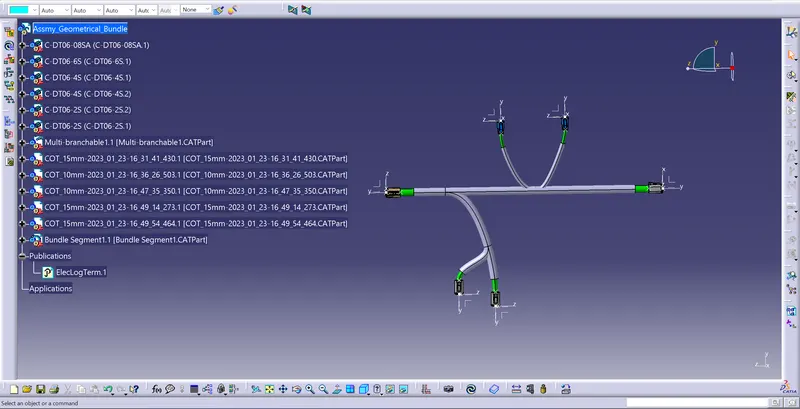
- Next the Bundle assembly is to be represented in the 2-D drawing sheet so, first it should be converted into the Flanttening harness from the product assembly using Electrical Harness Flanttening workbench.
- In this workbench select the Harness flattening Parameters, define the necessary settings. Then select the extract tool to select the product and continue with the process. Use the Flatten tool to flat the product assembly.
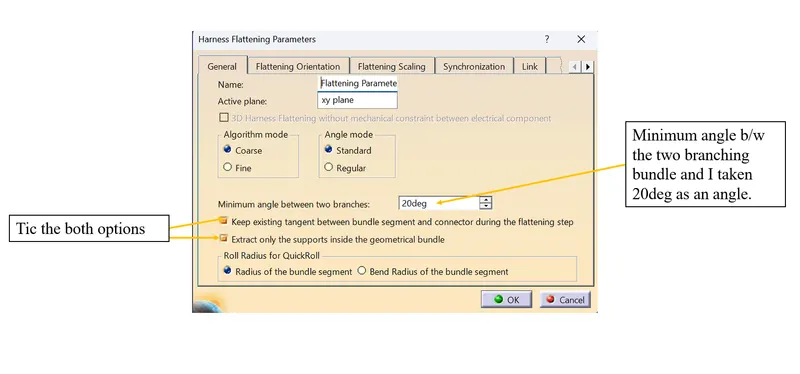
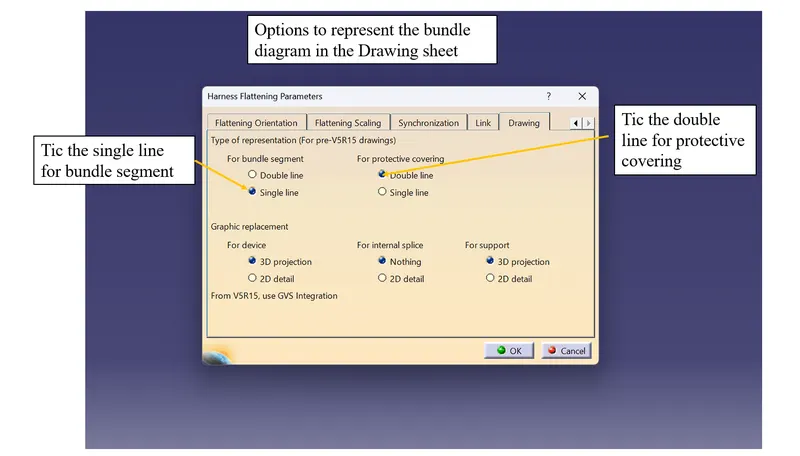
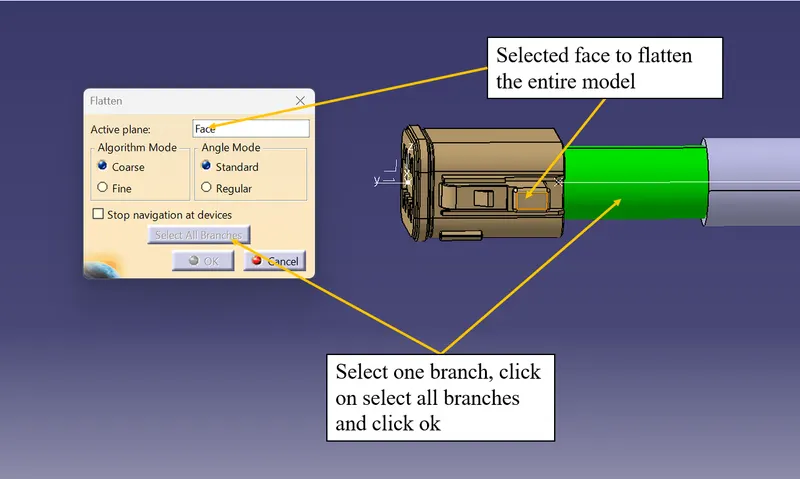
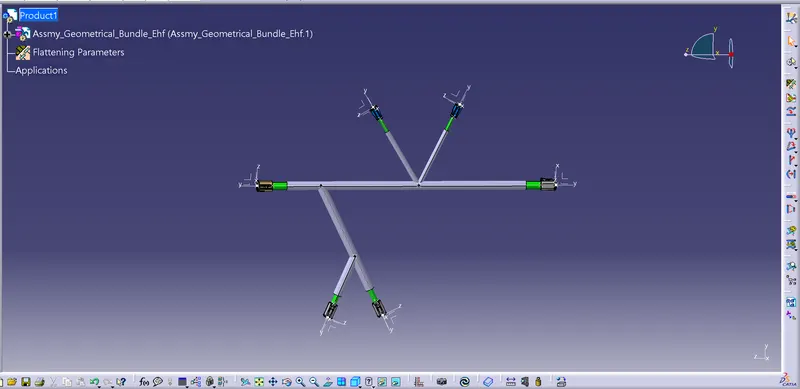
fig. Flattned Model
- Use the tools like Rotate and Roll for the desired output flattening harness
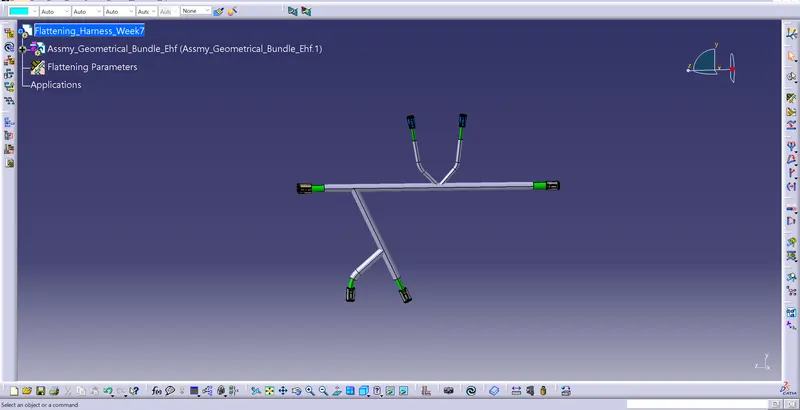
- Then create the Drawing sheet to represent the above fig in 2-D and change some properties.
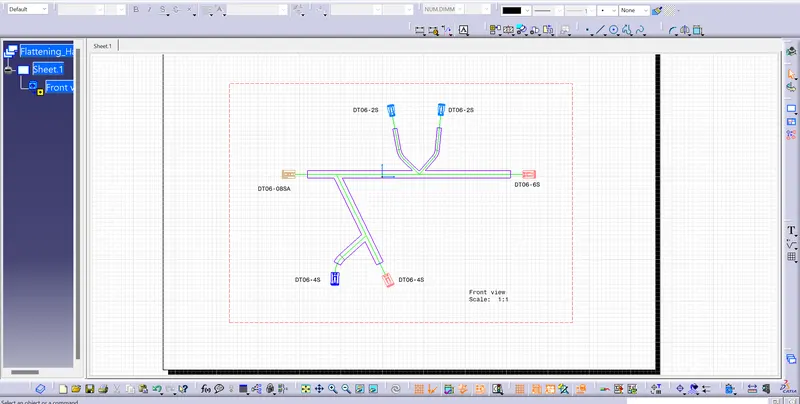
- Indicate the wiring bundle, Connectors and protective covering in different colors.
- Save all the models in one file using save management tool.