Week - 8 Mass Scaling
OBJECTIVE:
- To see the impact of TSSFAC and DT2MS in *Control_Timestep card in runtime for analysis.
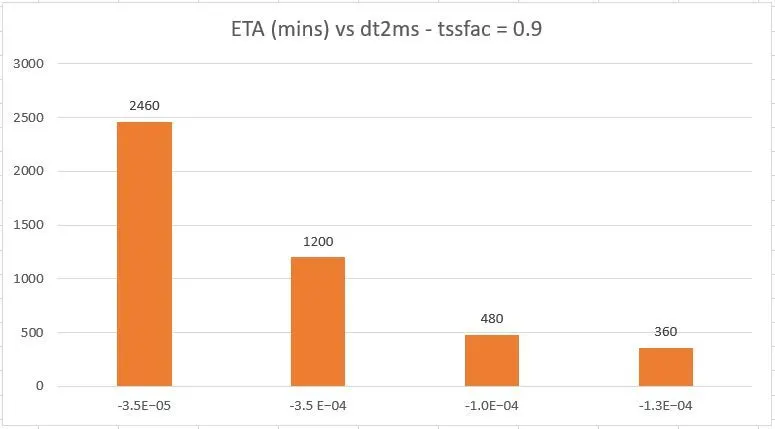
- Plot the Histogram to compare the runtime with mass scaling trials.
- Study the behaviour with and without mass scaling with the negligible deviation between results.
- Compare the implicit and explicit run time for the same simulation.
DESIGN OF EXPERIMENT:
Trial1: Running the model without *Control_Timestep. (Explicit)
Trial2: Running the model with *Control_Timestep. (Explicit)
Trial3: Running the model with different values of DT2MS. (Explicit)
Trial4: Running the model with different values of TSSFAC. (Explicit)
Trial5: Running the model for implicit analysis.
THEORY:
The time step(t) for stress propagation in an element is defined as:
t = L/c where,
L is the length of the element.
c is the speed of stress propagation in element material.
c = (G/ρ)
where,
G: Shear modulus
: density of the material
G = E/2(1+v)
where,
E: Youngs Modulus for material
v: Poissons ratio
Timestep Calculation by Solver:
L is the length of the smallest element in the model and hence using mass scaling, timestep can be increased for elements having greater L and simulation can be done at a greater pace.
What if timestep is less than 't' ?:
't' is the minimum value of timestep which is feasible for an element with properties E, G,v and L. If timestep is lesser than 't' then the calculation for various parameters will not be feasible and correct. Hence, to get the proper behaviour of the model time step should be equal to more than 't'.
Smaller timestep will get finer results but will be computationally expensive, hence as an analyst, it is very much important to get a value which computationally economical and optimum in magnitude to get better results (results which gives better behaviour results for model and is not computationally expensive and can be performed in optimum time.)
Mass scaling:
Mass scaling is a method by which analysts can increase the timestep by adding pseudo mass to an element. This results in faster simulation.
Application of mass scaling:
Mass scaling is usually employed for explicit simulations as the CFL equation is to determine the min time step in explicit and in any case, an explicit simulation timestep should comply with CFL.
Time step is very less for explicit but can be increased using mass scaling to get faster simulations
TRIAL1: Solving model via explicit method without *Control_Timestep:
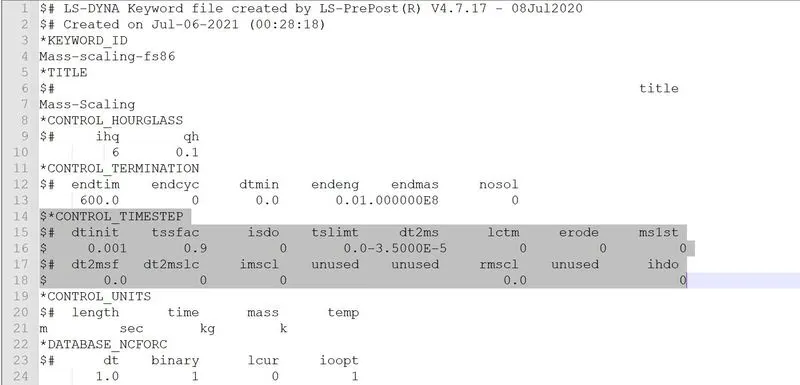
The keyword file is opened in Notepad++ and *Control_Timestep is put under comment using the "$" symbol.
Command prompt window for the keyword file:
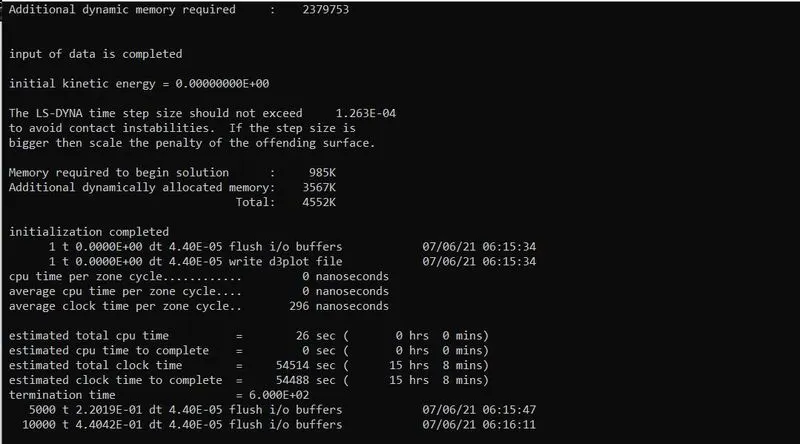
Estimated time to complete = 15 hrs 8 mins (54488 seconds)
Termination time = 6.000E+02 seconds
Time step = 4.40E-05 seconds
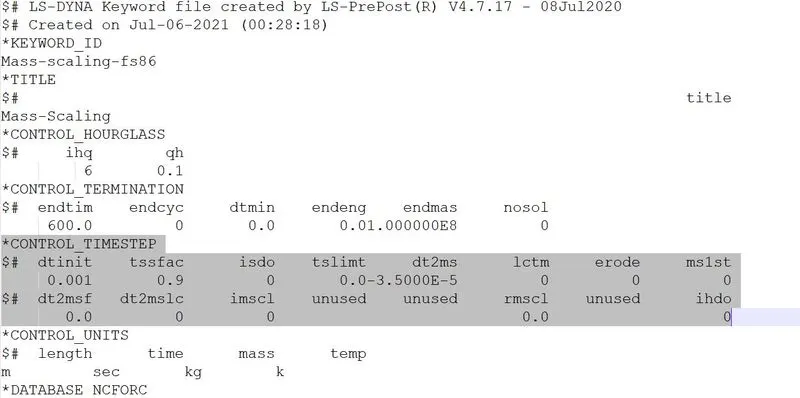
TRIAL2: Solving model via the explicit method with *Control_Timestep:
#1
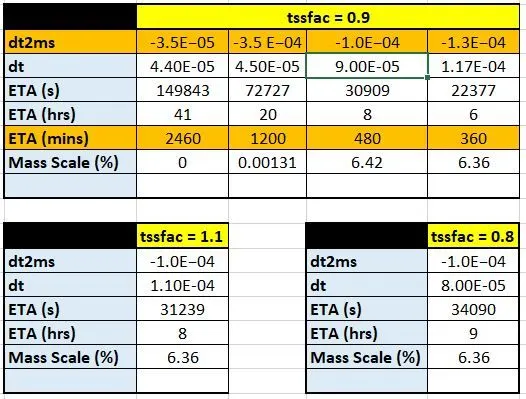
tssfac = 0.9
dt2ms = -3.5E−05 seconds
so timestep = 3.5 x 0.9 x E-05 = 3.15E-05 seconds
So estimated finish time must increase because we have basically decreased the time step
Command prompt window for the keyword file:
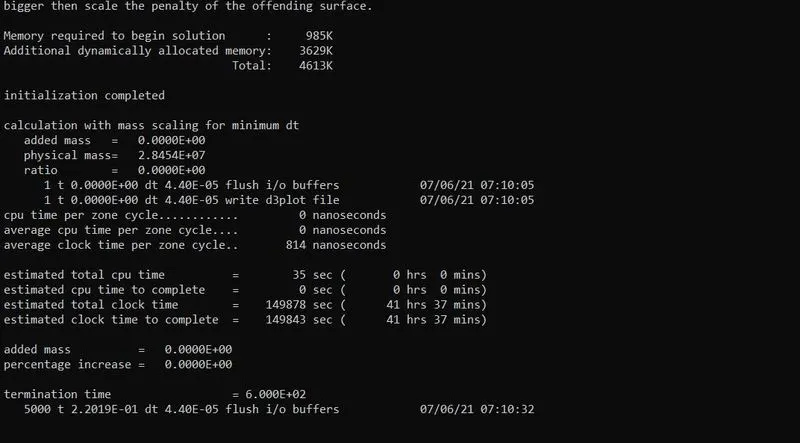
Estimated time to complete = 41 hrs 37 mins (149843 seconds)
Termination time = 6.000E+02 seconds
Time step = 4.40E-05 seconds
There is no added mass since we have not increased the timestep
#2
tssfac = 0.9
dt2ms = -3.5 E−04 seconds
so timestep = 3.5 x 0.9 x E-04 = 3.15E-04 seconds
So estimated finish time must decrease because we have increased the time step
Command prompt window for the keyword file:
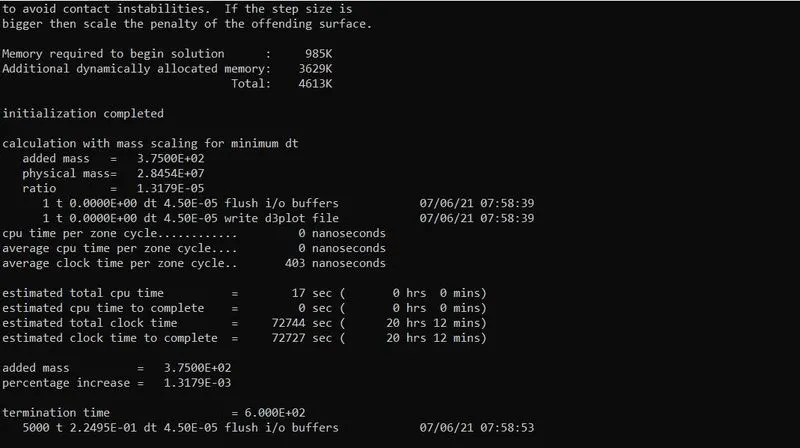
Estimated time to complete = 20 hrs 12 mins (72727 seconds) - Drastic change in finish time
Termination time = 6.000E+02 seconds
Time step = 4.5E-05 seconds
Added mass in %age = 0.00131% which is highly negligible and hence we can certainly increase the time step
Trial3: Running the model with different values of DT2MS
#1
tssfac = 0.9
dt2ms = -1.0E−04 seconds
so timestep = 1.0 x 0.9 x E-04 = 0.9E-04 seconds
So estimated finish time must decrease because we have increased by an order of +10.
Command prompt window for the keyword file:
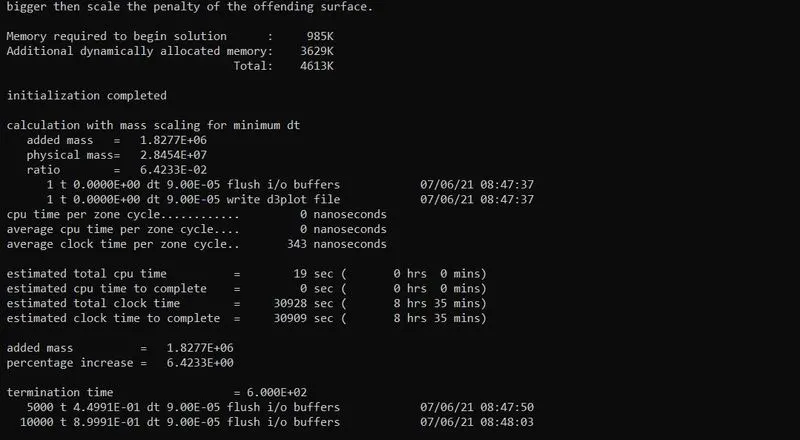
Estimated time to complete = 8 hrs 35 mins (30909 seconds)
Termination time = 6.000E+02 seconds
Time step = 9.00E-05 seconds
Added mass in %age = 6.42% which is nearing our capped value of 8%.
#2
tssfac = 0.9
dt2ms = -1.3E−04 seconds
so timestep = 1.3 x 0.9 x E-04 = 1.17E-04 seconds
So estimated finish time must decrease because we have increased by 0.27
Command prompt window for the keyword file:
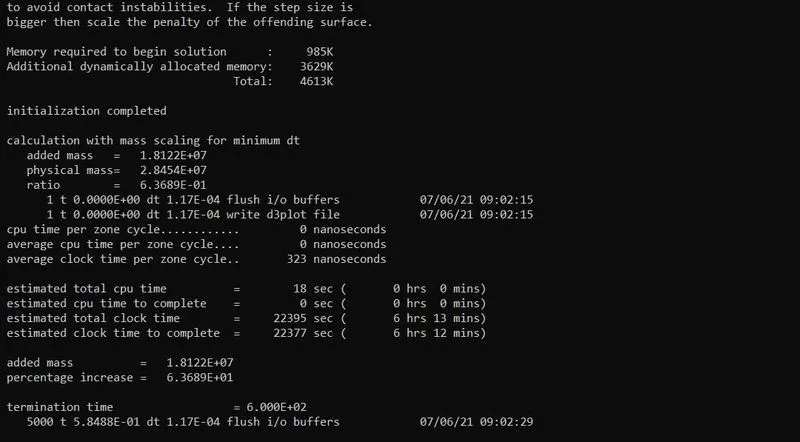
Estimated time to complete = 6 hrs 12 mins (22377 seconds)
Termination time = 6.000E+02 seconds
Time step = 1.17E-04 seconds
Added mass in %age = 6.36% which is nearing our capped value of 8%.
Trial4: Running the model with different values of TSSFAC
#1
tssfac = 1.1
dt2ms = -1.0E−04 seconds
so timestep = 1.1 x 1.0 x E-04 = 1.1E-04 seconds
Command prompt window for the keyword file:
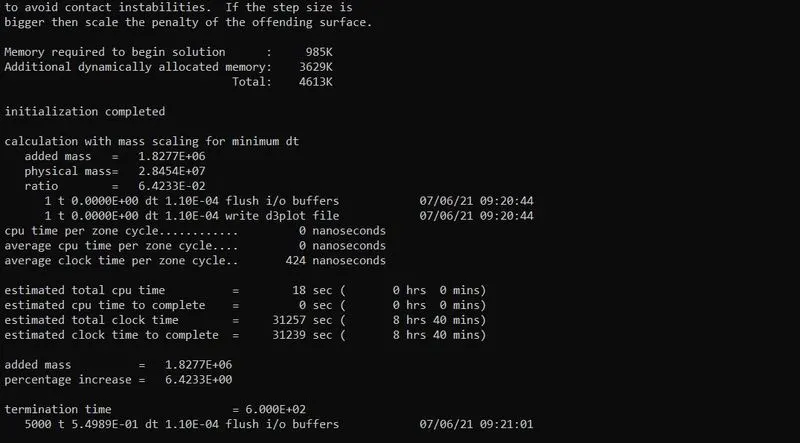
Estimated time to complete = 8 hrs 40 mins (31239 seconds)
Termination time = 6.000E+02 seconds
Time step = 1.10E-04 seconds
Added mass in %age = 6.36% which is nearing our capped value of 8%.
By increasing tssfac we have increased timestep without increasing any mass%.
#2
tssfac = 0.8
dt2ms = -1.0E−04 seconds
so timestep = 0.8 x 1.0 x E-04 = 0.8E-04 seconds
Command prompt window for the keyword file:
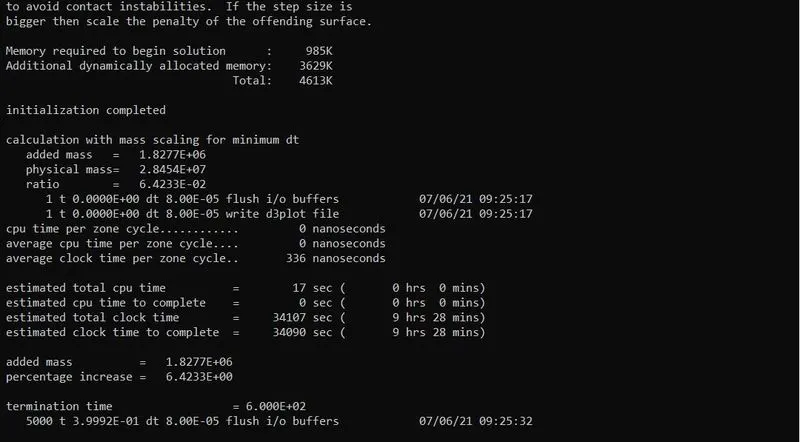
Estimated time to complete = 9 hrs 28 mins (34090 seconds)
Termination time = 6.000E+02 seconds
Time step = 8.00E-05 seconds
Added mass in %age = 6.36% which is nearing our capped value of 8%.
By decreasing tssfac we have increased timestep without increasing any mass%.
Trial-5: Running the model using Implicit solving
The same file is set up for implicit simulation by adding IMPLICIT_AUTO, IMPLICIT GENERAL. IMFLAG = 1 initiates implicit analysis whereas IAUTO = 1 initiates automatic timestep control

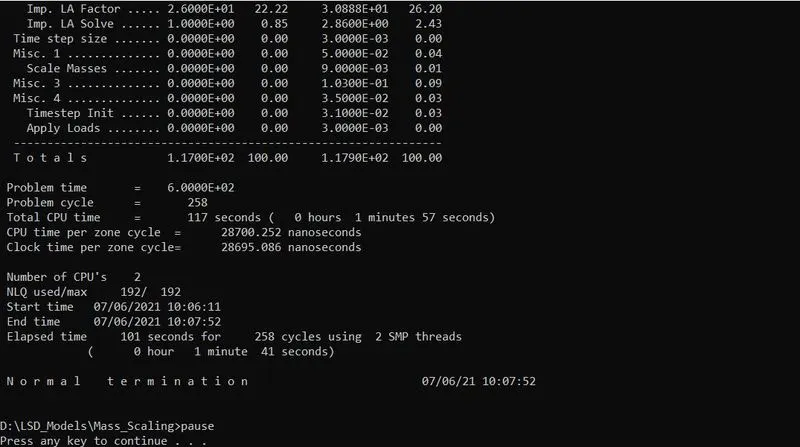
The Implicit_auto keyword helps to automatically control the timestep in implicit analysis thus controlling the simulation time optimizing the run time. The total simulation time taken in the implicit analysis is 1 min 41 sec.
GRAPHS:
CONCLUSION:
- The mass scaling is carried out in explicit method and observed that for a simple simulation like this the total run time can be
significantly reduced from approximately 46 hrs to 6 hrs. - The tssfac value is changed and compared with the default value.
- The Explicit and implicit run time for the same simulation is executed. It is found that implicit can automatically change timestep using implicit auto keyword and drastically reduce the simulation run time.
- Implicit run time = 1 min 41 sec
Minimum Explicit run time = 6 hr 12 min
Based on the type of problem to be solved implicit and explicit simulations are chosen.