Conjugate Heat Transfer (CHT) Analysis on a Graphics card Model
STEADY STATE CONJUGATE HEAT TRANSFER (CHT) ANALYSIS ON A MODEL OF A GRAPHICS CARD USING ANSYS FLUENT
- AIM
Our aim is to simulate a steady state conjugate heat transfer (CHT) analysis on a model of graphics card by appropriately choosing the materials of components of a graphics card using ANSYS FLUENT.
- THEORY/EQUATIONS/FORMULAE USED
ANSYS FLUENT academic version CFD package is used to carry out the simulation. It is a user friendly interface which provides high productivity and easy-to-use workflows. Workbench contains all workflow needed for solving a problem such as pre-processing, solving and post-processing.
Structure of ANSYS FLUENT simulations
The basic steps for a simulation are as follows,
- Pre-processing – It includes geometry creation, discretization, providing named selection for using as boundary conditions. The packages used in pre-processing step are SpaceClaim, Ansys Mesher.
- Solving – It includes applying initial and boundary conditions, adding material properties, applying suitable turbulence model as per the problem and running the iteration till convergence. The package used in post-processing step is Fluent.
- Post-processing – It includes analyzing the results by plotting the results as charts, contour, and exporting the data, also validating the results both qualitatively and quantitatively. The package used in post-processing step is CFD-Post.
Conjugate Heat Transfer
Conjugate heat transfer is a combination of conduction and convection. It’s a heat transfer which involves the interaction of conduction within a solid body and convection between the solid surface and fluid volumes.
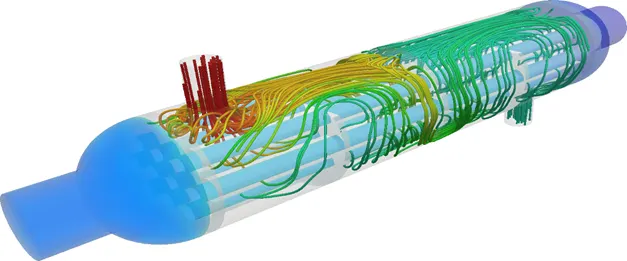
Typical example is a heat exchanger as in the figure the cold fluid enters the tubes and takes heat from the hot air flowing around the tube via natural convection. Some of the applications which involve conjugate heat transfers are building roofs, open water, chimney etc.
Heat Transfer Coefficient (HTC)
It’s a measure of convective heat transfer between fluid volume and solid medium around which the fluid flows.
Heat transfer coefficient is defined by the newton’s law of cooling. It is proportionality constant between heat flux (q) and temperature difference (ΔT) between the solid medium and the surrounding fluid. The SI unit of heat transfer coefficient (HTC) is watts per square meter kelvin (W/m2K).
For convective heat transfer coefficient calculation, usually T2 is temperature of the solid surface and T1 is temperature of the fluid around the surface or we can also call it as reference temperature. The choice of reference/ fluid temperature is important as the temperature near and away from the wall would be different depending on the flow due to thermal boundary layer.
There are two heat transfer coefficient for a flow through a pipe i.e. Internal HTC and External HTC
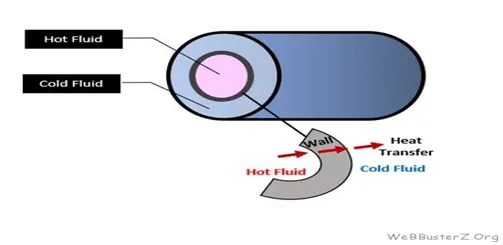
For External flows, fluid temperature will be the free stream temperature.
For Internal flow, fluid temperature will be the mass flow average temperature as the temperature profile inside a tube will be parabolic.
Nusselt Number
It is the ratio of convective heat transfer to the fluid heat conduction heat transfer under the same conditions.
Nu = qconvection /qconduction
Convective heat transfer, qconvection = h*ΔT,
where h = Convective heat transfer coefficient, ΔT = Temperature difference
Conductive heat transfer, qconduction = (k*ΔT)/ L,
where k = Thermal Conductivity of the fluid, ΔT = Temperature difference, L = characteristic length.
So, Nusselt Number, Nu = h*L
k
Nusselt Number is also a function of Reynolds number and Prandtl number.
Dittus-Boelter equation – It’s an equation to calculate the Nusselt number for internal turbulent flow.
Graphics card and its components
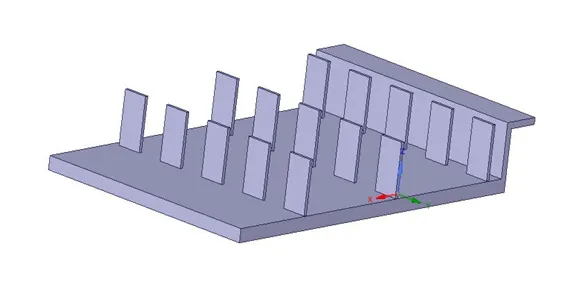
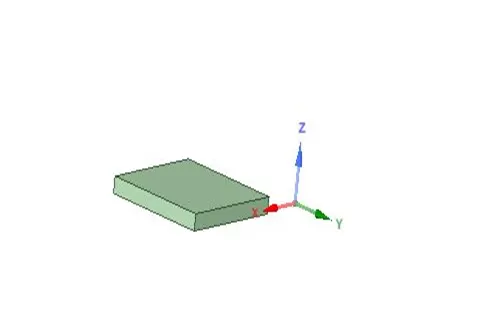
Fig: Fins Fig: Processor
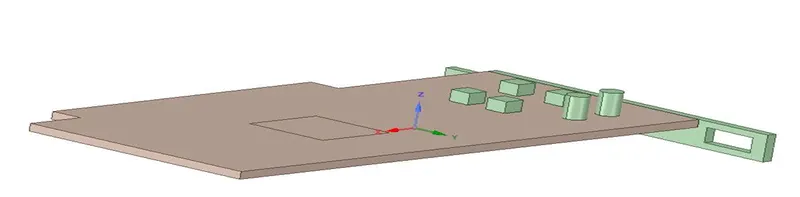
Fig: Base
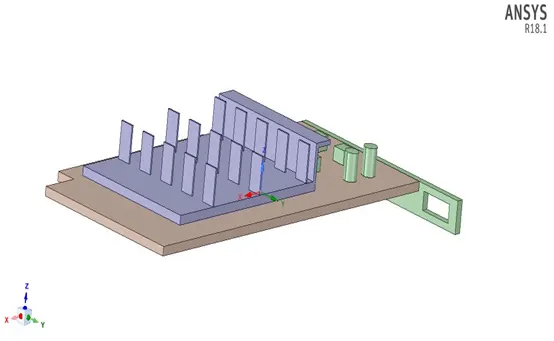
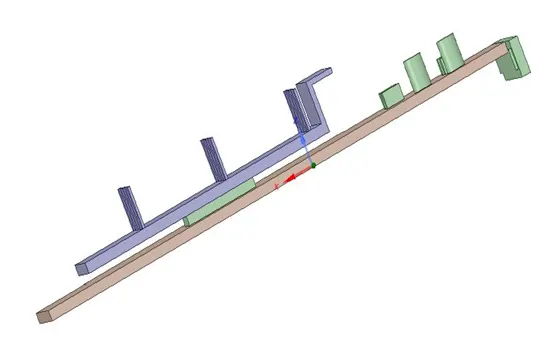
Fig: Graphics card Model and its components
Problem – CHT analysis on a Model of Graphics Card
Steady state CHT analysis on a model of Graphics card by varying the flow velocities from 1m/s to 5m/s with processor as the constant energy source and discuss the results.
Calculation
Reference values – Graphics Card
Processor Dimension = 8x8x1 mm3 Wall Dimension for convection = 8x1 mm2
Steady State Simulation
Fluid Zone
Fluid chosen for the problem – Air
Density = 1.225 kg/m3, Cp (Specific Heat) = 1006.43 j/kg-k, Thermal Conductivity = 0.0242 W/m-k
Solid Zone - Materials chosen for each component of graphics card
Base - Aluminum (Al)
Density = 2719 kg/m3, Cp (Specific Heat) = 871 j/kg-k, Thermal Conductivity = 202.4 W/m-k
Fins - Copper (Cu)
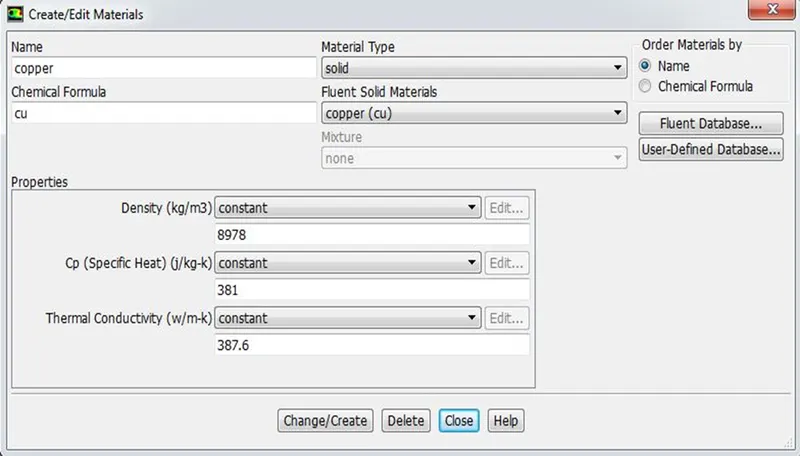
Density = 8978 kg/m3, Cp (Specific Heat) = 381 j/kg-k, Thermal Conductivity = 387.6 W/m-k
Processor – Silicon (Si)
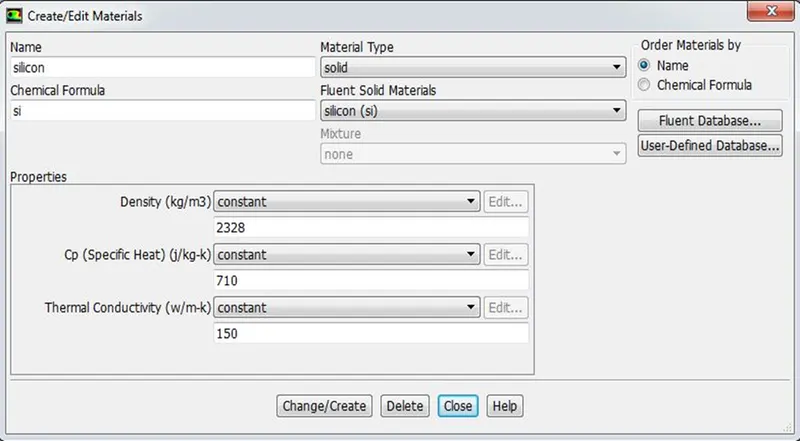
Density = 2328 kg/m3, Cp (Specific Heat) = 710 j/kg-k, Thermal Conductivity = 150 W/m-k
Inputs
Constant Energy Source (Processor) = 10 / 0.000000064 (Assumption = 10 W)
= 156250000 W/m3
3. PROCEDURE
- In the process, firstly the geometry is imported in SpaceClaim and suitable clean up procedures are followed.
- Suitable geometry clean-up for Graphics card model are done such as sharing their topology by share prep to create a single interface for convection heat transfer between fluid and solid.
- Baseline meshing is done to understand the problem and then to know how much and where the refinement is required in order to study the flow and all the boundaries are named respectively. Also checked the mesh quality is good enough to carry out the simulation.
- Material of each component is defined as solid zones, also solver type, the initial and boundary condition, suitable turbulence model are defined as per the problem.
- In the current problem 3 cases are defined with changes in velocity from 1 m/s to 5 m/s. The constant energy source is defined for the processor.
- In this case k-w turbulence model is used so the surface HTC needs to be checked, the solution data is exported in .cdat format and used in CFD post.
- The temperature contour on the outer wall convection, report definition for the maximum temperature and HTC of the processor is initiated in order to validate the essential features.
4. NUMERICAL ANALYSIS (Software used – ANSYS 2018 R1)
- Geometric Model
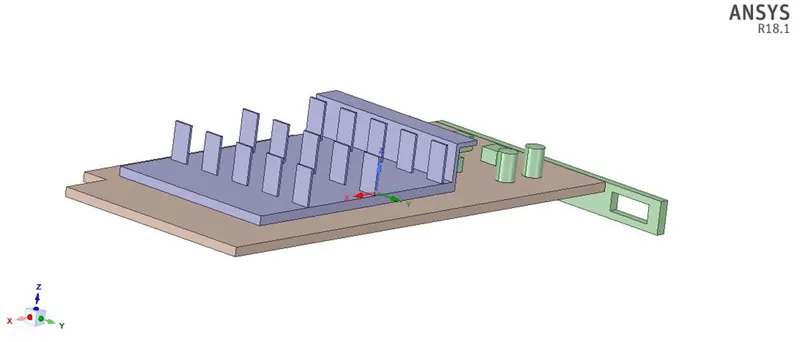
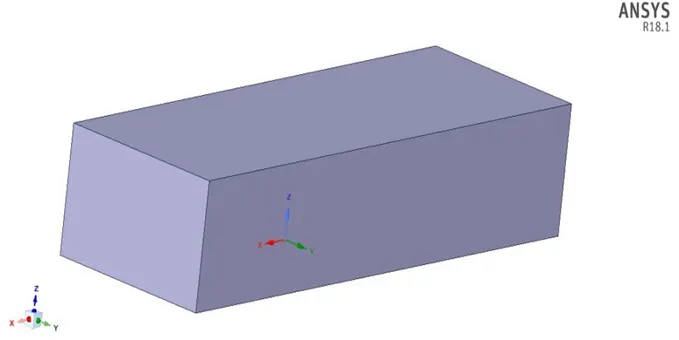
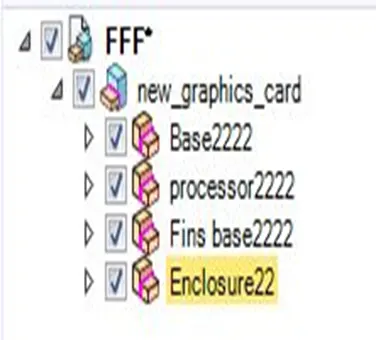
The 3D geometry of Graphics Card is imported in SpaceClaim and the cleanup is done as per the figure given below.
3D Geometry with the flow domain – Ahmed Body
- Mesh
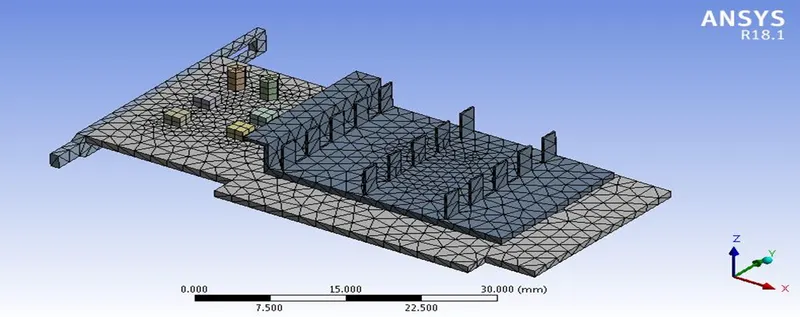
Fig: Baseline Mesh
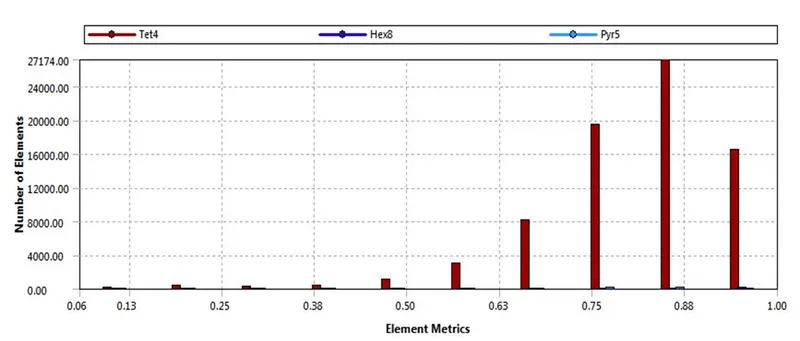
Fig: Element Quality
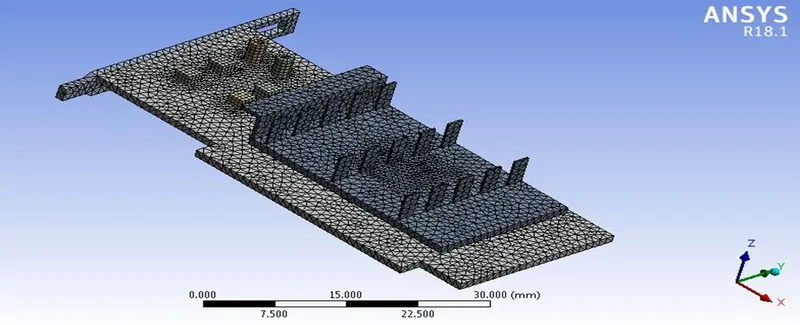
Fig: Final Mesh for the complete domain
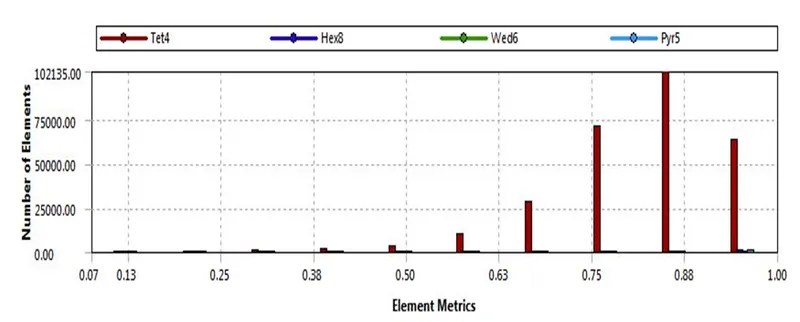
Fig: Element Quality
- Boundaries
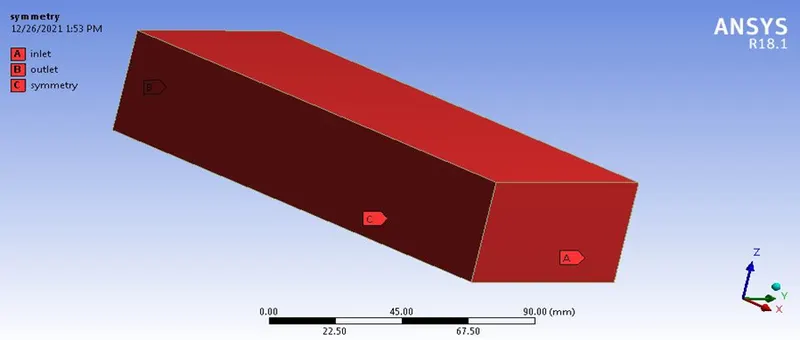
Fig: Boundaries for the complete domain
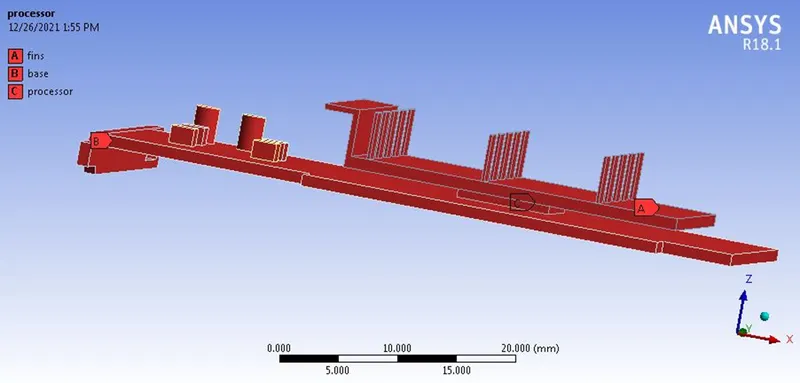
Fig: Boundaries for the graphics card model
- Solver Set-up
- The mesh file is imported into the FLUENT software for the analysis of the modeled surface.
- Once the mesh file is loaded and displayed, it is checked for the units, scale, and mesh.
- There are two types of numerical solver methods pressure –based and density-based solver. The pressure based solver was used rather than the density based solver as the simulation is for lower Mach number. Absolute velocity formulation, steady state was used for the analysis.
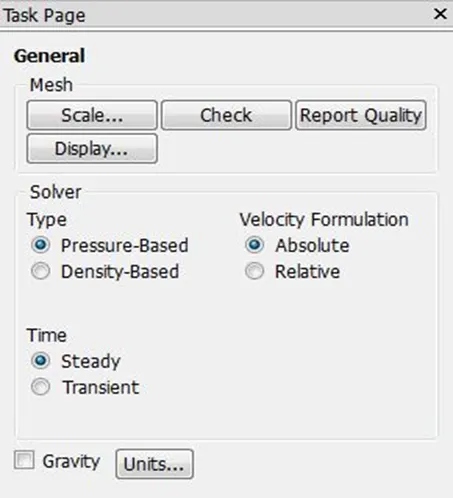
4. Energy equation was switched on for the analysis process as we are interested in temperature of the system.

5. k-omega SST turbulence models were used for the analysis.
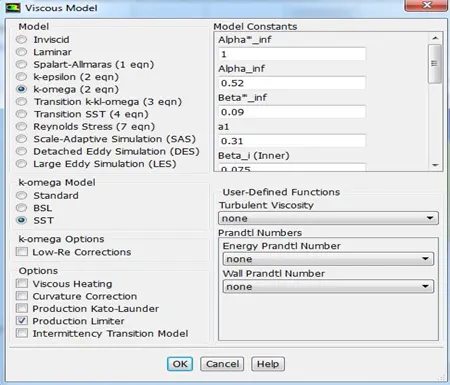
6. The fluid material chosen is air.
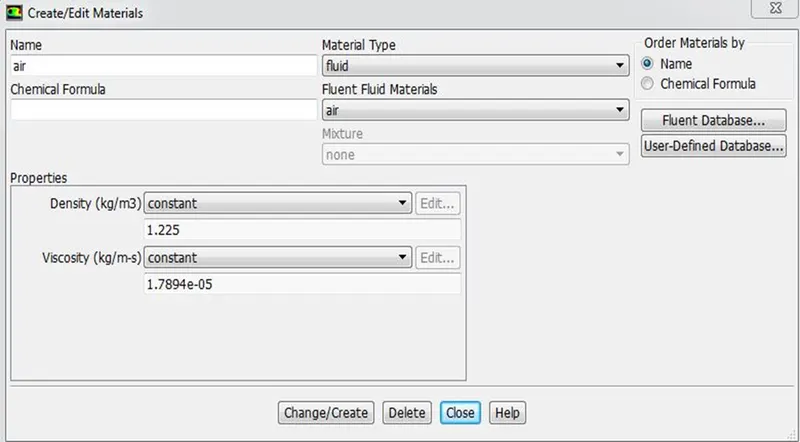
7. The surface of the solid volume is chosen as Aluminum, Copper and Silicon.
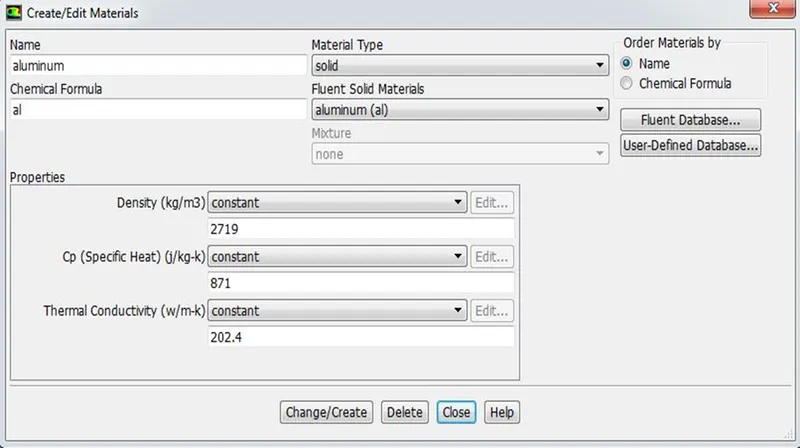
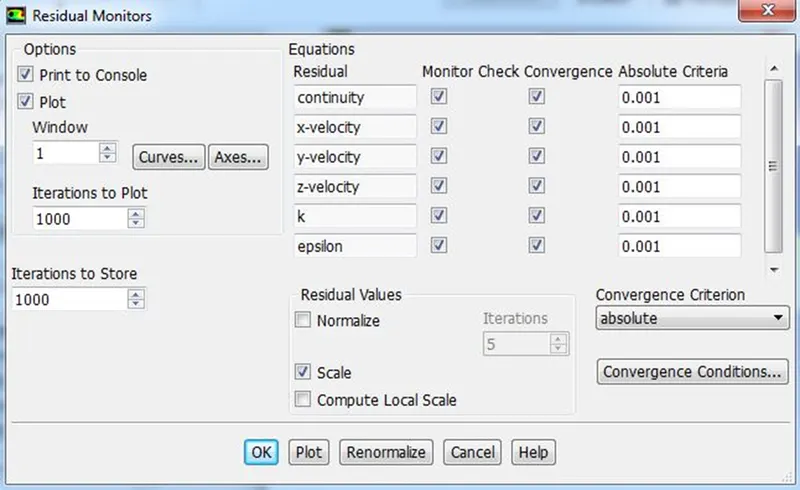
8. Convergence and monitor are checked for absolute criteria of 0.001 for all the residuals.
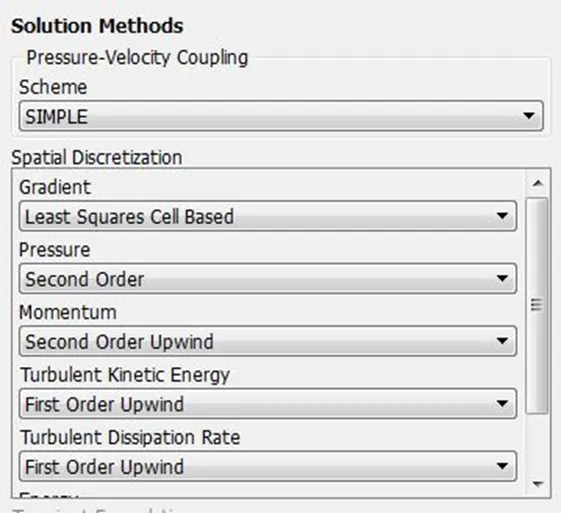
9. Solution methods – SIMPLE Scheme used for Pressure-Velocity coupling and the methods for Spatial Discretization are as per the below image.
10. Hybrid initialization is done and numbers of iterations are set for running the steady simulation.

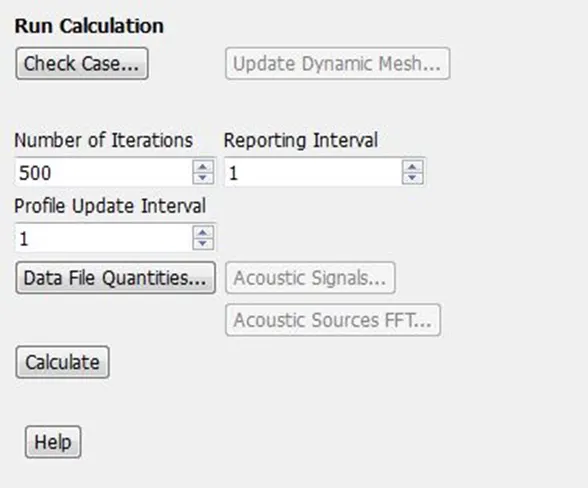
11. Temperature contours are set in order to monitor the variation during run time.
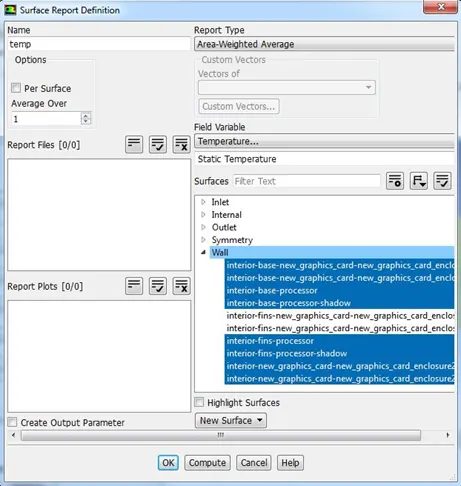
12. Reference Values such as respective velocities, Area = 0.000032 mm2 and temperature = 300 K are set.
Initial Setup and Boundary Condition
|
Zone |
Type |
Boundary Condition |
Additional conditions (if any) |
|
Inlet |
Velocity - Inlet |
Velocity – 1, 3, 5 m/s |
Steady State, Pressure Based, Absolute Switched ON Energy equation Turbulence Model – k-omega SST |
|
Outlet |
Pressure - Outlet |
Gauge pressure of 0 Pa |
|
|
Symmetry |
Symmetry |
Symmetry |
|
|
Wall |
Wall |
Stationary wall without slip |
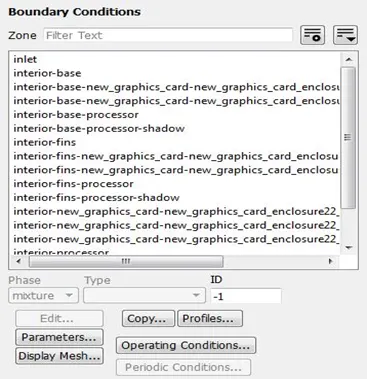
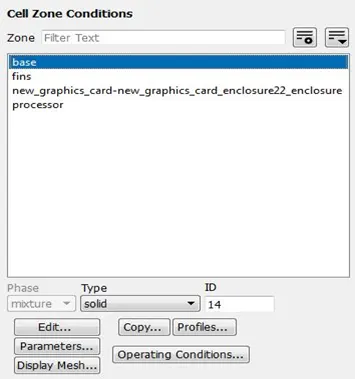
Fig. Cell Zone Conditions & Boundaries
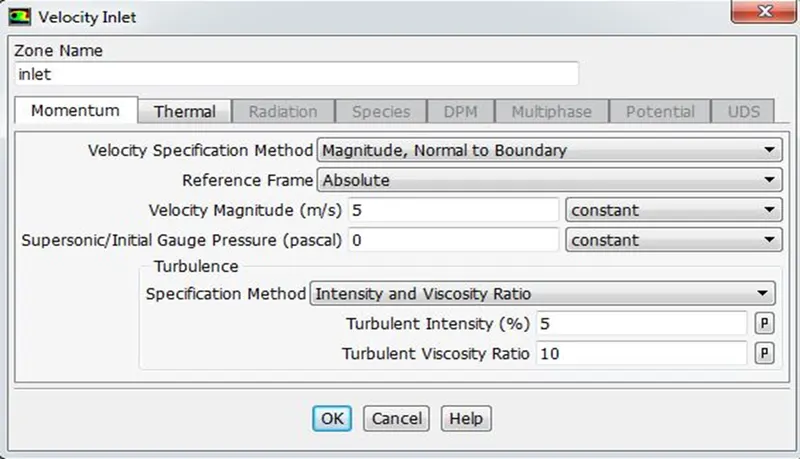
Fig. Inlet Boundary – Velocity – 5m/s
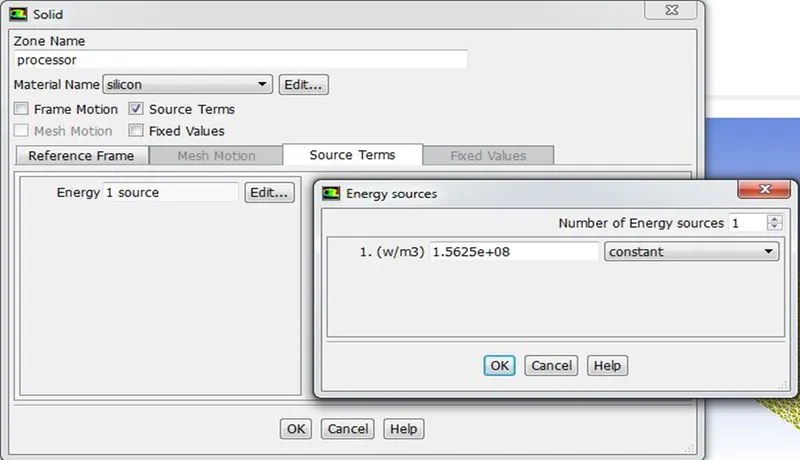
Fig. Wall Boundary – Energy Source
5. RESULTS
- Case – 1 (Velocity - 1 m/s )
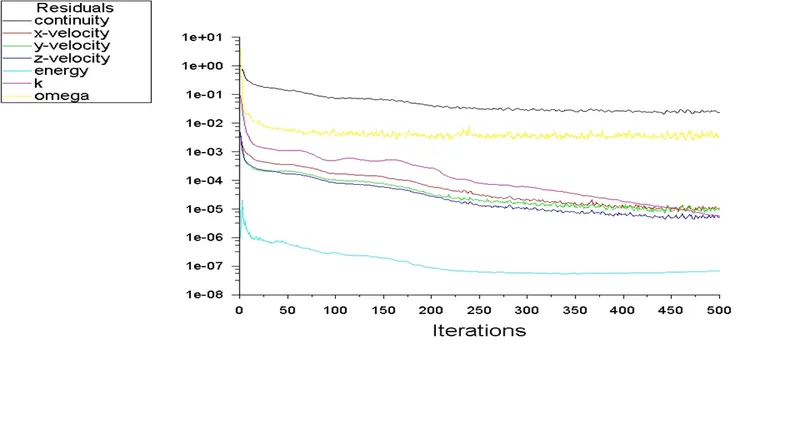
Fig: Convergence Criteria – Residual
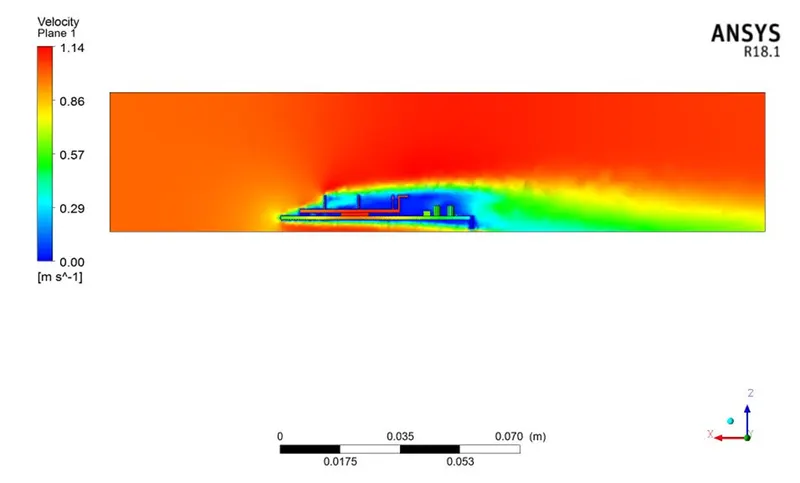
Fig: Velocity Contour on Plane
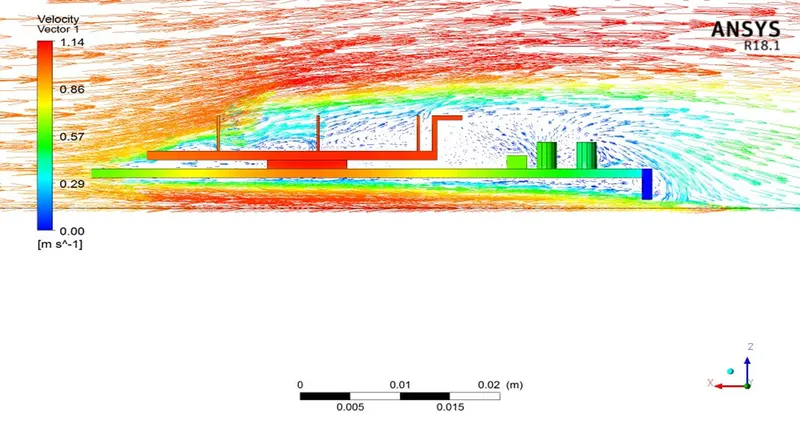
Fig: Velocity Vector on Plane
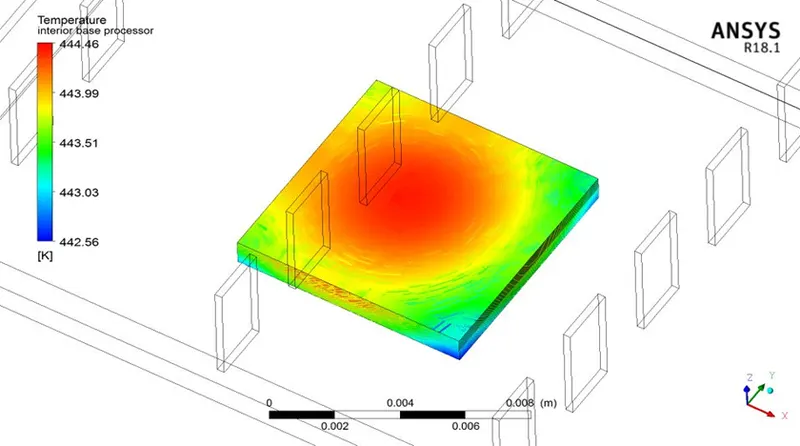
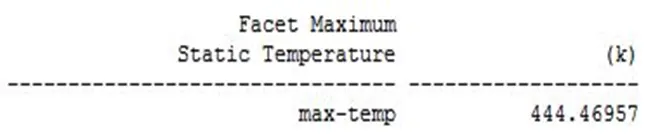
Fig: Maximum Temperature of the Processor
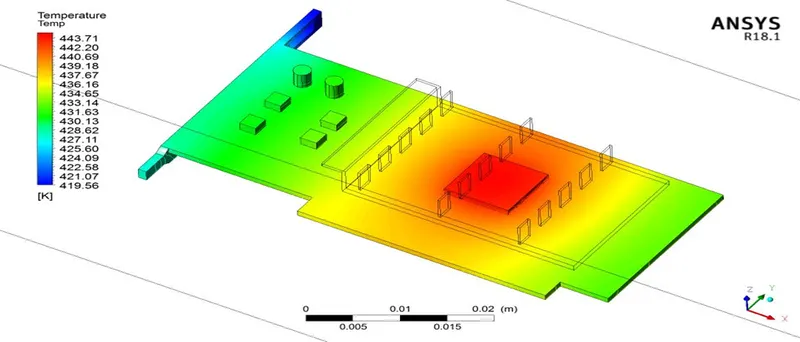
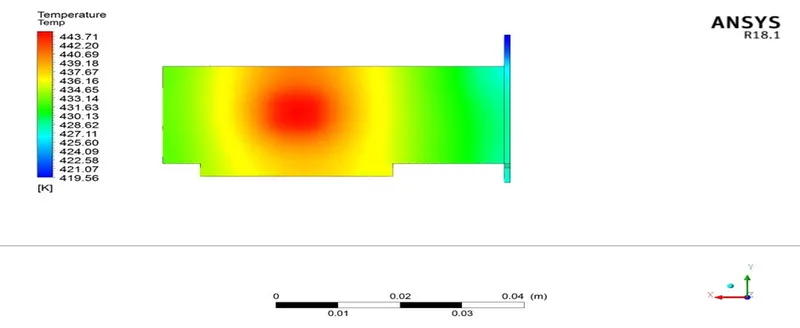
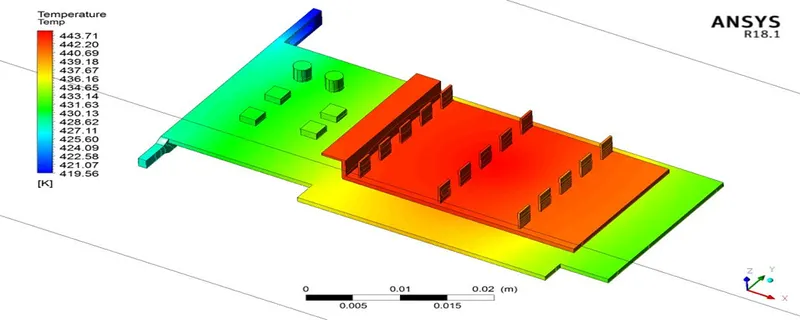
Fig: Potential Hotspots of the Model
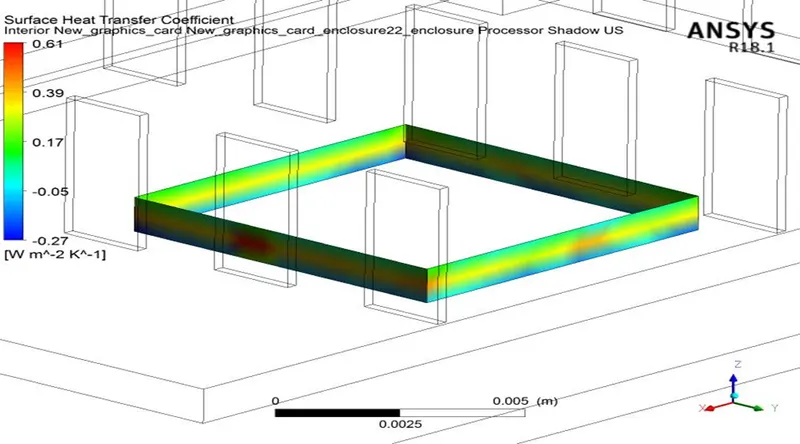
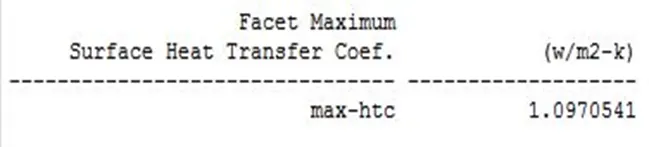
Fig: Maximum Surface HTC of the Processor
- Case 2 (Velocity - 3 m/s )
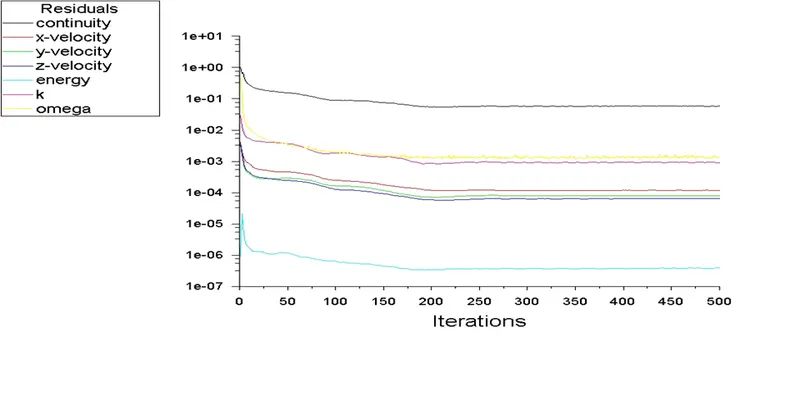
Fig: Convergence Criteria – Residual
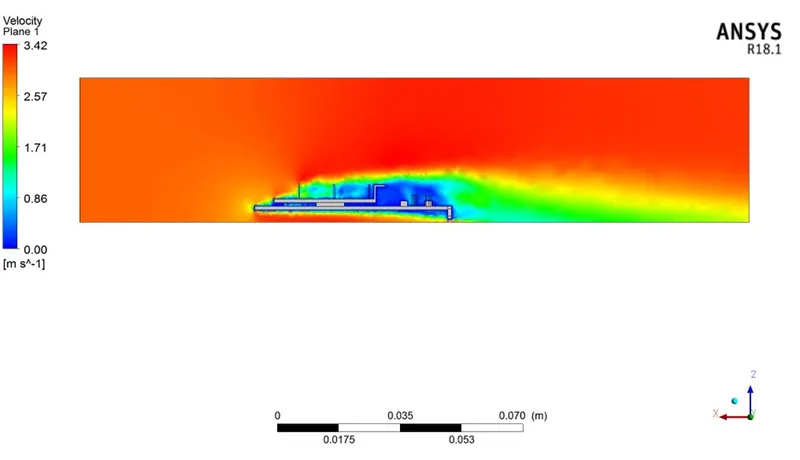
Fig: Velocity Contour on Plane
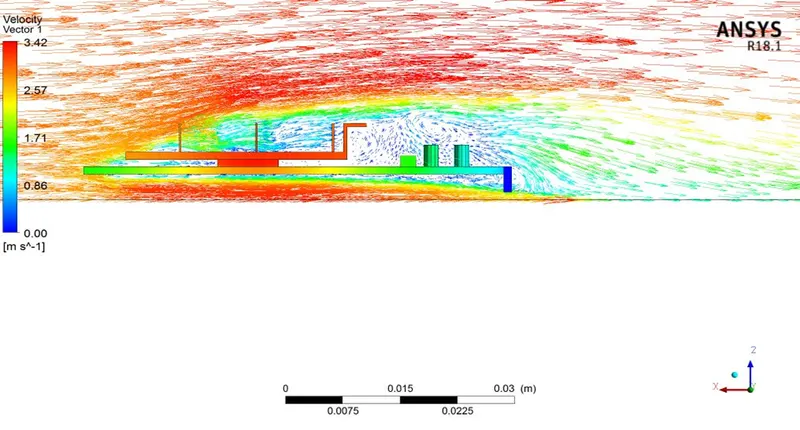
Fig: Velocity Vector on Plane
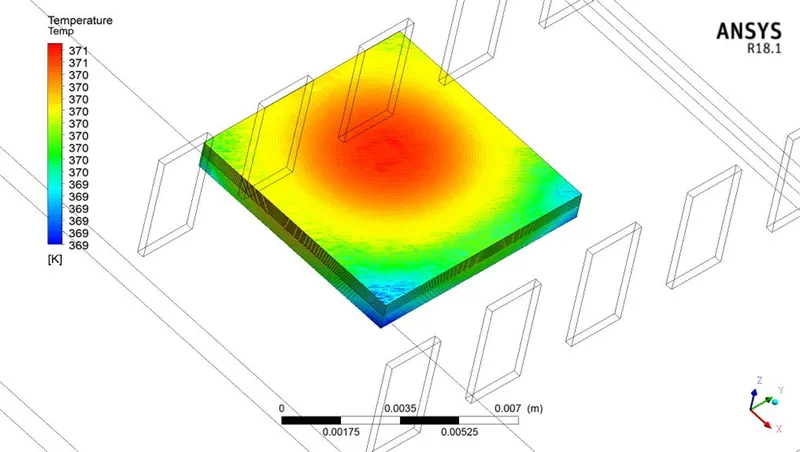

Fig: Maximum Temperature of the Processor
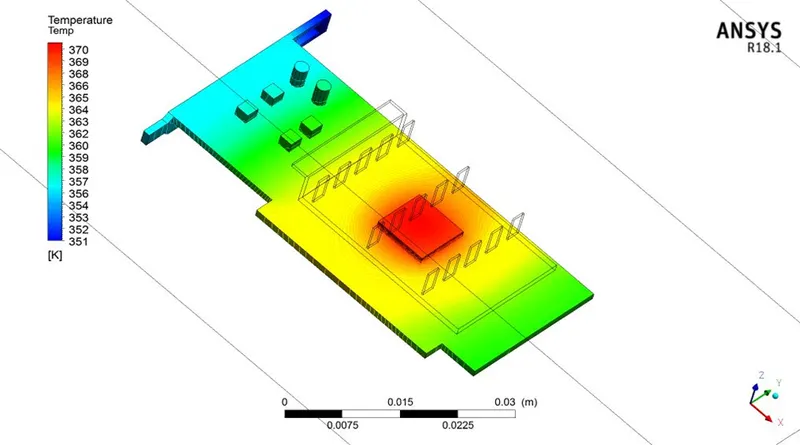
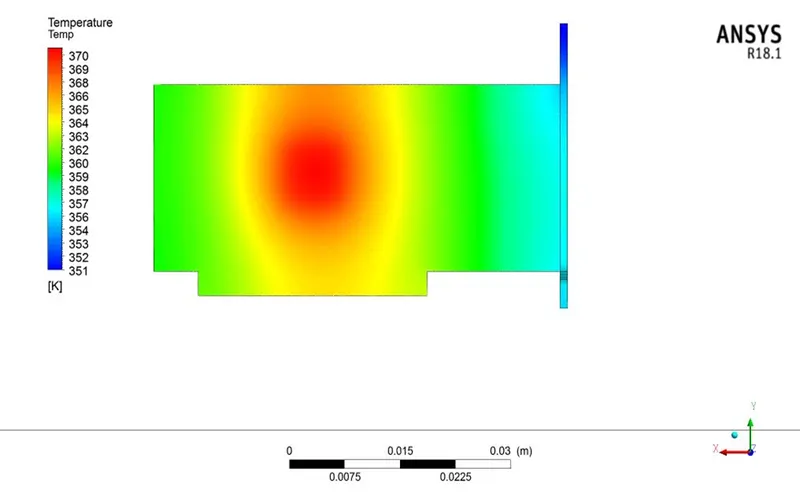
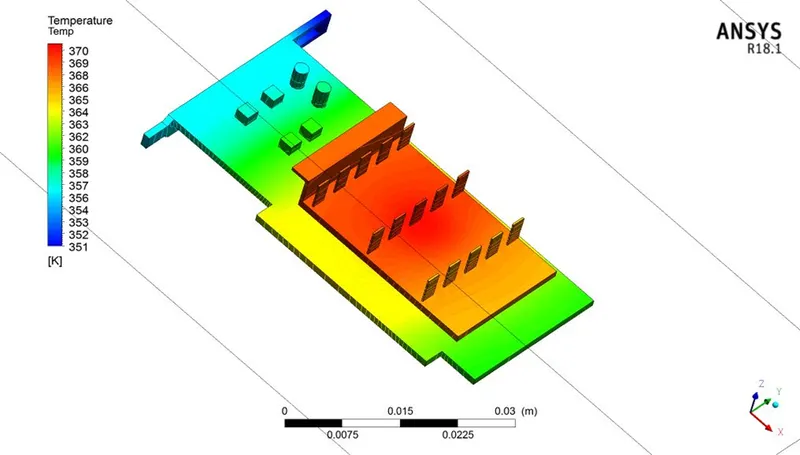
Fig: Potential Hotspots of the Model
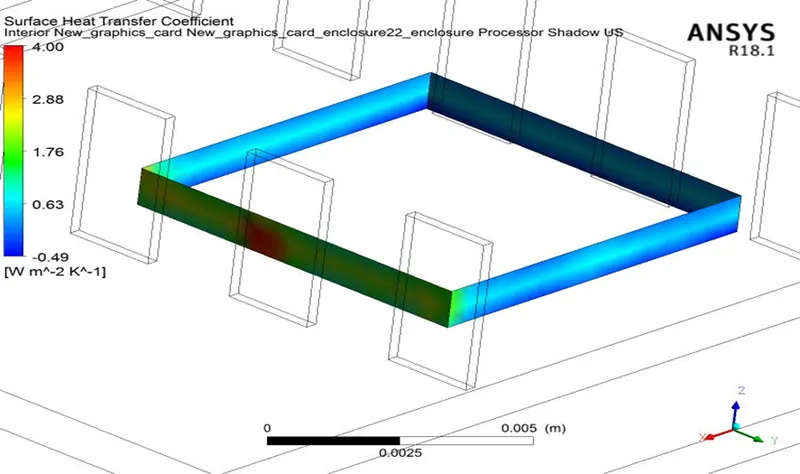
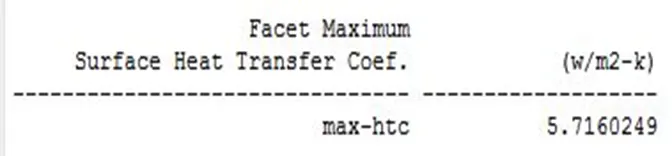
Fig: Maximum Surface HTC of the Processor
- Case 3 (Velocity - 5 m/s )
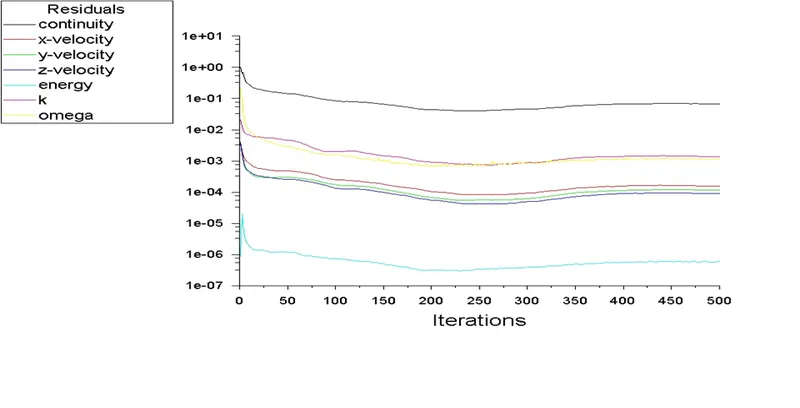
Fig: Convergence Criteria – Residual
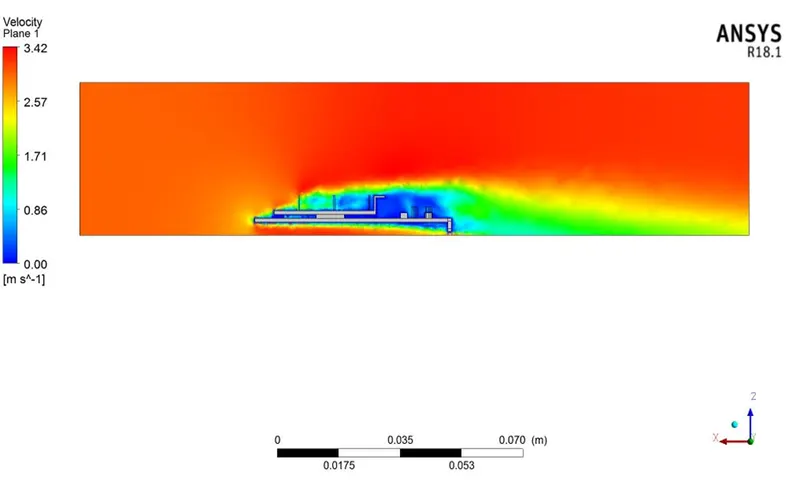
Fig: Velocity Contour on Plane
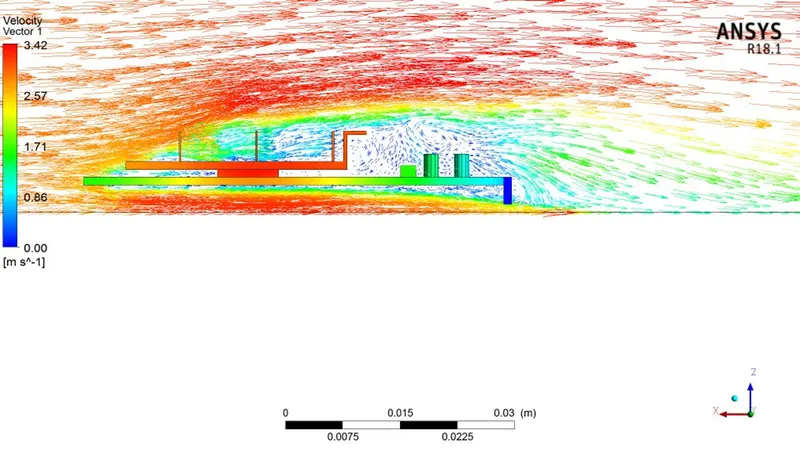
Fig: Velocity Vector on Plane
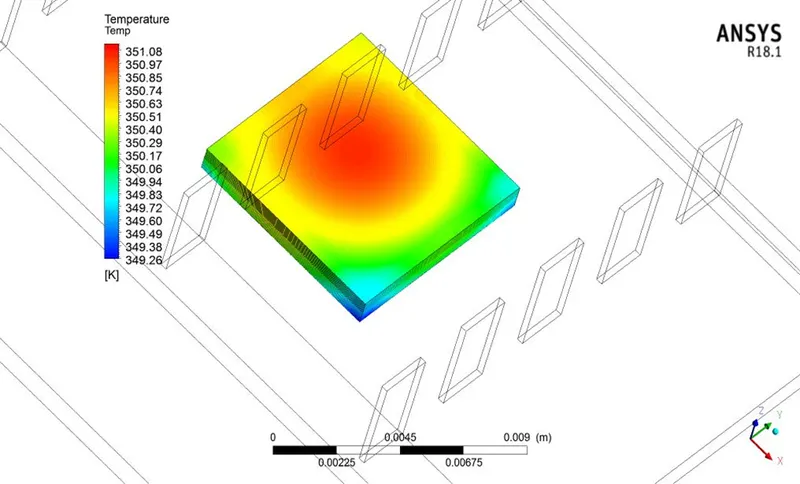
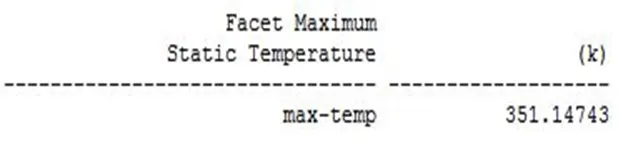
Fig: Maximum Temperature of the Processor
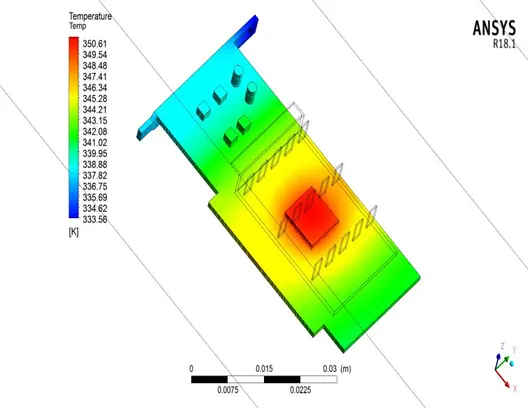
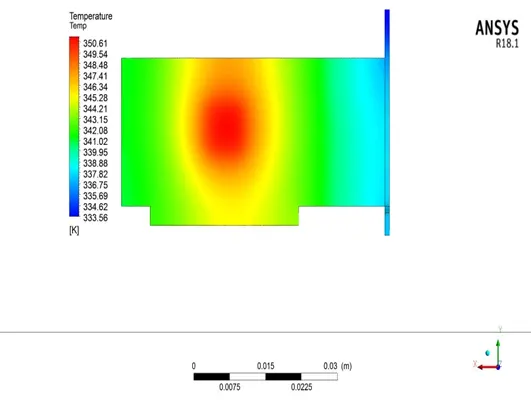
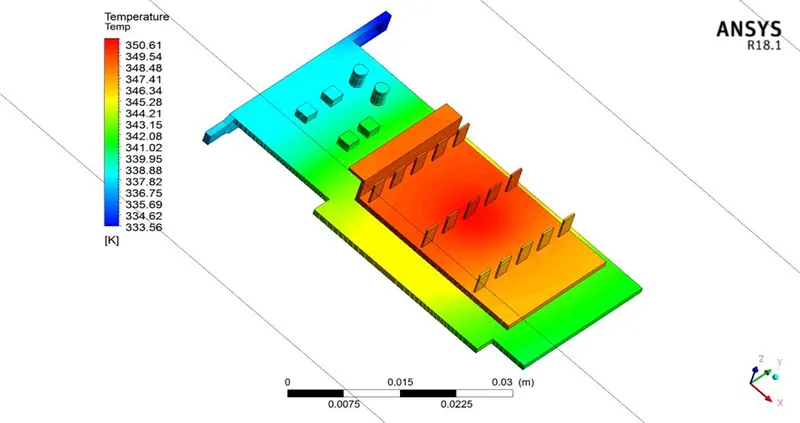
Fig: Potential Hotspots of the Model
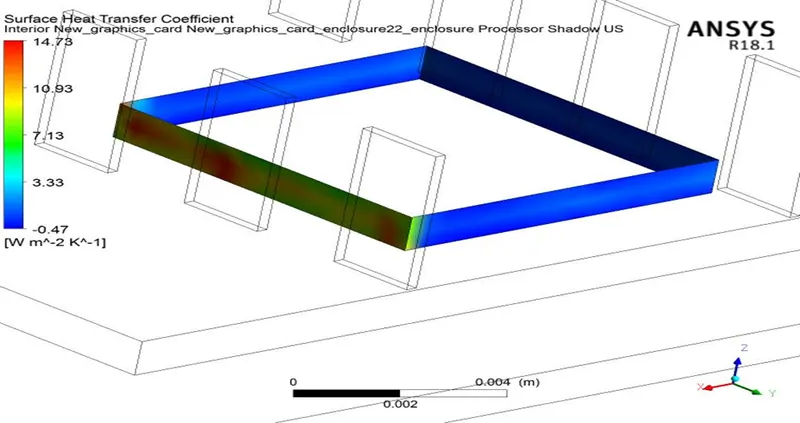
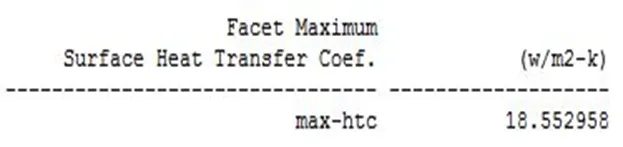
Fig: Maximum Surface HTC of the Processor
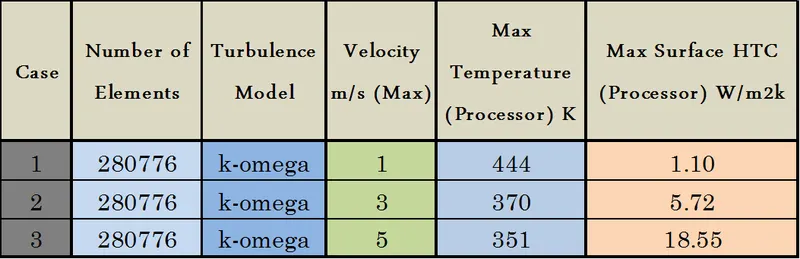
Comparison between all three cases
6. CONCLUSION
- Steady state conjugate heat transfer (CHT) analysis on a graphics card model is done by appropriately choosing the materials for components of a graphics card for different flow velocities of 1, 3, and 5 m/s.
- From the convergence plot we can see that the residual remained more or less constant after 350 iterations and hence can be considered as converged solution in all cases.
- Also in order to capture the temperature and HTC properly, mesh has been refined from the baseline mesh and mesh refinement helps to increase the accuracy of the results.
- It can be understood that the maximum temperature on the processor decreases as the velocity increases and the surface HTC of the processor walls exposed to air increases with increase in velocity.
- Potential hotspots are identified using the temperature contour of all the components of the graphics card.
- It can be seen that the temperature of the fins at the front row is lower than the middle and the last row fins, as the inlet air first cools down the fins at the front. Then the temperature difference between the air and fins at the middle and the last one decrease so the heat transfer also reduces comparatively.
- Velocity and HTC contours clearly shows that maximum heat transfer increases with higher velocities which results in decreases in maximum temperature on the processor.
- So it can be concluded that higher inlet velocity helps in better cooling and thus helps to keep the graphics card and its components safe. Hence the results are in good agreement and the underlying physics is visible clearly.
7. REFERENCES
- https://www.simscale.com/docs/analysis-types/conjugate-heat-transfer-analysis/
- https://www.twistedtraces.com/blog/3-main-types-pcb-materials
- https://www.techspot.com/article/1988-anatomy-graphics-card/
- https://www.quora.com/What-are-the-raw-materials-used-in-making-a-graphics-card-for-a-PC
- https://www.researchgate.net/post/what_is_difference_between_surface_heat_transfer_coefficient_and_wallfunction_heat_transfer_coefficient
- http://www.webbusterz.org/wp-content/uploads/2018/01/heat_transfer_through_a_pipe_wall-1.jpg
- https://www.youtube.com/watch?v=fJDYtEGMgzs&ab_channel=FluidMechanics101
- https://www.youtube.com/watch?v=ygR31_vhvJI&t=524s&ab_channel=FluidMechanics101
- https://www.youtube.com/watch?v=PuTl98d0iZ0&t=1210s&ab_channel=FluidMechanics101
- https://en.wikipedia.org/wiki/Heat_transfer_coefficient