SHELL MESH ON BOTTLE CAP
AIM:-
Performing shell mesh for bottle cap by maintaining quality, and clean the geometry without any errors before meshing
procedure:-
- We need to import the model
- we need to perform topo operation for the complete model
- we need to check geometry and cleanup the geometrical error
- Extract the mid surface for every feature and set in different property id by assigning thickness
- Setup the mesh parameters and set up the quality criteria
- Then mesh the component one by one by remove quality errors and maintaining a good quality of the mesh
BODY CONTENT:-
GEOMETRY CHECKS
- After importing the model, then we need to use topo operation to clean up the geometry
topo module → faces → topo → select model → enter/middle mouse click
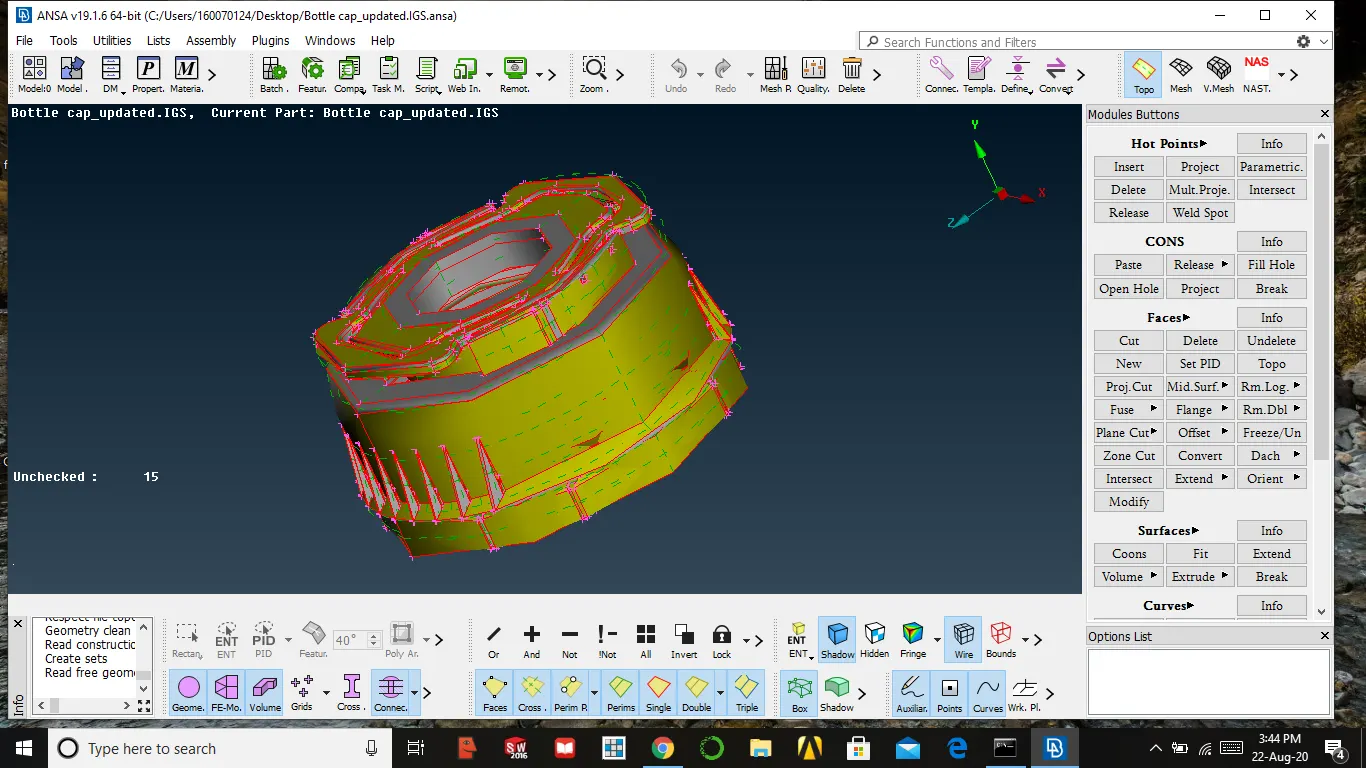
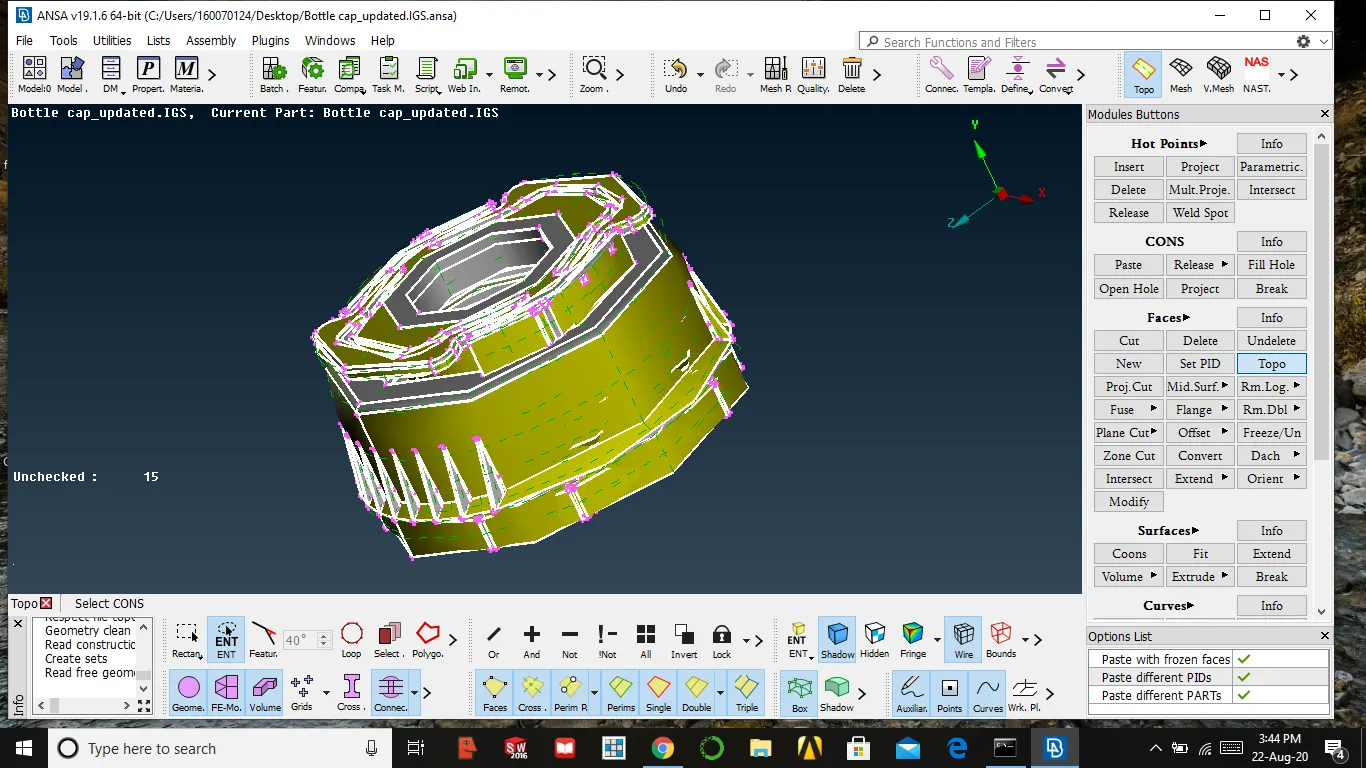
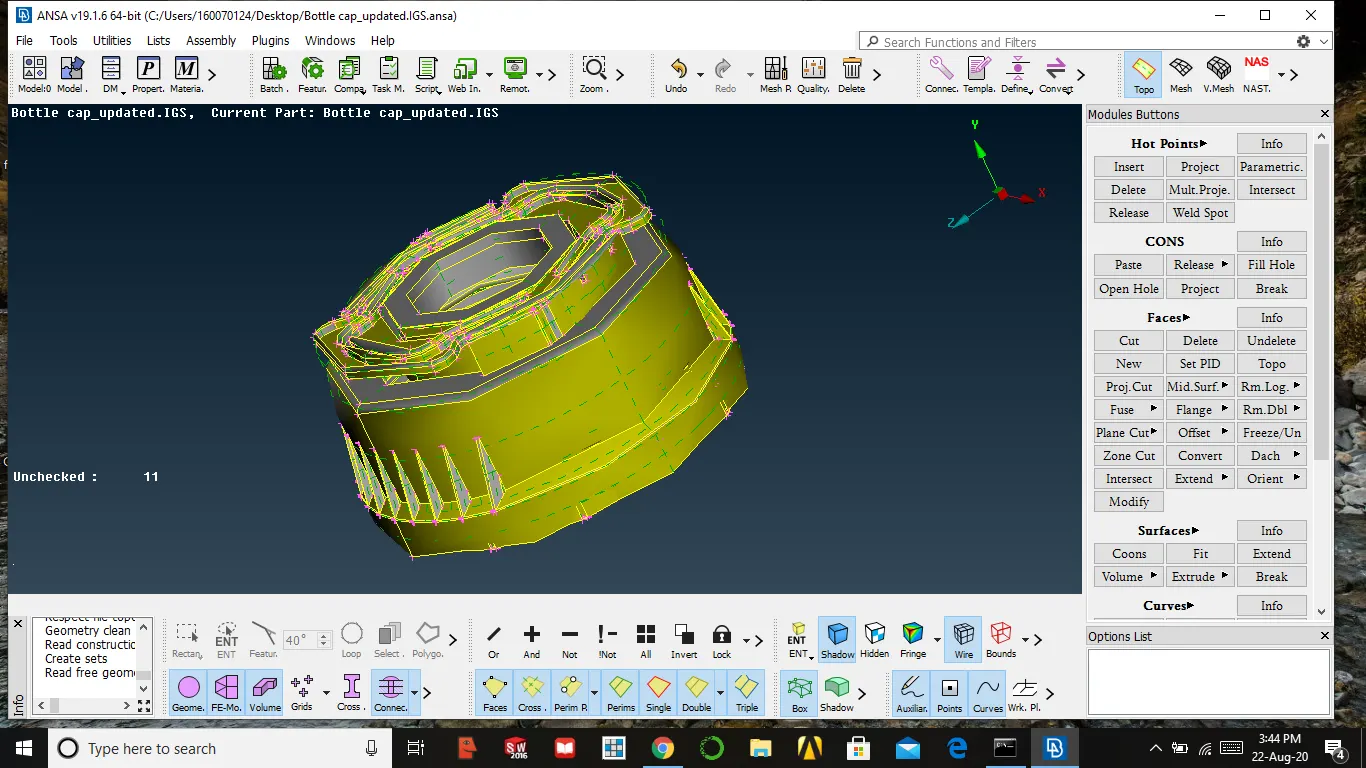
- Then after check the geometry by using geometry checks option in the tool
- Select all entities and the press execute, then it might show some errors
- Se must clean up those errors by using auto fix or manually
tools/toolbar → checks → geometry → all entities → execute
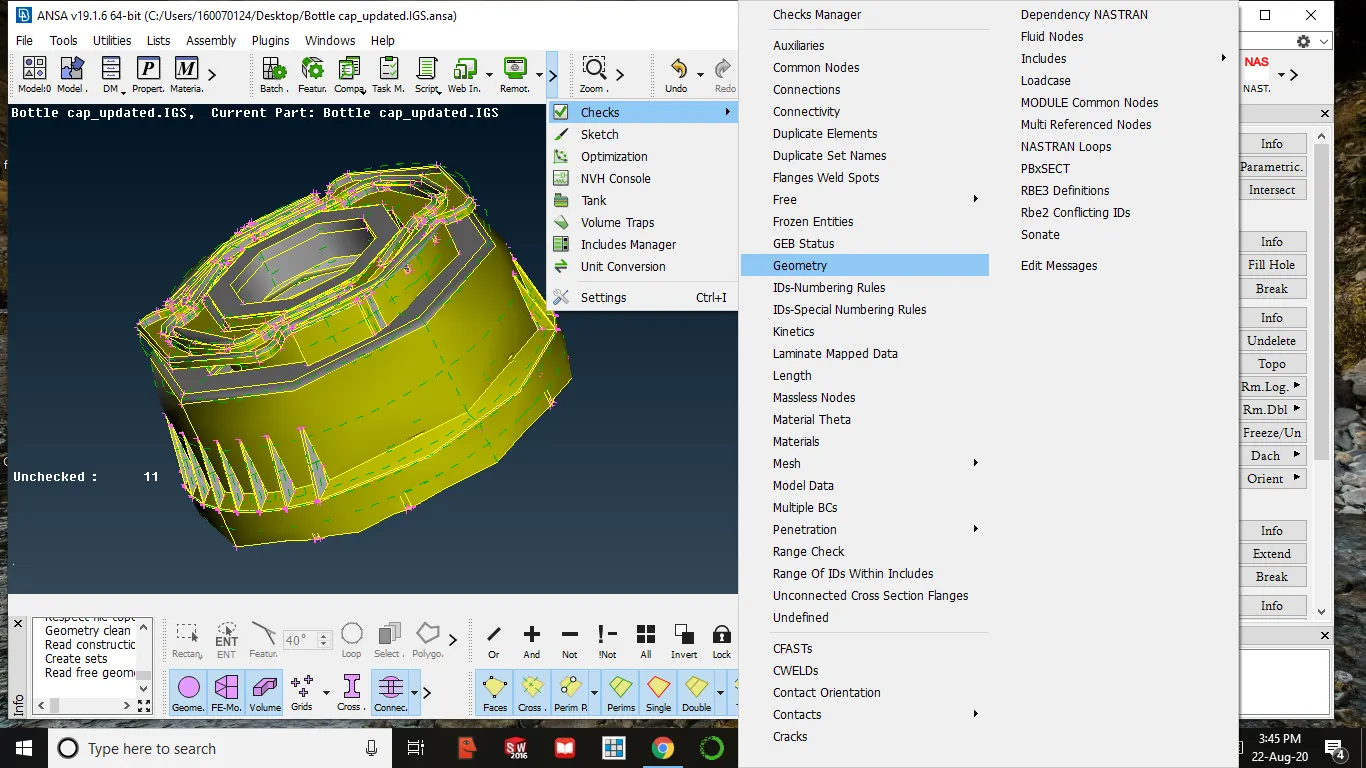
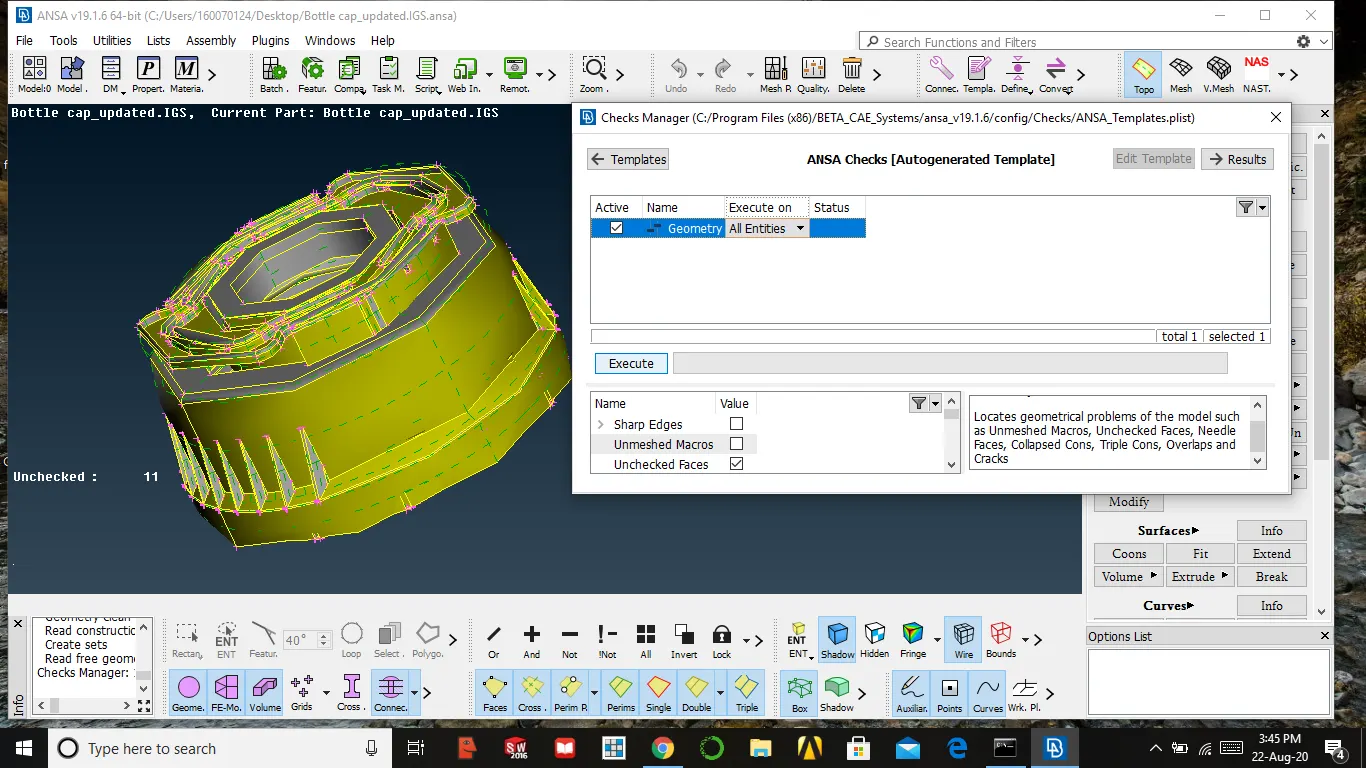
- If no error occurs we can proceed for further steps,if-else we need to fix the errors
- ANSA fix the error automatically otherwise we need to fix it manually
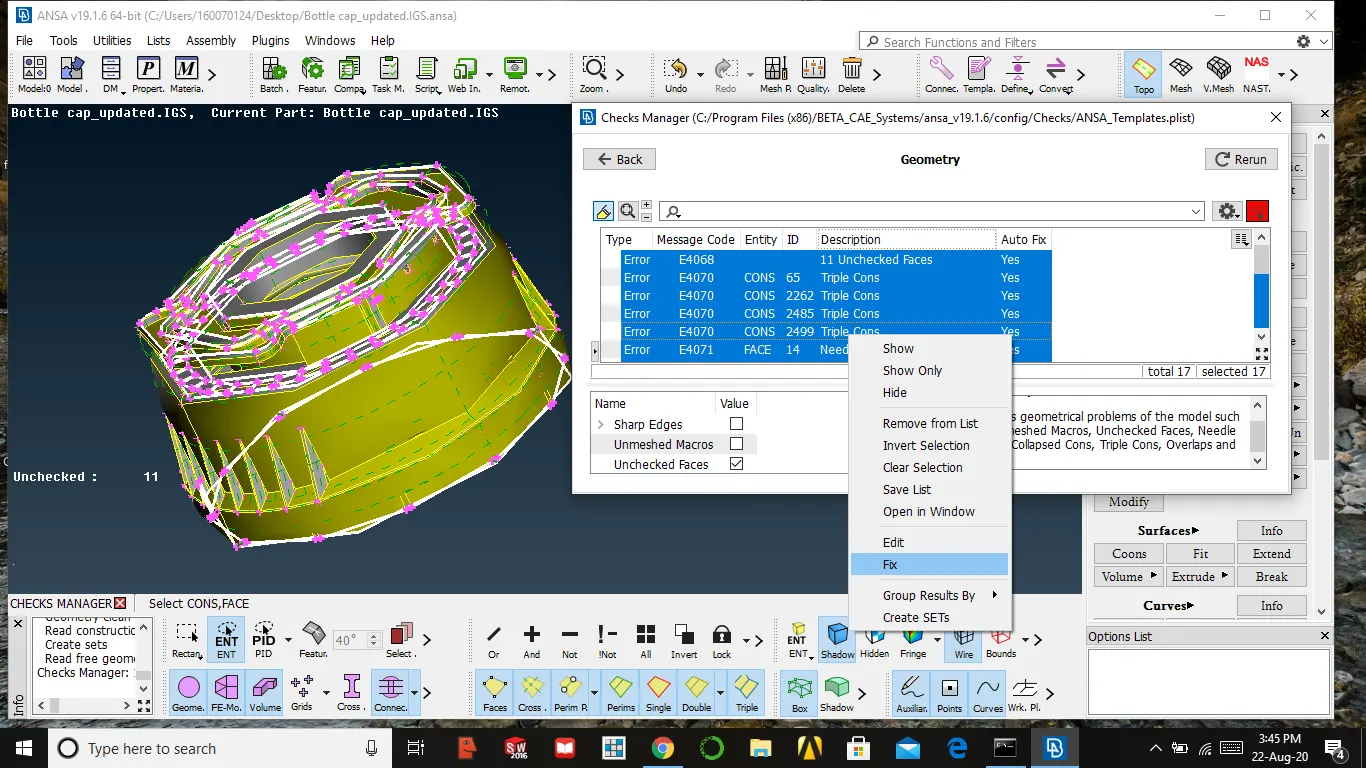
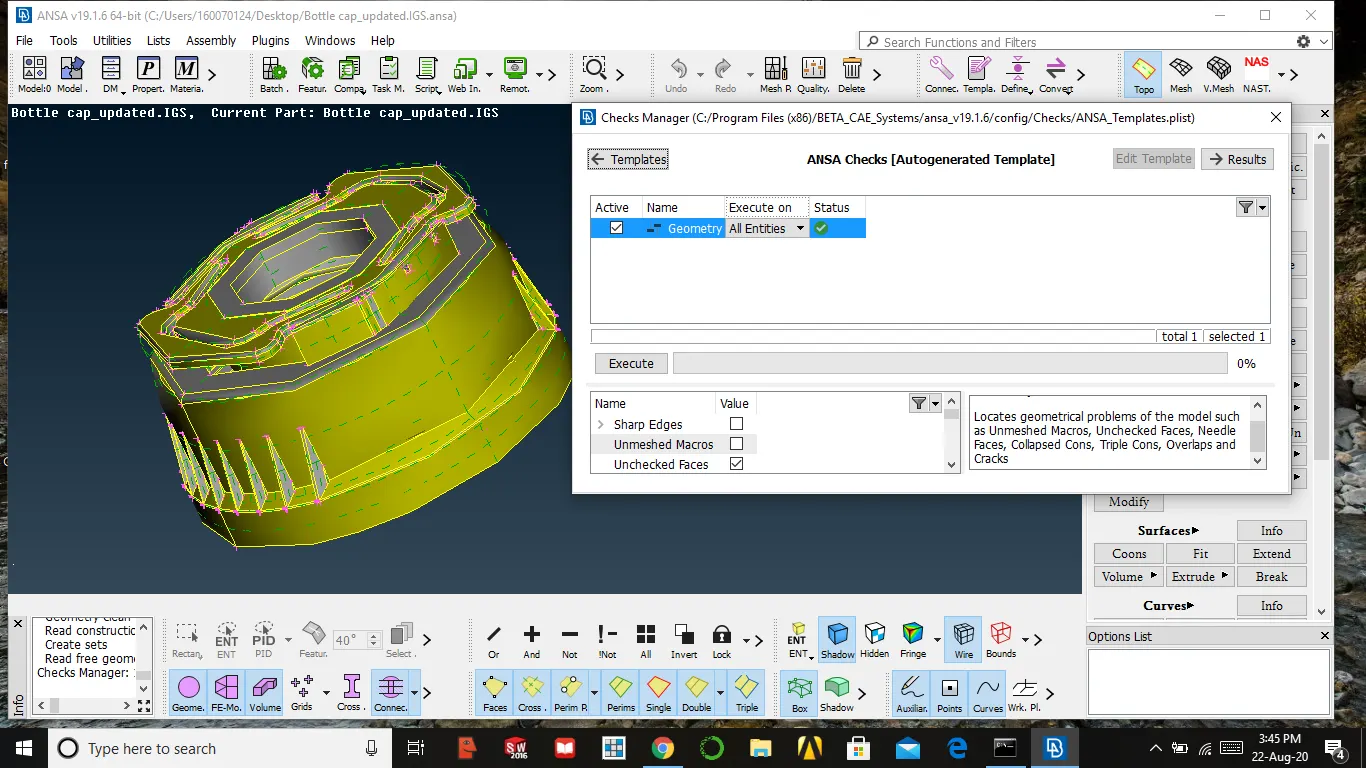
EXTRACTING MID-SURFACE
There are many ways to extract mid-surface some of them are by using middle, offset in faces and middle curve for complex shapes
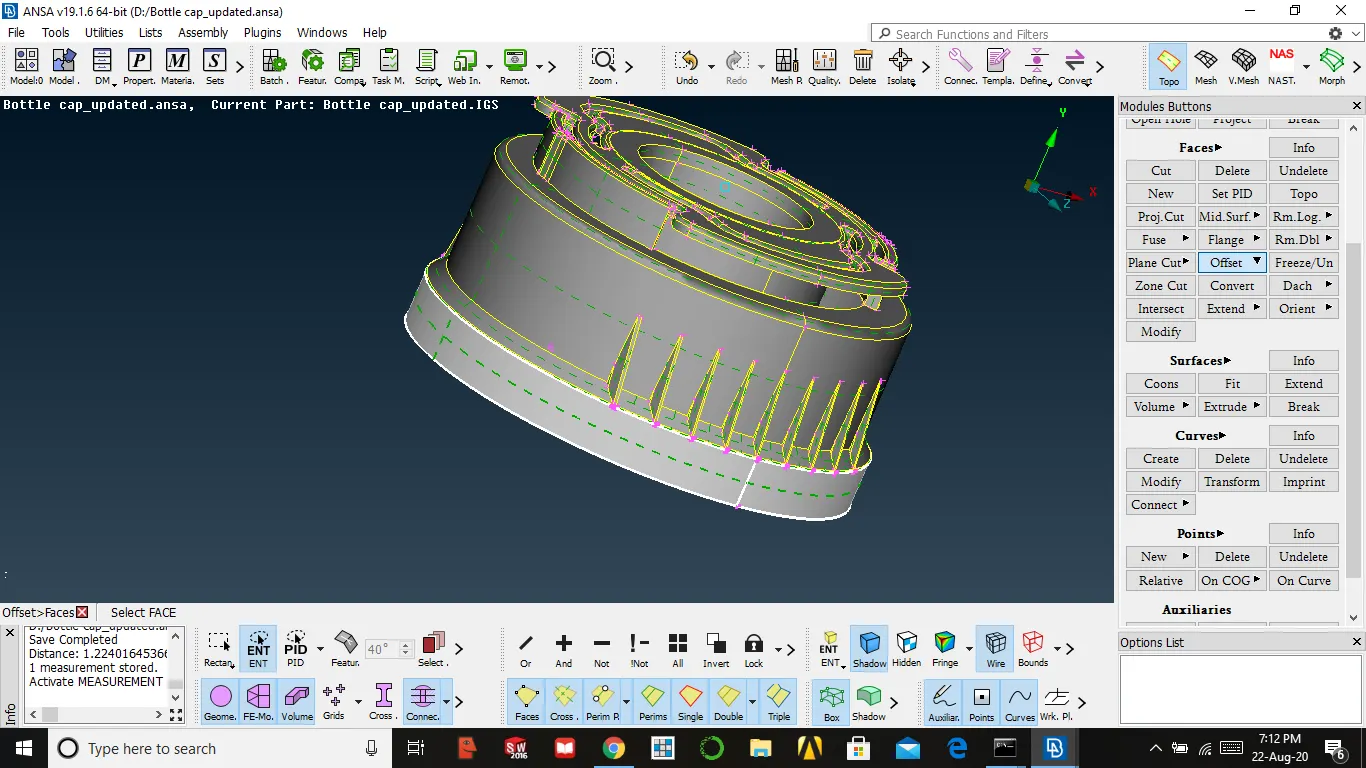
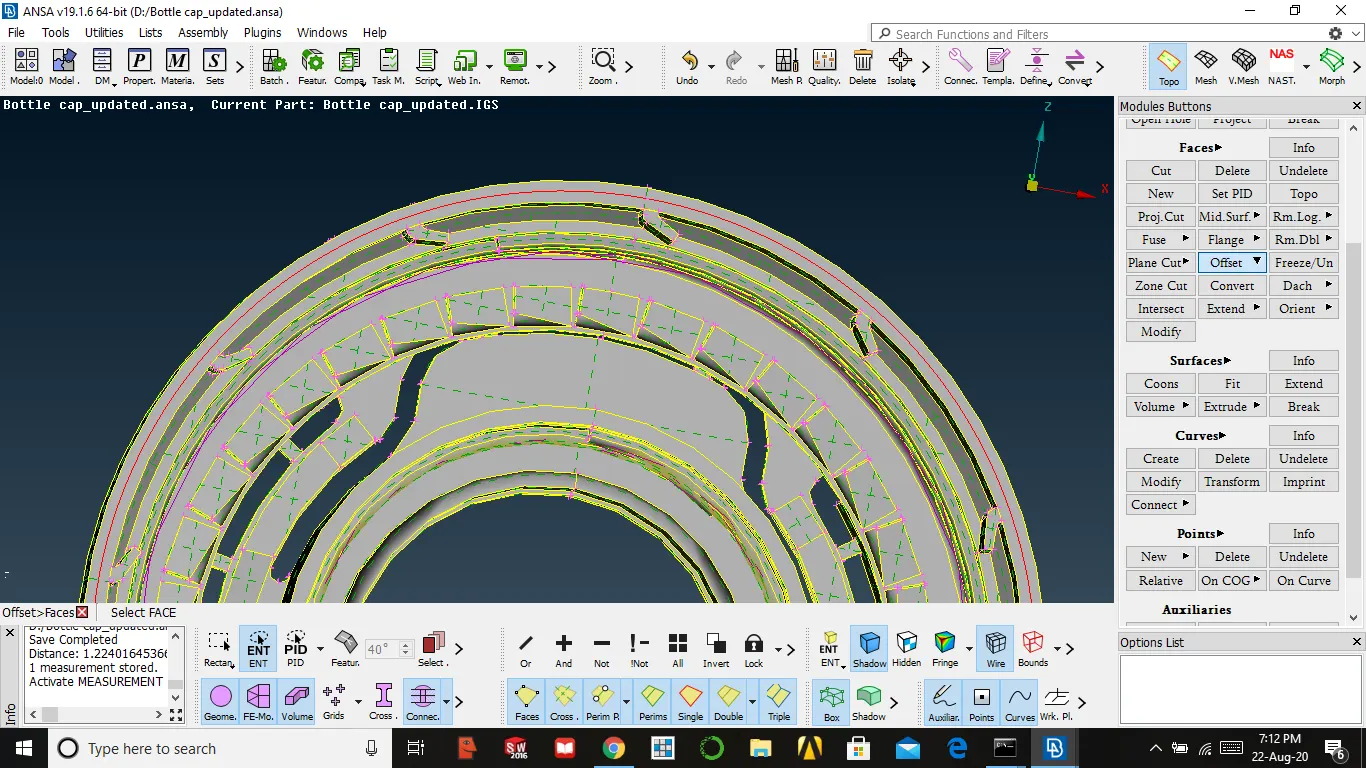
- We use offset for surface majorly flat and having constant thickness
OFFSET THE SURFACE
- Measure the thickness → then select offset in faces → select the faces to be offset → give the value of the thickness → middle mouse
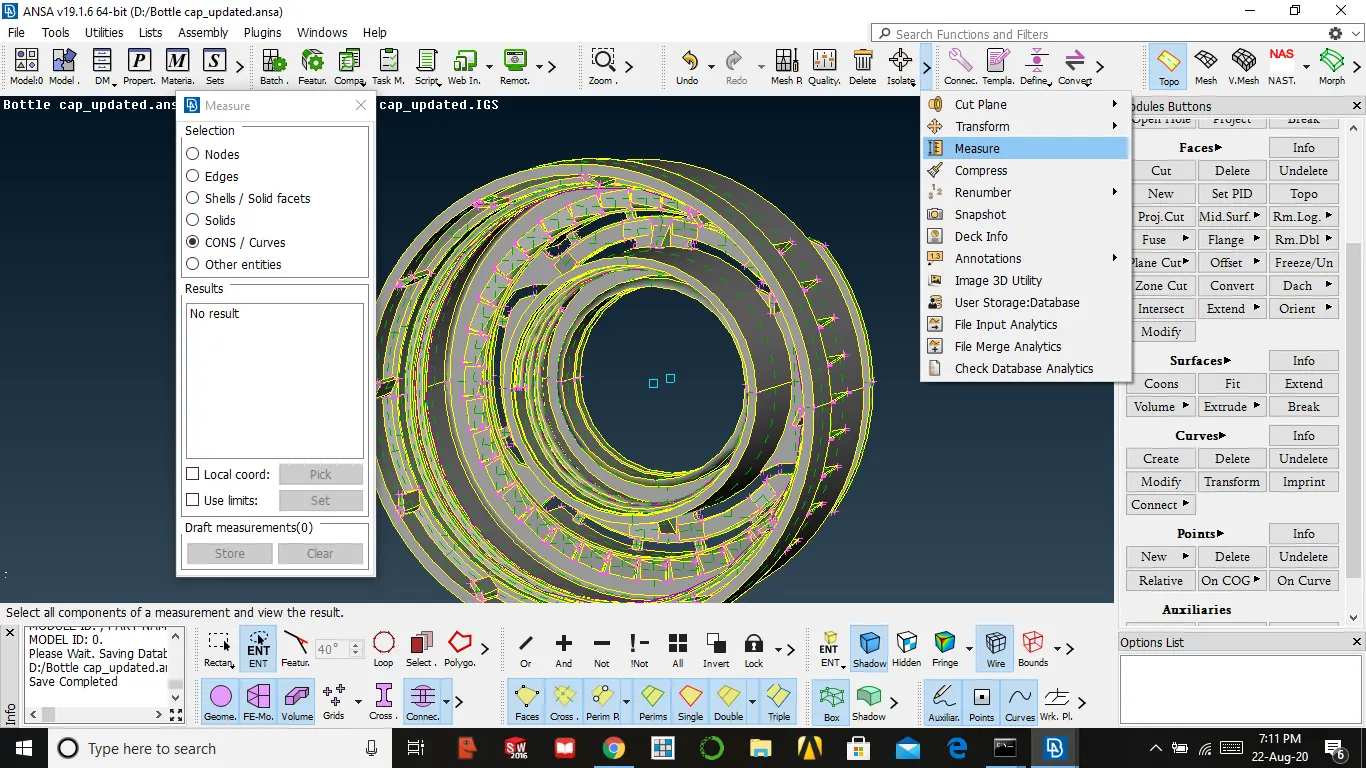
MIDDLE THE SURFACE
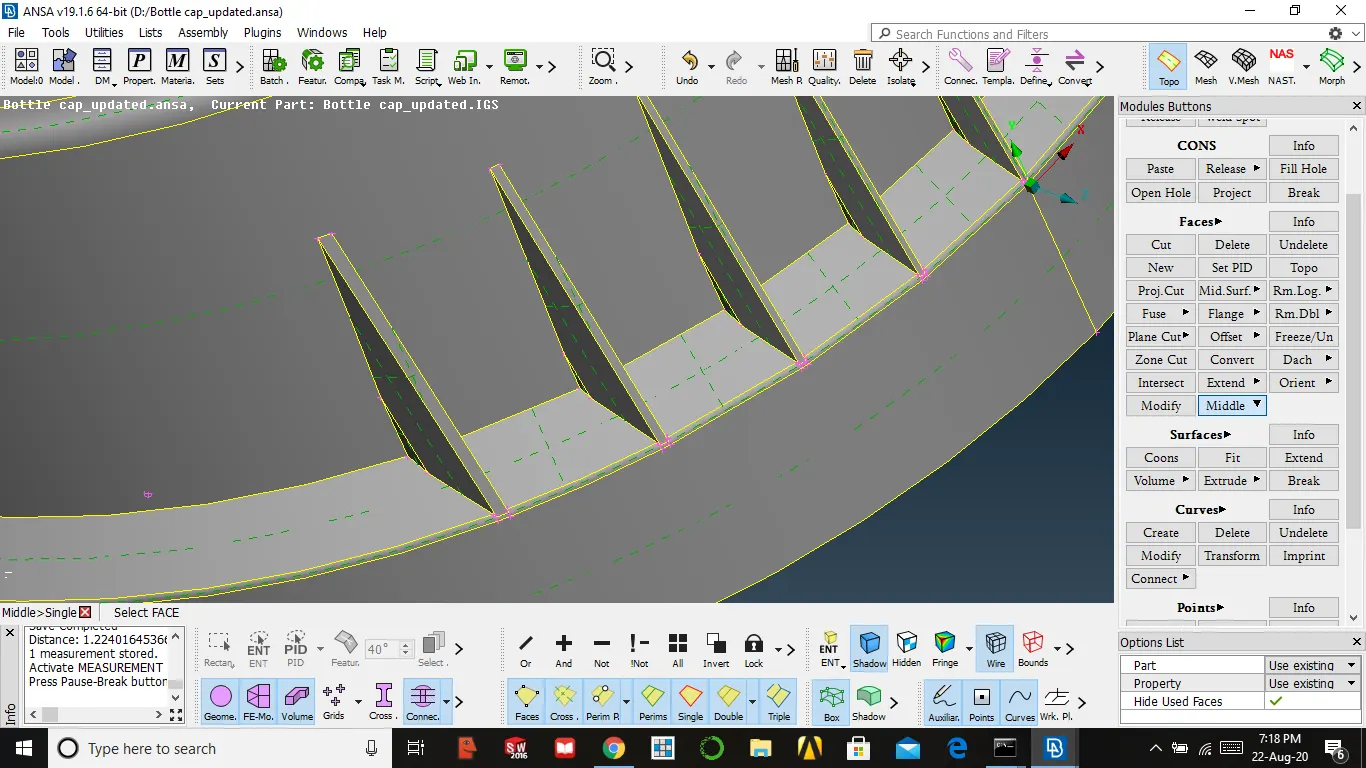
- This method is used for symmetrical variable thickness parts and symmetrical parts also
face → middle → select two symmetrical surfaces it automatically produces mid surfaces → press yes
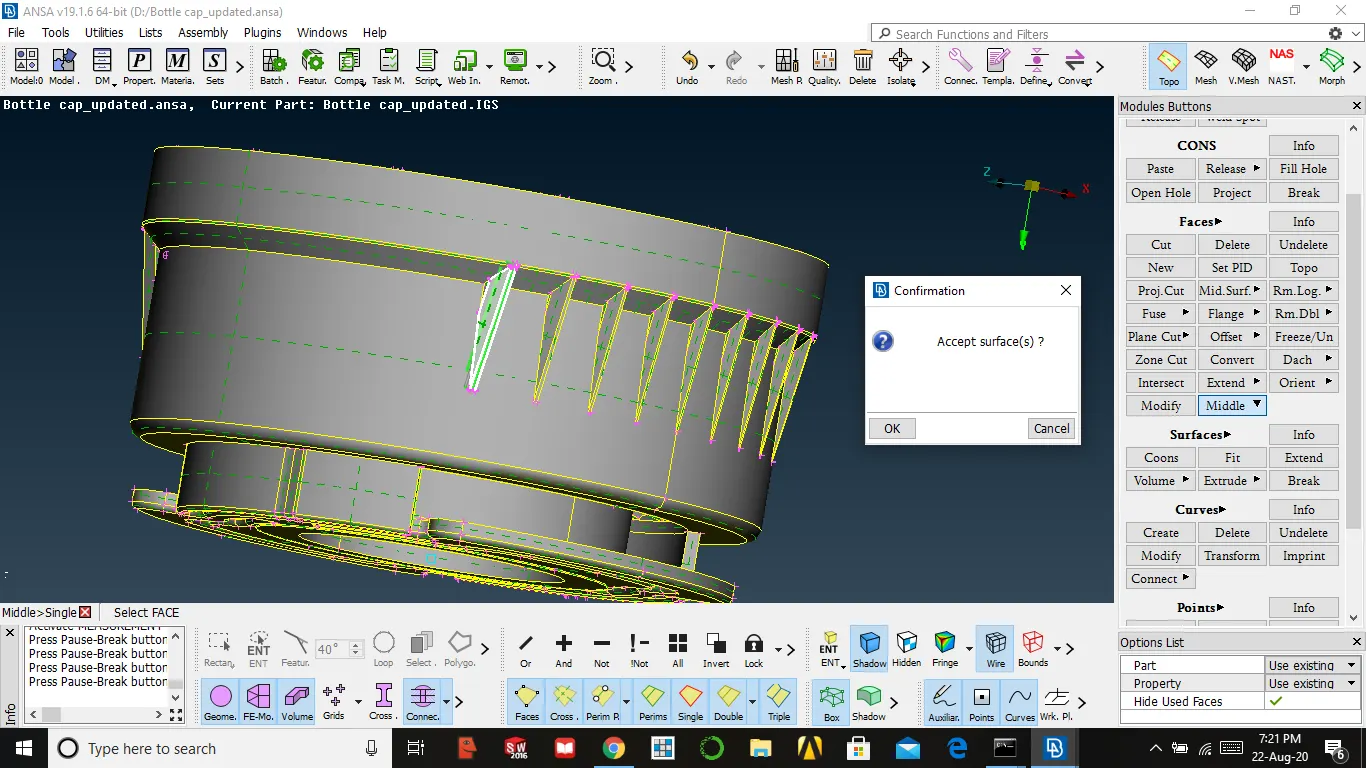
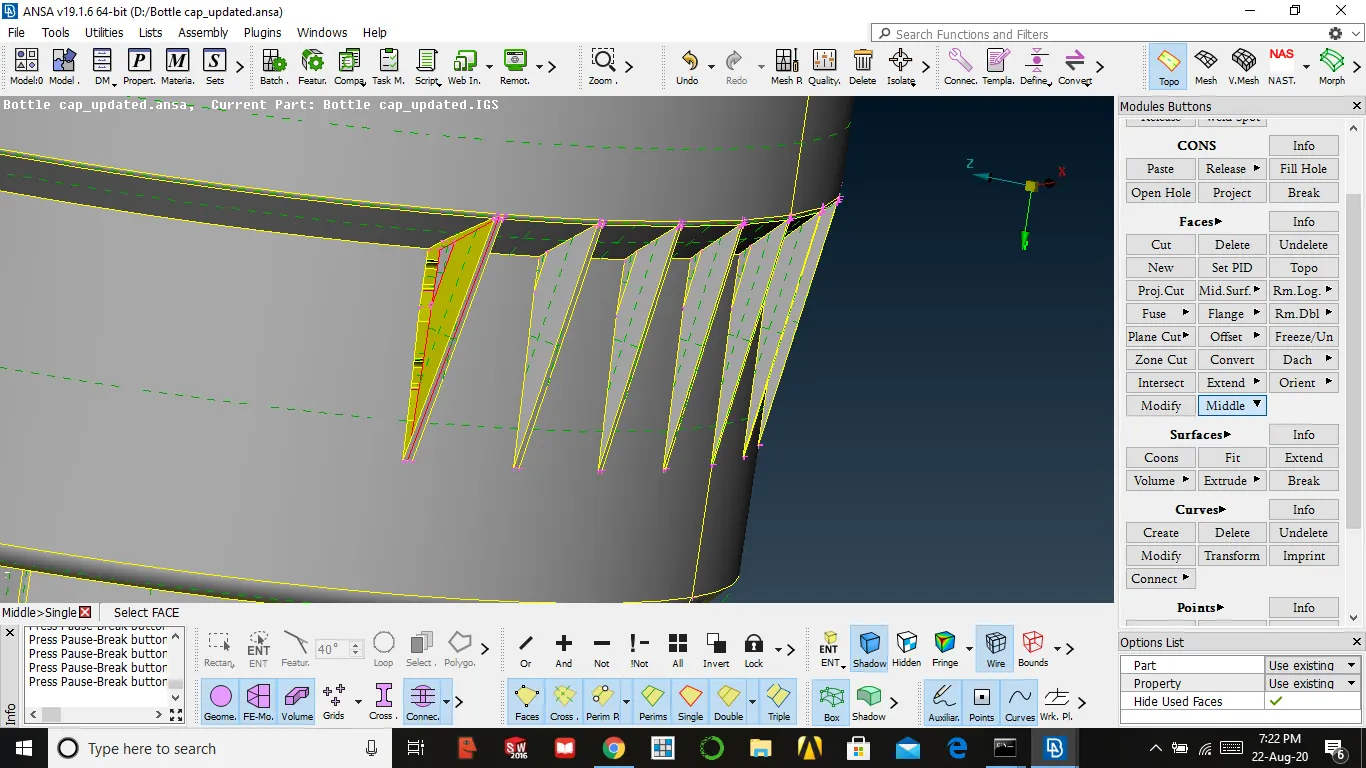
2. After doing middle the surface gets inverted by pressing all we bring back
MID-SURFACE USING CURVES
- This method used for complex parts with variable thickness
- In this, we will extract the middle curve and we need to form a new surface
curves → middle → select one con → enter/middle mouse → select other con → enter/middle mouse
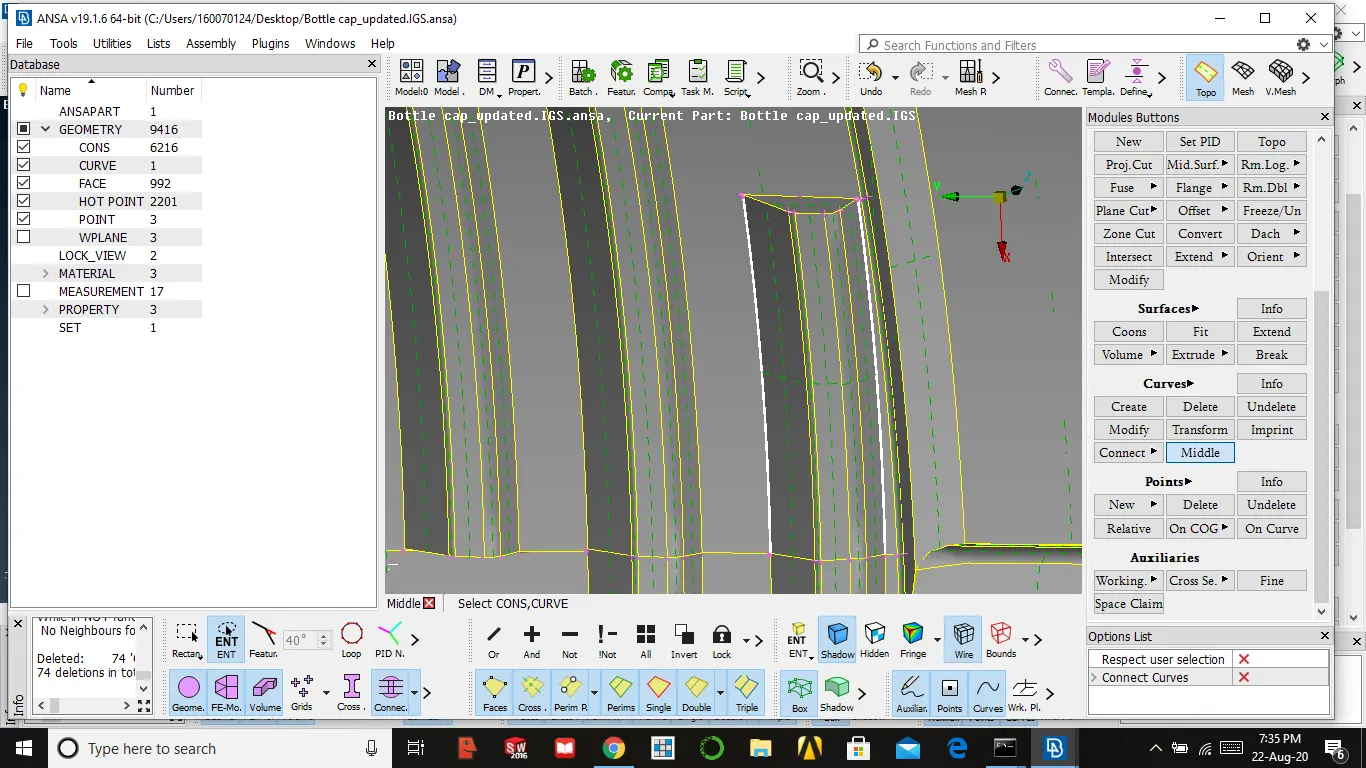
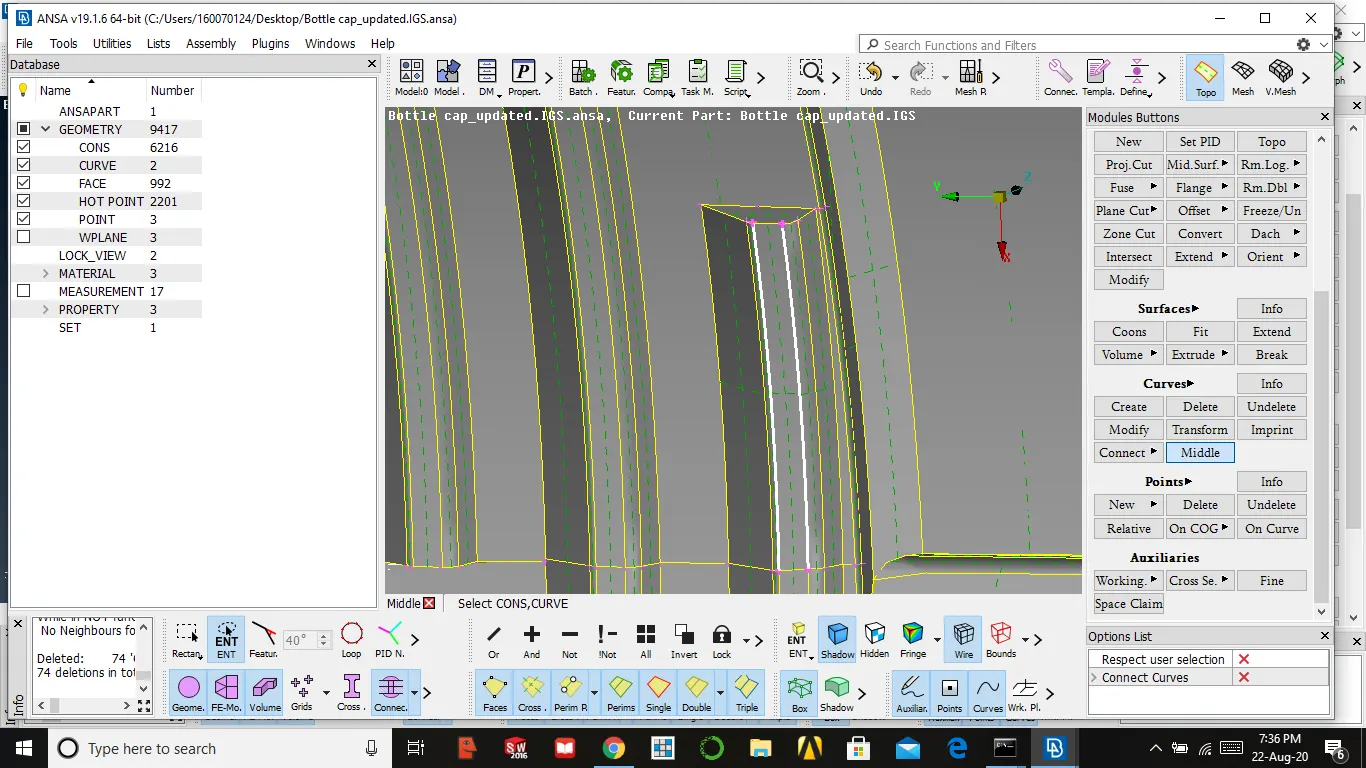
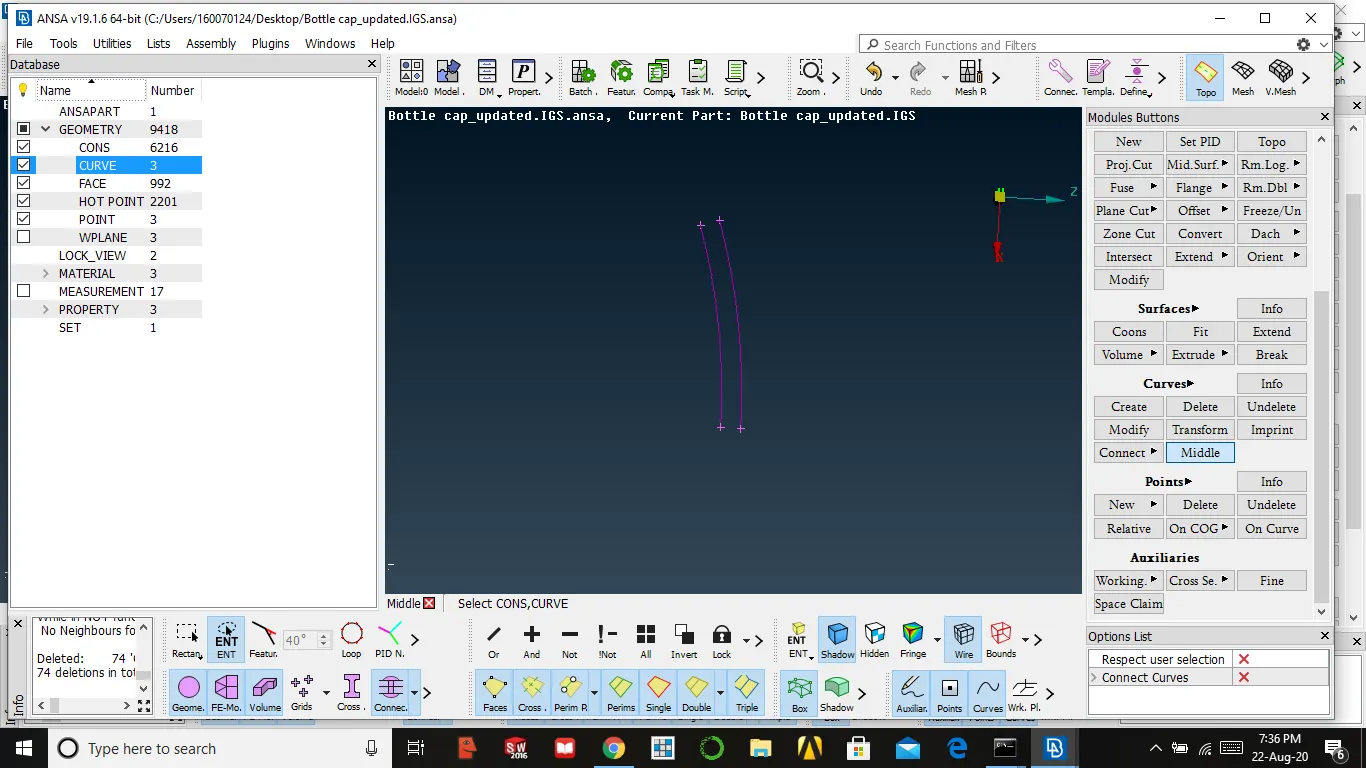
3. After generating the curves we need to create a new surface by using curves
faces → new → cons → select both curves at a time w.r.t hot points → ok
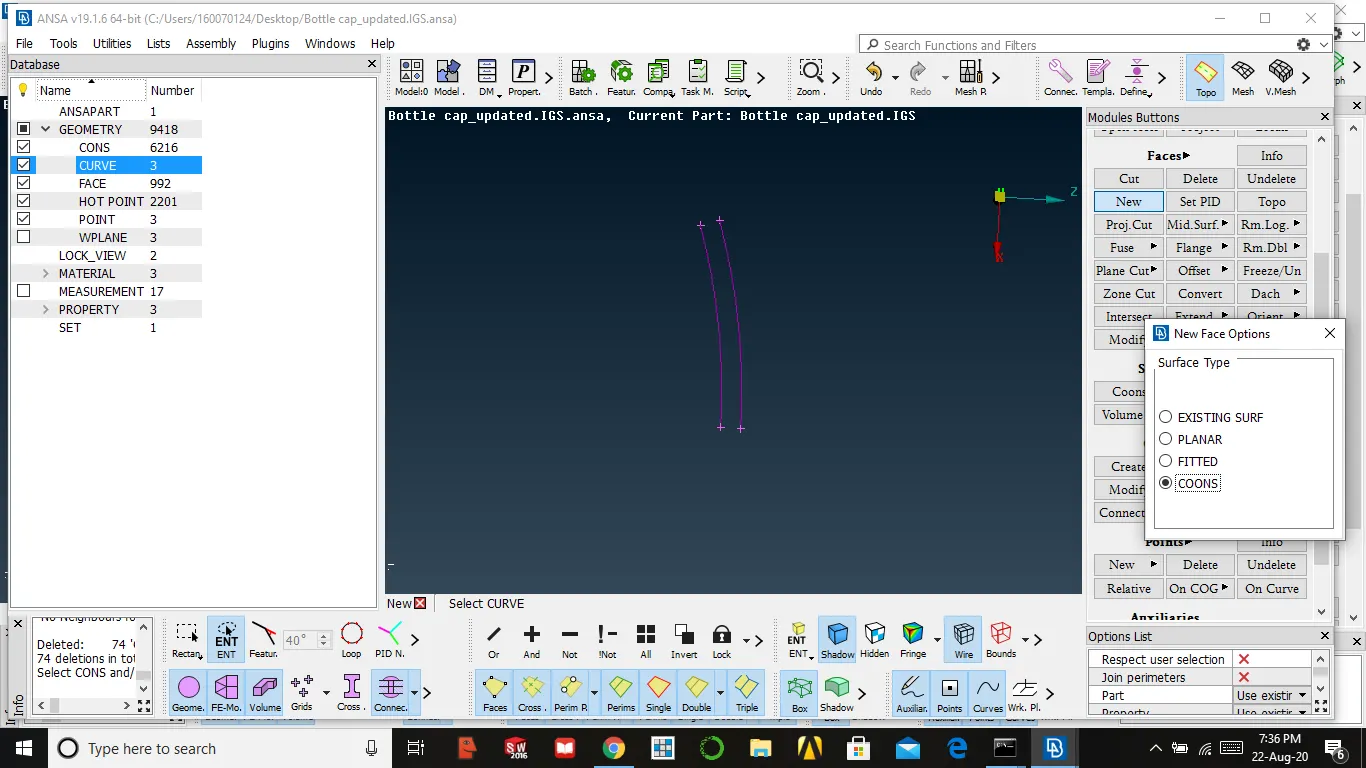
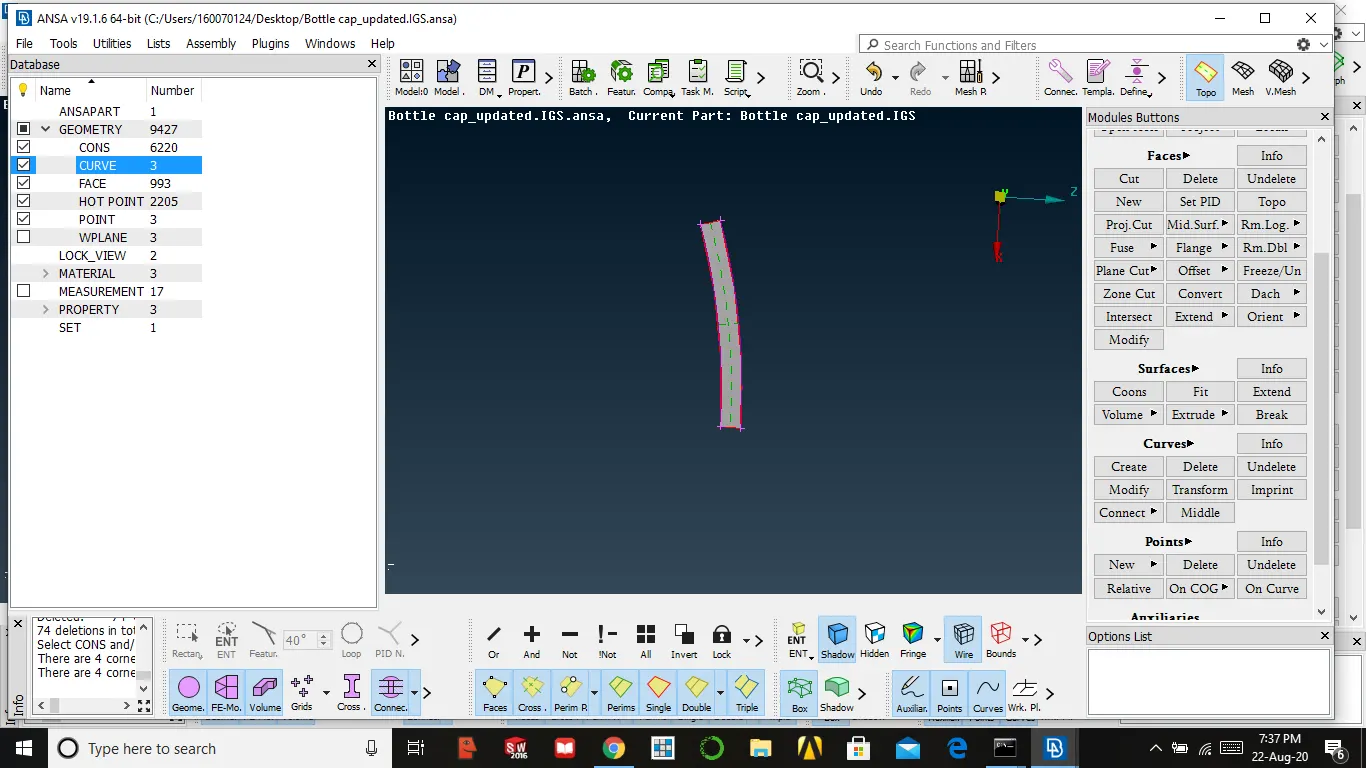
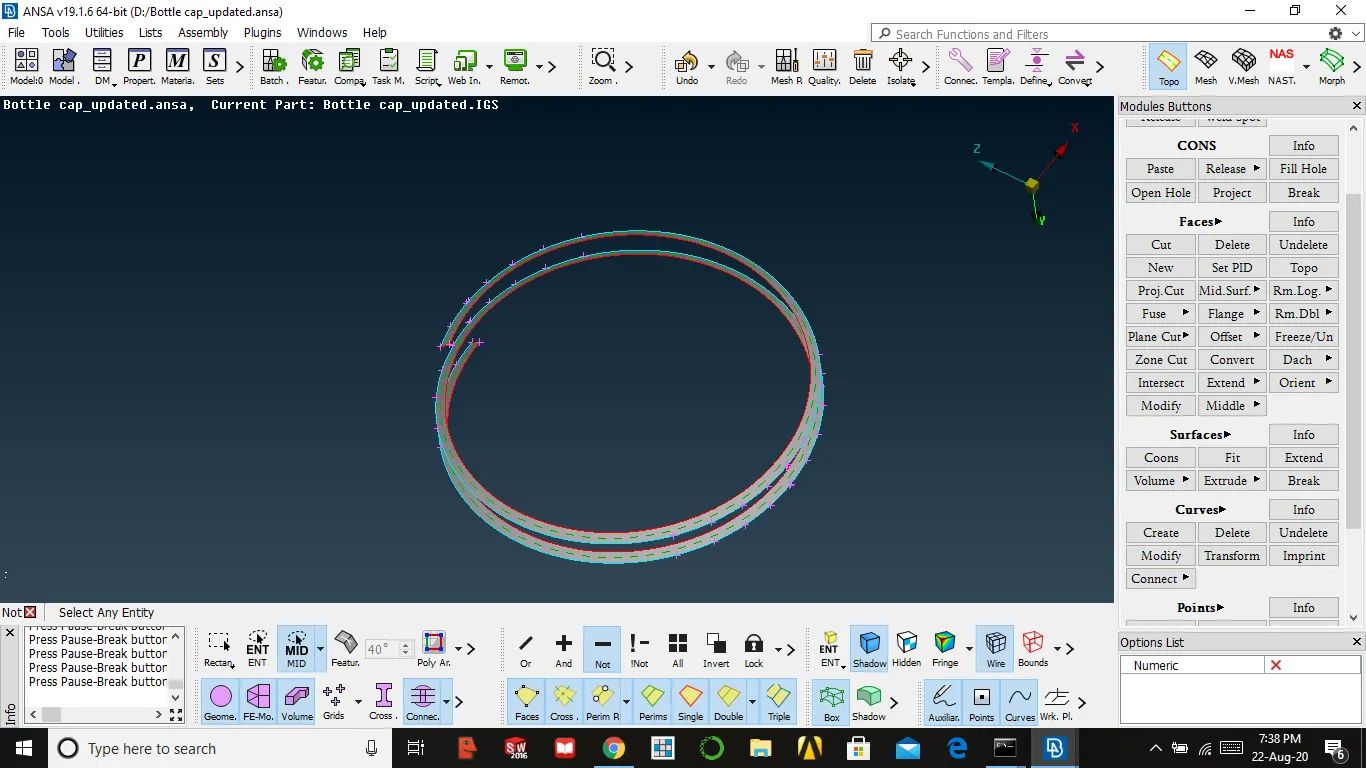
4. In this format, we had extracted mid surface for the whole thread
MAKING CONNECTION BETWEEN MID SURFACES
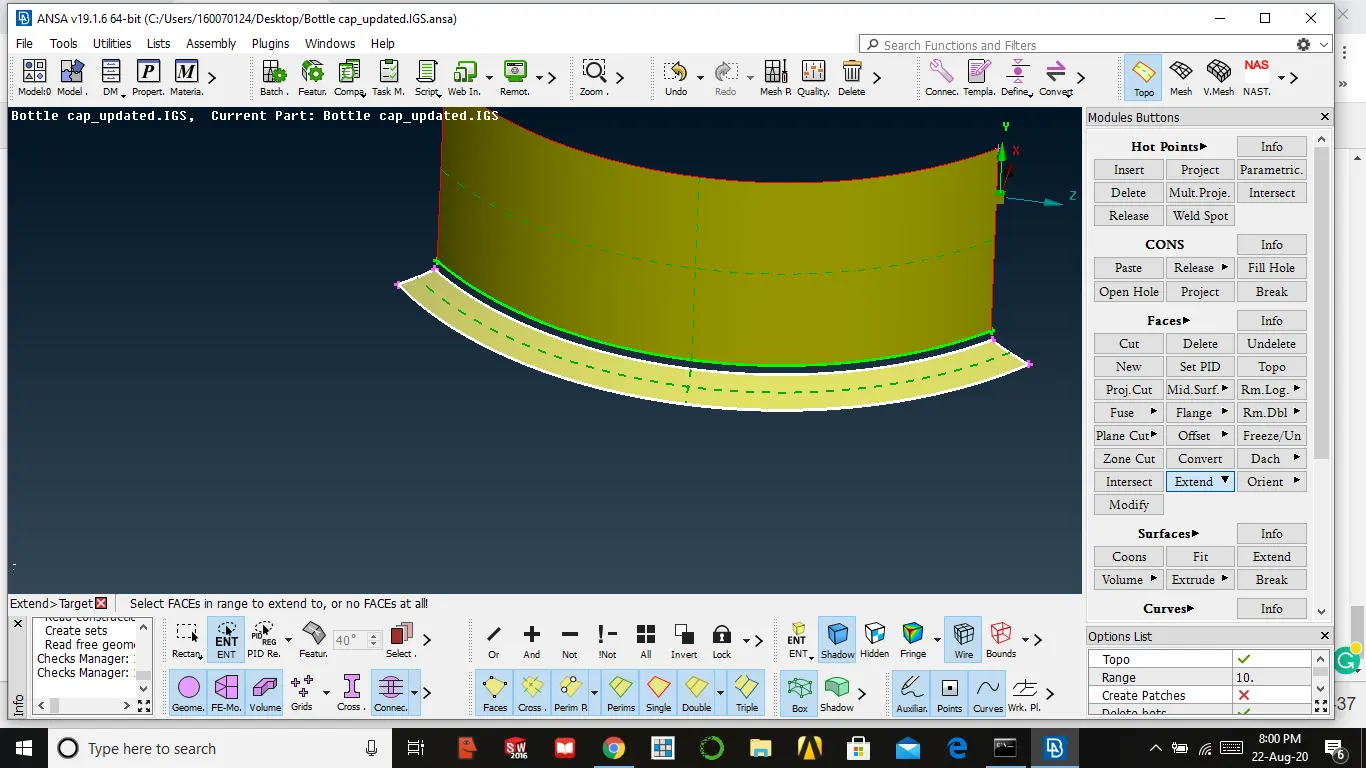
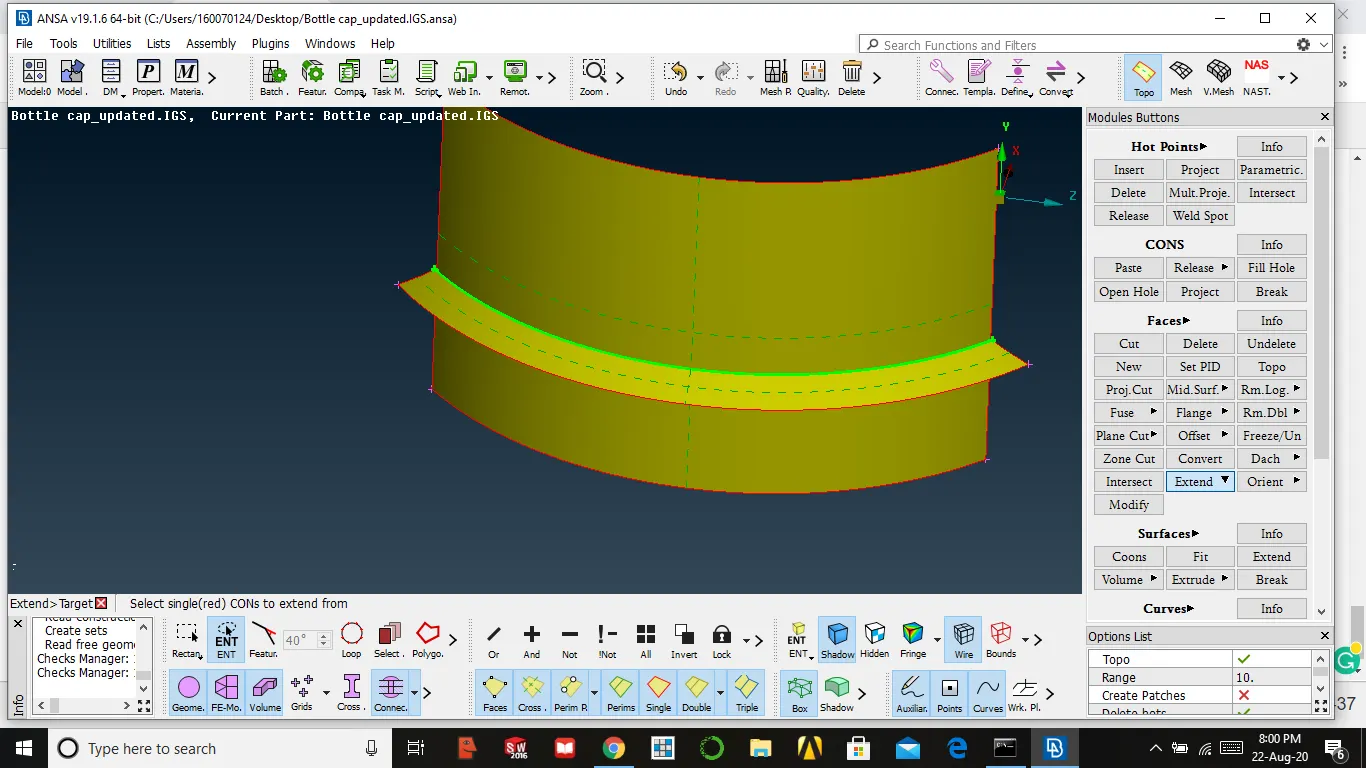
5. After extract mid-surface for all features, we need to connect with each other
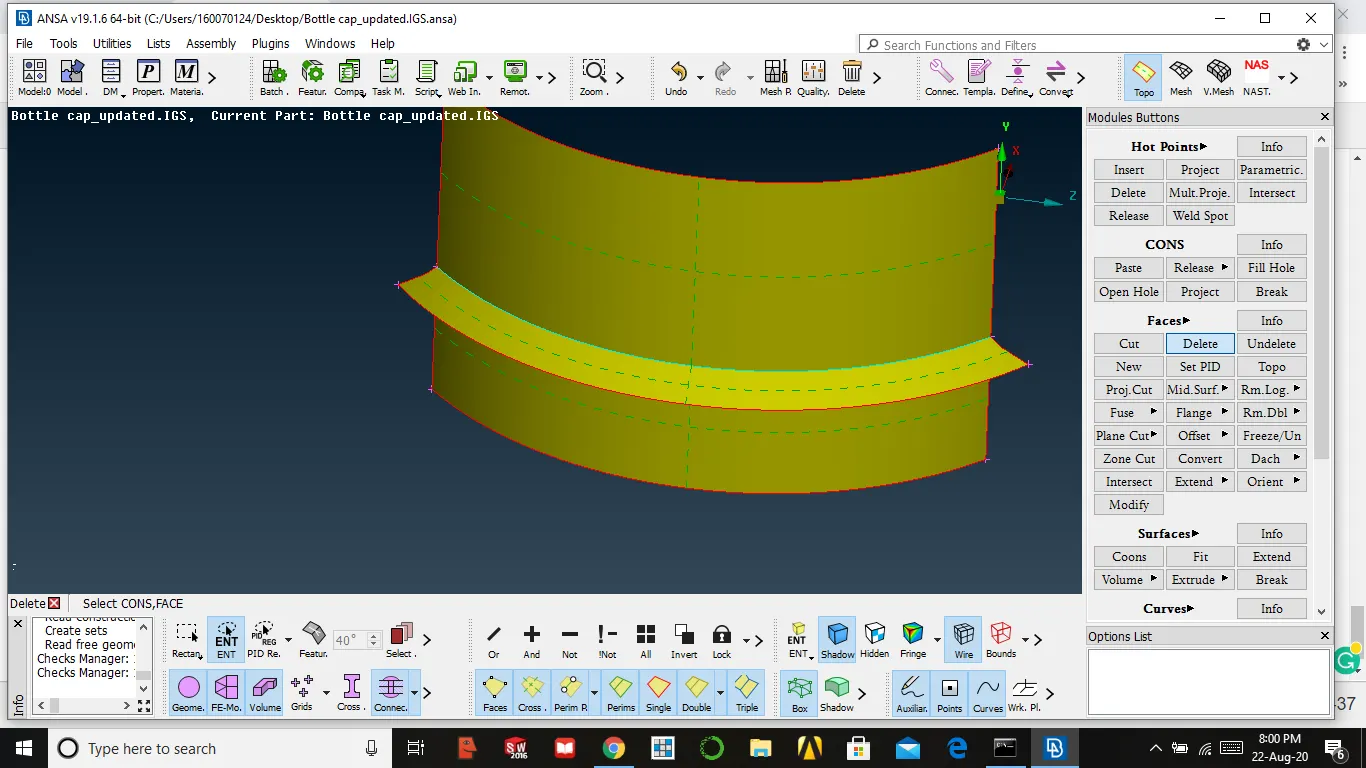
faces → select the surface to be extended → and select the surface limit → enter
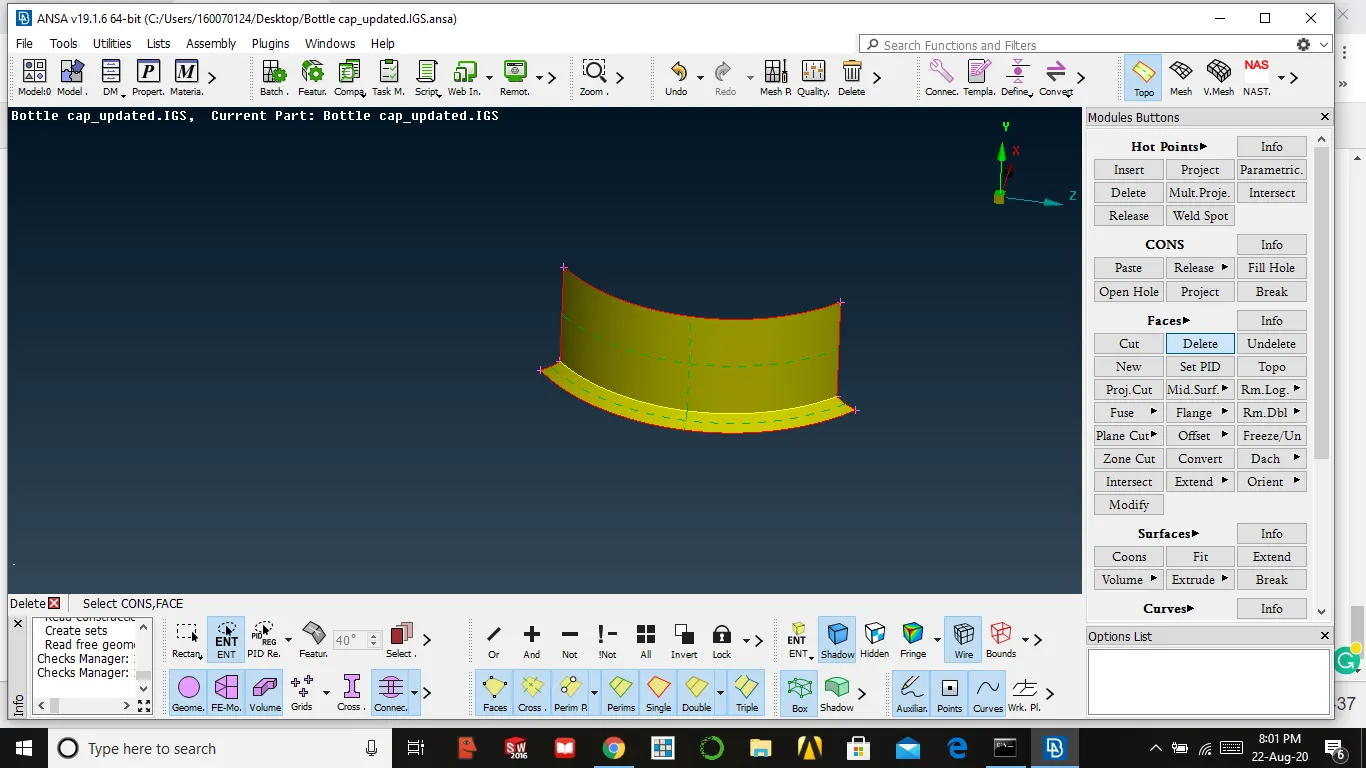
face → delete ( delete unnecessary faces
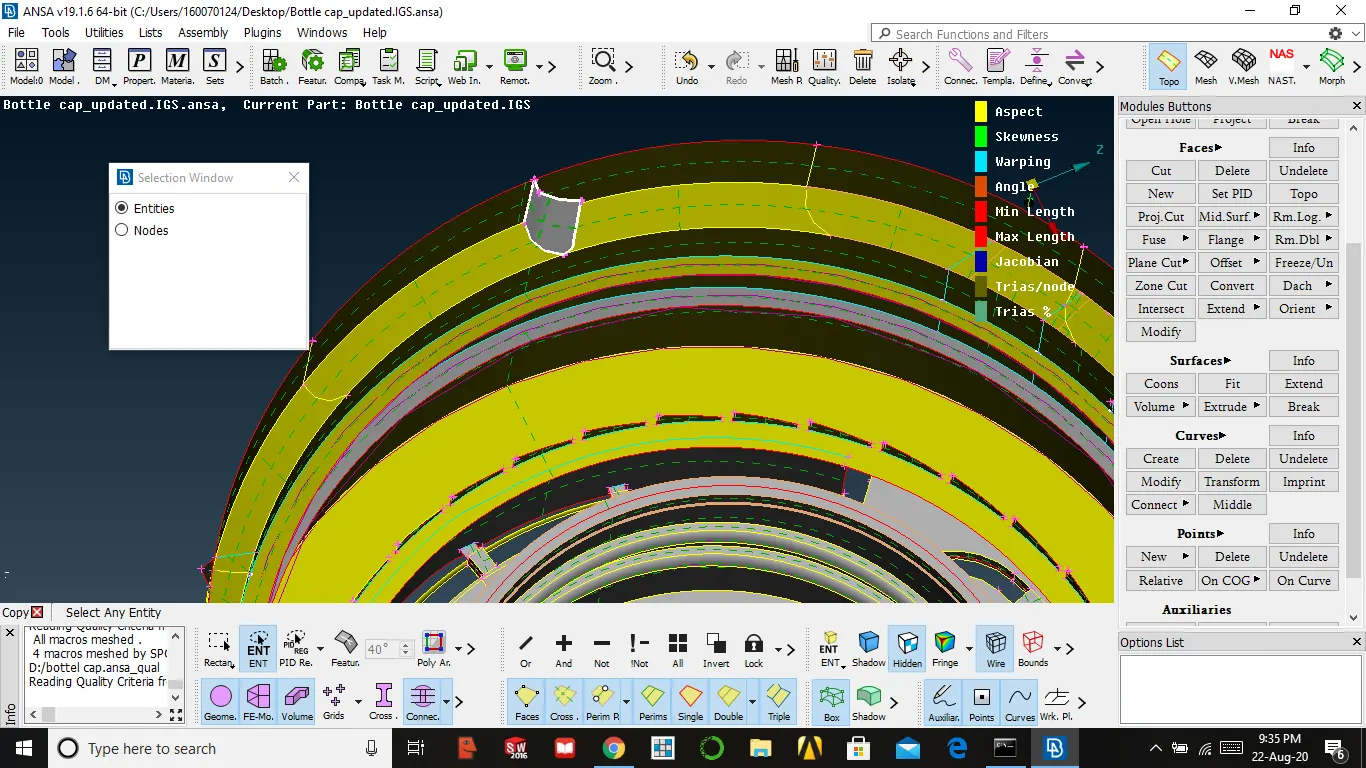
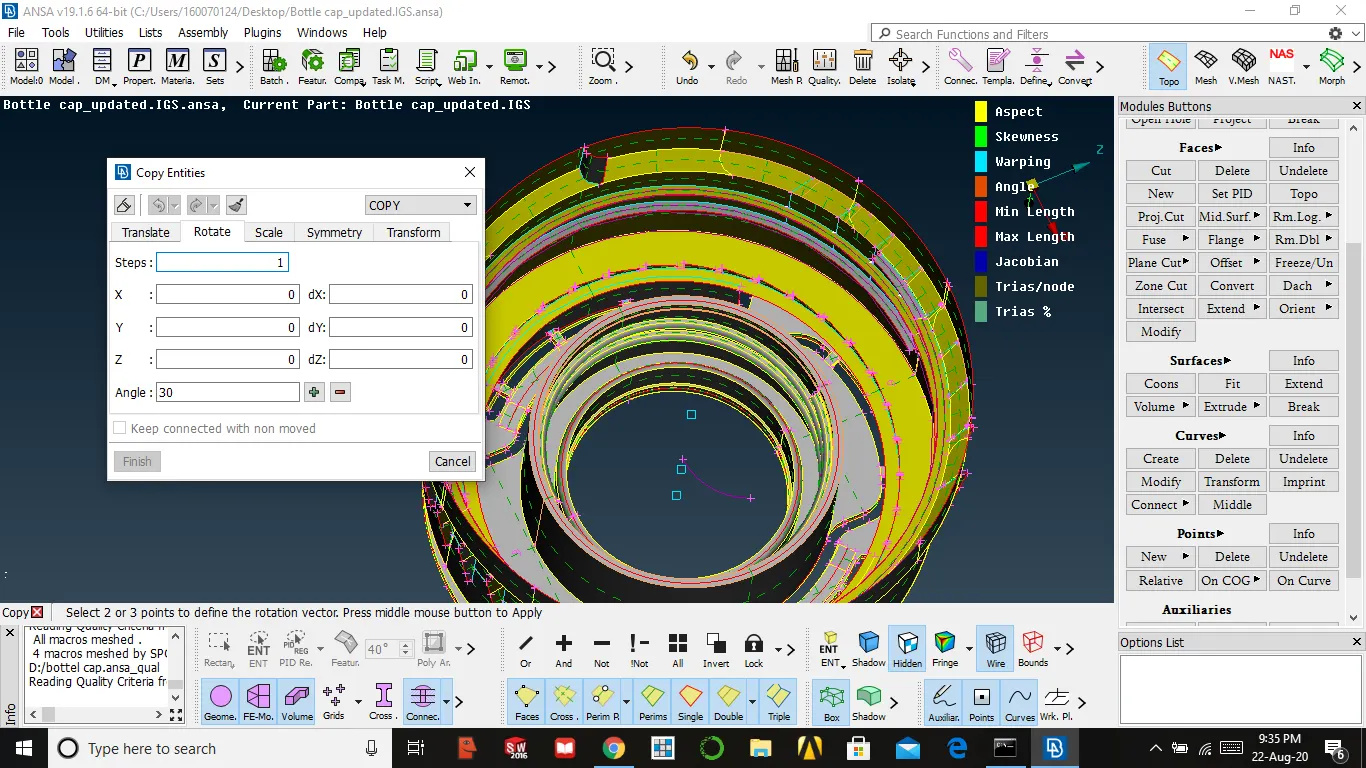
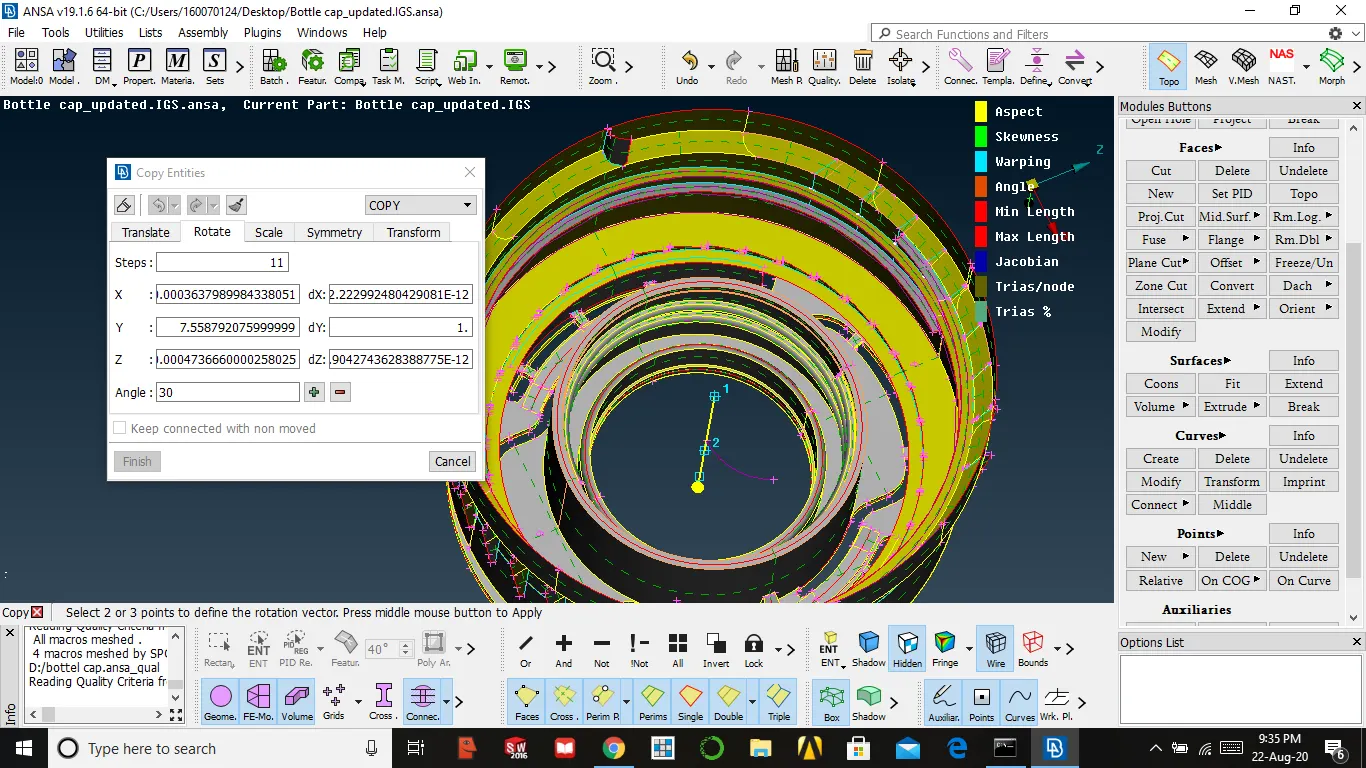
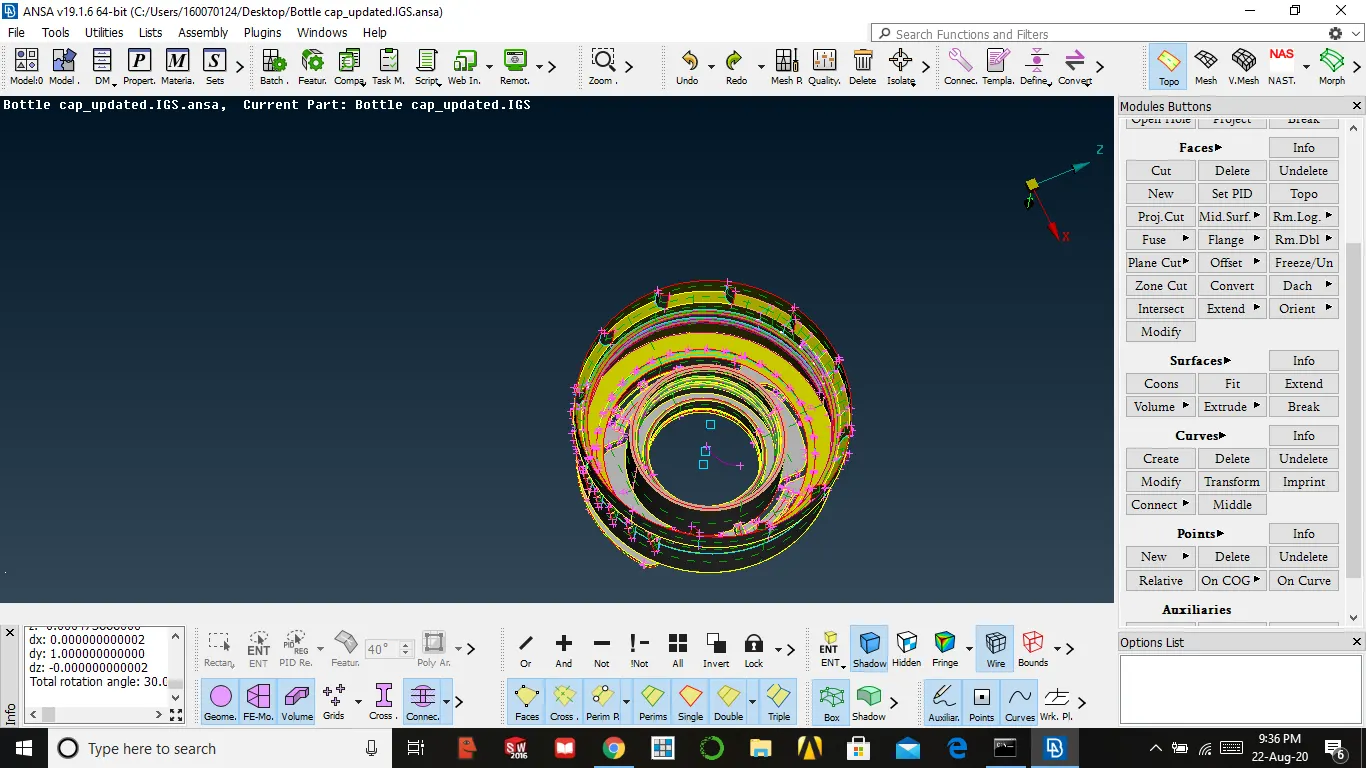
ROTATE COMMAND
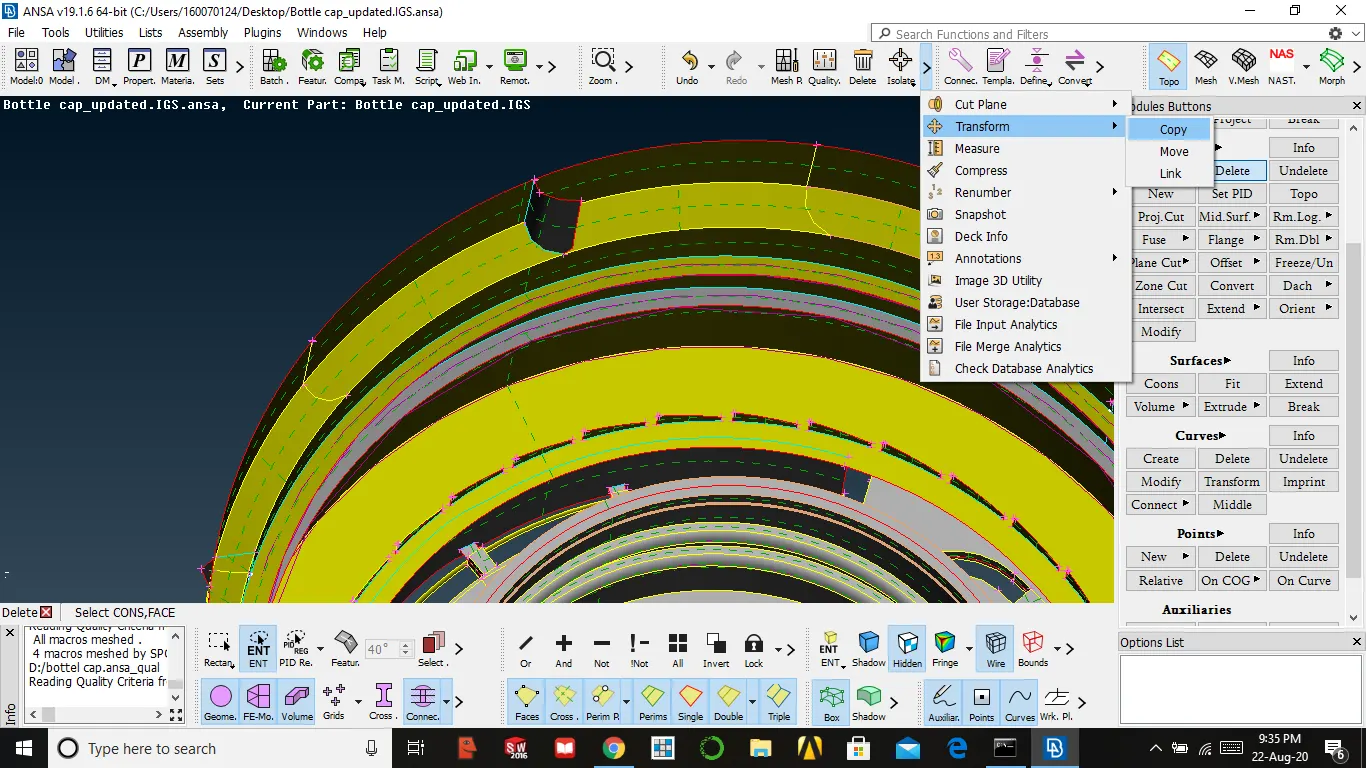
- By taking mid for one surface by using rotate we take mid for other surfaces which lie in the format of circle
utilities → transform → copy → select surface → select rotate → set step value( no of surfaces need to rotate ) → select centre points of the circle → apply → ok
NOTE:
- After doing mid and extend for all surfaces keep every surface in different property id
- Give surface thickness in property id for every surface
MESHING
- Before meshing we should complete geometry checks for all
- Assign mesh parameter and quality parameters
utilities → quality parameters/mesh parameters → enter value → ok
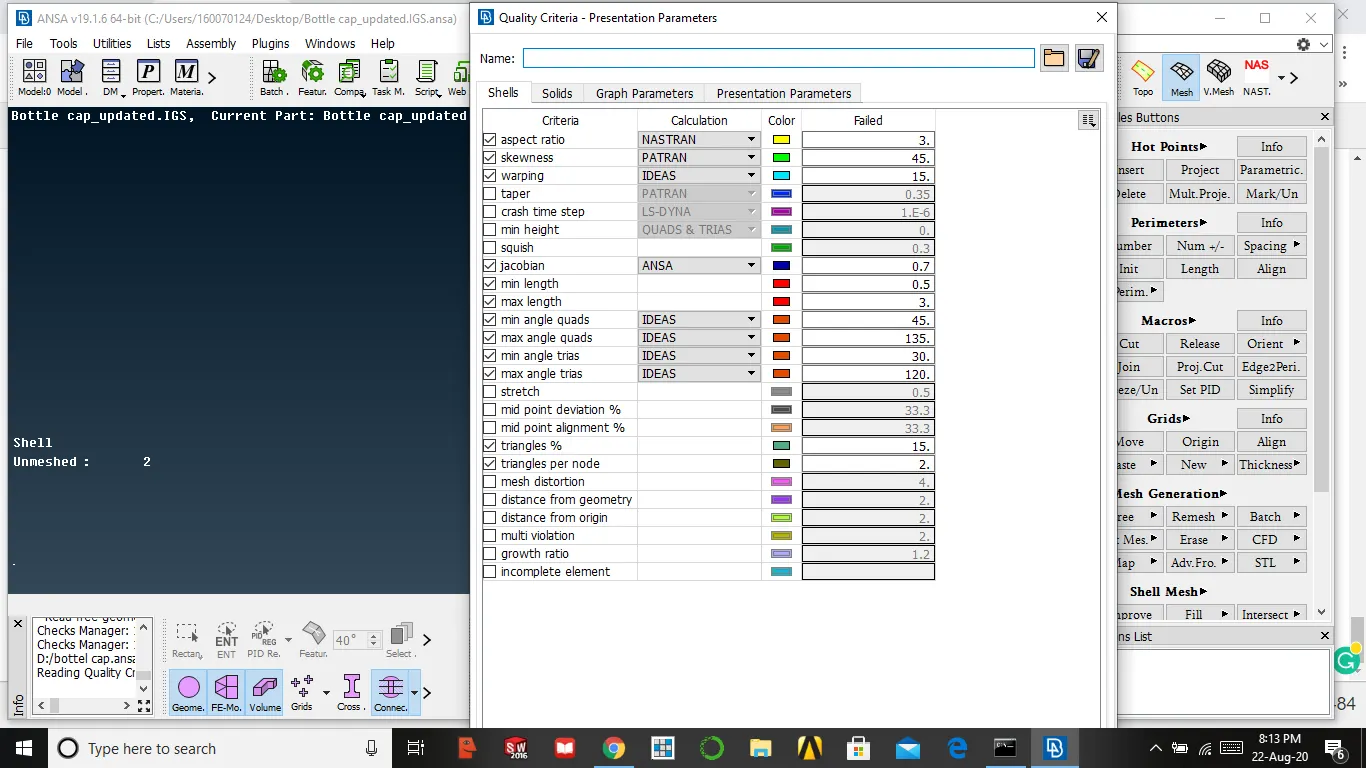
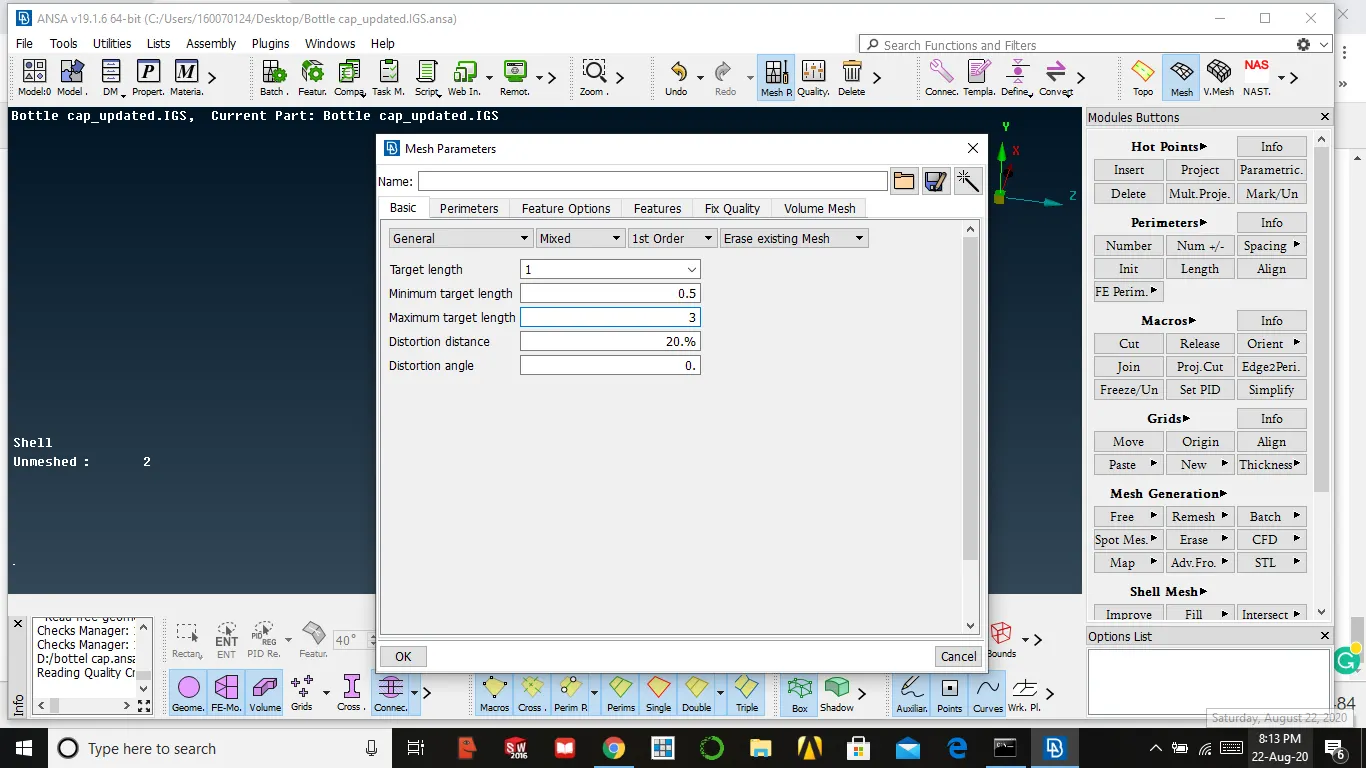
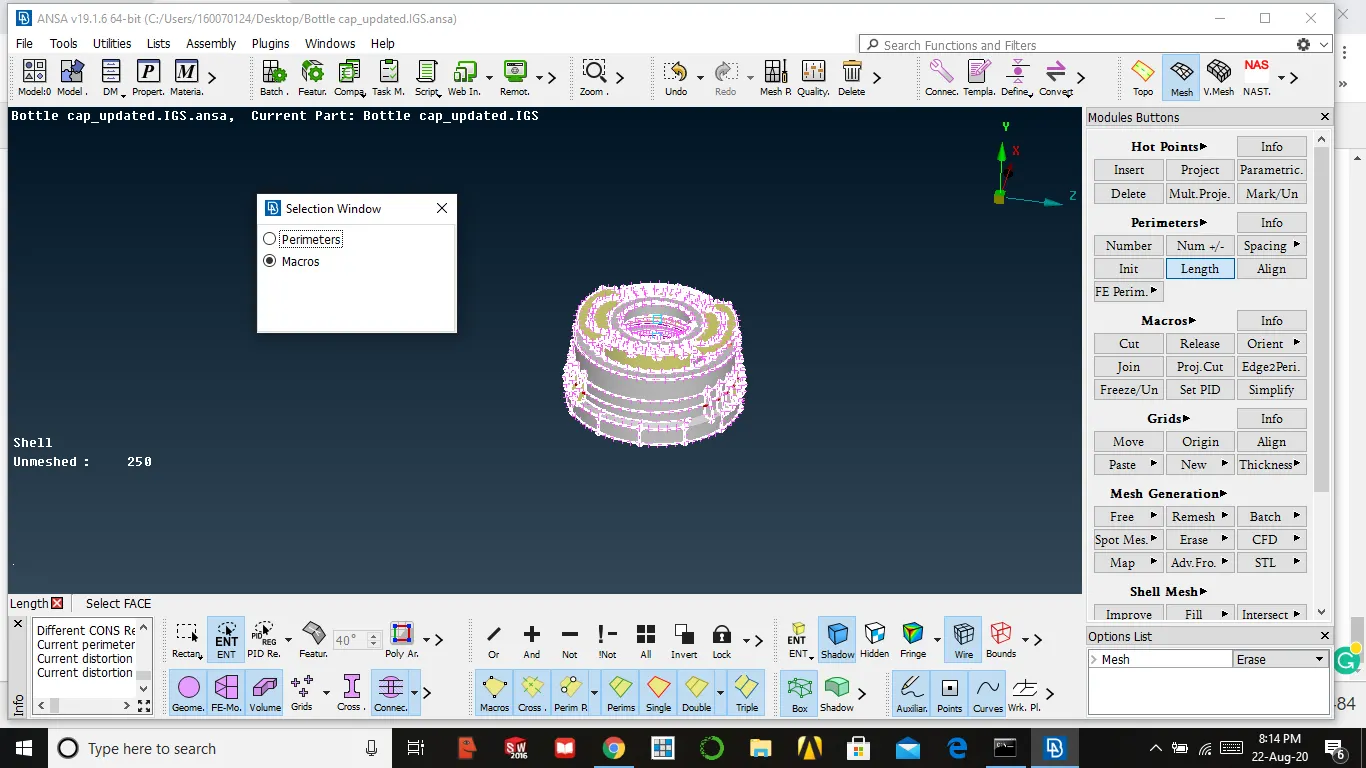
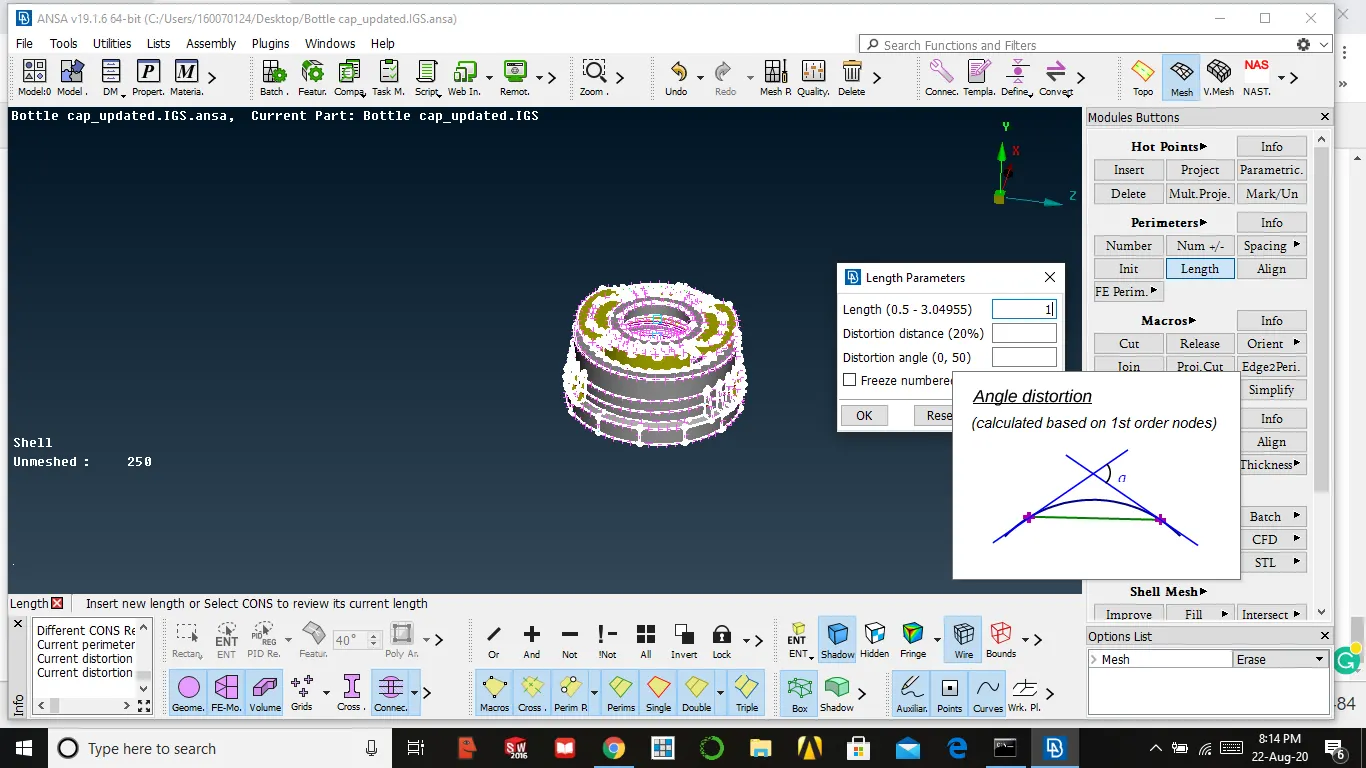
3. After that, we need to give perimeter and macro length
mesh module → perimeter → length → select the surface → select perimeter /macros → enter the value → enter
4. After completing we can start meshing, select the surface and start meshing
mesh generation → best mesh → select surface and enter
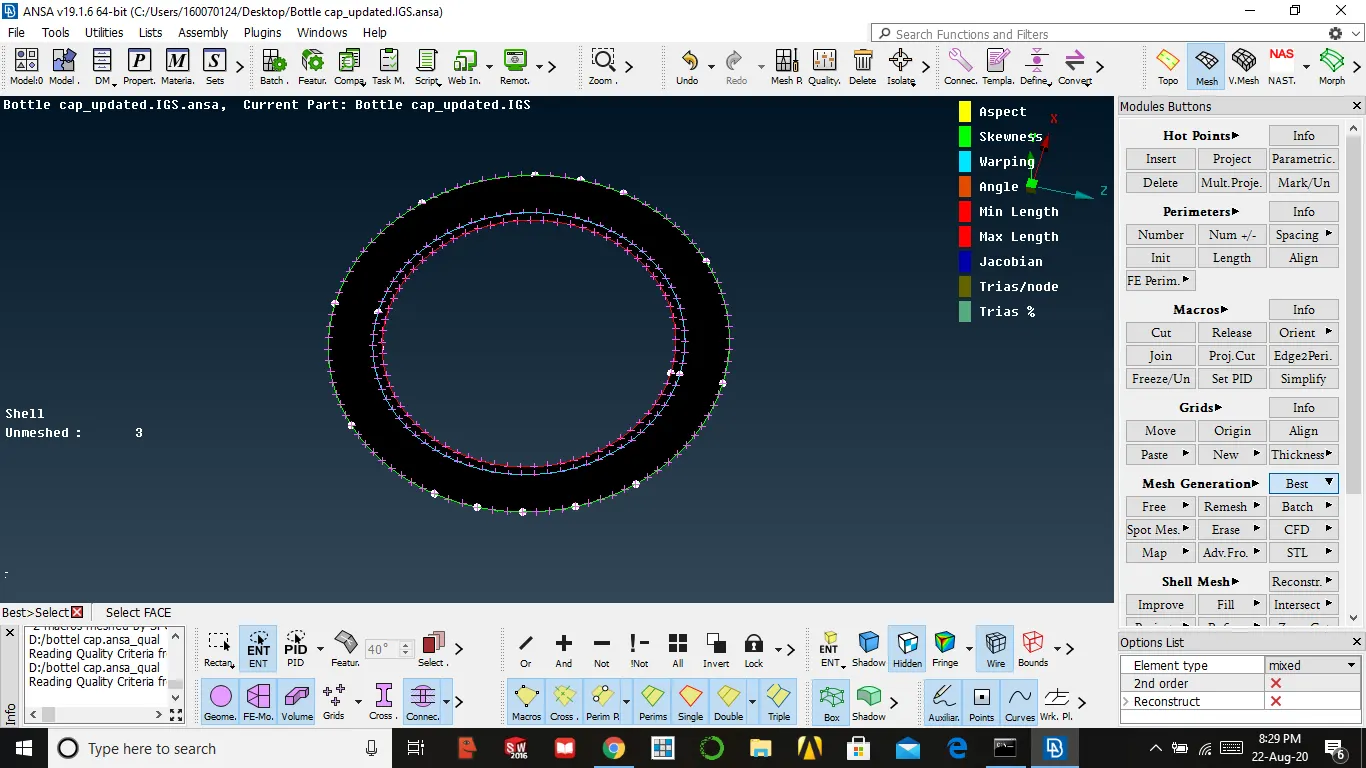
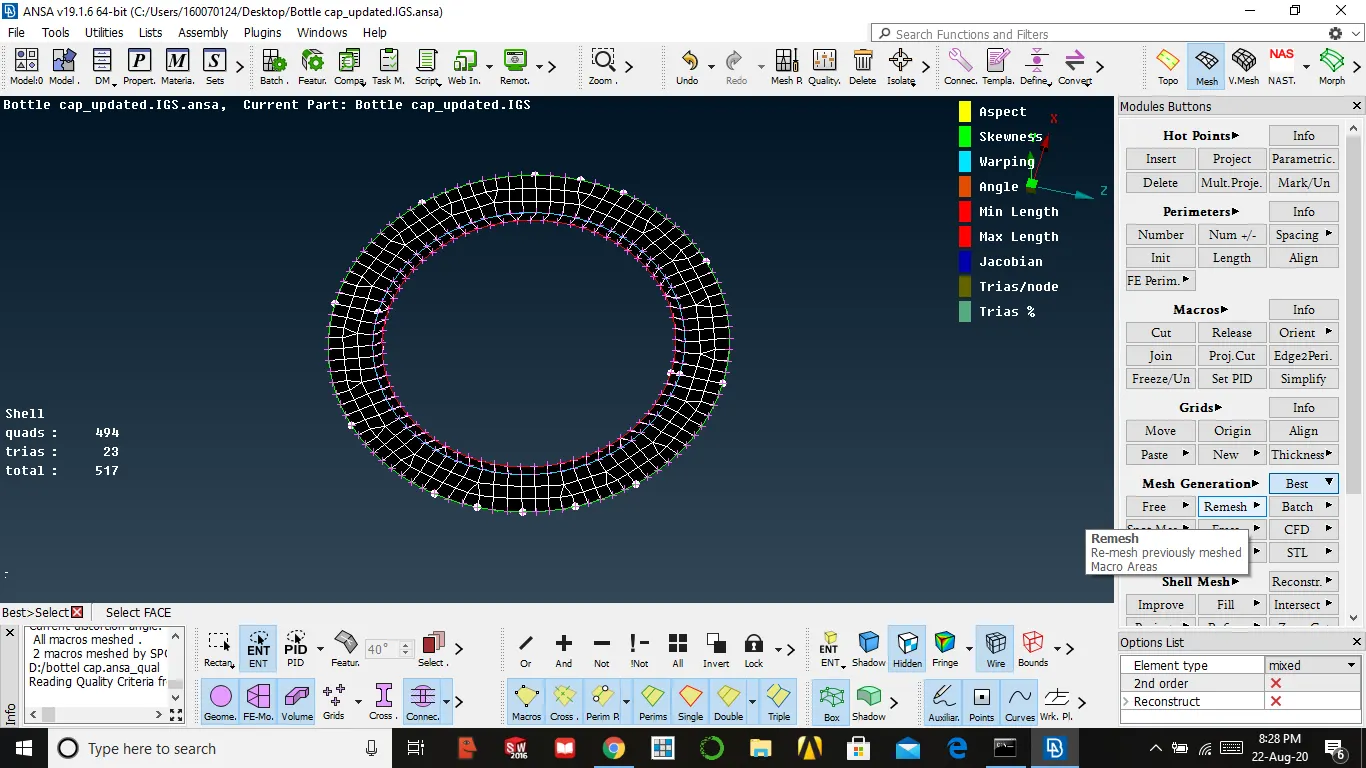
5. For better mesh than primary, we need to reconstruct
shell mesh → reconstruct → select the surface → enter
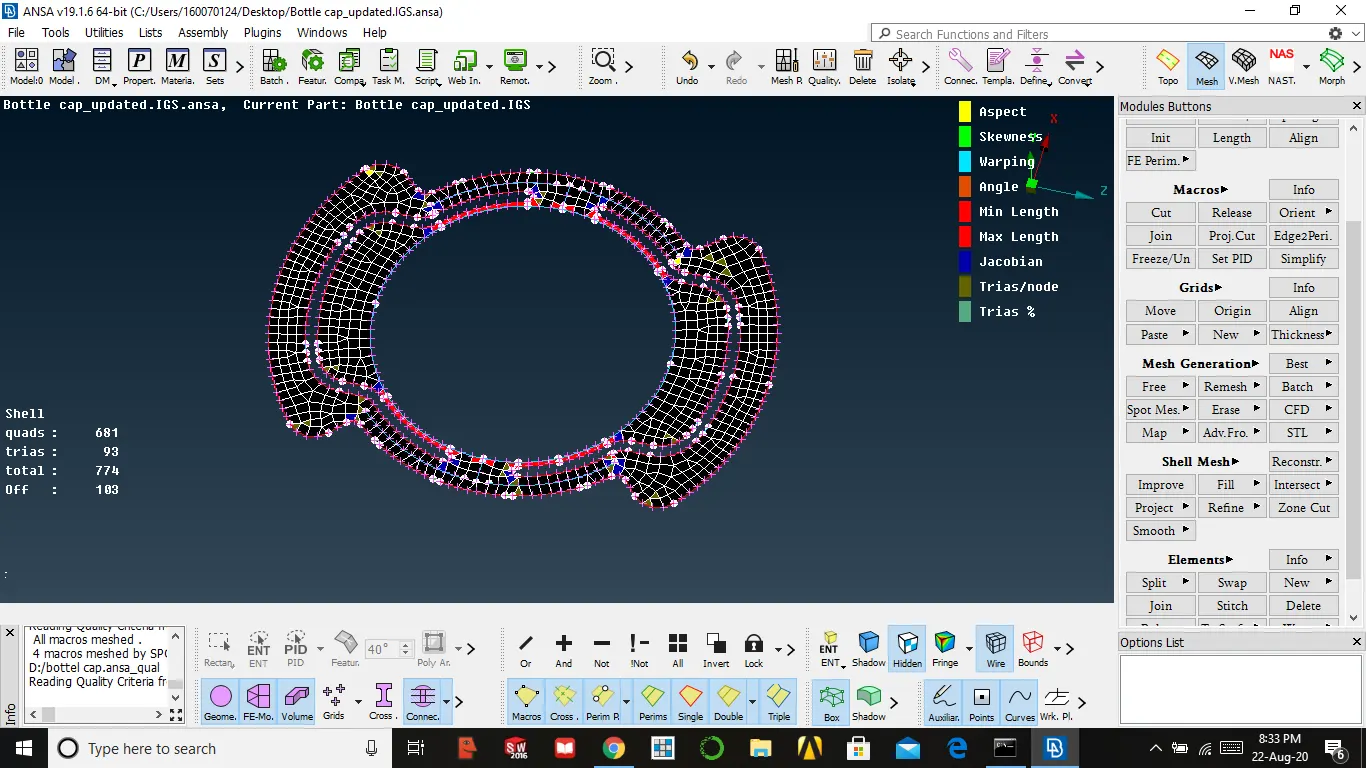
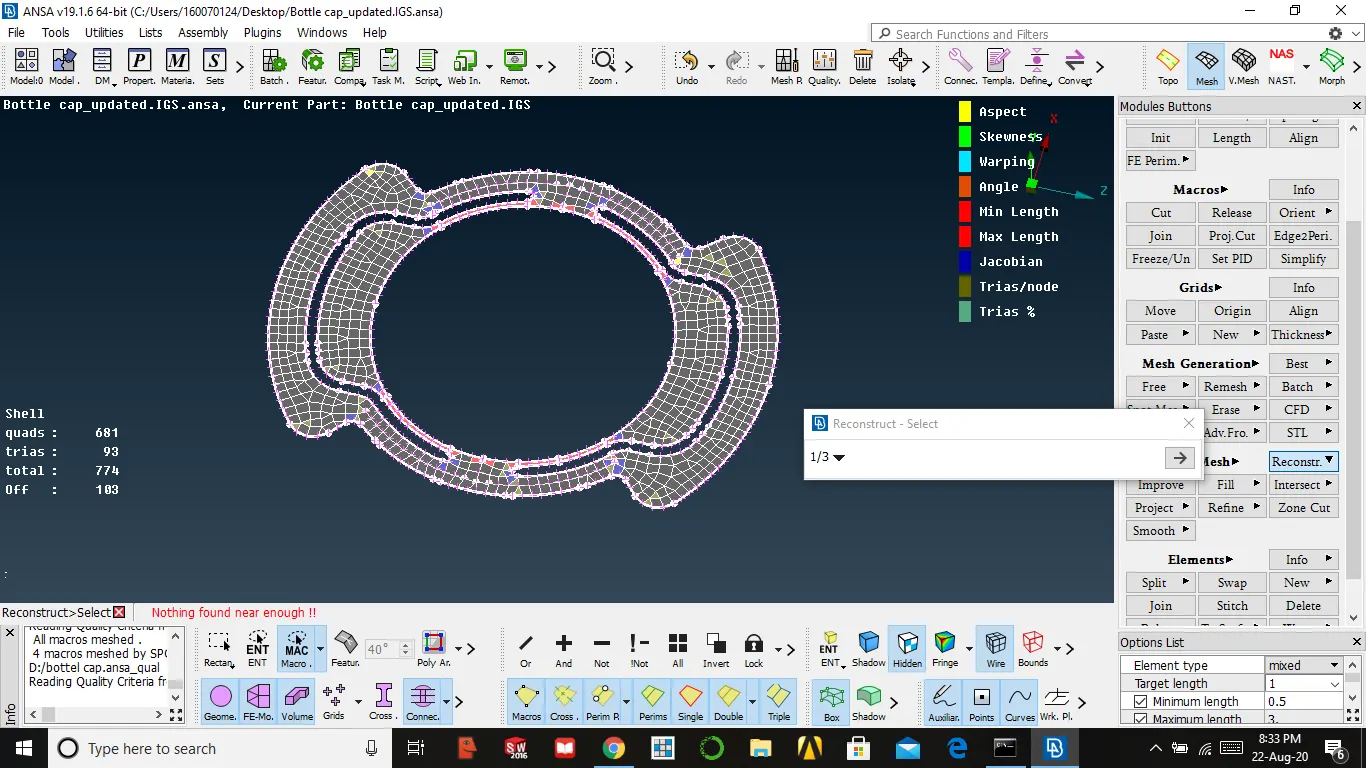
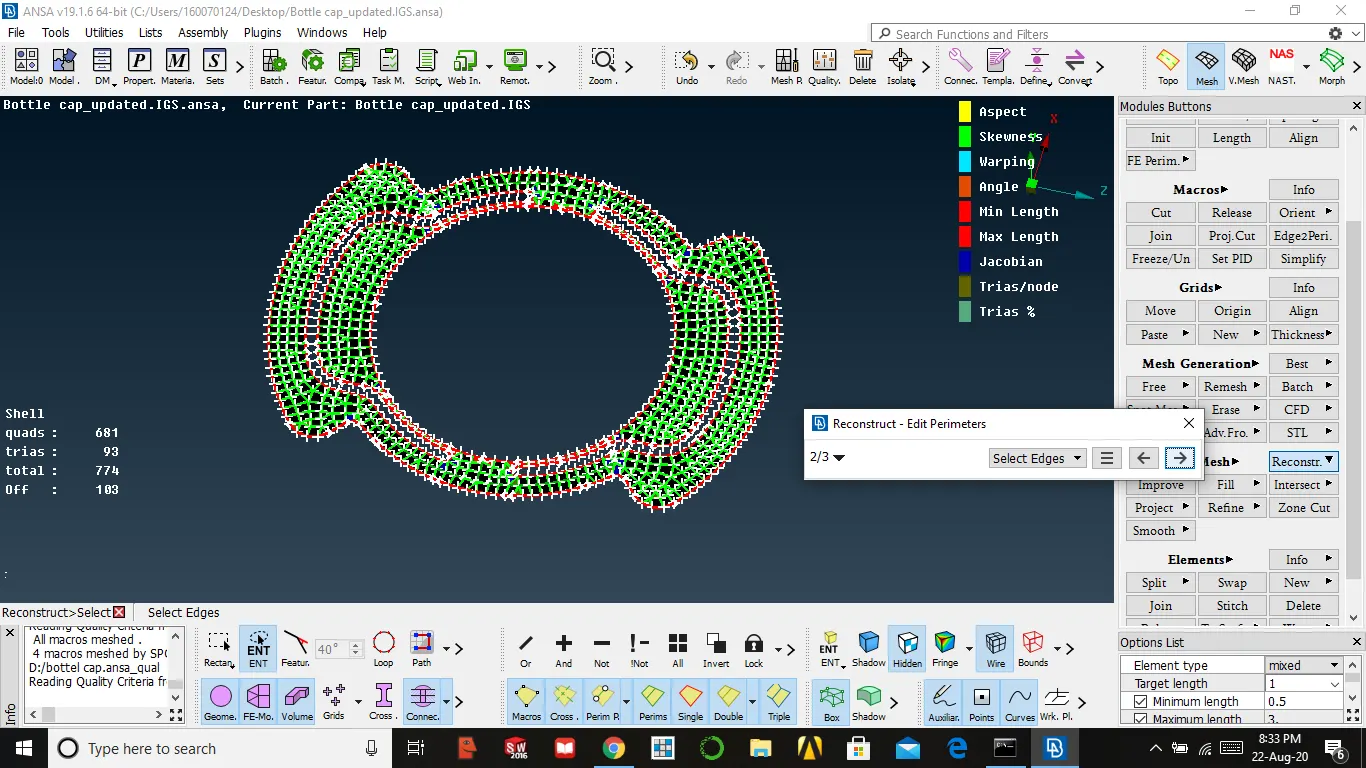
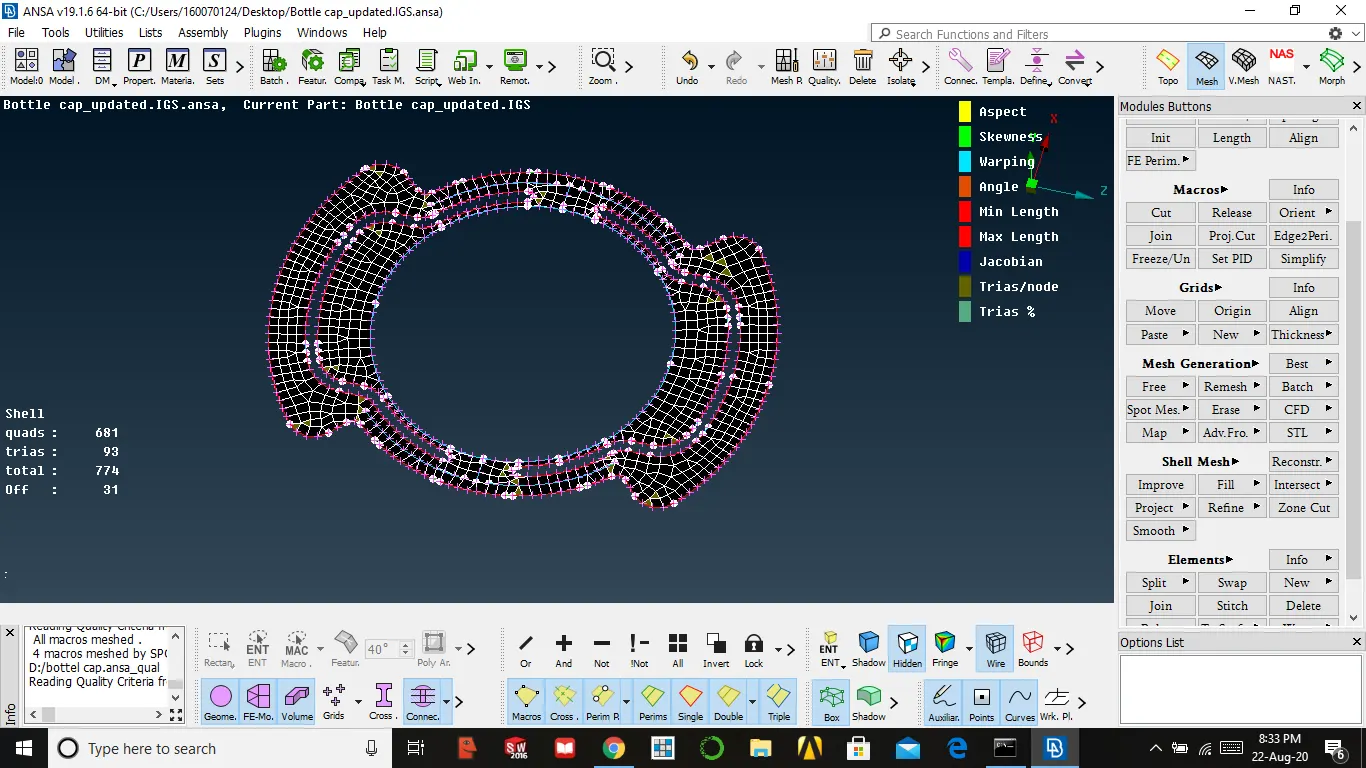
6. To remove quality issues up to somewhat we use the smooth option
shell mesh → smooth → select the surface → enter
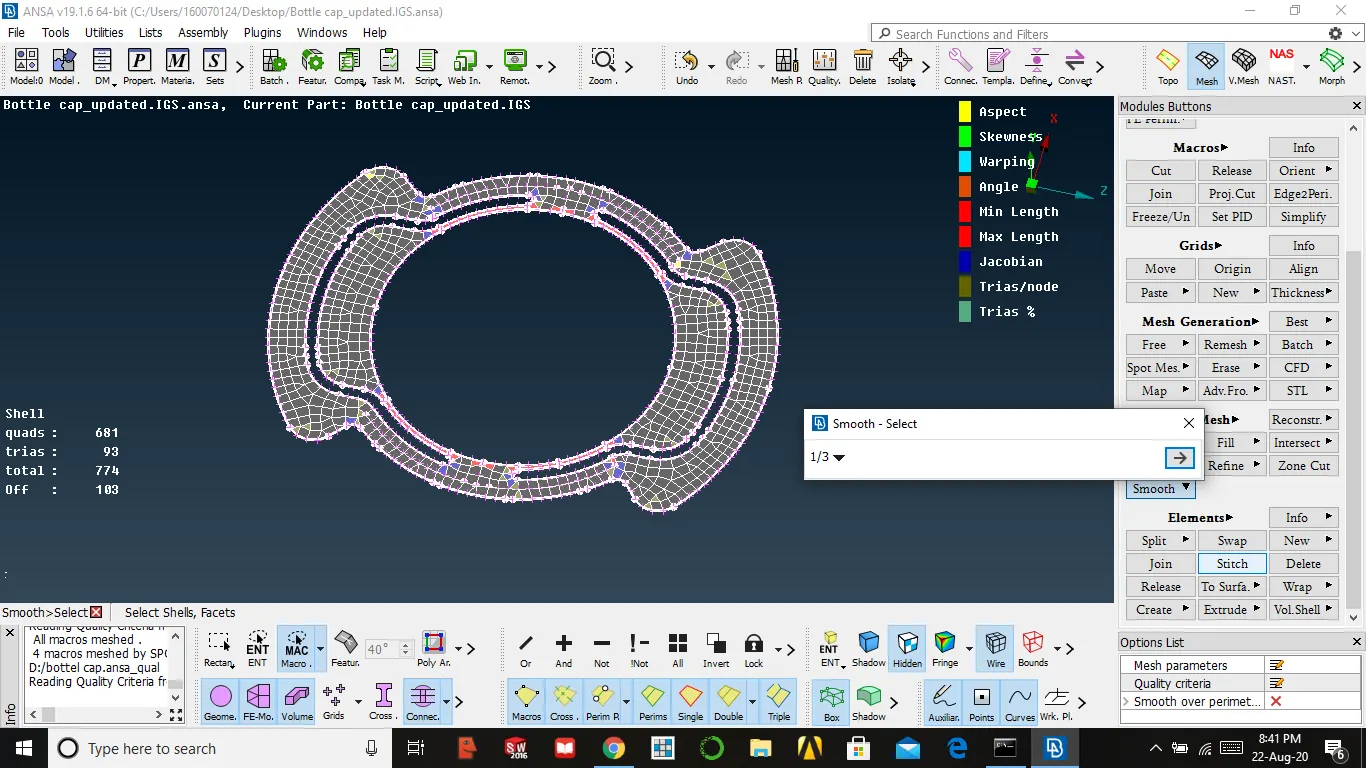
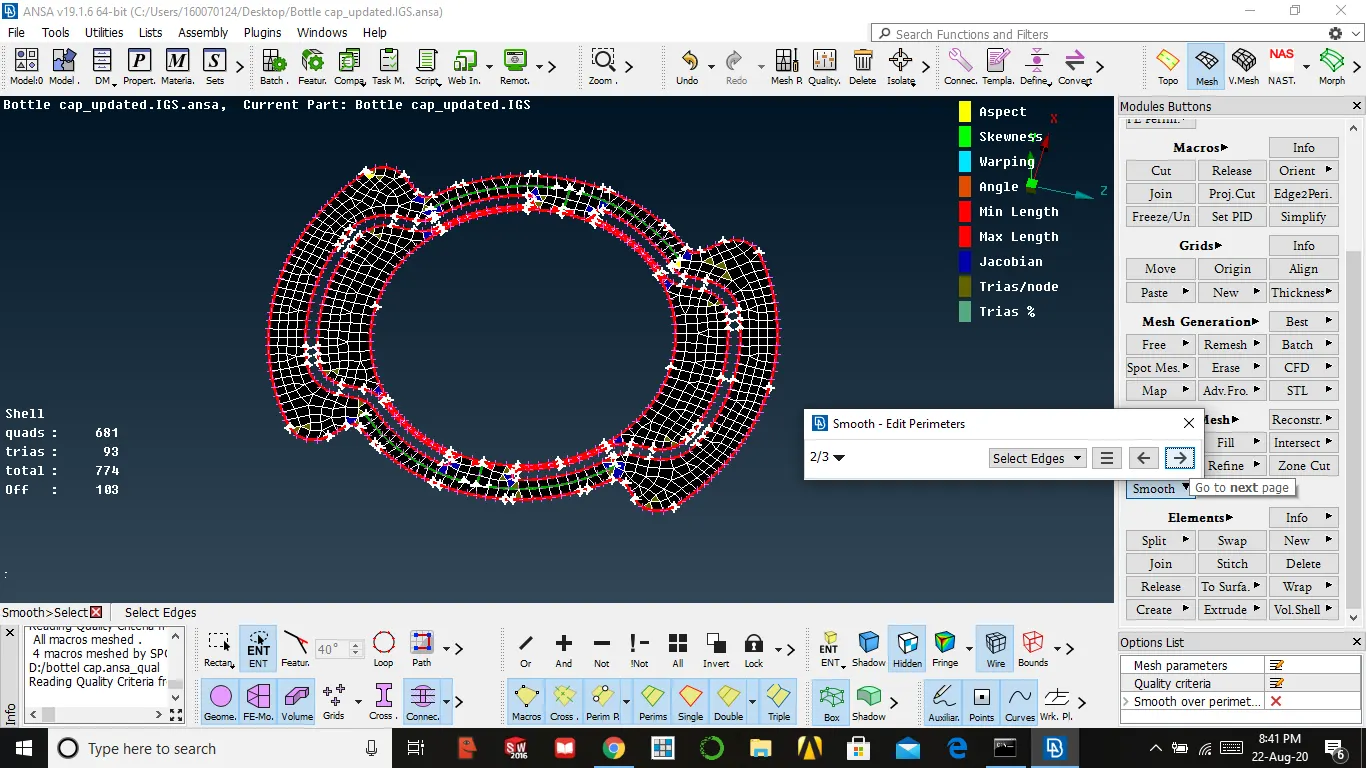
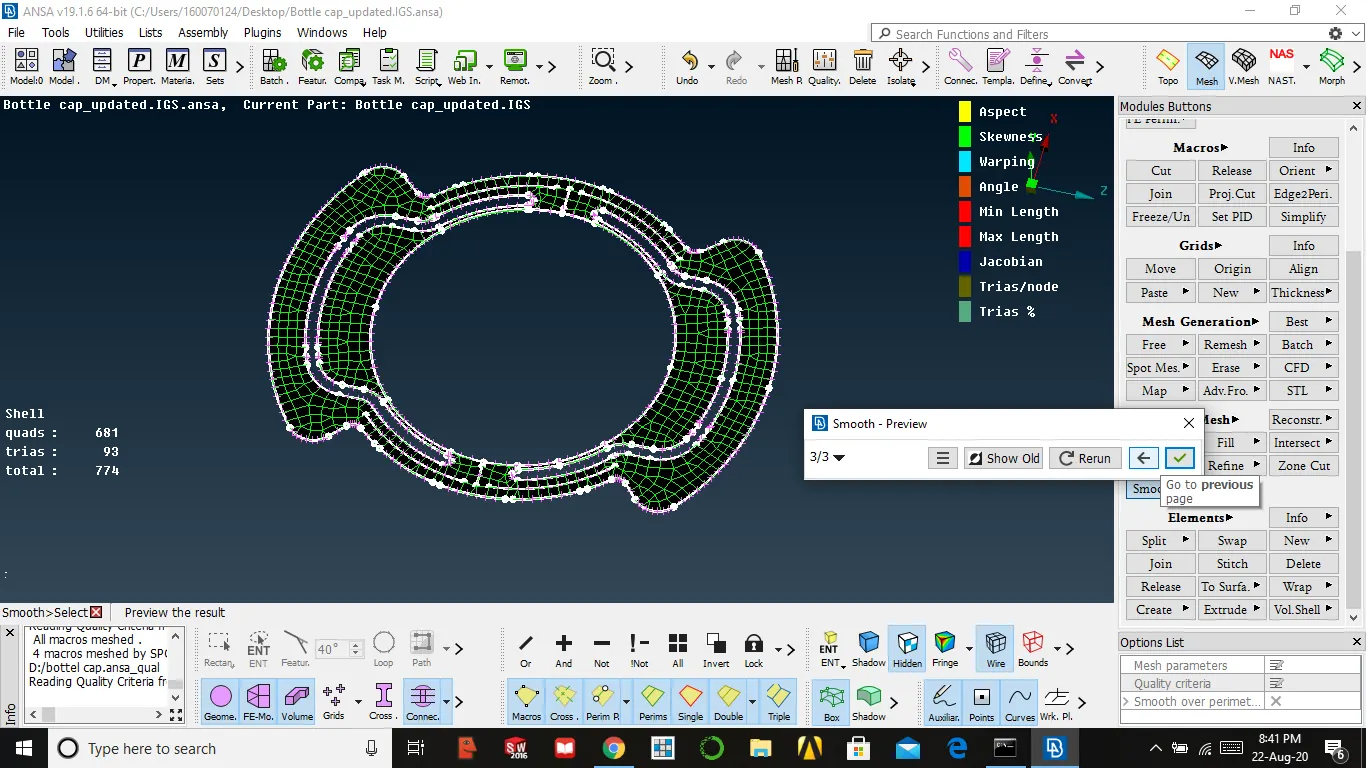
7. After using these if any quality issue occurs we need to resolve it manually by spilt, swap, move
8. Reducing trias using split and by the swap, we change the position of trias
elements → split → option → reconstruct
9. By using right click we can use swap command
10. By using right click we can use swap command
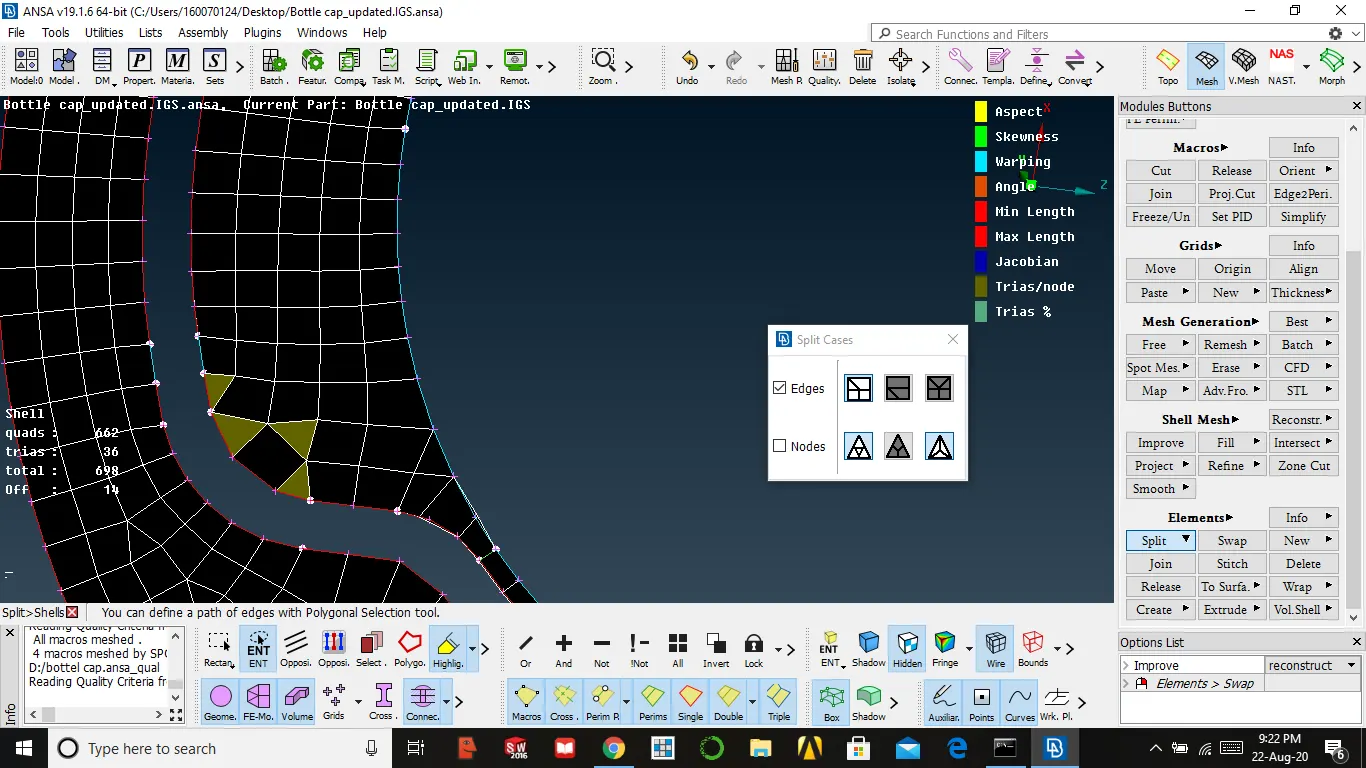
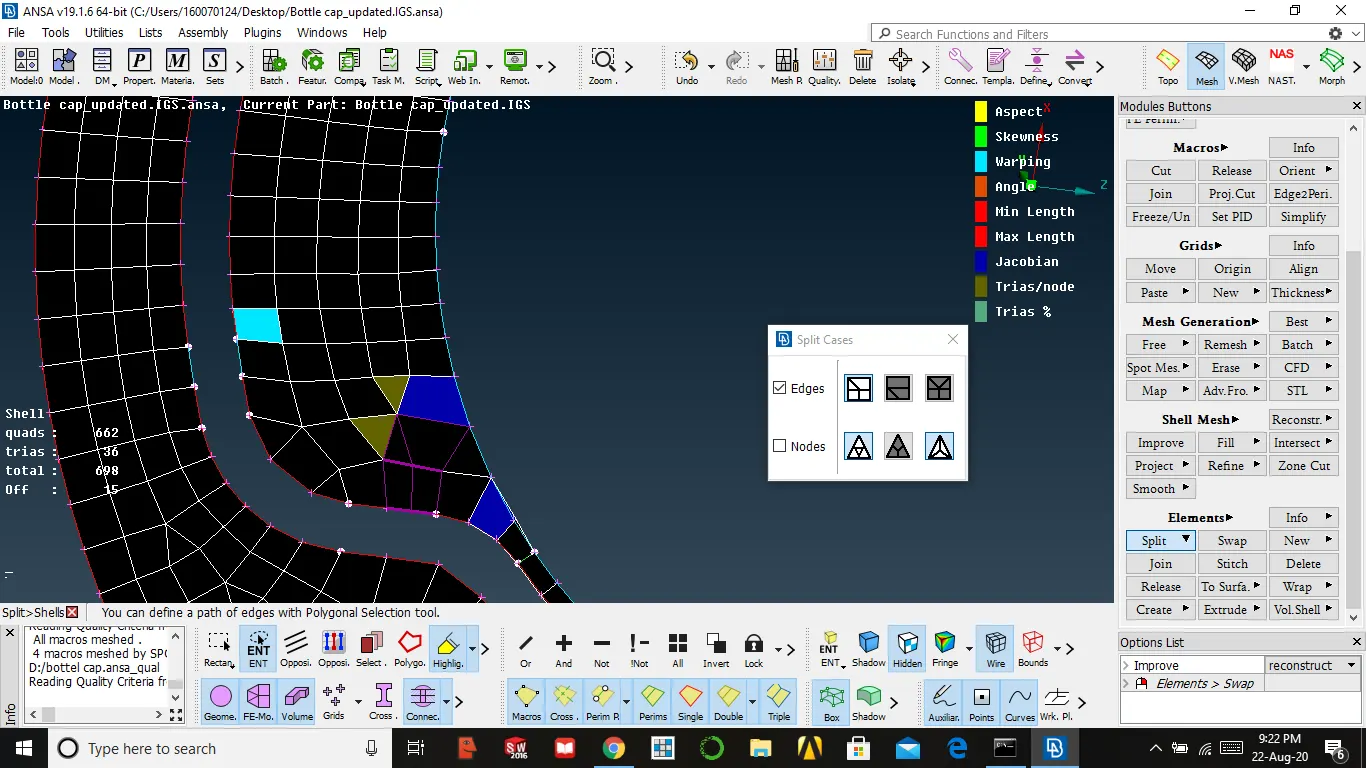
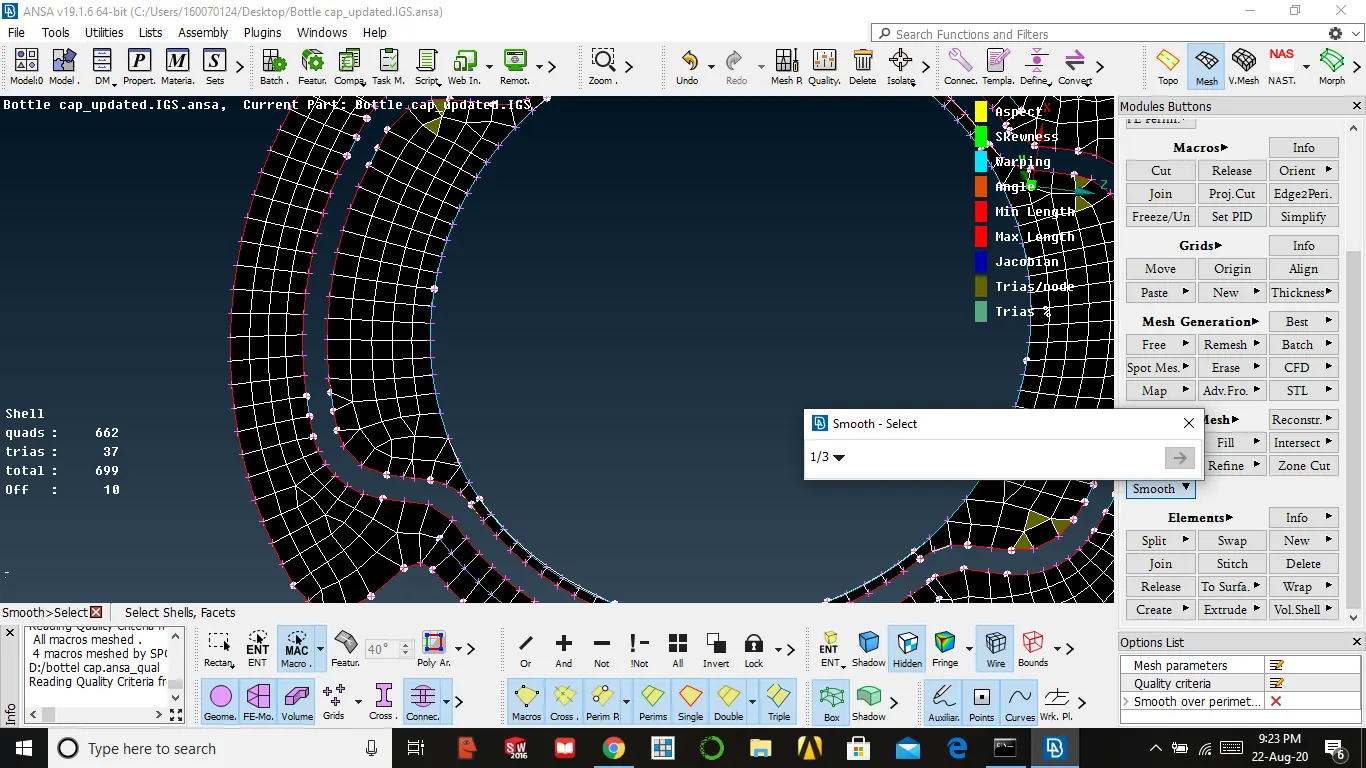
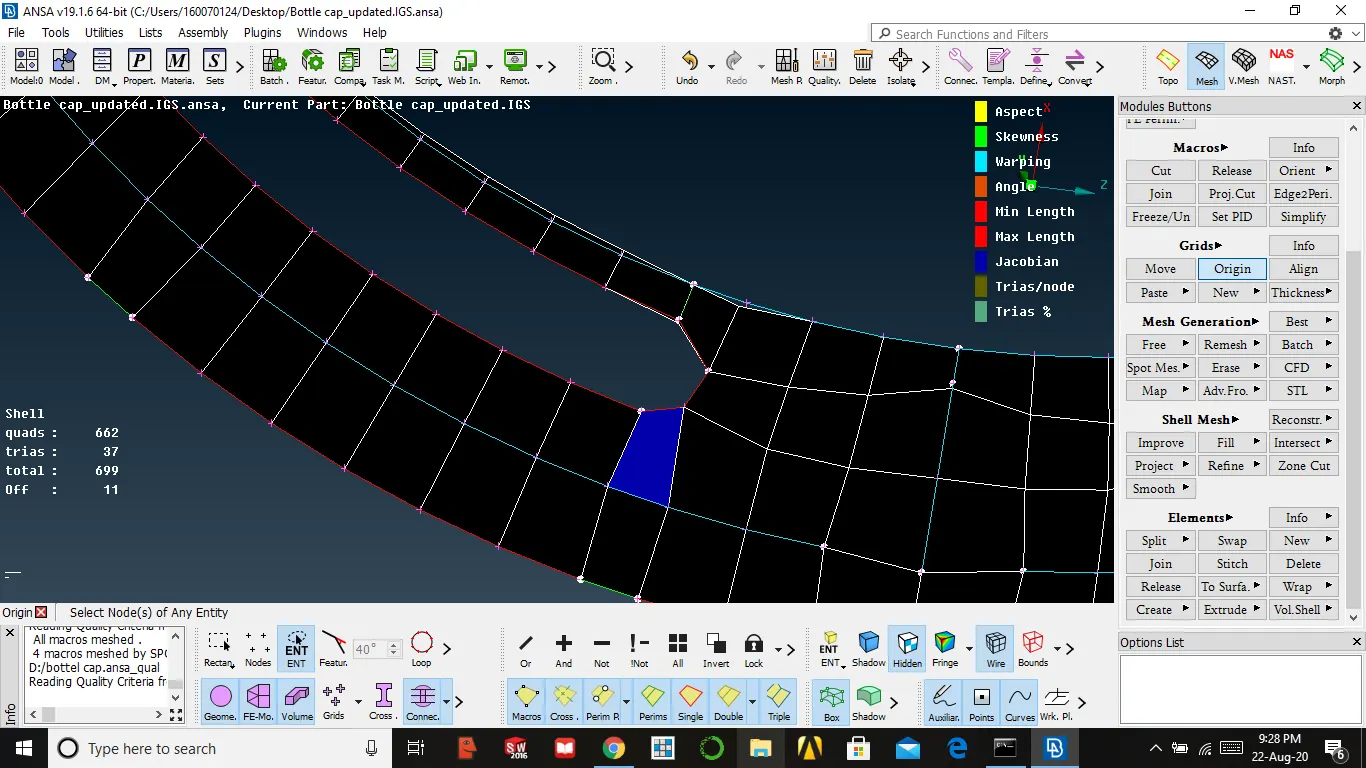
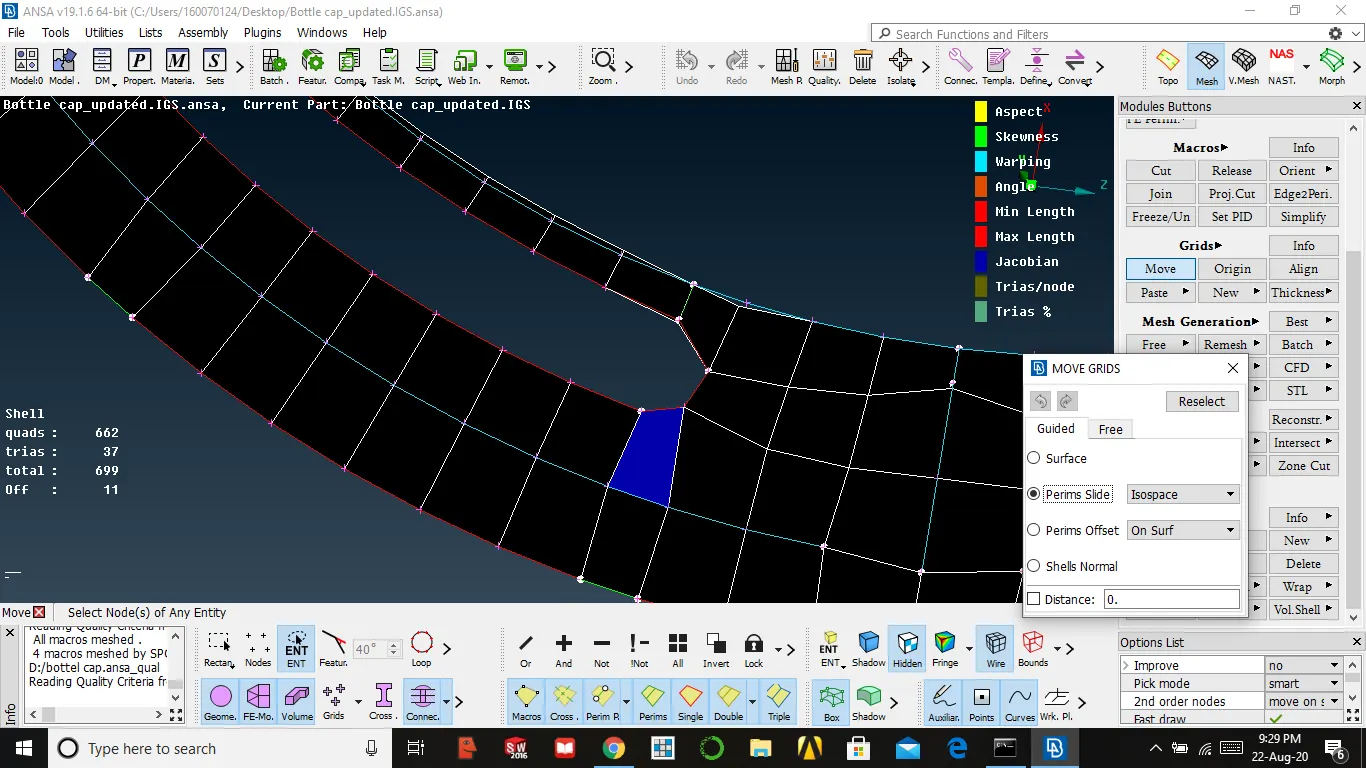
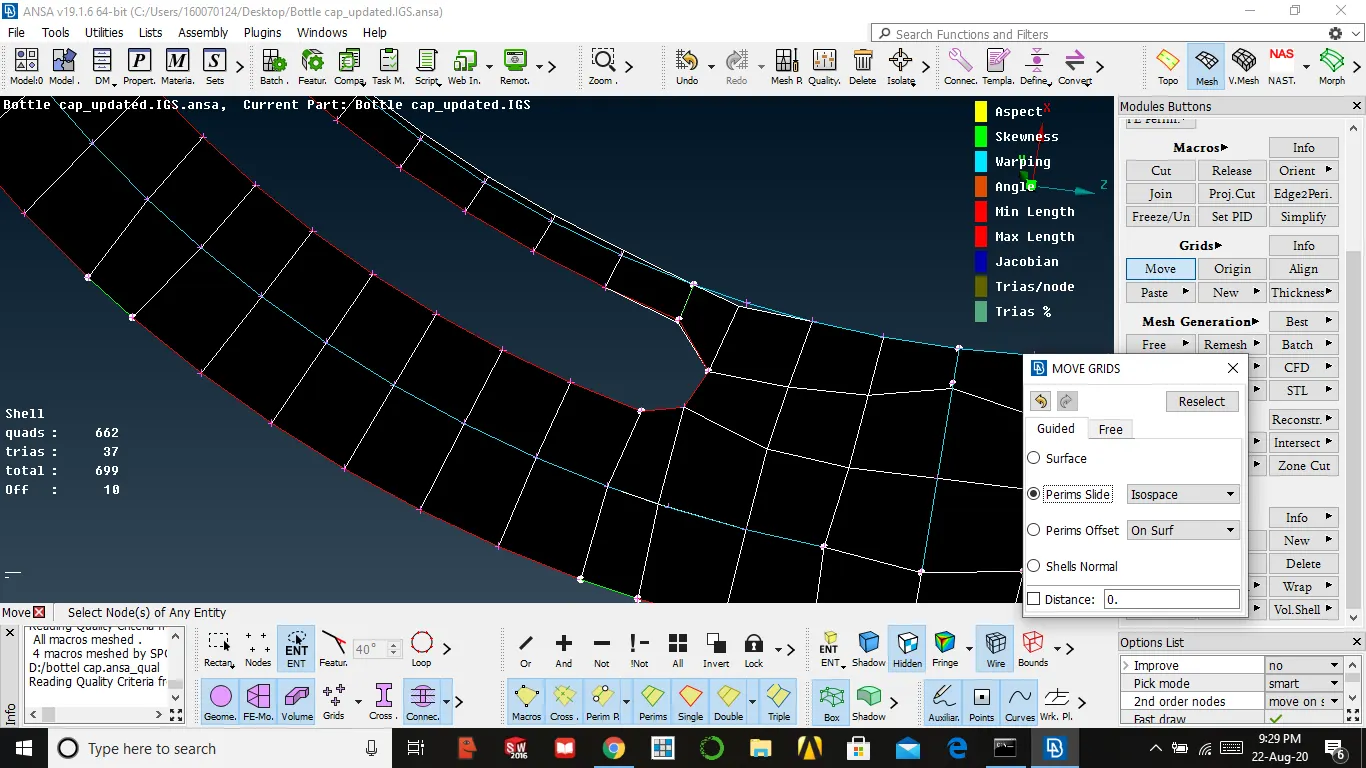
- 11. Aligning nodes to reduce the quality issue we use to move
grid → move → option perims slide → select the node and move
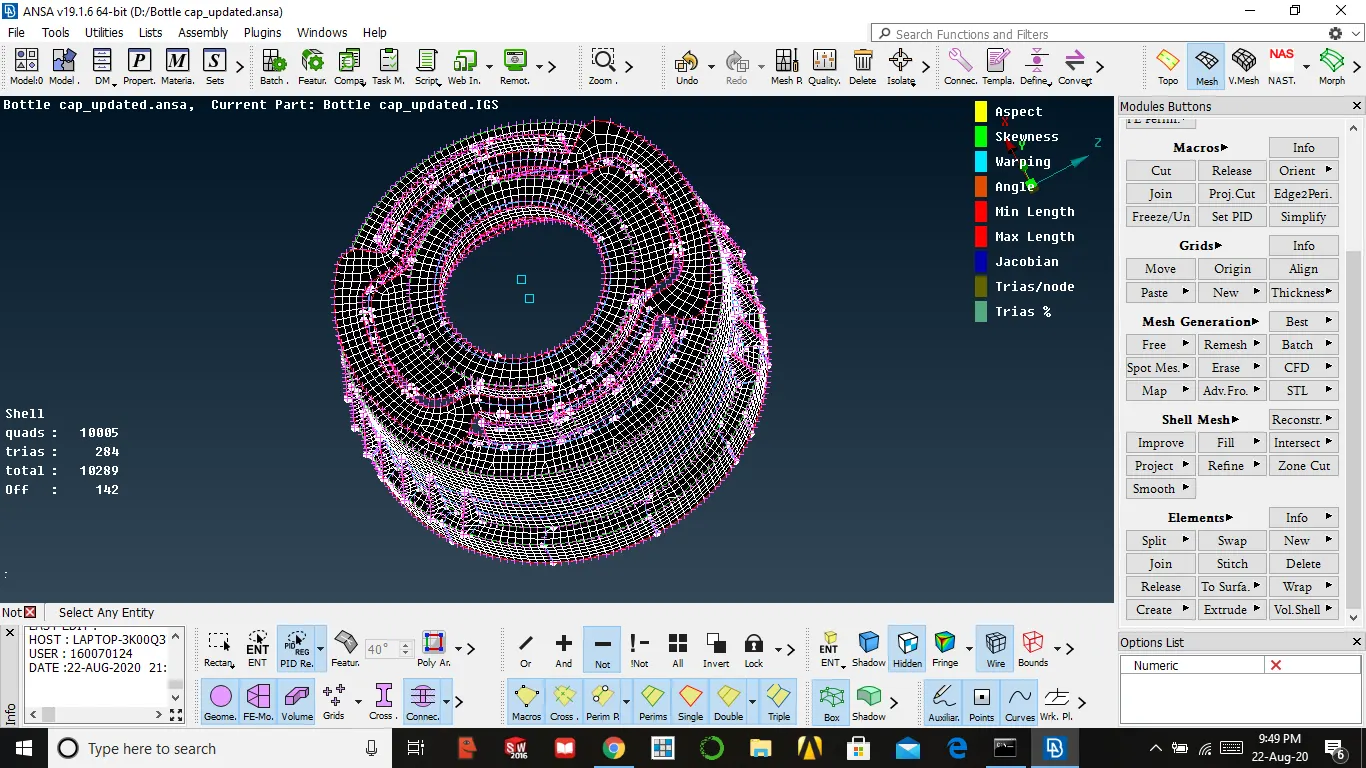
MESHED PART
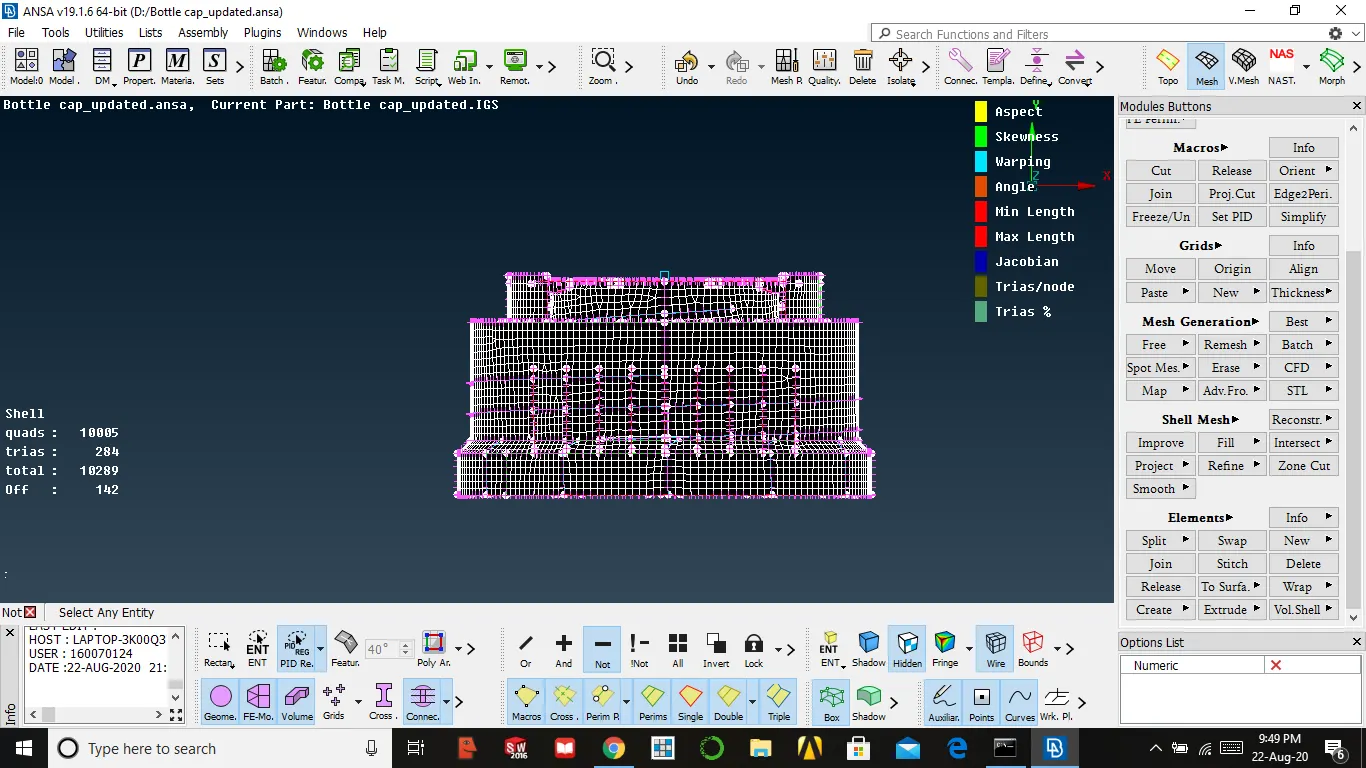
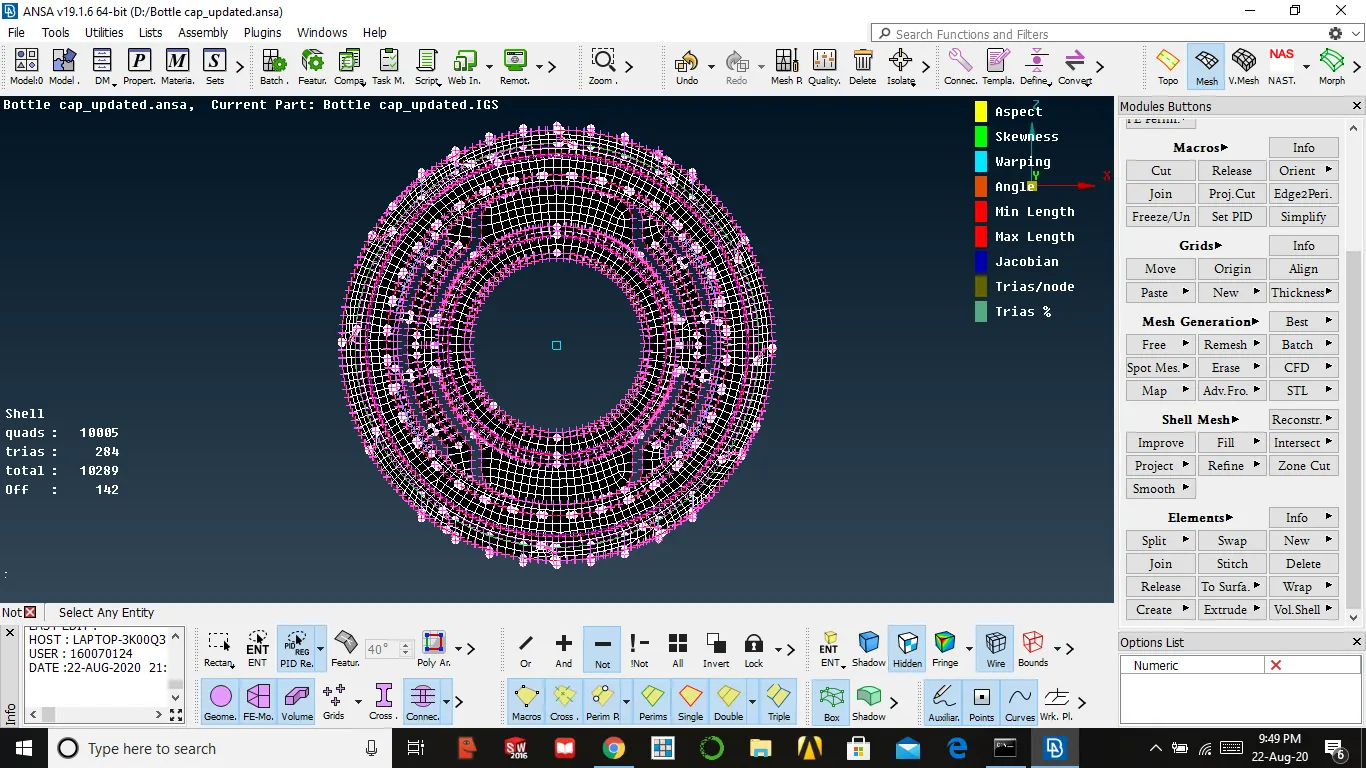
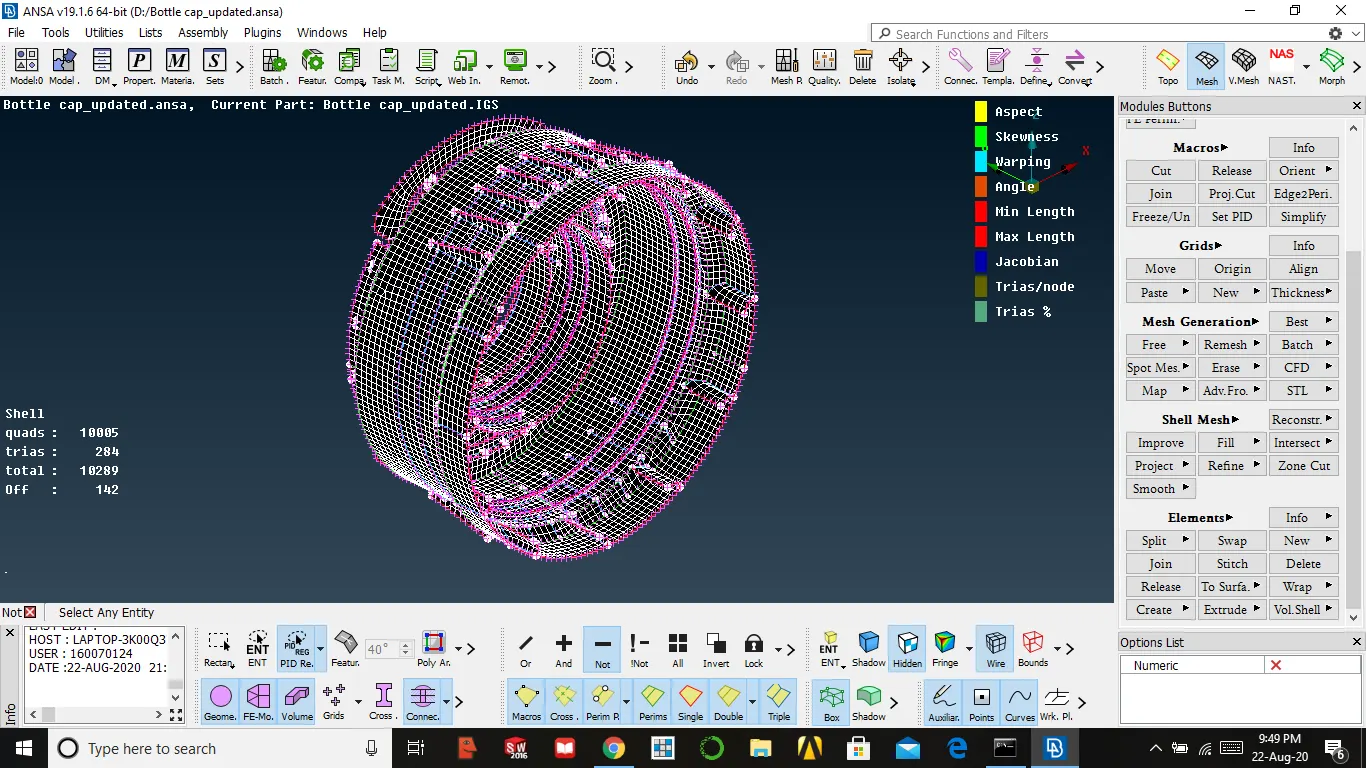
CONCLUSION
- Learned how to mesh a plastic component
- Quality is the first one to eliminate in mesh
- We need to compromise mesh in certain areas
- We reduce the time by using the rotate command for circularly existed parts
- We delete unnecessary hot point whenever we extract the mid surface
- We must assign thickness for every component when mid surface extracted
- We need to delete unnecessary cons that might affect quality issues
- Learned how to extract mid surface for complex parts by using cures