DussehraFestive scholarship on Skill-Lync courses, this week onlyFestive scholarship is openOffer ends Wed, 21 Oct, 11:59 pm IST.

Dussehra 2026

Start your next chapter this Dussehra

Tell us where you want to work. A counsellor will match you to the right course and confirm the festive scholarship you qualify for.

  • Festive scholarship on course fees, confirmed on your call
  • Free 20-minute call to map the right course to your goal
  • Real industry projects and placement support with every course

Offer ends Wed, 21 Oct, 11:59 pm IST

3,905 engineers placed since 2019 · 1,277 hiring companies

By submitting you agree to our Terms and Privacy Policy.

You're on the list

Browse courses
Mechanical · PG program

Post Graduate Program inComputational Design and Pre-processing

The intensive program in Computational Design and Pre-processing is 6 months long. The program comprises of 5 courses that train you on all the essential engineering concepts and tools that are essential to get into top OEMs as a Design Engineer.

Duration
32 weeks
Content
110 hours
Courses
6
Projects
10
Mode
Online
Overview

What you'll
be able to do.

  • After the completion of this course, students will have a thorough understanding of the design process.
  • They will understand the methodologies used in developing and analysing a model.
  • Students will gain knowledge of incorporating the manufacturing aspects while designing a component.
  • They will acquire hands-on experience in using software like SolidWorks, HyperMesh, and RADIOSS, which are used in modelling, simulation and analysis.

Why this program

  • A thorough understanding of the design process
  • Understanding methodologies in developing and analysing a model
  • Knowledge of incorporating manufacturing aspects while designing a component
  • Hands-on experience in using software like SolidWorks, HyperMesh, RADIOSS which are used in modelling, simulation and analysis

The student can get employed as

  • Design engineer
  • CAE modeler
  • Crash and safety analyst
  • BIW design engineer
  • Product design engineer
  • Sheet metal engineer
  • Automotive interior engineer
Tools you'll use
SOLIDWORKSLS-DYNALS-PREPOSTHyperMeshRadiossANSA
Curriculum

6 courses,
51 modules.

Get the full syllabus ↓
  1. 01Preprocessor for Structural Analysis using ANSA7 modules
    1. Week 01 & 02 - Introduction to ANSA GUI and ToolsW01
      • In this module, you will be introduced to the CAE domain along with an introduction to FEA basics. You will learn the Graphical User Interface(GUI) of the ANSA tool.
      • You will get to know about different solvers and types of analysis carried out using them.
      • You will be introduced to basic tools that will help you with geometric cleanups and other deck setups in ANSA.
      • The topics covered in this module are
        • Introduction to FEA
        • ANSA GUI
        • Geometric Tools and Topology Cleanup
        • Types of CAE Process Tools for Structural CAE
        • Types of Elements
        • Different Tools used in TOPO Deck
    2. Manual Mid-surfacing, 2D Meshing and Quality CriteriaW02
      • In this module, you will study the basics of 2D meshing.
      • You will also learn how to extract mid-surface, deploy 2D mesh on the mid-surface, reconstruct already meshed areas, along with various techniques for achieving the mesh flow.
      • You will also learn how to eliminate the tria concentration present in the geometry and capture the important features in the geometry.
      • You will be working on a sheet metal component in this module.
      • You will also be taught how to achieve mesh quality for the component by assigning the quality criteria parameters.
      • You will study the following topics in this module.
        • Manual mid surfacing for sheet metal components
        • 2D meshing on sheet metal components
        • Quality checkup and taking measures to achieve quality
        • Introduction to different tools used in mesh deck
        • Revising the basic commands
        • Basic commands used in TOPO and MESH deck
        • Practice model provided
    3. Manual Mid-surfacing - Plastic Trims and Cast PartsW03
      • In this module, you will be learning about extracting the mid-surface and working on a plastic part.
      • Plastic parts are of variable thickness therefore, extracting the mid-surface and assigning the thickness is more tricky when compared to the sheet metal component.
      • You will study the following topics in this module
        • Manual mid-surfacing for plastic trim components & cast parts
        • 2D meshing, quality checkup
        • Different tools used in mesh deck
    4. Solid Meshing(Tetra & Hexa)W04
      • In this module, you will learn the different tools and techniques to generate the Tetra mesh for a given geometry.
      • You will also learn the different methods involved in generating a Hexa mesh.
      • You will also understand the quality checks for Tetra elements and how to rectify failed tetra elements.
      • You will study the following topics in this module.
      • Establishing solid (Tetra) meshing on 2 different components
        • Solid (Tetra) meshing
        • 3D meshing quality criteria
        • Volume mesh deck
      • Introduction to solid (Hexa) meshing
        • Solid (Hexa) meshing
        • Volume mesh deck
    5. Connections (Seat and Door)W05
      • In this module, you will be introduced to connections in ANSA.
      • This enables the user to generate FE models for durability, NVH, and crash analysis.
      • Connections are now efficiently designed with the help of the tool.
      • You will also generate connections for the automotive seat & front door.
      • These are the topics that you will learn in this module, different types of connectors such as:
        • Two Nodes RBE2
        • Cluster RBE2
        • RBE2-CBUSH-RBE2
        • RBE2-HEXA-RBE2
        • Nut and Bolt representation
        • Seam weld data representation
        • Different operations such as:
          • Converting and realizing operations
          • Connection manager operations
          • Assigning mass to a node
    6. Week 07 - Introduction to Batch Meshing/CastingW06
      • In this module, you will learn about batch meshing, casting methods, and their applications in industries.
      • The batch meshing/casting method will help you to model the component efficiently and quicker than if you tried to model them manually.
      • But these tools do not guarantee the best results always, and there will be areas where you need to manually check the results.
      • You will study the following topics in this module.
        • Introduction to casting & batch meshing operations
        • Auto mid-surfacing and meshing by using casting and skin methods
    7. Introduction to Morphing BasicsW07
      • In this module, you will learn about a few morphing techniques in ANSA.
      • ANSA allows a full-fledged morphing menu that is completely integrated with ANSA's interface.
      • The functions of the morphing menu can be used to efficiently re-shape both FE and/or geometry-based models.
      • You will study the following topics in this module.
        • Direct morphing
        • Box morphing
        • Hatches
        • Morphing in FE model
        • Morphing in CAD geometry
  2. 02HyperMesh for FEA Plastic and Sheet Metal Applications12 modules
    1. Basics of FEAW01
      • In this module, you will study the fundamentals of Finite Element Analysis (FEA). FEA is a generic technique used to solve boundary value problems.
      • FEA finds a lot of applications in structural analysis.
      • In this module, we will discuss the math behind FEA, along with the following topics
        • 5Ws of Finite Element Analysis
        • Types of engineering problem-solving methods
        • CAE process types
        • Model setup
    2. Introduction to HyperMesh GUIW02
      • In this module, you will study the meshing software, HyperMesh.
      • HyperMesh is a highly capable simulation software, and in this module, you will learn about the various tools and features that HyperMesh has to offer.
      • In this module, you will learn about the following topics
        • Introduction to the Geometric Tool and the Tools Menu
        • Basic geometric tools
        • Geometry cleanups (includes auto cleanup)
        • Midsurface creation
    3. Key Geometric ToolsW03
      • While dealing with complex 3D components, it is important to remove small features and holes that are inevitable when designing a CAD model.
      • You will be introduced to the batch mesher macro that will be instrumental in accomplishing this.
      • In this module, you will study the following topics
        • Geometry cleanup criteria files
        • MNode's creation & node editing
        • Point edit
        • Edge edit
    4. 1D MeshingW04
      • 1D Meshing is a great way to speed up the simulation time without compromising on accuracy.
      • There are different types of 1D elements, each featuring its own shape function, and characteristics.
      • In this module, you will learn the following
        • 5Masses, Bar, Rod, Rigid, RBE3, Springs, Gaps
        • Connectors, HYPER BEAM, Linemesh, Linear 1D
        • Edit, Element, Split, Replace, and Detach
        • Order change, configuration edit, and element type
    5. Geometry Cleanup and MidsurfaceW05
      • In this module, you will learn to perform surface clean-up on a given geometry and to extract the mid-surface using an in-built tool, auto-mid-surface.
      • You will also learn how to clean up the surface manually because relying only on the auto-mid-surface option may give rise to a distorted surface while dealing with complex geometry.
      • Here is a list of topics that you will learn about in this module.
        • Surface clean up
        • Midsurface generation
        • Handling distorted surfaces
    6. 2D Meshing Introduction and ExamplesW06
      • In this module, you will learn the basics of 2D meshing, how to mesh a surface, how to re-mesh a meshed surface using elements, and how to attain mesh flow in the geometry.
      • You will also learn how to handle the tria elements in the model.
        • Introduction to 2D meshing
        • 2D basic tools
        • Mesh flow
        • Handling tria element
    7. Quality CriteriaW07
      • In this module, you learn what a quality check is and understand the different quality checks that HyperMesh offers.
      • You will also learn how to fix areas that failed the quality check.
      • Here, is a list of key concepts that you will learn in this module,
        • 1D element quality check
        • 2D element quality check
        • Understanding the quality parameters for 2D meshing
    8. Advance 2D MeshingW08
      • In this module, you will learn how to do manual mid-surfacing when the auto-mid surfacing option fails. You will also learn how to handle geometry if it is symmetrical, normal check-in the model and its significance, and free edges along with their significance.
      • The following topics are covered in this
        • Manual mid-surface
        • Handling symmetric geometry
        • Free-edge checks
        • Normals check
    9. 3D MeshingW09
      • In this module, you will learn the different tools and techniques to generate a hexamesh for a given geometry.
      • You will also learn a variety of techniques to generate tetra meshes. You will also understand the quality checks for tetra elements and how to rectify areas that have failed these checks.
      • The following topics are covered in this module.
        • Hexa meshing
        • Tetra meshing
        • Different methods of tetra mesh generation
        • 3D element quality check
    10. ConnectorsW10
      • Sometimes, meshes are made with both 2D and 3D meshes that are interspersed.
      • Connectors help the computer understand that the interface is between two different kinds of meshes.
      • Connectors are time-saving features that are a must in large models.
      • In addition to this, connectors offer a way to let the computer know that two components have been seam welded.
        • Seam weld
        • Spot weld
        • Bolt connection
        • Spring element
        • Adhesive modelling-HEXA
    11. Batch MeshingW11
      • In this module, you will understand the uses of batch meshing and its applications in industries. You learn about the parameter file and criteria file, how they can be optimized for the requirements.
        • Here is a list of key concepts that you will learn in this module.
        • Understand quality parameter and criteria files
          Optimizing these files according to the requirement.
    12. Morphing Techniques and Macro GenerationW12
      • In this module, you will learn about morphing, which can be done using constraints, volumes, and geometry.
      • Also, you will be working with the manipulation of TCL commands, running a TCL command using the inbuilt run options.
        • Morph constraints
        • Morph volumes
        • Map to geometry
        • Basic macro generation using TCL commands
  3. 03LS-DYNA for Structural Mechanics/FEA8 modules
    1. FEA Basics and SimulationsW01
      • In this module, you'll learn the basics of FEA, various types of simulations, and their significance, and also develop a mathematical understanding of the implicit and explicit schemes.
      • The topics that will be covered in this module are
        • Introduction to FEA
        • Type of FE Simulation
        • Explicit and Implicit mathematical definition
    2. LS-PREPOST Deep DiveW02
      • In this module, you will learn about the LS-PrePost and the LS-DYNA user manuals. You will also be learning about the file handling in LS-PrePost, an overview of various cards, and finally, running a Tensile-Test simulation.
      • These are the topics that are covered in this module.
        • Brief about the Pre-Process
        • Hands-on training on the LS-DYNA User Manual
        • Running an example
        • Post-processing the results
        • Input and output files in LS-DYNA
        • Keywords and input text editing
        • Multiple RUNs on the same file in the same folder
        • Hands-on with the output files (ASCII output) in the text editor.
        • Exploring binary and ASCII options in database keywords
        • Node keyword – Brief
        • Part keyword – Brief
        • Materials
        • Section
        • Control cards – default parameters
        • Contact
        • LS-PrePost
        • Building the solver deck for a simulation (Plate Model)
        • Post-processing the results
        • Modeling the cube under pressure
        • Modeling the tensile stress of a specimen
    3. Keywords, Timestep and moreW03
      • In this module, you will learn a few new keywords in detail.
      • You will learn about the hourglass energy, material keywords in LS-DYNA, methods for calculating Young’s Modulus, the basics of the timestep concept, and various control keywords.
      • These are the topics that are covered in this module.
        • Brief on keywords
        • Brief on *INCLUDE keyword
        • Insight of NHTSA
        • Hourglass energy
        • Materials introduction
        • Elasto-plastic material and various cards
        • Material testing
        • Calculation method for Young’s Modulus
        • Power law
        • Verification
        • Deploy
        • Timestep basics
        • Control Card
        • Control Timestep
        • Control Termination
        • Control Shell
        • Control Solid
        • Control Hourglass
        • Control Energy
        • Control Contact
        • Control Accuracy
        • Boundary Condition
        • Constrain
        • Specifying output files
        • Understanding contacts
        • Various types of contacts
    4. LS-PrePost GUI and Weld ModellingW04
      • In this module, you will learn in-depth about the LS-PrePost GUI. You will also be introduced to weld modeling in LS-DYNA and methods to model spot welds and debugging. You will also learn how to model a cross-section and its application.
      • The following topics are covered in this module:
        • LS-PrePost GUI
        • LS-DYNA GUI application
        • Node and element selection
        • Application crash, metal forming
        • Element direction align
        • Post-processing
        • Node intrusion depending on the regulation
        • Introduction to Spot-Weld in LS-DYNA
        • Hands-on practice on Spot-Welds
        • Solving a simple problem to learn the Spot-Welds and then Post-Processing it.
        • Modeling Spot-Weld using Spot-Weld constraint card.
        • Modeling Spot-Weld using Spot-Weld generalize constrain card
        • Debugging Spot-Weld
        • Spot-Welds modeling using solid elements
        • Introduction to Cross-Section
        • Modeling a Cross-Section
        • Application of Cross-Section
    5. Implicit SimulationsW05
      • In this module, you will learn about the implicit problem and how to set up an implicit simulation. You will also learn about the memory allocation in LS-DYNA, the concept of convergence in implicit simulation, various keywords used in implicit simulation, MORTAR contact, and defining the loading in implicit simulations.
      • These are the topics that you will learn about in this module.
        • Introduction to implicit problems
        • Implicit and explicit comparisons
        • Memory in LS-DYNA
        • In core/out-of-core
        • Double precision and MPP.
        • The tensile test-simple implicit problem
        • Timestep in implicit problems.
        • Convergence in implicit.
        • Implicit keywords
        • Implicit and explicit switching
        • Timestep adjusting
        • Control-implicit-solver (Non-linear solver)
        • The implicit problem, hands-on with a bumper demonstration
        • Power law plasticity
        • MORTAR contact
        • MORTAR contact theory
        • SOFT card - intro
        • Implicit loading
        • Element formulation for implicit analysis
      • In this project, you will gain hands-on experience in using the *include, *INCLUDE_TRANSFORM, and *DEFINE_TRANSFORMATION and understand how to model a pedestrian head impact simulation and calculate the HIC value.
        • Overview of the pedestrian impact simulation
        • Understanding the HIC value
        • HIC calculation - LS-PrePost
        • Understanding *INCLUDE, *INCLUDE_TRANSFORM,*DEFINE_TRANSFORMATION
    6. LS-DYNA Best Practices & Types of AnalysesW06
      • In this module, you will learn about the best practices in LS-DYNA that are particularly relevant for CAE simulation engineers in the industry.
      • Also, the students will learn the concept of mass scaling in-depth and the difference between verification and validation.
      • The topics that will be covered in this module are as follows:
        • Best Practices in LS-DYNA
        • Setting up the model
        • How to decide the type of analysis (static, quasi-static, or dynamic)
        • Dealing with the coupled problem
        • Deciding the ELFORM for the problem
        • Solving the model types of errors and their fixes
        • MASS scaling
        • Post-Processing-Introduction (verification and validation)
        • Post-Processing a typical explicit model
    7. Material Modelling using LS-DYNAW07
      • This module mainly deals with material modeling using LS-DYNA. You will understand how to model a material card from the raw data from the material testing lab. You will understand in-depth material modeling techniques and will also learn how to model a hyperelastic material in LS-DYNA. You will also learn about the contact mechanics and the various contact types in LS-DYNA.
      • The topics covered in this module are,
        • Material introduction
        • Material testing
        • Modelling materials
        • Elastic-plastic materials
        • Material modelling from the raw data
        • Hands-on hyperelastic material ( Mat-law 77 )
        • Contact mechanics
        • Types of contacts
        • Full contact parameters
        • Contact parameter - SOFT
        • Segment projection
        • Initial penetration
        • Tied contacts
        • Contact output
    8. Crash and SafetyW08
      • This module focuses on the crash and safety domain where you will be introduced to the industry trends in crash and safety.
      • And the topics you will learn are,
        • Vehicle crash safety
        • Crash mechanics
        • Design for crash
        • The vehicle development process
        • Knowledge of simulation engineers
        • Regulation and NCAPS
        • Score calculation
        • Model preparation: Static vs Crashworthiness
        • General guidelines for crash model preparation
        • Mesh and mesh quality
        • Model organisation and integration
        • Parameterization
        • Forming data
  4. 04Crashworthiness Analysis using HyperMesh and Radioss14 modules
    1. Basics of Crashworthiness Physics, FEA Concepts and CAE ProcessW01
      • In the first module you will learn about different types of analysis, the difference between implicit and explicit analysis, different non-linearities and, along with this, you will also bust the myth that ‘strong structure equates safe structure" by teaching you about:
        • Meaning of crash safety for a vehicle.
        • The Law of conservation of energy is applied to a car crash.
        • Basic concepts of FEA, such as linear-nonlinear, static-dynamic, implicit-explicit analysis, their differences, and the guidelines on how to choose a method for a given FEA problem are explained.
    2. Introduction to HyperMeshW02
      • HyperMesh is one of the most popular Finite Element Preprocessor used to generate meshes
      • of complex models. In this module, you will learn the GUI of HyperMesh, various elements available in FEA like 1D, 2D, and 3D elements, how to choose the element depending on the geometry by covering topics such as:
        • Overview of Pre-Processors and their importance in FEA Processes
        • Primary introduction to GUI of HyperMesh, toolbars, and basic operations
    3. Geometry Editing in HyperMeshW03
      • Learning to mesh geometries is an important step in performing FEA. Therefore, we will extensively cover the topic by which the students can understand, geometry clean up, tools available for geometry cleanups,
        • Using an edited geometry to generate a mid-surface and an appropriate 2D mesh with regards to mesh flow, trias, and mesh size, by various methods.
        • Using the geometry tools to clean up the distorted geometry.
    4. Meshing – 1D, 2D & 3D and Mesh Quality CheckW04
      • In this section, you will learn about 1D, 2D, and 3D meshing, what mesh quality is and how to improve it, before exporting the meshed model to the specific solver.
        • Using an edited geometry to generate a mid-surface and an appropriate 2D mesh with regards to mesh flow, trias, and mesh size, by various methods
        • Using the geometry to create a 3D mesh using various methods.
        • Meaning of mesh quality and ways to control and improve it
        • Types of 1D elements, their specifications, and creation
        • Exporting a meshed model from HyperMesh in the specified solver format
    5. Introduction to RadiossW05
      • In this section, you will learn what an explicit solver is, what an engine file and a starter file are, and their significance, as well as what an out file is and how to read this out file.
        • Overview of Radioss: An Explicit FEA Solver for Crashworthiness
        • Essential Radioss input files, their significance, and format
        • An overview of output files and their significance
    6. Element Properties and MaterialsW06
      • In this section, you will learn about the various element formulations available for different types of elements in the Radioss and their applications, how to assign thickness to the component, and also various parameters available in the property card and their significance.
        Similarly, you will also learn about the various material cards available in Radioss and their use cases along with their failure criteria.
        • Application of thickness and dimensional properties, integration points for 1D, 2D, and 3D elements
        • Study and application of concepts such as material intrinsic properties, failure criteria, non-linearity, plasticity, and hyper-elasticity into a material model.
    7. HyperCrash, HyperView and HyperGraphW07
      • In this section, you will learn about a new application that was developed by Altair exclusively to set up crash simulations, and along with this, you will be learning the GUI of Hypercrash. You will also be introduced to Hyperview and HyperGraph, where you will learn how to post-process the simulation results.
        • An Introduction to HyperCrash, a specialized preprocessor for Radioss
        • Introduction to HyperView and HyperGraph as post-processing tools in the FEA process
    8. Interface (Contact) ModellingW08
      • Interface modeling will be a complex topic that you can find in any solver. Here you will learn what contact is and how it works, what the different parameters you need to look into while defining a contact in a model are, and what the different types of contacts are and their use cases.
        • Concepts of an interface between given components, penalty formulation method, contact stiffness, gap, penetration, interference, and tied interfaces
        • Creation of various types of interfaces and removing any errors or interferences
    9. Boundary Conditions SetupW09
      • In this section, you will learn how to set up a proper boundary condition for any given simulation, what the different types of loading conditions are, and the different types of joints available in Radioss
        • Setup of static and dynamic loading conditions such as velocity, acceleration, a constraint on degree of freedom, rigid walls, spot welds, and seam welds.
    10. Simulation ControlW10
      • In this section, you will learn about the concept of the time step and how it can be optimized to increase the speed of the simulation, and also the concept of mass scaling. You will also understand the various control cards available in Radioss and their use cases.
        • Control of simulation in terms of the time step, accuracy, run time, types of outputs
    11. Checks and DebugsW11
      • In this section, you will learn the various checks you should do before running the simulation and also how to debug a simulation along with its approach.
        • Using diagnostic methods, check for and debug any errors in the model.
    12. Airbag and its Modelling in FEAW12
      • In this section, you will exclusively learn about the physics of an airbag in crash scenarios and how to model them in Radioss. You will be learning about two types of airbags (with vent and without vent).
        • The concept of an airbag in FEA, its modeling methods and challenges with an example
    13. Occupant Injury CriteriaW13
      • In this section, you will learn how the injury criteria are calculated in the actual crash test environment and how they affect the rating of the vehicle. You will also learn about the dummy standards that are used in crash testing.
        • Various occupant injury criteria are currently being considered while determining the crashworthiness and safety performance of a car.
    14. Crashworthiness StandardsW14
      • In this section, you will learn about the standards followed in different ENCAPs
        • The basic elements of the most popular crashworthiness standards, the criteria used to determine crashworthiness performance, and methods to measure this in the FEA model are all studied.
  5. 05FEA Super Course - Refresher5 modules
    1. FundamentalsW01
      • Strength of materials
        • Stress, Pressure, Strain
        • Lateral Strain - Why does it happen
        • Poisson’s Ratio - Practical Application
        • Shear
        • Modulus of Rigidity
        • Moment of Inertia
        • Kinetic Energy, Rotational Kinetic Energy
        • Continuity equation
        • Shear Force and Bending Moment
        • Beams and Truss - Theory and Problems
        • Materials and it is Mechanical Properties
        • Stress and Strain Curves
        • Theory of Failures
        • Vibration
      • Finite Element Analysis
        • FEA - Significance and Scope
        • Applications in Various Industries - Examples
        • Types of Analysis
        • Implicit and Explicit - An Overview
        • Degree of Freedom
        • Governing Equations
        • Shape Functions
        • Gaussian Quadrature
        • Boundary Conditions
        • FEA Crash Course - Tool-Based Questions
    2. ANSA Part 1W02
      • Introduction and GUI in ANSA
        • Tool knowledge in ANSA
        • Basics of FEA
        • What is Meshing?
        • Significance of Meshing
        • Elemental Errors
        • Types of Elements in Meshing
        • How to choose and When to choose elements
      • Midsurfacing and Methods of Meshing
        • Types of Midsurfacing Techniques
        • Rearrangement of Construction lines
        • Different meshing strategies
        • Manual and Auto Meshing in sheet metal component
      • Mesh Quality improvement
        • Various different quality criteria and working with them in ANSA
      • Tool Practice
    3. ANSA Part 2W03
      • Mesh Evaluation
        • Things to remember for obtaining a good mesh
        • Important checks to perform
      • Time Management in ANSA
        • Various strategies for Time management while working on the component
        • Tips and Tricks on How to approach a general Tool test
      • Tool Practice
    4. HyperMesh Part 1W04
      • Introduction
        • HyperMesh - Introduction
      • Meshing in HM
        • Meshing Fundamental
        • Mid Surface extraction methods
        • Meshing methods for mesh flow
        • Quality criteria - Checks and fixes
        • Tool Test approach
      • Mesh Improvisation
        • Various different quality criteria and working with them in HyperMesh
      • Evaluating FE
        • Things to remember for obtaining a good mesh
        • Important checks to perform
      • Tool Practice
    5. HyperMesh Part 2W05
      • Time Management
        • Various strategies for Time management while working on the component
        • Tips and Tricks on How to approach a general Tool test
      • Tool Practice
  6. 06Surface Modelling of an Aston Martin Car using SolidWorks5 modules
    1. Introduction to SolidWorks Surface Modelling InterfaceW01
      • Sketching tools
      • Surface modeling tools
      • Types of tools to create the surfaces
      • Blueprint setups
    2. Curve Generation in SolidWorksW02
      • Splines
      • Spline vectors
      • Equal curvature for splines
      • Constraining the splines
      • Creating a projected curve
      • Composite Curve Generation
    3. Surface generation Using Curves and SketchesW03
      • Types of surfaces
      • Boundary surfaces
      • Lofted surfaces
      • Filled surfaces
      • Ruled surfaces
      • Reference planes
      • Surface trims
      • Surface knit
      • Move/copy surfaces
      • Mirror surfaces
    4. Application of Solid ModellingW04
      • Revolve boss
      • Extrude cut
      • Linear and circular patterns
      • Fillets
      • Chamfers
      • Split Bodies
      • Creation of wheels
    5. Introduction to Assembly ModuleW05
      • Inserting the parts
      • Mates in assembly
      • Sub-assembly creations
      • The distinction between float and fixed parts
      • Importing sub-assemblies into other assemblies
      • Application of Decals
      • Appearance adjustment
Industry projects

10 projects
you'll ship.

Our projects are designed by experts in the industry to reflect industry standards. By working through our projects, Learners will gain a practical understanding of what they will take on at a larger-scale in the industry. In total, there are 10 Projects that are available in this program.

Modeling of an Automotive IP Trim Component
Preprocessor for Structural Analysis using ANSA

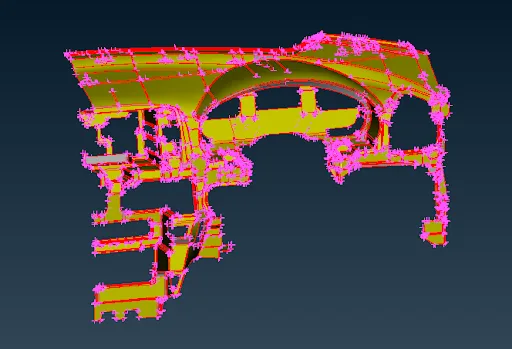
Modeling of an Automotive IP Trim Component

In this project, students will be provided with an IP substrate component and asked to model the same.
Modeling of an Automotive Suspension Assembly
Preprocessor for Structural Analysis using ANSA

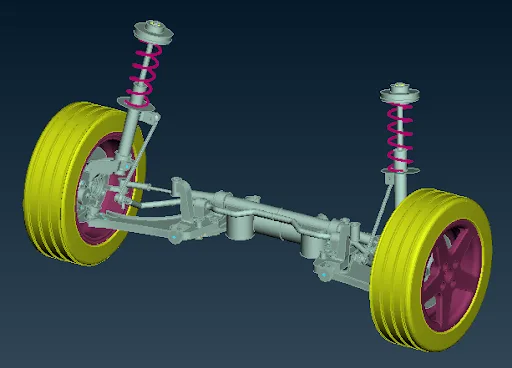
Modeling of an Automotive Suspension Assembly

In this project, the students will model the entire automotive suspension assembly and check for connections.
Pedestrian Head Impact Simulation on a Hood
LS-DYNA for Structural Mechanics/FEA

Pedestrian Head Impact Simulation on a Hood

In this project, the students will simulate the pedestrian head impact on the hood. They will analyse the results for calculating the HIC value.
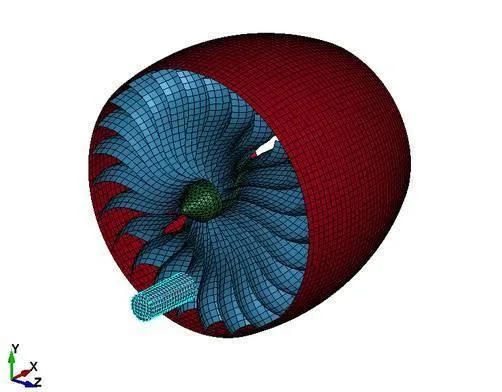
Bird Strike on an Aircraft Engine using Shell Elements
LS-DYNA for Structural Mechanics/FEA

Bird Strike on an Aircraft Engine using Shell Elements

In this project, the students will set up the case for a bird strike on an aircraft engine using shell elements. They will simulate the same for results.

Aston Martin Car design
Surface Modelling of an Aston Martin Car using SolidWorks

Aston Martin Car design

In this project, the students will be asked to surface model the Aston Martin car using Solidworks as software.
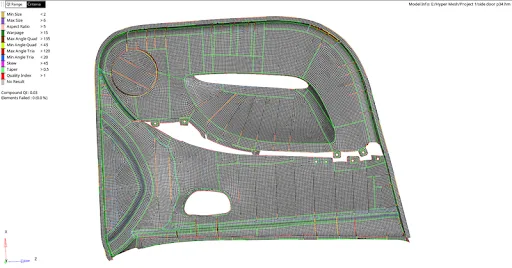
Meshing of Door Panel
HyperMesh for FEA Plastic and Sheet Metal Applications

Meshing of Door Panel

In this project, the student will mesh the door panel under the given quality criteria. They should capture all the features perfectly.
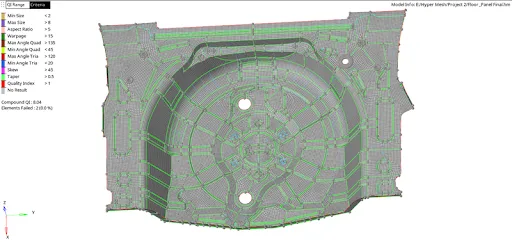
Meshing of Car Spare Tyre Floor Panel
HyperMesh for FEA Plastic and Sheet Metal Applications

Meshing of Car Spare Tyre Floor Panel

In this project, the student will mesh the floor panel under the given quality criteria. They should mesh the whole component and capture all the features perfectly.
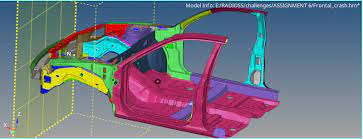
Frontal Crash of a NEON Dodge Model in FMVSS Regulation
Crashworthiness Analysis using HyperMesh and Radioss

Frontal Crash of a NEON Dodge Model in FMVSS Regulation

In this project, the students will set up the case for the frontal crash of a NEON Dodge Model. They will also simulate the results and prepare a report for the same.
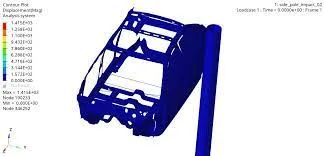
Side Pole Impact Analysis of NEON Dodge Model in FMVSS Regulation
Crashworthiness Analysis using HyperMesh and Radioss

Side Pole Impact Analysis of NEON Dodge Model in FMVSS Regulation

In this project, the student will set up the case for the side crash of the NEON Dodge Model and analyse the side pole impact from the results.
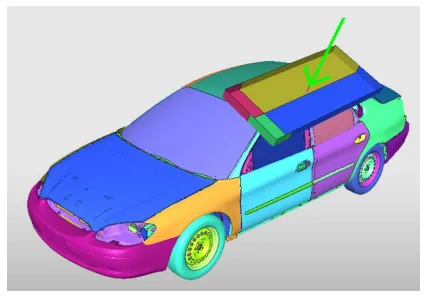
Roof Crush Analysis of a NEON Doge Model in FMVSS Regulation
Crashworthiness Analysis using HyperMesh and Radioss

Roof Crush Analysis of a NEON Doge Model in FMVSS Regulation

In this project, you will set up the case for the roof crash. You'll also analyse the results and report it.

Fee

One fee.
Everything included.

Become job ready with our comprehensive industry focused curriculum for freshers & early career professionals

Premium
₹2,75,000
Inclusive of all chargesEMI from ₹14,375/month
  • Career Service Assurance
  • Personalized Career Services Mentorship
  • 1 Year Access
  • Personalized Page
  • Live Individual & Group Sessions
  • Personalized & Hands-On
  • Job-Oriented Industry Relevant Curriculum
Check eligibility →
FAQ

Questions,
answered.

What type of certificate will students get after completing the course?

An online certificate will be provided to students based on their achievements in the course.
What is the mode of delivery for the course?

The course will be delivered online through video tutorials.
Is there any provision to clear questions and doubts?

The course offered by Skill-Lync gives the student access to various support options through phone, email and chat with a skilled engineer who can resolve all student queries.
Will Skill-Lync participate in finding a career opportunity for me after completing the course?

Skill-Lync will offer an internship opportunity to students interested, but the institute shall not find a job for the candidate.
Is there any age limit for a student to join the course?

There is no applicable age limit on a student for joining the course.
Will I work on any projects during the interim of the course?

Yes, students will work on relevant projects after every course included in the program to enable practical learning.
Is there any pre-requisite to start this course?

Ideally, students should either be pursuing or have graduated in Mechanical or Automotive engineering to start this program.
Is there any benefit in taking this course over a college course?

With access to industry-relevant projects, tools and software, students can get ahead in the competition by starting this course and strengthening their portfolio.
Next step

Not sure it's
the right fit?

A counsellor will walk you through the syllabus, projects and fee options — and tell you honestly if another course suits you better.

Get the syllabus + a call back

We'll email the full syllabus and call within one working day.

By submitting you agree to our Terms and Privacy Policy.

Call usEnquire

Talk to a career counsellor

Free 20-minute call. We'll map the right course to where you want to work.

By submitting you agree to our Terms and Privacy Policy.