DussehraFestive scholarship on Skill-Lync courses, this week onlyFestive scholarship is openOffer ends Wed, 21 Oct, 11:59 pm IST.

Dussehra 2026

Start your next chapter this Dussehra

Tell us where you want to work. A counsellor will match you to the right course and confirm the festive scholarship you qualify for.

  • Festive scholarship on course fees, confirmed on your call
  • Free 20-minute call to map the right course to your goal
  • Real industry projects and placement support with every course

Offer ends Wed, 21 Oct, 11:59 pm IST

3,905 engineers placed since 2019 · 1,277 hiring companies

By submitting you agree to our Terms and Privacy Policy.

You're on the list

Browse courses
Mechanical · Course

Preprocessor for Structural Analysis using ANSA

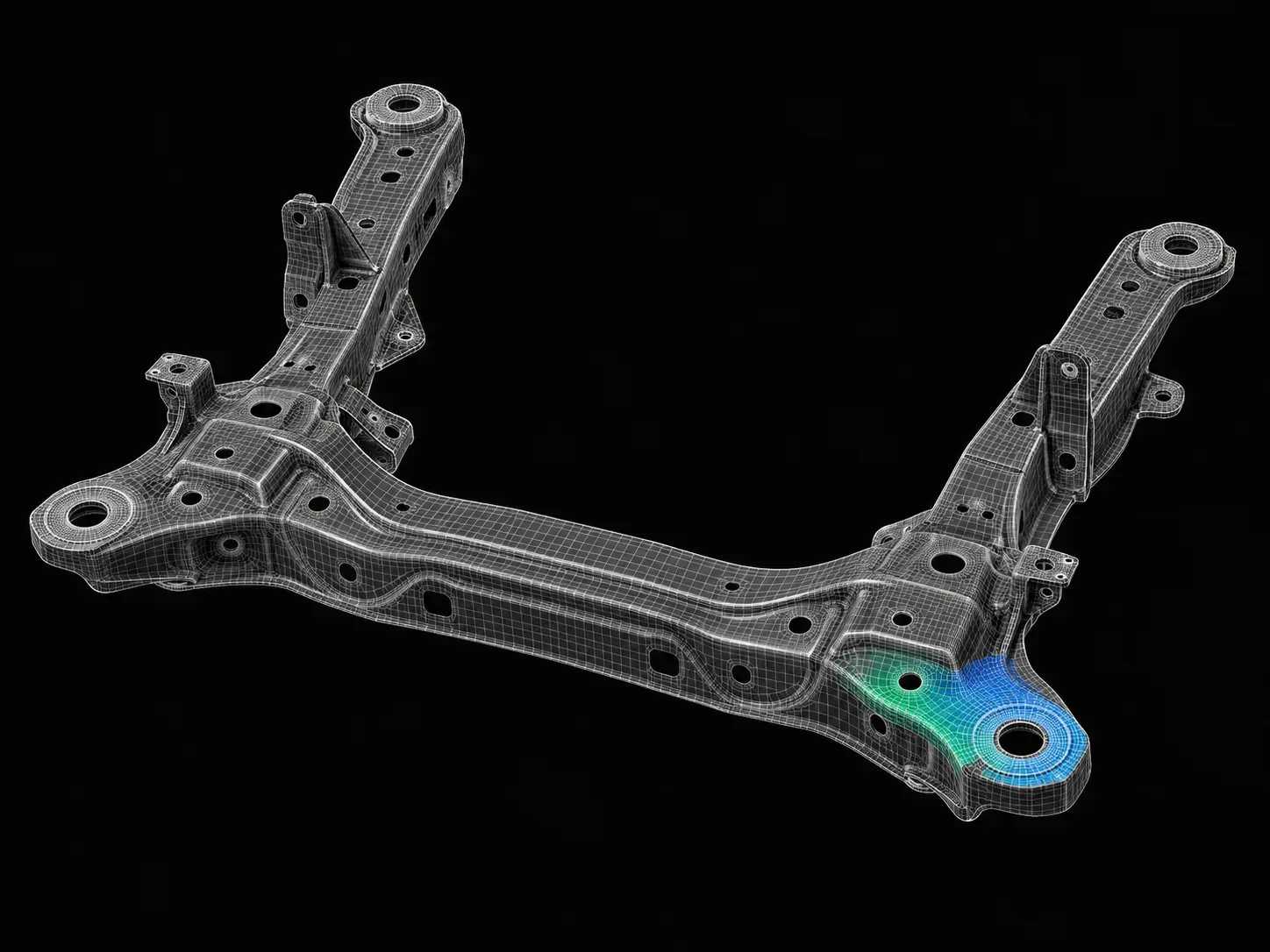
ANSA is an advanced multidisciplinary CAE pre-processing tool that provides all the necessary functionality for full-model build-up, from CAD data to ready-to-run solver input file, in a single integrated environment

Duration
8 weeks
Content
18 hours
Projects
2
Mode
Online
Overview

What you'll
be able to do.

  • After the completion of this program, students will be skilled in 1D, 2D (shell meshing), 3D (solid meshing) and connectors.
  • There are several complex models in the coursework that will help the students practise the techniques taught in this course.
  • This course is the gateway program to the world of FEA meshing techniques and cleaning geometry before sending it for analysis.
Tools you'll use
ANSA
Curriculum

7 modules,
built with industry.

Get the full syllabus ↓
  1. 01Preprocessor for Structural Analysis using ANSA7 modules
    1. Week 01 & 02 - Introduction to ANSA GUI and ToolsW01
      • In this module, you will be introduced to the CAE domain along with an introduction to FEA basics. You will learn the Graphical User Interface(GUI) of the ANSA tool.
      • You will get to know about different solvers and types of analysis carried out using them.
      • You will be introduced to basic tools that will help you with geometric cleanups and other deck setups in ANSA.
      • The topics covered in this module are
        • Introduction to FEA
        • ANSA GUI
        • Geometric Tools and Topology Cleanup
        • Types of CAE Process Tools for Structural CAE
        • Types of Elements
        • Different Tools used in TOPO Deck
    2. Manual Mid-surfacing, 2D Meshing and Quality CriteriaW02
      • In this module, you will study the basics of 2D meshing.
      • You will also learn how to extract mid-surface, deploy 2D mesh on the mid-surface, reconstruct already meshed areas, along with various techniques for achieving the mesh flow.
      • You will also learn how to eliminate the tria concentration present in the geometry and capture the important features in the geometry.
      • You will be working on a sheet metal component in this module.
      • You will also be taught how to achieve mesh quality for the component by assigning the quality criteria parameters.
      • You will study the following topics in this module.
        • Manual mid surfacing for sheet metal components
        • 2D meshing on sheet metal components
        • Quality checkup and taking measures to achieve quality
        • Introduction to different tools used in mesh deck
        • Revising the basic commands
        • Basic commands used in TOPO and MESH deck
        • Practice model provided
    3. Manual Mid-surfacing - Plastic Trims and Cast PartsW03
      • In this module, you will be learning about extracting the mid-surface and working on a plastic part.
      • Plastic parts are of variable thickness therefore, extracting the mid-surface and assigning the thickness is more tricky when compared to the sheet metal component.
      • You will study the following topics in this module
        • Manual mid-surfacing for plastic trim components & cast parts
        • 2D meshing, quality checkup
        • Different tools used in mesh deck
    4. Solid Meshing(Tetra & Hexa)W04
      • In this module, you will learn the different tools and techniques to generate the Tetra mesh for a given geometry.
      • You will also learn the different methods involved in generating a Hexa mesh.
      • You will also understand the quality checks for Tetra elements and how to rectify failed tetra elements.
      • You will study the following topics in this module.
      • Establishing solid (Tetra) meshing on 2 different components
        • Solid (Tetra) meshing
        • 3D meshing quality criteria
        • Volume mesh deck
      • Introduction to solid (Hexa) meshing
        • Solid (Hexa) meshing
        • Volume mesh deck
    5. Connections (Seat and Door)W05
      • In this module, you will be introduced to connections in ANSA.
      • This enables the user to generate FE models for durability, NVH, and crash analysis.
      • Connections are now efficiently designed with the help of the tool.
      • You will also generate connections for the automotive seat & front door.
      • These are the topics that you will learn in this module, different types of connectors such as:
        • Two Nodes RBE2
        • Cluster RBE2
        • RBE2-CBUSH-RBE2
        • RBE2-HEXA-RBE2
        • Nut and Bolt representation
        • Seam weld data representation
        • Different operations such as:
          • Converting and realizing operations
          • Connection manager operations
          • Assigning mass to a node
    6. Week 07 - Introduction to Batch Meshing/CastingW06
      • In this module, you will learn about batch meshing, casting methods, and their applications in industries.
      • The batch meshing/casting method will help you to model the component efficiently and quicker than if you tried to model them manually.
      • But these tools do not guarantee the best results always, and there will be areas where you need to manually check the results.
      • You will study the following topics in this module.
        • Introduction to casting & batch meshing operations
        • Auto mid-surfacing and meshing by using casting and skin methods
    7. Introduction to Morphing BasicsW07
      • In this module, you will learn about a few morphing techniques in ANSA.
      • ANSA allows a full-fledged morphing menu that is completely integrated with ANSA's interface.
      • The functions of the morphing menu can be used to efficiently re-shape both FE and/or geometry-based models.
      • You will study the following topics in this module.
        • Direct morphing
        • Box morphing
        • Hatches
        • Morphing in FE model
        • Morphing in CAD geometry
Industry projects

2 projects
you'll ship.

Our projects are designed by experts in the industry to reflect industry standards. By working through our projects, Learners will gain a practical understanding of what they will take on at a larger-scale in the industry. In total, there are 2 Projects that are available in this program.

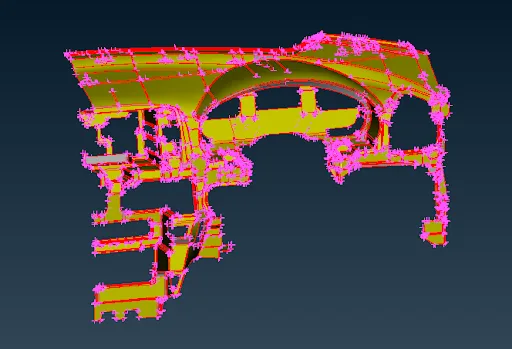
Modeling of an Automotive IP Trim Component

Modeling of an Automotive IP Trim Component

In this project, students will be provided with an IP substrate component and asked to model the same.
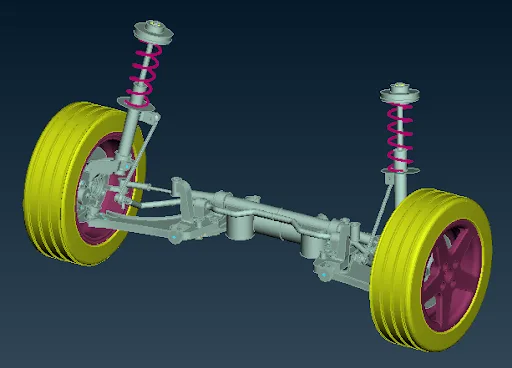
Modeling of an Automotive Suspension Assembly

Modeling of an Automotive Suspension Assembly

In this project, the students will model the entire automotive suspension assembly and check for connections.

Fee

One fee.
Everything included.

Become job ready with our comprehensive industry focused curriculum for freshers & early career professionals

Premium
₹40,000
Inclusive of all charges
  • 1 Year Access
  • Personalized Page
  • Live Individual & Group Sessions
  • Personalized & Hands-On
  • Job-Oriented Industry Relevant Curriculum
Check eligibility →
FAQ

Questions,
answered.

How will this course develop my skills?

We partner with industry experts working in Fortune 500 companies to deliver lectures. Apart from lectures, you will also get access to recorded content and assignments each week for the advanced structural analysis course.

Who is the ideal student for this course?

You should have a B.E/B.Tech degree in mechanical or automotive engineering or any related streams to take up this structural analysis course. 

I have already studied the theory in college. How is this course different?

We have developed this course after consultation with industry experts. In college, you would have learnt the theoretical aspects of solving problems. This course will equip you to apply this theory to work on real-time projects. By bridging the gap between academia and industry, you will be ready to take on the challenges of work.

What is the commitment required for this course?

Apart from attending lectures and working on projects, you will also be required to work on projects. To gain the most from this course, committing 4 to 5 hours every day should be enough to become a master in meshing.

How long is the duration of this course?

The duration of this course is 24 weeks.

Next step

Not sure it's
the right fit?

A counsellor will walk you through the syllabus, projects and fee options — and tell you honestly if another course suits you better.

Get the syllabus + a call back

We'll email the full syllabus and call within one working day.

By submitting you agree to our Terms and Privacy Policy.

Call usEnquire

Talk to a career counsellor

Free 20-minute call. We'll map the right course to where you want to work.

By submitting you agree to our Terms and Privacy Policy.