Week-3 Challenge: ADVISOR Tool
Advisor tool is used for the analysis of performance , fuel economy of different types & models of the vehicle.
Procedure:
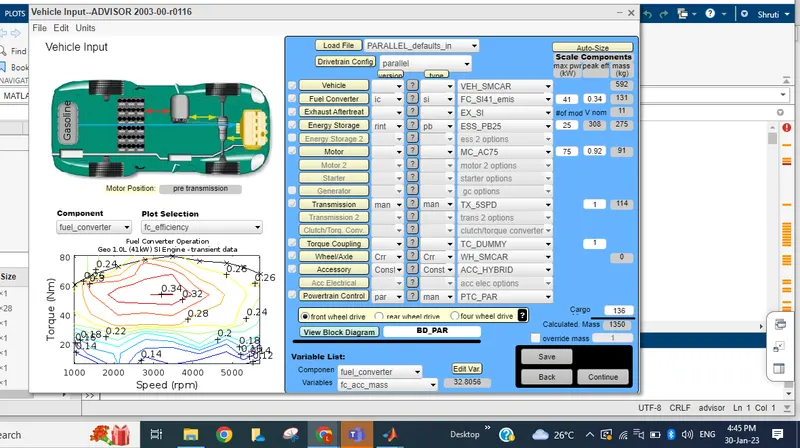
Download the advisor tool folder, import folder in matlab drive , write advisor in command window. Press the enter button. Advisor tool will open. Select metric option and press the start button. Initially the page will look like this.
1)For EV_defaults_in file, if cargo mass is 500 kg with all other default conditions, can the vehicle travel for 45 km with FTP drive cycle? Conclude your observations.
Ans: Now change the Load file option to EV_defaults_in and enter cargo as 500kg.
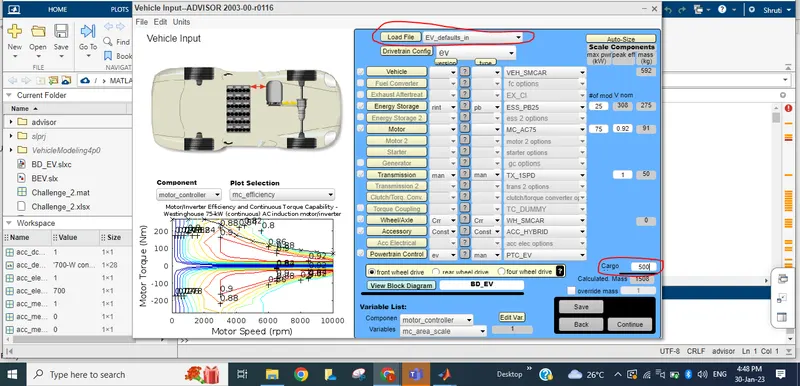
Click on continue button.
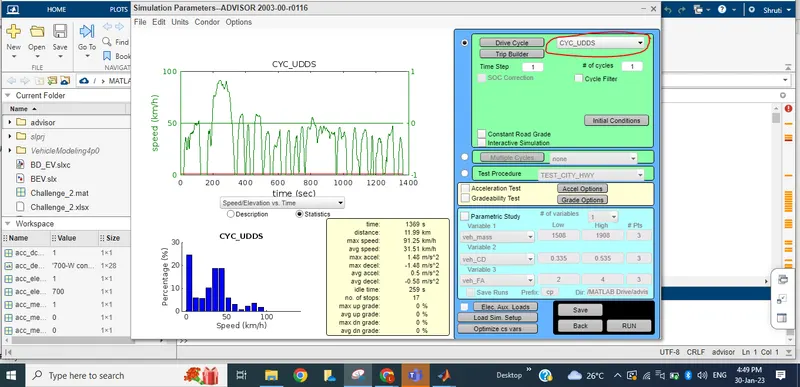
For UDDS drive cycle, We have paatern of drive cycle as shown below.
Change the drive cycle pattern to FTP. and for a drive cycle of 1. the vehicle will reach upto 17.77km only.
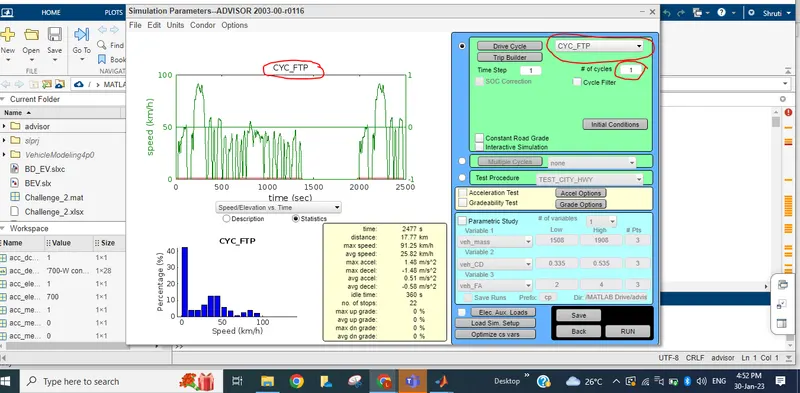
And click on Run option. We can see the result below.
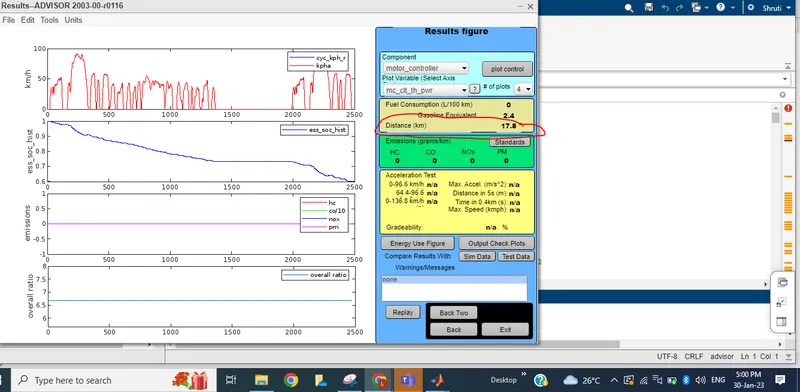
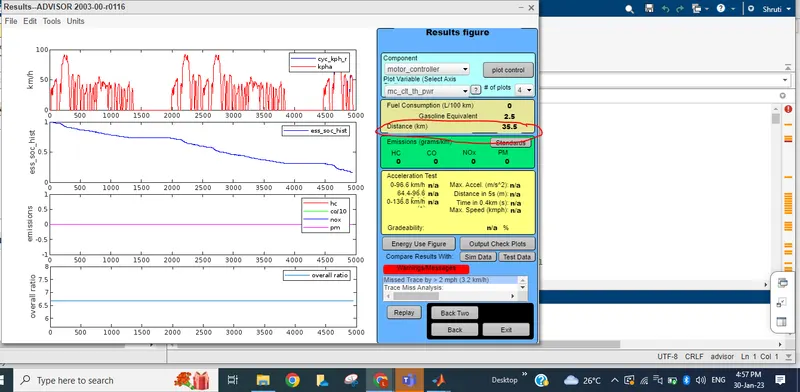
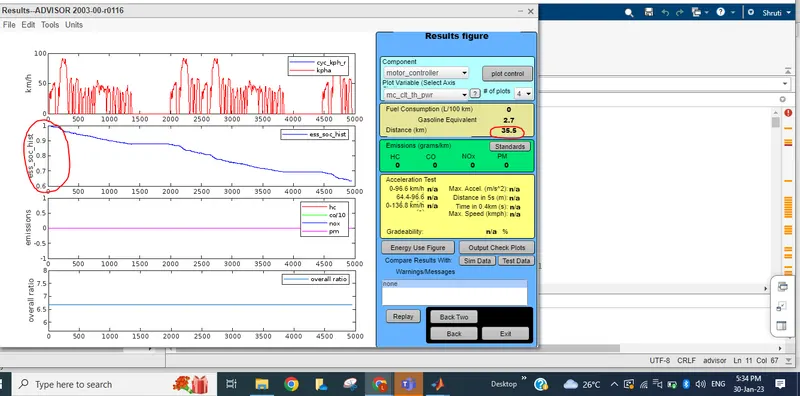
So with battery capacity of 25%, mass of 500kg , and in FTP drive cycle vehicle will reach upto 17.77km. If it has to reach to 45 km, will change the drive cycle upto 2. Vehicle will reach upto 35.5 km with warning message.
Now increase the drive cycle to 3. And run the tool
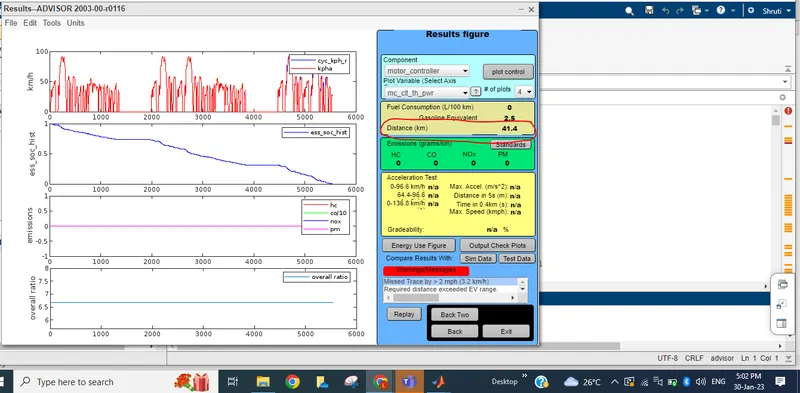
Though we increase the drive cycle to 3 times, vehicle could reach upto 41.4 km.
Conclusion: With less battery capacity and for Ev_defaults_in model a vehicle will travel upto 17.77 km only. Vehicle cannot travel upto 45km. Though we increase the drive cycle to cover the distance of 45km, The battery capacity won't be sufficient.
2) In the above case, try changing the battery capacity and repeat the simulation.
Ans: Initially the battery capacity was 25V, Now changed it to 40 V to check the distance.
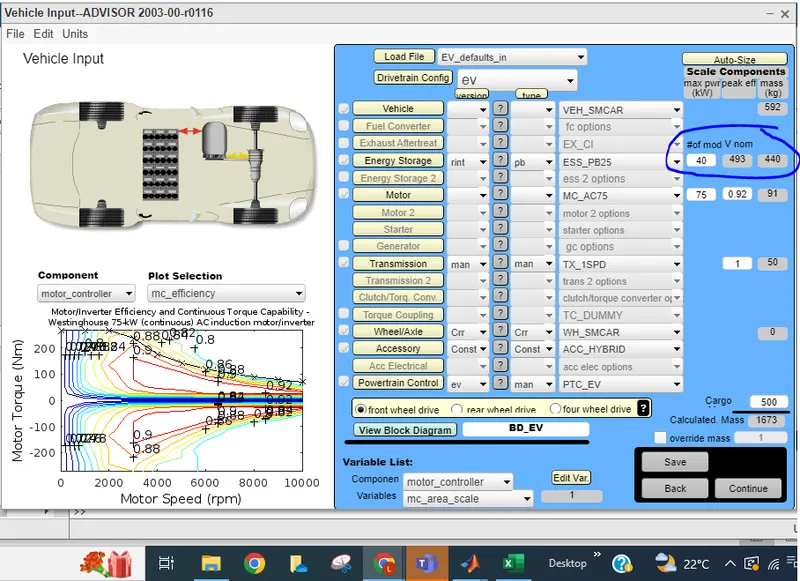
Now distance covered by vehicle is 17.8 km for Drive cycle:1
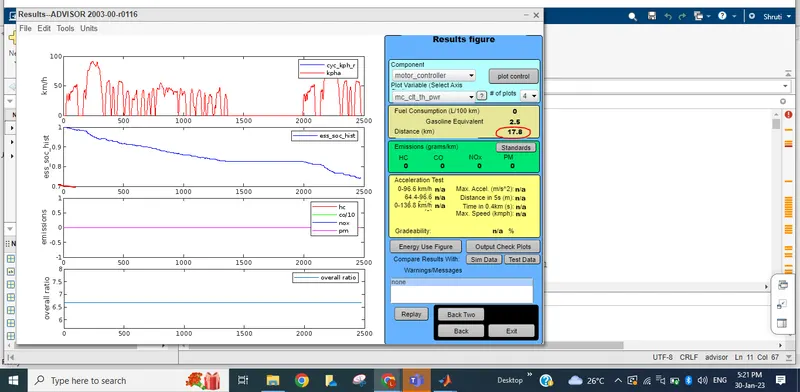
FOr 2 drive cycle with 40V battery capacity. The vehicle can travel upto 35.5 km without any warning.
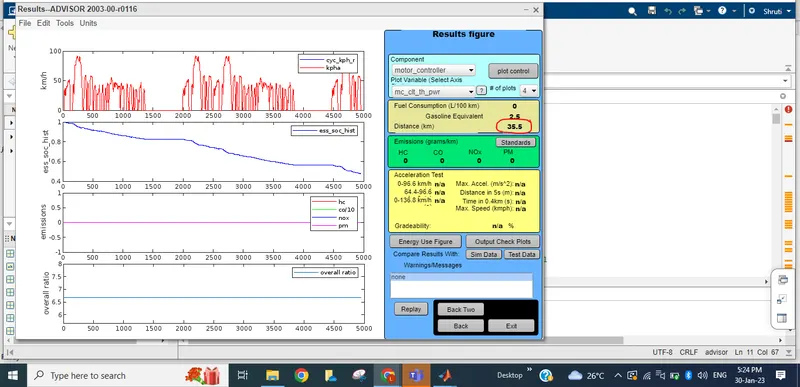
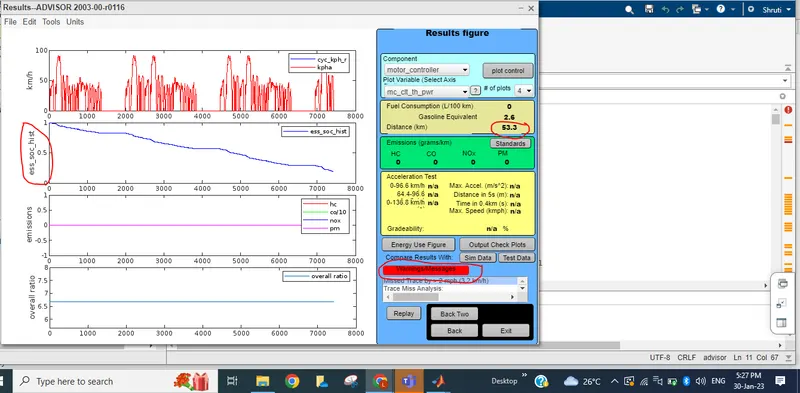
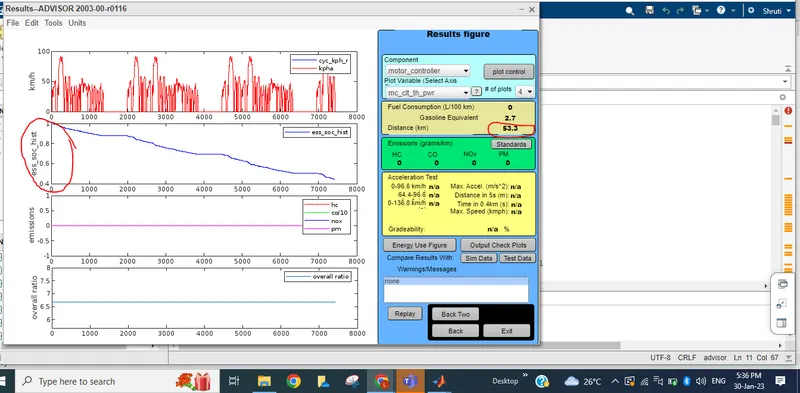
And for drive cycle:3, the vehicle can travel upto 53.3 km but with warning message. The wrning messge shows that , To travel 53 km , The vehcile exceeds the Battery capcaity of 40V
Now let's change battery capacity to 60 V and check
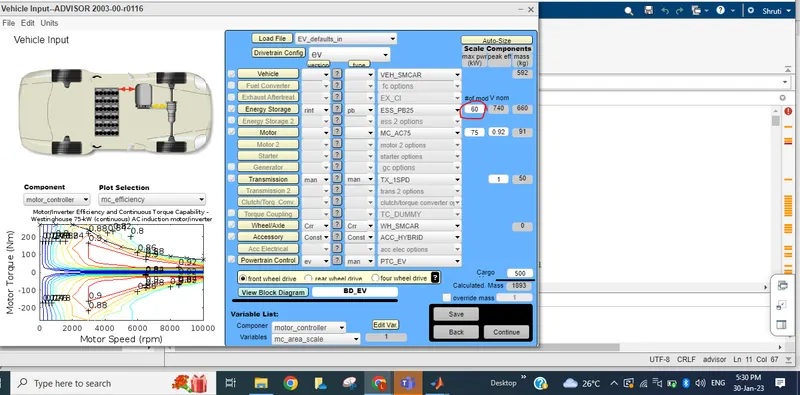
For drive cycle:1, Vehicle travel upto 17.8km, SOC will remain upto 0.8.
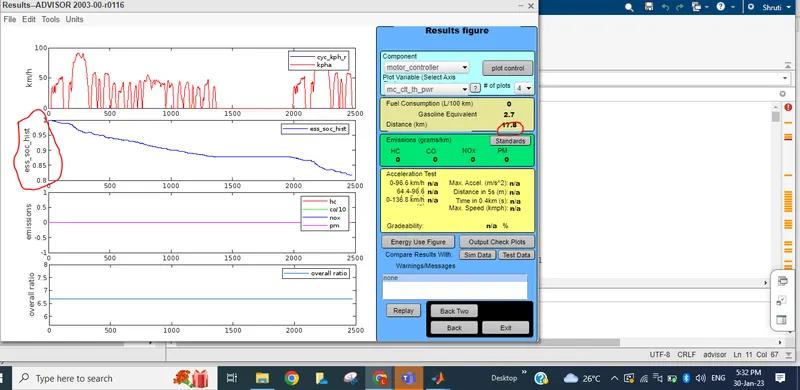
For drive cycle 2: SOC=0.6 and distance travelled is =35.5km
For drive cycle 3: SOC=0.4 and without any warning message , the vehicle will travel upto 53.5km
Conclusion:To meet the requirement of vehicle to travel upto 45 km , increase the battery capacity upto let's say 60(assumed value) we can assume 50 or 55 battery capacity also and check. So the vehicle can travel upto 45 km with 3 drive cycle without any battery capacity issue.
3)Perform gradeability test with PRIUS_Jpn_defaults_in file
Compare your results in table and conclude.
Ans: Set load file to PRIUS_Jpn_defaults_in, keep all the values default, This model has battery capacity of 40 models,
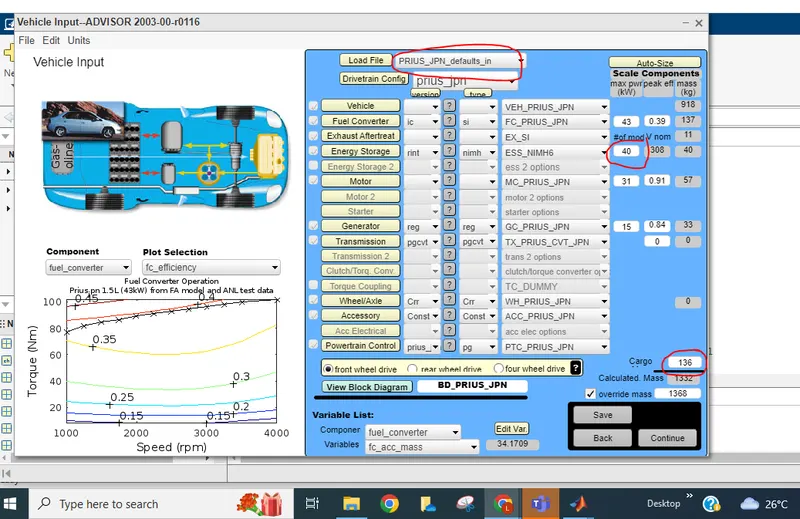
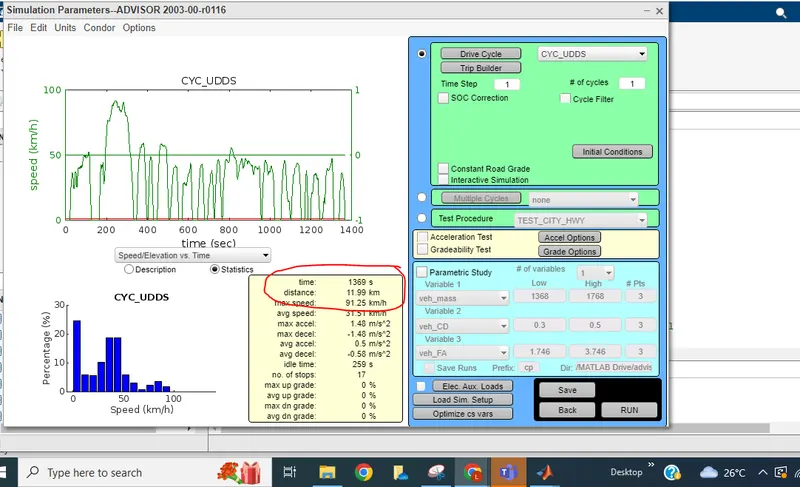
- In 1 cycle it covers a distance of 11.99km in 1369 sec.
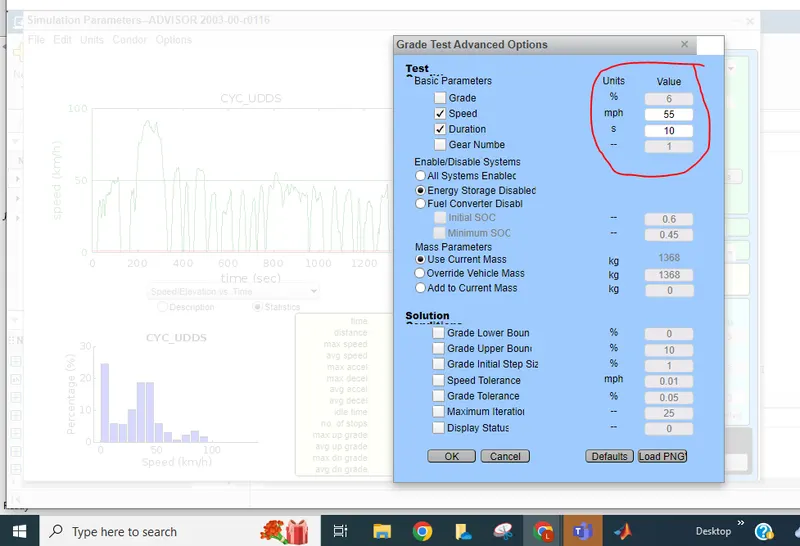
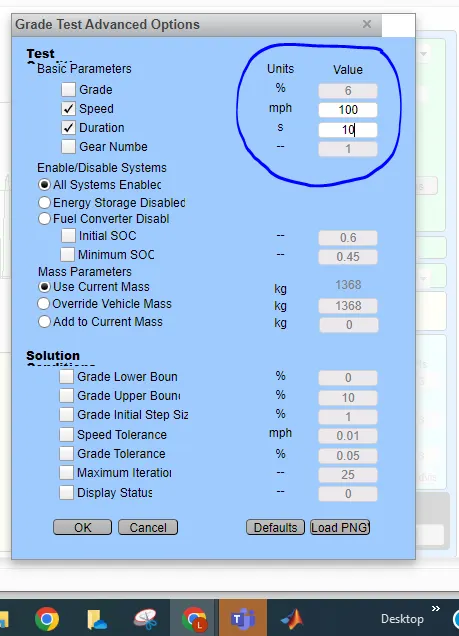
- Here the grade value is 6% for 55mph speed for 10 sec. as default case.
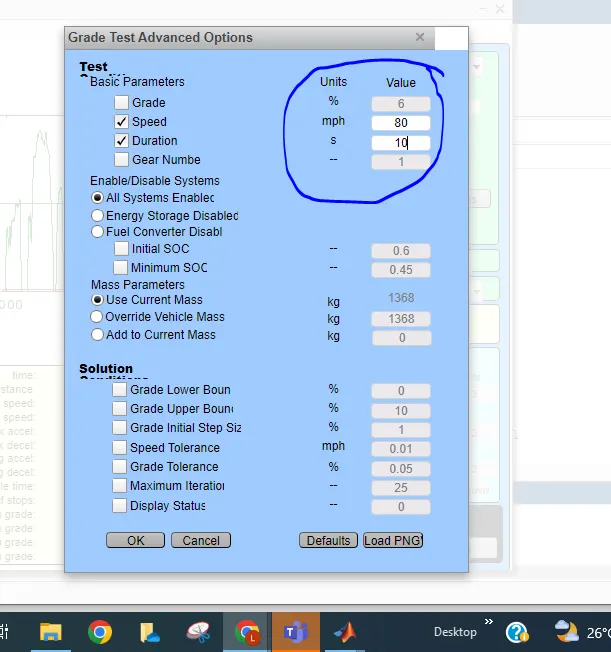
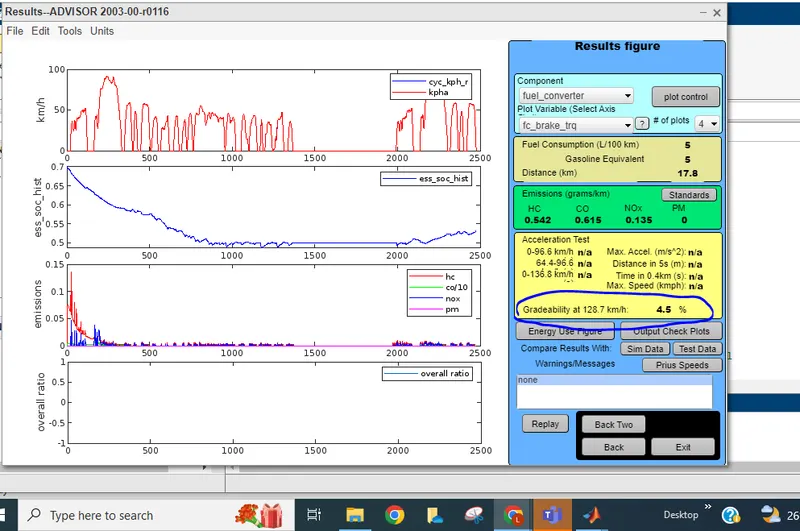
When speed is changed to 80mphr (128.7kmphr) and click on run option= gradeabilty is 4.6%
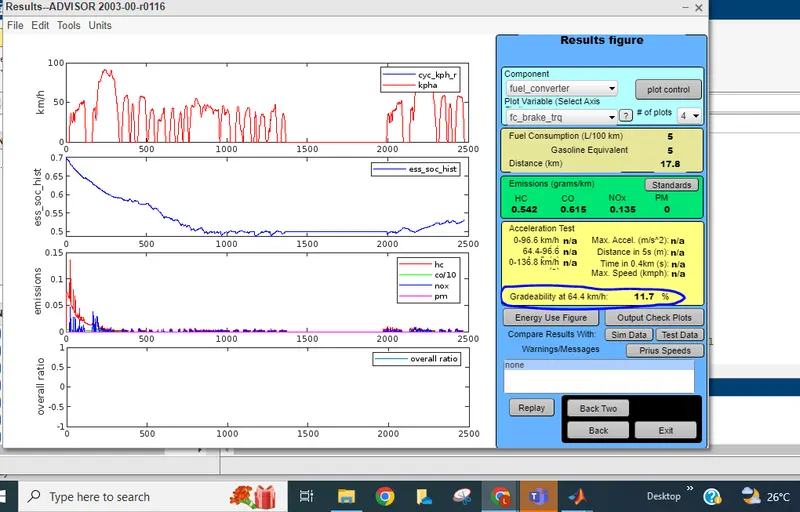
When speed is changed to 40 mphr (64.4kmphr) and click on run option= gradeabilty is 11.7%
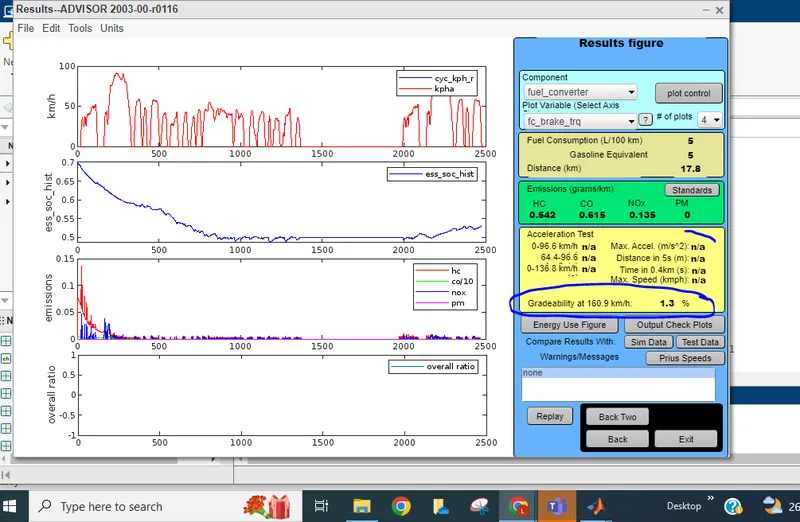
When speed is changed to 100mphr(160.9kmphr)=gradeability is 1.3%
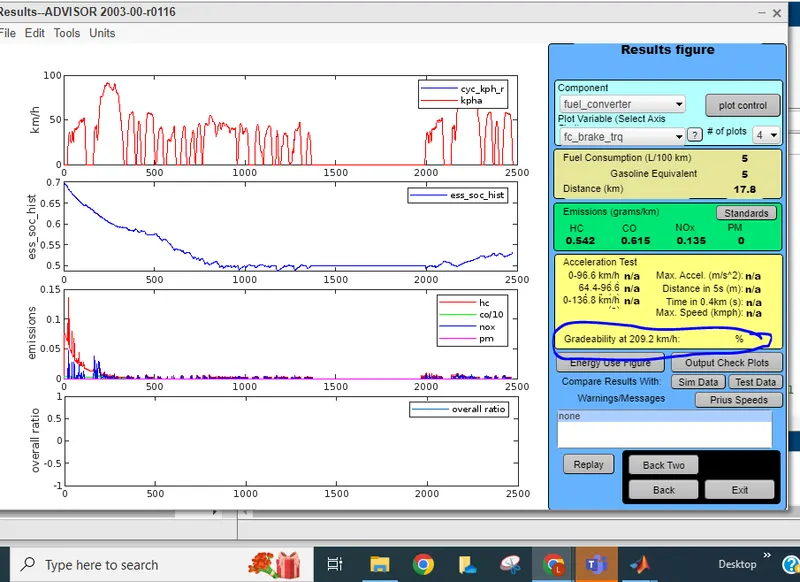
When increase speed upto 130 miles/hr ie(209.2 kmphr) for duration of 10sec gradeabilty fails.
Gradeability table is attched below for different speed wrt time.
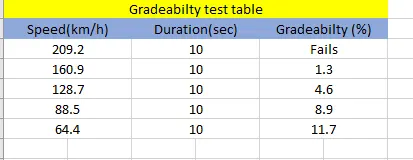
Conclusion:By this test we can conclude that , with increase in the speed of the vehicle, gradeabilty percentage decreases.