Wiring harness design in CATIA V5 - 3D modeling Week 5 & 6 Challenge
1) Download all the connectors required for creating Harness A & Harness B.
Create a new catalogue document in catia, Add a family name as wiring harness assembly.Save it with a catalogue name. Create a product file in catia name it as Challenge wiring harness assembly context.
in that create one more product , name it as assembly_geometric_bundle.
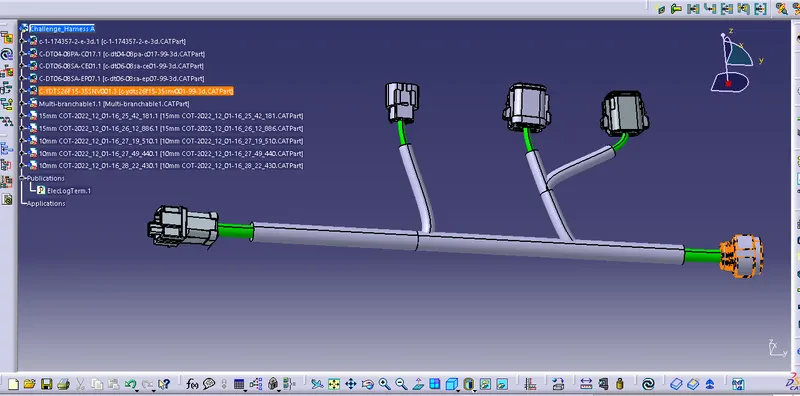
2) Create new product file , Save it using name eg. Challange harness A.Open Harness A connectors , Align them as mentioned in given qusn format. Use Electrical harness assembly workbench, and create multibranchables between 6 and 10(ie branch no 1), Then create 2 branch points between 6 and 10, From 1st branch point connect main trunk harness(Branch 1) to connector 7 (Branch no 2) and from 2nd branch point to Connector 8 (Branch no 3). Create one more branch point on Branch no 3 as shown in figure, Then create branch no 4 from the branch point to Connector 9.
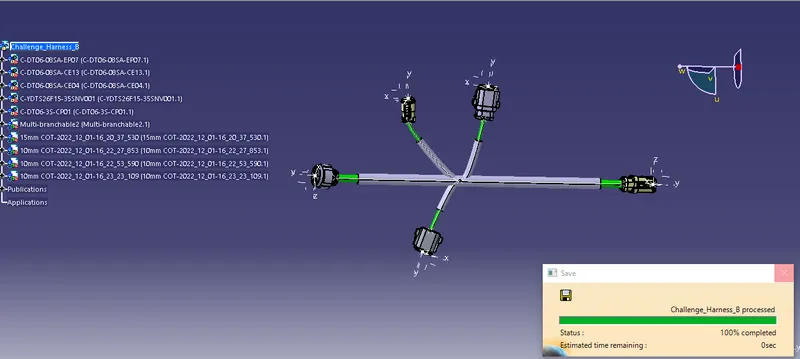
3)Create new product file , Save it using name eg. Challange harness B. Open Harness B connectors , Align them as mentioned in given qusn format. Use Electrical harness assembly workbench, and create multibranchables between 1 and 5 Connectors(ie branch no 1), Then create 1 branch point between 1 and 5, From 1st branch point connect main trunk harness(Branch 1) to connector 2 (Branch no 2) and connector 3 (Branch 3), Create branch no 4 from the same branch point to Connector 4. As shown in fig below.
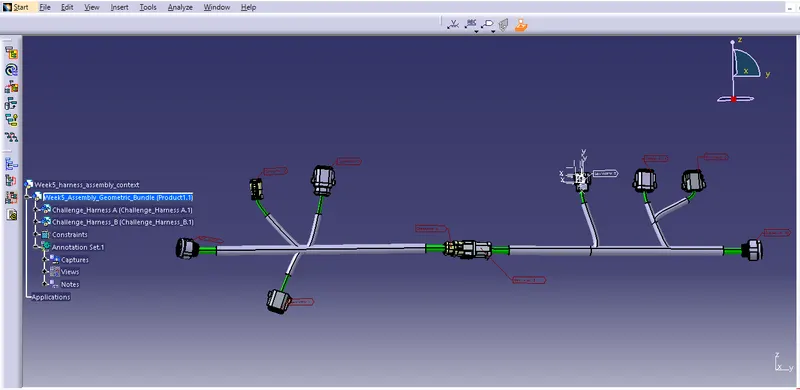
4) Copy both Harness A and Harness B files to Assembly_Geometric_bundle. Allign both the harnesses in a single line. Make connection between Connector 5 and 6 using Connect devices electrically command.
5) Check for the continuity of harness A by pressing Control F command, Harness A is fully connected as shown in below image.
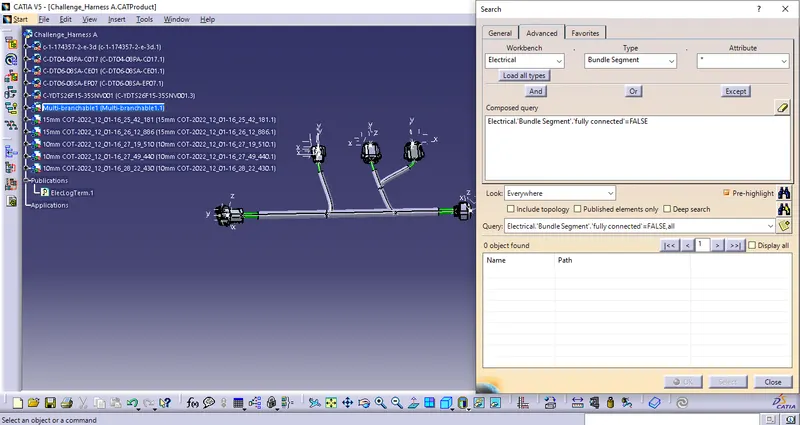
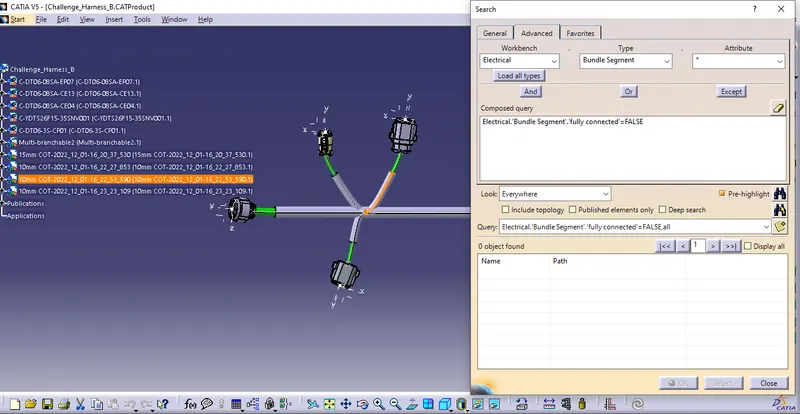
6)Check for the continuity of harness B by pressing Control F command, Harness A is fully connected as shown in below image.
7) Bundle Warnings
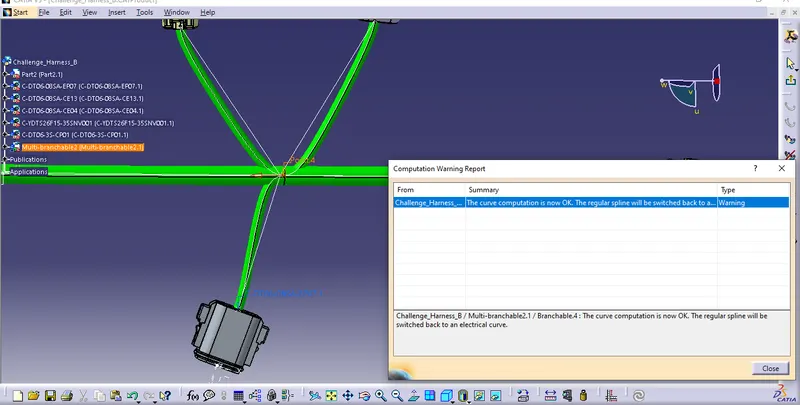
Harness B Bundle warning:
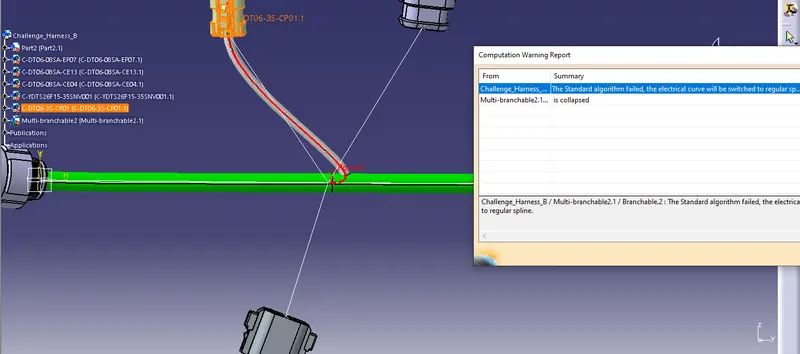
Harness B bundle warning resolved by using reverse tangency command
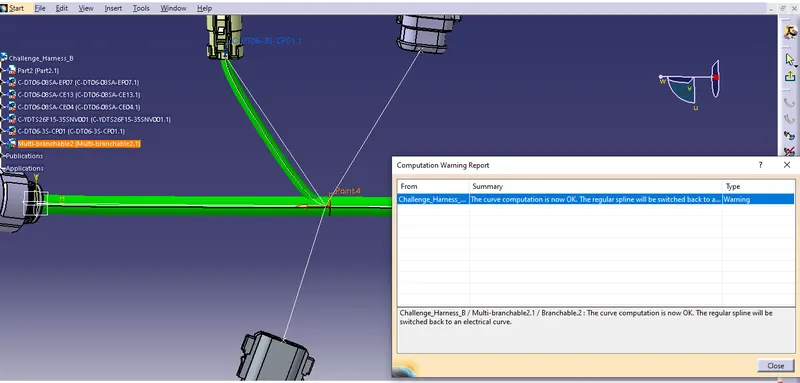
Harness B bundle warning:
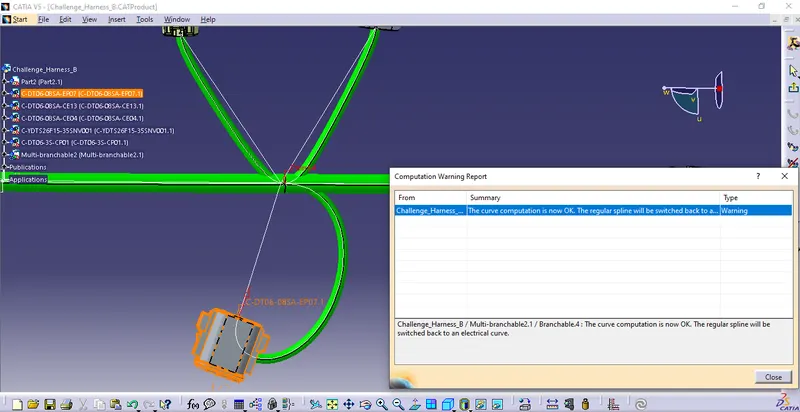
Harness B bundle warning resolved using reverse tangency command.