Week 10 - Challenge 2- Attachment Feature Creation (Dog House)
ATTACHMENT FEATURE CREATION - DOG HOUSE
From the given Class A surface, the component should be created as a closed body. Along with that, dog house should also be attached to the body as per the design rules prescribed for them.
DOG HOUSE
Dog house is an engineering feature used in plastic design.Dog houses are used as a support feature. Sometimes other engineering features like snaps, locators, and screw bosses are mounted on them to increase their strength.Dog houses are subjected to draft analysis to prevent breakage of the component during ejection from the mould cavity.
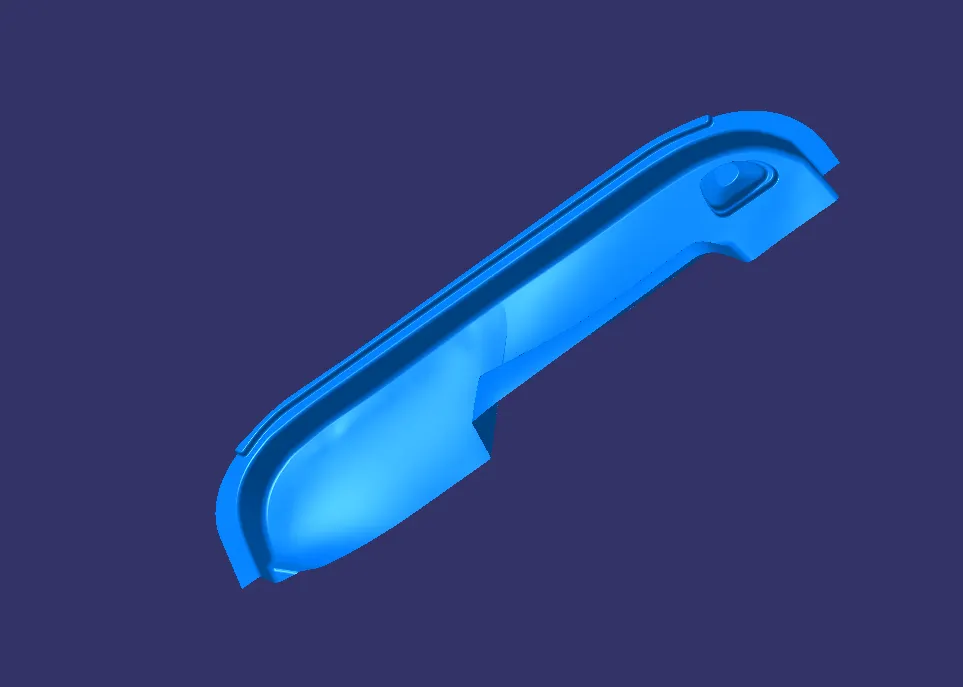
Fig 1. Class A Surface.
The given Class A surface is initially checked using Boundary command and found no gaps are on the surface.
The next step is tooling axis creation.
Tooling Axis Creation
Tooling Axis creation is the next step in the process the steps followed are given below
- Check the best possible tooling axis by manually checking the surface and a temporary axis is fixed.
- On checking the surface the y direction is taken as component fot tooling axis
- The surface is extracted and mid point is created and then dummy tooling axis is created
- The draft analysis is performed and checked whether it satisfies the analysis.
- If it satisfies the it is fixed as tooling axis or if not satisfied then another tooling axis is taken into consideration and same steps are followed.
DRAFT ANALYSIS OF CLASS A SURFACE
Draft analysis is done on the A surface and found the test is passed and completes draft analysis.
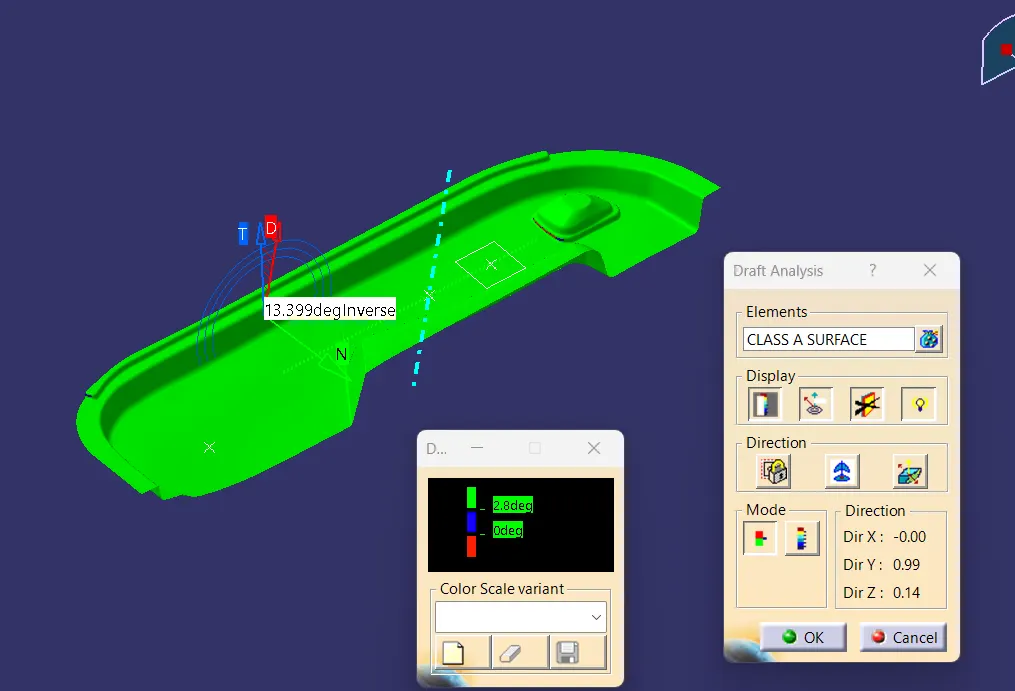
Fig 2. Draft analysis of Class A Surface.
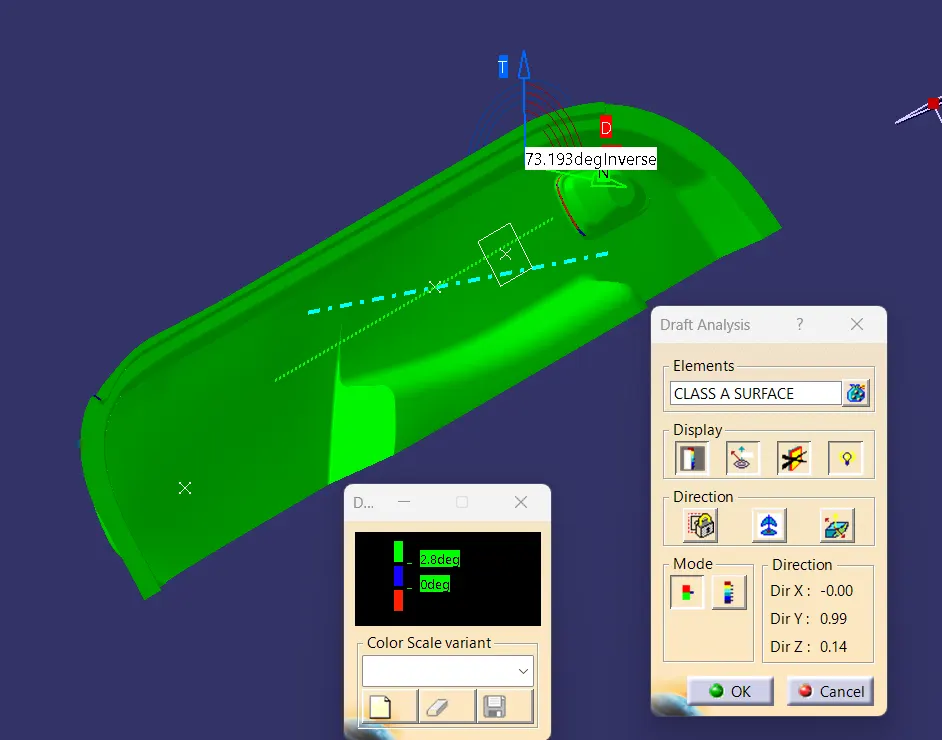
Fig 3. Draft analysis of Class A Surface.
B SURFACE CREATION
Class-B surface means thickness of a part it is not visible and is inside part. In other words, Class-B surface is a surface below a certain thickness from the class-A surface. This is the surface that contains engineering aspects of a model.
The A surface is offsetted to a certain distance (here 2.5 mm) and the rest of the uncleared patches are cleared by extractin the surface and creating multi section surface.
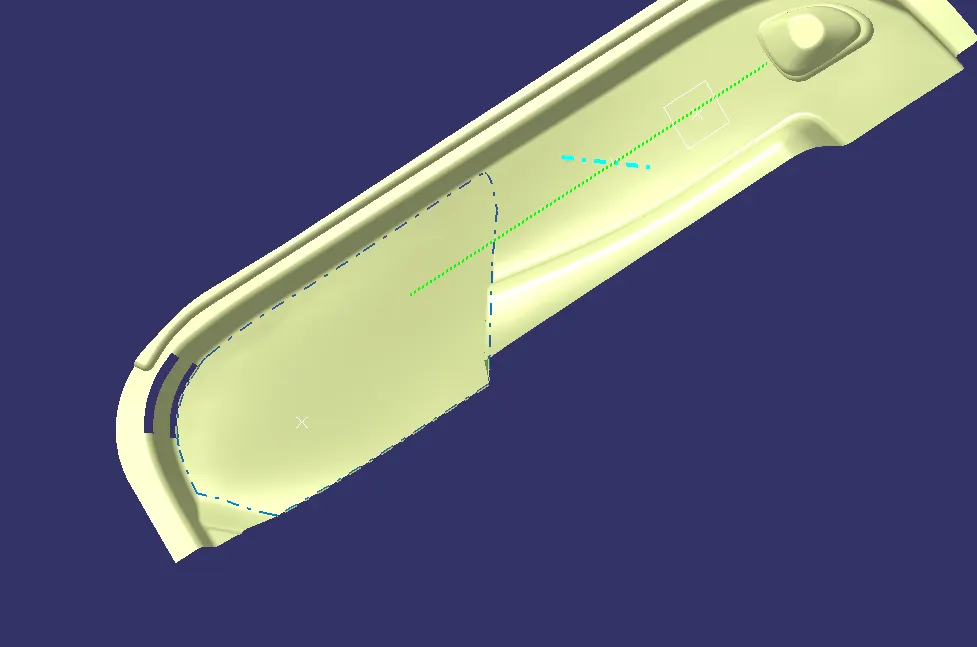
Fig 4. Offset of Class A Surface.
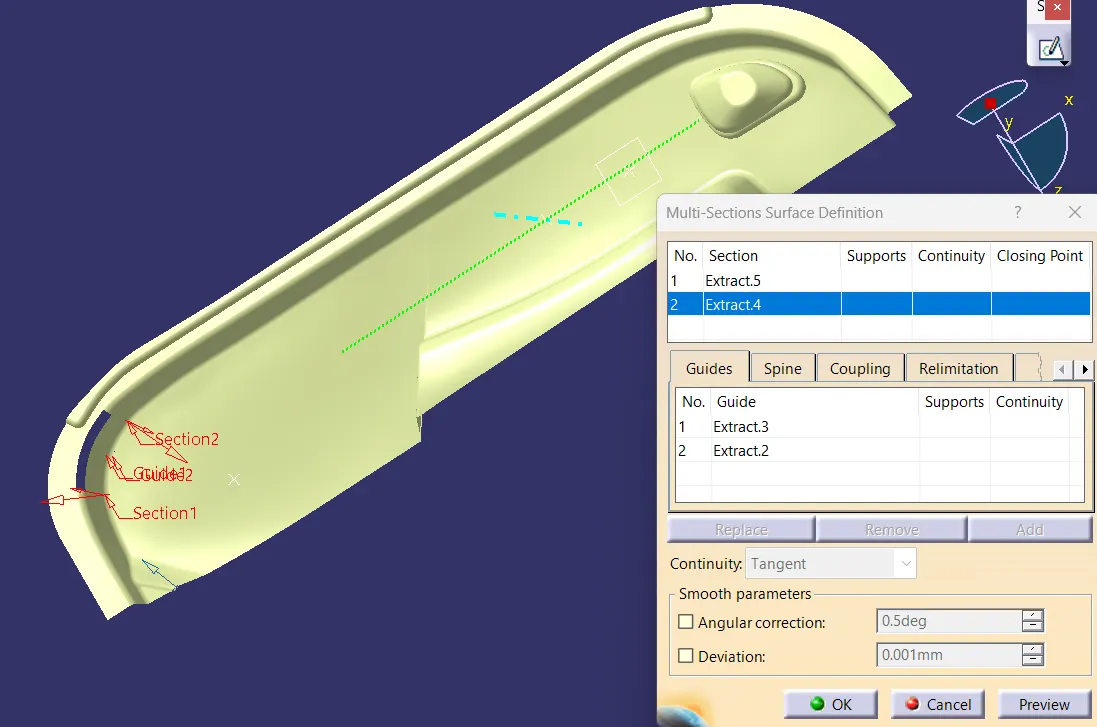
Fig 5. Surface patch cleared using multi section Surface.
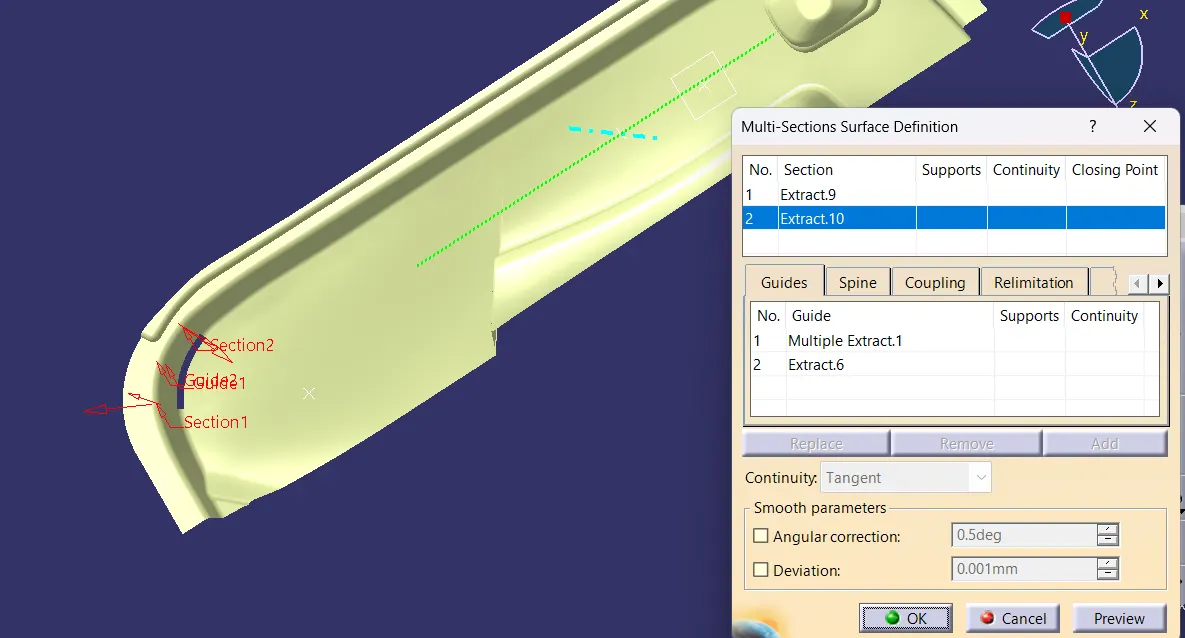
Fig 6. Surface patch cleared using multi section Surface
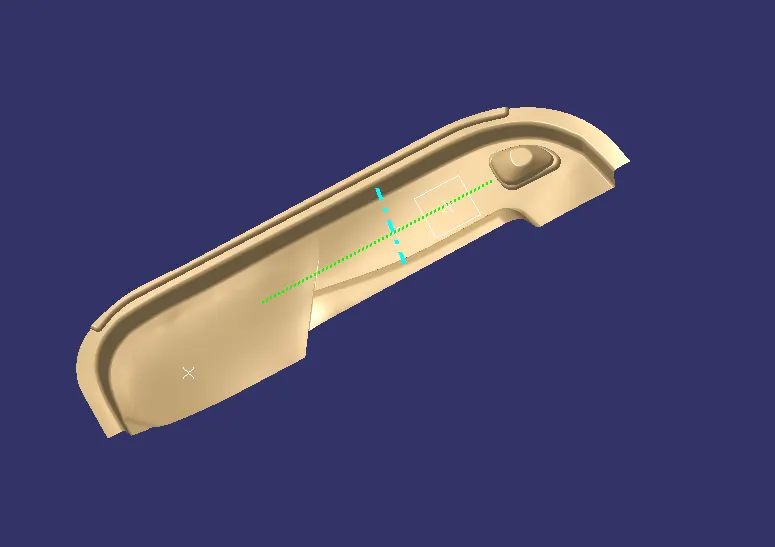 .
Fig 7. Class B surface
C SURFACE CREATION
Surface that joins class-A and class-B surfaces is class-C surface. Class C is often specified for interior surfaces not readily visible, surfaces that will be covered by another part when assembled.
- Creating sweep surfaxe from class A surface with draft direction and angle 3 degree
- Creating boundary and the left surfaces are joined with sweep by multisection surfaces
- Finally all the sweep surfaces created are joined using join tool.
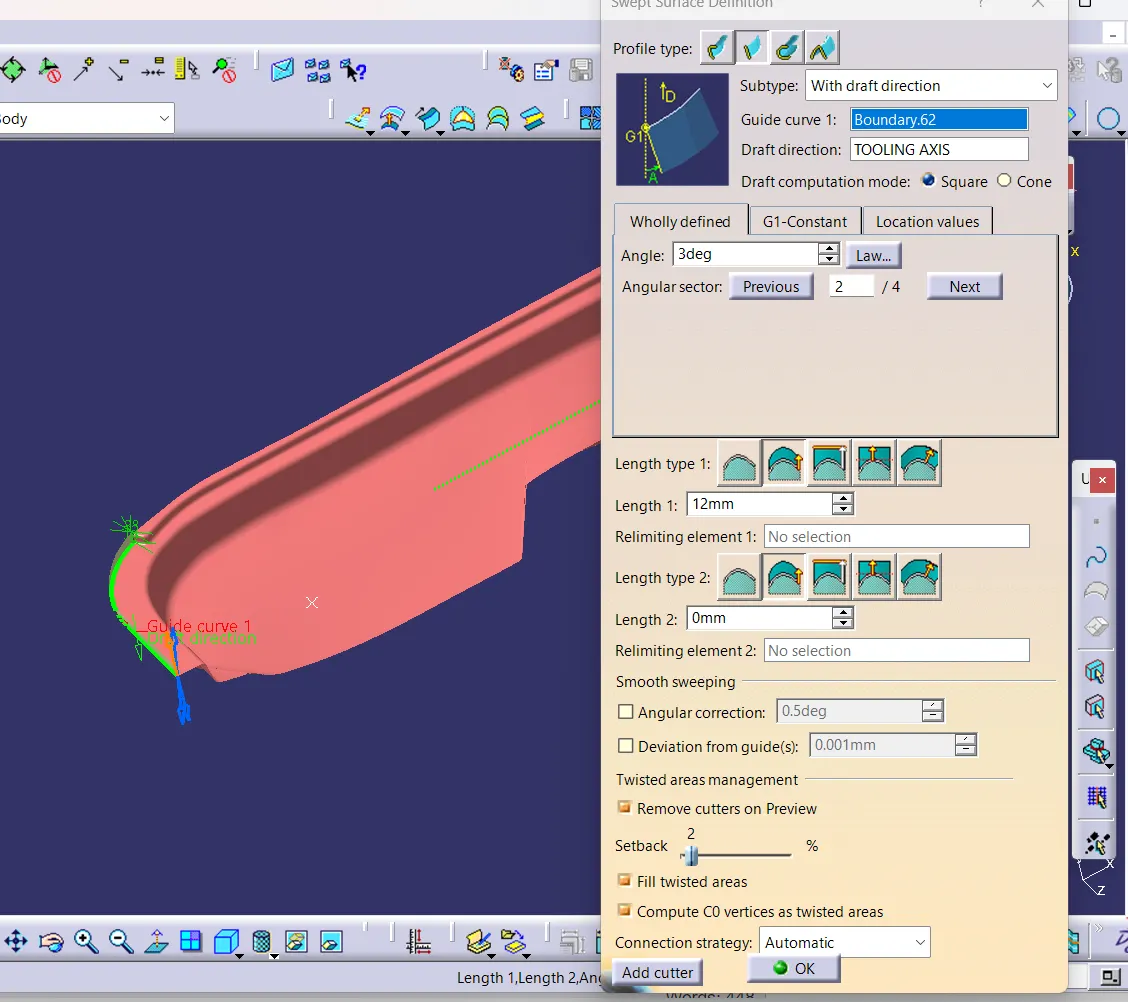
Fig 7. Sweep Surface created using sweep tool.
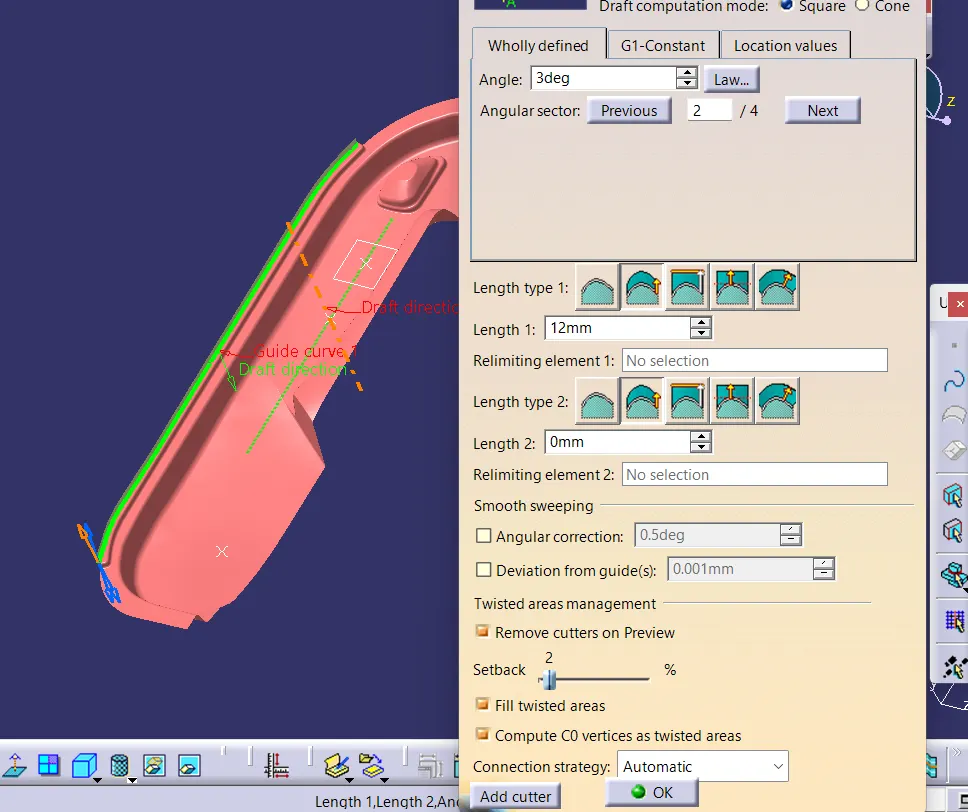
Fig 8. Sweep Surface created using sweep tool.
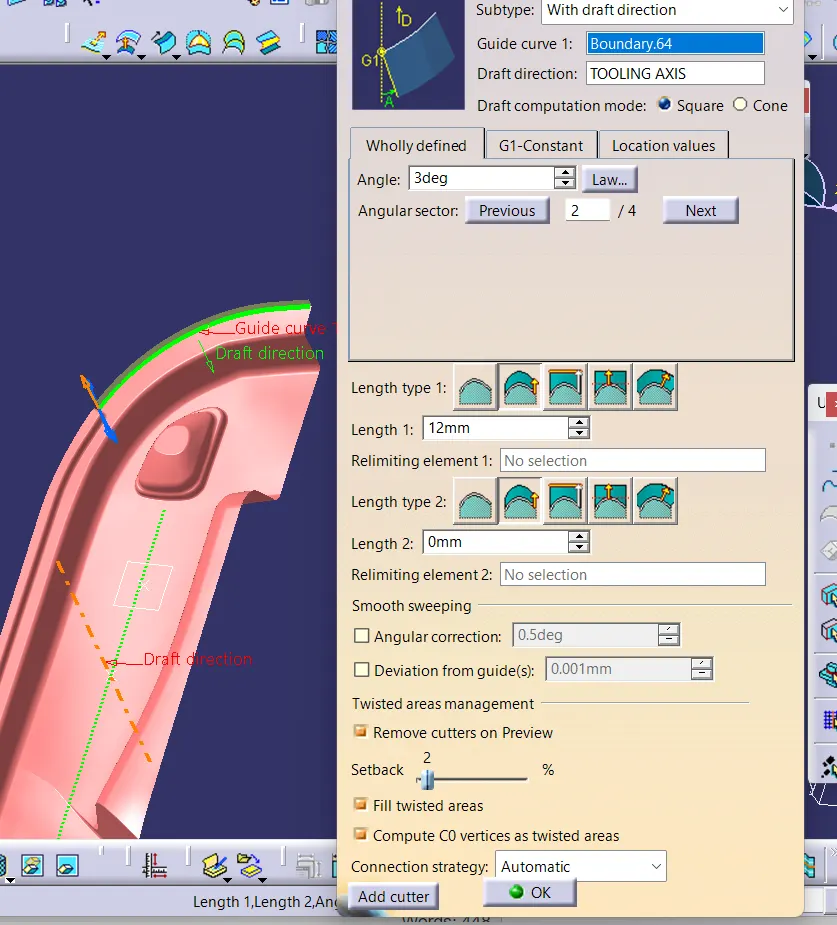
Fig 9. Sweep Surface created using sweep tool.
Fig 10. Sweep Surface created using sweep tool.
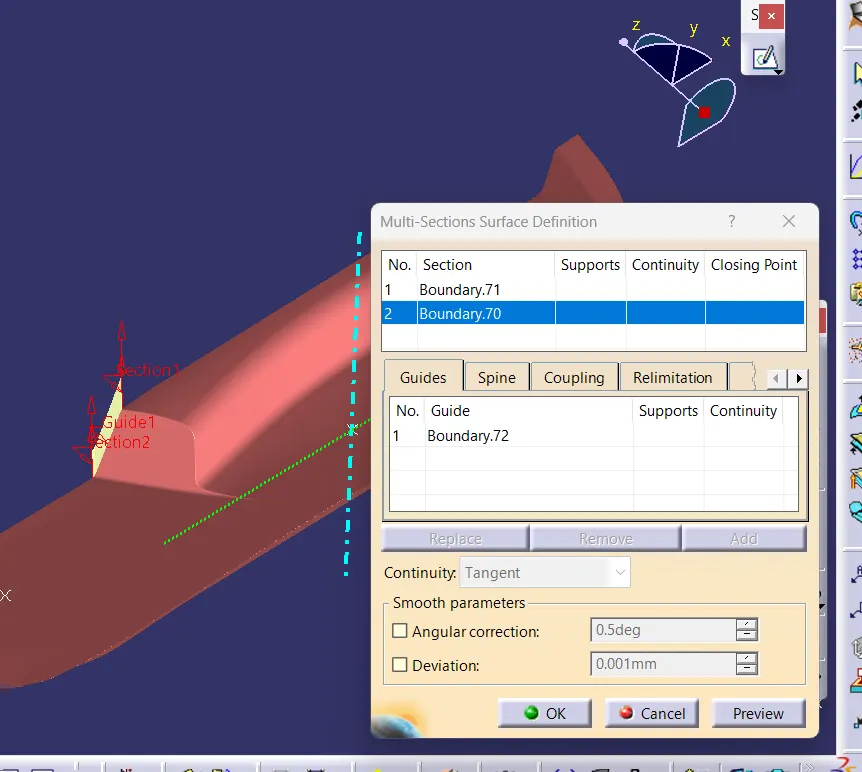
Fig 11. Multisection srface created to join sweep.
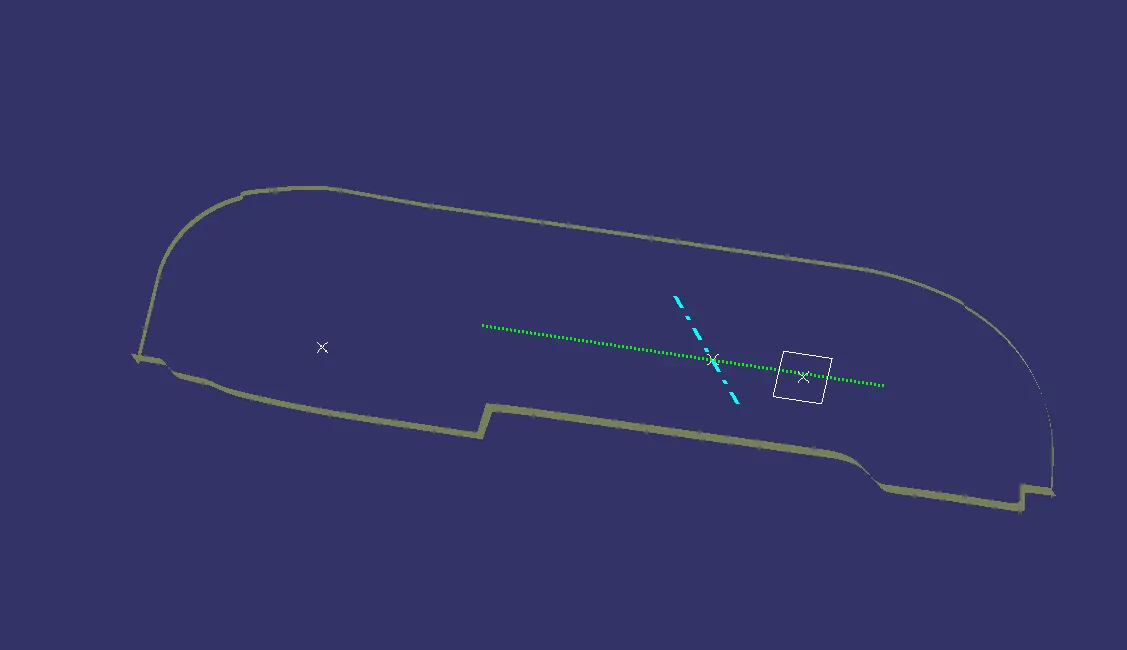
Fig 12. All the c srface are extrapolated to get intersection.
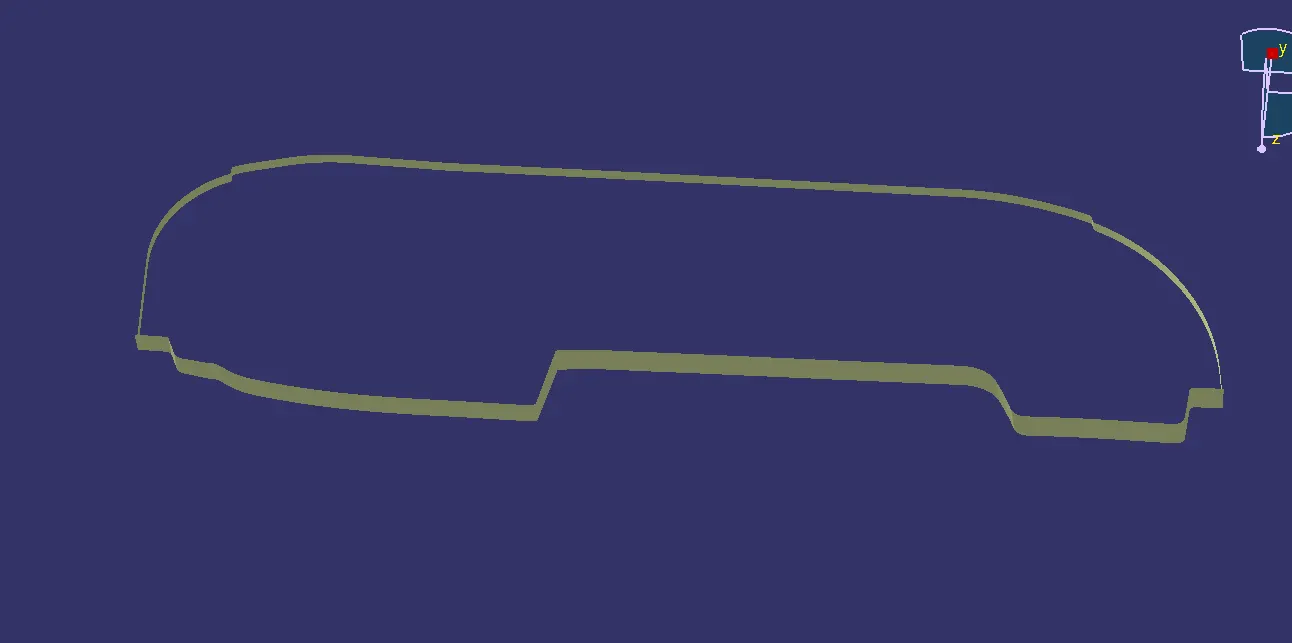 .
Fig 13. Final C surface.
A AND C SURFACE JOIN
The sweep surfacre and A surface are joined to get a single surface
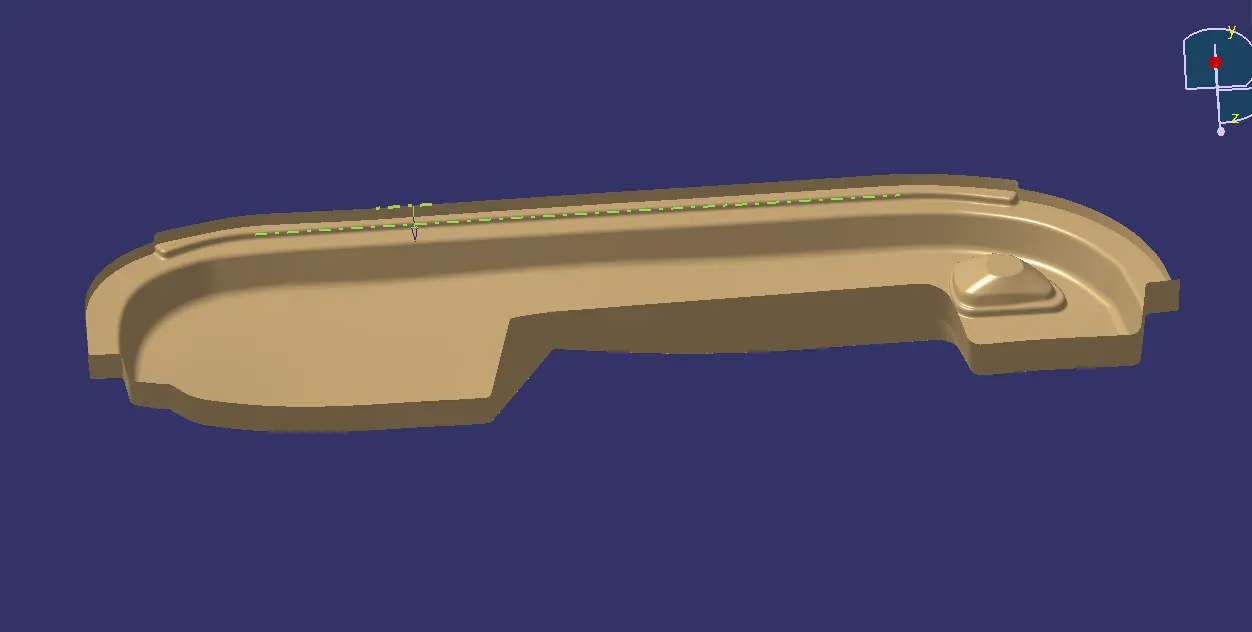
Fig 14. A and C surface joined.
.
FINAL PART CREATION
- For creating the Finals door trim surface, join the CLASS-A and CLASS-C surface together.Then Extrapolate the B surface little bit outward direction to make sure that there would not be any gap when trimming with joined surface.Then trim the extrapolated CLASS-B surface with Join surface (CLASS-A and CLASS-C).Then the final part is obtained and checked for boundary problem and the it is madr into a closed surface.
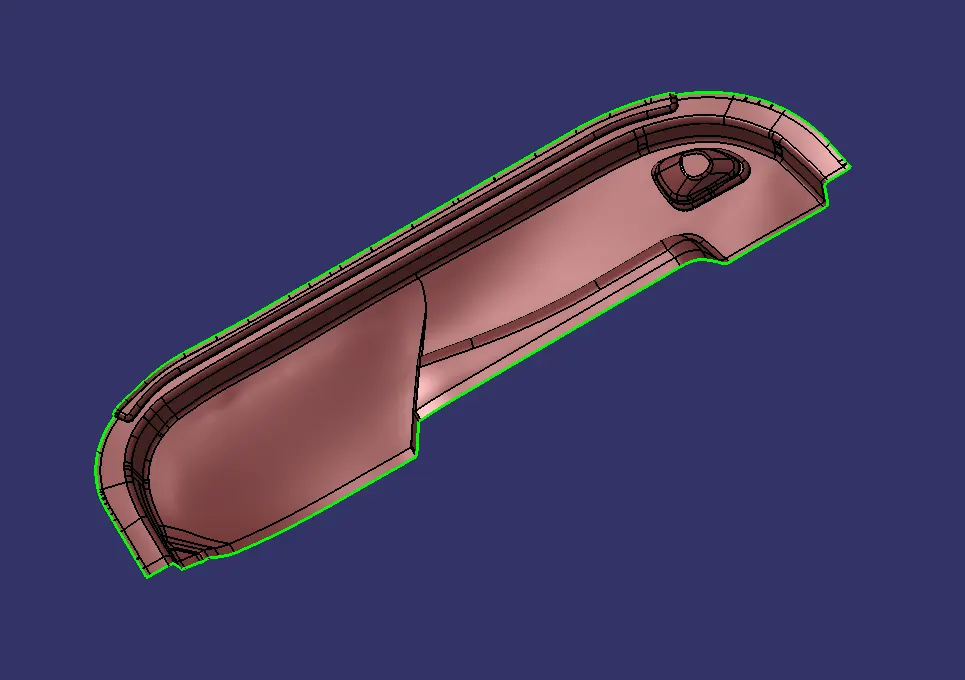
Fig 15. Class B surface extrapolated.
We are gettig the final trim with some patch of opened surface we can correct it by extracting the surface alone and extrapolating and trimming to get final part.
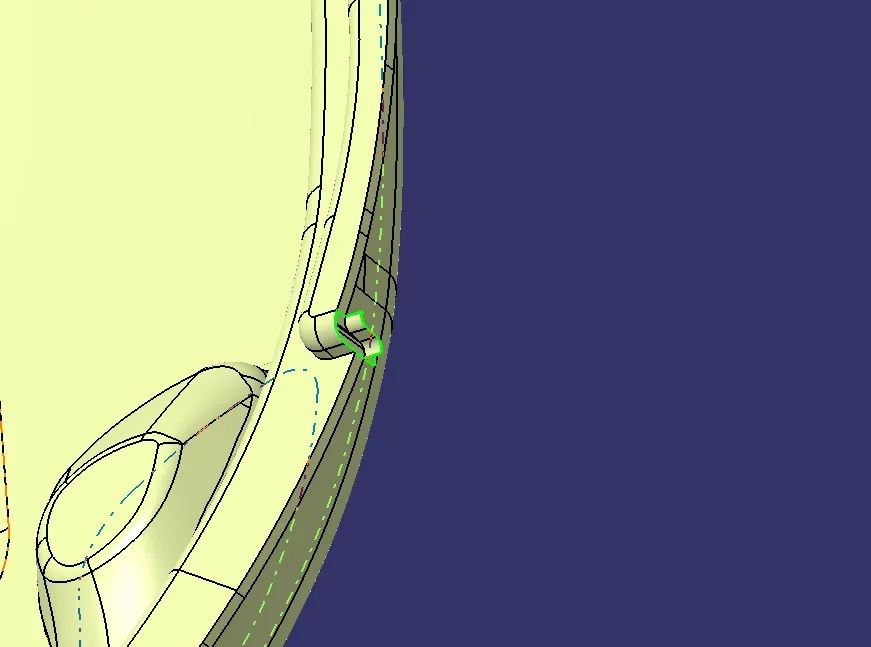
Fig 16. Part get extrapolated to correct the opening
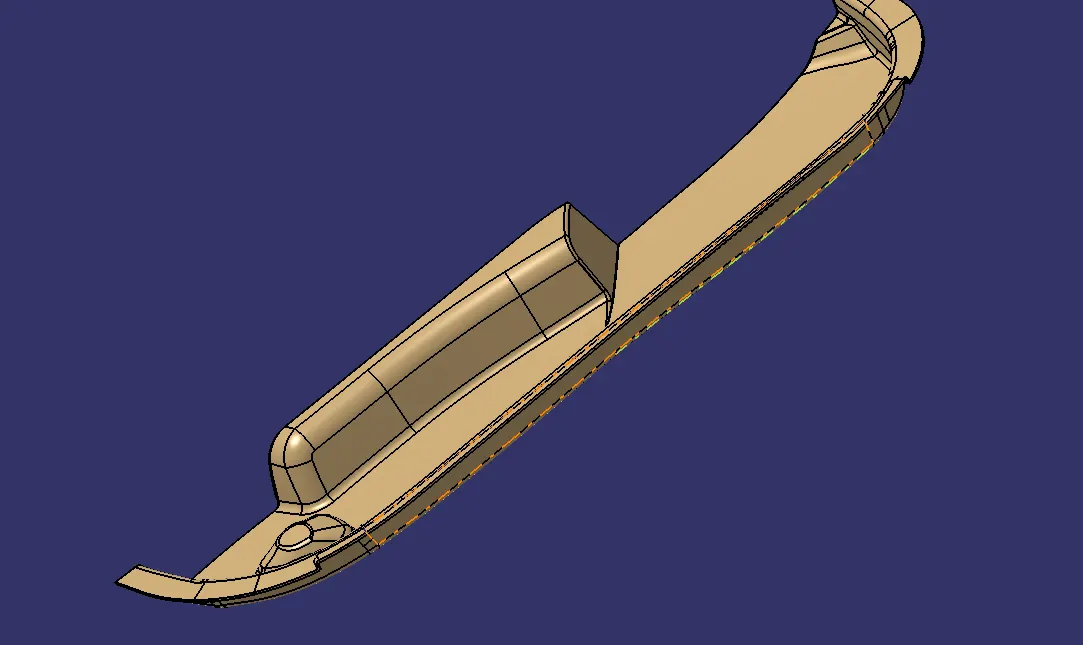
Fig 17. Final part
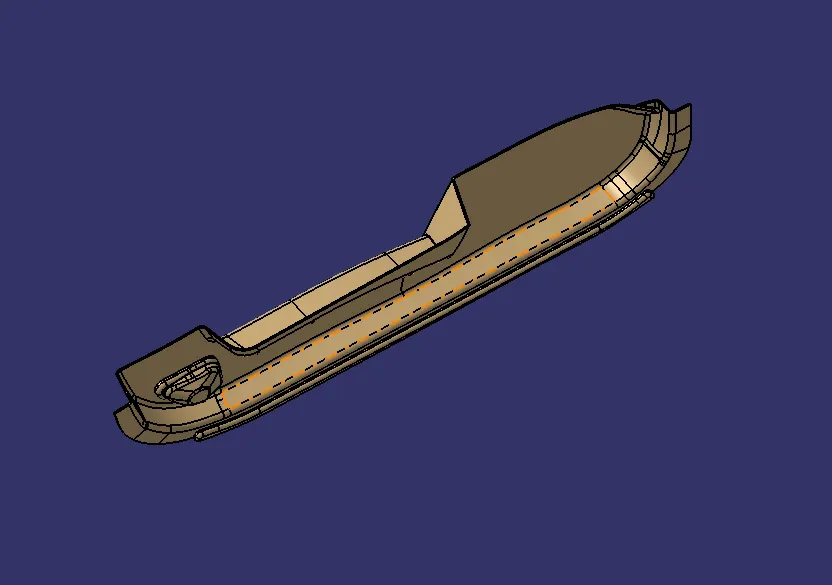
Fig 18. Final part
The trimmed surface is then made into a closed surface by working in part workbench and using closed surface tool.
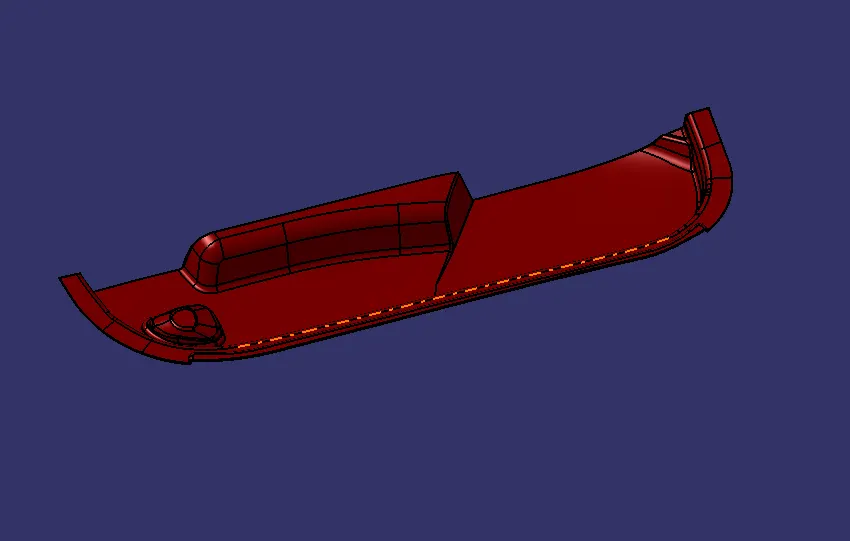
Fig 19. Closed part body
Draft analysis of part
The draft analysis of the closed body is done and checked whether it passes the test.
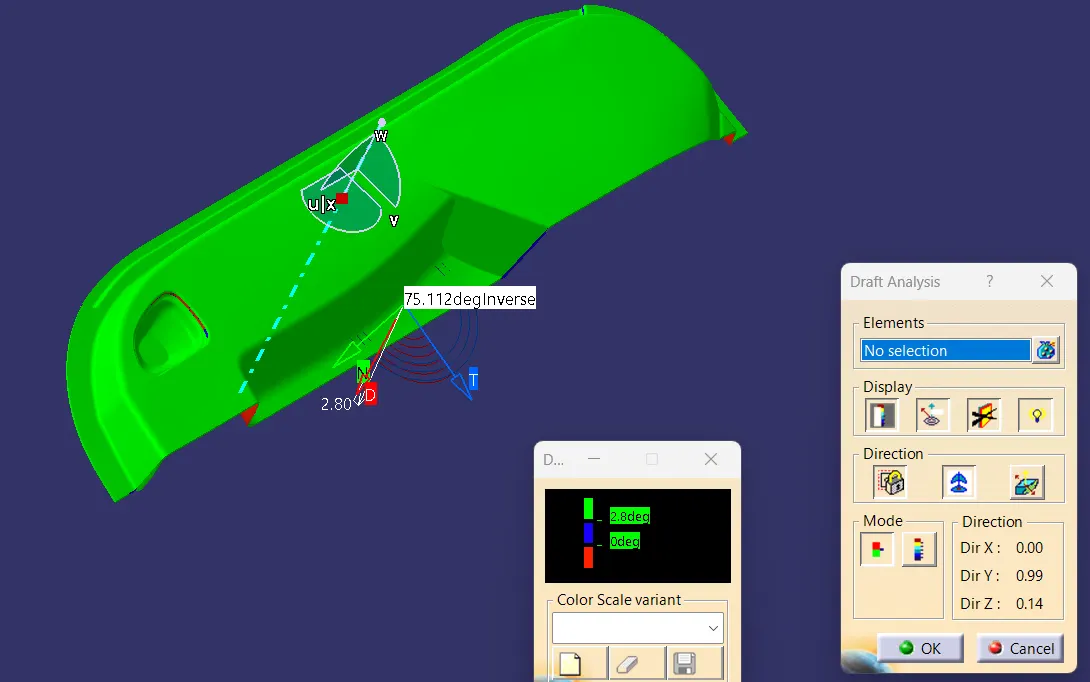
Fig 20. Draft analysis of the part body.
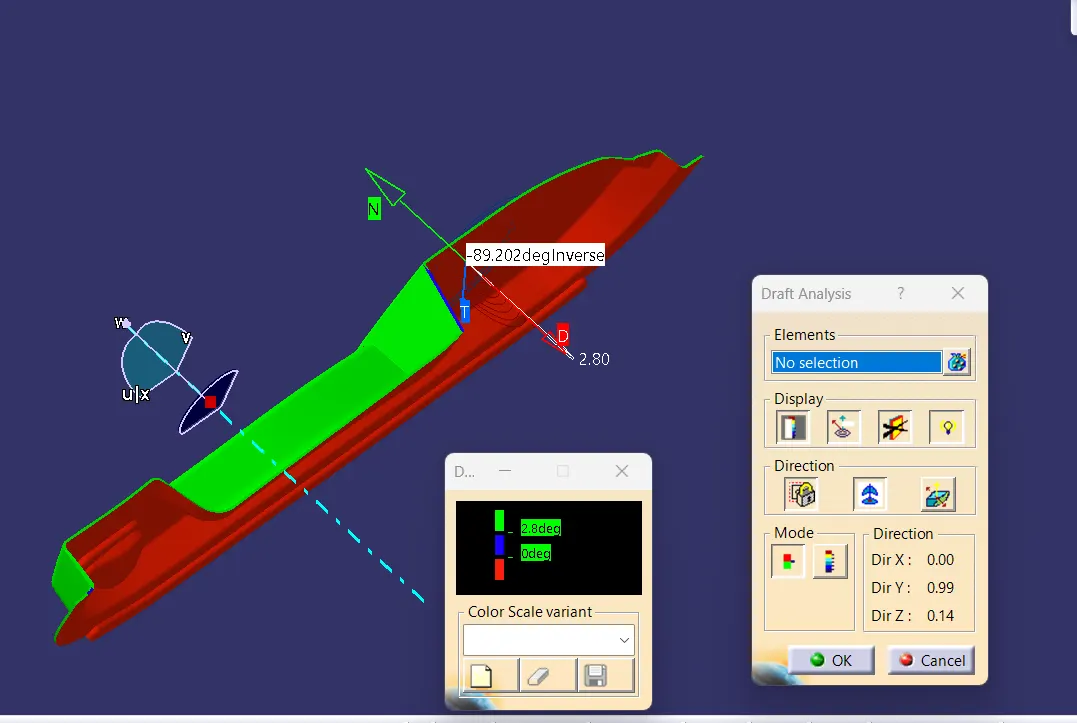
Fig 21. Draft analysis of the part body.
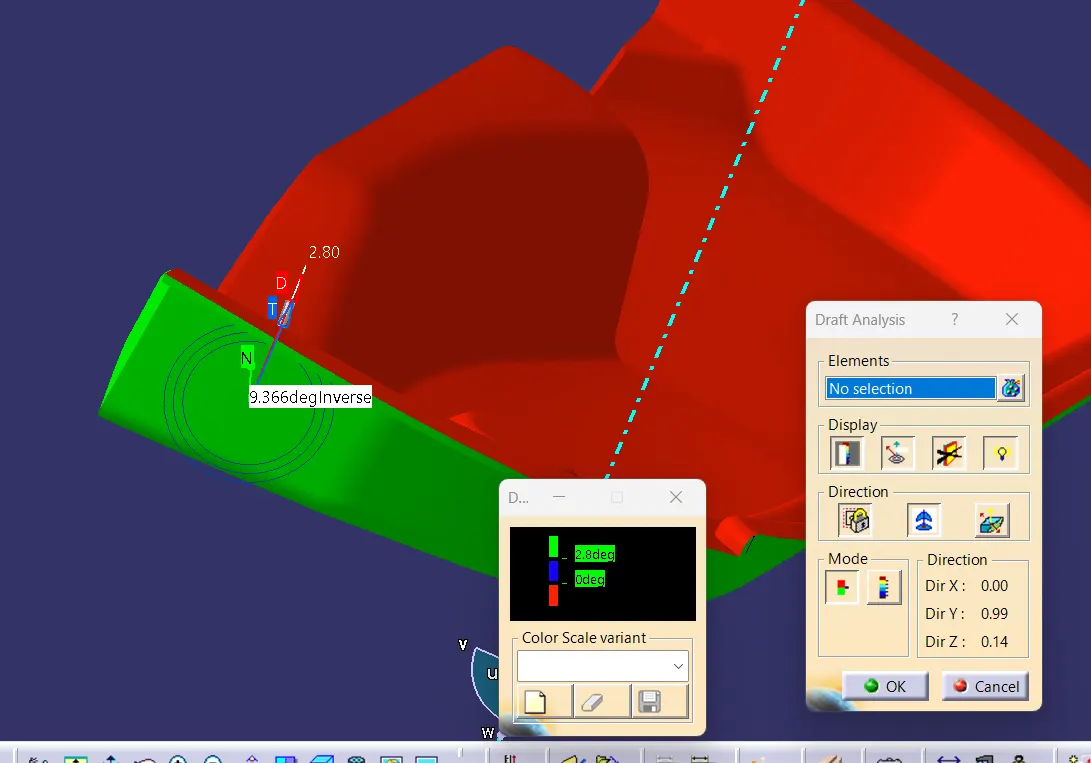
Fig 22. Draft analysis of the part body.
DOG HOUSE DESIGN
- Dog house is used to avoid sink marks on Class A surface during the moulding process.
- It is also used to solve the height problem caused by screwboss.
The design considerations for dog houses are given below
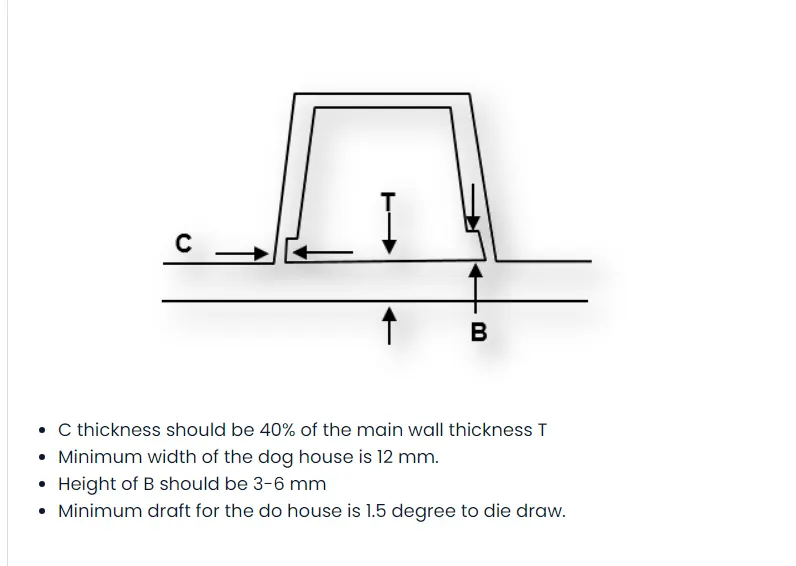
Fig 23. Conditions for a dog house.
Steps followed for the dog house creation
To create a dog house, first we have to chose the location and create a plane there to make the sketch(must be positioned) of it.The surface of the part is extracted and positioned sketch is created (square) . Make sure all sketches are iso-constrained.
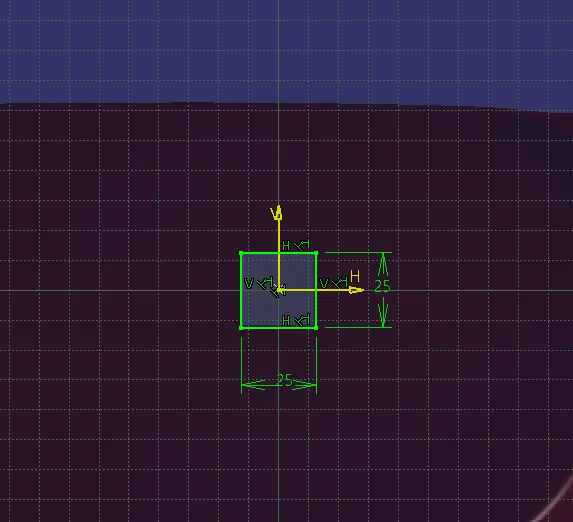
Fig 24. Sketch created for a dog house.
The sketch drawn is then padded to the required dimensions.Make sure the part is exceeding the surface .
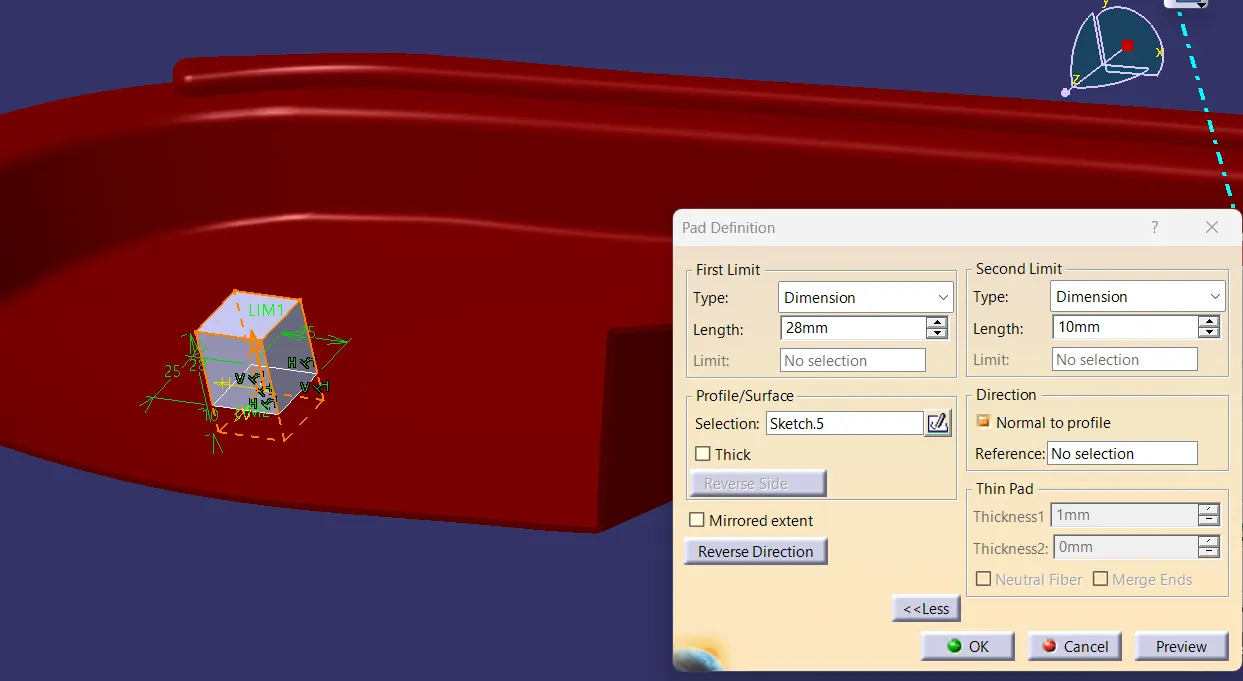
Fig 25. Padding the sketch.
The padded body is given a draft angle to the outside surface of dimension .5 degree.
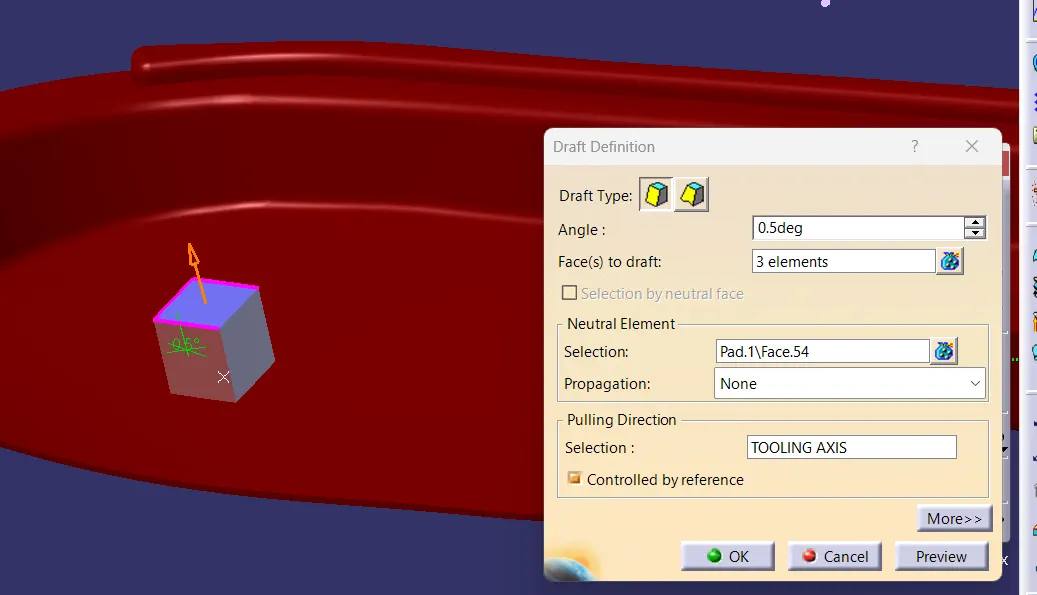
Fig 26. Draft given for the pad.
The drafted body is then given shell command to creating opening of one side of dimension
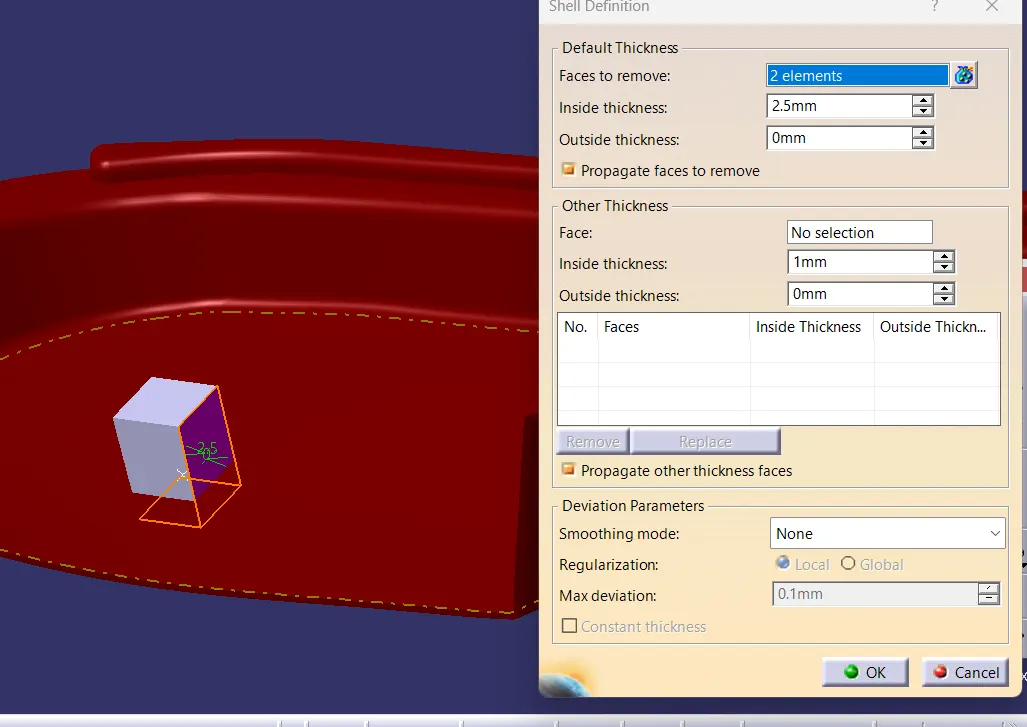
Fig 26. Shelling the body.
The side walls are given fillets using edge fillet
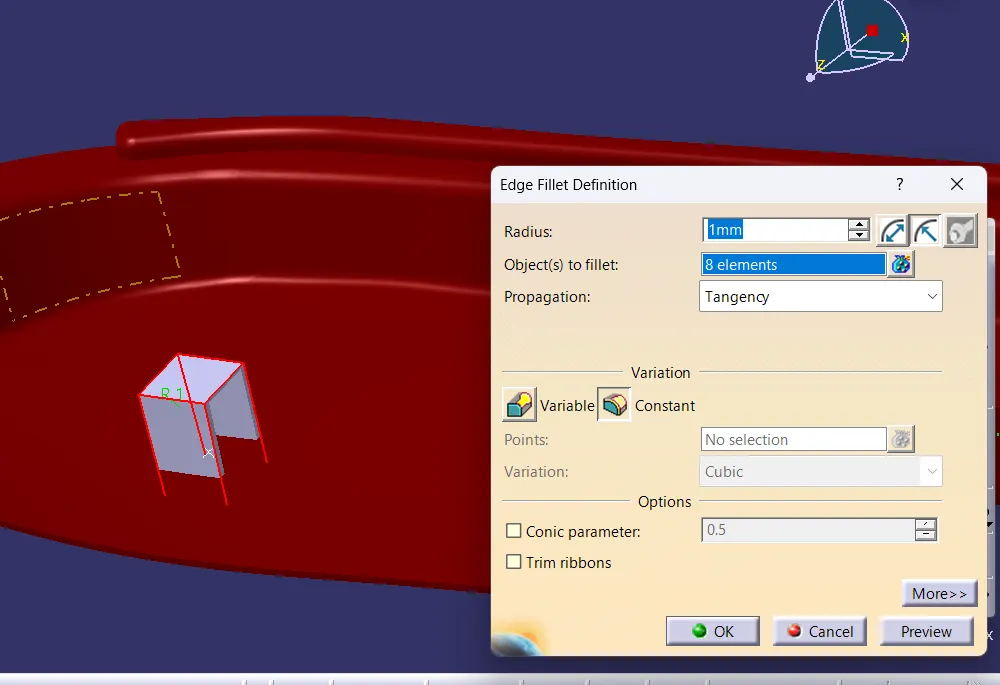
Fig 27. Edge filleting.
To create lower side thickness the walls are extracted and offset to required dimensions and extrapolated to the length exceeding the body and then trimmed on the the part workbench.
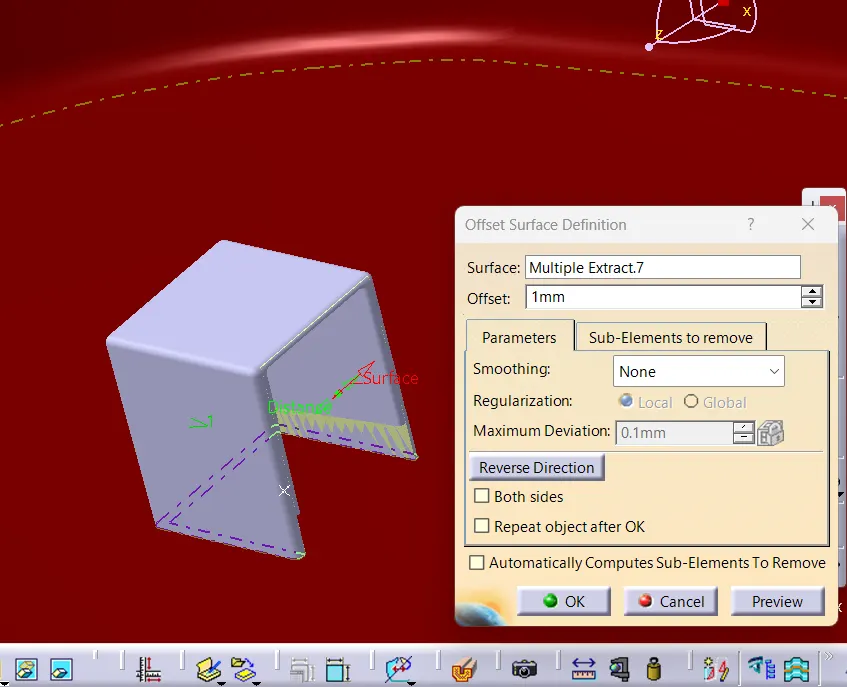
Fig 28. offseting the extracted surface.
The extracted surface is then extrapolated further that it exceeds ths body.
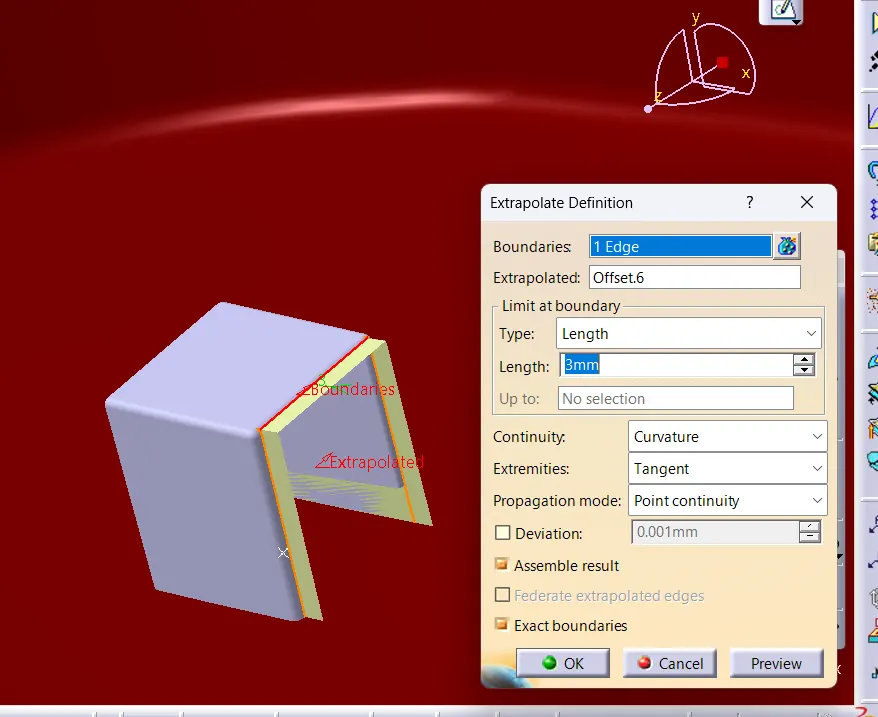
Fig 29. offseting the extracted surface.
The top surface is then extracted and extrapolated also to form a small dog house like structure.
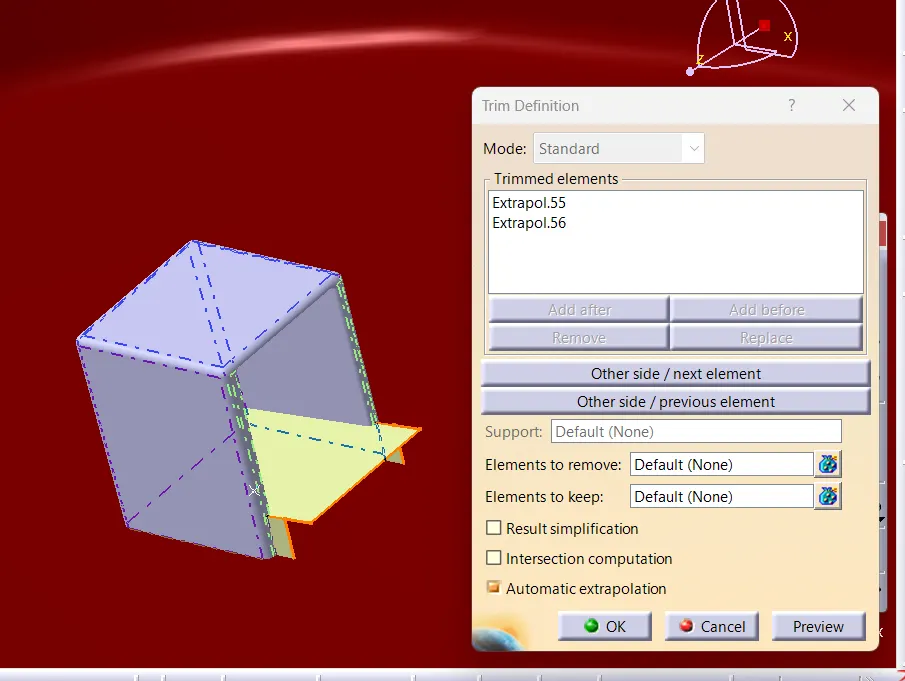
Fig 30 . offseting the extracted surface.
The surface is then spiltted from the part body using split command from part body.
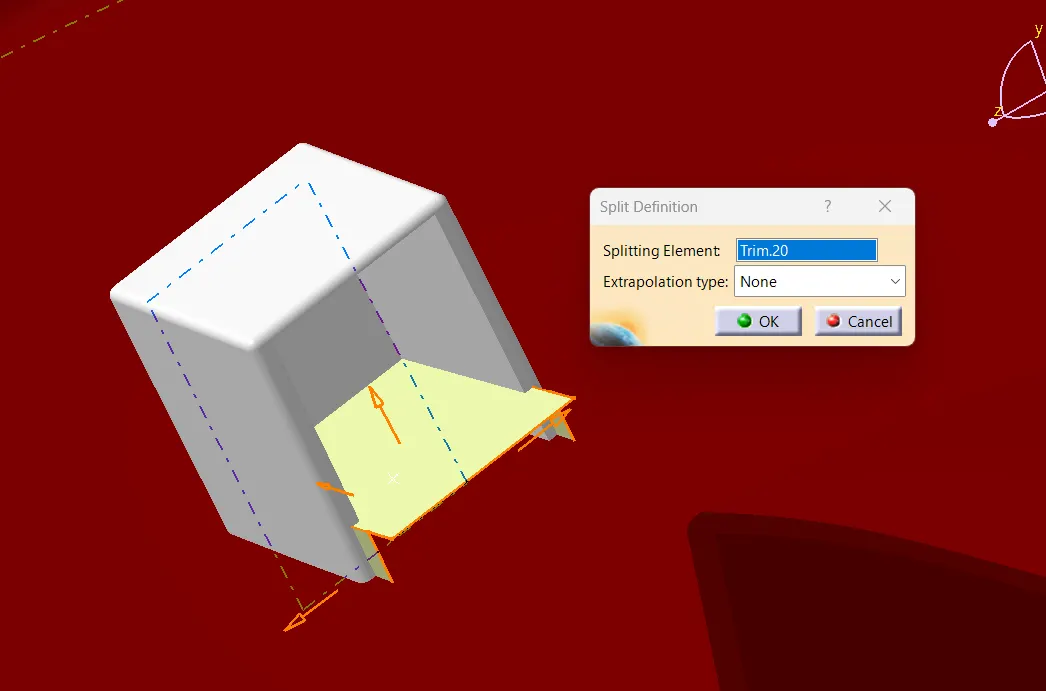
Fig 30 . Splitting the surface.
Finally the part is obtained
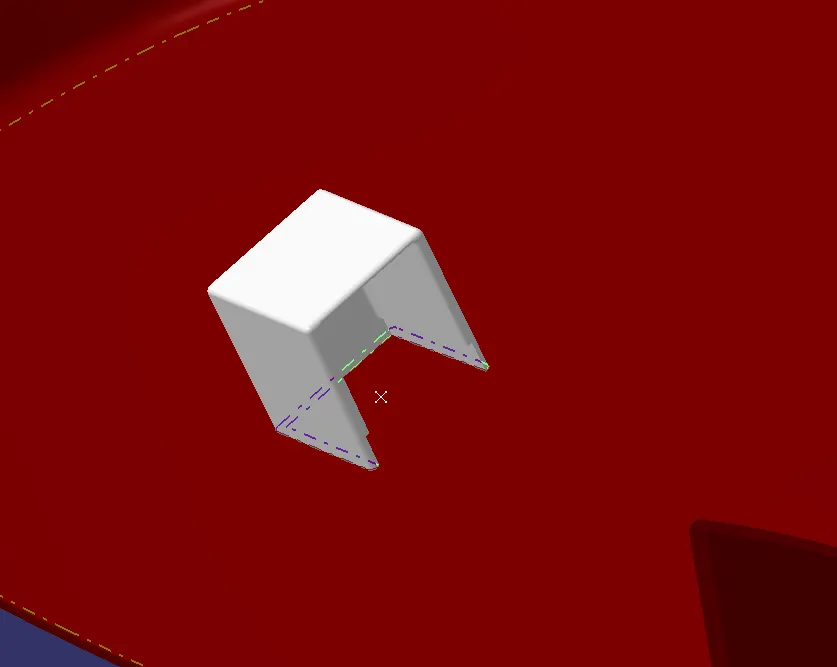
Fig 31 . Final dog house part.
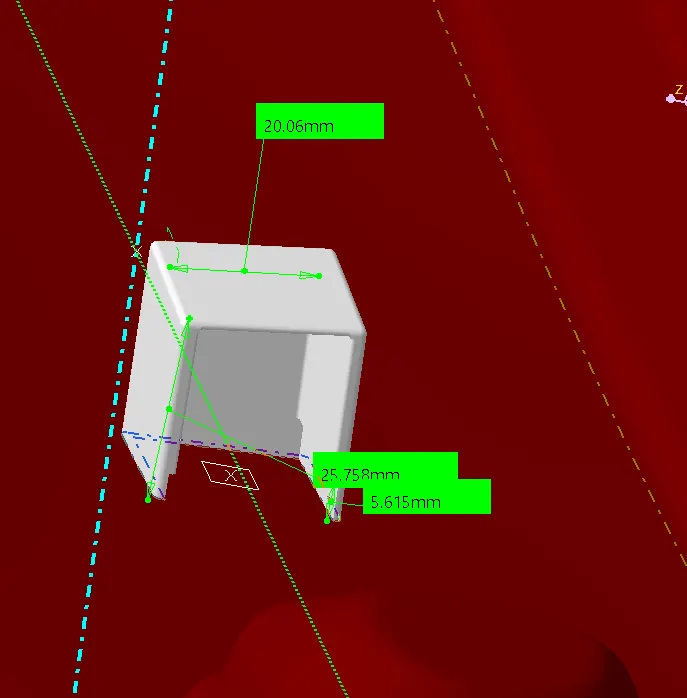
Fig 32 . The dimensions for the dog house.
THE DRAFT ANALYSIS OF DOG HOUSE
The draft analysis of the inner surface dog house using side core axis (draft of 0.5)
The draft analysis of the dog house is done using side core axis and solution is obtained.
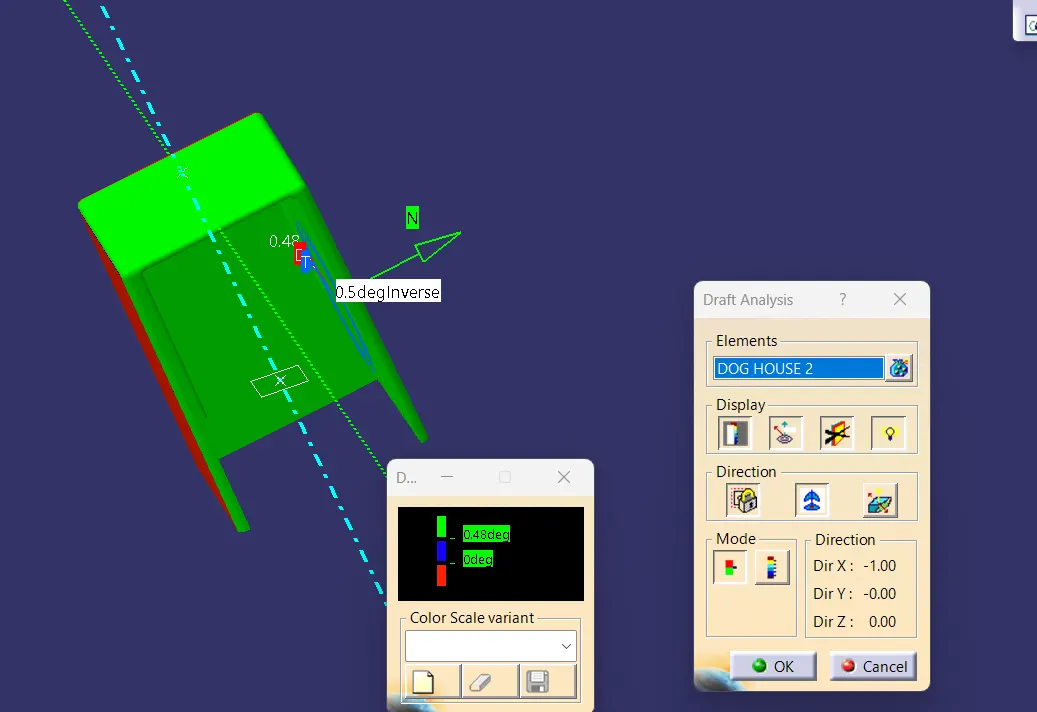
Fig 33 . The draft analysis for inner surface the dog house.
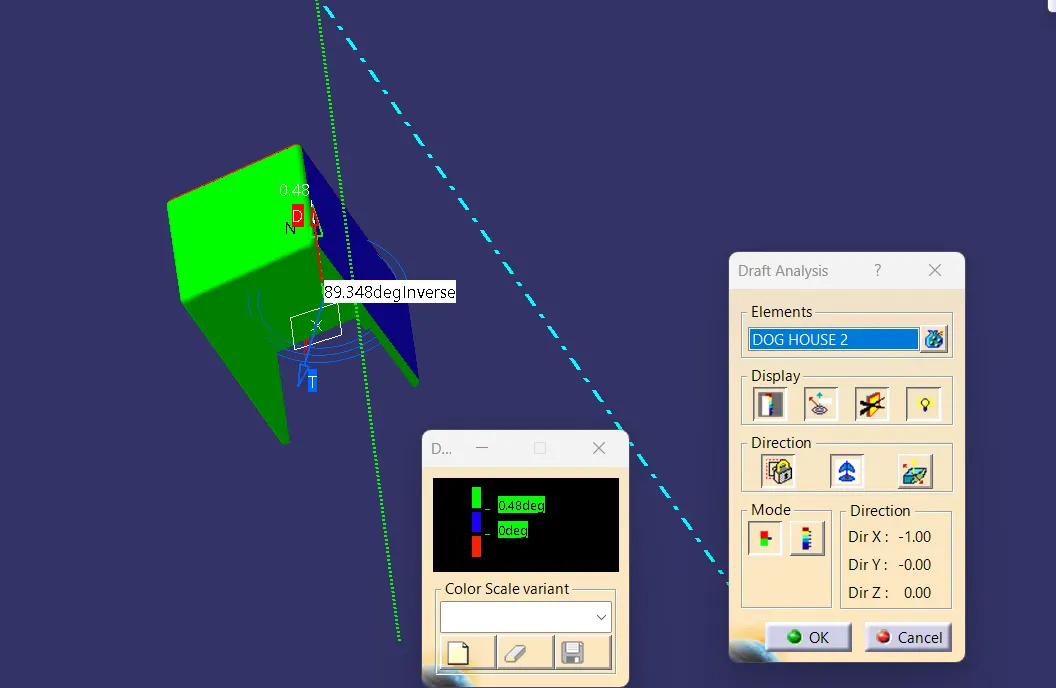
Fig 34 . The draft analysis for inner surface the dog house.
The draft analysis of the Outer surface of the dog house using tooling axis (0.5)
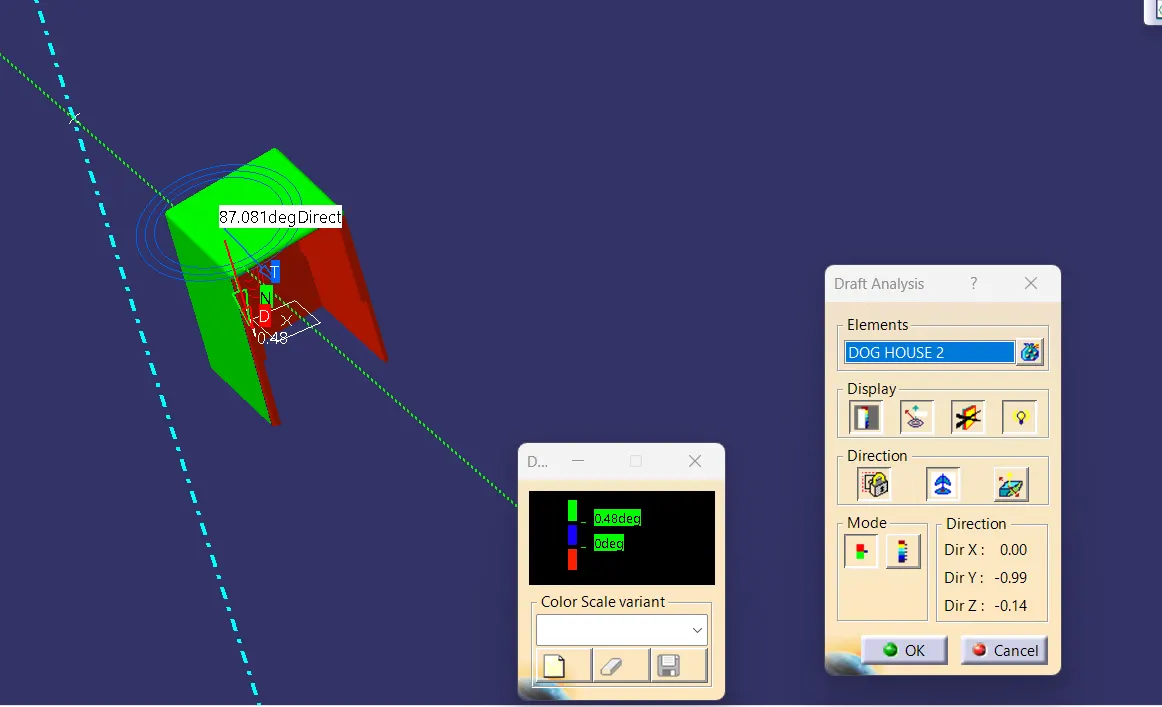
Fig 35 . The draft analysis for outer surface the dog house.
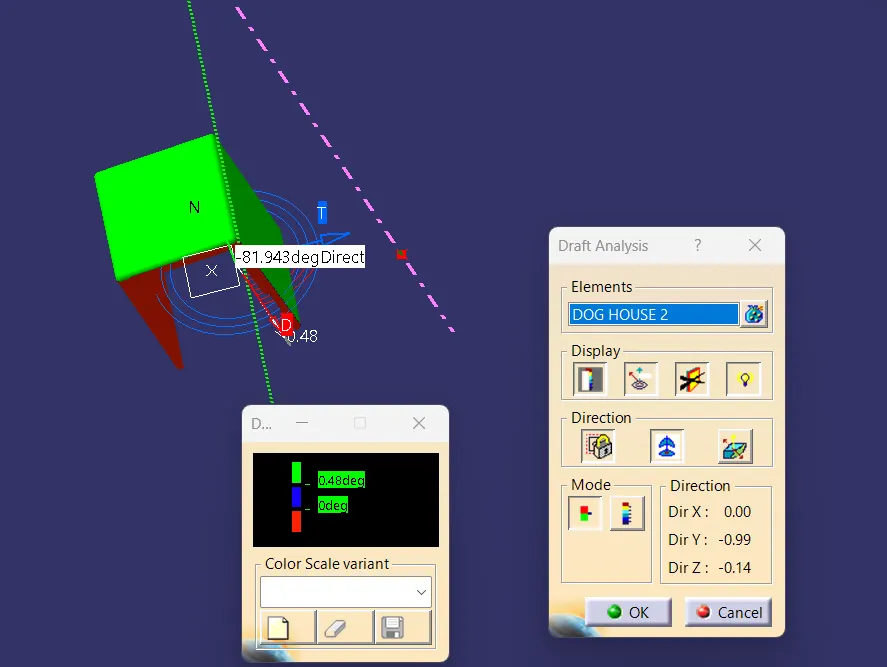
Fig 36 . The draft analysis for outer surface the dog house.
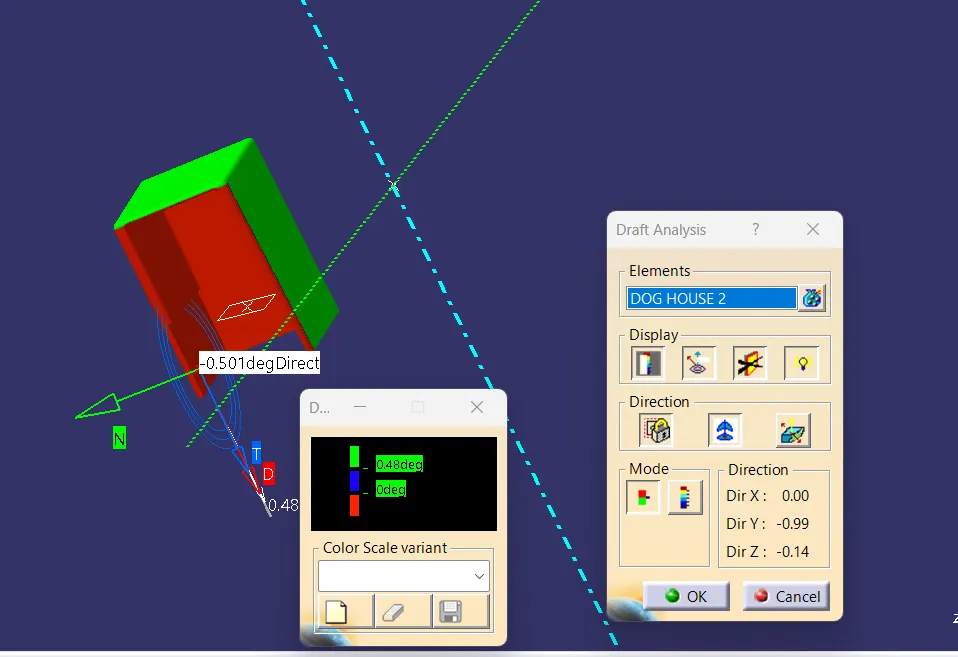
Fig 37 . The draft analysis for outer surface the dog house.
TREE STRUCTURE
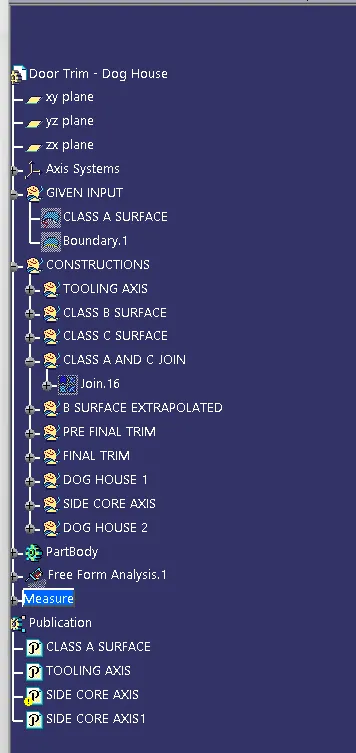
Fig 38 . The tree structure
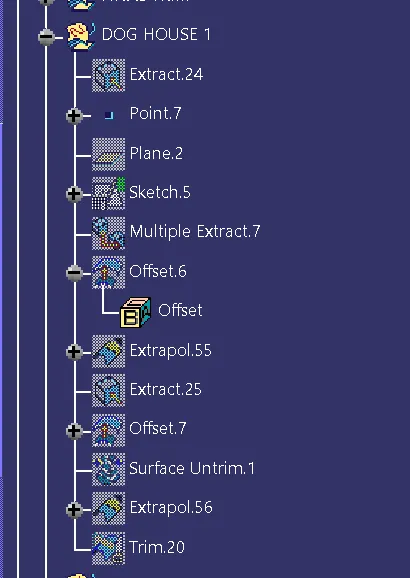
Fig 39 . The tree structure
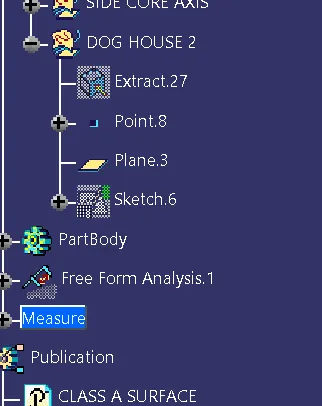
Fig 40 . The tree structure
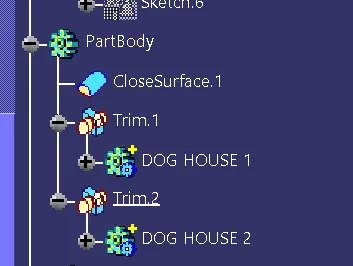
Fig 41 . The tree structure