Week 1 : Exploring the GUI of GT-POWER
GT-Suite
GT-Suite is one of the industry leading simulation tool with capabilities and libraries aimed at wide variety of applications and industries. It has large functionalities ranging from fast concept design to detailed system or sub-system/component analysis, design optimization, and root cause investigation.
Why You Should Choose GT-Suite
Industry's Tool of Choise
- It is recognized world wide as the industry standard for system simulations
It is used by most leading OEM's and suppliers
- Highly acclaimed
Multi-Physics Platform
The foundation of GT-SUITE is a versatile multi-physics general platform for constructing models of general systems based on many underlying fundamental libraries
- Flow library(any fluid,gas, or liquid or mixture)
- Acoustics library (both non linear and linear)
- Thermal library(all types of heat transfere)
- Mechanical library(kinematics,multybody dynamics,frequency domain)
- Electric and Electromegnatic library(circuits,electromechanical devices)
- Chemistry library(chemical kinetics)
- Controls library(signal processng)
- Built in 3D CFD and 3D FE (thermal nad structural)
Modern software with Unique capabilities
- Fusion of 1D and 3D simulation in one tool
- Imports solid models from CAD to create 1D and 3D models
- Performs embeded 3D CFD and 3DFE thermal/structural modelling with all boundary conditions provided by the simulated sorrounding complete system
Enterprice-Level Capabilities
- Integration with leading PLM tools and revision control tools(Siemens Team Centre, Microsoft Share Point,SVN)
- System Integration and collabaration tols
- Include tool-neutral-co-simulation platform with FMI support(xLINK)
- Disributed computing
- DOE and optimization
High Productivity and Cost Advantage
- GT-SUITE includes important and valuable productivity tools that are included with all licenses at no extra cost.
- Fast solver makes simulation of large systems practical
- Highly acclaimed Customer Support,is considered the best in the industry
- Highly competitive product pricing
GUI OF GT-POWER
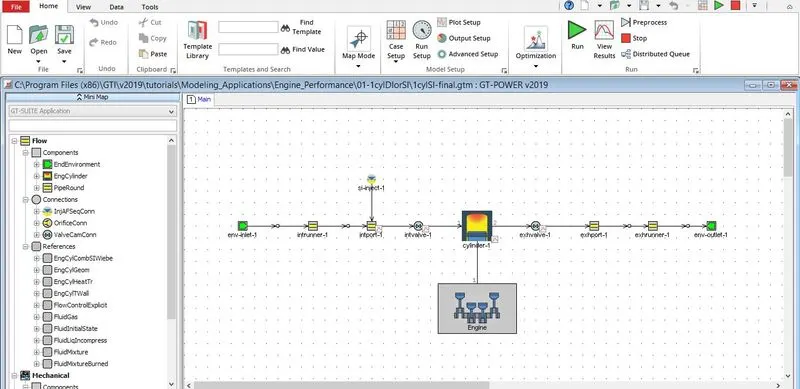
When we launch GT-POWER software we can see a window as shown above.At the left top we can observe a GT-Suite application menu. In that application menu we can we can see various functions which is used for modelling .
The GT-POWER is catogerized as follows
- Templates
- Objects
- Parts
The parameters avilable in GT-suite are
- Flow
- Mechanical
The basic subdivisions are ,
- Components
Under components the templates available are
- End Environment
Objects under this templates are,
- Inlet
- Outlet
The parts are available under these objects
- Inlet-1
- Outlet-1
- EngCylinder
- PipeRound
Examples:
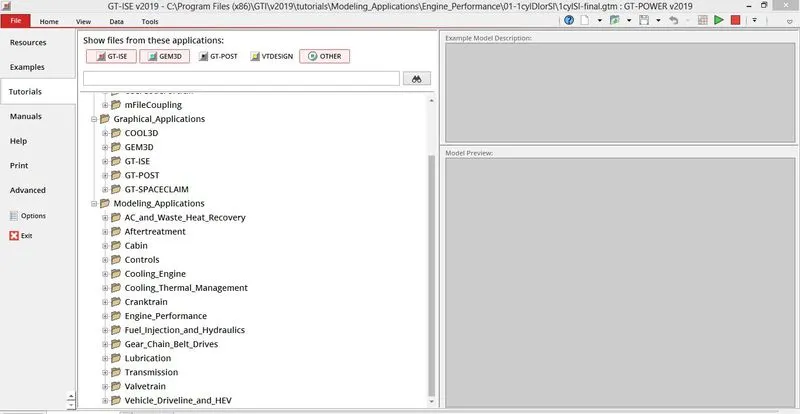
Tutorials:
Various Modules of GT-POWER:
- Aerospace
- Engine Performance
- Transmission
- After Treatment
- Accoustics
- Cabin
- Battery
- Lubrication
- Control Systems
- Valve Train
- Mechanical General
- Fuel Injection
- Gear chain and belt drive
- HVAC
- Cooling Engine
Time Control Flag
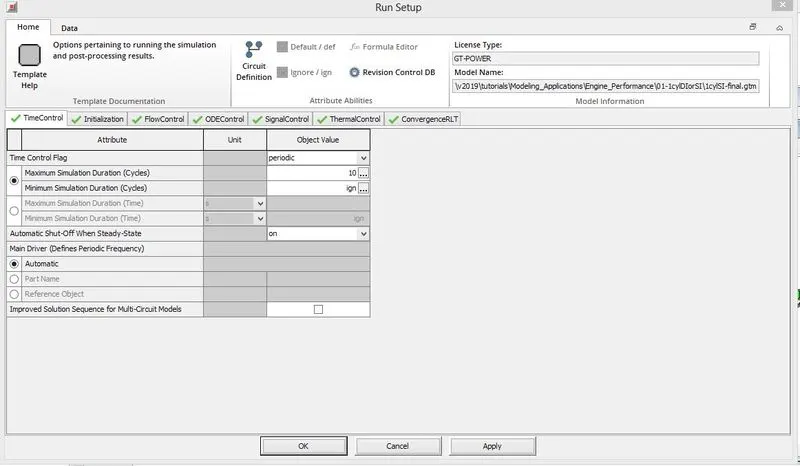
TIME STEP AND SOLUTION CONTROL
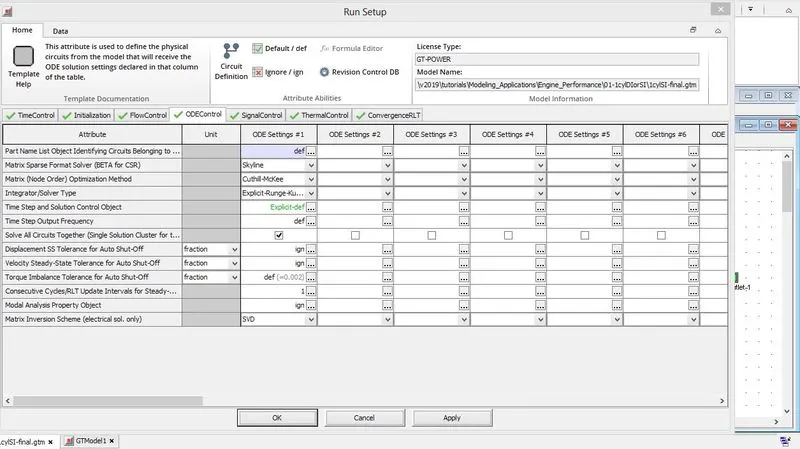
INTER COOLER
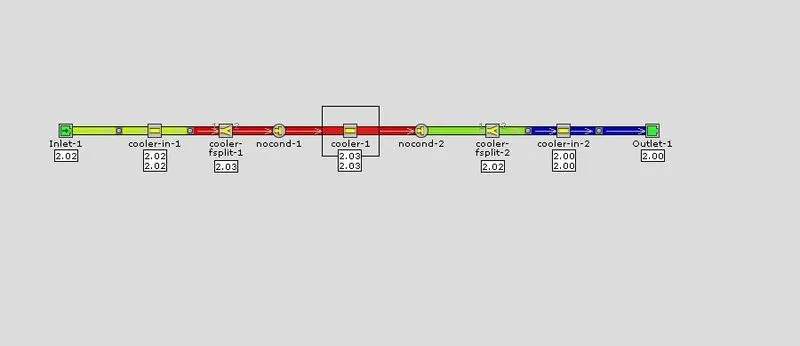
Pressure drop between boundaries=5.15875e-6 bar
Average heat transfere rate= 6.493311kW