Project 1
AIM
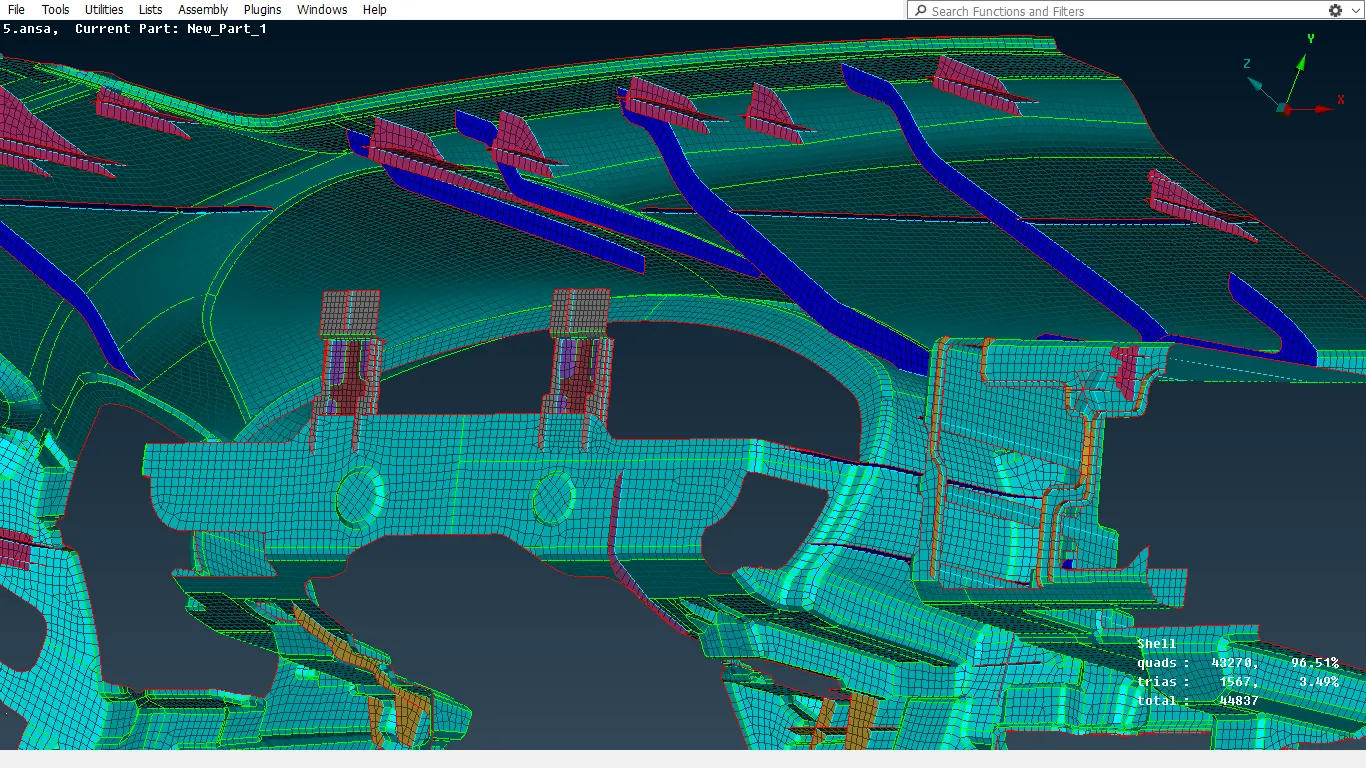
2D MESHING ON IP Substrate OF A VEHICLE WITH RESPECT TO FOLLOWING QUALITY CRITERIA:
|
S.No |
Quality Criteria |
Value |
|
1 |
Target/Average length |
4 |
|
2 |
Minimum Length |
2 |
|
3 |
Maximum Length |
6 |
|
4 |
Aspect |
3 |
|
5 |
Warpage |
15 |
|
6 |
Skewness |
45 |
|
7 |
Jacobian |
0.7 |
|
8 |
Minimum Quad Angle |
45 |
|
9 |
Maximum Quad Angle |
135 |
|
10 |
Minimum Tria Angle |
30 |
|
11 |
Maximum Tria Angle |
120 |
|
10 |
Tria Percentage |
15 |
METHODOLOGY
I. Geometry Cleanup
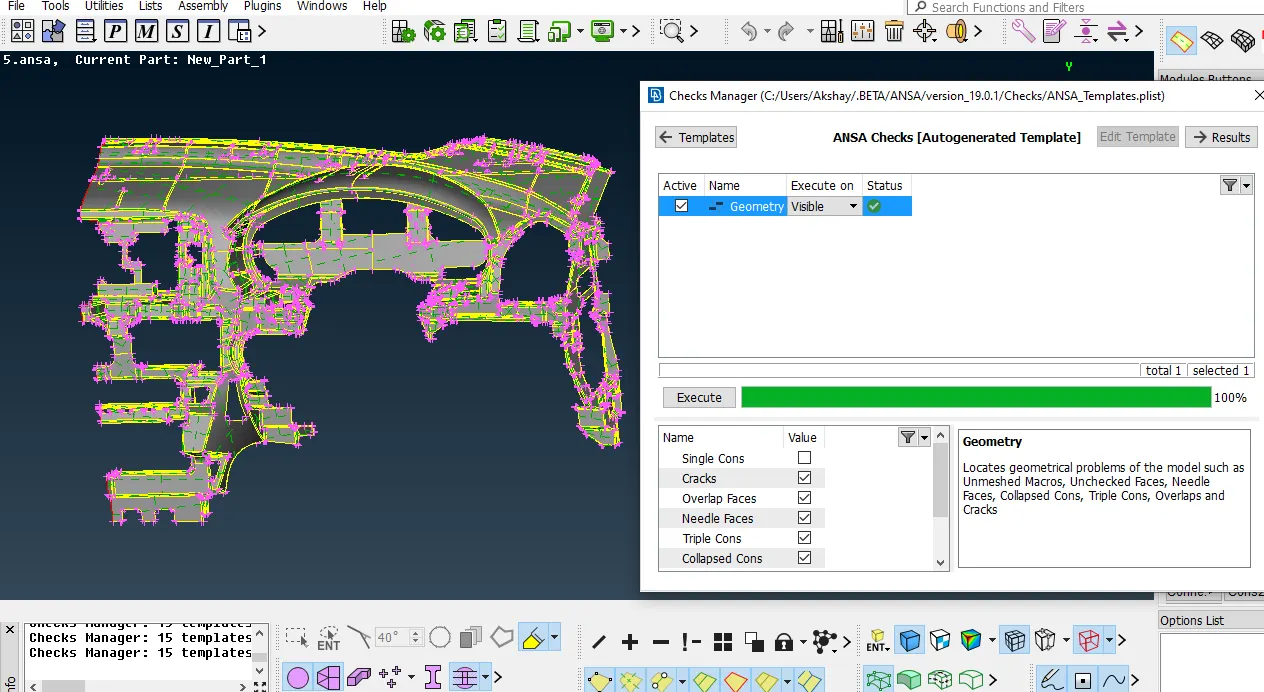
Open the given CAD model in ANSA.Intial step is to set the length of element of whole model to 1mm. After inputing the model, the surface is not regular in view. For that in the Perimeters module button use length option. Then use TOPO for whole model.
Check geomtrical errors as next step, use CHECKS in tool option. After checking the errors some geomtrical errors will be showing it needs to be resolved.
II. Mid Surface Extraction
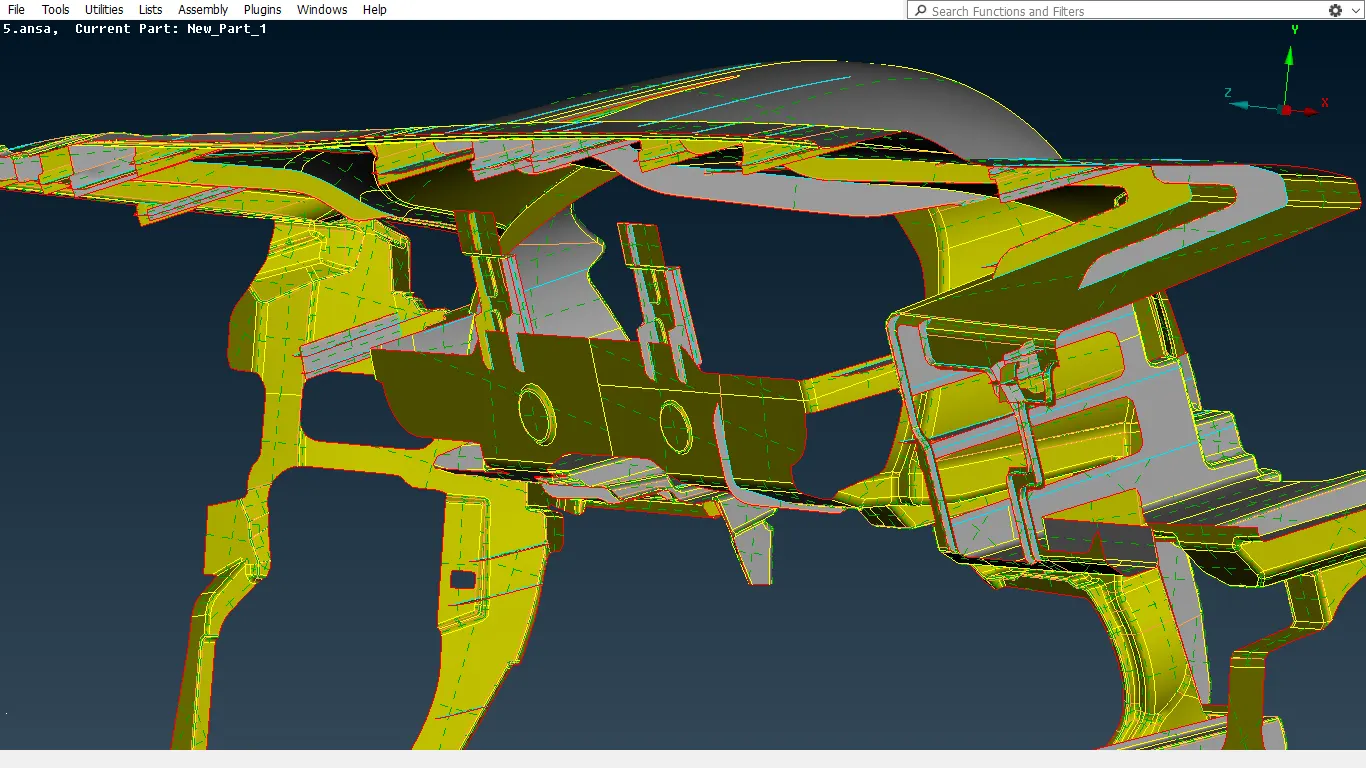
Mid Surface extraction is used when the model thickness is less than 6mm, only then the Mid Surface can be generated. For this model the thickness is 0.6mm, so the condition is applicable for this model. Before taking the mid surface analyse the model and try for mid surface. The model is Sub divided into 9 parts in respect to user way of approching the model. Every model can be done in different ways depends on the user.
For extracting the mid surface of the given component check the geometry is sheet metal or casting component. Here its a combination of both which means the varying and uniform thickness is present on this model. Here try with different option of extracting the mid surface. In the given component diffrent commands used for extracting the mid surface such as in TOPO option there are CURVES middle command , Offset feature and Middle command in FACES module button. These are the most used commands for having the mid surface.
As the model is divided into 9 parts which is saved in lock View, each model is seperately taken and take the Mid Surface. After generating the Mid surface all parts need to shown and apply TOPO for the whole model, then only the all the 9 parts are joined to each other.
To extract the mid surface of this model Manual Offset feature method is used, because the mesh that will be getting is better and Features that are present in the model can be captured perfectely.
III. ASSIGN PROPERTY ID (PID)
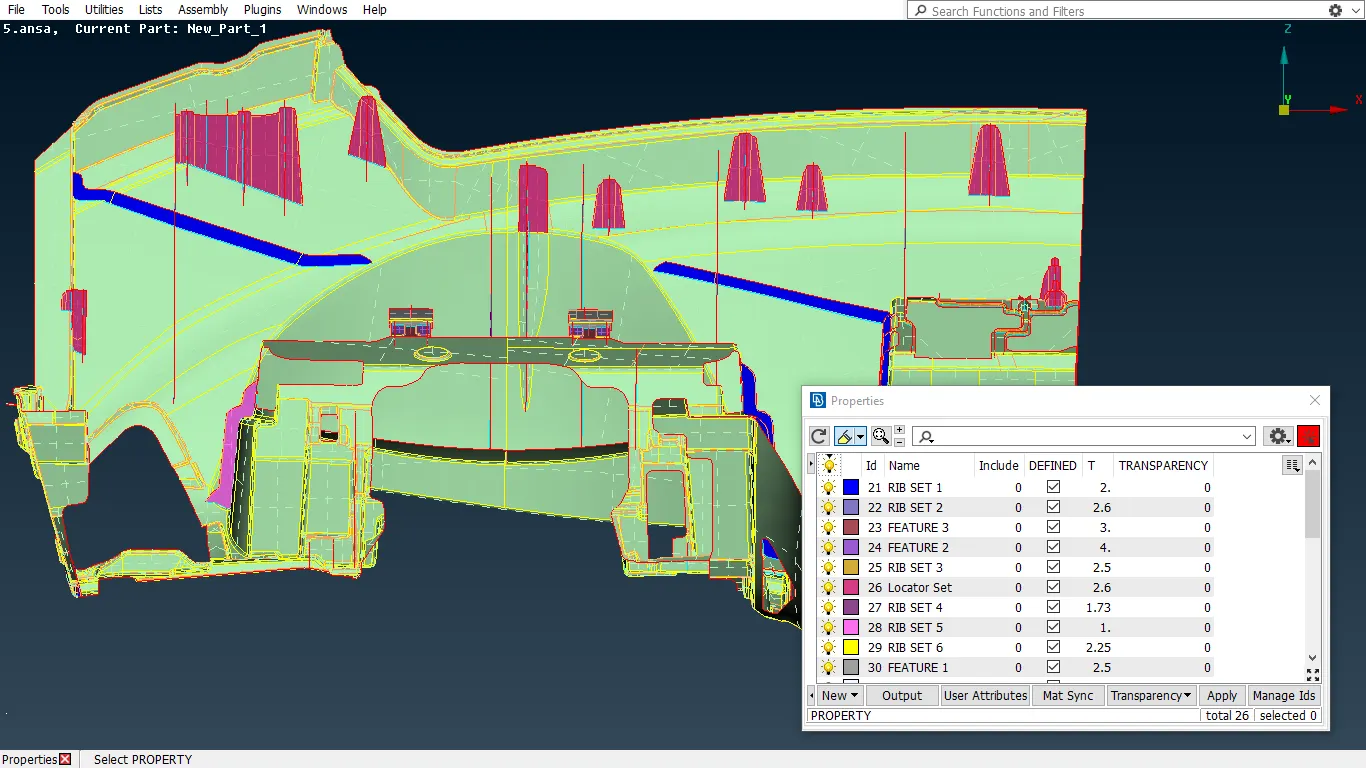
Due to variable Thickness, Property ID's need to be set for each part of the component with respect to the thickness. For that SET PID command need to used in Faces module button.
IV. Perform 2D Mesh
To perform meshing operation, first lines in the model need to be reconstructed. Then go for MESH in module option.
Before start with mesh, Quality criteria need to be input to ANSA Software. Then only Quality mesh will be getting according to the given quality criteria.
Assign mesh paramters for setting up the Min and Max length for the mesh.
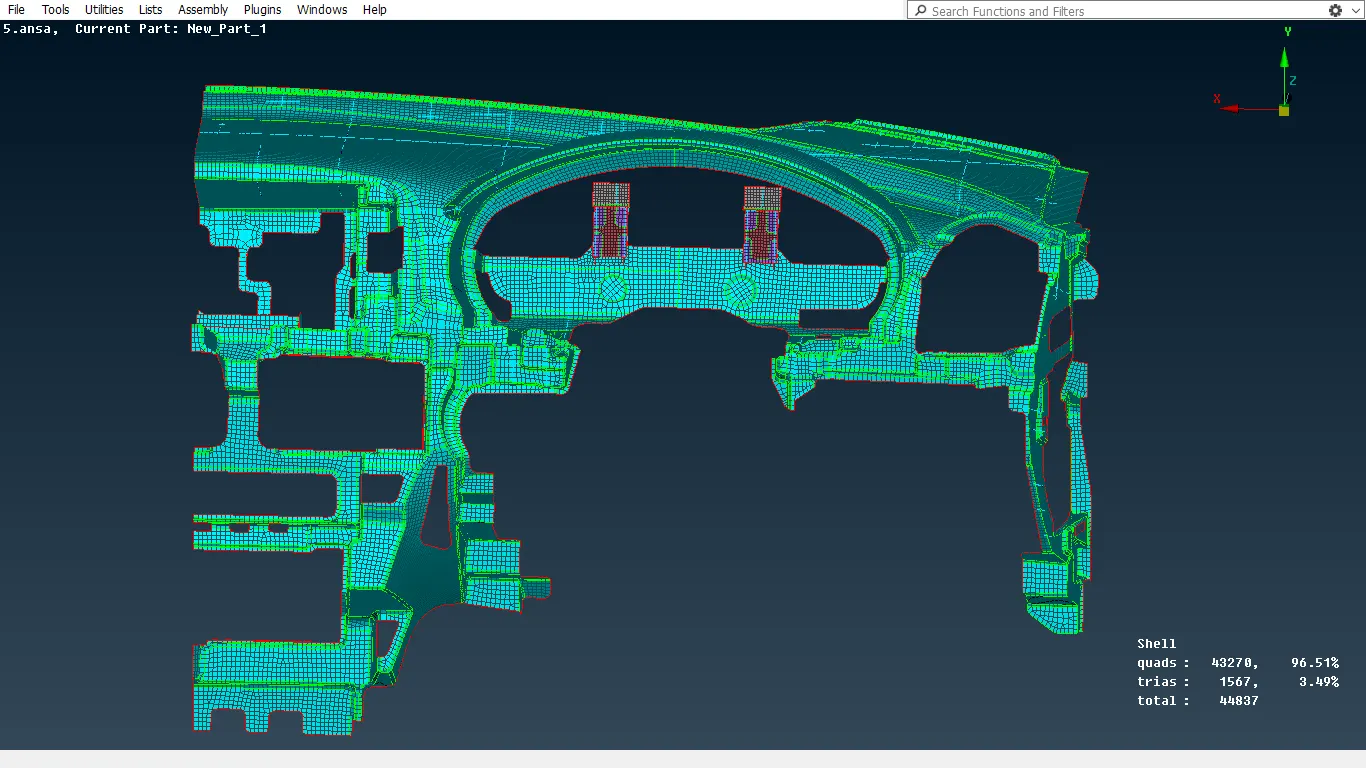
After assigning this values mesh operation can start for each surface. In the given model BATCH command is used for generating mesh for each surface. BATCH mesh generation gives organised mesh and feature capturing will be perfect. During meshing Trias, rotating quads are generated this need to be removed for proper mesh flow. For that various commands are used such as Split command, Paste command, Reconstruction command, Smooth command. In this commands SMOOTH option will try smooth within the range but the RECONSTRUCTION will try change the mesh.
Split command is a hybrid function of swap and join command. These can be used at split at the same time. All the holes should be having only even number of edges. Holes having odd number's of edges are realtered. This help in getting better mesh results.
LEARNING OUTCOMES
- Learn to mesh complex parts in a vehicle and to extract the mid surface using different methods
CONCLUSION
2D MESH IS GENERATED ON THE DASHBOARD AS PER QUALITY CRITERIA