Designing of American Chopper Bike and Realistic Rendering
Designing of Chopper Bike model in Solidworks
Objective:
- Designing individual parts of the chopper bike with fully defined contained values and applying suitable appearances in part designing workbench in Solidworks.
- Assembling all the Individual parts of the chopper bike by using appropriate mates, modifying part shapes as required, and giving constraint values in the Assembly workbench in Solidworks.
- Rendering of the chopper bike by Adjusting the appearances, decals, cameras, and background scenes in Solidworks Visualize.
Introduction:
Solidworks: SolidWorks is a solid modeling computer-aided design and computer-aided engineering application published by Dassault Systèmes. SolidWorks software is used for everything from rapid prototyping to designing and is crucial to many engineering and drafting methods. It is also useful for developing new, innovative products. Some applications of SolidWorks are Manufacturing: Turning designs into products, including machine modules.
Chopper Bike: A chopper is a customized motorcycle that has a powerful engine and modified parts of the body with different shapes and edges with popping colors. The main parts of the Chopper bike are
- Transmission belt
- Kickstand
- Front fender
- Rear fender
- Oil tank
- Chain
- Pedal
- Front-wheel
- Rear-wheel
- Front fork
- Chassis
- Engine
- Gas tank
FLOWCHART
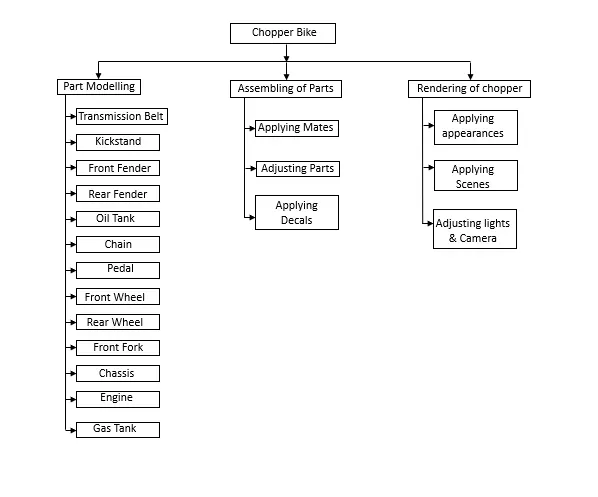
Description
1.) Transmission belt: The main purpose of the transmission belt is to transmit power from the engine to the gearbox.
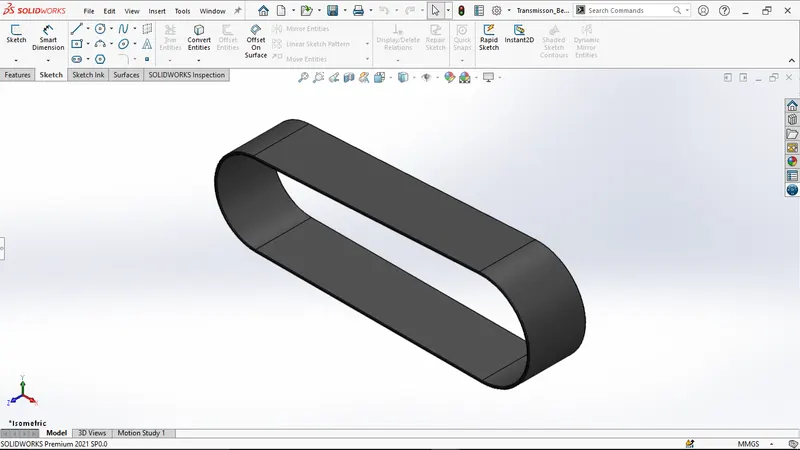
Features used to create a Transmission belt:
- Sketch
- Line
- Boss-Extrude
- Fillet
- Appearance
Procedure
- Open a new file in Solidworks and start sketching on any plane. complete the sketch by using the line tool. (make sure every sketch in Solidworks need to be fully defined.)
- Use Boss-Extrude to obtain 3D solid from 2D sketches.
- Now apply fillet to obtain smooth edges.
- At the final apply an appearance to the part.
- Use Smart dimensions to add or edit dimensions of sketches.
- Save that part file.
2.) Kickstand: Compared to a center stand, you simply kick it out and lean the bike towards its angle until it makes contact with the ground. When making quick stops and parking in a jiffy, side stands are the quick and easy solution to prop up your bike.
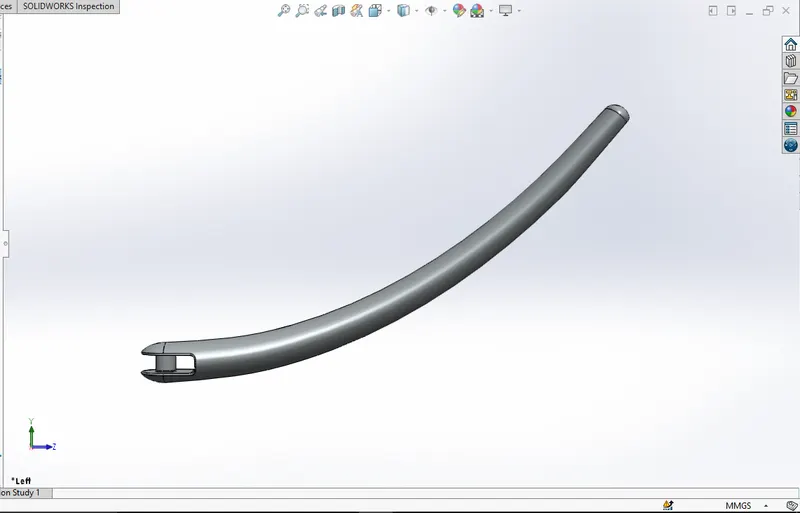
Features used to create a Kickstand:
- Sketch
- Ellipse
- Smart dimension
- Dome
- Loft
- Boss-Extrude
- Cut-Extrude
- Split
Procedure
- Open a new file in Solidworks and start sketching on a plane. Sketch by using the spline tool. (make sure every sketch in SolidWorks need to be fully defined.)
- Draw the ellipse on both sides of the spline normally to it. And make a loft by combining them and applying the elliptical dome on either side.
- By using the cut extrude option cut the part on one side with an appropriate angle and draw a circle to attach Kickstand to the chassis.
- Cut the part at the bottom to flat where it is ground. And for smooth edges apply fillet.
- At the final apply an appearance to the part and save the part file.
3.) Front fender: The front fender is mounted above the front wheel, which is used to protect the rider and motorcycle parts from dust, mud, and other particles.
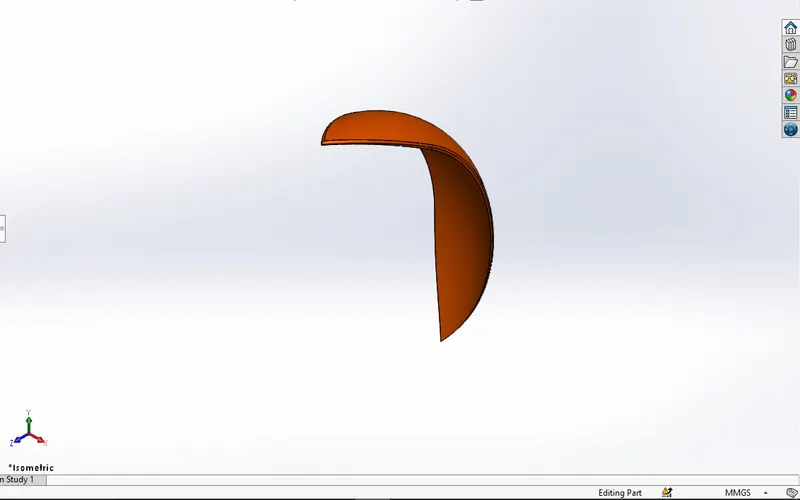
Features used to create front fender:
- Sketch
- Offset entities
- Trim entities
- Revolve
- Dynamic mirror
- Split
- Fillet
- Appearance
Procedure:
- Open a new file in Solidworks and start sketching on the Vertical plane and start sketching.
- but before that change the default names of planes as Front plane to vertical plane Front fender,
Top plane into the center plane Front fender,
Right plane into Mid-plane Front fender. - Use revolve Feature to obtain a doom shape.
- By using Spline draw a shape that can be seen at both ends of the front fender.
- Make sure that the dynamic mirror is on while drawing the shape.
- Use the split tool to remove the excess part and Save the part file.
4.) Rear fender: This gets fits on the rear wheel which protects the engine, chassis, and other parts. Fenders are very beneficial when riding in wet terrain. They not only protect your bike, but they also protect you from getting dirty on those grimy rides.
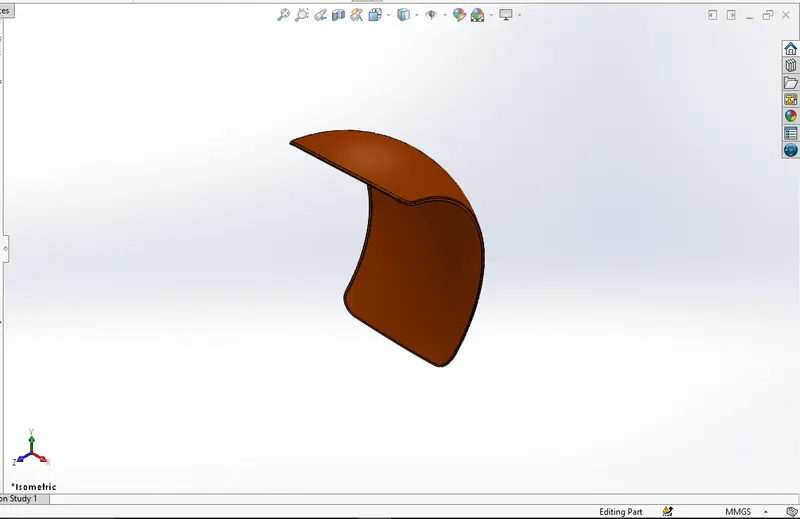
Features used to create Rear Fender:
- Sketch
- Offset entities
- Trim entities
- Revolve
- Dynamic mirror
- Split
- Fillet
- Appearance
Procedure:
- Open a new file in Solidworks and start sketching on the Vertical plane and start sketching.
- but before that change the default names of planes as Front plane to vertical plane Rear fender,
Top plane to center plane Rear fender,
Right plane to Mid-plane Rear fender. - Use revolve Feature to obtain a doom shape.
- By using a Fillet shape the Rear fender is shown in the picture.
- Use the split tool to remove the excess part and apply the appropriate appearance.
- Save the Part file.
5.) Oil Tank: The Oil Tank contains the engine oil required for lubrication. The oil is extracted from it by an oil pump and conveyed into the engine block's oil ducts via the oil filter.
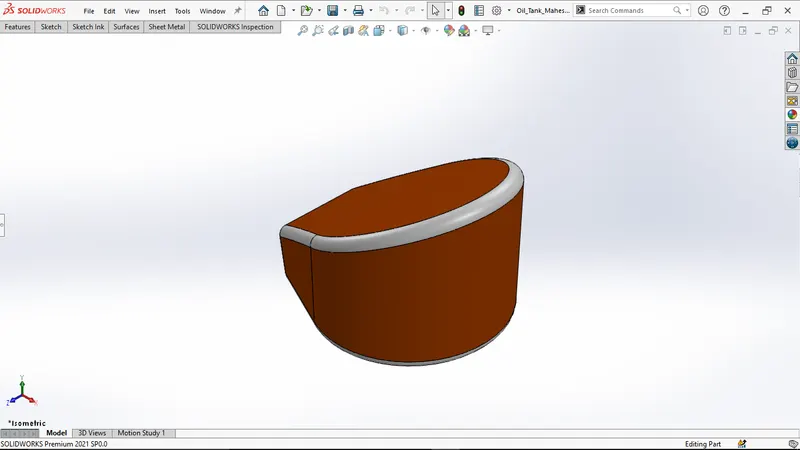
Features used to create an Oil tank:
- Sketch
- Boss extrude
- Combine
- Shell
- Fillet
- Appearance
Procedure:
- First open solid works then select the new part to create a new part model.
- Then change front plane into the midplane oil tank and select the top plane for sketching.
- Draw the sketches on both a mid-plane oil tank and a Top plane then Boss-Extrude them.
- Make sure the dimensions and relations are as required and fully defined in the sketches, then combine the model.
- Then do shell & apply fillet command and change the appearances
- Then save the model.
6.) Chain: Chains transfer mechanical power from one location to another. To transfer motor power to the back wheel, the drive system on a motorcycle includes chains. In the transmission, properly oiled chains can achieve an efficiency of 98% or more.
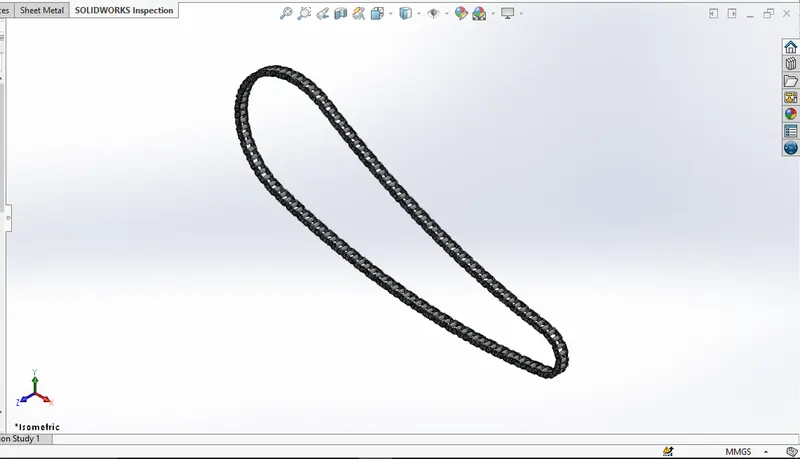
Features used to create a chain:
- Sketch
- Boss extrude
- Fillet
- Curve driven pattern
- Mirror
- Appearance
Procedure:
- Open SolidWorks and Create a New part File.
- Then change the default names of planes as Front plane into Midplane chain,
top plane into the center plane chain,
right plane into a Front plane chain. - Draw the basic outline of the chain using circles and arcs with fully defined values.
- Then draw the chain links and save them externally.
- Now draw the pins and use curve driven pattern to multiply them in the required shape.
- Adjust the final link and mirror the Chain plates and pins by midplane.
- Apply the fillets in the required region.
- Now change the appearance of the chain and save the model.
7.) Pedal: Without a Pedal, it will be exceedingly challenging to balance your feet on either side of the bike, or perhaps on some other area of the bottom. When you engage the brakes and turn your bike around, this becomes more of a problem.
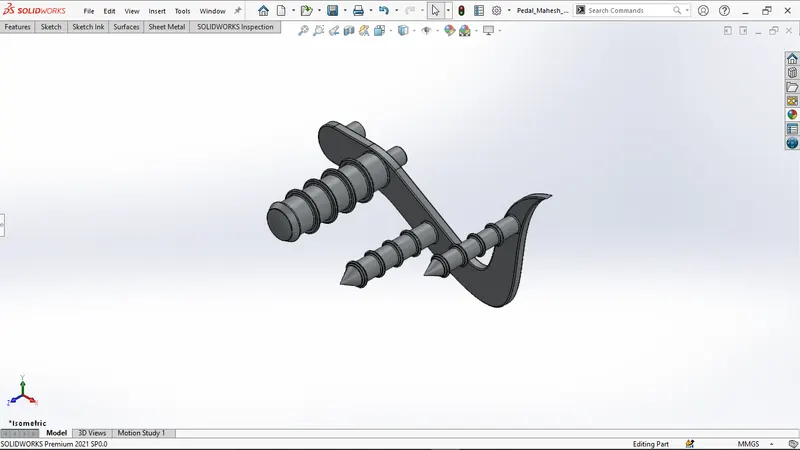
Features used to create a chain:
- Sketch
- Boss extrude
- Revolve
- Dome
- Fillet
- Chamfer
- Linear pattern curve
- Appearance
Procedure:
- Open SolidWorks and Create a New part File.
- Then select the front plane for a 2D sketch.
- Then draw 2D sketches by using sketch commands, and Boss-Extrude them.
- Use a linear pattern for pedal rings.
- Then apply dome, fillet, and chamfer commands to Pedal.
- Change the appearance of the sketch and save the Pedal.
8.) Front-wheel: Motorcycle wheels are built to withstand radial and axial forces. They also act as a mounting point for other vital components such as brakes, final drive, and suspension. Rotational inertia mass is described as wheels and anything immediately connected to them.
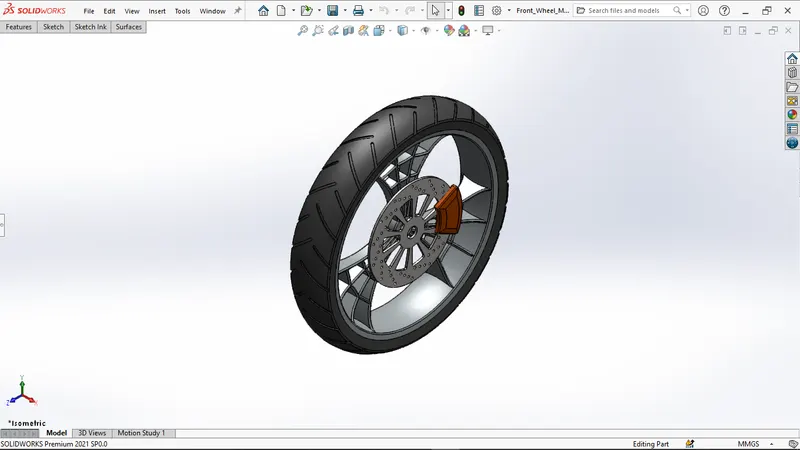
Features used to create a Front wheel:
- Sketch
- Revolve
- Boss extrude
- Cut extrude
- Circular pattern
- Linear pattern
- Combine
- Trim
- Fillet
- Chamfer
- Appearance
Procedure:
- Open SolidWorks and Create a new part file.
- Then select the front plane for a 2D sketch.
- Then draw all 2D sketches by using sketch commands, and add dimensions and relations as required to fully defined the sketch.
- Then apply a linear pattern, circular pattern, fillet, and chamfer combine commands to sketch.
- Then change the appearance of the front wheel.
9.) Rear Wheel: To drive the vehicle, a chain connecting the engine and rear wheels uses power developed inside the engine. The disc and sprocket are attached to the back wheel.
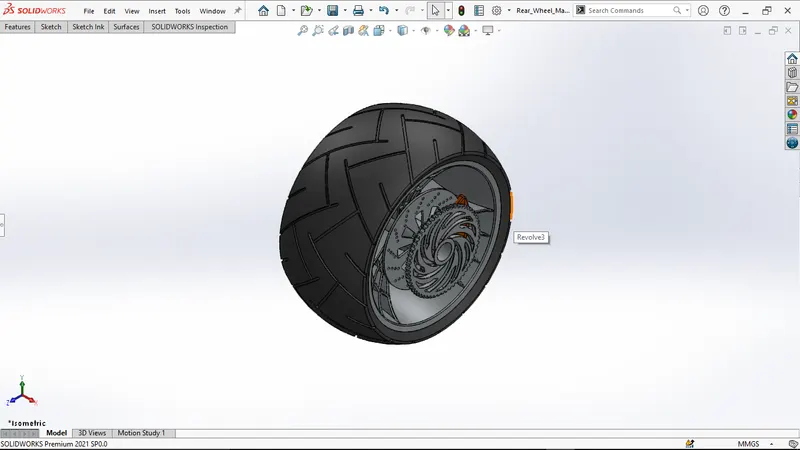
Features used to create a Rear wheel:
- Sketch
- Revolve
- Cut extrude
- Boss extrude
- Circular pattern
- Combine
- Revolve cut
- Fillet
- Chamfer
- Appearance
Procedure:
- First open solid works then select the new part to create a new model
- Then select the front plane for the 2D sketch.
- Then draw all 2D sketches by using sketch commands, and add dimensions and relations as required to fully defined the sketch.
- Then apply a linear pattern, circular pattern, fillet, and chamfer combine commands to sketch.
- Then change the appearance of the rear wheel.
10.) Front Fork: The front fork reduces bouncing when traveling on uneven road surfaces & prevents excessive weight from becoming placed on the front wheel during abrupt, severe breaks. Due to its grip on the road, the front fork maintains proper damping.
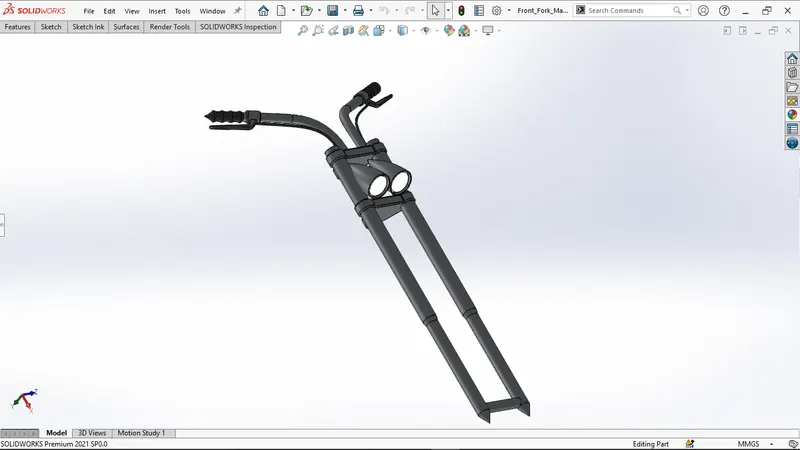
Features used to create a Front fork:
- Sketch
- Revolve
- Boss extrude
- Fillet
- Linear pattern
- Cut extrude
- Dome
- Revolve cut
- Project curve
- Mirror
- Combine
- Sweep
- Split
Procedure:
- First open solid works then select the new part to create a new model
- Then select the front plane for the 2D sketch.
- Then draw all 2D sketches by using sketch commands, and add dimensions and relations as required to fully defined the sketch.
- Then mirror the object and change its appearance of the object.
11.) Chassis: The chassis or frame of a motorcycle acts as its skeleton. This base structure serves as the basis for all of a motorcycle's parts, wheels, fuel tank, seats, handlebars, and other features that give a motorcycle its strength and good handling. Based on the financial and performance constraints of the final product, motorcycle frames are made from a range of materials.
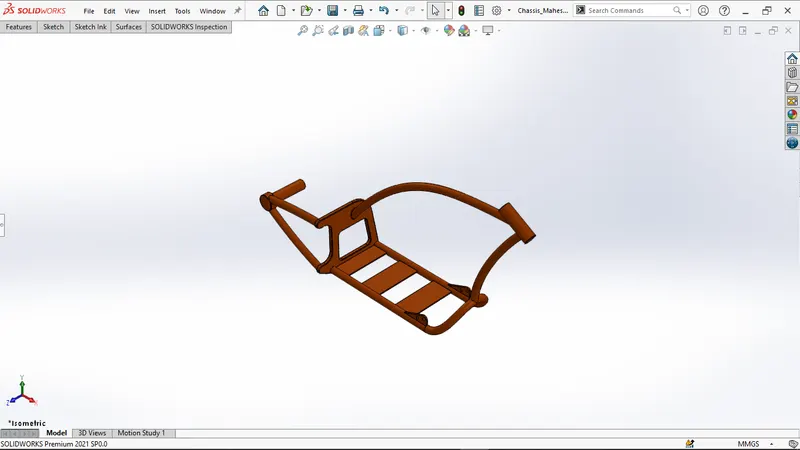
Features used to create a Chassis:
- Sketch
- Convert Entities
- Project curve
- Offset
- Trim
- Sweep
- Split
- Revolve
- Cut extrude
- Fillet
- Combine
- Mirror
- Chamfer
- Dome
Procedure:
- First open solid works then select the new part to create a new model
- Then change the default names of planes as
Front plane into Midplane chassis
Top plane into bottom plane chassis - Then select midplane chassis for sketch bring the sketch picture in the midplane chassis and then change the x and y directions positions and transparency as per required.
- Then exit the sketch and rename the sketch as blueprint chopper.
- Then draw the 2D sketches by using planes, sketch commands and give dimensions and relations as per required to fully defined the sketch.
- Then change the appearance of the chassis and save the model.
12.) Engine: The engine is the prime mover of any vehicle; it converts chemical energy into heat energy by burning the air-fuel mixture inside the engine cylinder. Motorcycle engines are typically two-stroke or four-stroke internal combustion engines, but other engine types, such as Wrankels and electric motors, have been used.
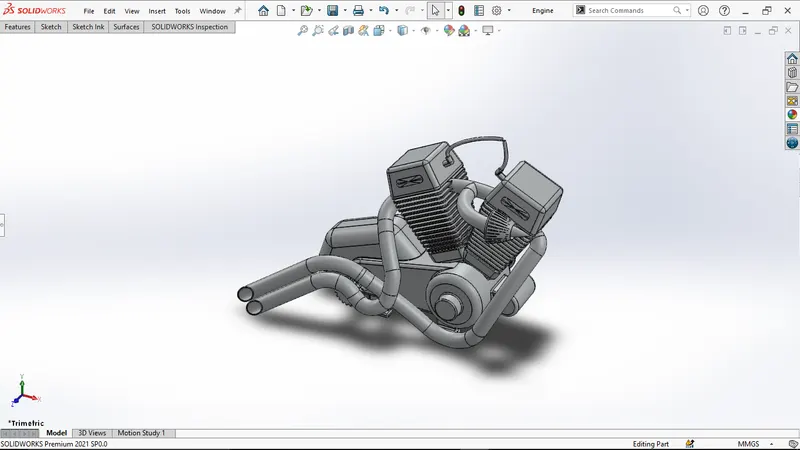
Features used to create an Engine:
- Sketch
- Boss extrude
- Revolve
- Fillet
- Circular pattern
- Dome
- Cut extrude
- Chamfer
- Linear pattern
- Mirror
- Swept
- Project curve
- Split
Procedure:
- First open solid works then select the new part to create a unique model
- Then select the front plane for the sketch and then bring the sketch picture in the midplane chassis and then change the x and y directions positions and transparency as per required.
- Then exit the sketch and rename the sketch into blueprint chopper.
- Then draw the 2D sketches by using planes, sketch commands and give dimensions and relations as per required to fully defined the sketch.
- Then change the appearance of the Engine and save the model.
13.) Gas Tank: The main purpose of a gas tank is used to store gas. It supplies the gas when the engine required it.
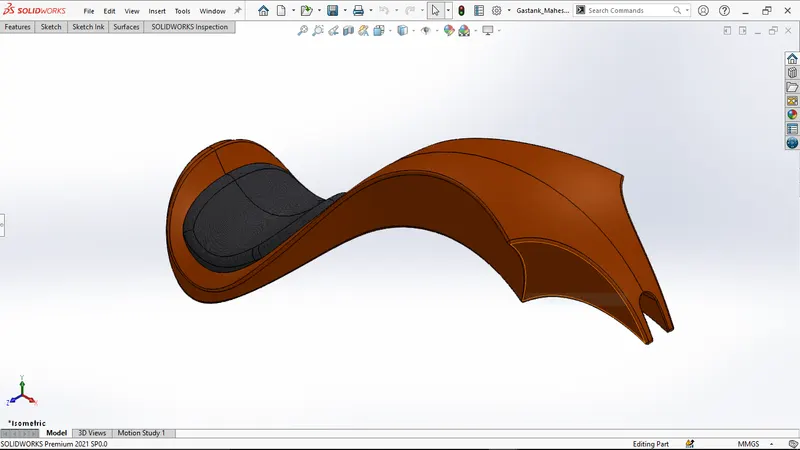
Features used to create a Gas tank:
- Sketch
- Surface sweep
- Surface trim
- Project curve
- Surface loft
- Surface boundary
- Surface knit
- Split line
- Mirror
- Surface extrude
- Fillet
- Cut sweep
- Shell
Procedure:
- First, open solid works then select a new part to create a new model.
- Then change the default names of planes as
Front plane into Midplane fuel tank
Top plane into the bottom plane fuel tank
Right plane into the front plane fuel tank - Then select the midplane fuel tank for the sketch, then bring the sketch picture in the midplane fuel tank, and then change the x & y directions positions and transparency as per required.
- Then exit the sketch and rename the sketch to underlay the fuel tank.
- Then draw the 2D sketches by using planes, sketch commands and give dimensions and relations as per required to fully defined the sketch.
- Then change the appearance of the Gas tank and save the model.
Assembly Of Chopper Bike
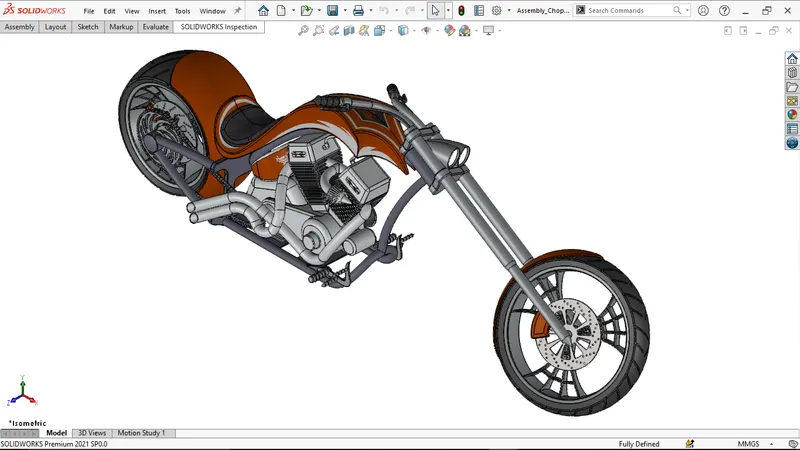
Isometric View
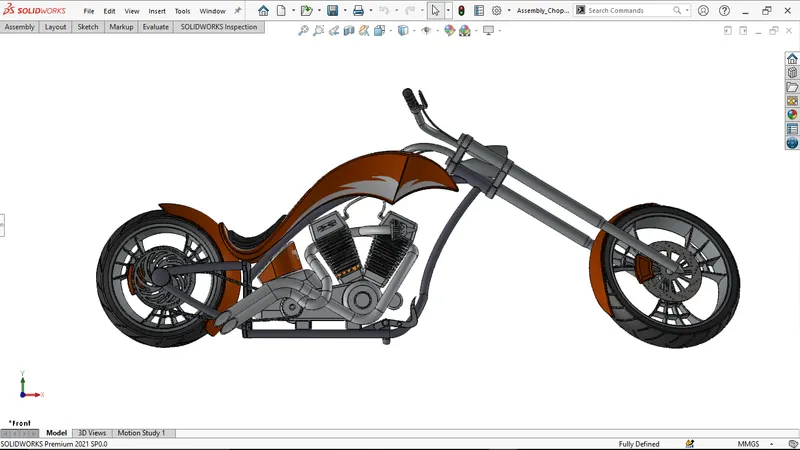
Front View of the Chopper Bike
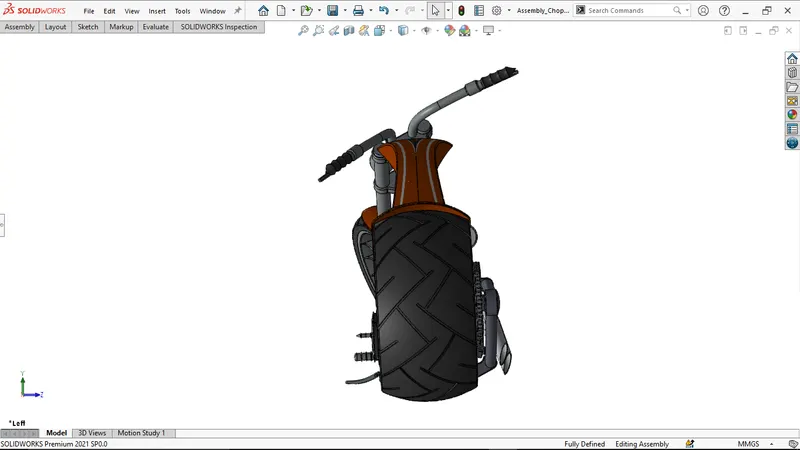
Left View of Chopper bike
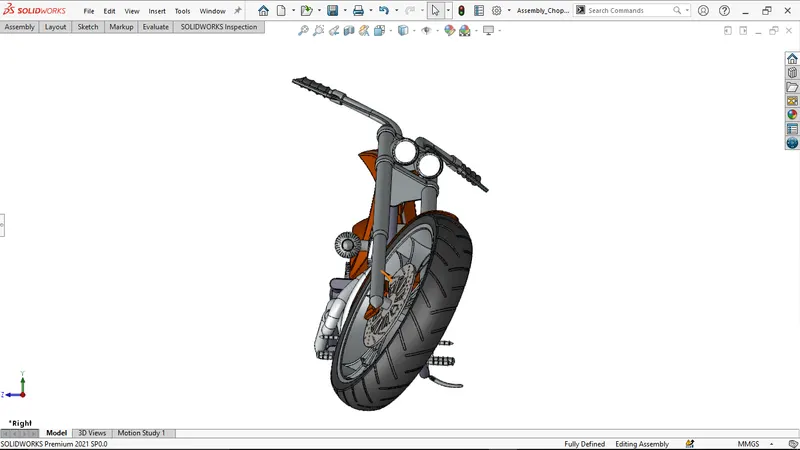
Right View of Chopper bike
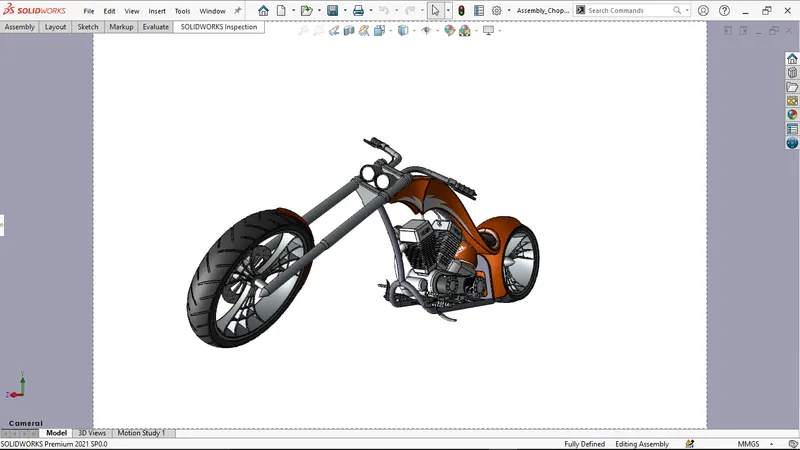
Camera 1 View
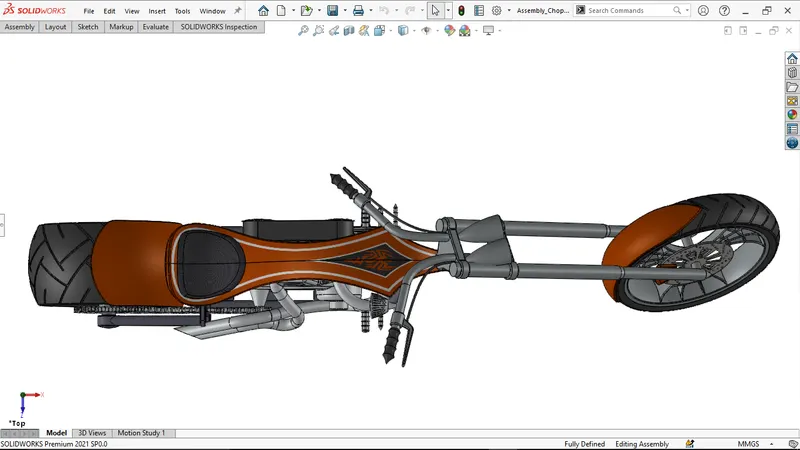
Top View
The procedure of assembly of chopper bike:
- Open all Individual parts in SolidWorks
- Then open a new assembly file in SolidWorks
- Now apply the appropriate mates by using the mate option
- After applying the mate option, apply the decals to the body parts as required to the gas tank, oil tank, and rear fender.
- Now open photoview 360 in the add-ins option.
- Now add a front view of the bike and save the front view of the bike in the view section and add a camera view.
- And save the file now.
Rendering
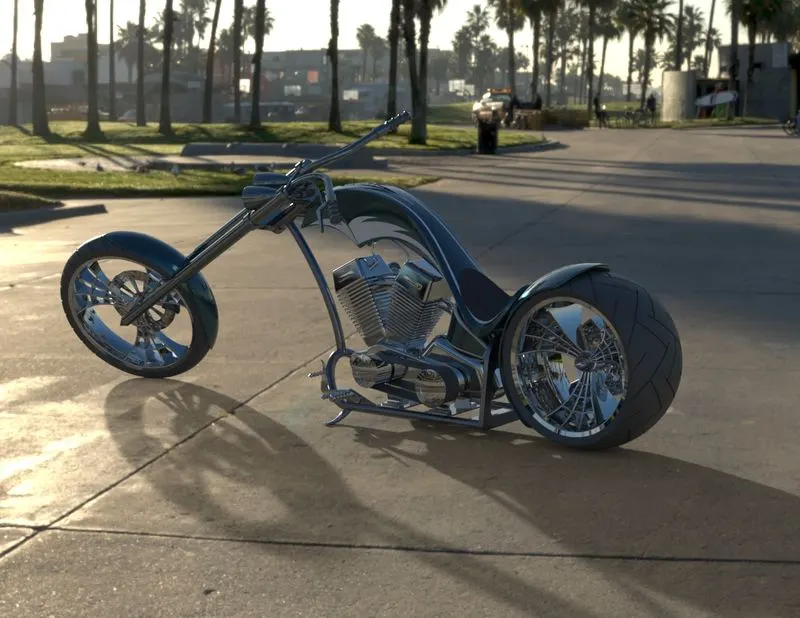
Render Picture 1
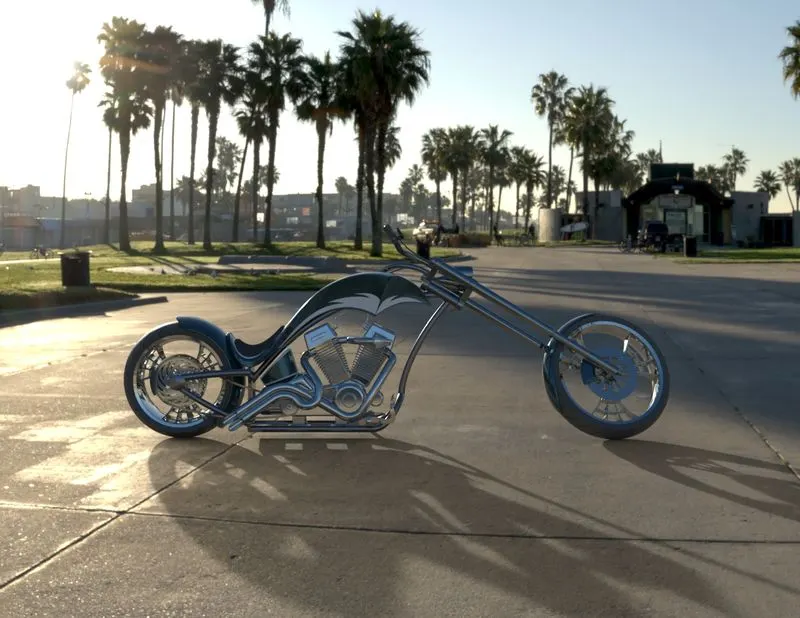
Render Picture 2
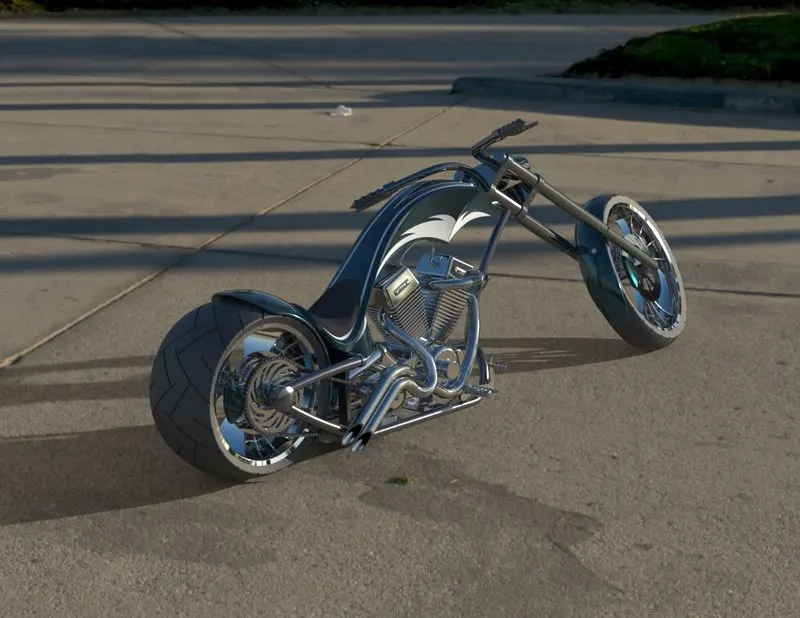
Render Picture 3
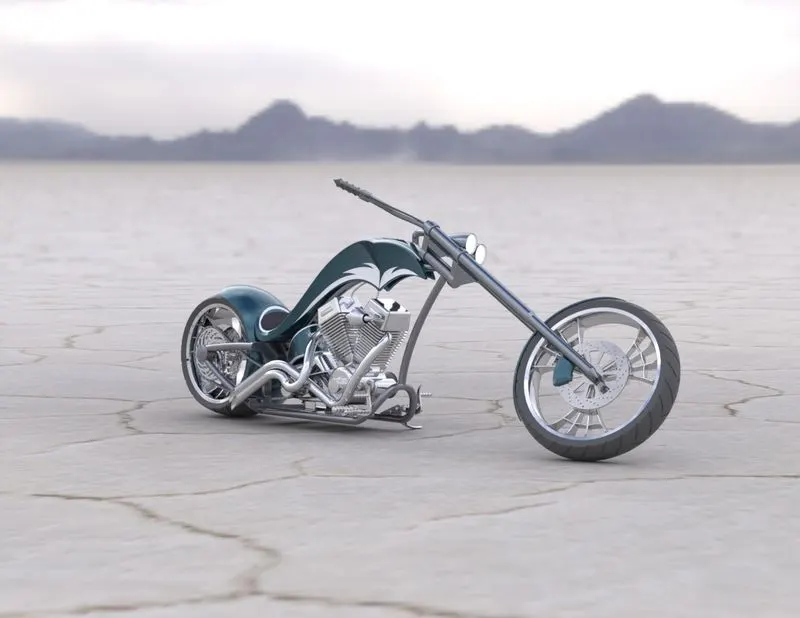
Render Picture 4
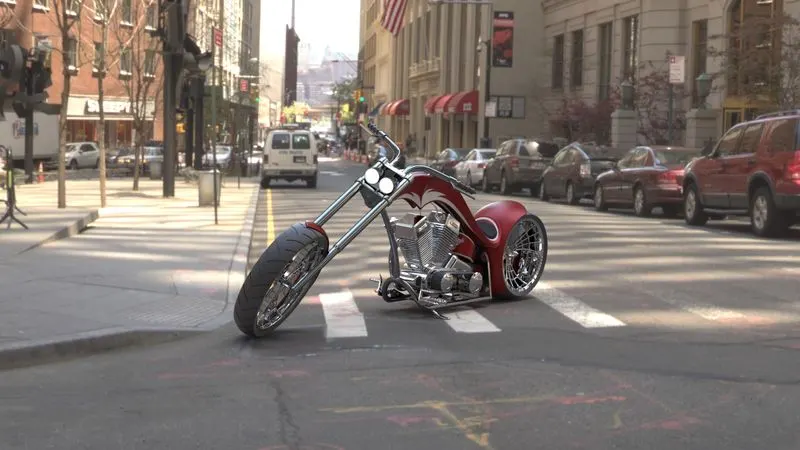
Render Picture 5
Conclusion
Solidworks was used to model and assemble the American chopper Bike, and Solidworks Visualize has been used to provide photorealistic renderings of the chopper.
Note: All the part files, assemble files and rendered files have been uploaded to this link below
American_chopper_bike_Mahesh_kumar