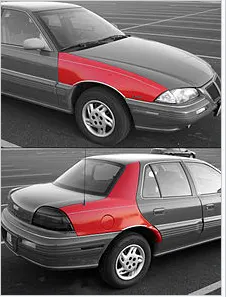
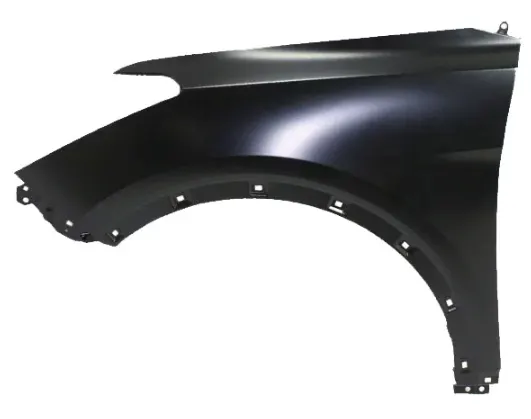
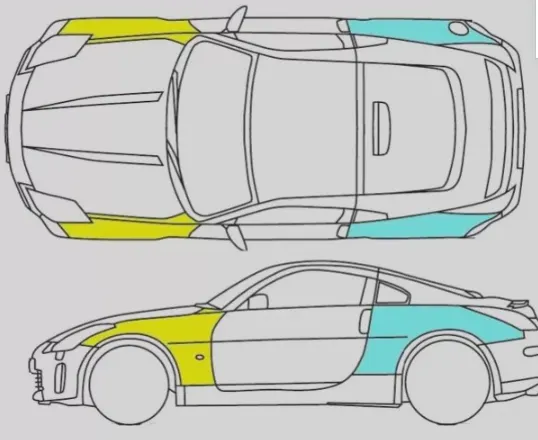
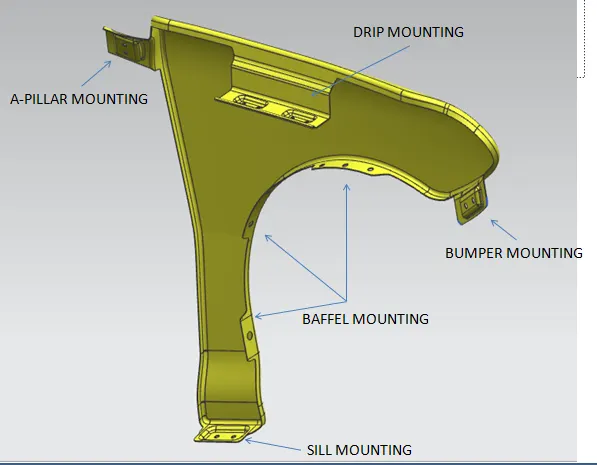
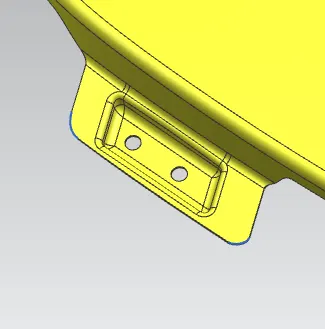
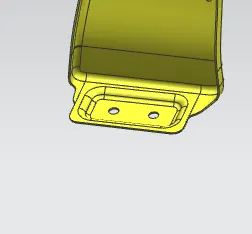
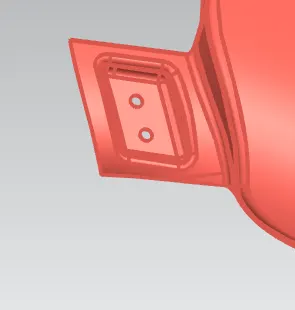
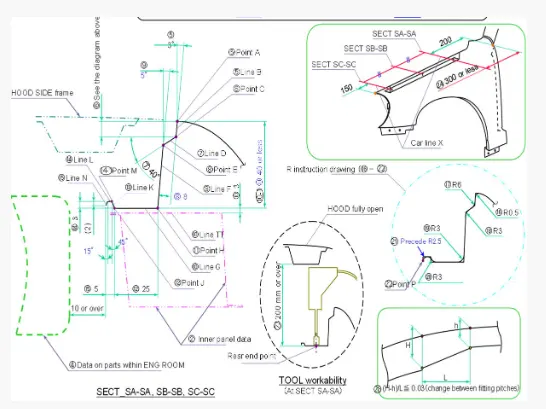
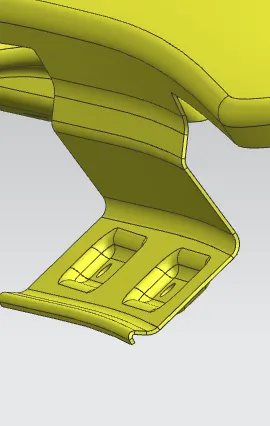
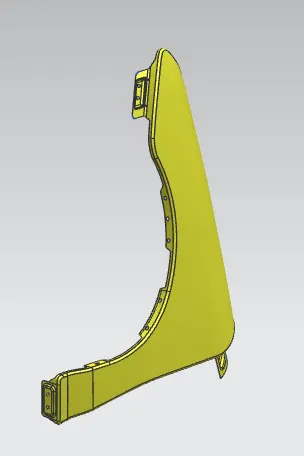
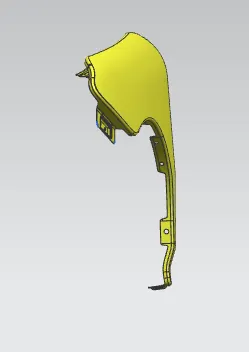
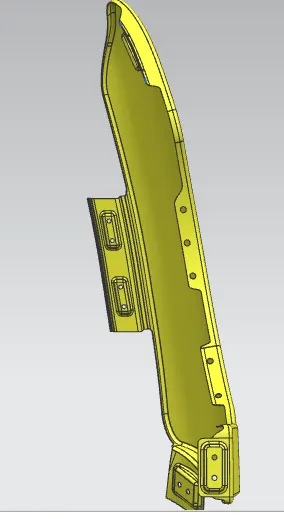
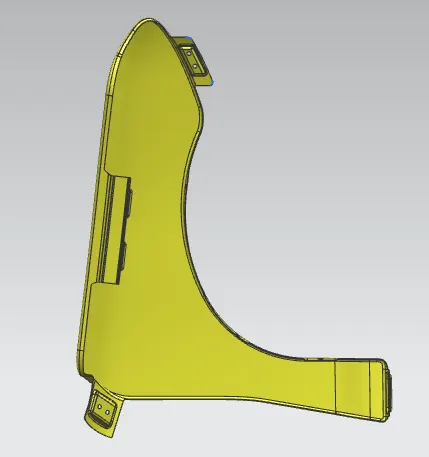
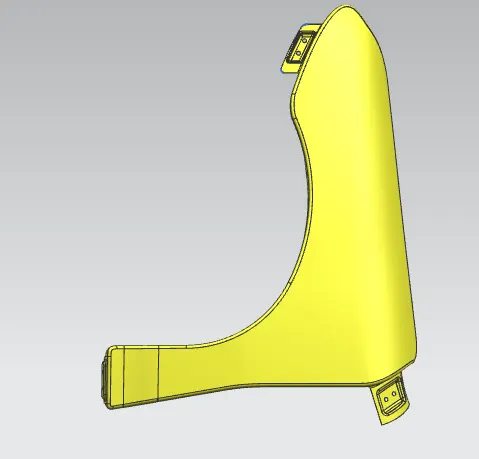
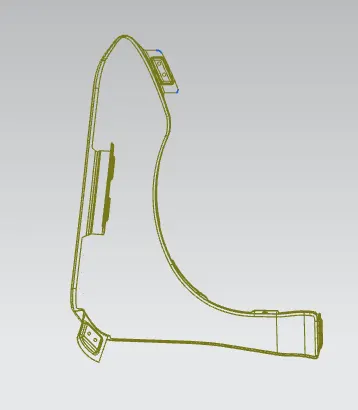
AIM: To Design the Fender for the given from the given Class A Surfacing with Drip Area, Bumper Mount, Cowl Mount, Sill Mount, and A-Pillar Mount. FENDERS: Fender is the American English term for the part of an automobile, motorcycle or other vehicle body…
Vimal Chanth
updated on 12 Jul 2023
Project Details
Leave a comment
Thanks for choosing to leave a comment. Please keep in mind that all the comments are moderated as per our comment policy, and your email will not be published for privacy reasons. Please leave a personal & meaningful conversation.
Other comments...
Read more Projects by Vimal Chanth (18)
Design of backdoor
Answer was submitted in the word.
02 Apr 2025 11:06 AM IST
Roof Design
The Roof Challenge is submitted below.
05 Mar 2025 12:35 PM IST
Fender Design
AIM: To Design the Fender for the given from the given Class A Surfacing with Drip Area, Bumper Mount, Cowl Mount, Sill Mount, and A-Pillar Mount. FENDERS: Fender is the American English term for the part of an automobile, motorcycle or other vehicle body…
12 Jul 2023 11:12 PM IST
Fender Design - Wheel Arch Challenge
AIM: To check the Wheel Arch gap at required points and check whether the car passes the European standard. 1ST POINT = - 5.99 (NOT SATISFIED EURO STANDARDS) 2ND POINT = -0.1139 (NOT SATISFIED EURO STANDARDS) 3RD POINT = - 2.8875 (NOT…
21 Jun 2023 06:13 AM IST
Section Modulus calculation and optimization
AIM: To calculate the section modulus of the hood and optimize the design to have an improved section modulus. SECTION MODULUS: Section Modulus is a geometric property used to calculate the bending stresses in a…
13 Jun 2023 01:25 PM IST
Hood design-Week 2
AIM: To Design the Hood for the given master sections Steps to be followed: 1. First Create the tooling axis. 2. Design the Inner Panel using the following commands: Linked Face Face Offset Surface Offset Trim Sew Emboss Through Face(Multi-surface) 3. Assembly…
08 Jun 2023 01:24 PM IST
Week 12- Final project
AIM. Design of vehicle interior door trim using the given class A surface and create the attachment features as per design rules. CREATING TOOLING AXIS. We have created tooling for all four parts. Creating a tooling axis…
28 Apr 2023 02:32 AM IST
Week 7 Challenge - Assembly Workbench
STEP 1: DRAW INDIVIDUAL PARTS OF THE PRODUCT. First, we have to sketch the individual parts and extrude them according to the given dimensions. [1] …
26 Apr 2023 06:42 PM IST
Week 11 - Project - A pillar Design with Master Section
CREATING TOOLING AXIS. First, we create a point on the extracted surface and create a plane on the surface. Now we have to create the line using the Point-to-direction method. Then draw two lines based on the projection of class A or using the intersection of the point’s…
04 Apr 2023 11:15 AM IST
Week 10 - Challenge 3 - Door Trim Lower with Engineering Features
CREATING TOOLING AXIS. First, we create a plane on the surface. Then draw two lines based on the projection of class A or using the intersection of the point’s method. Now Using the Normal to-the-surface method, We have to create the tooling axis. …
01 Apr 2023 09:27 AM IST
Week 10 - Challenge 2- Attachment Feature Creation (Dog House)
CREATING TOOLING AXIS. First, we create a plane on the surface. Then draw two lines based on the projection of class A or using the intersection of the point’s method. Now Using the normal-to-surface method, we have to create Tooling axis. DRAFT ANALYSIS…
01 Apr 2023 08:23 AM IST
Week 10 - Challenge 1- Attachment Feature Creation (Ribs & Screw Boss)
CREATING TOOLING AXIS. First, we create a plane on the surface. Then draw two lines based on the projection of class A or using the intersection of the point’s method. Now Using the Bisecting method, select the two projected lines and get the Tooling axis. DRAFT ANALYSIS OF SURFACE…
28 Mar 2023 12:21 AM IST
Week 9 - Challenge 3 - Bumper
CREATING TOOLING AXIS. First, we create a plane on the surface. Then draw two lines based on the projection of class A or using the intersection of the point’s method. Now Using the Bisecting method, select the two projected lines and get the Tooling axis. DRAFT ANALYSIS FOR SURFACE A After…
28 Mar 2023 12:20 AM IST
Week 9 - Challenge 2 - Switch Bezel Design
CREATING TOOLING AXIS First, we create a plane on the surface. Then draw two lines based on the projection of class A or using the intersection of the point’s method. Now Using the Bisecting method, select the two projected lines and get the Tooling axis. …
27 Mar 2023 11:52 PM IST
Week 8 - Challenge 1 - Base Bracket Design
CREATING TOOLING AXIS First, we create a plane on the surface. Then draw two lines based on the projection of class A or using the intersection of the point’s method. Now Using the Bisecting method, select the two projected lines and get the Tooling axis. …
22 Mar 2023 11:07 AM IST
Week 4 - 2D Meshing for Sheet Metal
AIM: To create a 2D meshing on the given Sheet Metal [WATER STORAGE SUPPORT BKRT RFD_MODIFIED]. PROCEDURE: First, we must find the thickness of each element in the given geomentry. Then I give the proper perimeter and Macro length as 1. I checked for geometry and removing the cons and error presented…
20 Feb 2023 07:12 AM IST
Week - 5 - 2D meshing for Plastic components
AIM: To create a 2D meshing on the given PLASTIC MATERIAL-BOTLLE CAP. PROCEDURE: First, we separate each element as the bottle cap has different thicknesses in each element. Then I give the proper perimeter and Macro length as 1. I check for geometry and removed the cons. We need to create a mid-surface for all materials…
17 Feb 2023 08:23 AM IST
Week 3 - 2D meshing for sheet metal
AIM: To create a 2D meshing on the given material hood. PROCEDURE: First, we separate each element. Then I give the proper perimeter and Macro length as 5. I check for geometry and removed the cons. As hood have many material properties. We split each one separately. We need to create a mid-surface for all materials…
09 Feb 2023 06:43 AM IST