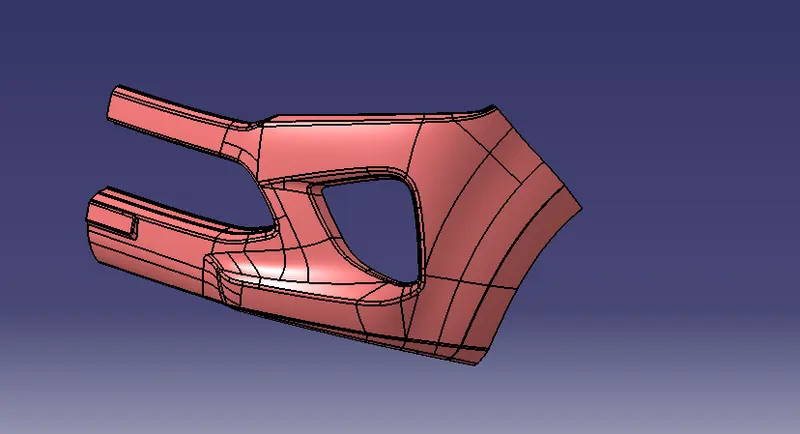
Week 9 - Challenge 3 - Bumper
CREATING TOOLING AXIS.
- First, we create a plane on the surface. Then draw two lines based on the projection of class A or using the intersection of the point’s method.
- Now Using the Bisecting method, select the two projected lines and get the Tooling axis.
DRAFT ANALYSIS FOR SURFACE A
- After creating the Tooling axis, I checked for the draft analysis by clicking insert-->Analysis-->Draft analysis.
- Surface A Passed the Draft Analysis Test.
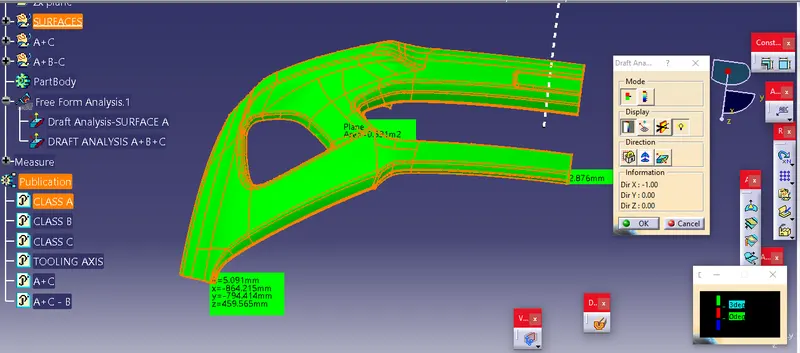
DRAFT ANALYSIS FOR SURFACE A
CREATING CLASS B AND CLASS C SURFACES.
- Then I created the Class B surface, Using the following commands.
Offset.
Trim.
Multi-surface.
Boundary.
Split.
Join.
Untrim.
Extract.
Multi-Extract.
- Then I created the Class C surface, Using the following commands.
Sweep.
Boundary.
Smooth- Surface.
Multi-Extract.
- After creating the Class B and Class C Surface, I Joined the Surface A and Surface C and Trimmed them with Surface B.
Join A+C.
Trim A+C-B.
- After creating the Closed Surface, I checked for the closed surface using the Boundary Condition.
WHILE OFFSETTING
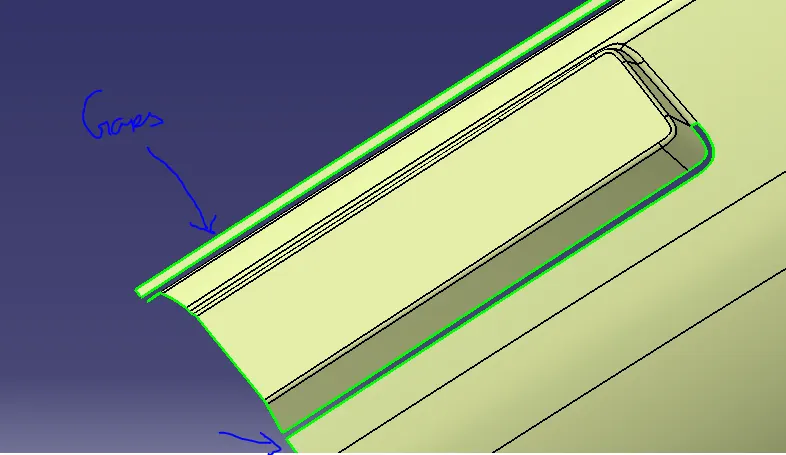
TRIMMING FINAL SURFACES (A+C-B)
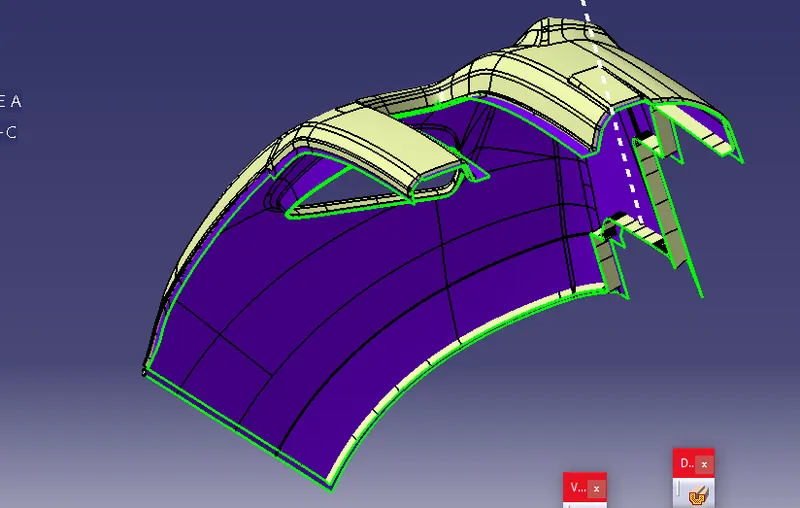
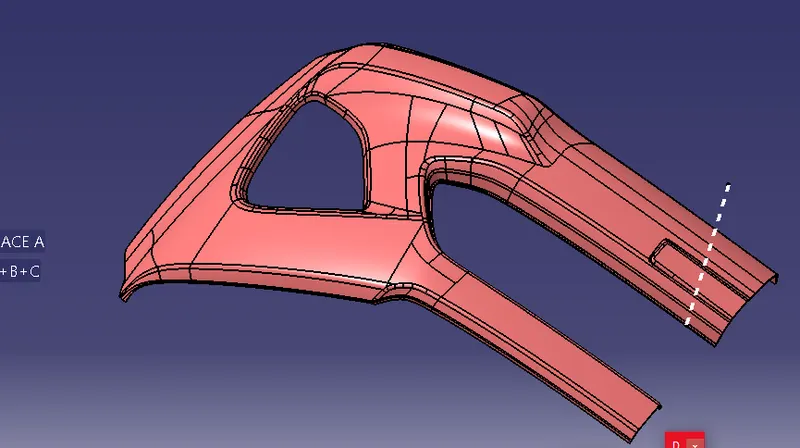
FINAL PRODUCT
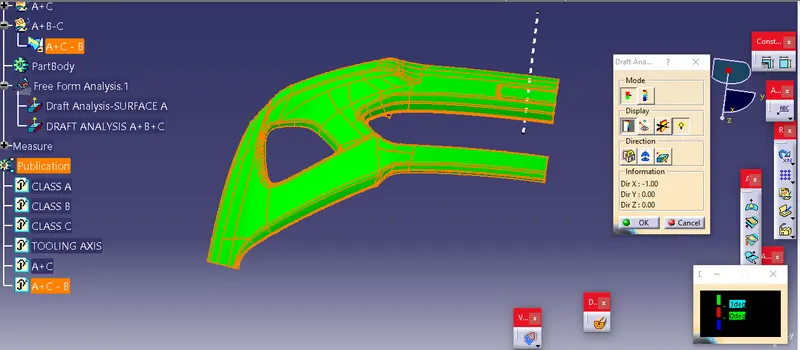
DRAFT ANALYSIS FOR THE FINAL PRODUCT
- After creating the closed surface, I checked for the draft analysis by clicking insert-->Analysis-->Draft analysis.
- And My Closed surface passed the draft analysis test.
SAVING CLOSED SURFACES AS A PART.
DIFFERENT VIEWS
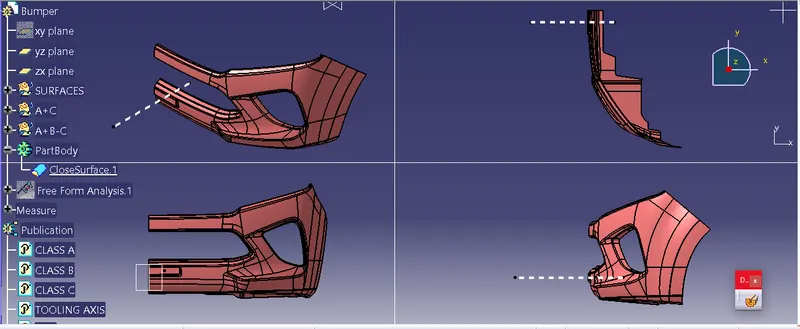
ISOMETRIC VIEWS