Wiring harness design in CATIA V5 - 3D modeling Week 2 Challlenge
To define any electrical part or connector we need the CAD data which we can get from the net in this case we have the three connector as follow with their defination step :- This step are same for any connector
1. Deutsch DT06-08SA It is housing for female terminals with 8 position and wire to wire.
Step 1:-
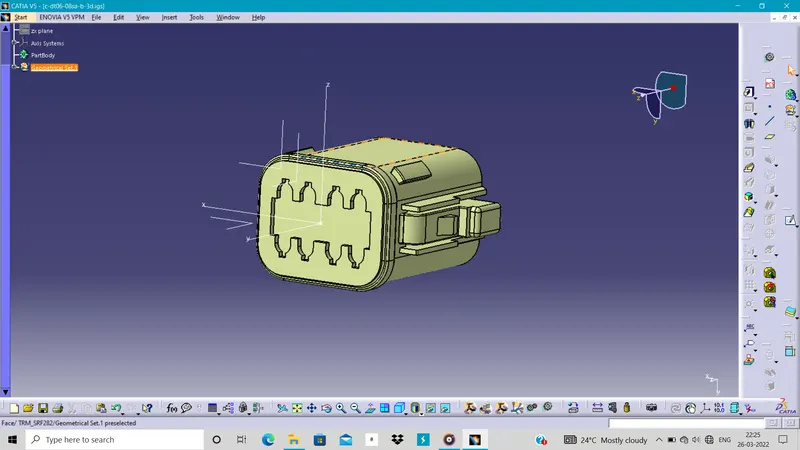
Define Geometrical property/ parameters:-
Define the connector connection point & Bundle connection point also we have to define the axis system such as the y-axis in the direction of connector face and x-axis in the direction of locking mechanism of connector.
Step 2 :-
Define it as connector:-
Define it as the connector so we can give the part some electrical properties with their number of terminals .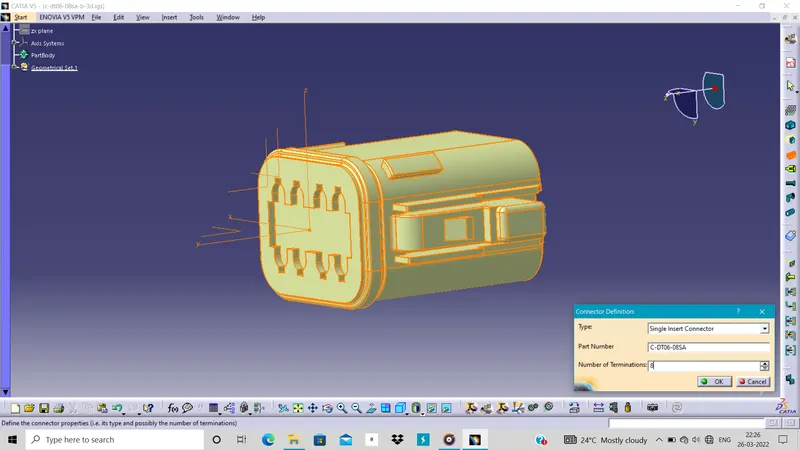
Step 3 :-
Define connector connection point:-
Define the connector connection point so at the time of assembly it can easy to connect with proper specification.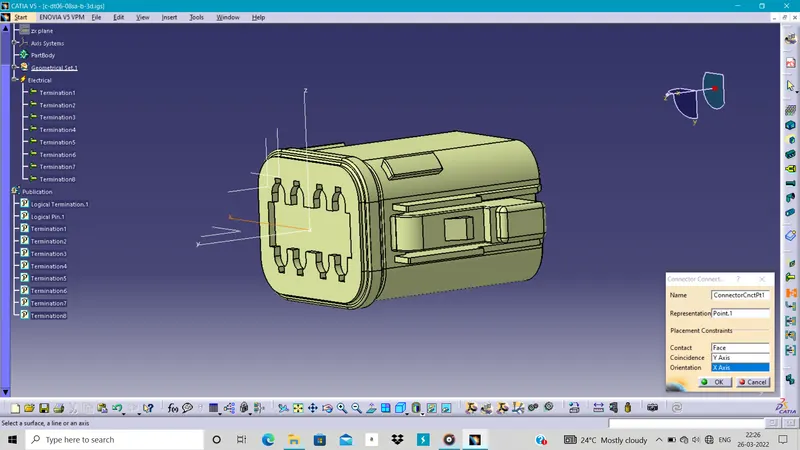
Step 4 :-
Define bundle connection point:-
Define the bundle connection point at which the wire are insert or starting point of connector.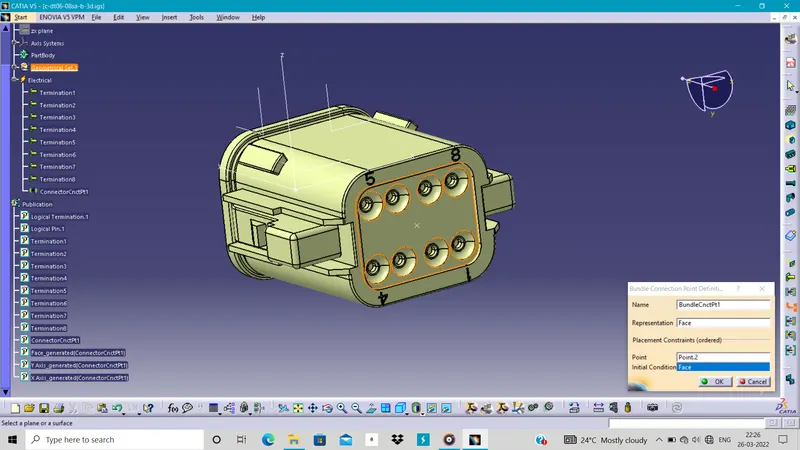
In this connector their is not any part or features for cavity connection or mountings so no need to define the cavity connection point.
2. Tyco 2-174357-2
It is hybrid housing for female terminals with the 3 position and wire to wire.
Step 1:-
Define Geometrical property/ parameters:-
Define the connector connection point, Cavity connection point with axis system & Bundle connection point also axis such as the y-axis in the direction of connector face and x-axis in the direction of locking mechanism of connector.
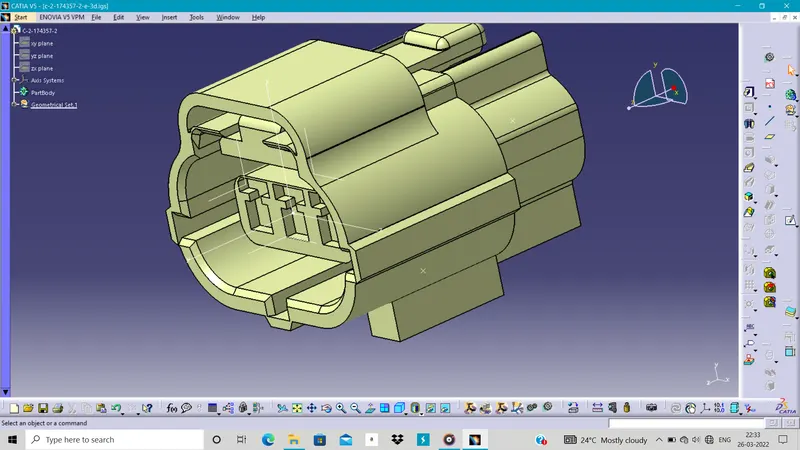
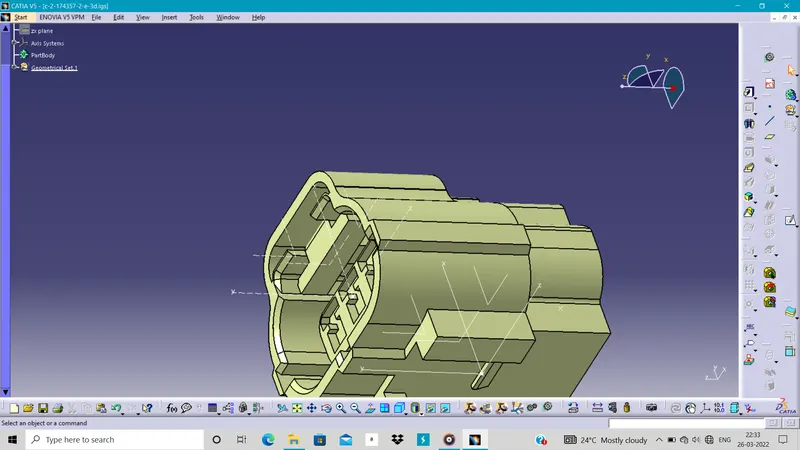
Step 2 :-
Define it as connector:-
Define it as the connector so we can give the part some electrical properties with their number of terminals .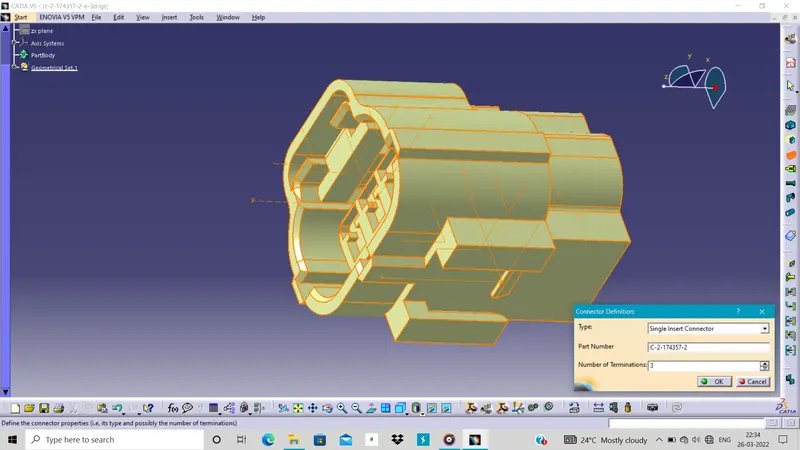
Step 3 :-
Define connector connection point:-
Define the connector connection point so at the time of assembly it can easy to connect with proper specification.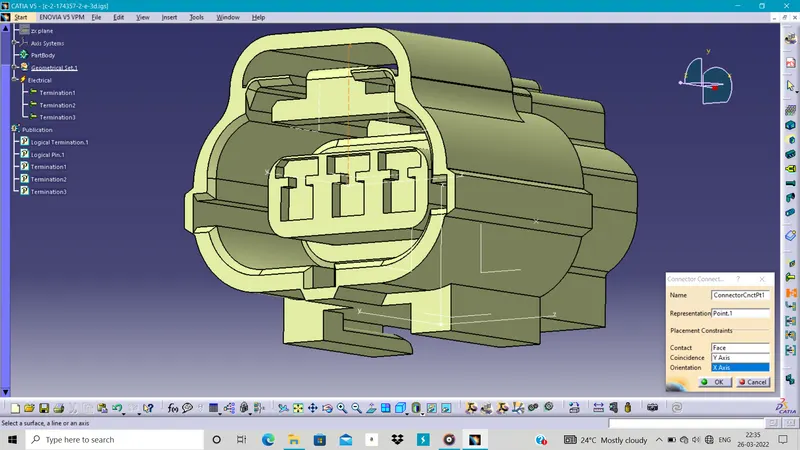
Step 4 :-
Define bundle connection point:-
Define the bundle connection point at which the wire are insert or starting point of connector.
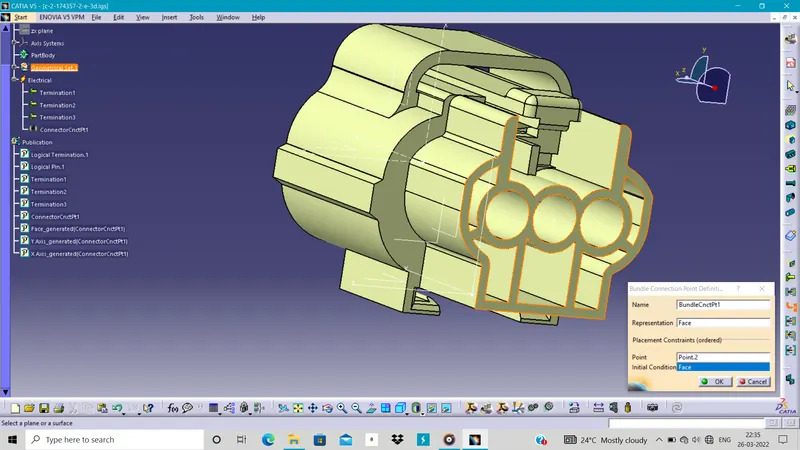
Step 5 :-
Define cavity connection point :-
Define the cavity connection point at which the mounting / support is provide.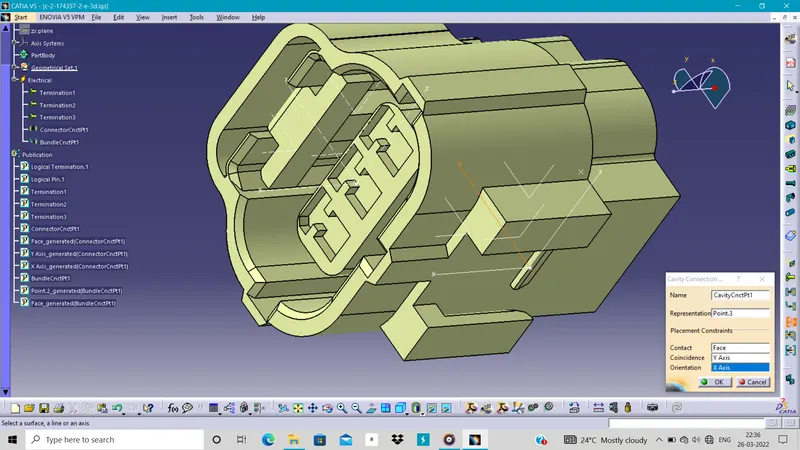
Here the connector is fully-define.
3.Tyco 85229-1
It is other automotive connector accessories as mounting clips.
Step 1:-
Define the Geometrical parameters:-
Define the Geometrical parameters as cavity connection point take point and define the axis of it.
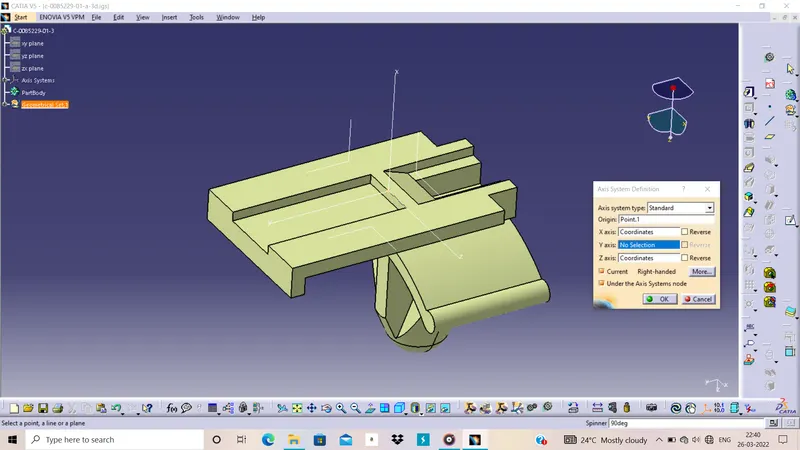
Step 2 :-
Define Mounting part:-
Define this as Mounting Clip in the electrical part design.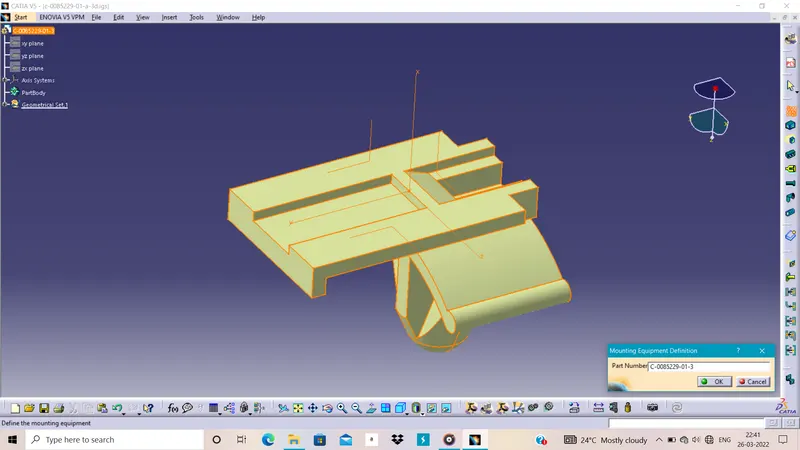
Step 3:-
Define as cavity:-
Define hole body of clip as cavity.
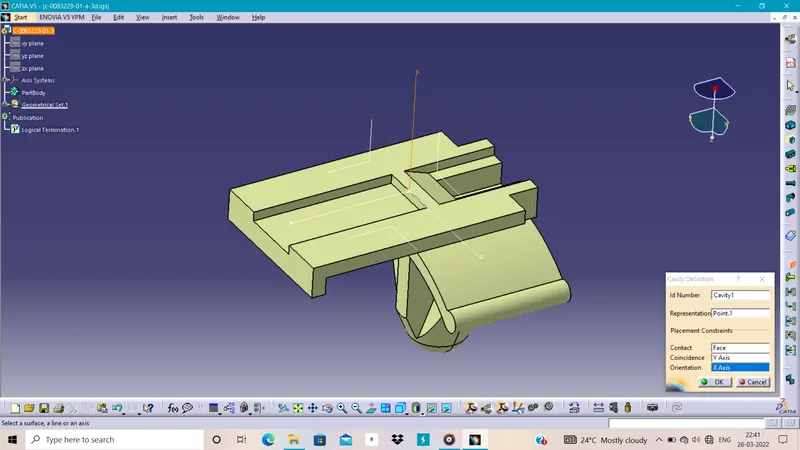
In tis way we can define the connector and connector clips in CAD for future work we can save this parts in the catalogs .