Week 9 - PCB Thermal Simulation
PCB:
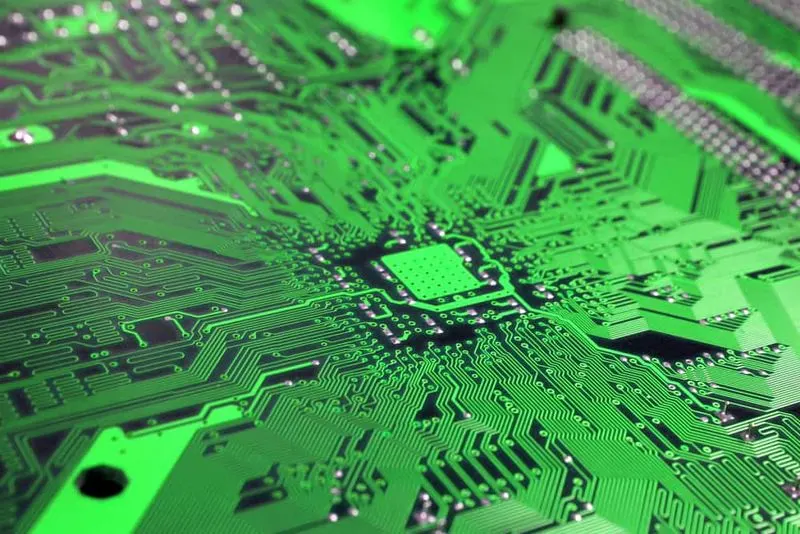
A printed circuit board (PCB) mechanically supports and electrically connects electroic components using conductive tracks, pads and other features etched from one or more sheet layers of copper laminated onto and/or between sheet layers of a non-conductive substrate. Components are generally solderedonto the PCB to both electrically connect and mechanically fasten them to it. Printed circuit boards are used in nearly all electronic products and in some electrical products, such as passive switch boxes
Conduction only model:
Steps to be follwed:
- consider a board without any components. Make all objects (including the openings) inactive except the BOARD_OUTLINE.1 object.
- Select the cabinet and select Autoscale from the Edit window to make the size of the board and the cabinet the same.
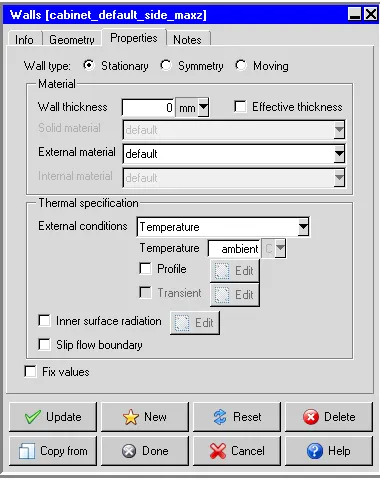
- Min z: Temperature from the External conditions drop-down list, and keep the ambient temperature (20°C).
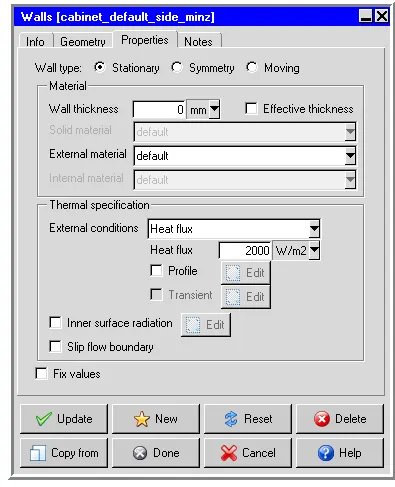
- Max z: specify a Heat flux of 20000 W/m2 in the Thermal specification
- The rest of the sides are insulated. The board will be simulated using a conduction-only model.
- Generate mesh. Specify a Max element size for X, Y, and Z as 2.032, 2.032, and 0.05 mm respectively, and a Minimum gap for X, Y, and Z as 1, 1, and 0.01 mm respectively
Geometry:
1.Image shows geometry of model.
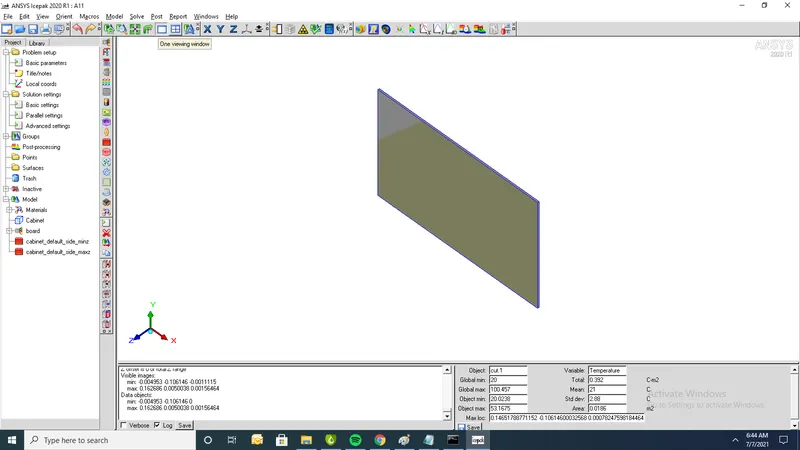
2. cabinet dimensions
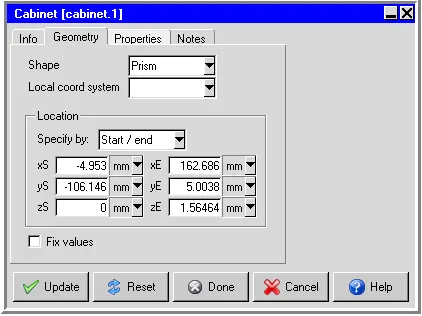
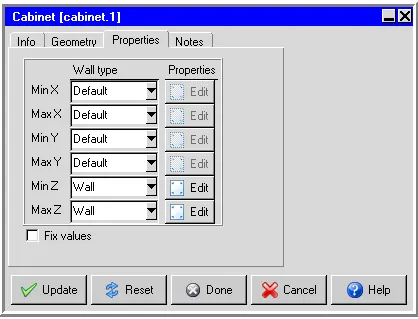
3. properties of cabinet
4. Min Z Properties
5.Max z parameters
Meshing:
1.Total No of elements= 149234 and Total No of Nodes= 158592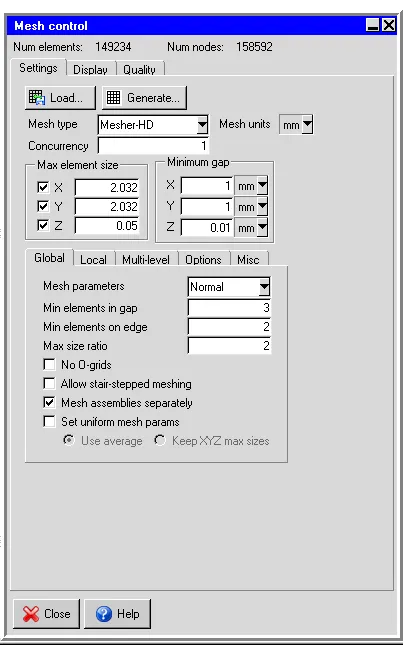
2.Cut plane through X-axis
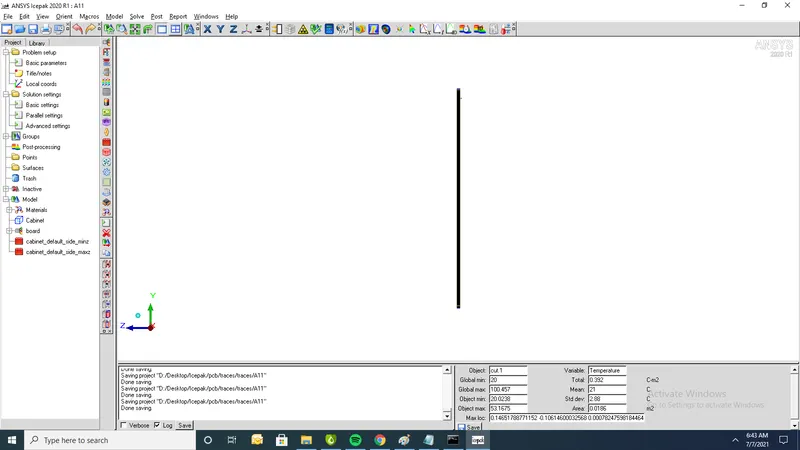
3.Cut plane through Y-axis
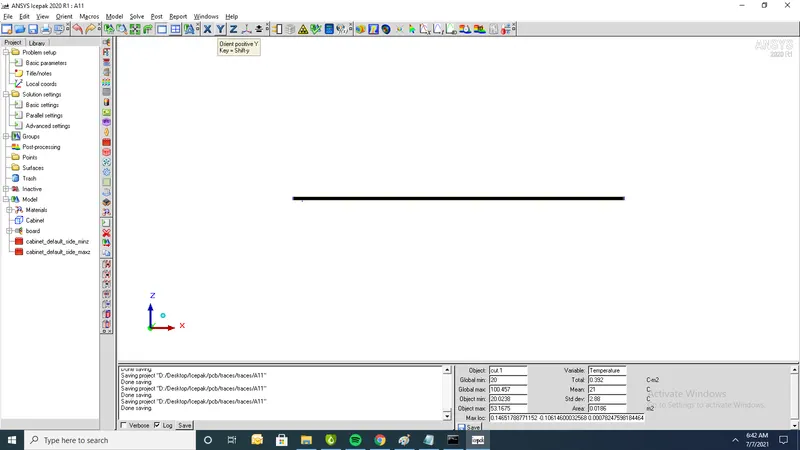
4. .Cut plane through Z-axis
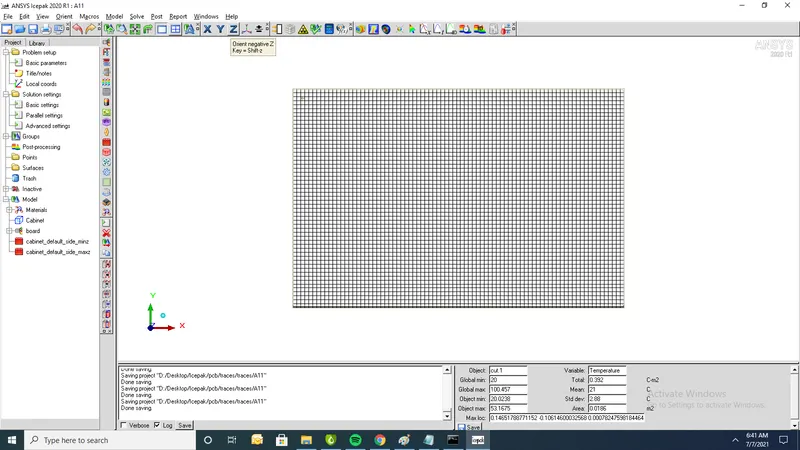
Setup:
1.problem setup
1.solve for temperature
2.Radiation : off
3.Time variation : Steady
4.choose Turbulent and Zero equation for the flow regime
2.Solution settings
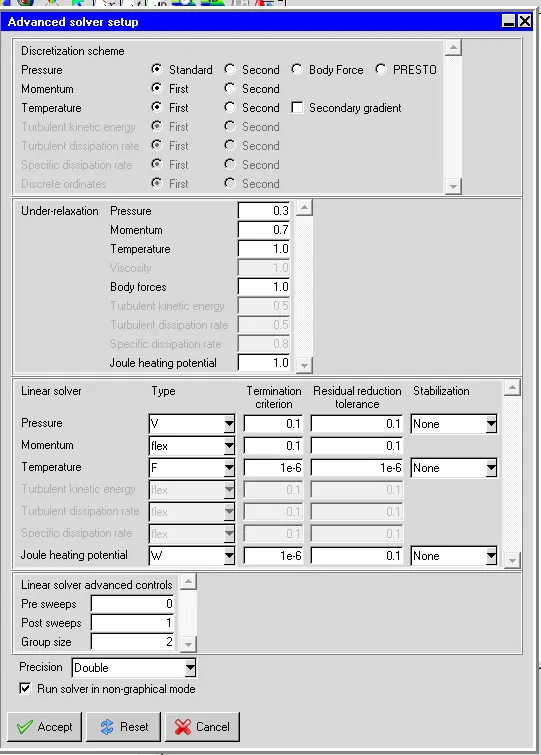
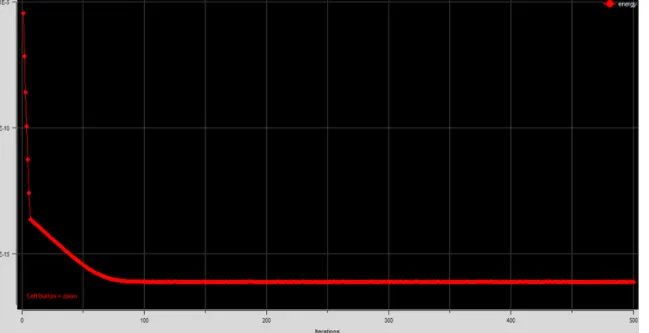
- set no of iterations 500 and convergence criteria for energy to 1e-12
- Temperature Linear solver: F cycle is selected for Type Enter 1e-6 for both the Termination criterion and Residual reduction tolerance
- Select Double for the solver Precision.
Result:
Residuls:
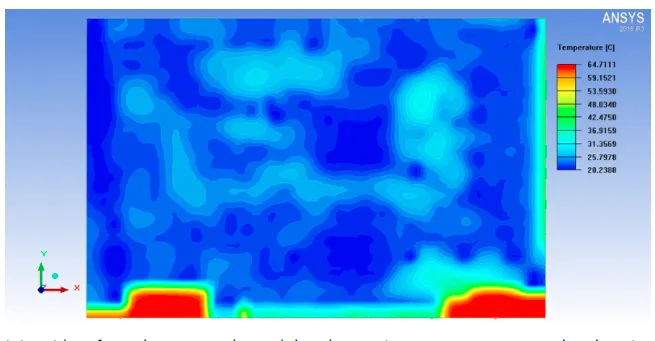
1.Contours of temperature
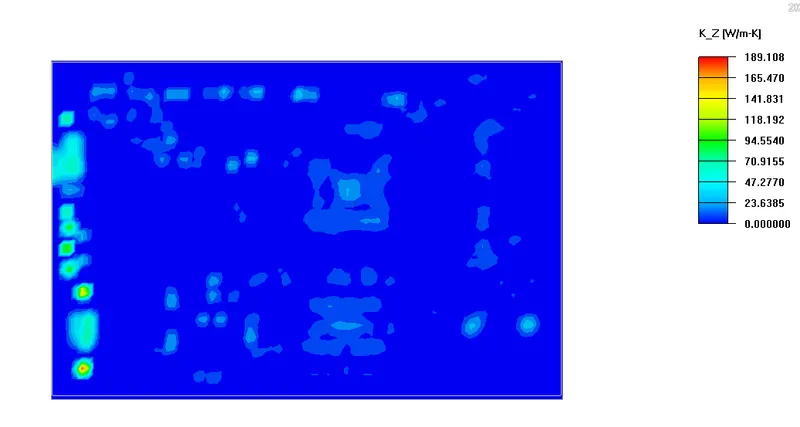
2.Contours of thermal conductivity
Force convection model:
Steps to be follwed:
- put the actual components back into the model
- Highlight the two wall objects created for the “conduction only" model and drag them into the Inactive folder. Click on the Cabinet and Autoscale it from the Edit window.
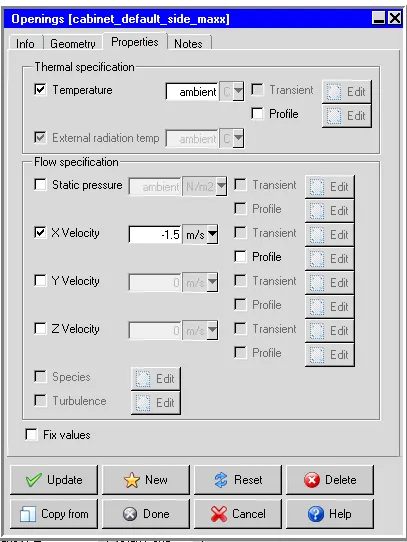
- assign an X Velocity of -1.5 m/s for Max x side of the cabinet
- Generate mesh. Specify a Max element size for X, Y, Z as 9.5, 7, and 0.7 mm respectively
Geometry:
- put the actual components back into the model
- Highlight the two wall objects created for the “conduction only" model and drag them into the Inactive folder. Click on the Cabinet and Autoscale it from the Edit window
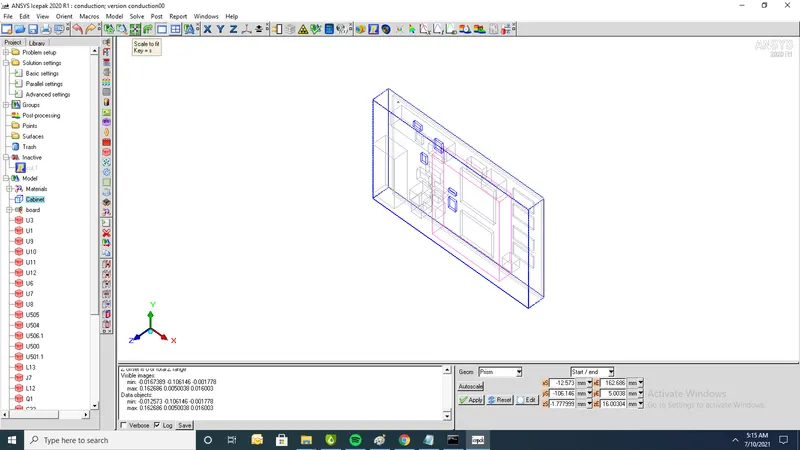
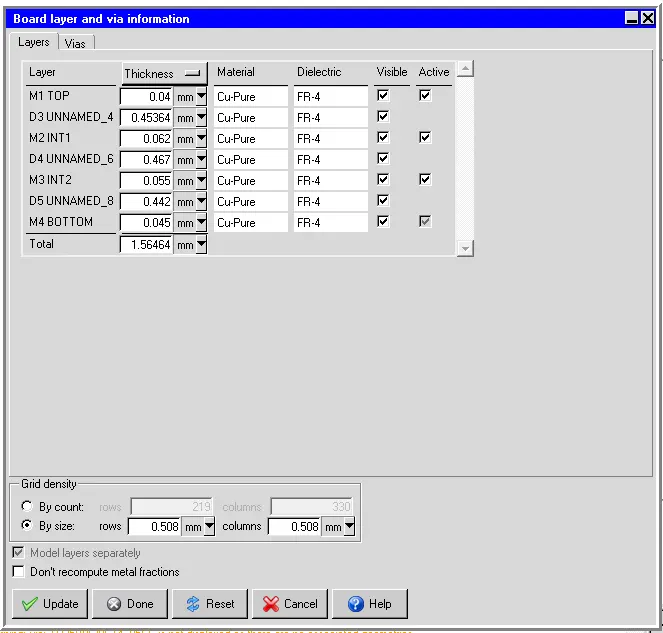
2.Board layer thickness
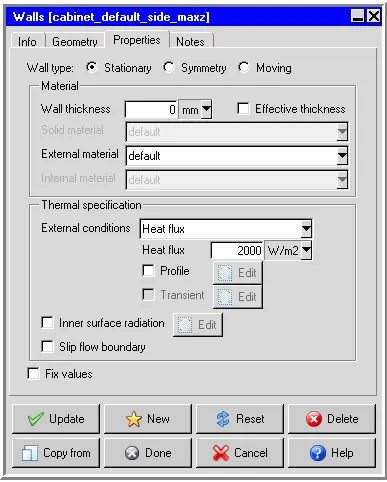
3.Max z conditions
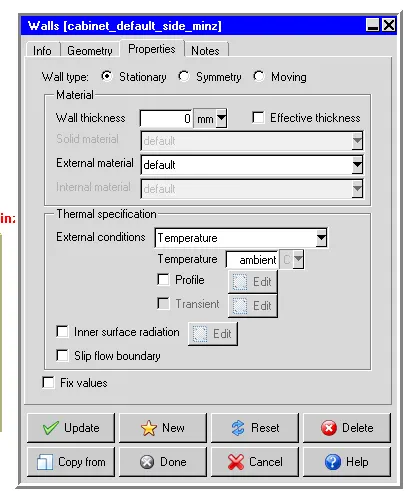
4.Min Z Conditions
5. Assign an X Velocity of -1.5 m/s for Max x side of the cabinet
Meshing:
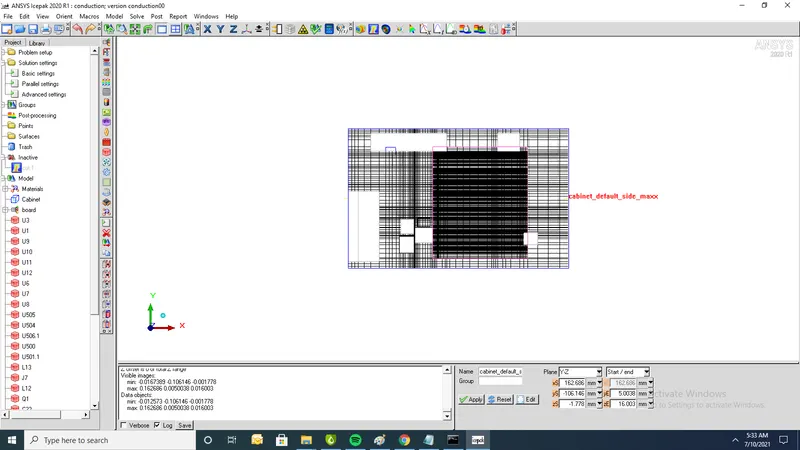
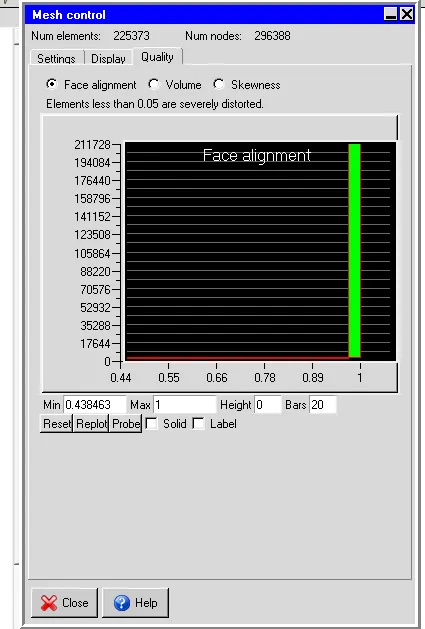
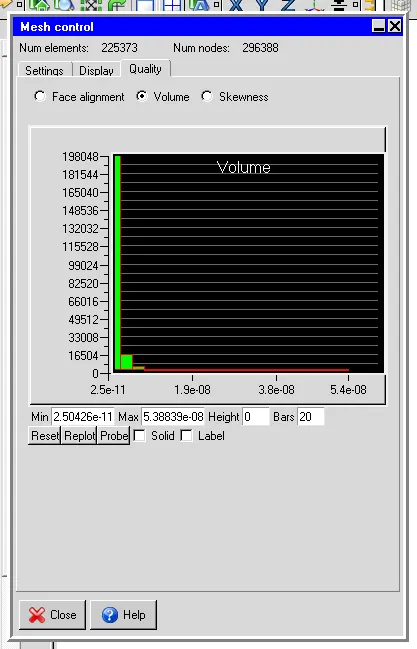
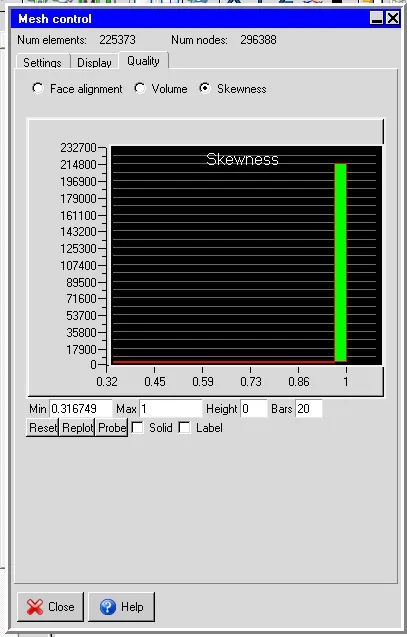
1.Total no of nodes=296388 and Total no of elements=225373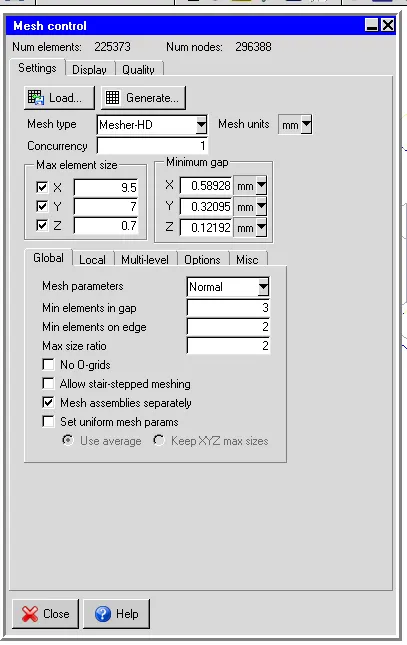
2. Plane cut Point and normal. Make sure that PX, PY, PZ are 0, 0, and 0.78232, respectively and the NX, NY, and NZ are 0, 0, and 1, respectively.
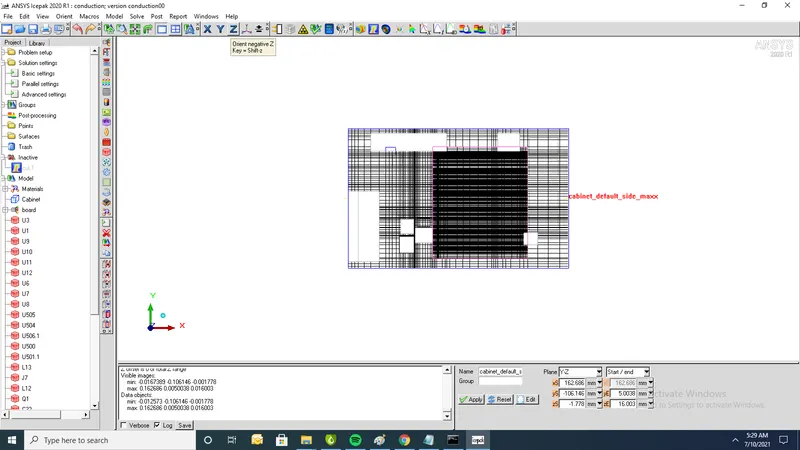
3.Cut plane through x-axis
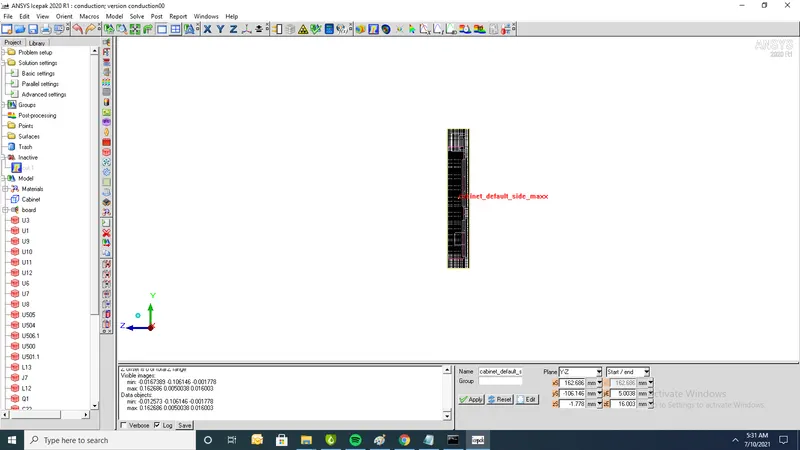
4. Cutplane through y-axis
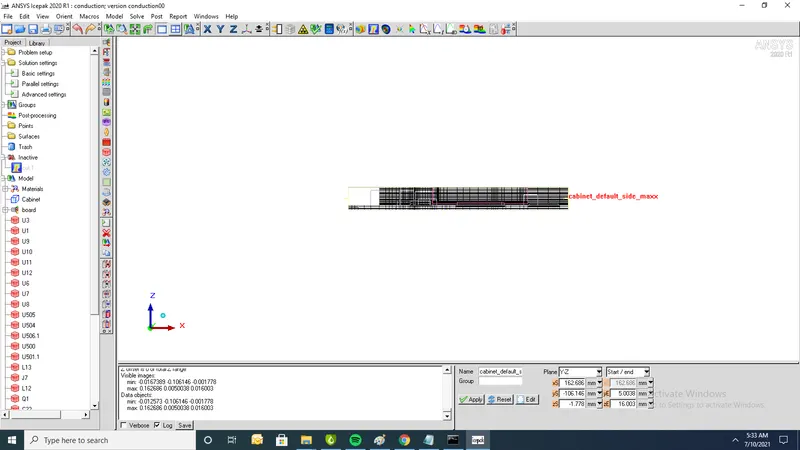
5. Cutplane through z-axis
Quality:
1. facealignment
2. Volume
3.Skewness
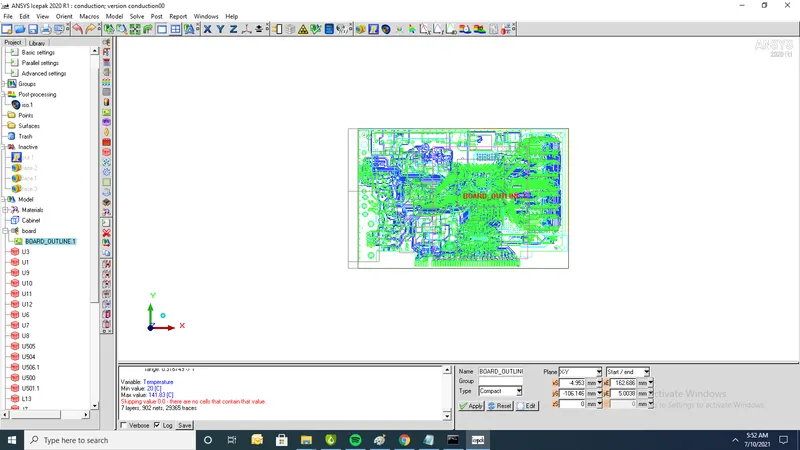
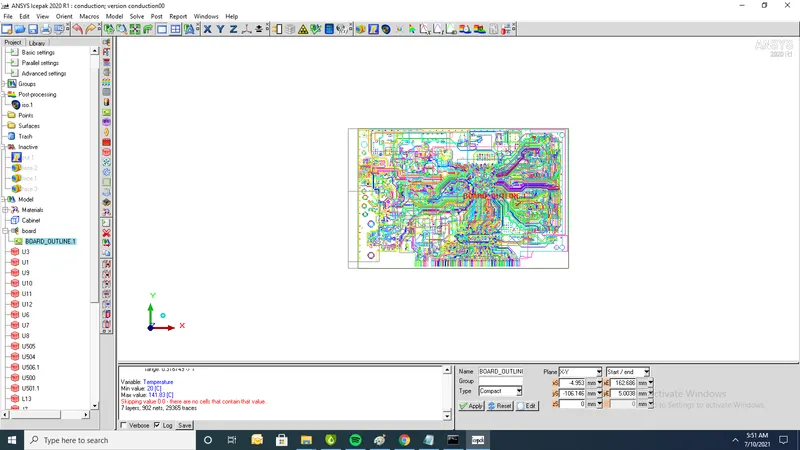
Trace:
1. Trace by single colour
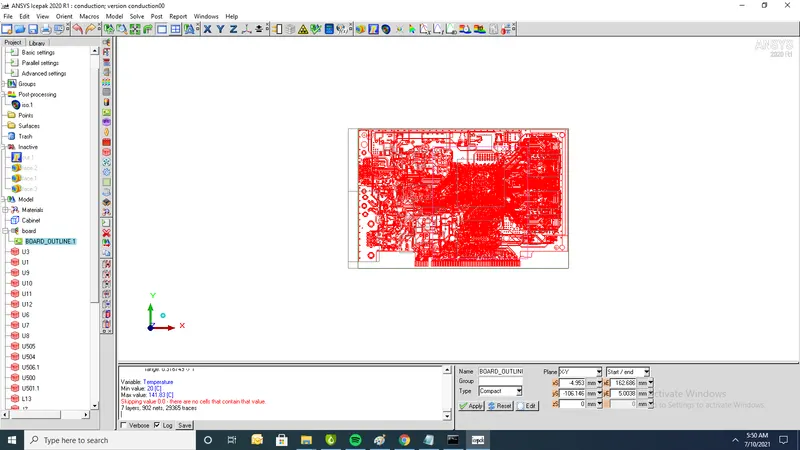
2. Trace by layer
3.Trace by colour net
Setup:
1.solve for velocity,Pressure and temperature
2. Flow has inlet/outlet (Forced convection)
3.Set flow regime as turbulent
4. Turbulent model (Zero equation)
5.ignore heat transfer due to radiation
6.Apply steady state
7.Run 500 iterations
2.Solution settings
- set no of iterations 500 and convergence criteria for energy to 1e-12
- Temperature Linear solver: F cycle is selected for Type Enter 1e-6 for both the Termination criterion and Residual reduction tolerance
- Select Double for the solver Precision.
Contours:
1.Residuals: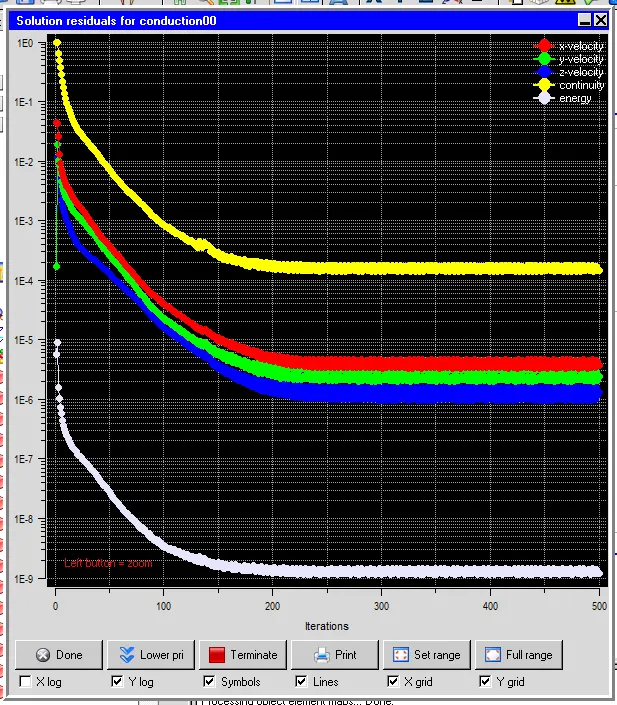
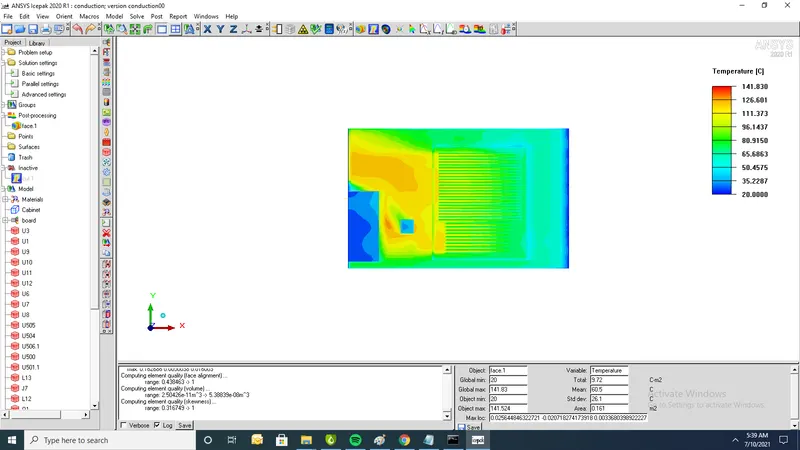
Temperature contour:
1.Min temperature=20o C and max temp=141 oC
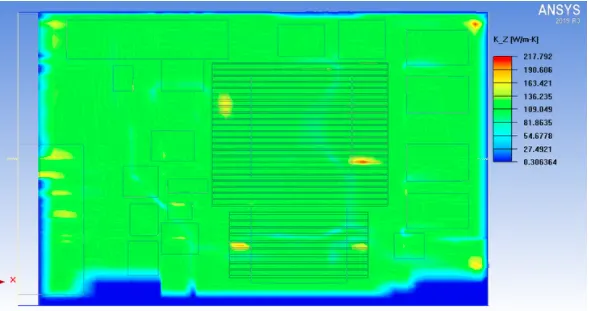
2.Thermal conductivity is min=8.3W/mk and max=217
Joule/Trace Heating:
Steps to be performed:
a. Build the Model – Edit the Board outline of the previous model to open the model trace heating
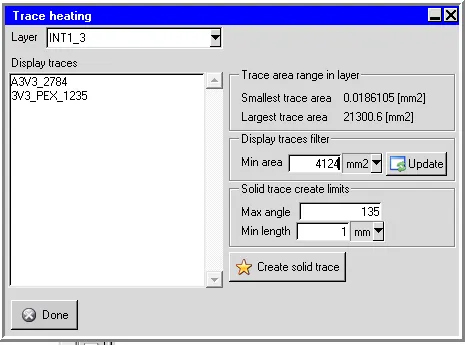
panelselect INT1_3 layer -> filter the trace to view by setting Min Area in the Display traces
filter group box use a Min Area of 4124 mm2
b. Before you create a solid trace of trace A3V3_2261 set the Max angle filter to 135 and the Min
length filter to 1.0 m to ignore the fine details in the trace geometry and reduce the mesh count.
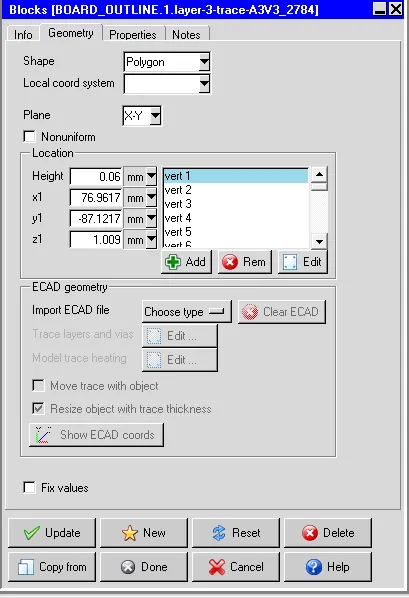
c. Create a solid polygonal solid block for trace A3V3_2261
d. Select the polygonal trace just created from the Model manager window Under Thermal
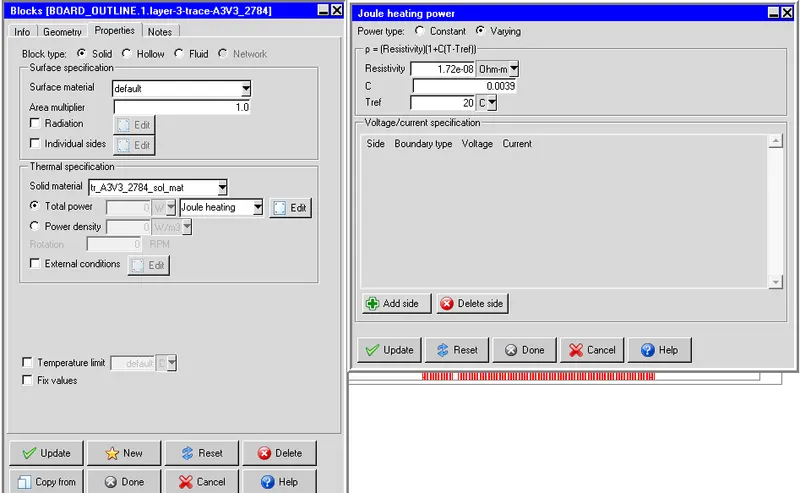
specification next to Joule heating, click Edit to open the Joule heating power panel. Set
Resistivity, temperature coefficient (C), and reference temperature (Tref)
e. One source is for the current source (source.1) and the other for the voltage source (source.2).
Both sources are created at the same layer as the layer of the wire in. The area of each
source is the area to apply the voltage or the current. • The recommendation of the source
objects pair for joule heating is the current-voltage pair or voltage- voltage pair.
Geometry:
1.Import geometry into ansys icepak
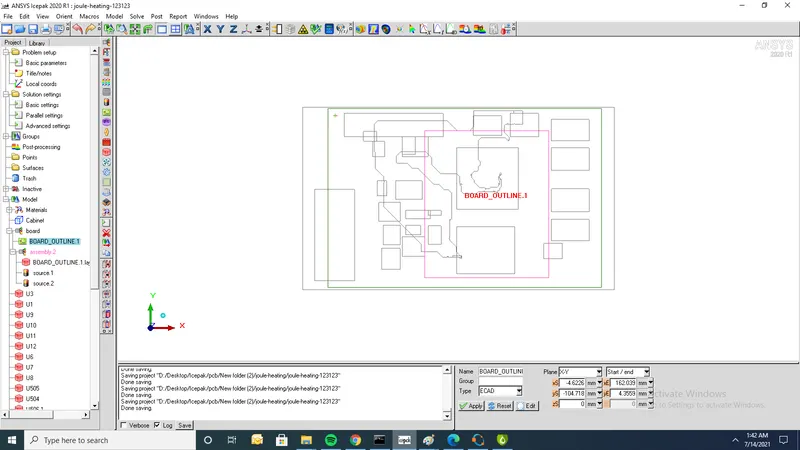
1. In pcb boards first import anf files and next and next resize object with trace thickess
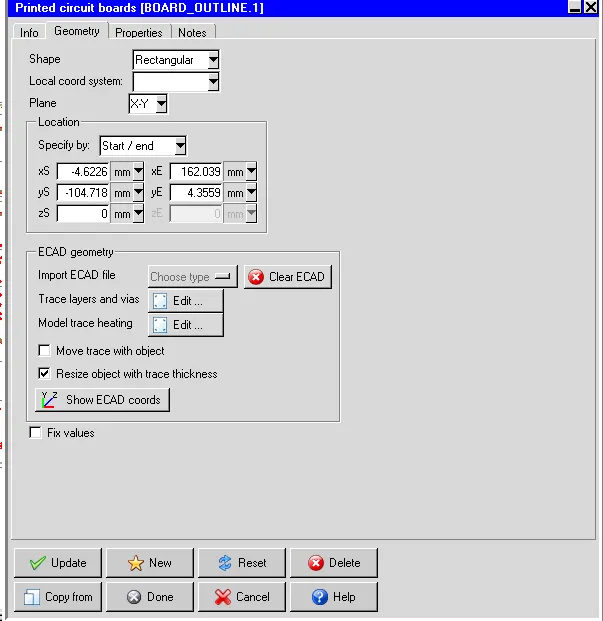
Board layer thickness:
2.Give thickness vakues as given in question
3. In model trace heatingpanelselect INT1_3 layer filter group box use a Min Area of 4124 mm2 Before you create a solid trace of trace A3V3_2261 set the Max angle filter to 135 and the Minlength filter to 1.0 m
4. Select the polygonal trace just created from the Model manager window Under Thermalspecification next to Joule heating, click Edit to open the Joule heating power panel. SetResistivity, temperature coefficient (C), and reference temperature (Tref)
5.click Edit to open the Joule heating power panel. SetResistivity, temperature coefficient (C), and reference temperature (Tref)
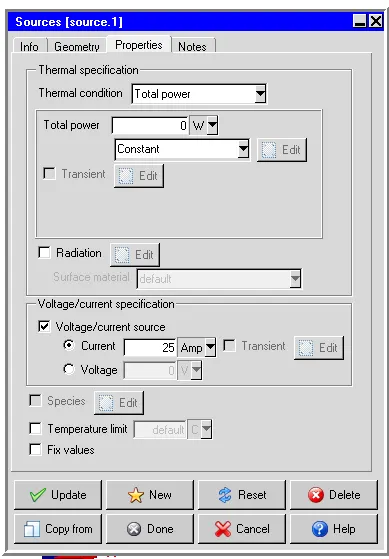
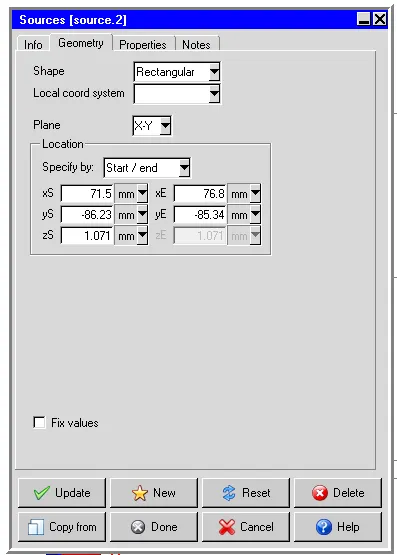
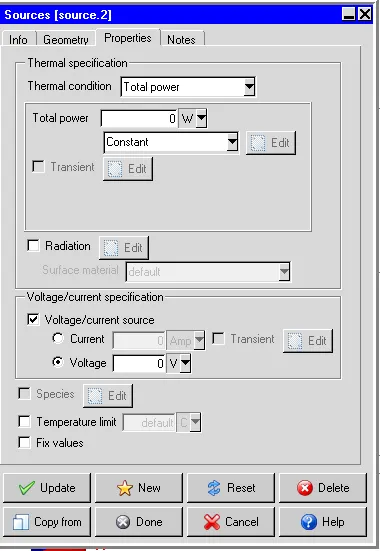
6. One source is for the current source (source.1) and the other for the voltage source (source.2).
Source1:
1.Source 1 geometry
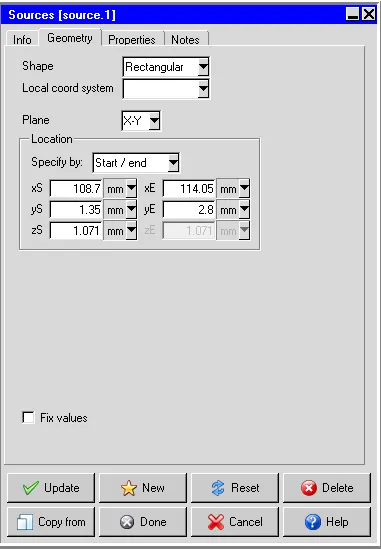
2.Current value for source 1
Source2:
1.geometry of source2
2.Source 2 having zero voltage
Traces:
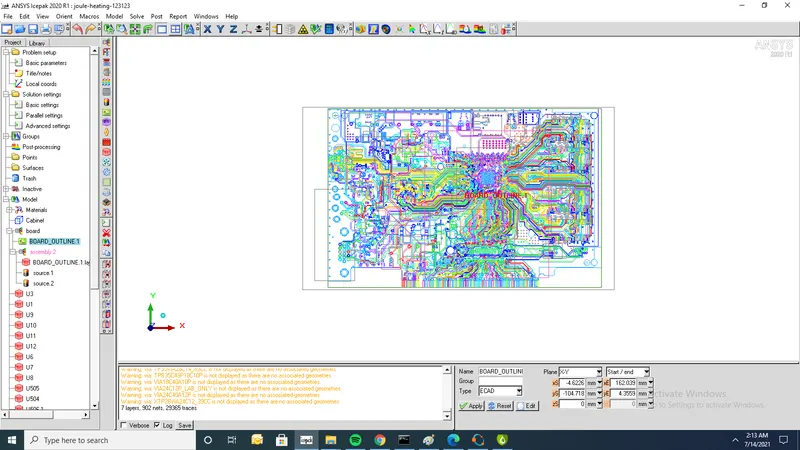
1.Color by net
Meshing:
1.Before doing meshing create assembly for 1)board outline 2)Source1 3)Source2 and mesh separately
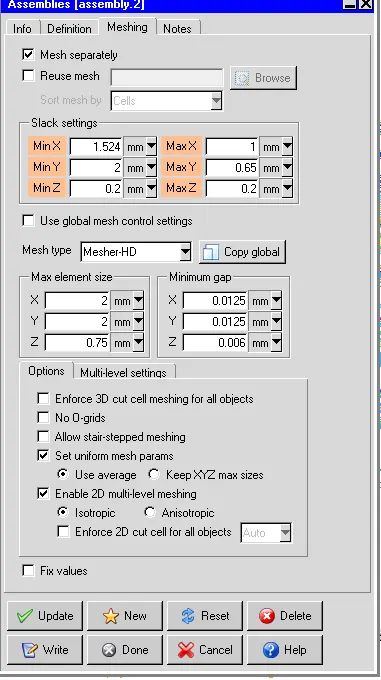
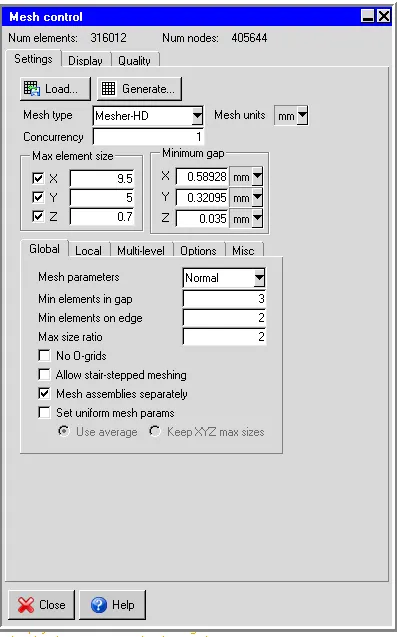
2.Total number of nodes=405644 and total number of elements=316012
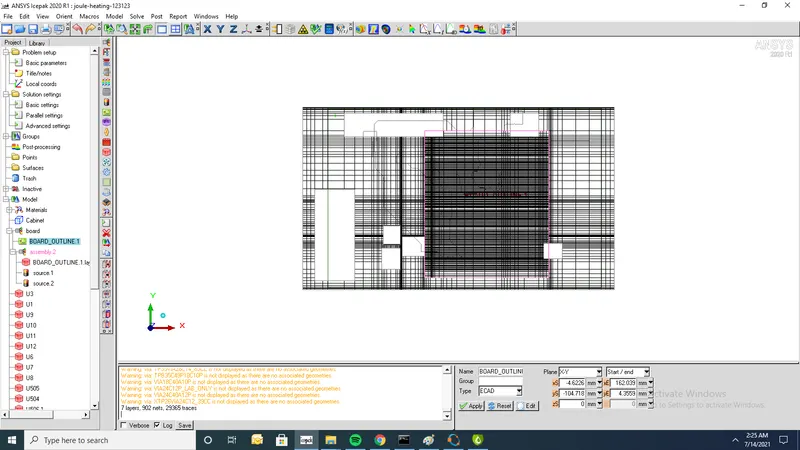
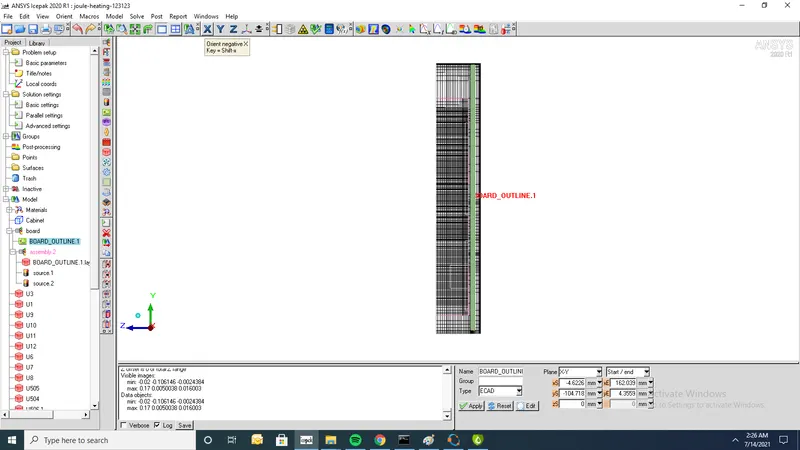
Cutplane through Z-axis:
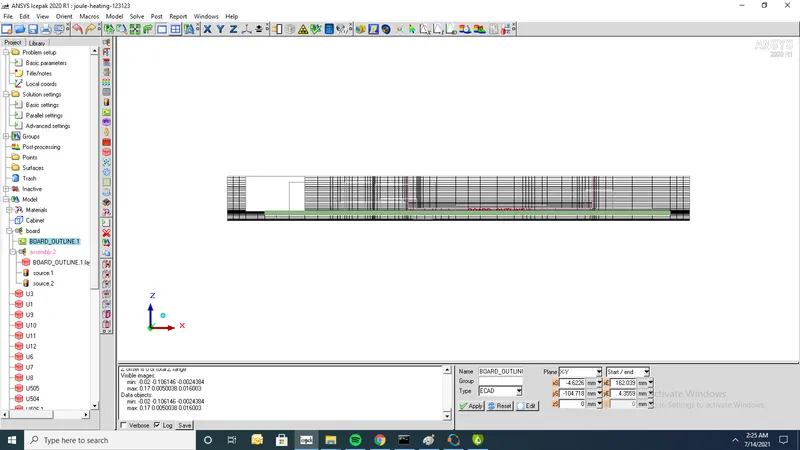
Cutplane through Y-axis:
Cutplane through X-axis:
Setup:
1.solve for velocity,Pressure and temperature
2. Flow has inlet/outlet (Forced convection)
3.Set flow regime as turbulent
4. Turbulent model (Zero equation)
5.ignore heat transfer due to radiation
6.Apply steady state
7.Run 500 iterations
2.Solution settings
- set no of iterations 500 and convergence criteria for energy to 1e-12
- Temperature Linear solver: F cycle is selected for Type Enter 1e-6 for both the Termination criterion and Residual reduction tolerance
- Select Double for the solver Precision.
Contours:
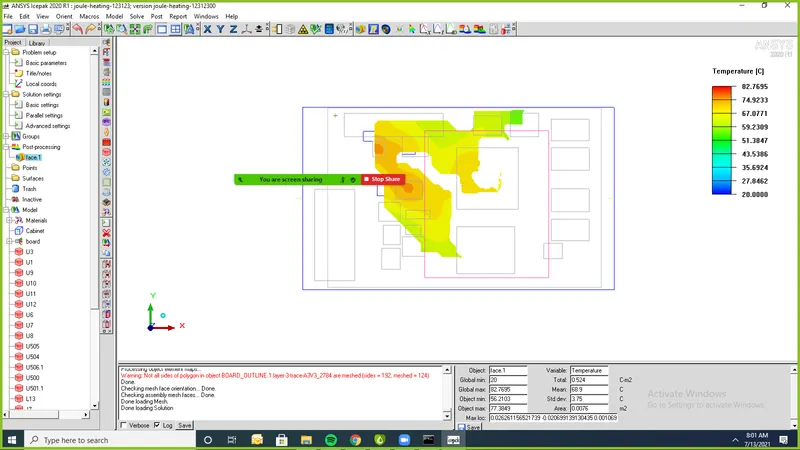
1. Min temp of model=20oC and max temp=82.7695oC