Week 8 - Challenge 2 - Base Bracket Design
AIM:-
To create a base brackset from the given A class surface by adding athickness of 2.5 mm to it and also carry out the ceating the toolingaxis and performing the draft analysis of the component.
TOOLING AXIS:
The purpose of toolin axis is basically the direction that the mold opens. The mold is built in two separate pieces, these are core and cavity. The Core and cavity moves along the Tooling Direction. There are different methods to find out the tooling direction. Here we are using bisecting method to find out tooling direction. We can use any method. but our main aim is to reduce the cost of manufacturing by reducing the complicity in manufacturing the component.
PROCEDURE:-
Here i am using bisect method to find out the tooling axis for fan cover. then we perform the draft analysis on the fan cover.
CREATING THE TOOLING AXIS USING BISECT METHOD:-
- The first thing to do is finding out the possible tooling direction by visually checking the part. Rotate the part in all direction and find out the possible direction for tooling axis. Here in this case viewing from Z direction we can clear the face in tooling.
- Then we create a point on the surface of the part, we can create the point anywhere on the surface.
- most of the cases we create the point in holes and pocket of the part.because the holes and pockets is to create a problems when we do the draft analysis.so we create a point in mid of the hole. to create a line on this point along z direction. named as DUMMY TOOLING AXIS. On this point we put a new axis system.
- Then we are finding out the tooling axis in X direction. For that intersect command is used to get the boundary in X direction.
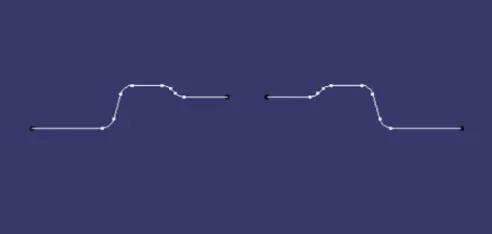
- then we create the lines on the walls because it is not cleared with my dummy tooling axis. so we create the lines on the walls intersection using line command. and then bysect these two lines with the line bysect command. and a bysect line is created name as tooling axis in x-direction
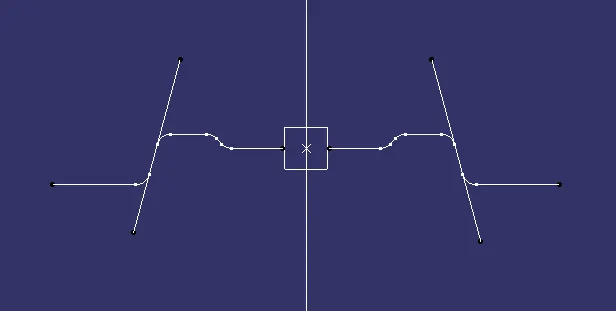
- then we create the bisecting line from tooling axis in x direction and dummy tooling axis.the resulting line named as MAIN TOOLING AXIS.
PLASTIC DESIGNER:-
The work of a plastic designer is to recive the class A surafce from the class A designers. and thick the part as per the given input. because the class A surface dont have the the thickness. and there is extra engineering features are attached to the part like ribs, screw bose, dog house and extra parts. so our work is thickenning the class A surface.for that we need to create the class B and class C surafce. the class B surface is the offset of the class A surface. and class C have class A and drafted the boundry of the part. the we join these two surfaces calles class C surafce then we trim the class B and class C surfaces to get the part having thickness. and then draft analysis is carried out after the thicknenning the part.
CLASS B SURFACE –
- Consider the thickness of the component as 2.5 mm. Now we need to create a B surface which will be similar to the A surface at an offset value of 2.5 mm.
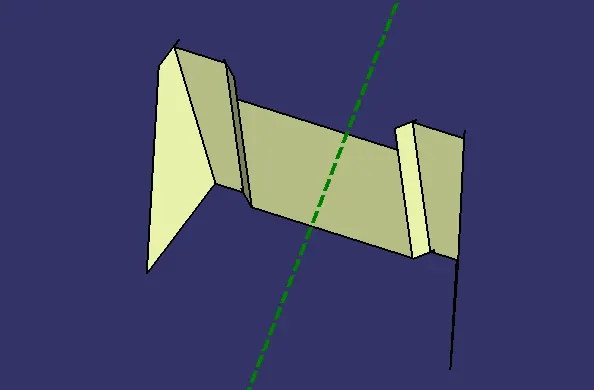
- First, we are creating the ribs in this operation. To create the ribs, first extract the surfaces of it from Class A surface.
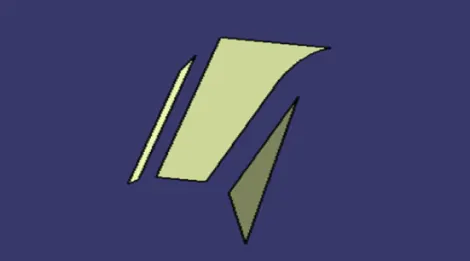
- Once the surfaces are extracted, untrim it and then extrapolate it by 10mm by using point propagation. Now trim these surfaces and offset it to 2.5 mm.
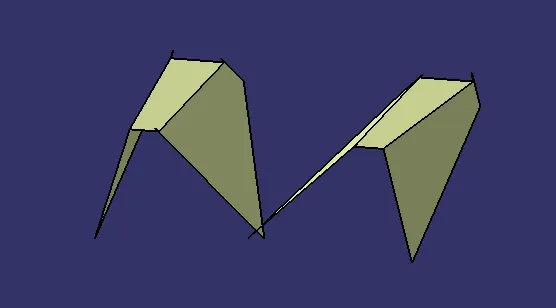
- After creating both the ribs, create the base of the base bracket as mentioned above.for that extract the base from the class a and untrim it. then extrapolate the base. then trim the surfaces ribs and base the final part as shown in below.
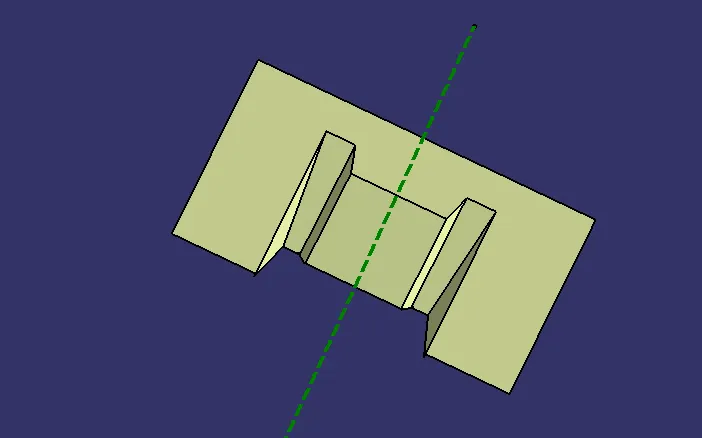
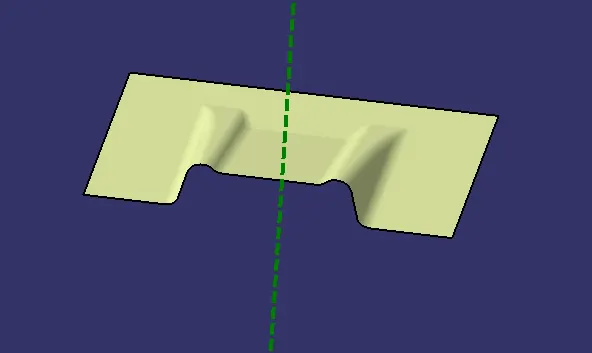
then give the fillet to the part as per the class a surface. and this is the final class b surface.
CLASS C SURFACE –
To create a Class C surface, first extract the boundaries of the Class A surface as shown in figure below.
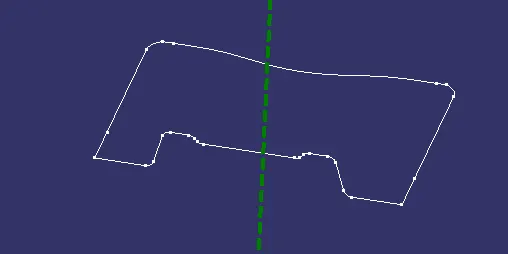
Now using the sweep option create the surface. To perform this operation, Go to the Toolbar > Sweep > Profile type > Line > Subtype > With draft direction > Guide curve 1 - (select the extracted boundaries) > Draft direction - (select the tooling axis) > angle and length as 3 deg and 20mm respectively and click ok.For holes extract the boundaries and use the sweep operation to form a surface.
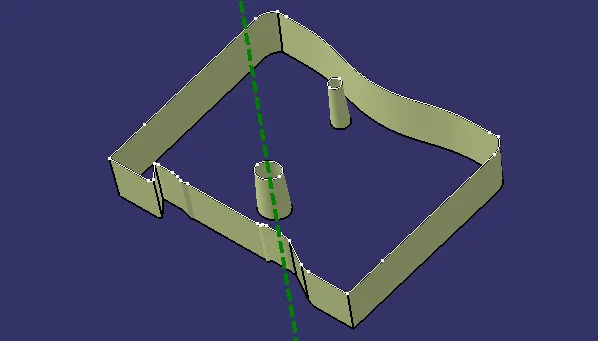
- an then Join the surfaces which are formed by using sweep command to form a Class C surface.
- After creation of Class A, Class B and Class C surfaces, we need to join Class A and Class C surface to form a new surface. Then trim the joined surface with Class B surface to form the final required surface.
- Now using the close surface option from part workbench to convert the surface body to part body.
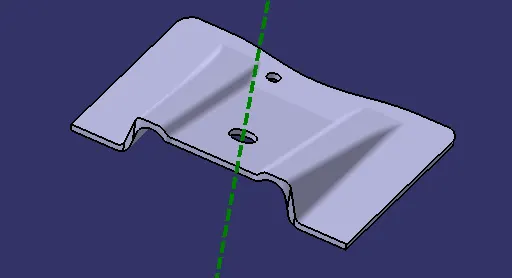
DRAFT ANALYSIS:-
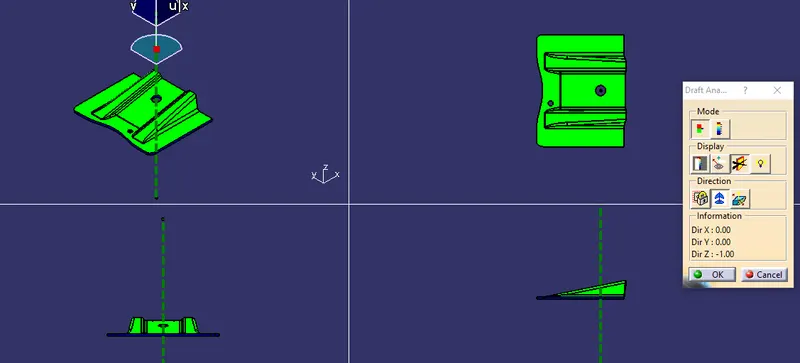
The Draft Analysis command enables to detect if the part you drafted will be easily removed from the core and cavity. This type of analysis is performed based on color ranges identifying zones on the analyzed element where the deviation from the draft direction at any point, corresponds to specified values.In Draft Analysis, the Class C surface side walls are checked for draft. A minimum 3 degrees draft is expected on the component to make it manufacturable without any damage to the product. and it is eaisily withdrawl from the core and cavity after manfacturing.the draft analysis gave a report whether the tooling axis can clear the all faces of the parts.some times it cant cler the all faces due to complexity of the part. so side tooling axis are used to clear that face.for that a side cores are used to manfacturing the compopnent.
PROCEDURE:-
- To perform the draft analysis the view parameters are first set to material mode.
- Then go to Insert >>analysis>>feature draft analysis.the fallowing window will be appread
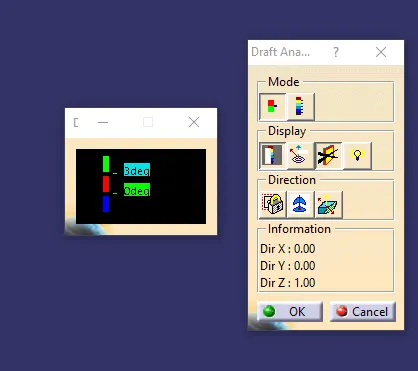
- First, select the axis system and drag the axis system to the tooling axis and lock the orientation. This axis system defines the draft direction according to the tooling axis.
- Switch on the color scale and set the draft value 3° using colour scale. and it will be displayed in green color. Any draft angle below 3 degrees will be shown in red color.
- Here, the compass direction is rotated to have the positive direction in the maximum portion of the part. Then the compass is locked in the orientation and a new tooling axis is created using the compass as the direction.
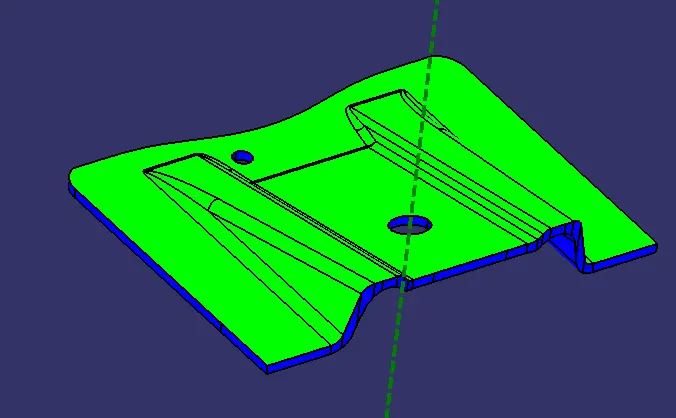
- Now select the running point tool to measure the draft angle at the various locations and then if all surfaces pass the draft analysis switch on the light effect that will show the component in green color if the component has the required draft angle.
DRAFT ANALYSIS ON CLASS A SURFACE:-
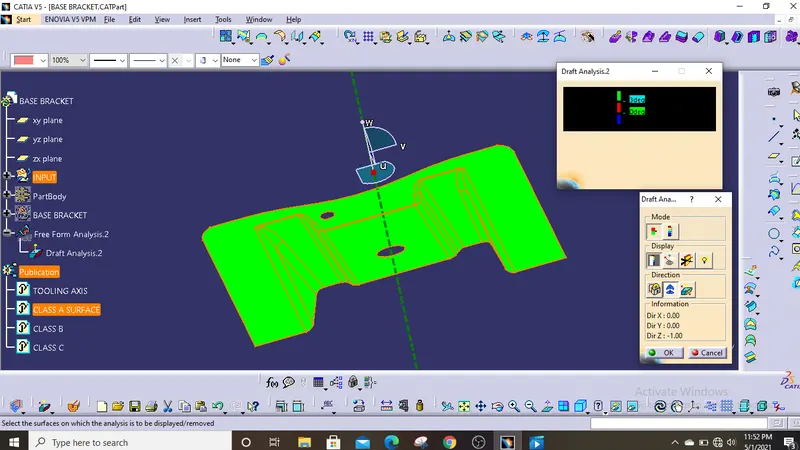
DRAFT ANALYSIS OF A PATY BODY:-
RESULT:
The Class b and c surafces are created from the class and trimmed these surfaces to form a part bodt body having 2.5 mm thick. and the draft analysis also done for the final component.