Week - 5 - Modelling Spotwelds
Aim:
To model the spotweld using beam elements with time-based failure criteria and comparing it with spotweld using solid element.
Procedure:
1.Open the given .k file in the LS-PP and check the different parts present.
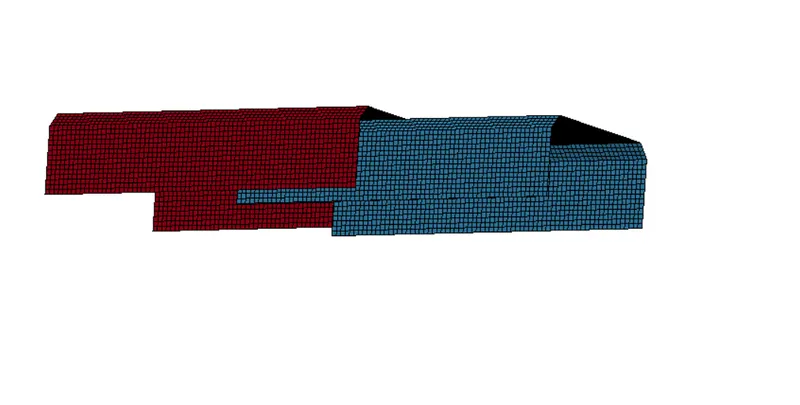
The .k file has 2 shell parts.
- Create material card and shell section with 3mm thickness.
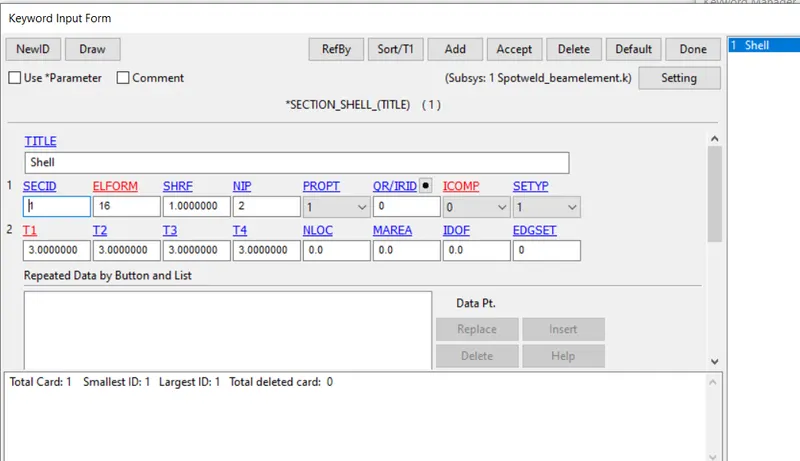
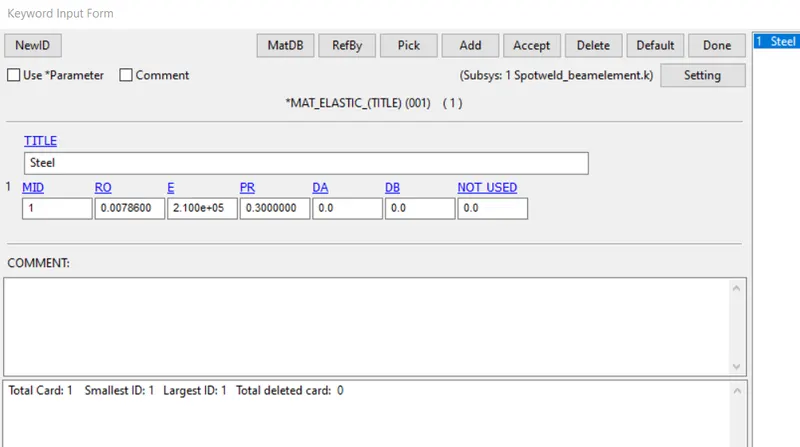
- create a rigid-wall for the crash tube to impact.
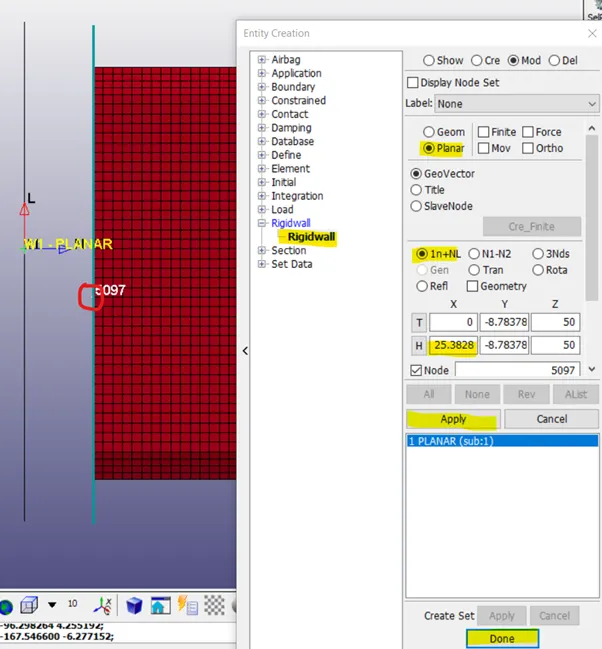
- Apply initial velocity of 13.88 mm/ms^2 to both the shell parts towards the rigid-wall.
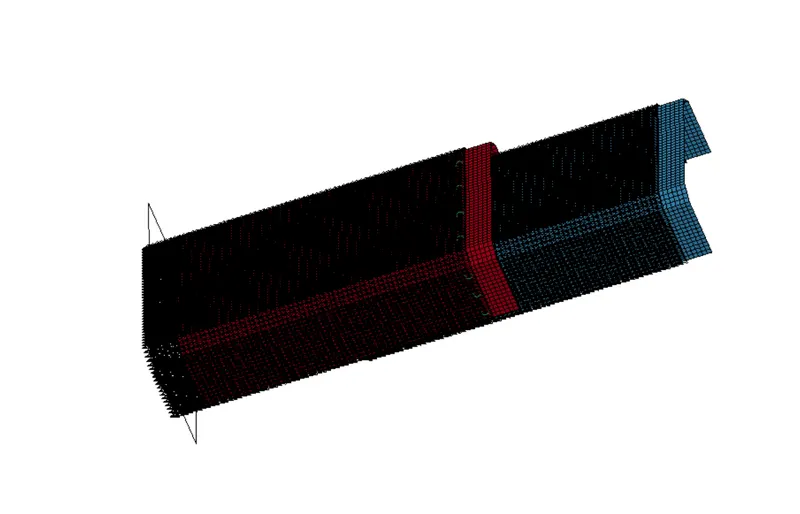
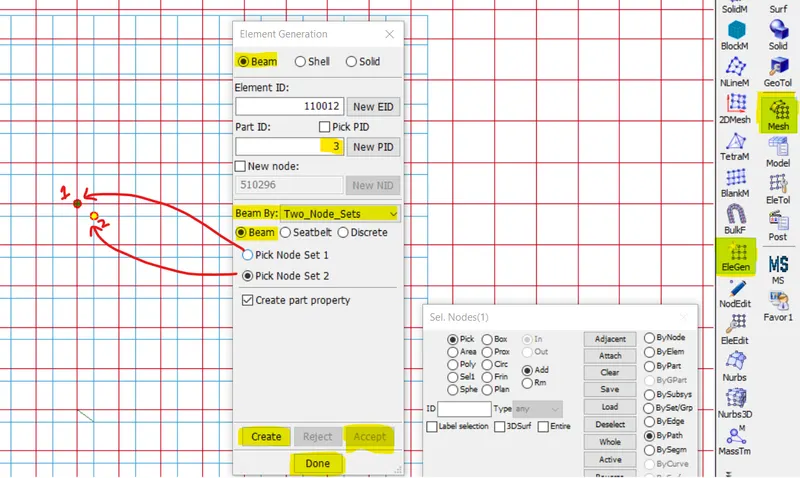
- Creating spotwelds using beam elements.
Use Mesh > element generation > beam select beam elements by two_node_set , to create beam elements between two nodes.
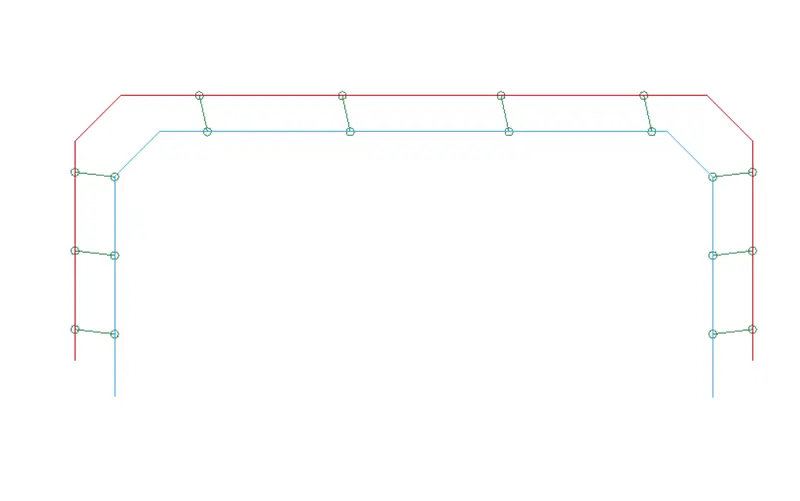
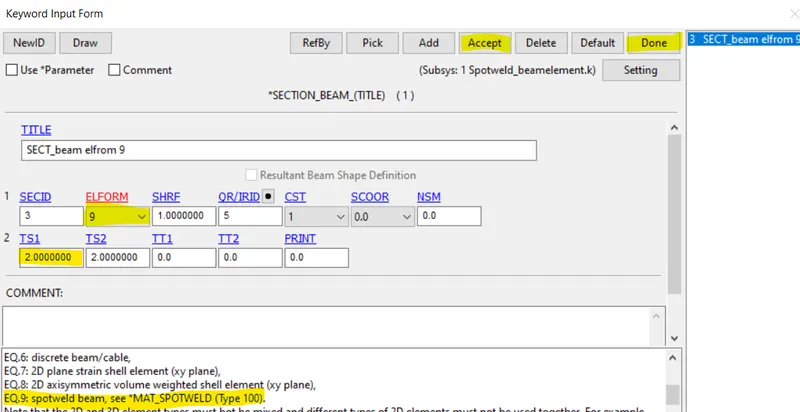
- Creating spotweld material and Beam section for the created beam elements.
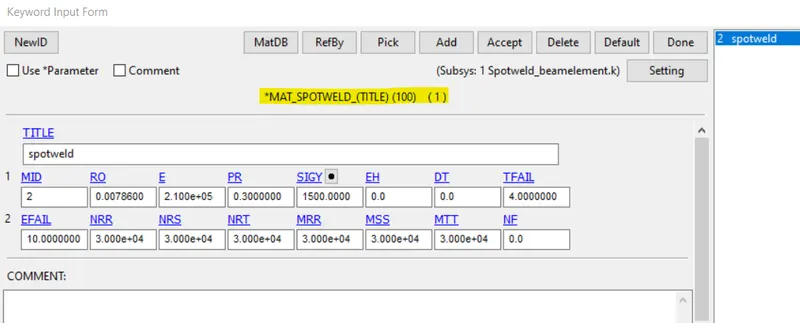
For 100_MAT_SPOTWELD material keyword the beam section need to be of ELFORM 9.
TFAIL : Failure time
EFAIL: Effective plastic strain at failure
NRR, NRS: maximum axial stress at failure, maximum shear stress at failure respectively.
- Contact Keywords:
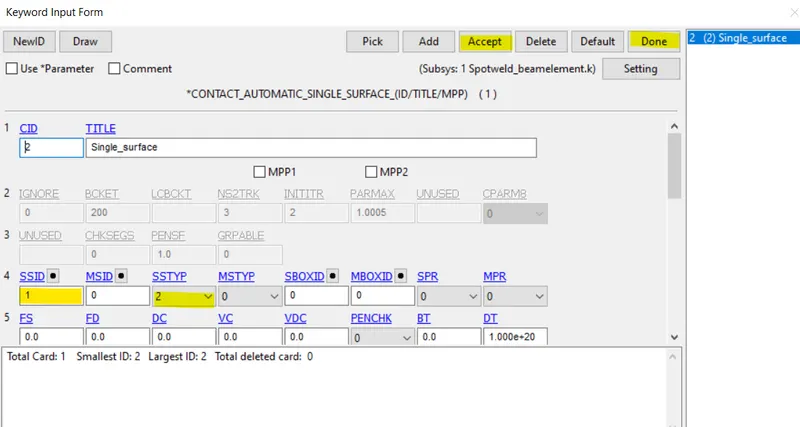
Automatic_single_surface : this contact card is used for the 2 shell parts which may come in self contact. Only slave ID is enough to define this contact
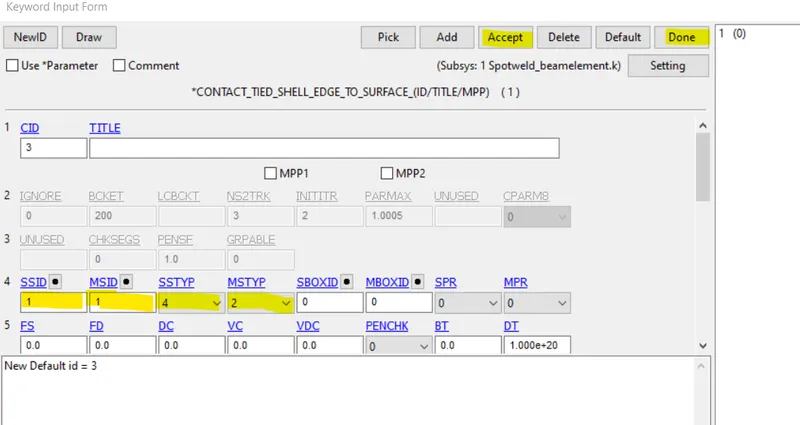
Tied_shell_edge_to_surface : this contact is defined between the nodes connecting the beam elements and the shell parts.
- Control keywords :
Control termination with DT 8ms is used for this simulation.
9.Database cards:
GLSTAT , NODOUT AND SWFORC are active with 0.5 ms time interval applied.
Binary_D3PLOT with 0.5ms time interval is active, and history_node_set is defined with node set containing the nodes connecting beam elements.
- Run the simulation and post process the results.
To create Spotweld with solid elements:
Instead of beam elements solid elements are created to join the 2 shell parts.
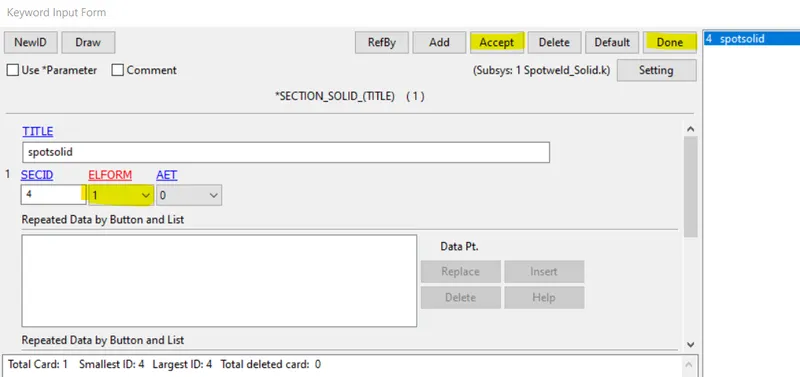
Apply this section and material ID to the part ID created.
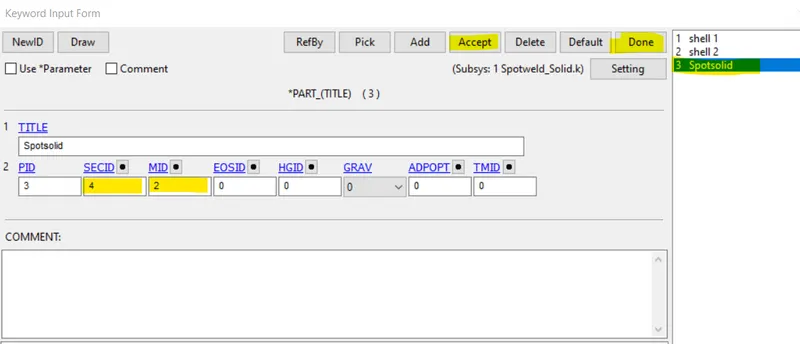
Now create solid elements with the part ID and nodes, ELEMENTS > SOLID.
Use pick option to select the nodes and create the solid elements.
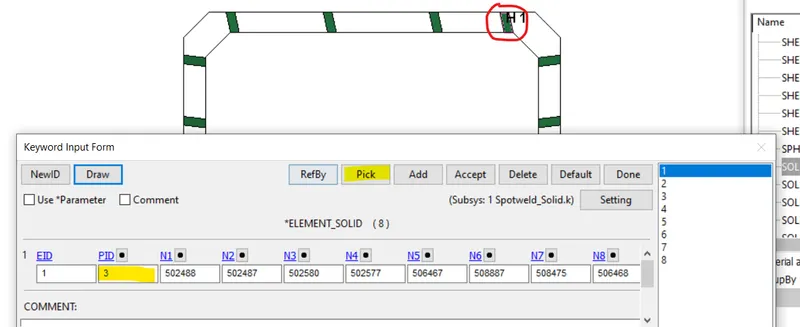
Rest of the steps remain same as previous setup.
Results:
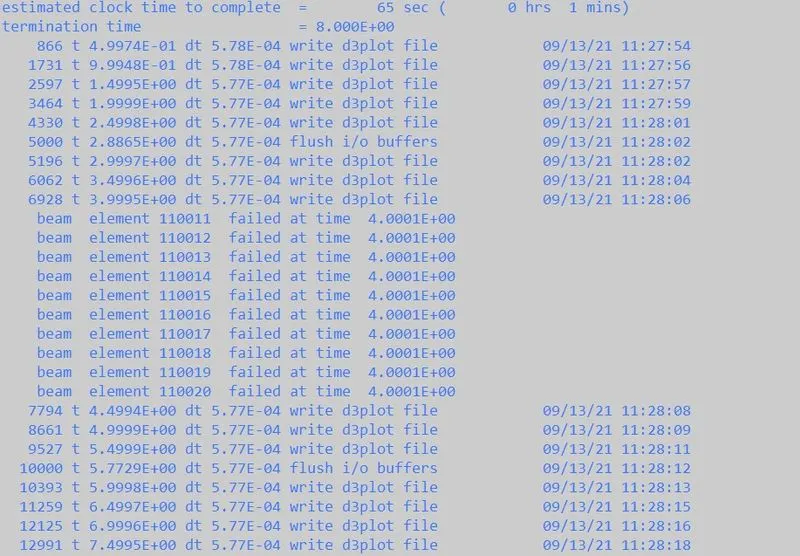
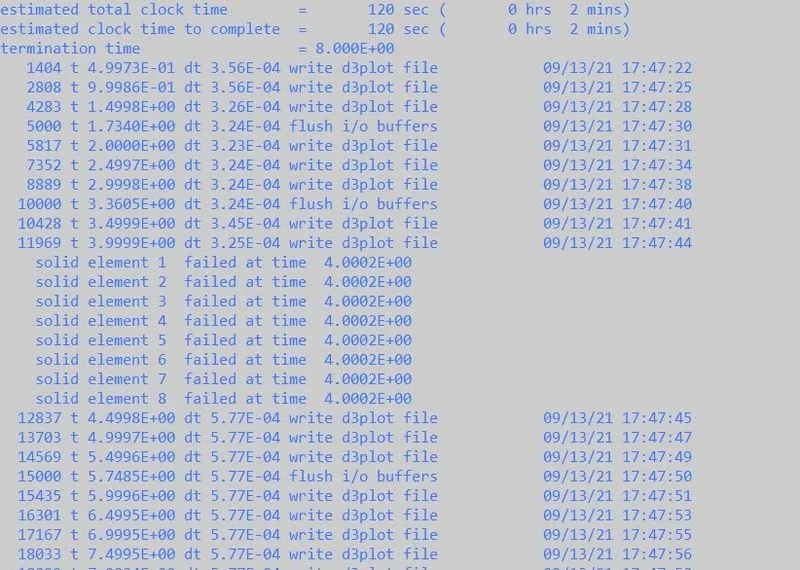
The beam elements and the solid elements fail half a way of simulation i.e at time t= 4ms, which can be seen in the images above
Effective stress:
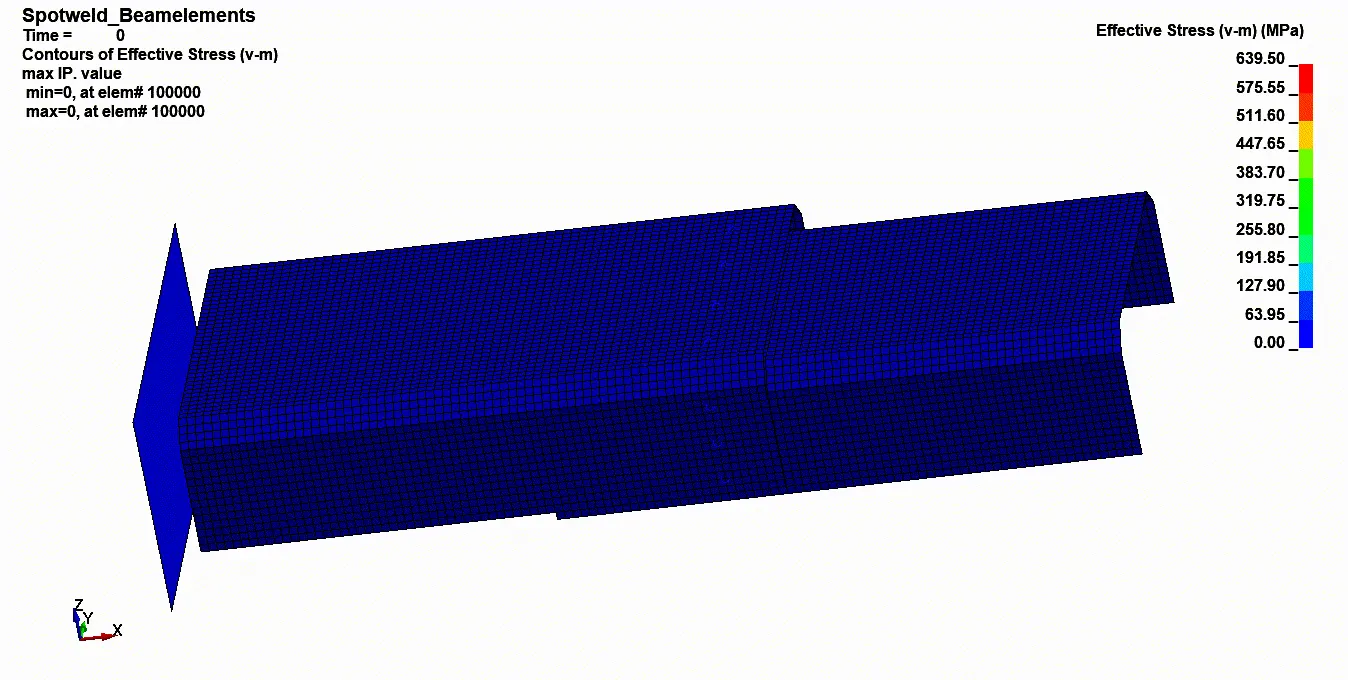
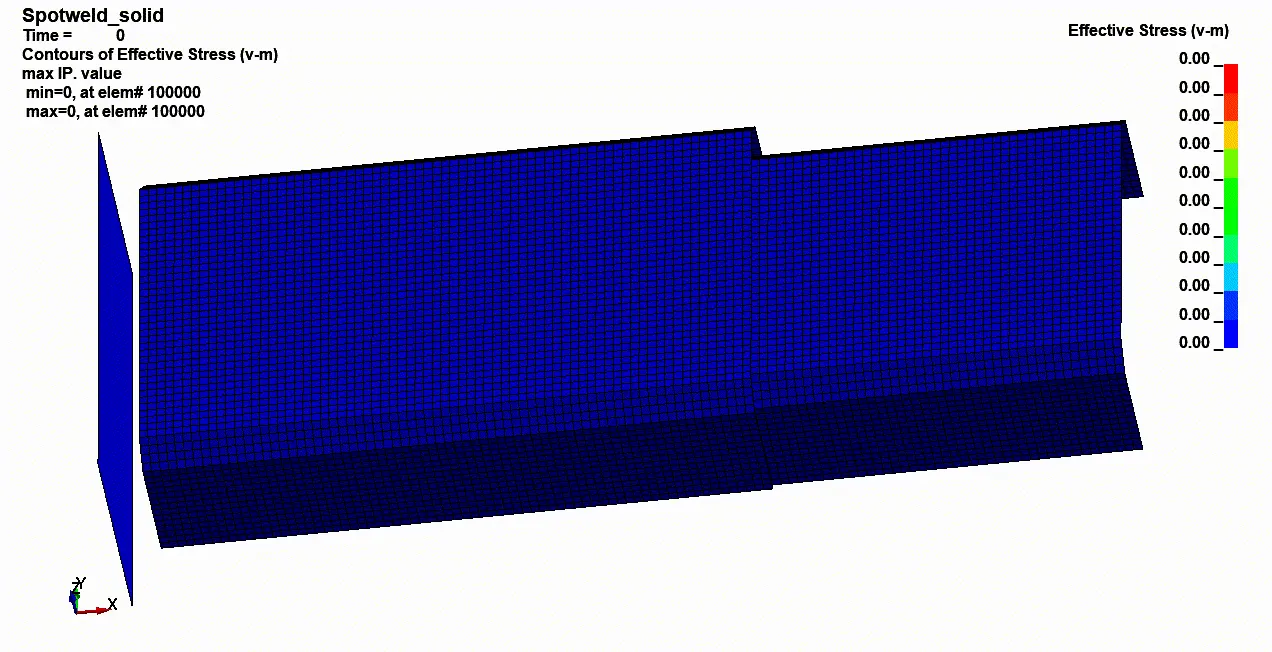
Both the above images show the effective stress plots for beam and solid elements respectively.
Energy plots.
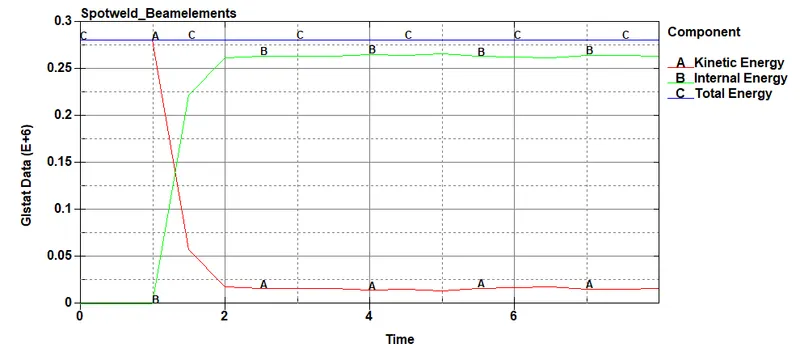
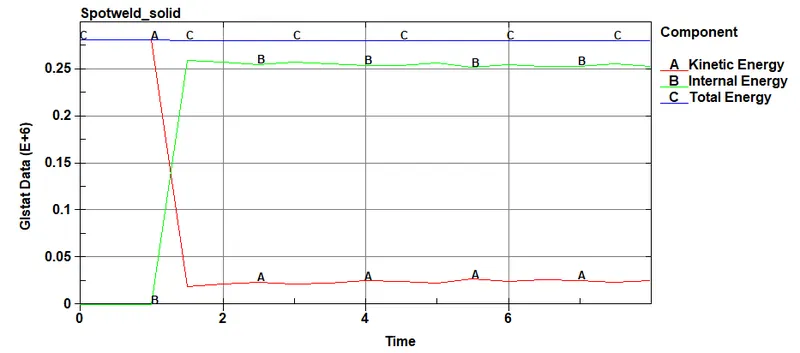
Energy plots of both beam and solid elements show similar trend i.e the kinetic energy from th applied velocity decreases after the impact and the internal energy of the system increases, the total energy plot remains constant all the time.
Force plots: SWFORC
Axial Forces:
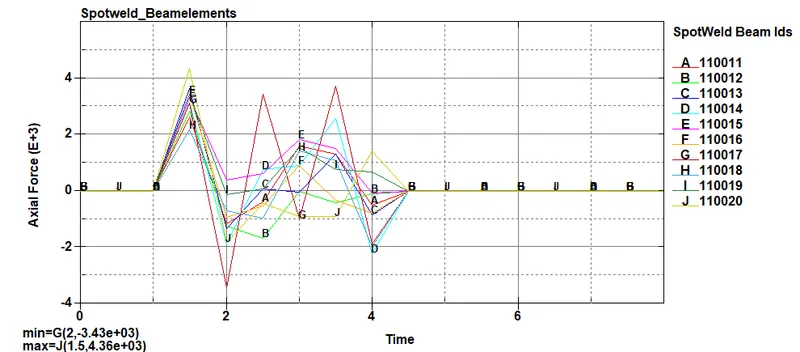
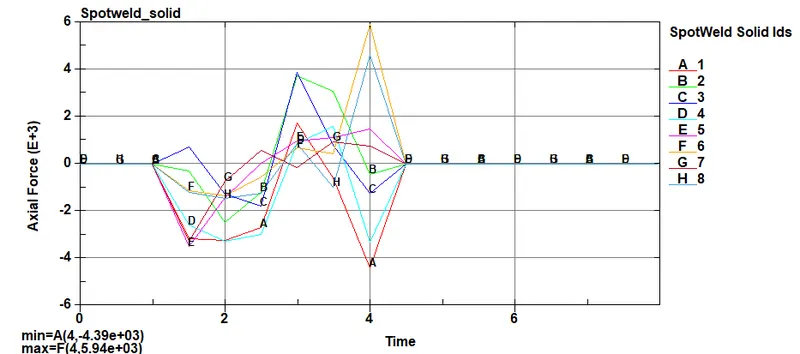
The forces increase as the crash tube impacts the rigid-wall, and keep fluctuating until the elements are failed at time 4ms after which the forces starts decreasing before finally becoming zero.
The axial forces in spotweld with beam elements has peak value at 4360N which is in the 110020 beam element ID, in solid element the peak value of 5940N which is in solid element ID 8.
The solid element has higher axial forces compared to the beam element.
Shear forces:
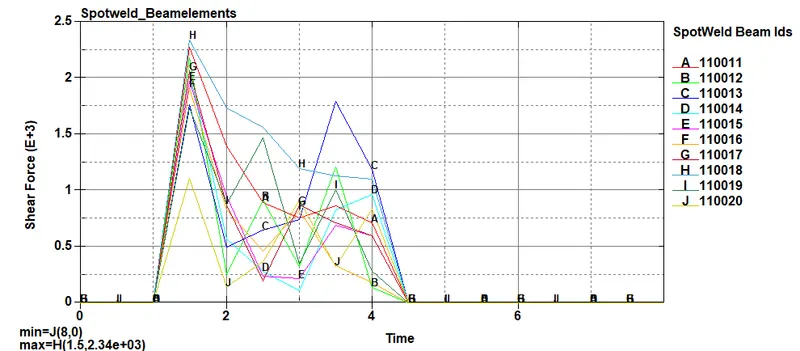
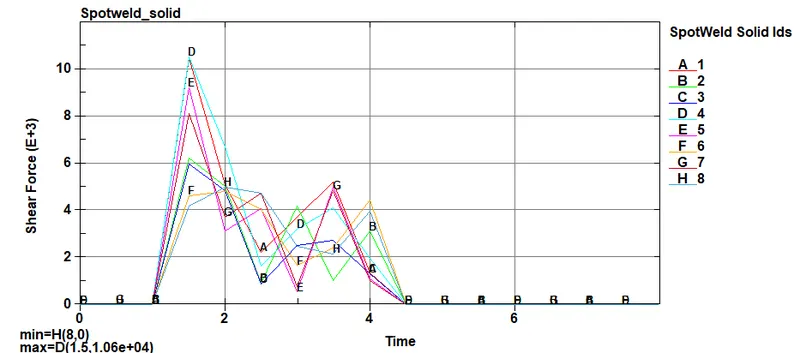
similar trend is seen in the shear force plots as in axial force plots.
The shear forces in spotweld with beam elements has peak value at 2340N which is in the 110018 beam element ID, in solid element the peak value of 1060N which is in solid element ID 4.
The beam element has higher axial forces compared to the solid element.
Conclusion:
Spotweld modelling with beam elements and solid elements is carried out in this report, with 100 MAT_SPOTWELD material card and impact simulation is carried out, axial and shear forces of both beam and solid elements are post processed.
The axial forces in spotweld with beam elements has peak value at 4360N which is in the 110020 beam element ID, in solid element the peak value of 5940N which is in solid element ID 8.
The shear forces in spotweld with beam elements has peak value at 2340N which is in the 110018 beam element ID, in solid element the peak value of 1060N which is in solid element ID 4.