Week - 4 - Crash Box Simulation
AIM:- Crash Box Simulation
OBJECTIVE:-In this assignment, the student needs to simulate a crash test for a crash box for which mesh is given.
A crash box is a highly energy-absorbing structure that crashes on application of loads and reduces impact on other components nearby.
A full-fledges crashbox is a highly sophisticated design but in this case we will go with a rectuangular channel which can thought of as the most simple crashbox.
A crash box is a highly energy-absorbing structure that crashes on application of loads and reduces impact on other components nearby.
A full-edged crash box is a highly sophisticated design but, in this case, a rectangular channel structure is considered as most simple crash box.
Following are the different assumptions and information required:
The crash box should crash into a rigid wall created using *RIGIDWALL_ keyword.
Material for the crash box is steel.
Thickness of the crash box is 1.2 mm.
The initial velocity for the crash box is around 50 kmph
The unit’s system used is gm-mm-ms
The simulation should satisfy either of the two situations - (1) It crashes on the rigid wall and debounces completely or (2) it buckles and folds in the axial direction so as to come in self-contact.
Once the simulation is completed results are collected and another simulation is executed by increasing the thickness of the crash box from 1.2
PROCEDURE:
The given LS-Dyna keyword file is opened in LS-PrePost using option
File>Open>LS-Dyna Keyword File as shown
Section properties:
Keyword manager>SECTION>SHELL.
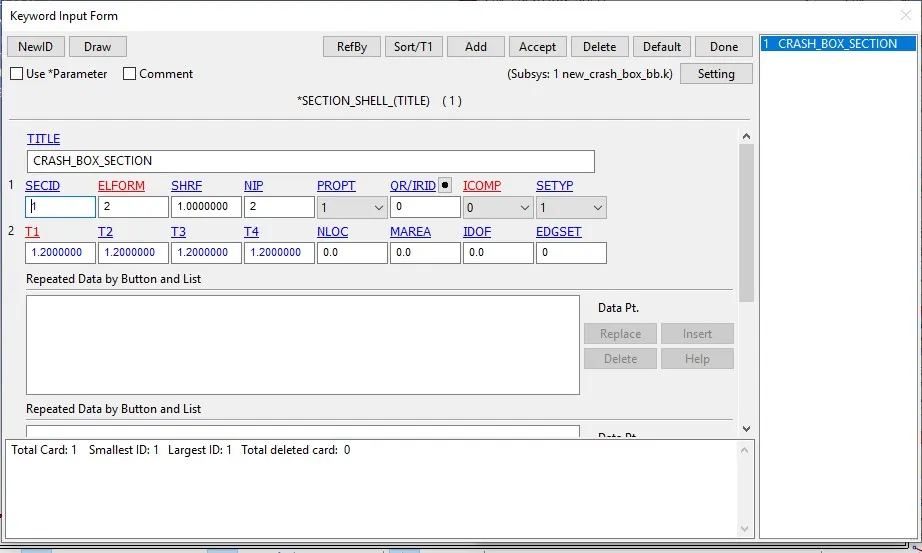
The section properties of crash box are assigned as shell element with 1.2 mm thickness and ELFORM=2, Belytschko-Tsay element formulation.
Material properties:
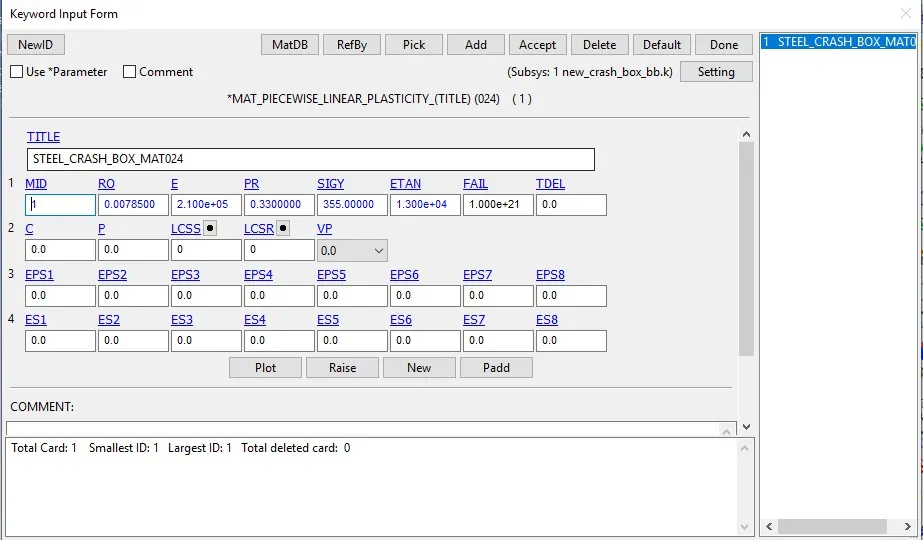
The crash box is assigned with steel material with following parameters as shown in table.
Keyword manager>MAT>024-PIECEWISE_LINEAR_PLASTICITY.
MAT24 (Piece wise linear plasticity) material card is used to assign the steel material properties to the crash box.
The MAT24 represent Piecewise linearisotropic plasticity.
With this material model it is possible to consider the effect of the strain rate.
Viscous hourglass control is recommended for problems deforming with high velocities i.e, Hourglass control type=IHQ=2, Flanagan-Belytschko viscous form.
|
Steel material properties |
|
Mass Density [gm/mm] = 0.0078500 |
|
Young’s Modulus [MPa] = 2.100e+05 |
|
Poisson's ratio = 0.3300000 |
|
Yield stress [MPa] = 355.00000 |
|
Tangent modulus [MPa] = 1.300e+04 |
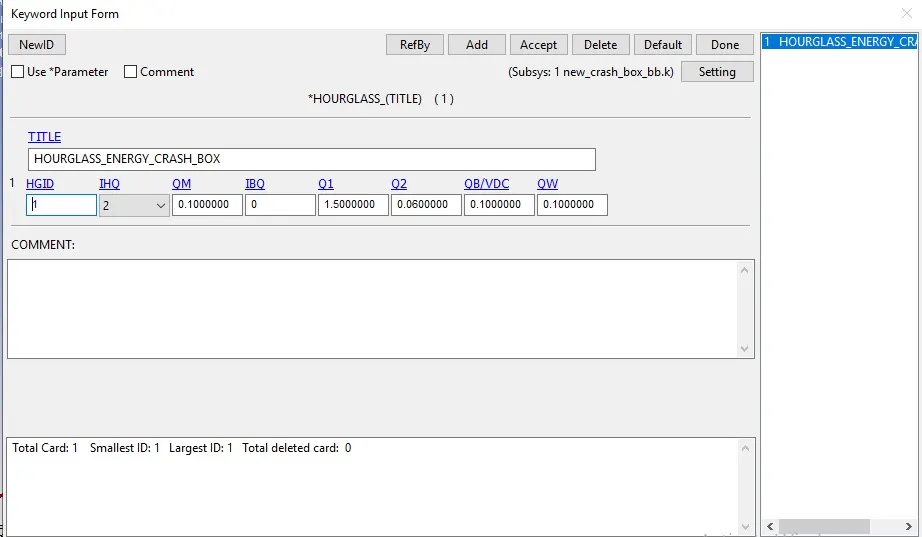
Keyword manager> HOURGLASS.
To avoid Hourglass energy generation, we will create an *HOURGLASS card with IHQ value as 2 and the rest as default.
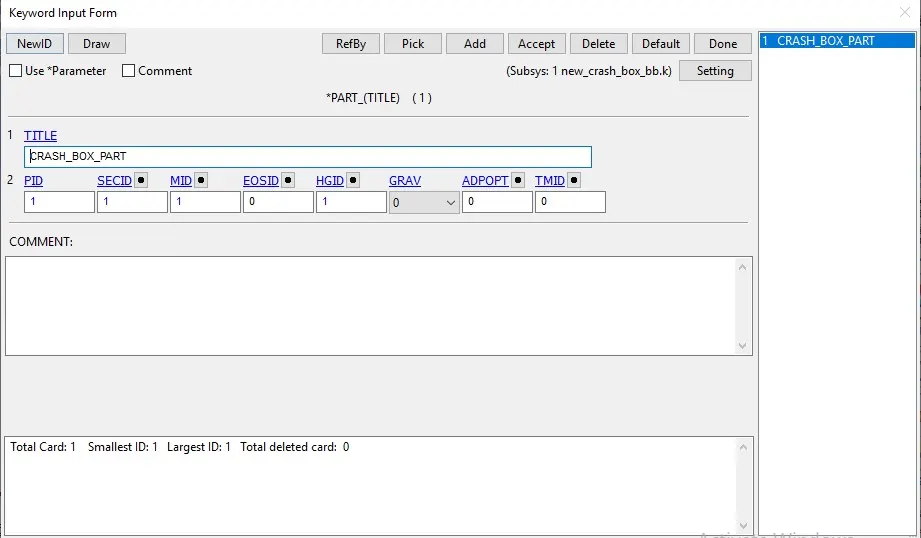
Now assign this Hourglass card to the Crash_box part.
Viscous hourglass control is recommended for problems deforming with high.
Part definition:
Keyword manager>PART
BOUNDARY CONDITIONS:
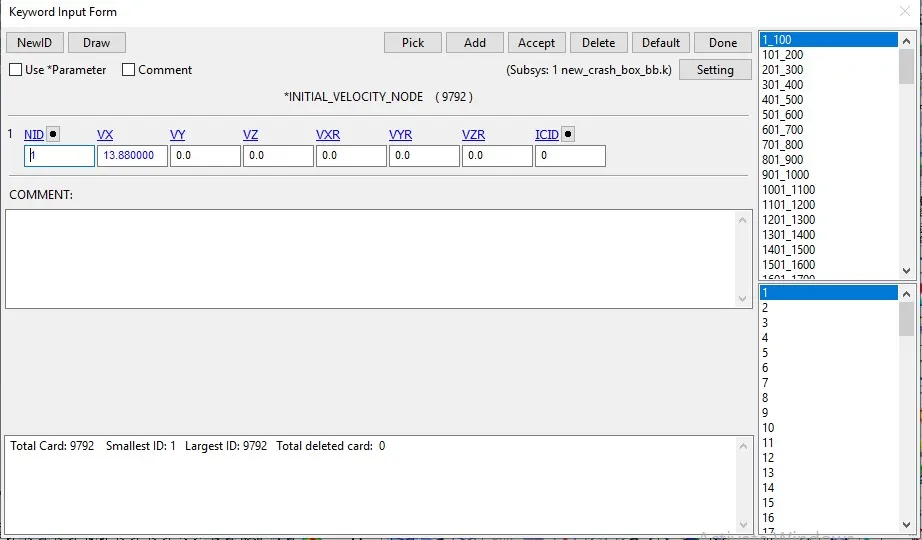
Initial Velocity:
Create Entity>Initial>Velocity>cre
The crash box is assigned with initial velocity of V= -13.88 mm/ms is applied along +ve x direction to crash against the rigid wall.
Rigid wall:
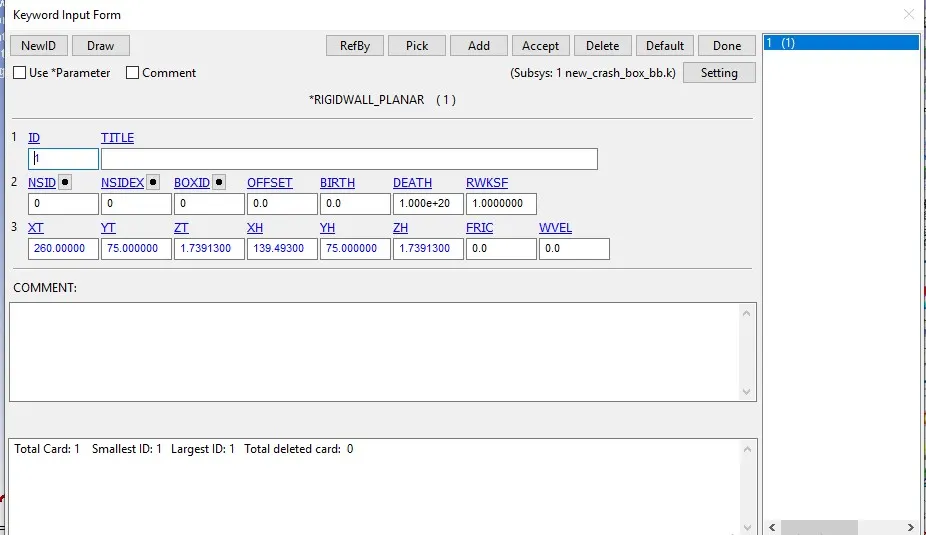
Create Entity>Rigidwall>cre>Planar>1n+NL
The rigid wall is created at a distance of 10mm away from the crash box.
CONTACT CONDITION:
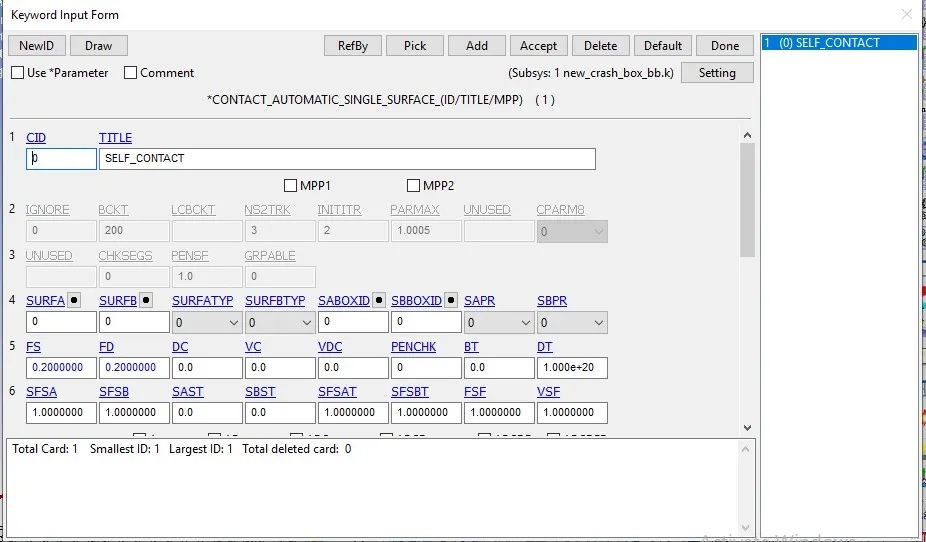
Keyword manager>CONTACT>AUTOMATIC_SINGLE_SURFACE
The contact type selected is AUTOMATIC_SINGLE_SURFACE. It is quite helpful to apply this contact method in the crash models because all the elements are included in one single set and LS-DYNA considers also when a part comes into contact with itself.
The FS and FD are static and dynamic friction coefficient with a value of 0.08 is entered in the contact card.
CONTROL FUNCTION:
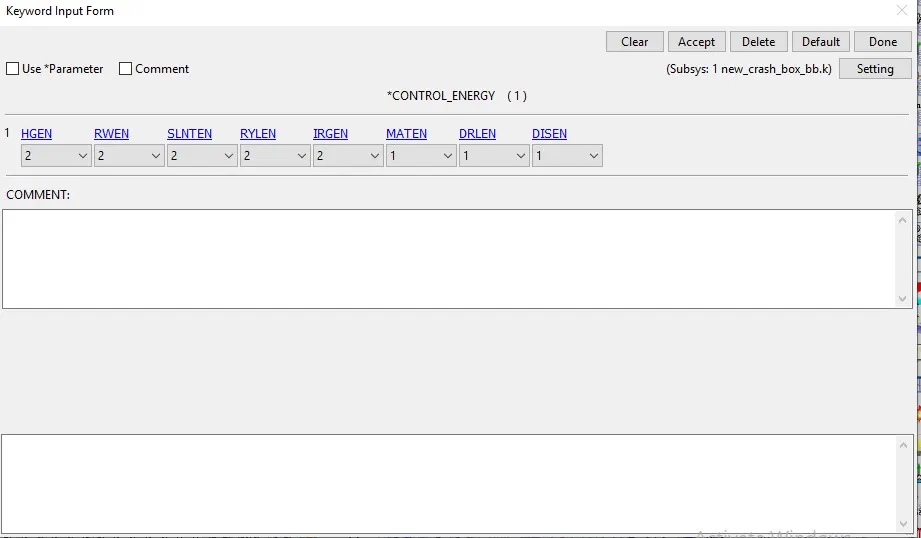
Keyword manager>CONTROL>ENERGY
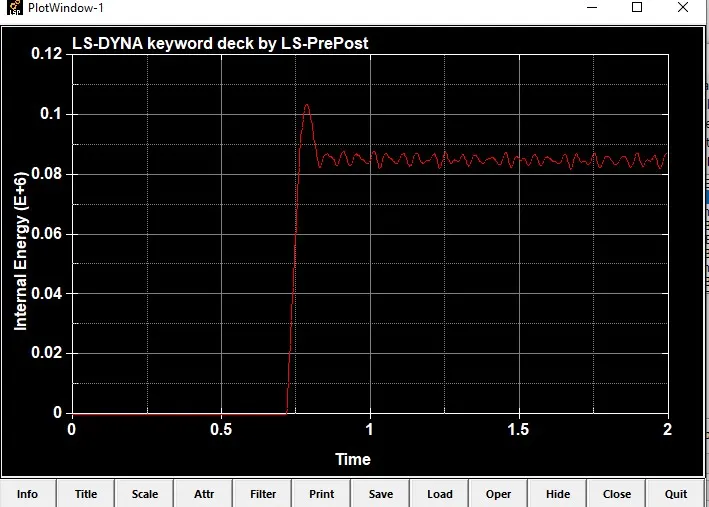
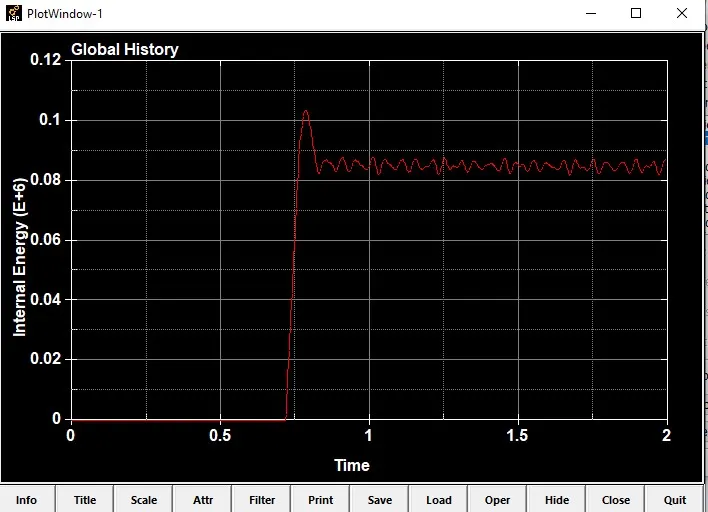
The control energy function is enabled for computing the hourglass energy, stonewall energy and sliding energy.
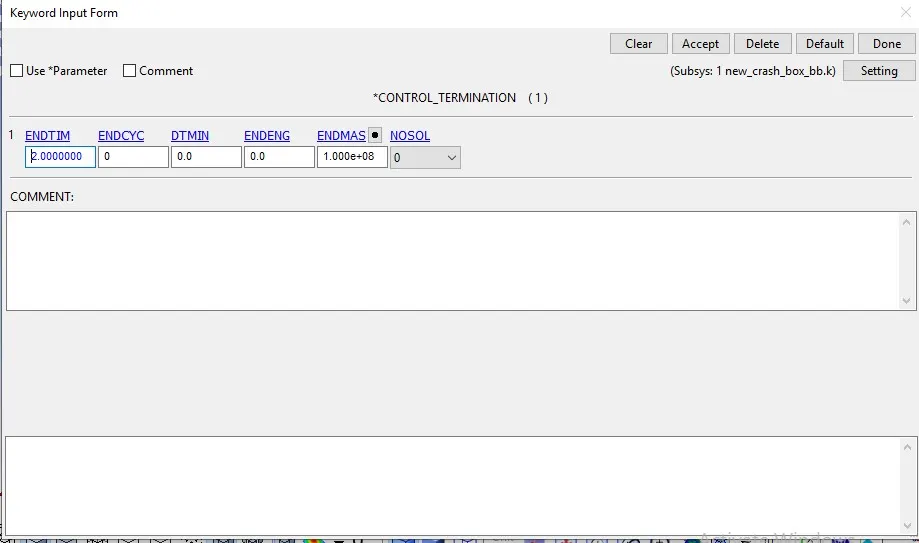
keyword manager>CONTROL>TERMINATION
The control termination function is enabled to specify the end time of the simulation.
The termination time is set for 2 ms to capture the effect of crash box striking the rigid wall.
DATABASE OPTION:
Keyword manager>DATABASE>BINARY_D3PLOT
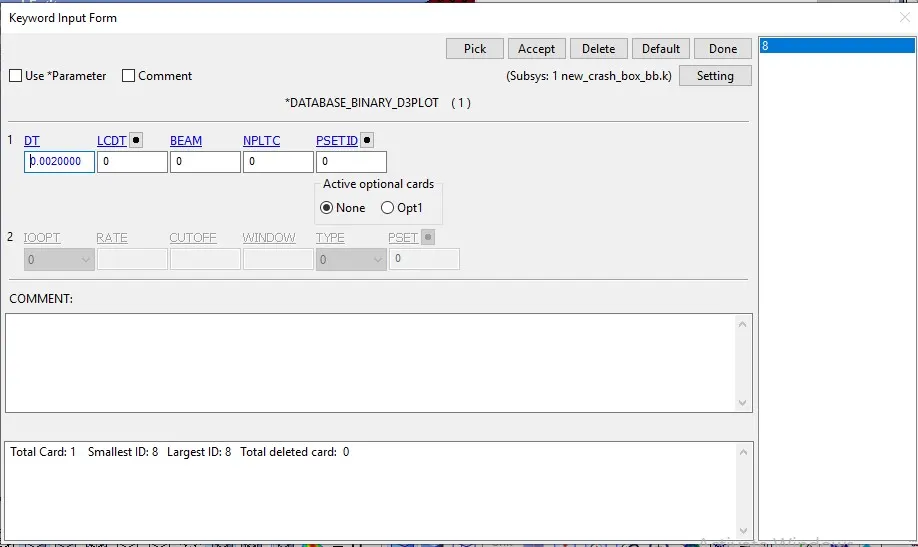
The time step value of 0.02 ms is given for the BINARY_D3PLOT and in the DATABASE_ASCII option for GLSAT, MATSUM, NODOUT, RCFORC, RWFORC, SECFORC and SLEOUT.
Keyword manager>DATABASE>EXTENT_BINARY
DATABASE_EXTENT_BINARY card with STRFLG =1, is used to compute the elastic strain in the model.
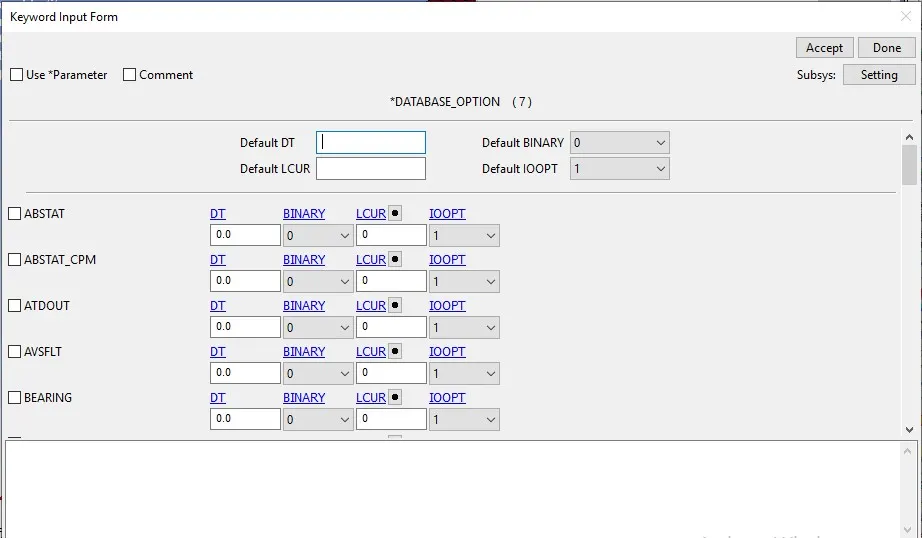
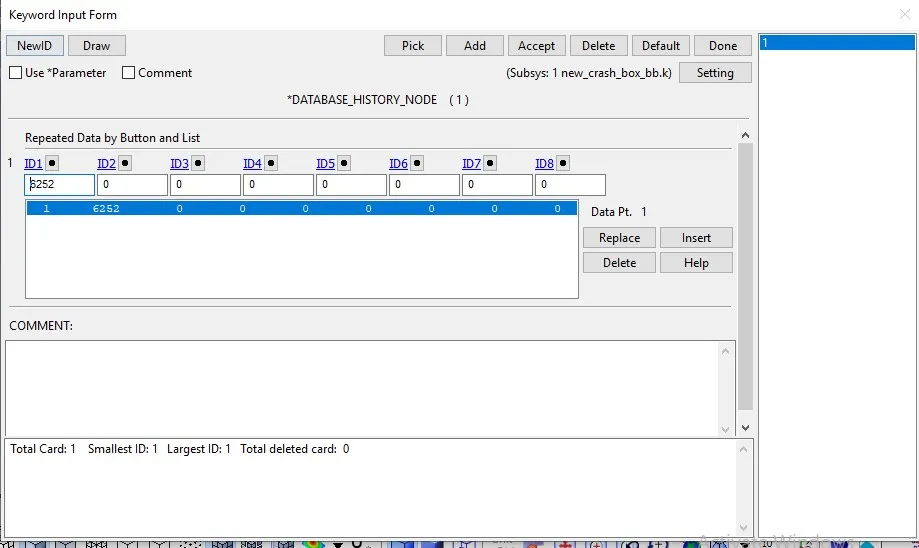
Keyword manager>DATABASE>HISTORY_NODE
DATABASE_HISTORY_NODE card is used to compute the acceleration of a 5094 node in the crash box FE model.
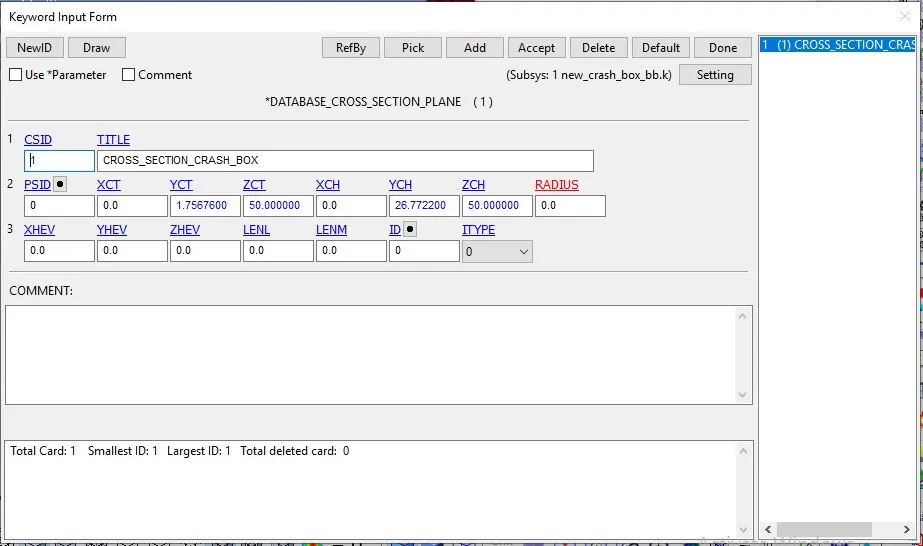
Keyword manager>DATABASE>CROSS_SECTION_PLANE
DATABASE_CROSS_SECTION_PLANE card is used to compute the sectional force of the crash box.
The keyword file created is checked for errors using the option keyword manager>model check.
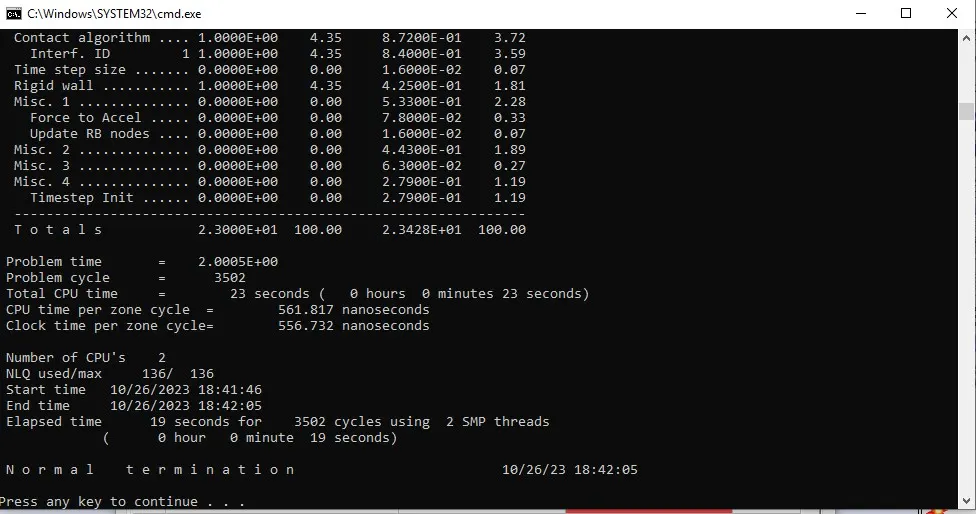
The keyword file is saved using ‘.k’ extension and is made to run in the solver by getting normal termination message as shown
Now the solver deck setup is complete and ready to run the Analysis.
We need to run the analysis for 2 thicknesses, one 1.2mm and the other, 1.5mm.
The Solver deck that we have created here is for a 1.2 mm thick model.
Thus, we need to create another solver deck for the 2.0mm thick model. This can be done very easily by simply changing the thickness value under the section definition in the Keyword file by opening it in Notepad.
Then save it as a new file.
RESULTS:
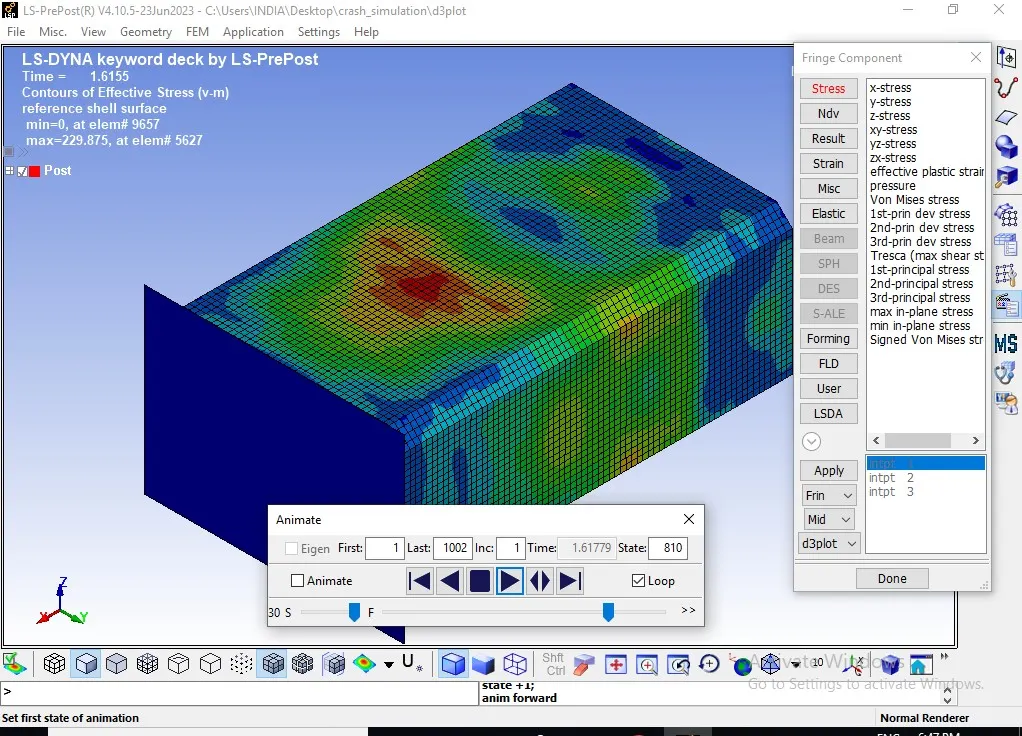
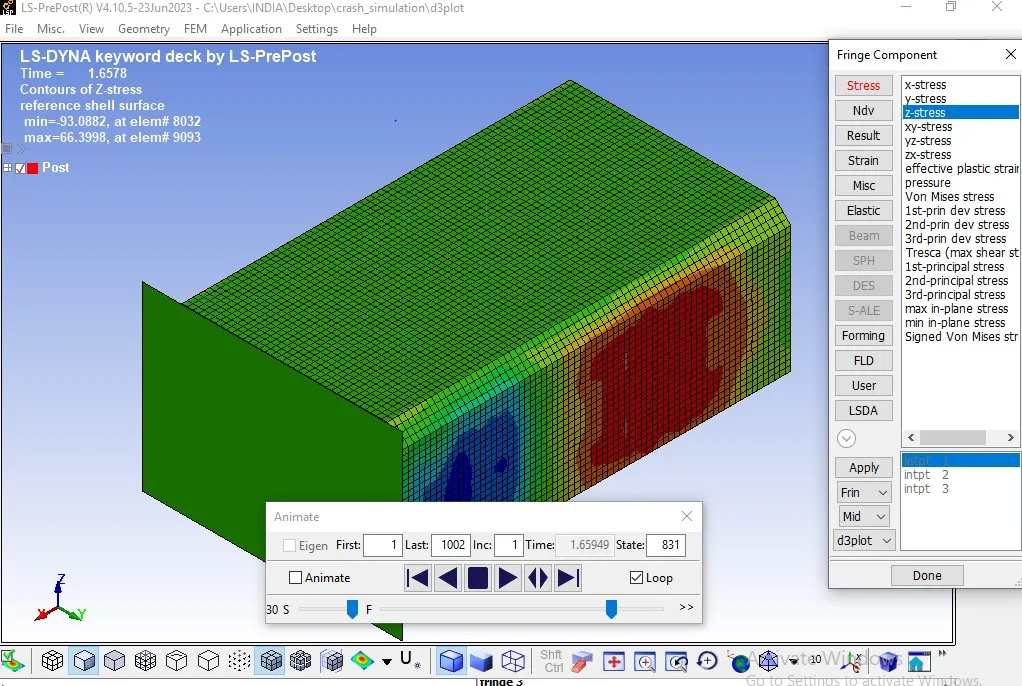
The D3plot output File is opened in LS-PrePost using option File>open>LS-Dyna binary plot.
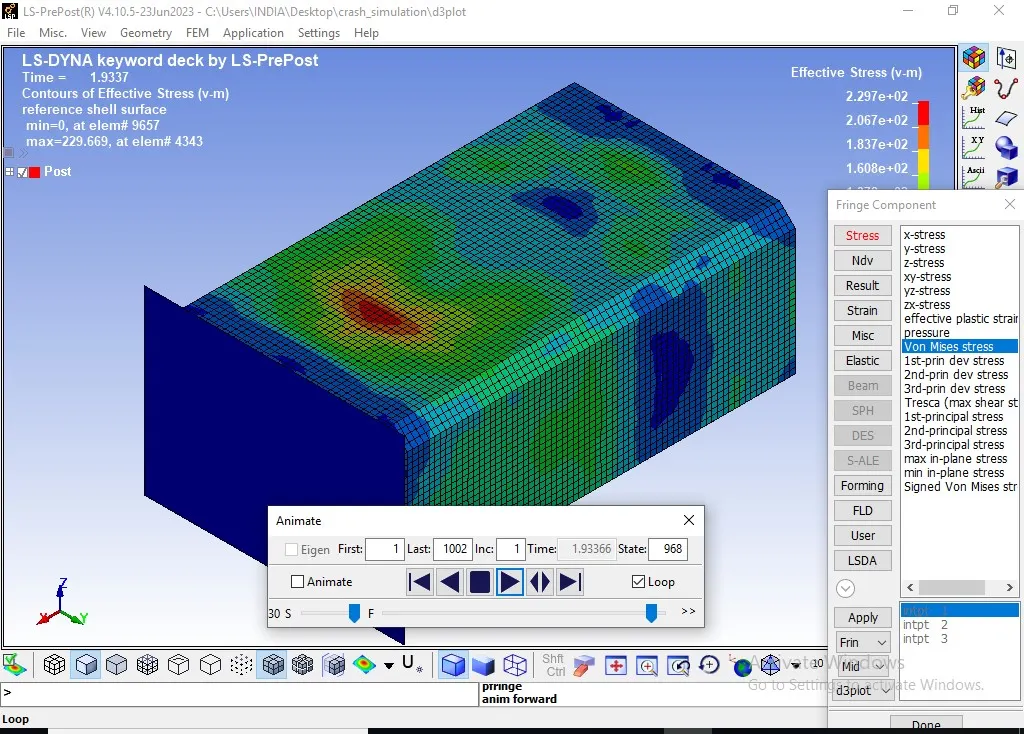
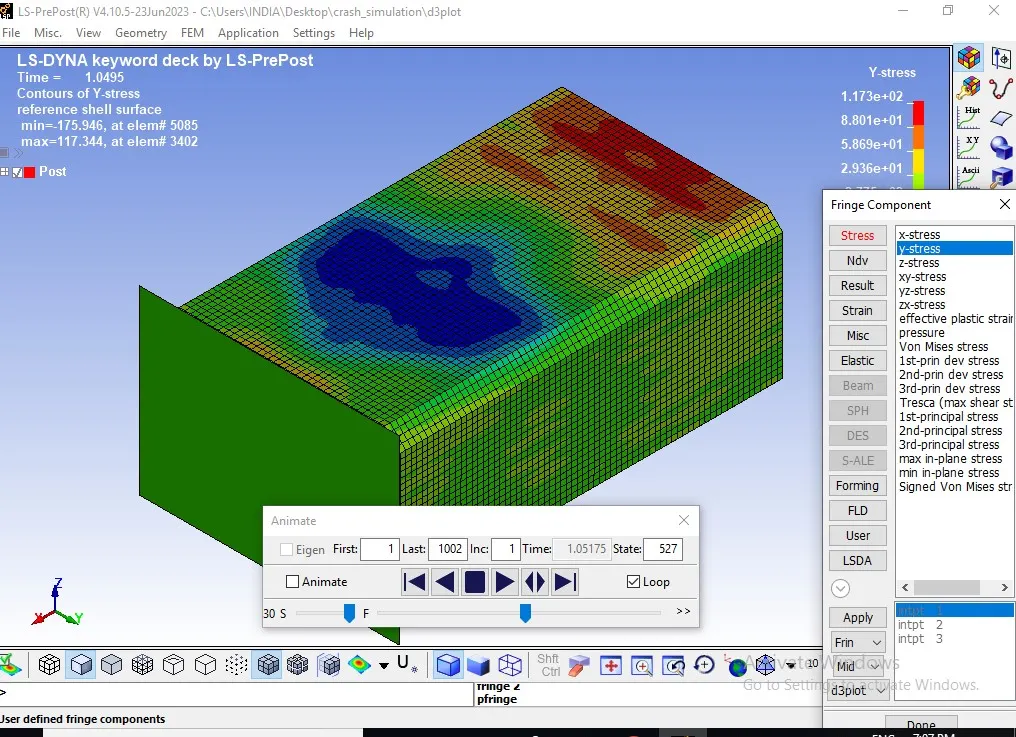
The animation of Von-Mises stress and Effective plastic strain for 1.2 mm and 2.0mm thick crash box is as shown below.
T = 1.2
T = 2.0