DussehraFestive scholarship on Skill-Lync courses, this week onlyFestive scholarship is openOffer ends Wed, 21 Oct, 11:59 pm IST.

Dussehra 2026

Start your next chapter this Dussehra

Tell us where you want to work. A counsellor will match you to the right course and confirm the festive scholarship you qualify for.

  • Festive scholarship on course fees, confirmed on your call
  • Free 20-minute call to map the right course to your goal
  • Real industry projects and placement support with every course

Offer ends Wed, 21 Oct, 11:59 pm IST

3,905 engineers placed since 2019 · 1,277 hiring companies

By submitting you agree to our Terms and Privacy Policy.

You're on the list

Browse courses
Civil · PG program

Post Graduate Program inInfrastructure - Engineering Design and Project Management

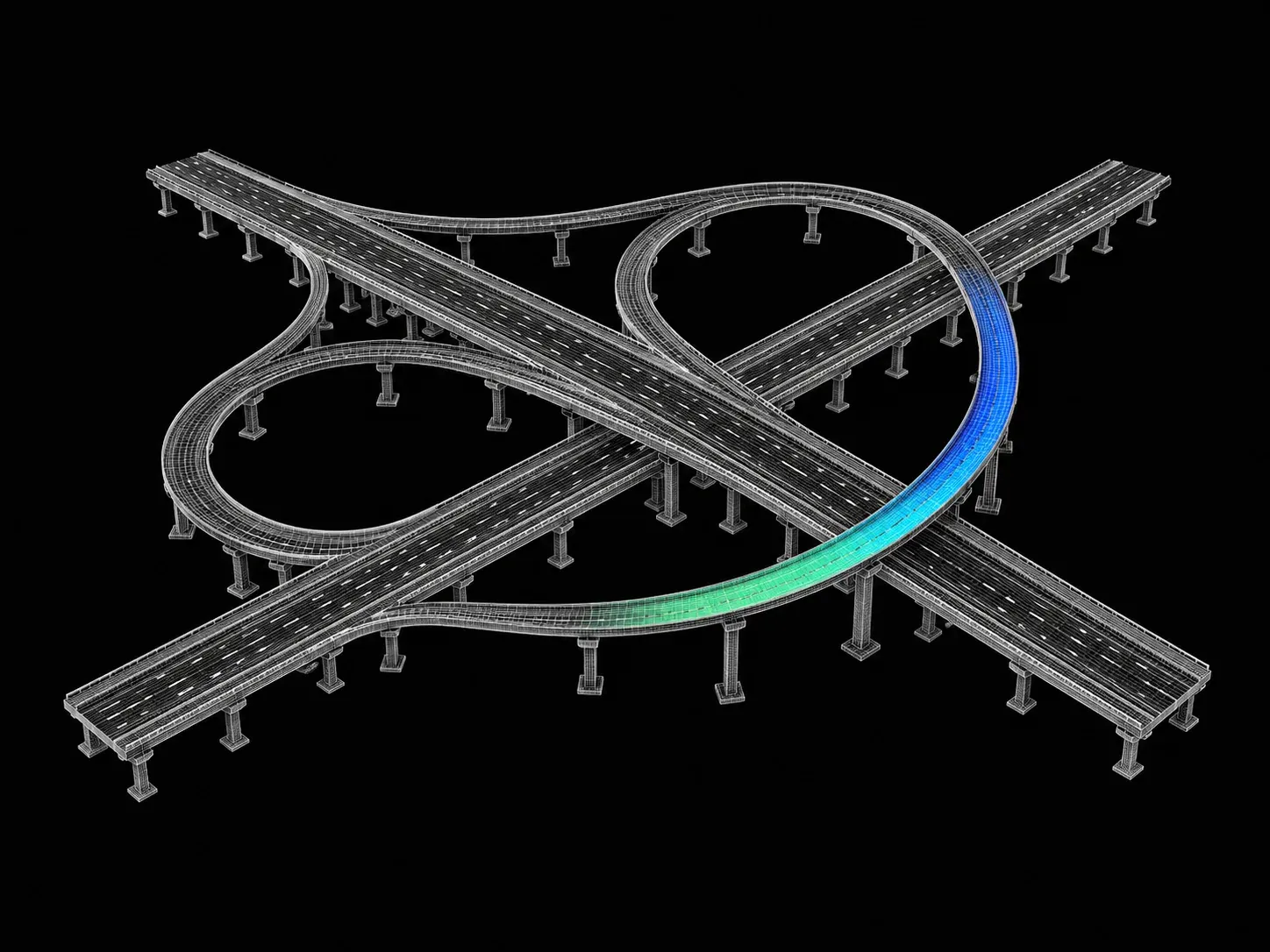
Build the future of India by getting trained in infrastructure project management at Skill-Lync. Our industry-experts-led project management certification course will help you work on infrastructure projects of national importance, like aqueducts, bridges, and roads.

Duration
32 weeks
Content
127 hours
Courses
9
Projects
12
Mode
Online
Overview

What you'll
be able to do.

  • The program consists of seven individual courses put together to cover most of the aspects of the design and management of infrastructure projects.
    • The first five courses deal with the design of infrastructure and the last two courses deal with project management.
  • Students will gain a basic knowledge of infrastructure systems such as roadway design, traffic engineering, etc., through this course.
  • They will also be exposed to infrastructure design tools, the latest project management techniques, and advanced construction concepts.
  • They will acquire hands-on experience in software packages like InfraWorks, Civil 3D, Map 3D, and Primavera.

Why this program

  • Complete knowledge of Roadway Design
  • Complete knowledge of Traffic Engineering
  • Complete knowledge of Construction Project Management
  • Knowledge of Advanced Construction Techniques
  • Job Opportunities
    • Roadway Design Engineer
    • Transportation Engineer
    • Project Manager
    • Construction Engineer
  • Higher Education Opportunities
    • MS in Infrastructure Engineering and Management
    • MS in Project Management
    • MS in Transportation engineering
    • MS in Construction engineering
Tools you'll use
INFRAWORKSCIVIL 3DMap 3DBentley’s Openroads DesignerCivil 3DPrimavera P6
Curriculum

9 courses,
69 modules.

Get the full syllabus ↓
  1. 01Geometric Design Fundamentals7 modules
    1. Introduction and Classification of RoadsW01
      • In this week, the following topics will be covered:
        • Basis of Geometric design
        • Various types and classifications of roads
        • Highway alignment
    2. Geometric Control Factors W02
      • In this week, the following topics will be covered:
        • Factors affecting the Design
          • Speed
          • Topography
          • Design vehicle
          • Traffic
          • Environment and other factors as per IRC
    3. Cross-section W03
      • In this week, the following topics will be covered:
        • Pavement edge
        • ROW
        • Median
        • Kerb
        • Camber
        • Shoulder
        • Footpath
        • Service road
    4. Sight Distance W04
      • In this week, the following topics will be covered:
        • Sight distance
        • Reasons for providing sight distance
        • Various types of sight distance
        • Calculation of sight distance
    5. Horizontal Alignment W05
      • In this week, the following topics will be covered:
        • Horizontal alignment
        • Minimum and maximum radius values for various roads
        • Superelevation
        • Methods of attaining superelevation
        • Transition curve and method of calculation of transition curve
        • Extra widening and setback distance
    6. Vertical Alignment W06
      • In this week, the following topics will be covered:
        • Gradient
        • Calculating the gradient
        • Types of gradient
        • Design criteria for summit and valley curves
        • Design of vertical curve for various sign distances as per IRC
        • Special design for Hill roads
    7. Standards and SoftwareW07
      • In this week, the following topics will be covered:
        • Various country standards
          • IRC (India)
          • AASHTO (America)
          • DRMB
        • Various software used in the design
  2. 02Designing a Roadway Project Using InfraWorks, Civil 3D, and Map 3D12 modules
    1. Conceptually Designing a Road and Presenting itW01
      • In this session, you will learn
        • To examine design standards, and how to conceptually design a project
        • The steps involved in the initial design process using GIS data and LIDAR data
        • The design considerations while laying out alignment
        • Road approved by local and state agencies
        • Visualization presentation, as well as a set of plans to present the new road
    2. Introduction to Civil 3D – Examining the Civil 3D Interface and SettingsW02
      • In this session, you will learn
        • What is Civil 3D?
        • Dynamic modelling system
        • The necessary hardware requirements to use Civil 3D
        • What makes Civil 3D a system that controls all CAD standards?
        • How Civil 3D automates the creation of all your Civil 3D objects and labels?
    3. Managing a Project in Civil 3DW03
      • In this session, you will learn
        • How do you organise your drawing files and why is it vital to separate object and plan drawings?
    4. Creating an Alignment (Resurfacing Project)W04
      • In this session, you will learn
        • How to create an alignment for a resurfacing project
        • The alignment layout tools, and how to use them along with aerials of the project area to layout the alignment correctly
        • How to create the proposed 2D design file that shows all the geometry for the project
    5. Developing Your Plans (Understanding Sheet Set Manager)W05
      • In this session, you will learn
        • To examine a full set of plans by using the tools in Civil 3D and AutoCAD
        • What is Sheet Set Manager and how can you use it to automate all parts of charting, including titleblock text, sheet numbering, and batch plotting?
    6. Basic Quantities, Estimate and SubmittalsW06
      • In this session, you will learn
        • How to apply pay items to regular AutoCAD objects
        • How to manually calculate quantities
        • How to make your quantity summary sheets by linking Excel files, and then we'll add all of the numbers to the project's final cost estimate.
    7. Existing Conditions for a Reconstruction ProjectW07
      • In this session, you will learn
        • Locating all existing features like utilities, vegetation, roadway features, etc.
        • Digital Terrain Model (DTM)
        • To examine other methodologies of creating an existing terrain from other types of data that you may receive from other forms of AutoCAD data
    8. Creating an Alignment and Profile (Reconstruction Project)W08
      • In this session, you will learn
        • When to reconstruct or start a new construction project
        • To check if the existing alignment follows the design standards based on the design speed of the road
        • Superelevation in alignment
    9. Corridor Modeling (Basic and Complex)W09
      • In this session, you will learn
        • How to develop an assembly (template) following horizontal and vertical alignment
        • To examine what it takes to create an assembly and develop the corridor model
        • Intersection modelling
        • Various corridor modelling techniques
    10. Creating Pipe Networks and PondsW10
      • In this session, you will learn
        • The water flow consideration while designing road
        • The settings and styles related to pipe networks, and how to create them
        • To examine all the necessary steps to create ponds
    11. Getting Your Plans Done (Plan and Profile, and Cross Sections)W11
      • In this session, you will learn
        • To examine and get a full set of plan to use the tools in Civil 3D and AutoCAD
        • To use Sheet Set Manager and leverage it to automate all aspects of plotting, such as titleblock text, sheet number, and batch plotting
    12. Complex Quantity Calculations, Estimate, and SubmittalsW12
      • In this session, you will learn
        • How to apply pay items to regular AutoCAD objects?
        • How to manually calculate quantities?
        • How to get volume calculations to know your earthwork quantities?
        • How to create your quantity summary sheets by linking excel spreadsheets to add all the quantities to the projects final estimate?
  3. 03Fundamentals of Road Design5 modules
    1. Background of Roadway DesignW01

      As roads connect people and vehicles across different locations, it is important that they are designed to tolerate loads. Learners must understand the fundamental engineering design processes and standards followed in the civil industry when constructing roads.

      This week will cover

      • Why we design roads
      • Importance of a holistic road network
      • Various verticals and departments involved in roadway design
      • Decision making process followed by highway designers
    2. Survey and Design StandardsW02

      Before roads are constructed, the site and surrounding land is surveyed to determine if it is suitable and safe. For engineers working in the civil industry, it is important to understand the parameters surveyed, how the data is obtained, and how it is interpreted to make decisions.

      This week will cover

      • Topographical data, traffic data, axle survey data
      • Design alternatives and its evaluation
      • Understanding existing design criteria and proposing design standards.
    3. Horizontal Design or Fixation of Roadway Plan W03

      Roads have a horizontal and vertical profile, each having their own design considerations. It is important to understand the basics of horizontal road design, and the tangents, spirals, and curves involved in it.

      This week will cover

      • Fundamental concepts involved in horizontal design
      • Objects in horizontal alignment: Tangent, spiral and curve
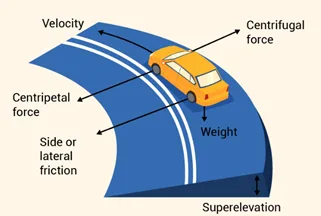
      • Super elevation and its importance in highway design
      • Extra widening at curve locations
      • Critical checks for an efficient highway design
    4. Pavement Design W04

      The pavement layer of roads is essential in safely and efficiently distributing the load of passing vehicles to the soil layer below. It is important for learners to understand the basics of pavement design, and the two main types - rigid and flexible pavements.

      This week will cover

      • Fundamentals of pavement design
      • Annual traffic calculation
      • Rigid pavement design
      • Flexible pavement design
    5. Vertical Design or Fixation of Roadway ProfileW05

      Highway roads have different elevations and alignments in their vertical profile. The vertical design of a road undergoes much engineering and consideration to ensure it is safe for vehicles to travel on. It is important for learners to understand vertical design consideration when developing roads.

      This week will cover

      • Fundamental concepts of vertical design
      • SSD check on vertical profile
      • Criteria for fixing vertical design profile
      • Selection of cross sections based on roadway conditions
      • Embankment slope considerations
      • Earthwork volume calculations
  4. 04Roadway Design with OpenRoads9 modules
    1. Roadway Design FundamentalsW01
      • In this session, you will learn
        • About all activities are involved in roadway design process
        • The process involved in topographical survey
        • Typical sections
        • The geometric horizontal and vertical design standards
        • In detail about superelevation design
        • Plan set
    2. Introduction to Bentley OpenRoads DesignerW02
      • In this session, you will learn
        • The evolution of OpenRoads technology; Native products used and recent technology
        • Introduction to the entire “Interface”
        • Explaining in detail use, importance of the various interface tools
        • MicroStation basics for OpenRoads use
        • Understanding MicroStation models
        • Understanding Reference tool
    3. Week - 03 Workspace, Settings & basic toolsW03
      • In this session, you will learn
        • What are workspaces
        • How to read delivered workspaces
        • How to create your own workspaces
        • What are managed workspaces
        • About settings before starting to work in the dgn file
        • Understanding Feature Definitions
    4. Surface creation / Terrain modellingW04
      • In this session, you will learn
        • Briefly about all the tool set of terrain modeling
        • How to create terrain model by various methods
        • How to modify terrain model methods
        • To Analyze terrain model tools
        • How to export and import surfaces
    5. Alignment DesignW05
      • In this session, you wil learn
        • The basics of Horizontal geometry tools
        • Horizontal geometry simple creation tools
        • Horizontal geometry complex tools
        • More about civil rules
        • How to design and align site layout
        • The basics of vertical geometry tools
        • Simple and complex creation tools for vertical geomentry
        • Designing profile and options
    6. Corridor modeling & 3D modelingW06
      • In this session, you will learn
        • About the basics of corridor modeling tools
        • What is template design and introduction to the tools
        • How to Create corridor
        • How to Create Point Controls
        • Superelevation design and modeling
        • Transition design
        • Curve Widening
        • Cross Section viewer
        • 3D Linear modeling
        • 3D Surface modeling
    7. Intersection design & modellingW07
      • In this session, you will learn
        • The basics to civil cells
        • Designing intersection
        • How to Create intersection design by civil cells
        • How to Modify placed intersection
        • Miscellaneous tools with civil cells
    8. Quantity take-offs and ReportingW08
      • In this session, you will learn
        • Quantity take offs from corridor
        • Earth work computations from cross sections
        • All kind of Reports from the OpenRoads
    9. ProductionW09
      • In this session, you will learn
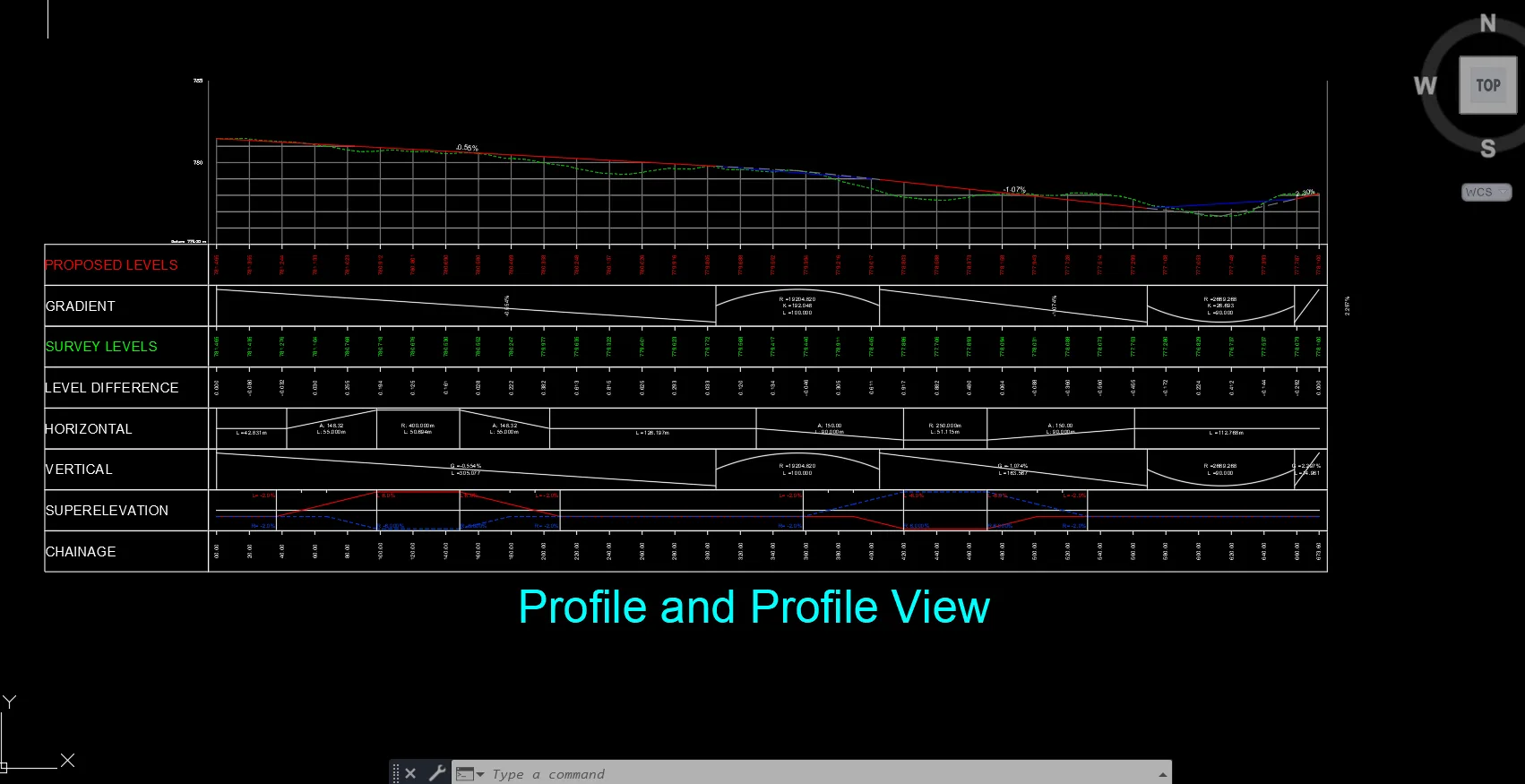
        • How to Create plan and profile drawings
        • How to Create only plans
        • Annotation set and styles
        • How to Create cross sections
        • How to Annotate cross sections
        • How to Print PDF using single and batch plotting
  5. 05Analysis and Design of Rigid Pavements0 modules
    1. 06Flexible Pavement Materials and Mix Design0 modules
      1. 07Traffic Characteristics for Road Projects12 modules
        1. Introduction to Traffic Engineering W01
          • In this week, the following topics are covered.
            • Objectives of Traffic Engineering
            • Responsibility, Ethics & Liability
            • Nature of Transportation Demand
            • Transportation Modes
            • Elements of Traffic Engineering
            • Modern Problems for Traffic Engineer
        2. Road User and Vehicle CharacteristicsW02
          • In this week, the following topics are covered.
            • Visual Characteristics of Drivers
            • Perception-Reaction Time (PRT)
            • Pedestrian Characteristics
            • Vehicle Characteristics
            • Sight Distances (OSD, ISD, SSD)
        3. Geometric Characteristics of RoadsW03
          • In this week, the following topics are covered.
            • Road Classification
            • Horizontal Alignment
            • Vertical Alignment
            • Superelevation
            • Types of Curves
            • Typical Cross Sections
        4. Traffic Control Devices W04
          • In this week, the following topics are covered.
            • Traffic Markings
            • Traffic Signs
            • Traffic Signals
            • Special Types of Control
        5. Traffic Stream Characteristics W05
          • In this week, the following topics are covered.
            • Types of Facilities
            • Relationship between Flow, Speed & Density
        6. Traffic Data Collection and Reduction Methodologies W06
          • In this week, the following topics are covered.
            • Types of Studies
            • Data Collection Methodologies
            • Portable Traffic Data Equipment
            • Permanent Detectors
            • Aerial Photography
            • Digitizing Technology
            • Interview Studies
        7. Volume Studies and Characteristics W07
          • In this week, the following topics are covered.
            • Volume, Demand and Capacity
            • Peak Hour Factor
            • Variation Patterns
            • Intersection Volume Studies
            • Origin & Destination Count
            • Cordon Count
            • Screen Line Counts
        8. Speed, Travel Time & Delay StudiesW08
          • In this week, the following topics are covered.
            • Spot Speed Studies
            • Travel Time Studies
        9. Parking StudiesW09
          • In this week, the following topics are covered.
            • Parking Generation & Supply Needs
            • Parking Characteristics
            • Design of Parking Facilities
            • Parking Modules
            • Parking Garages
        10. Weaving, Merging & Diverging Movements W10
          • In this week, the following topic is covered.
            • Level of Service (LOS)
        11. Intersection Design and Layout W11
          • In this week, the following topics are covered.
            • Objectives & Considerations
            • Signalized Intersection
            • Unsignalized Intersection
        12. Signal Timing and DesignW12
          • In this week, the following topics are covered.
            • Signal Phase Plans
            • Vehicular Signal Requirement
            • Pedestrian Signal Requirement
            • Compound Signal Timing
      2. 08Construction Project Management Fundamentals12 modules
        1. Introduction to Construction ProjectW01
          • What is a Project?
          • Project Vs Operations or Manufacturing
          • Project Stakeholders
          • Project Process Group
          • Project Lifecycle processes
          • Typical Construction Organization Structure
        2. Tendering and ContractsW02
          • Tendering Process
          • Bid and Budget Preparation
          • What is a Contract?
          • Different Construction Contracts
          • Different Forms of Contract
          • Important Clauses of the Contract
        3. EngineeringW03
          • Stages of Engineering
          • Types of Structures and Design Methods
          • Deliverables of Engineering
          • Different Disciplines of Design
          • Types of Drawings
          • Drawings Content and Management
          • Prominent Software for Design
        4. Procurement ProcessW04
          • Material Take-off from Drawings or Model
          • Types of Procurement
          • Pre-requisites of the Procurement Process
          • Procurement Process
          • Subcontract Procurement
          • Logistics of Procurement
          • Long Lead and Special Items Procurement Process
          • Procurement of Imported Items

        5. Material Management in StoreW05
          • Material Management at the Project Store
          • Material Stored at the Site
          • Site Store Activities
          • Storage Requirement for Materials
          • Inventory Management
          • Material Reconciliation
          • Physical Verification
          • Waste Management and Scrap
        6. P&M Management on ProjectW06
          • Introduction to P&M
          • Types of Construction Equipment (P&M)
          • Equipment Management at Site
          • Selection Criterion for Equipment
          • Hire or Procure Decision
          • Depreciation of Asset
          • Efficiency of Machinery
        7. Project Planning and SchedulingW07
          • Importance of Project Schedule
          • Levels of Schedule
          • Baseline Schedule
          • Schedule Preparation Requirements
          • Schedule Basis Document
          • Actual Progress Update
          • Labor Productivity Measurement
          • Schedule Change Management (MOC and Change Document)
        8. Project Cost Management and ControlW08
          • Importance of Cost Management
          • Budget for the Project
          • Cost Booking Methodology
          • Cost Change Management
          • Earned Value Management
          • Forecasting
          • Delay Analysis and Extension of Time Claims
        9. Vendor and Client InvoicingW09
          • Client Billing
            • Request for Inspection
            • Invoice Process
            • Deductions, Recoveries, and Retentions
            • Advances
            • Memorandum of Payment
          • Vendor Bill Certification
        10. Health, Safety, and Environment in Infrastructure ProjectsW10
          • Introduction to HSE on Construction Projects
          • HSE Plan
          • HSE Management System
          • HSE Practices
          • HSE Monitoring Process
          • HSE Response Management
        11. Quality Management on Construction ProjectW11
          • Quality Management System
          • Developing a Project Quality Plan (PQP)
          • Inspection Test Plans (ITPs)
          • Quality Assurance Vs Quality Controls
          • Quality Controls at Site
        12. Digital Technologies in ConstructionW12
          • Introduction to Technology in Construction
          • Current Status of Technology Usage in Industry
          • Different Tools and Technologies
            • Common Data Environment (CDE)
            • 5D BIM
            • Scan to BIM
            • IoT - Equipment Monitoring and RFID for Workforce
            • Data Analytics - Real-time Progress Reporting and Dashboard
            • ML For Subcontract
      3. 09Project Management Using Primavera12 modules
        1. Introduction to Primavera and Project ManagementW01
          • Introduction to the Project and its Management
          • About Primavera
          • Client GUI for P6 Release 8.2
          • OBS Overview
          • Creating OBS
          • Modifying OBS
          • EPS Overview
          • Creating EPS
          • Modifying EPS
        2. Projects, Calendar, and Work Breakdown StructureW02
          • Introduction to Calendar
          • Types of Calendar
          • About Projects
          • Client Project Development
          • Project Details Window
          • Introduction to WBS
          • WBS Structure
          • Working with WBS (Add, edit, and delete)
        3. Working with ActivitiesW03
          • Introduction to Activity
          • Assigning a Calendar to an Activity
          • Activities (Add, edit, and delete)
          • Activity Types
          • Defining Activity Types
          • Activity Duration Types
        4. Relationship and SchedulingW04
          • Introduction to Relationships
          • Types of Relationship
          • Adding Relationships to the Activities
          • Introduction to Scheduling
          • Critical Path Method
          • Advantages of Critical Path Method
          • Constraints
          • Types of Constraints
        5. Defining and Assigning resources and roles W05
          • Introduction to Resources
          • Introduction to Roles
          • Resources Vs Roles
          • Adding a Resource
          • Displaying the Resource Details
          • Editing the Resource Information
          • Copying and Pasting a Resource
          • Deleting a Resource
          • Adding a Role
          • Assigning Roles to Resources from the Roles Dialog Box
          • Changing the Proficiency of a Role
          • Assigning Roles to Activities
          • Recalculating the Resource and Role Assignment
        6. ResourceW06
          • Resource Analysis
          • Resource Leveling
          • Resource Curves
          • Budget Management
        7. Constraint, Reflection, Codes, Grouping and Sorting W07
          • Constraints
          • Purpose of Constraints
          • Types of Constraints
          • Benefits of using Constraints
          • Reflection in P6
          • Creation and using Reflection
          • Codes
          • Grouping and Sorting
        8. Documents and BaselinesW08
          • Work Products and Documents
          • Notebook Tab
          • Baselines
          • Setting Baselines
          • Assign Baselines
          • Display Baselines
          • Restoring Baselines
          • Project Updates
        9. Project Progress UpdateW09
          • Project Updates
          • Updating Progress for Individual Activities
          • Suspending or Resuming an Activity's Progress
          • Progress Spotlight
          • Project Progress on Gantt Chart
          • Project Progress on Table
        10. Earned Value ManagementW10
          • Earned Value Management
          • Earned Value Parameters in Primavera
          • S-Curve
          • EVM Graph
          • Activity Usage Profile – Monthly Cash flow
        11. Issues and Thresholds, Risk Register, User-Defined Fields, Global Change, and Formatting Project DataW11
          • Issues and Thresholds
          • Risk Register
          • User-defined Fields
          • Global Change
          • Formatting Project Data
        12. ReportW12
          • User Preference
          • Admin Option
          • Primavera Visualizer
          • Project Website Publisher
          • Print and Page Setup
          • Reports
          • Import and Export
      Industry projects

      12 projects
      you'll ship.

      Our projects are designed by experts in the industry to reflect industry standards. By working through our projects, Learners will gain a practical understanding of what they will take on at a larger-scale in the industry. In total, there are 12 Projects that are available in this program.

      Designing, Plotting, and Quantifying a Resurfacing Project
      Designing a Roadway Project Using InfraWorks, Civil 3D, and Map 3D

      Designing, Plotting, and Quantifying a Resurfacing Project

      Design a resurfacing project for a roadway in the State of Florida using Civil 3D. This is a 30-to-40-hour project that involves designing the resurfacing of 3.133 miles of road in…
      Designing, Plotting, and Quantifying a Reconstruction Project
      Designing a Roadway Project Using InfraWorks, Civil 3D, and Map 3D

      Designing, Plotting, and Quantifying a Reconstruction Project

      Design a reconstruction project for a roadway in the State of Florida using Civil 3D. This is a 40 - 60hr project consisting of a full reconstruction project for 1 Mile of the road…

      Geometric Design Parameter
      Geometric Design Fundamentals

      Geometric Design Parameter

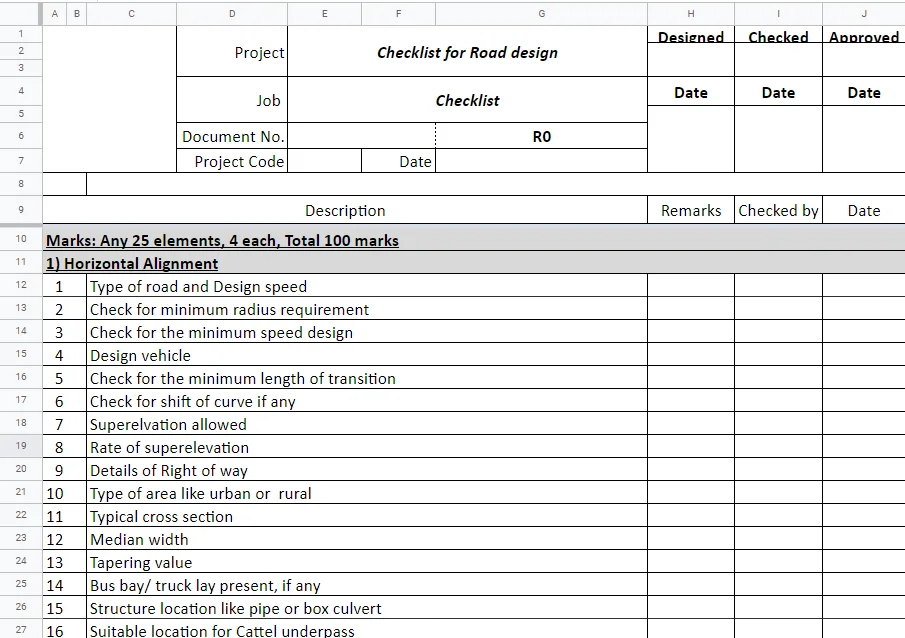
      In this project, students will have to understand and list all the necessary parameters required for the road geometric design.

       Lane National Highway Roadway Design in  Civil  3D
      Geometric Design Fundamentals

      Lane National Highway Roadway Design in Civil 3D

      In this project, students will design the surface, profile, corridor development, and detailed cross-section for roadways or roads in Civil 3D.

      Developing a Project Plan for Bridge Construction
      Project Management Using Primavera

      Developing a Project Plan for Bridge Construction

      During this projectwork, the learners will prepare a plan for bridge construction with a 6-day working calendar and with WBS for identifying the problem, determining constraints, a…

      Developing  a Project Plan for a Cable-Laying Project
      Project Management Using Primavera

      Developing a Project Plan for a Cable-Laying Project

      In this project, the learners will prepare a plan for XYZ company for a cable-laying project. This project involves several work packages and activities. So, it requires resource o…

      Designing a Road from Topographic Data
      Fundamentals of Road Design

      Designing a Road from Topographic Data

      Learners are to understand data from the surveyor, and process it to build an effective model of a road. Using this model, learners are to arrive at the cross section and perform q…

      A 20-30 hr project on designing Roadway Geometry using Bentley OpenRoads Designer
      Roadway Design with OpenRoads

      A 20-30 hr project on designing Roadway Geometry using Bentley OpenRoads Designer

      In this project, the students will be asked to design a Roadway Geometry using Bentley OpenRoads Designer. They will be asked to design the alignments, export the geometry and gene…

      A 40-50 hr project on designing a 3.0 Mile Roadway using Bentley OpenRoads Designer
      Roadway Design with OpenRoads

      A 40-50 hr project on designing a 3.0 Mile Roadway using Bentley OpenRoads Designer

      In this project, the students will be asked to design a 3-mile roadway using Bentley OpenRoads Designer. They will be asked to design the roadway proposed layout viz. edge of pavem…

      A 10-20 hr project on designing roadway widening using Bentley OpenRoads Designer
      Roadway Design with OpenRoads

      A 10-20 hr project on designing roadway widening using Bentley OpenRoads Designer

      In this project, the students will be asked to design a roadway widening using Bentley OpenRoads Designer. They will be asked to design the proposed roadway widening layout as per …

      Understanding Contracting and Tendering Process for the Commencement of a Metro Project
      Construction Project Management Fundamentals

      Understanding Contracting and Tendering Process for the Commencement of a Metro Project

      In this project, learners will understand the decision criteria for the type of contracts, different disciplines involved, tendering process, contractor selection process, and vari…

      Analysis and Report Generation for Delays in Multistorey Building Project
      Construction Project Management Fundamentals

      Analysis and Report Generation for Delays in Multistorey Building Project

      This project will help learners understand the analysis of delays and cost overruns. It also helps them understand the generation of reports that are submitted to the internal mana…

      Fee

      One fee.
      Everything included.

      Become job ready with our comprehensive industry focused curriculum for freshers & early career professionals

      Premium
      ₹2,75,000
      Inclusive of all chargesEMI from ₹14,375/month
      • Career Service Assurance
      • Personalized Career Services Mentorship
      • 1 Year Access
      • Personalized Page
      • Live Individual & Group Sessions
      • Personalized & Hands-On
      • Job-Oriented Industry Relevant Curriculum
      Check eligibility →
      FAQ

      Questions,
      answered.

      Who can take up this infrastructure design course?

      Students and graduates of civil and related engineering streams can take up the Post Graduate Program in Infrastructure - Engineering Design and Project Management. If your area of interest lies in construction project management, then you must pursue this infrastructure course online.

      What is infrastructure?

      Infrastructures are basic utility structures like roadways, tunnels and railways that are used for the functioning of society.

      Is this course an online program?

      Yes, the Post Graduate Program in Infrastructure - Engineering Design and Project Management is a 100% online course.

      What is the duration of the Post Graduate Program in Infrastructure - Engineering Design and Project Management?

      The infrastructure design is a 32-week course.

      How much can a Highway design engineer earn?

      According to Glassdoor, the average salary of a Highway Design Engineer is ₹ 5.8 lakhs per annum. However, your earnings will depend on your experience and expertise.

      Is there any certificate for completing the infrastructure course online?

      Yes, Post Graduate Program in Infrastructure - Engineering Design and Project Management, you shall be given a course completion certificate. The top 5% of the scorers will be given a merit certificate alongside the course completion certificate.

      How can I clear my queries if I got doubts during my coursework?

      You can clear your queries with email support, forum support, individual video support and group video support.

      Who has designed the infrastructure design course?

      Industry experts with 6-27 years of experience in this domain have designed the Post Graduate Program in Infrastructure - Engineering Design and Project Management to make this course industry-relevant.

      Do I need to work on projects for completing the infrastructure course online?

      Yes, You have to work on projects for completing the Post Graduate Program in Infrastructure - Engineering Design and Project Management.

      Next step

      Not sure it's
      the right fit?

      A counsellor will walk you through the syllabus, projects and fee options — and tell you honestly if another course suits you better.

      Get the syllabus + a call back

      We'll email the full syllabus and call within one working day.

      By submitting you agree to our Terms and Privacy Policy.

      Call usEnquire

      Talk to a career counsellor

      Free 20-minute call. We'll map the right course to where you want to work.

      By submitting you agree to our Terms and Privacy Policy.