Week 4 Challenge : CFD Meshing for BMW car
Aim
- To verifying the BMW car meshing the model through the ANSA software .
Procedure
- Open the BMW car model using ansa.
- Check the Geometry of the model and single & Double cons present or not .
- The BMW car is symmetric.So i did half model only enough the Topo cleanup.
- Model is took position of the top view and Deleted the half model .
- Again check the geometry of the half model.
- More single cons and Triple cons are presented,So i started topo cleanup.
- If where the present single cons and then create the new faces through the "NEW" option.
- Single cons are changed to Double cons.
- Single cons are present Grills,Light faces,Body,mirror faces etc..
- Next step Triple cons are checking where is presented.
- Unwanted faces present the BMW car and using the DELETE option deleted.
- Grills and Mirror some extra faces deleted.
- Cut option used to cutting to faces.It's helps to unwanted faces deleting the model.
- Mirrors,Window,Logo more faces are present at the triple cons.
- Using the "DELELTE" option above the Triple cons deleted.
- The model cons are release through "RELEASE"option and Topo Option click the model cons are joined.
- It's helps to avoid some single cons.
- After again checking for geometry any single & Double cons present or not,
- If not present any errors then start the meshing.
PID
- After topo cleanup set the PID each part of the model. It is helps to identify the specific model.
Meshing
- Check the BMW car parts mesh length for given question.
- Mirror=2mm for check the quality criteria and mesh parameters give the maximum and minimum length. Model give the tria ,perimeter &Macros give the 2mm and spot meshing option.
- Finally meshed the mirror.
- Lights and Grills target length is 4mm,1mm followed by above process.
- Rims and Tyres are target length is 2mm.
- Windows and Silencer,logo for 2mm,3mm and 1mm target length present.
- Finally the body of the car start the meshing and check the quality criteria and mesh parameters.
- After meshing model will mirror the other side.
- Using Transform option copy of the whole model and give alternate 3 points xyz direction.
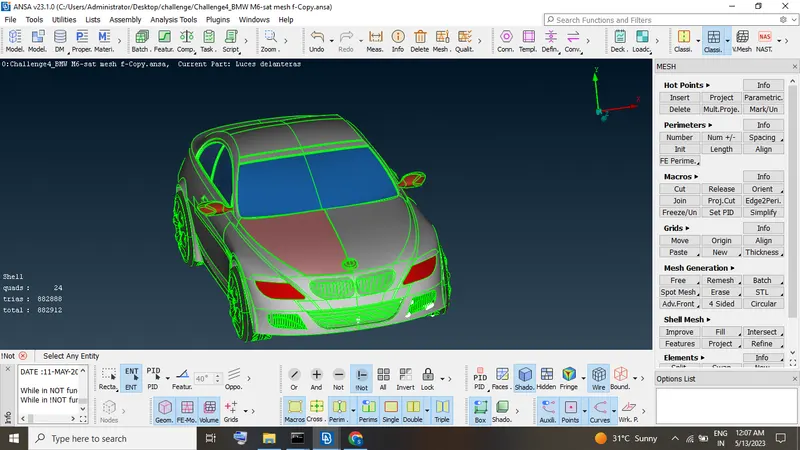
- Finally got the whole BMW car is meshed.
Wind tunnel
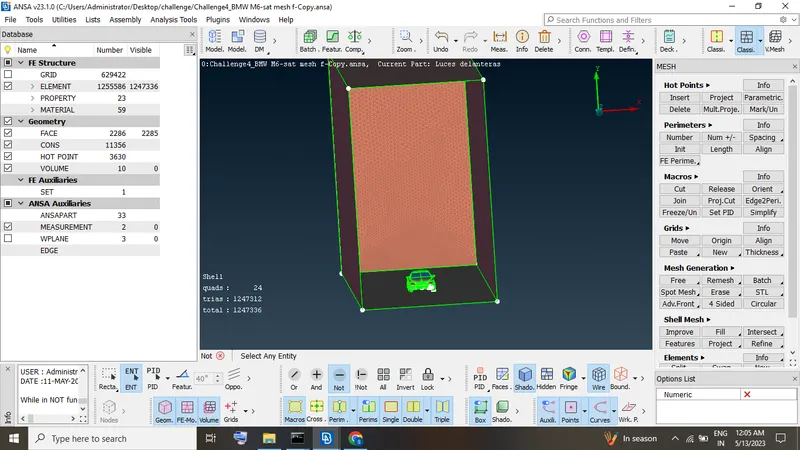
- First we are measuring length of the car multiply 6 and 4 for create the upper and side faces of the wind tunnel.
- Points Relative option create a points to the three faces.
- Using "CURVES" connects the all points.
- Create the new faces.
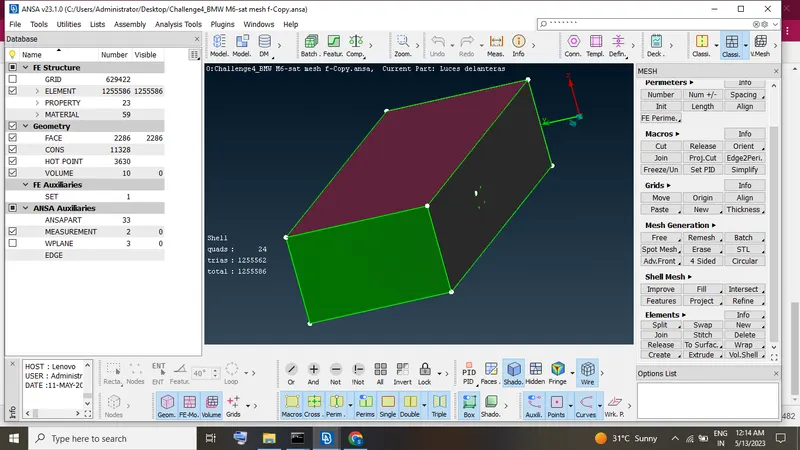
- Finally created the Wind tunnel.
Volumetric mesh
- Check the define option Whole database and click "ok".
- If not showing any error ansa is showing some auto detetected volume presented.
- Which volume need the volumetric meshing other than volume is deleted.
- Click the volume CFD mesh option and then few times waiting.
- Finally got the volumetric meshing done.
Result
To verified the BMW car meshing through the BETA ANSA software.
BMW CAR complete geometry file link
https://drive.google.com/file/d/14TyaWhWu69-JcCuT60XAO3J2RQDl-KM3/view?usp=sharing