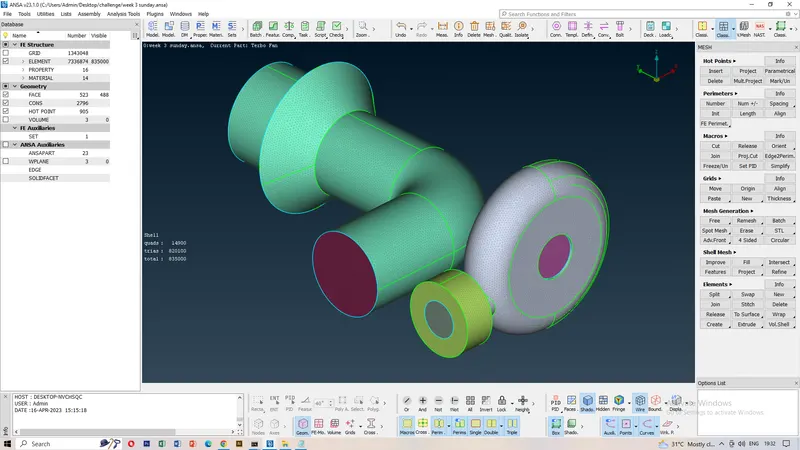
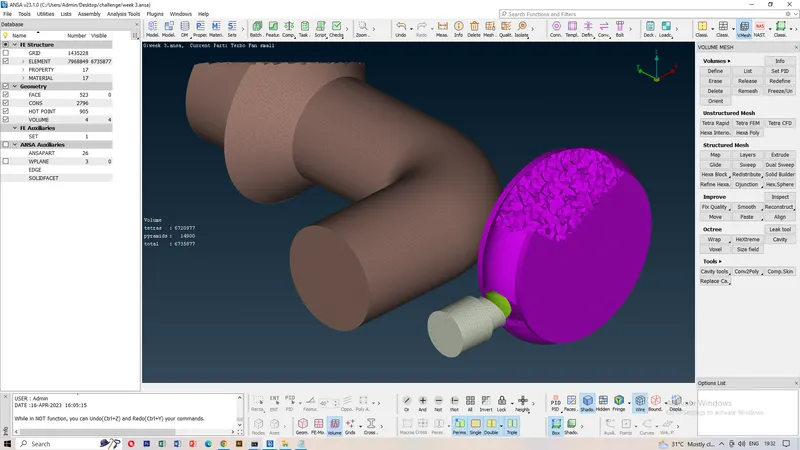
Week 3 Challenge : CFD meshing on Turbocharger
Aim
- To verify the CFD meshing a turbocharger model.
Procedure
- Open the Turbocharger model through the BETA ansa software.
- Check the model cons are which is present or not single and Triple cons.
- Topo cleanup the model and then check the geometry.
- If any single cons are present try to create new faces.
- If Triple cons are present try to delete the faces.
- check the all geometry are double cons are present.
- And next step is meshing the turbocharger part by part.
- Click the meshing option give the perimeter length and macros.
- Before mesing the whole part will be closing or not checking is important.
- Blade stage 1,2=1mm,Impelller =1mm,Shaft rotor =1mm,compressor,Turbo,Inlet casing=5mm.
- Finally the Turbocharger 2D mesh is over.
- Next trying to 3D meshing the model.
- Volumetric mesh define the model.
- Check the model Ansa auto detect the volume through the model.
- Unwanted volume will be delete.
- Finding the volumes and then remesh the model
- Volumetric done for the Turbocharge model.
Result
- To verified the 2D mesh and 3D meshing the Turbocharger model.