Week 5 Challenge : Surface wrap on Automotive Assembly
Aim
To veryfing the surface wraping on automotive assembly through the BETA ANSA software.
Procedure
- Dowload the engine and gearbox ,Transmission model.
- Open the model through the ANSA software.
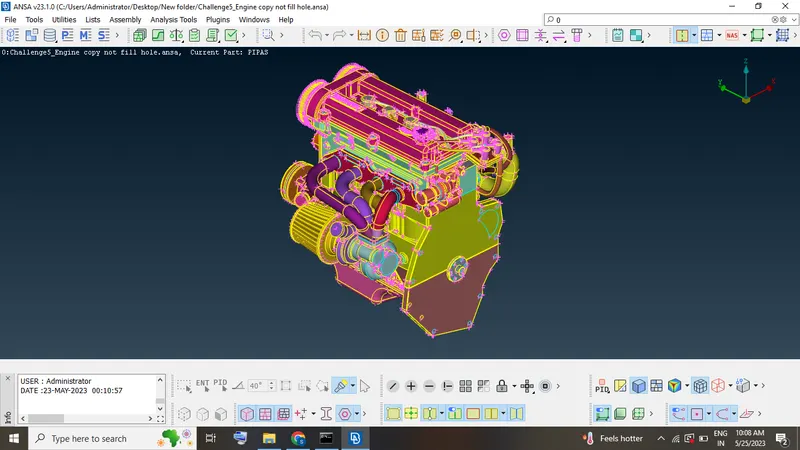
Engine model
- Open the Engine model and check the geometry errors.
- Start the topo cleanup
- First unwanted surface deleteing through the delete option.
- At the same time engine inside also more number of unwanted faces presented.
- Inside model present rings and faces deleted.
- More single cons present in a model .
- So using fill hole and new option tools are used.
- Filled the all gaps.
- Our agenta is surface warping the all 3 model not present any open condtion.
- Topo cleaning the surface of the model.
- And close the hole of the surface
- Finally the topo cleanup of the engine model.
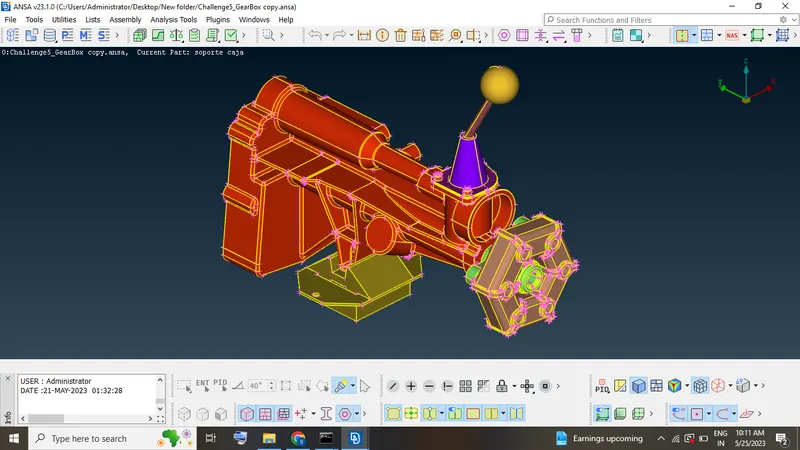
Gear box
- Open the gearbox model through the ansa software
- Check the "geometry" of the model
- Single cons will be deleted through the "NEW" and "Fill hole" option.
- All open faces should be close and start the surface wrapping.
- Finally gear box model ready to surface wrapping.
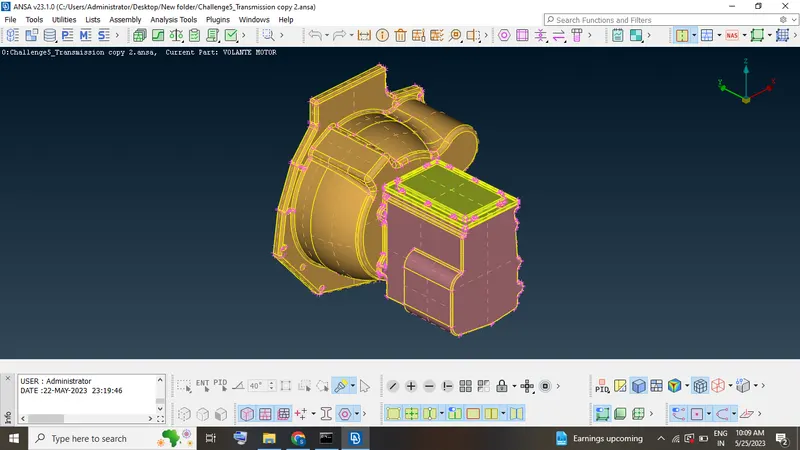
Transmission model
- Open the model and check the goemtry.
- Start the geometry cleanup remove the unwanted faces.
- Single cons are change to double cons using "Fill hole" and "New" option.
Surface wrapping
- Open the engine and gear box,transmission model merge the each parts.
- Then again check the geometry of the model.
- If not any error presenting and start the wrapping.
- Mesh -Elements-wrap -constant value follow the process.
- Click the constant wrap tools double click and put the target length of the model.
- Unwanted PID will be delete.
- Go to mesh and contents and change name.
- Excess PID delete through the compress tool.
- Now unwanted pid deleted and requirement pid select
- Move and click the confirm
- Finally run the model.
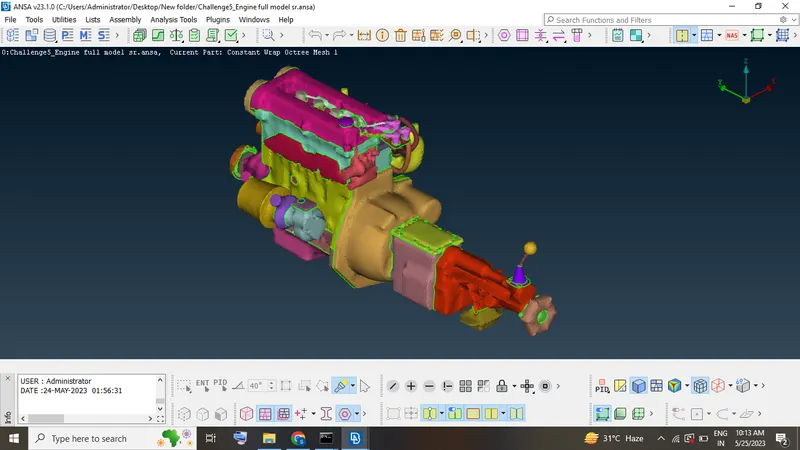
Result
To verified the surface wrapped the automotive assembly through the ANSA software.