Week - 3 Drop test Challenge
Aim:
This challenge is about simulating the drop test of the cell phone falling in the rigid plate using the LS-DYNA. By using proper parameters and plotting into graphs.
Procedure:
The model which I received is in .K file format, which is Keyword file. To open this file, we LS Prepost and in that we need to add proper connections and then we have to run this file in LS Dyna to solve the problem.
- Open the LS-PrePost and open the given keyword file.
- The given input file consists of three different parts the bottom plate of shell elements, the mobile phone of solid elements and the bottom plate as solid elements. We can either model the test with a bottom plate as a shell or solid elements. So, here I have deleted the Solid element for base.
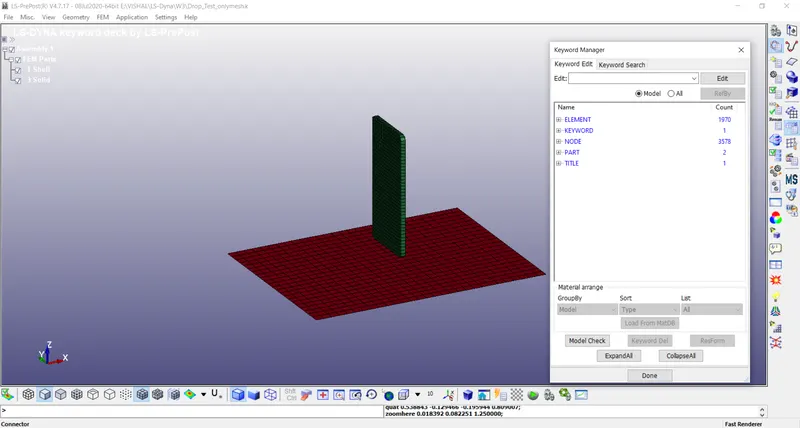
- As I can see there are only Nodes, Element, Title, Part and keywords cards are presented. To run the simulation, we still required
- Control card,
- Material card,
- Section card,
- Contact card,
- Initial velocity,
- Boundary conditions,
- Database card.
Here,
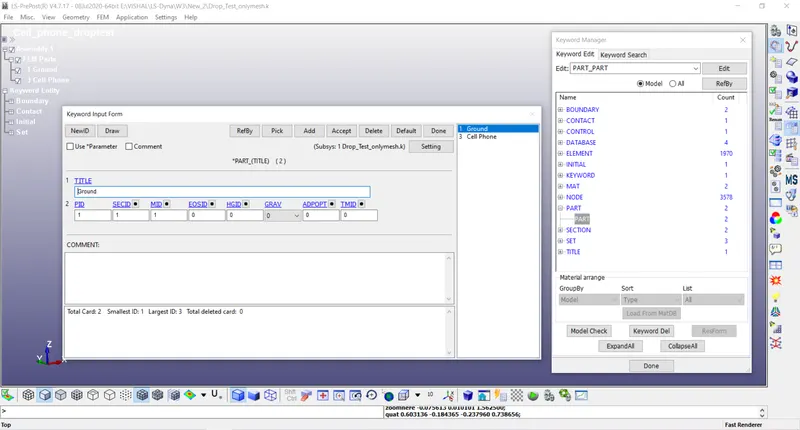
Part Creation Card:
- Here I have assigned the Solid model is a Cell phone and Shell as a Ground. As we can see in a left side assembly tree also.
- In this card still we require material id and section id for both Phone and the Ground.
- In LS Prepost for each and every thing consist with an ID eg: material, section and etc.,
Material card:
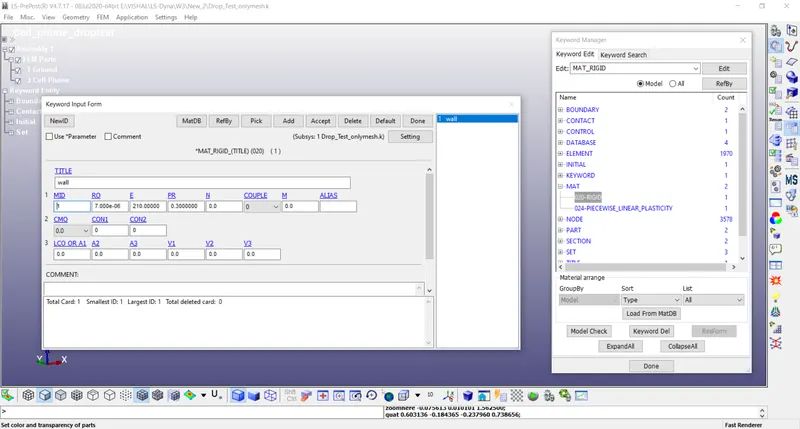
- Now, defining the material properties for both parts. Select 020-MAT_RIGID material to define Ground.
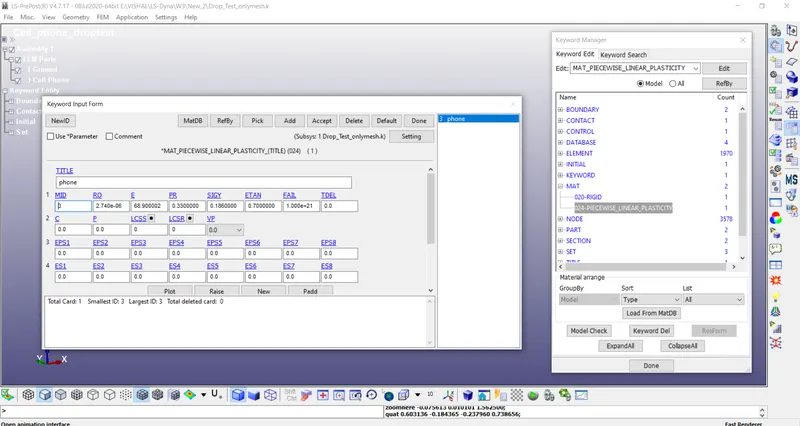
- Select 024-PIECEWISE_LINEAR_PLASTICITY material card for defining the mobile phone.
- Define material properties like density, Young’s modulus, Poisson’s ration and other required quantities for both the material cards.
Section card:
- In this section, the element formulation,integration rule, nodal thicknesses, and cross-sectional properties are defined. Each section is defined by a unique number called SECID is used with the appropriate title for the section. In our case two sections are created, they are solid section, shell section.
- It is used to define Solid and Shell elements to the LS Dyna.
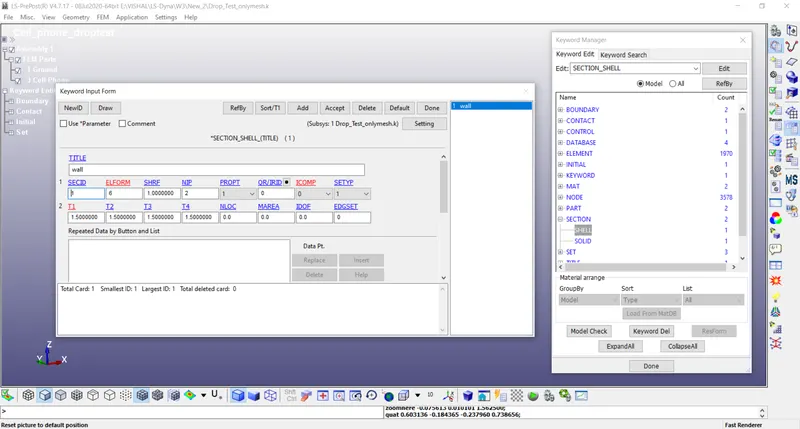
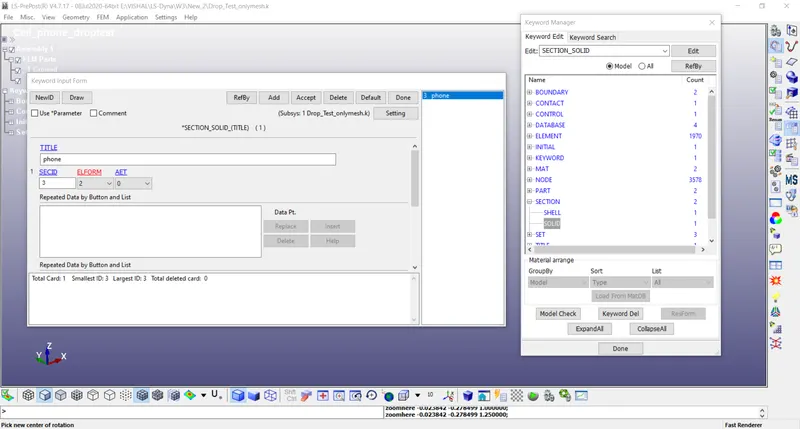
After assigning the Material cards and Section cards using their ID’s, assign them into Part Creation Card so that software can read those are Solid and Shell models.
Boundary conditions:
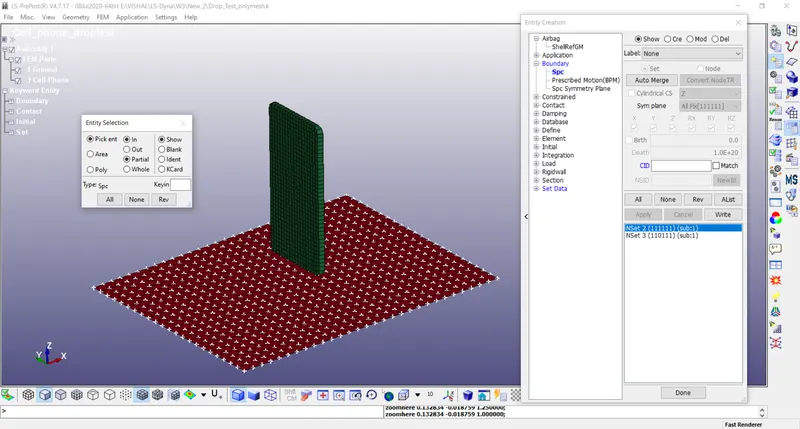
- Creating boundary conditions for ground.
- As shown in below image, we can see that “SPC” single point constraint is created for Rigid Body by selection as a part in “Entity Creation” menu.
- Here all the Degrees of Freedom have been locked for Rigid Body.
Velocity Card:
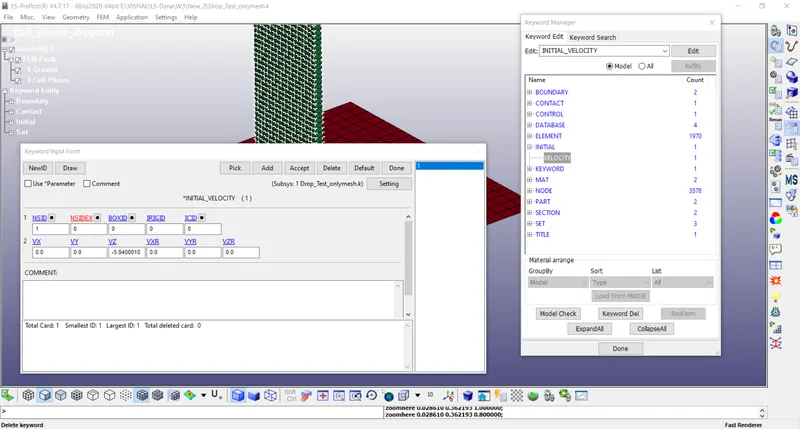
- I have considered the velocity of 5.94mm/ms to the Mobile Phone. As the phone is dropping along a negative z-direction so Vz= -5.94 mm/msis given as initial velocity by selecting all the nodes of the Mobile phone. As shown in the below image.
Contact card:
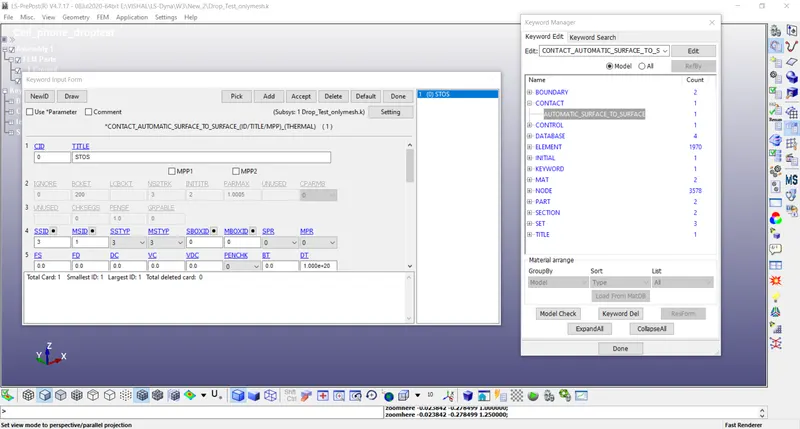
- The contact between the two parts is an important parameter. This is defined by *CONTACT_AUTOMATIC_SURFACE_TO_SURFACE card. The slave segment (SSTYP) and master segment (MSTYP) set type is defined as part ID. Slave segment is defined as a mobile phone and master segment is defined as the bottom plate.
Control card:
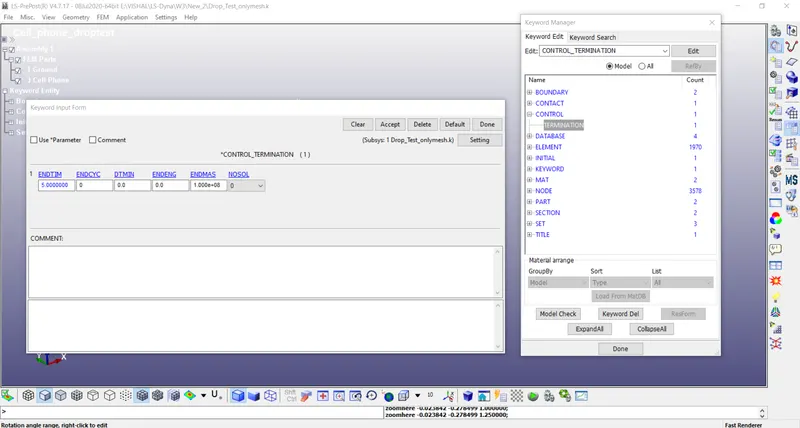
- The termination time for the problem is defined by *CONTROL_TERMINATION card. The distance between the mobile phone and the bottom plate is calculated and the approximate time taken to hit the bottom plate and some additional time after the impact is calculated. This cumulative time (5.00000 s) is defined as termination time in the card.
Database card:
- Now after all conditions and termination details, we can generate output requests or results what we want from the analysis.
- For that, we have to create cards for output. For animation and other part related data, create “BINARY_D3PLOT”, from database and “GLSTAT”, “MATSUM”, from ASCII_option in database.
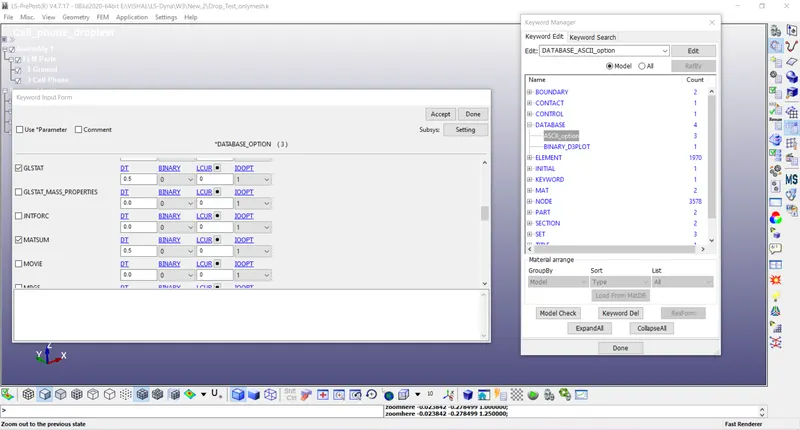
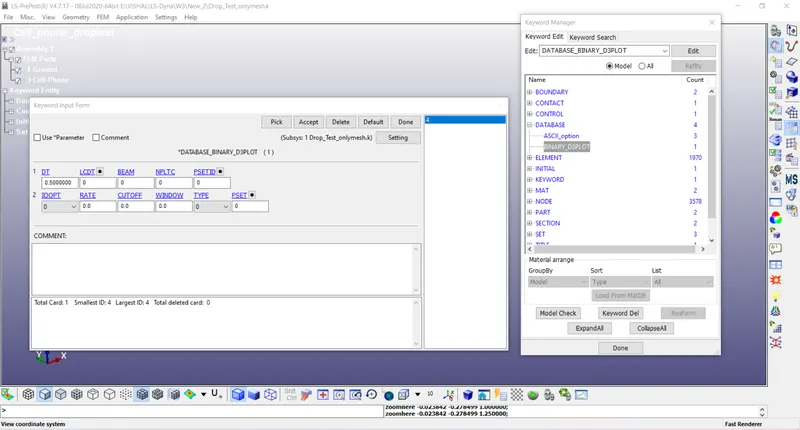
After creation of all necessary cards, saving them into Keyword file with “.K” extension.
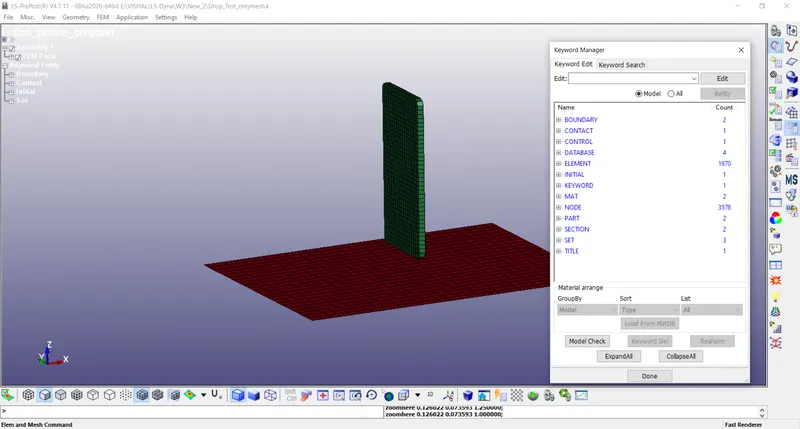
Result:
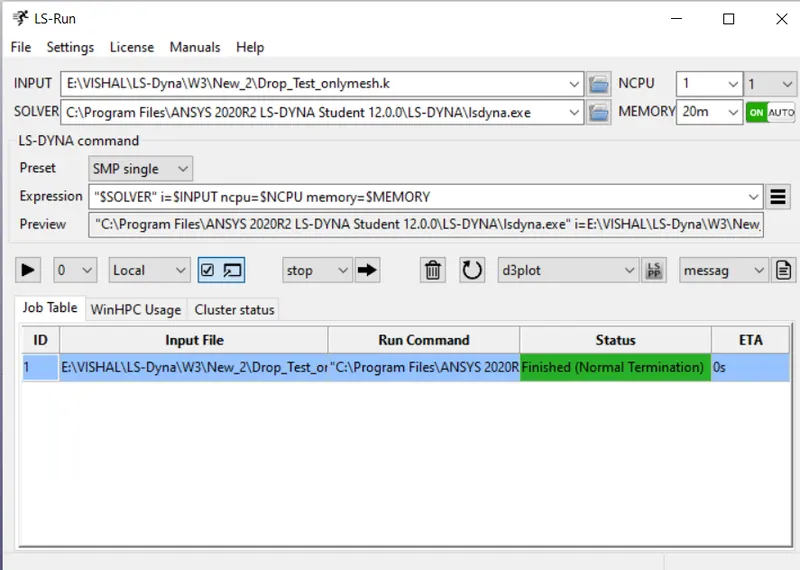
Opening the LS Run and selecting the file and start the simulation, then we can get D3polt so that we can view the problem and plotting the graphs.
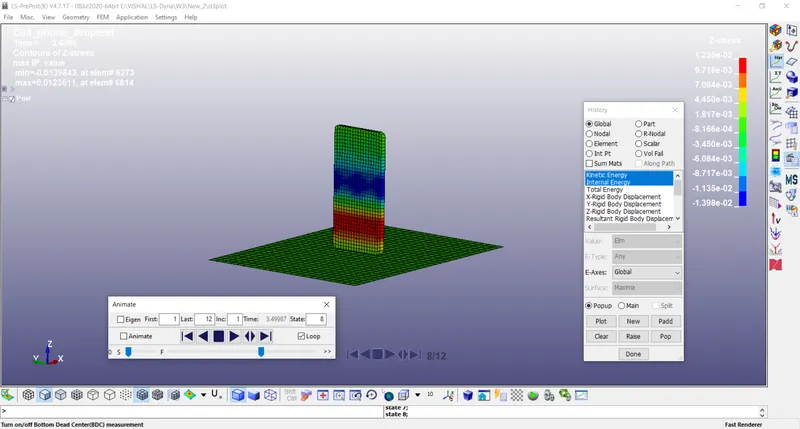
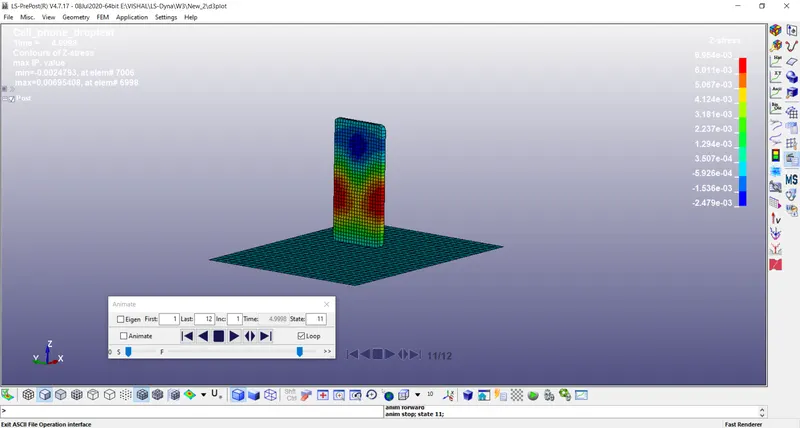
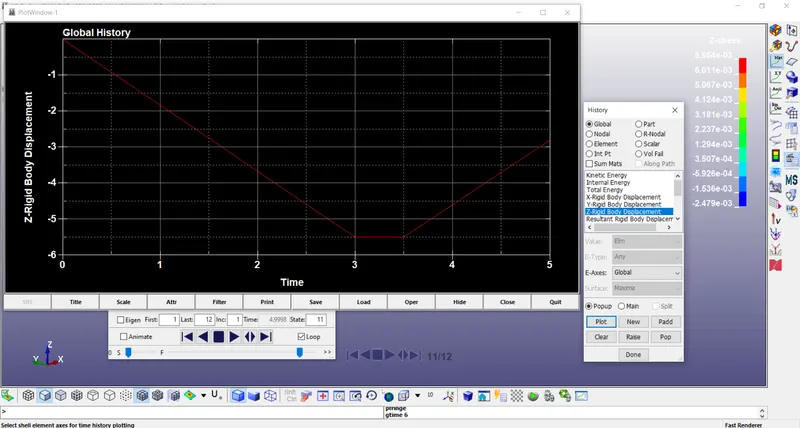
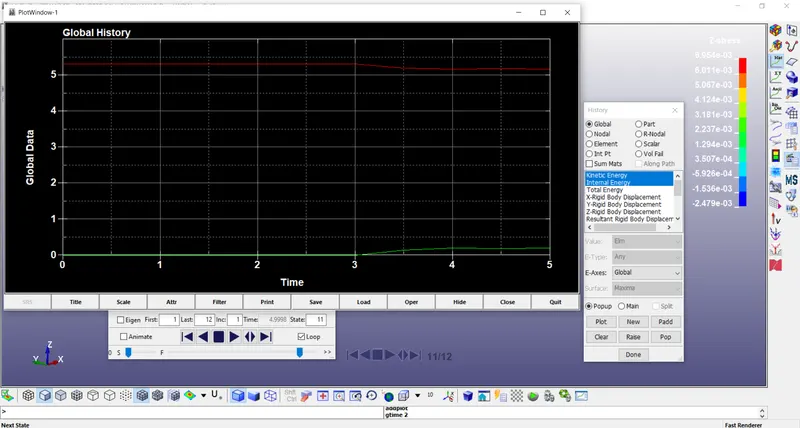
Also Plotted some of the results:
Conclusion:
The complete simulation file (keyword file) has been generated from the given primary file. Solver deck has been perform the mobile phone drop test with post-processing data.