Week-3 Challenge: ADVISOR Tool
- ADVISOR, NREL’s ADvanced VehIcle SimulatOR, is a set of model, data, and script text files for use with Matlab and Simulink. It is designed for rapid analysis of the performance and fuel economy of conventional, electric, and hybrid vehicles.
- ADVISOR also provides a backbone for the detailed simulation and analysis of user-defined drivetrain components, a starting point of verified vehicle data and algorithms from which to take full advantage of the modeling flexibility of Simulink and analytic power of MATLAB.
- Mostly empirical, relying on drivetrain component input/output relationships measured in the laboratory, and quasi-static, using data collected in steady-state (for example, constant torque and speed) tests and correcting them for transient effects such as the rotational inertia of drivetrain components.
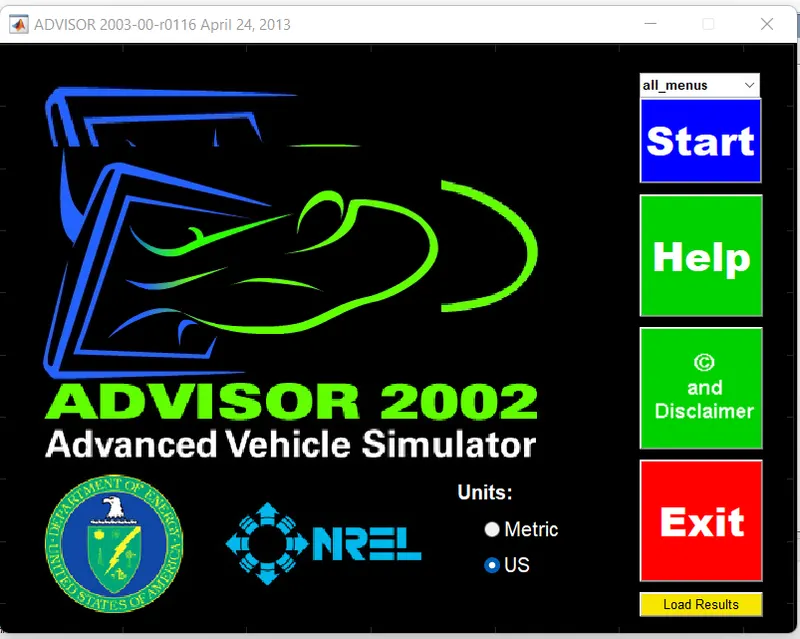
- ADVISOR TOOL MENU IN MATLAB:
-
HOW TO START ADVISOR TOOL?
- LAUNCH MATLAB and first set default location.
- Now in command window of MATLAB type “ADVISOR” & press enter.
- A new window will open and their set “matric” for unit and start “ADVISOR”.
- It will launch in a new window.
AVISOR tool have 3 windows-
- Vehicle input window.
- Simulation parameter window.
- Result window.
Q 1: For EV_defaults_in file, if cargo mass is 500 kg with all other default conditions, can the vehicle travel for 45 km with FTP drive cycle? Conclude your observations.
- Open the ADVISOR TOOL and click start to open the vehicle input in ADVISOR SIMULATOR.
- search for 'EV_defaults_in' file from load file and click the file to open .
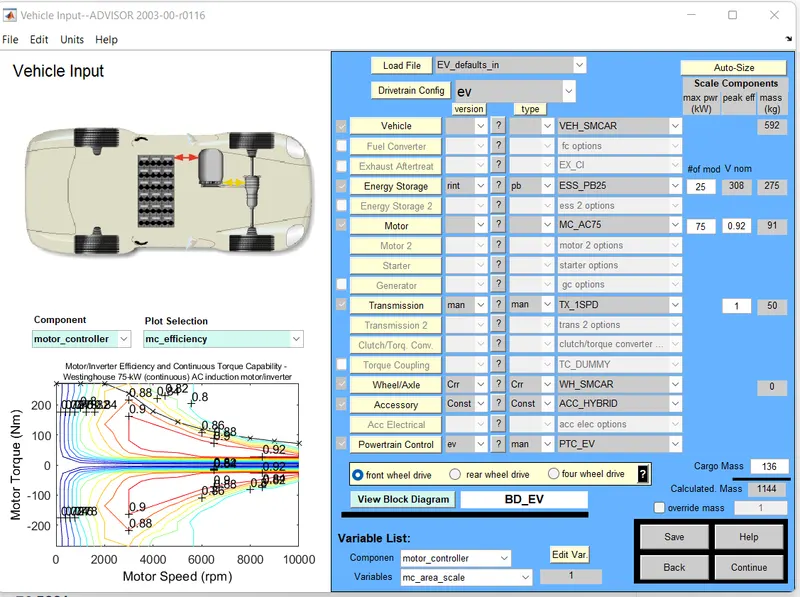
- In advisor tool the simulation consists of every small of vehicle modelling,like mass, vehicle type,energy storage, motor, transmission wheel/axle etc.
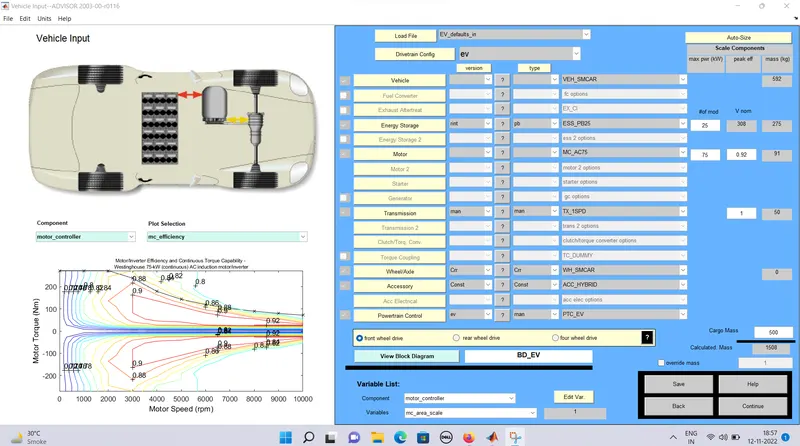
- Now change some parameters which present in EV_defaults_in file , like below ADVISOR TOOL after giving mass 500kg.
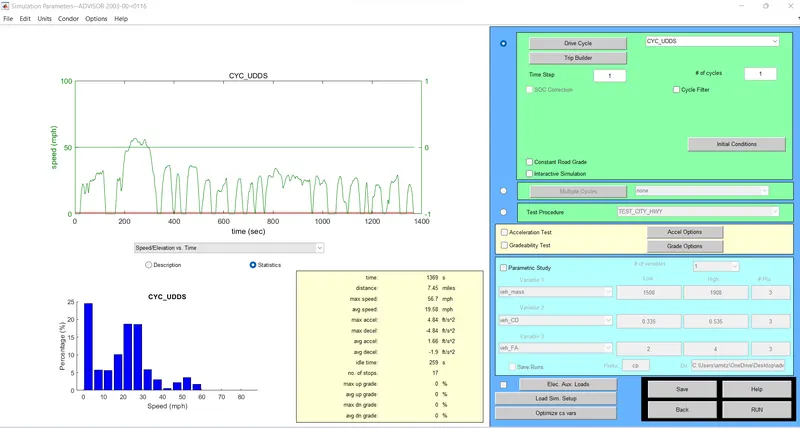
- Then click continue to open the simulation parameters, The simulation parametes consists of different drive cycle and to create a individual own drive cycle by giving different data to the simulink parameters like acceleration, greadiability test, parameters study etc.
- Loading file 'EV_defaults_in in the ADVISOR Tool and the cargo mass input as 500kg.
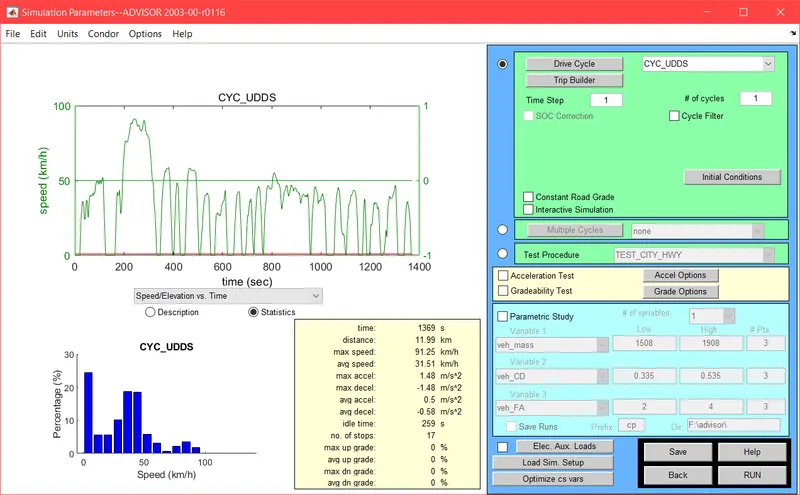
- On clicking continue the 'Drive cycle window' appears selecting 'CYC_FTP' to the drive cycle.
- the CYC_UDDS IS BEFORE CHANGING TO CYC_FTP.
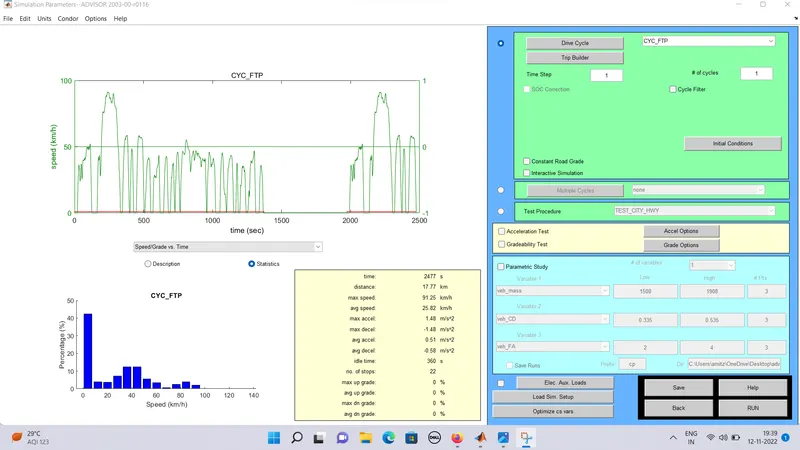
- Now search for CYC_FTP' file drive cycle list in advisor tool.
- THE BELOW ADVISOR TOOL AFTER CHANGE TO CYC_FTP AND THE WAVEFORM IS Obtained.
- .
Q.2: In the above case, try changing the battery capacity and repeat the simulation.
ANSWER: Loading file 'EV_defaults_in' in the ADVISOR TOOL and set the cargo mass as 500kg. In this case, we will increment the number of battery modules by 15. hence the total is 40 resulting in a nominal voltage of 493v.
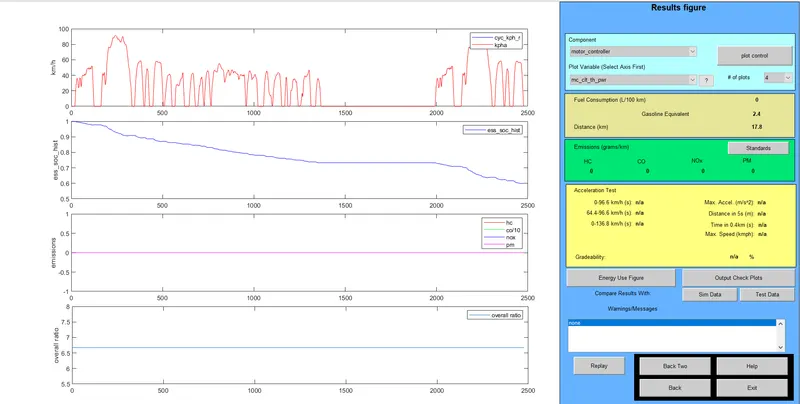
Now click the RUN to get the result.ords: 335 - each FTP drive cycle lasts for a time period of 2.4 sec and a distance of 17.8kmph. In order to verify if the vehicle can travel for 45km, we have to consider the number of cycles to be 4.
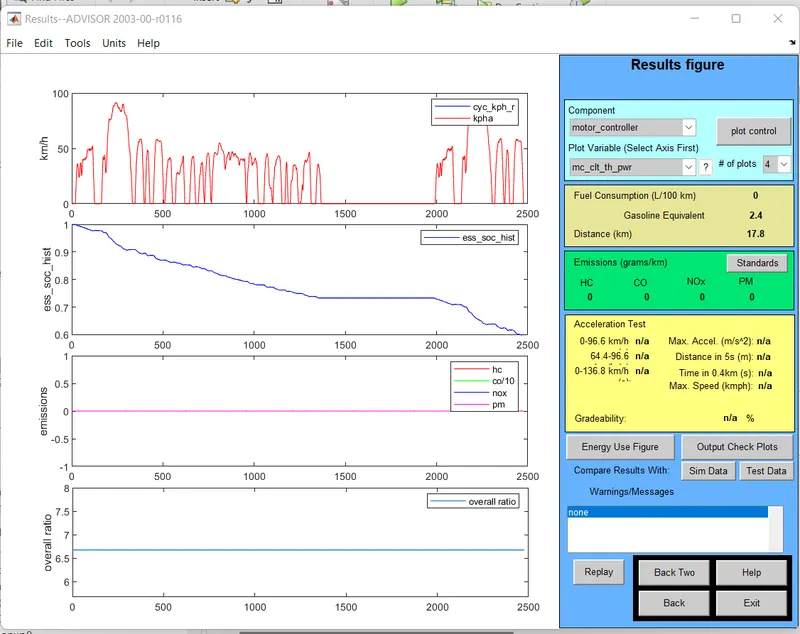
- ON clicking RUN. the results are obtained
- FOR DEFAULT CONDITION:
- For number of cycles equals to 1, and vehicle travelled the distance is 17.8 Km
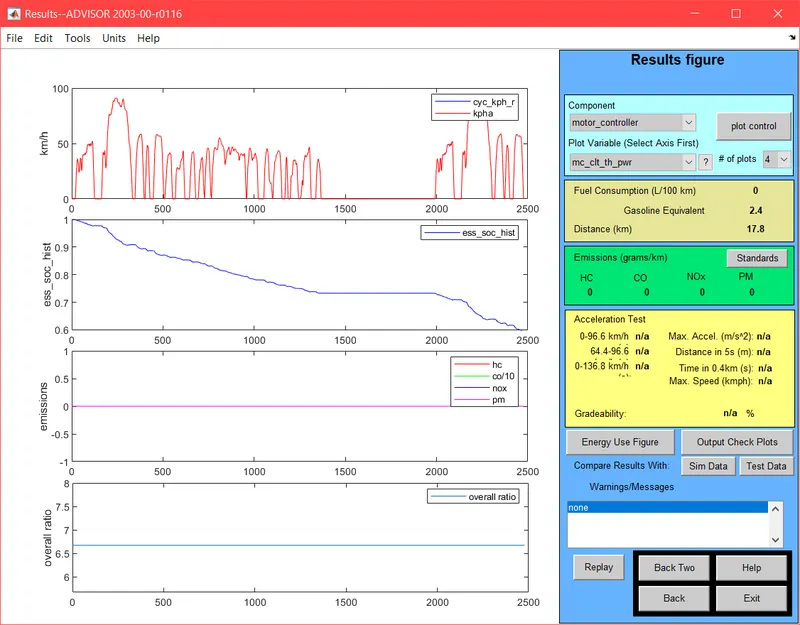
the results figure window appears the graphs for velocity SOC Emission and overall ratio are displayed.
CONCLUSION: From the above graph of SOC it is evident that the state of charge remains at 20% even after completing 4FTP drive cycles. Also under the fuel consumption tab, the distance traveled is displayed as 53.3 km. Hence by the previous case where the distance traveled was 41.4 km. hence by increasing the number of battery modules from 25 to 40, we can make the EV car easily travel more than 45 km.
Q.3: Perform gradeability test with PRIUS_Jpn_defaults_in file. Compare your results in a table and conclude.
ANSWER: Loading 'PRUS_Jpn_defaults_in' in the ADVISOR TOOL.
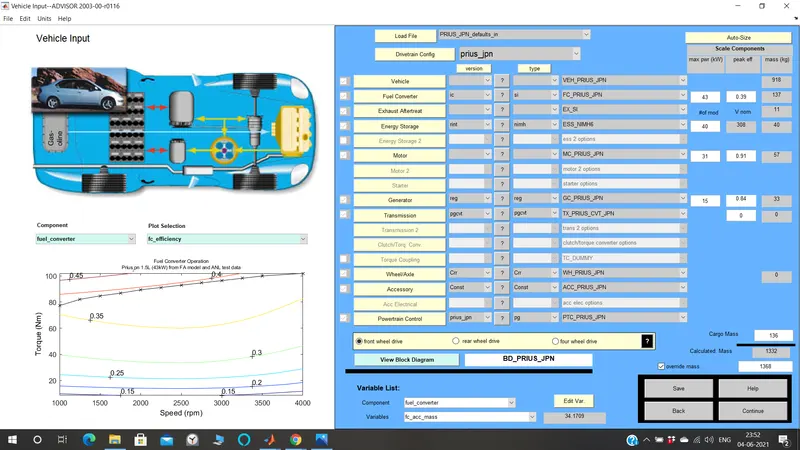 On clicking the continues button the 'drive cycle window' appears. the drive cycle selected is 'CYC_UDDS'.The gradeability test toggle is selected. On clicking the Grade options button, we can set the speed and duration as required. also, other parameters can be changed
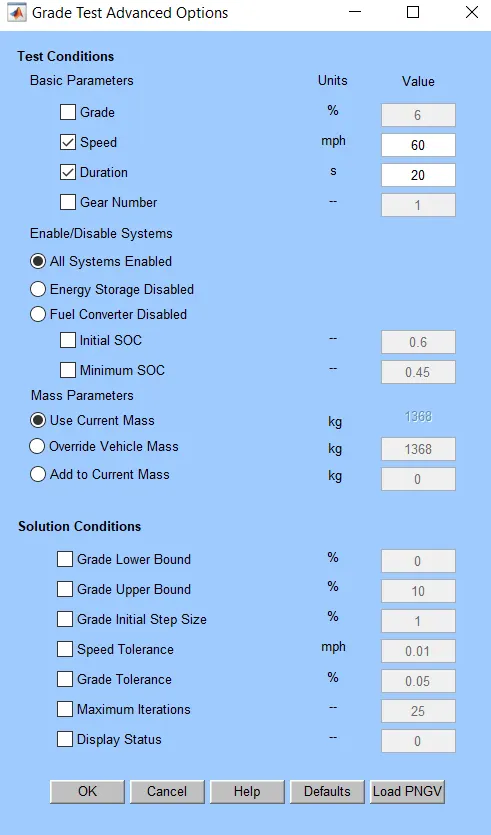
CASE:1.
SPEED = 60mph=96.6kmph and duration =20 seconds. all other parameters are set as default
- CASE:2. SPEED=70 mph =112.7kmph and duration =20 seconds. All other parameters are set as defaults.
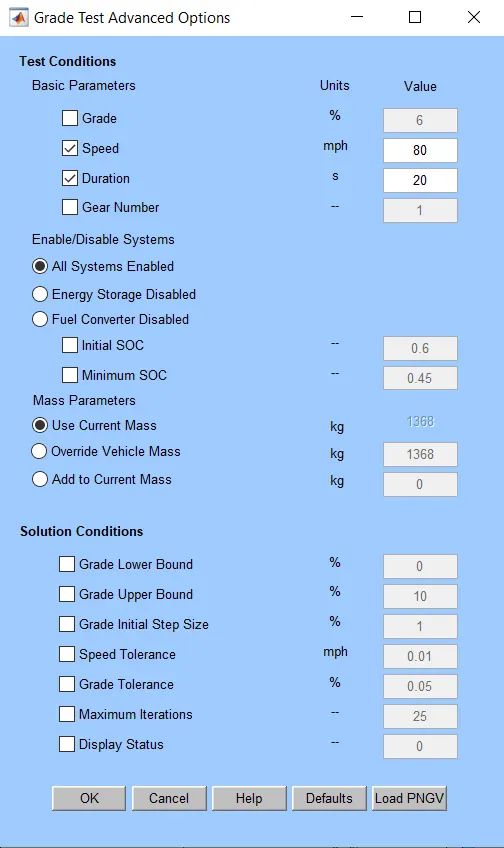
- CASE:3. SPEED= 80mph=128.7kmph and duration=20 seconds. all other parameters are set as defaults
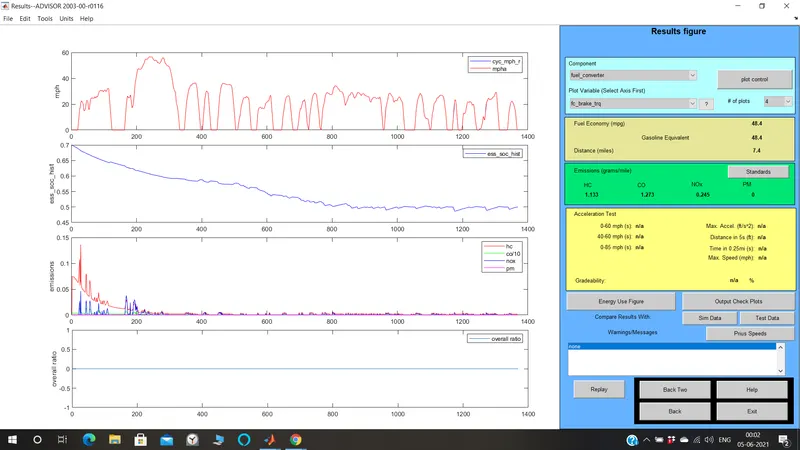 CASE:4. SPEED =90mph=144.8kmph and duration =20 seconds. All other parameters are ser as default.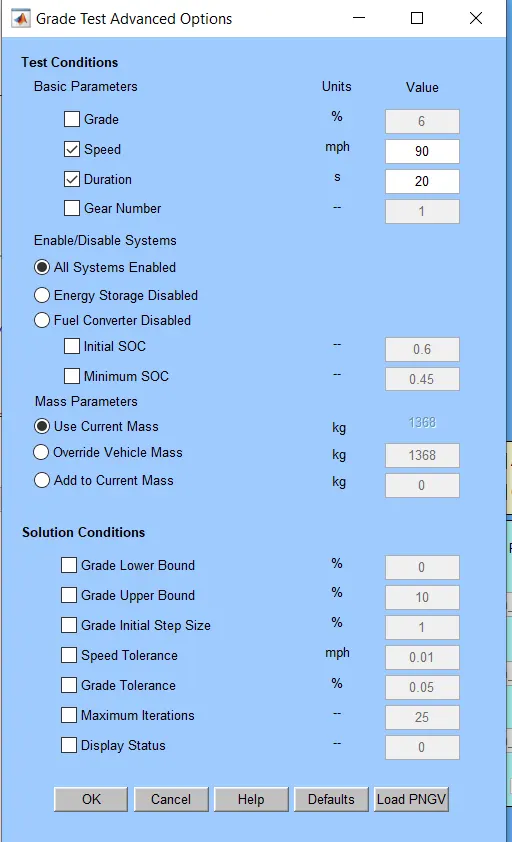
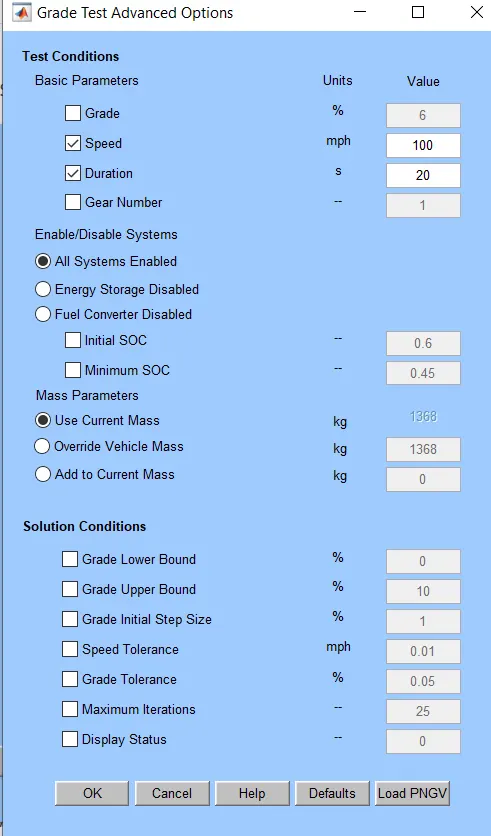

In the below table, it is seen that the gradeability has been tested for different speed values keeping the duration values constant. from the table, it is evident that the gradeability decreases with the increase in speed of the vehicle. the change in duration has no the gradeability of the vehicle.
HENCE, THE SIMULATION IS COMPLETED USING THE ADVISOR TOOL.
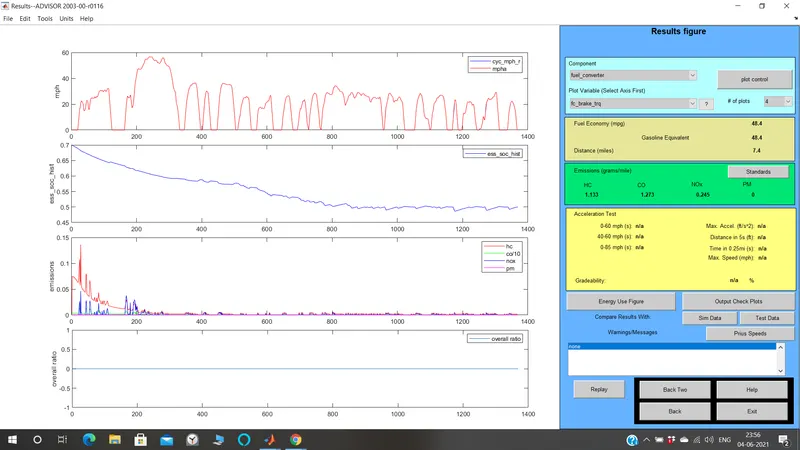
- For number of cycles equals to 1, and vehicle travelled the distance is 17.8 Km