Week-3 Challenge: ADVISOR Tool
Question No.01:- For EV_defaults_in file, if cargo mass is 500 kg with all other default conditions, can the vehicle travel for 45 km with FTP drive cycle? Conclude your observations.
Solution:-
First open Matlab then Type "ADVISOR" in command window.
before this insure that " ADVISOR " inalaready configre with MATLAB.
When Type "ADVISOR" in command window and press the enter after that below page is open.
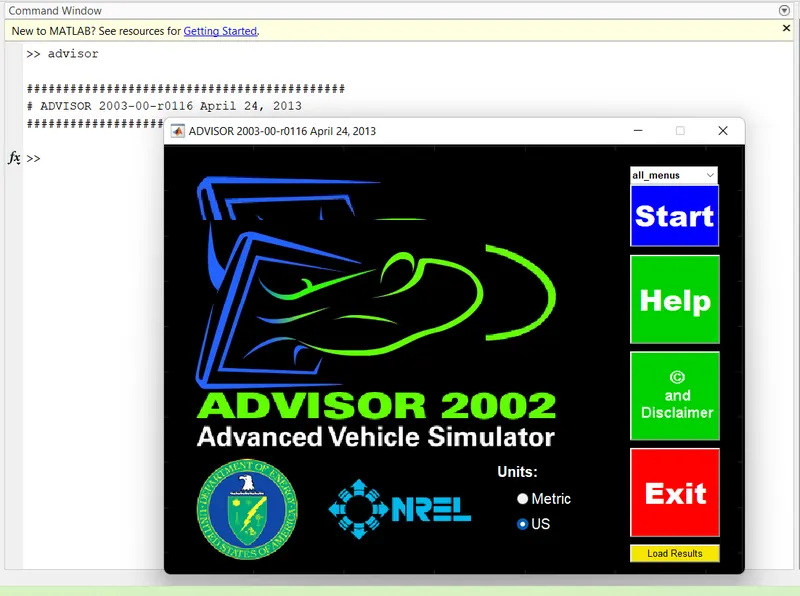
After that click on the start option.
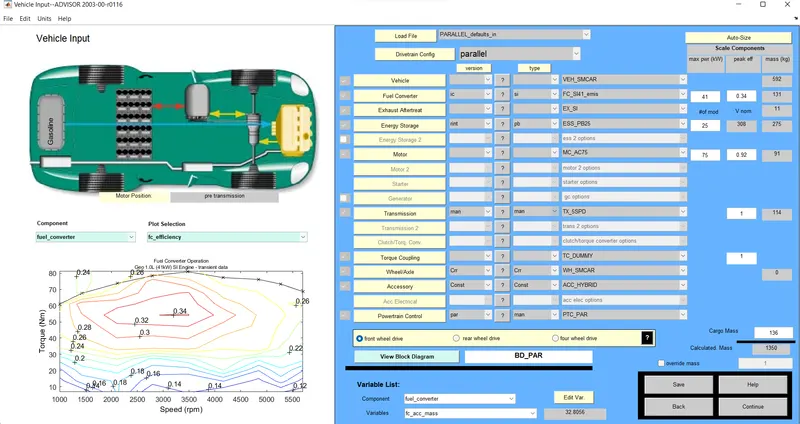
this type of page is open.
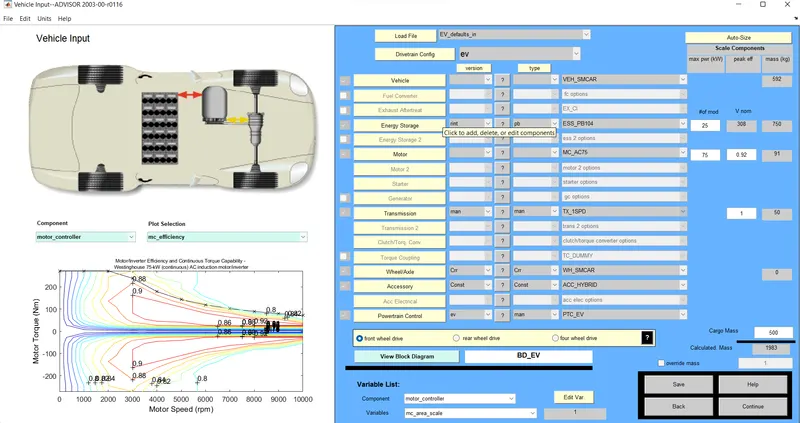
According to Question select EV_defaults_in file select.
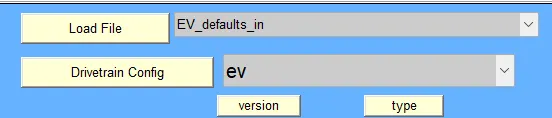
select cargo mass is 500 kg with all other default conditions
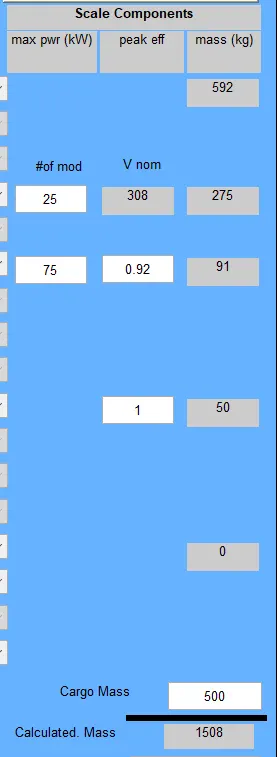
put value 500kg value in cargo mass.
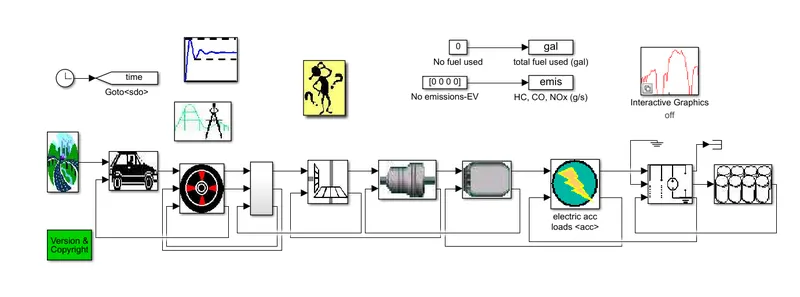
Block Diagram:-this is bock digram of EV_defaults_in.
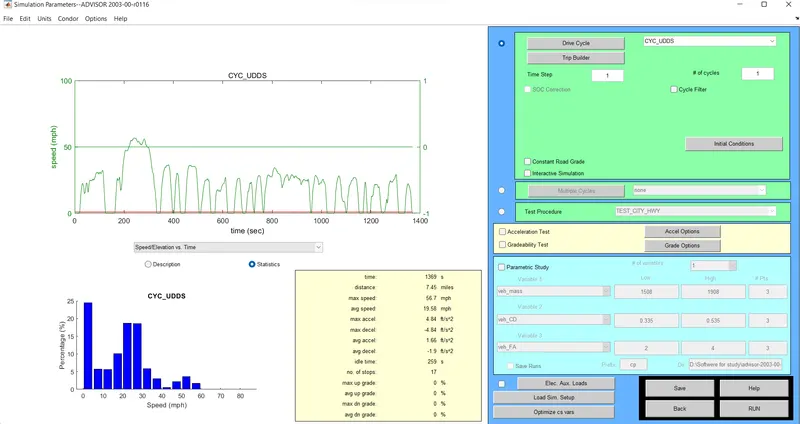
than all value put than press Continue the Next page looklike below.
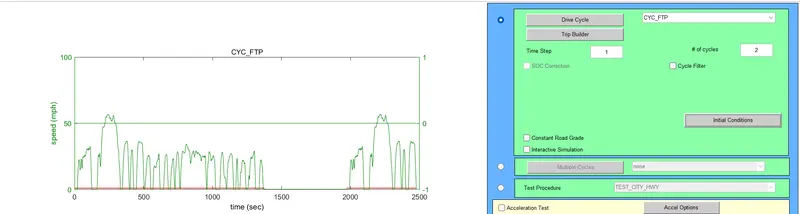
in this page set drive cycle is "FTP drive cycle" show below.
after that run the process result are below:
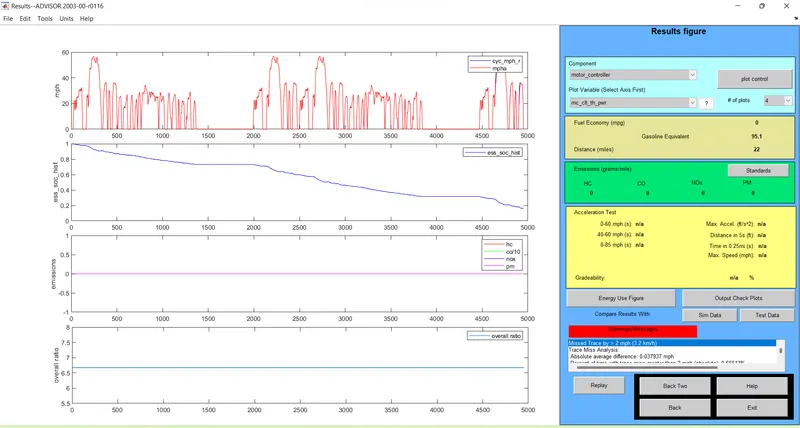

in the above Result after 2 FTP drive cycle total distance covered is 22 mile =35.4km.
So for 45 KM use 2 FTP drive cycle full and one 0.5 drive cycle throught "TRIP Bulider"
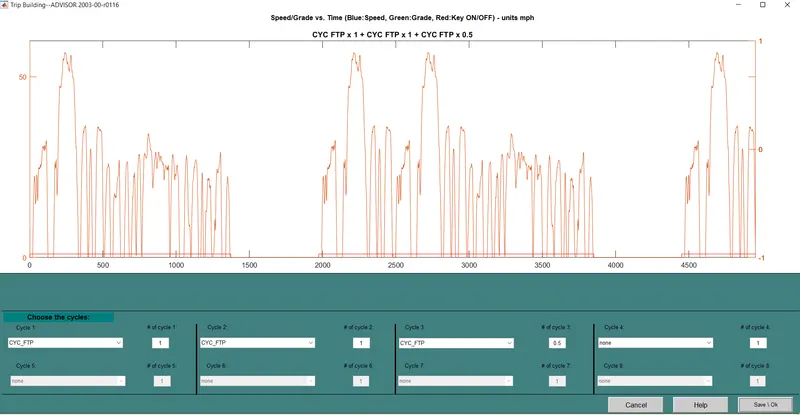
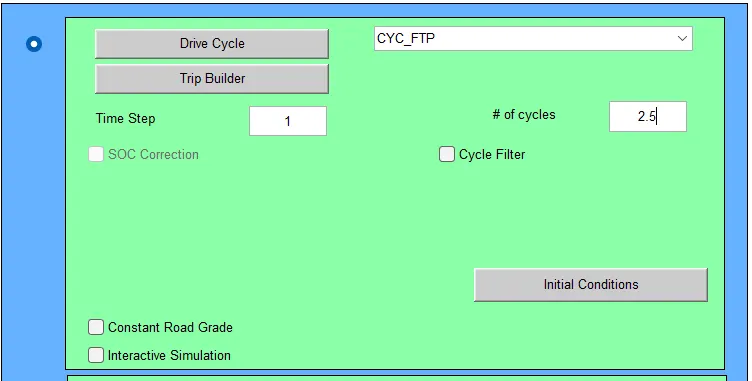
after run of cycle 2.6 The result are Below.
Result:-
When run the process vehicle run 25.7 mile it means 41.36 km. At that condition SOC goes from 1 to 0.
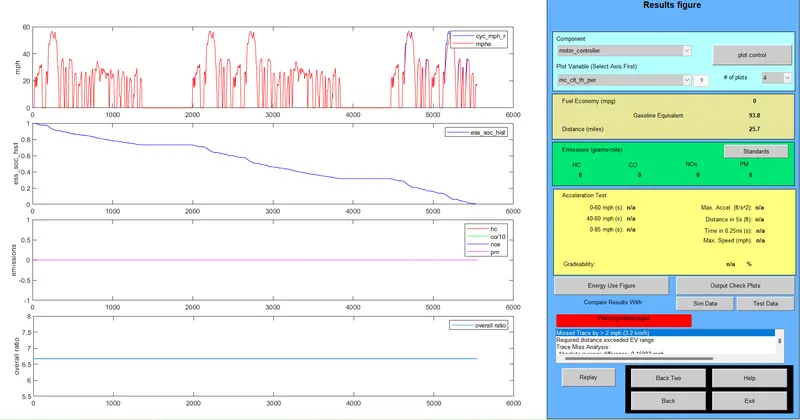
for 45 km need to increase the capacity of battery.
Question no. 02:- In the above case, try changing the battery capacity and repeat the simulation.
Solution:- For according to question in the above case, try changing the battery capacity and repeat the simulation.

In energy option choce the above configration in which battery type is pb or lead acid battery is same with there number of module is 25 and voltage is also same. only capacity is changed.
Result:- After change the capacity and run the configration reult are below
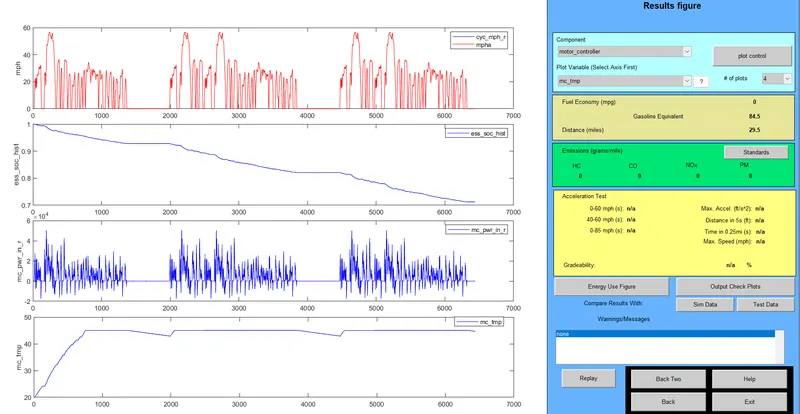
In above graph shows vehicle run approximate 29.5 mile = 47.47km around at that condition SOC reaches around 0.7.

Observation after increasing capacity Vehicle Running Distance is also increases.
Question no.03:- Perform gradeability test with PRIUS_Jpn_defaults_in file
Compare your results in table and conclude.
Solution:- In this select PRIUS_Jpn_defaults_in file

after the selection window looklike below:-
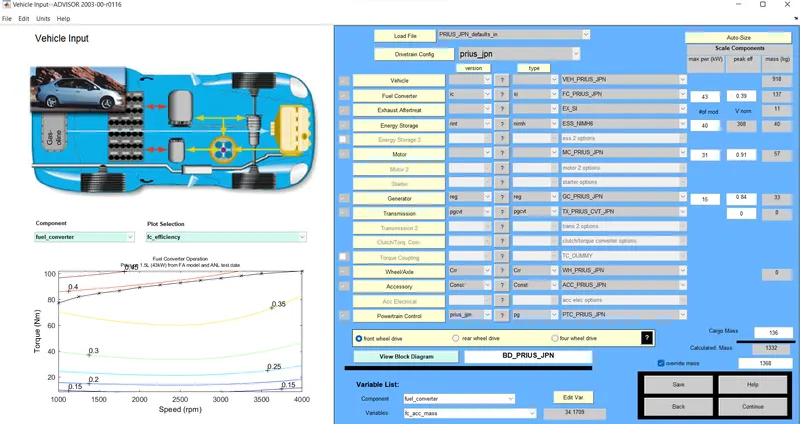
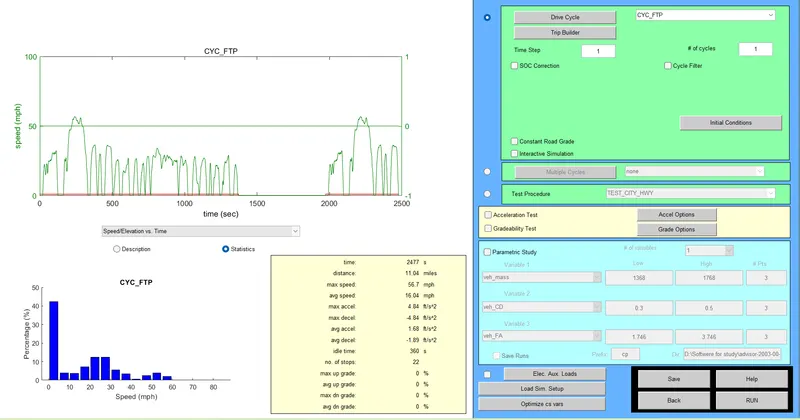
When gradibility is 0% and Drive cycle selected FTP no 01.
After run the simulation result are below
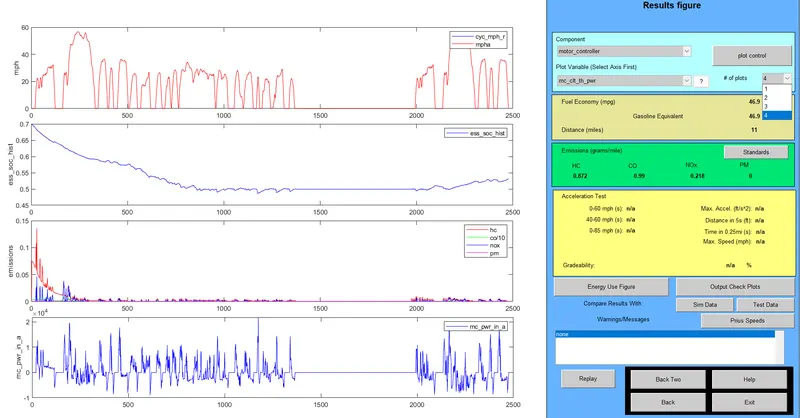
Fule consumption and distance are below
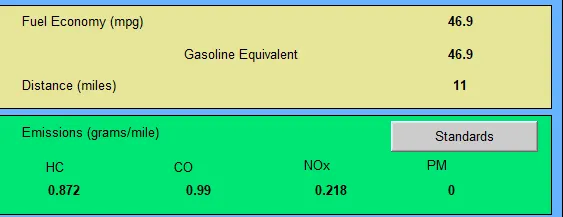
When Apply Gradibilty first check box befor Gradeability Test and then open "Grade Option ".

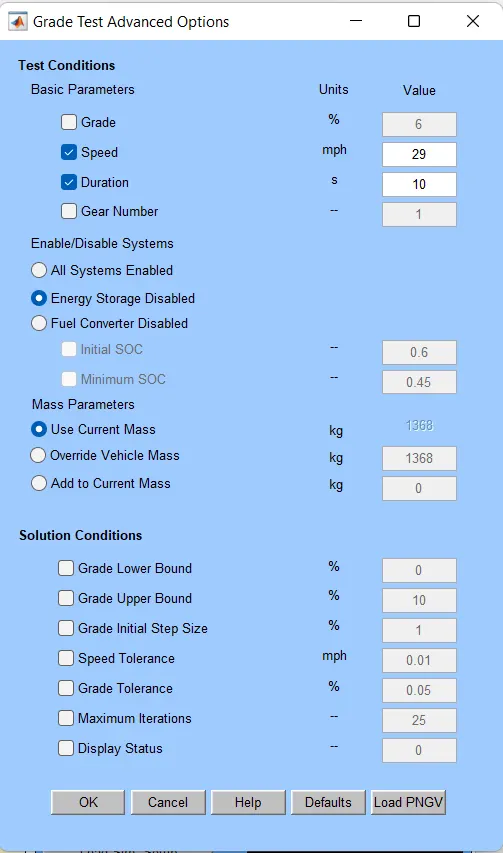
this page is set the value of speed and time.
And According results are below.

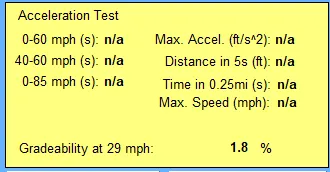
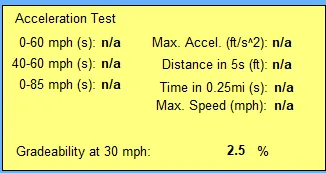
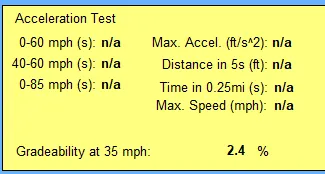
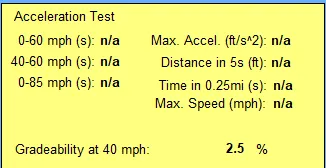
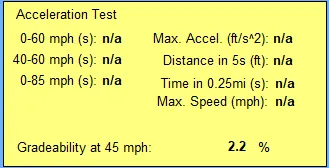
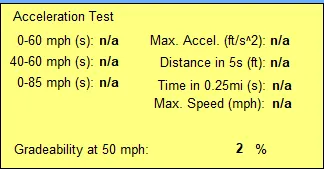







Observation Table:- When use FTP drive cycle in PRIUS_Jpn_defaults_in model observation are below:-
| Speed (mile per hours) |
Duration (sec) |
Grade ( %) |
| 29 | 10 | 2.8 |
| 30 | 10 | 2.5 |
| 35 | 10 | 2.4 |
| 40 | 10 | 2.5 |
| 45 | 10 | 2.2 |
| 50 | 10 | 2 |
| 55 | 10 | 1.7 |
| 60 | 10 | 1.5 |
| 65 | 10 | 1.2 |
| 70 | 10 | 0.9 |
| 75 | 10 | 0.7 |
| 80 | 10 | 0.3 |