Week 2 Bevel Gear Challenge

Introduction
Bevel gears are gears where the axes of the two shafts intersect and the tooth-bearing faces of the gears themselves are conically shaped. Bevel gears are most often mounted on shafts that are 90 degrees apart, but can be designed to work at other angles as well. The pitch surface of bevel gears is a cone.
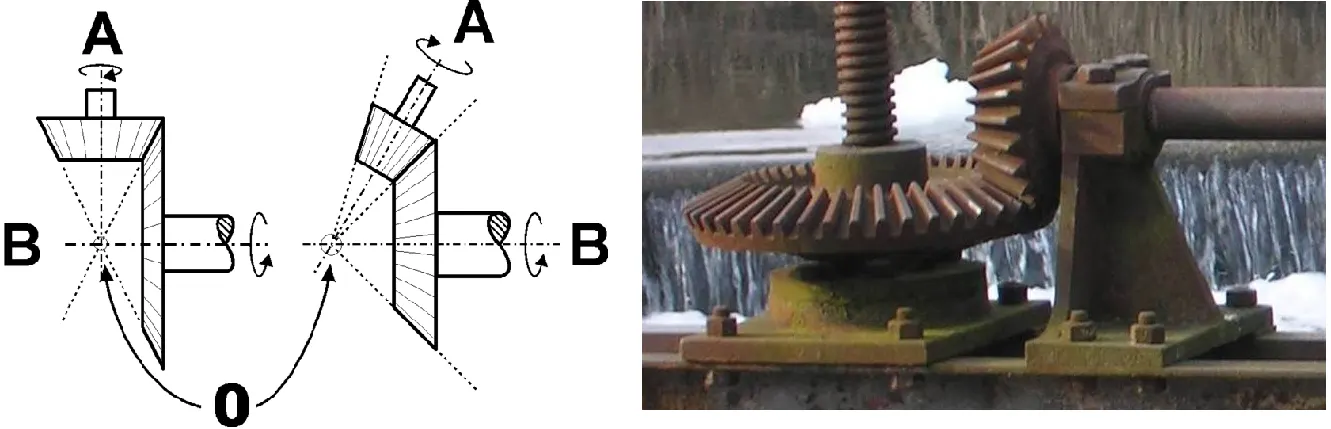
- Two important concepts in gearing are pitch surface and pitch angle. The pitch surface of a gear is the imaginary toothless surface that you would have by averaging out the peaks and valleys of the individual teeth. The pitch surface of an ordinary gear is the shape of a cylinder. The pitch angle of a gear is the angle between the face of the pitch surface and the axis.
- The most familiar kinds of bevel gears have pitch angles of less than 90 degrees and therefore are cone-shaped. This type of bevel gear is called external because the gear teeth point outward. The pitch surfaces of meshed external bevel gears are coaxial with the gear shafts; the apexes of the two surfaces are at the point of intersection of the shaft axes.
- Bevel gears that have pitch angles of greater than ninety degrees have teeth that point inward and are called internal bevel gears.
- Bevel gears that have pitch angles of exactly 90 degrees have teeth that point outward parallel with the axis and resemble the points on a crown. That's why this type of bevel gear is called a crown gear.
- MITRE gears are mating bevel gears with equal numbers of teeth and with axes at right angles.
- Skew bevel gears are those for which the corresponding crown gear has teeth that are straight and oblique.
Types of Bevel Gears:
- Straight Bevel Gears
- Spiral Bevel Gears
- Zerol Bevel Gears
- Hypoid Bevel Gears
______________________________________________________________________________________________________________________________________
Parametric Study:
One of the best ways to get value out of your simulation is to do parametric analysis. With very little marginal work a completed model can be parameterized to simulate scenarios limited only by your computational time and resources.
As you move forward in your design, you can assess the impact that changing certain parameters can have on the design. The parameters can include dimensional parameters. Parametric studies allow you to nominate parameters for evaluation, define the parameter range, specify the design constraints, and analyze the results of each parameter variation.
A parametric study requires the following:
- Design Objective is set to Parametric Dimensions
- Parameters nominated for use in the simulation
- Parameter ranges identified
- Design criteria specified
- Various configurations generated
When you have the configurations generated you can then evaluate your simulation. You can further refine the parameters or design constraints until satisfied with the results.
Once you determine that a configuration satisfies your design needs, you are able to promote that configuration back to the model as a CAD edit. You are prompted whether to make changes.
______________________________________________________________________________________________________________________________________
Grid Dependency Test:
Grid dependency test is to investigate how the solution depends on the grid size by running the simulation with refined mesh that is finer the mesh, higher is the accuracy of the result but with additional cost on computation time and computational power. Since, solutions are interpolated at the nodes to get an approximate result, higher the number of nodes and elements higher is the computational time and power required to complete the simulation.
So, the grid dependency test helps in determining optimal mesh size where the accurate result could be obtained keeping in the mind the cost of time and power. Since the result obtained are approximate, refining mesh further would result in negligible per cent change is the result but only increase the computational cost.
______________________________________________________________________________________________________________________________________
Geometry:
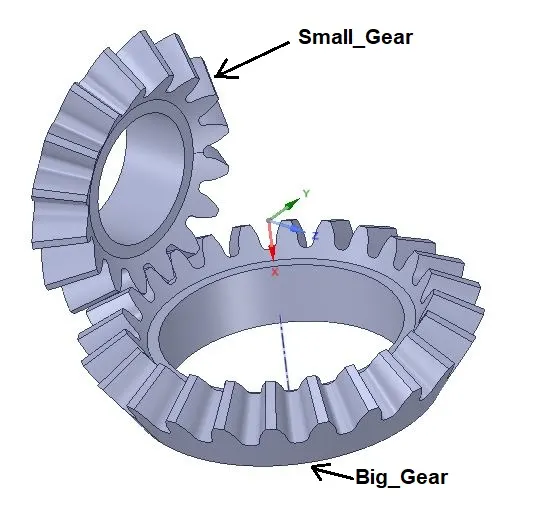
________________________________________________________________________________________________________________________
Analysis:
- Here we will do grid dependency test on Bevel gears.
- For dependency test, we will use mesh of the global element size as 6 mm, 5 mm and 4 mm in three different cases.
- Cases according to mesh size for the grid dependency test will be as described below:
CASE_1: 6 mm
CASE_2: 5 mm
CASE_3: 4 mm
______________________________________________________________________________________________________________________________________
Procedure:
- Open Static Structural and in SpaceClaim, import geometry named as “Skill_Lync_Bevel_Gear.igs”.
- After importing geometry, we can see unwanted volume in gear. So for removing it cut out the Diameter 45 mm from Big Gear and Diameter 25 mm from Small Gear with help of “MOVE” option as shown below.
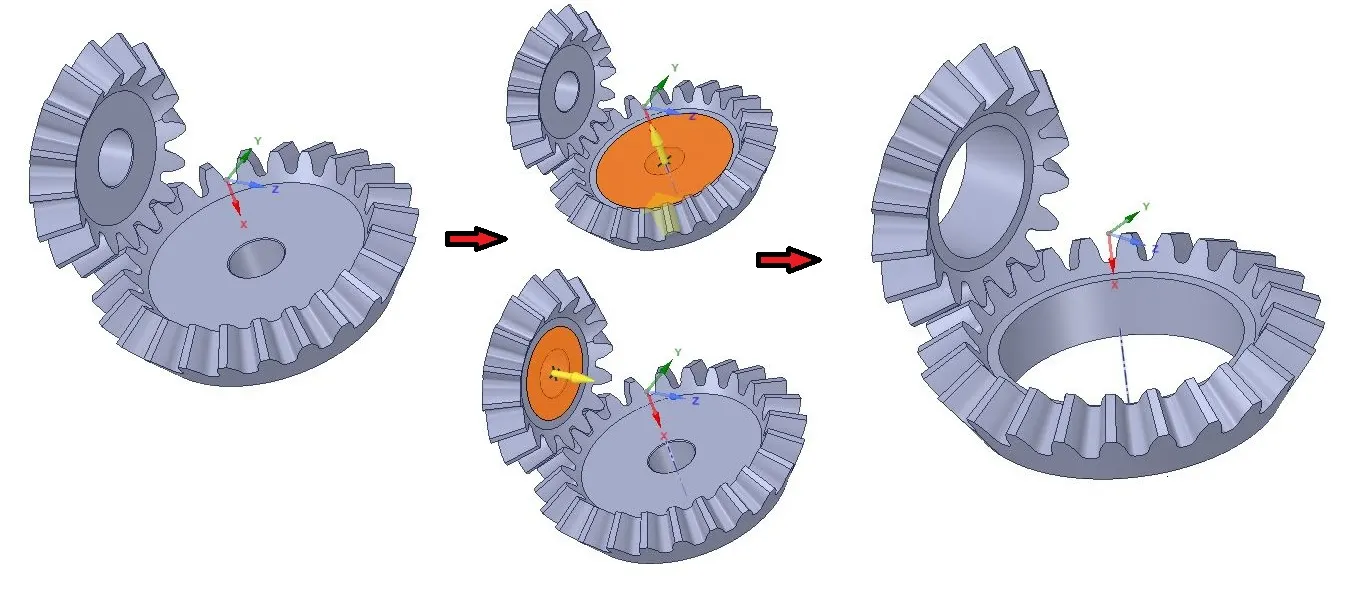
- After finalizing geometry, go to the Mesh.
Mesh Details:
- Create Mesh with global mesh size 6 mm.
- Give “face Sizing” and select all faces of both gears and give element size = 1.75mm.
- After giving values generate mesh as shown below:
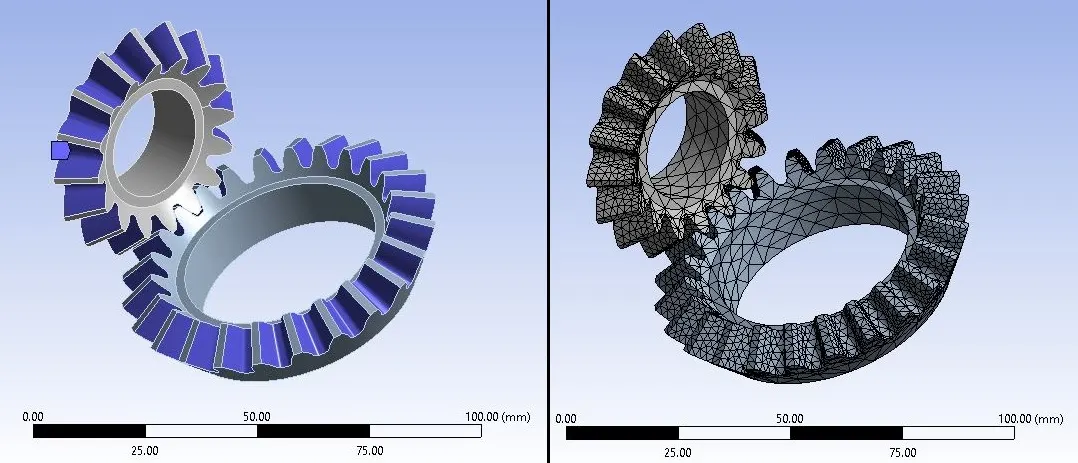
Global Mesh size = 6 mm
Face sizing = 1.75 mm
No. of Nodes: 25946
No. of Elements: 13861
Connections Details:
Contacts: Contact Body = Small Gear (Faces = 16)
Target Body = Big Gear (Faces = 24)
Type: Frictional
Behavior = Symmetric
Formulation = Augmented Lagrange
Interface Treatment: Adjust to Touch
Joints: Joint_1
Connection Type: Body-Ground
Type: Revolute
Body: Big Gear
Joint_2
Connection Type: Body-Ground
Type: Revolute
Body: Small Gear
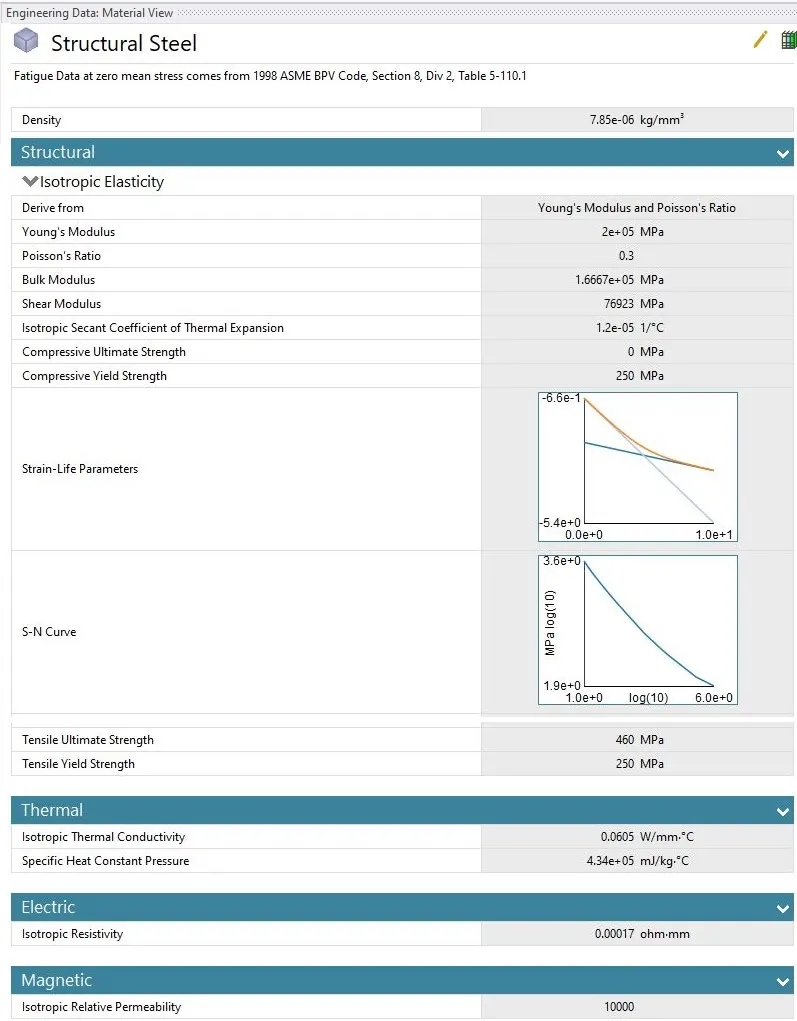
Material Specifications:
Boundary Conditions:
- Here we are going to look at contact forces, traces and stress developed for revolution of gear. So for 120 degree angle , In analysis settings give values as given below:
No. of Steps = 6
Auto Time stepping = ON
Defined by = Time
Initial Time Step = 0.1 s
Minimum Time Step = 0.05 s
Maximum Time Step = 0.2 s
- Select “Large Deflection on”.
- Other Boundary conditions for joints are as given below:
- Joint Load :
Joint: Revolute – Ground to Big_Gear
Type: Moment
Magnitude: Tabular Data
Boundary Conditions:
- Here we are going to look at contact forces, traces and stress developed for revolution of gear. So for 120 degree angle , In analysis settings give values as given below:
No. of Steps = 6
Auto Time stepping = ON
Defined by = Time
Initial Time Step = 0.1 s
Minimum Time Step = 0.05 s
Maximum Time Step = 0.2 s
- Select “Large Deflection on”.
- Other Boundary conditions for joints are as given below:
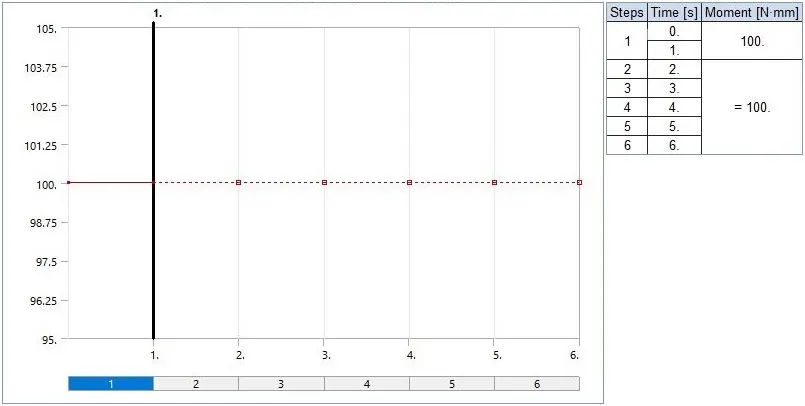
(1) Joint Load :
Joint: Revolute – Ground to Big_Gear
Type: Moment
Magnitude: Tabular Data
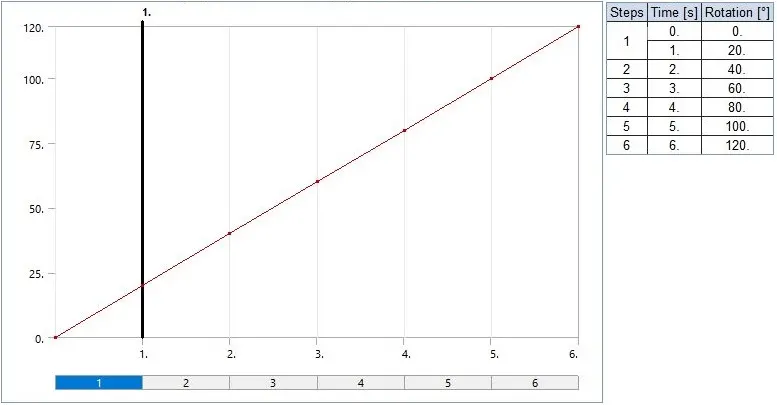
(2) Joint Load :
Joint: Revolute – Ground to Small_Gear
Type: Rotation
Magnitude: Tabular Data
Solution:
- After giving proper boundary conditions, create desired solutions for output results.
- Create Solutions for “Equivalent (Von Mises) Stress”, “Equivalent (Von Mises) Strain” and “Total Deformation”.
Parameterization:
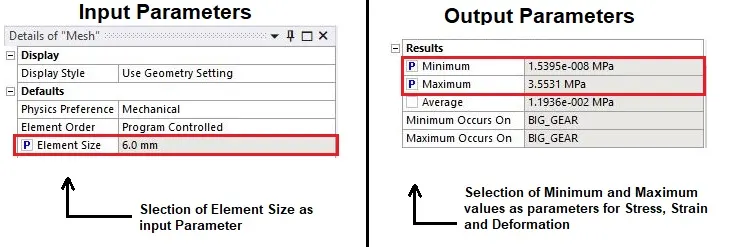
- Now before solving for requested results, we have to give parameters to Input as well as Output side.
- For Input parameters, we will give Mesh size and for Output parameters, we can give Minimum and maximum values for stress, strain and deformation results.
- So we can select check boxes given for input and output parameters as their locations as given below:
- After creation of Parameters, solve the results and close mechanical Module.
- We can see Parameter Set has been activated as given below:
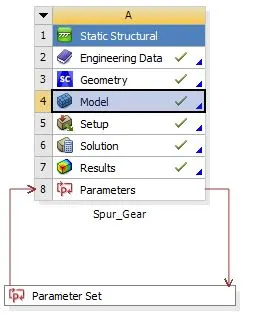
- By opening Parameter Set, we can see all Parameters in details as given below:
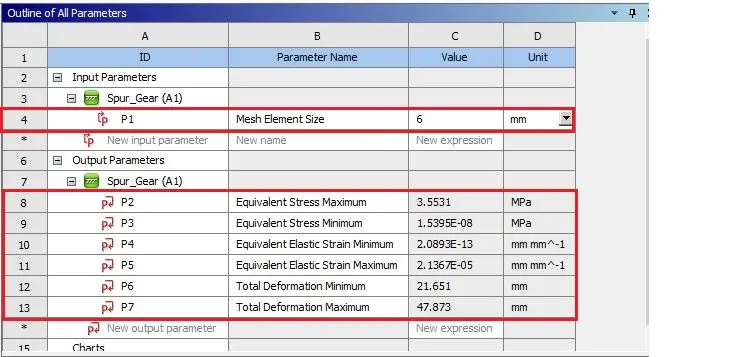
- In above image, we can see Input parameter as P1 and Output parameters from P2 to P7 in highlighted portion.
- We can also see Design point we created as given below:
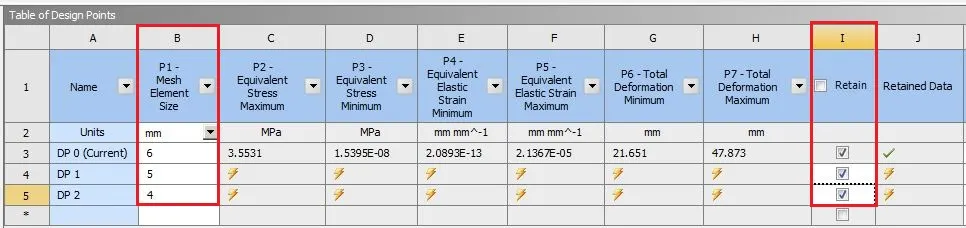
- Create new design points for 5 mm and 4 mm mesh and make sure that “Retain” option is enabled.
- After giving all design points select “Update All Design Points” and get results for all design points.
- Results for updated design points will be as given below:
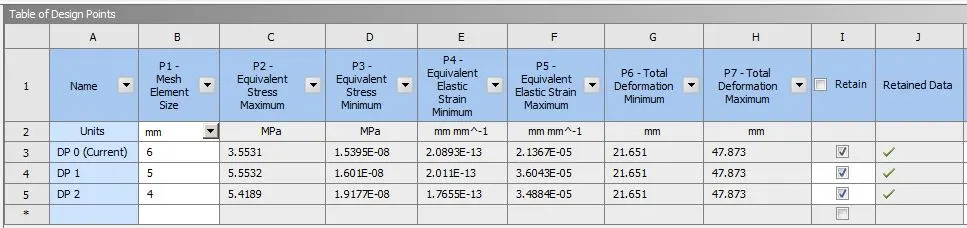
- So we can get all results very easily and fast by giving parameters as shown in above image.
______________________________________________________________________________________________________________________________________
Results:
By setting each Design Point as current, we can get results for each case as below:
CASE_1: 6 mm
Stress Contours:
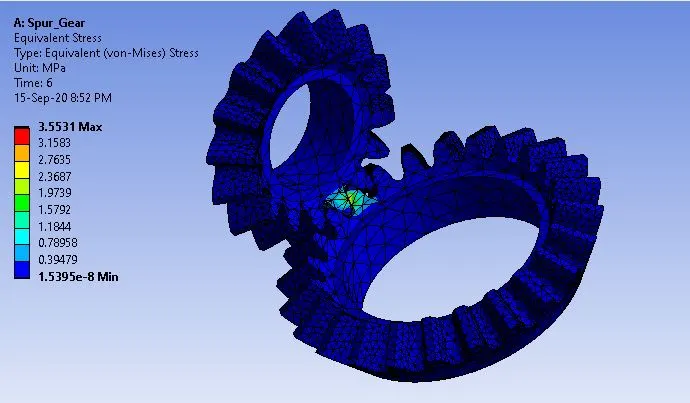
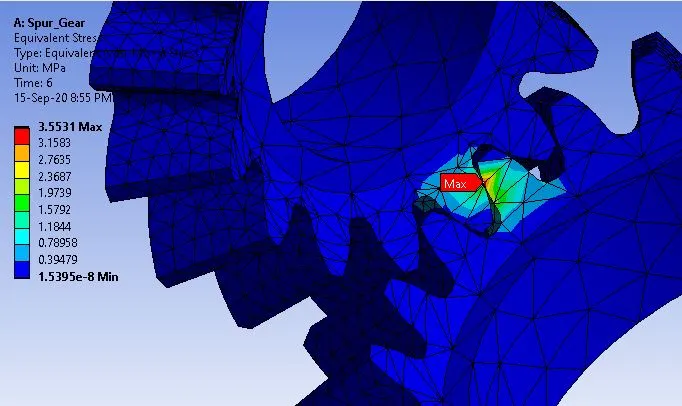
Stress Plot:
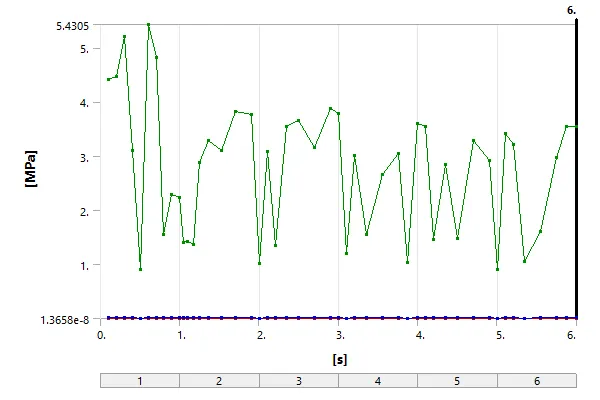
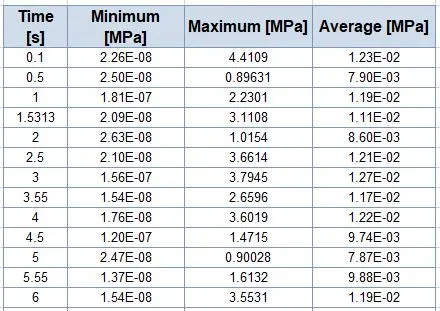
Detailed Stress Values:
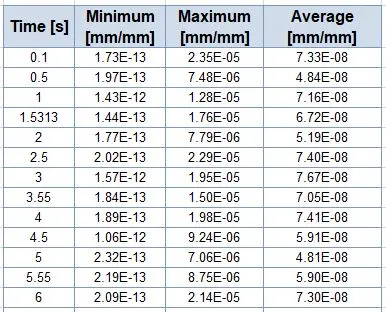
- Stress data given below has been short listed for convenience.
Strain Contours:
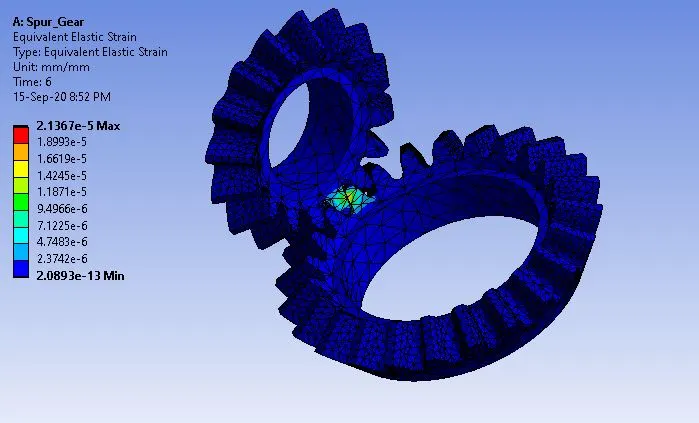
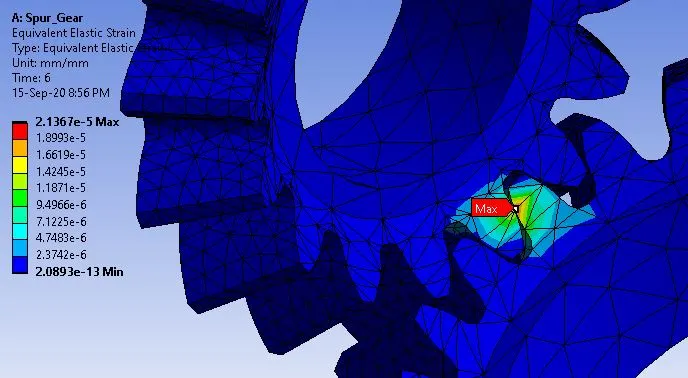
Strain Plot:
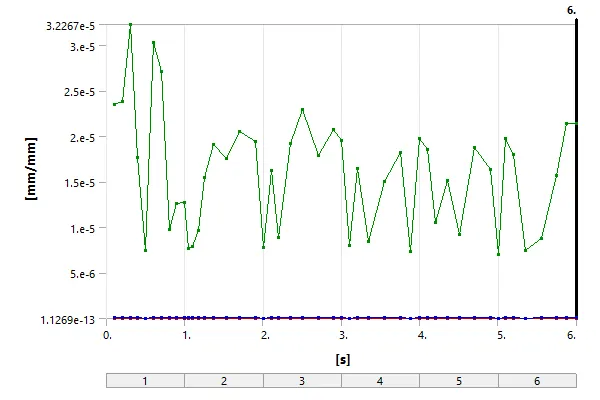
Detailed Strain Values:
Deformation Contours:
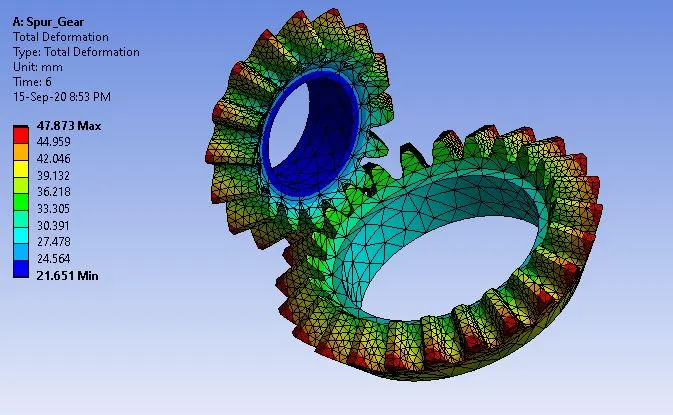
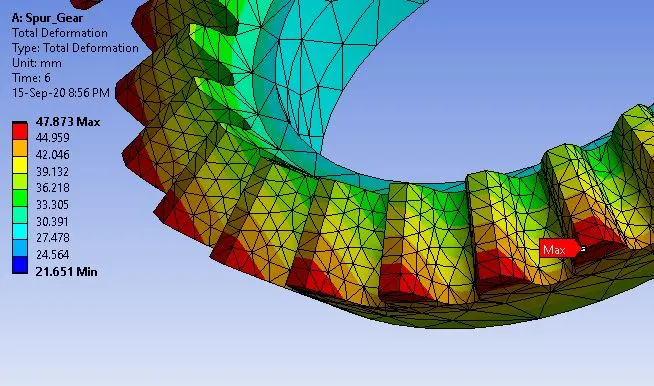
Deformation Plot:
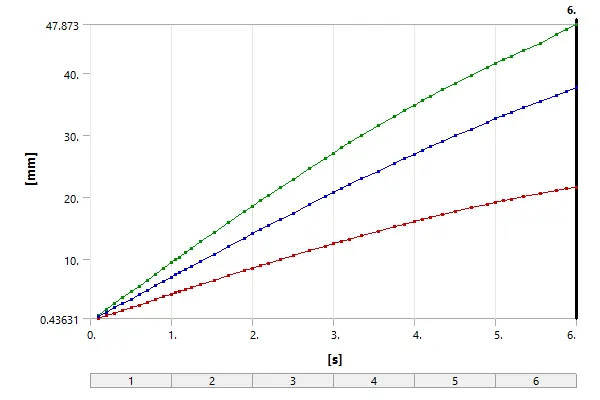
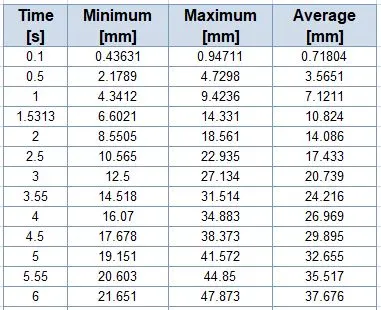
Detailed Deformation Values:
_ _ _ _ _ _ _ _ _ _ _ _ _ _ _ _ _ _ _ _ _ _ _ _ _ _ _ _ _ _ _ _ _ _ _ _ _ _ _ _ _ _ _ _ _ _ _ _ _
CASE_2: 5 mm
Stress Contours:
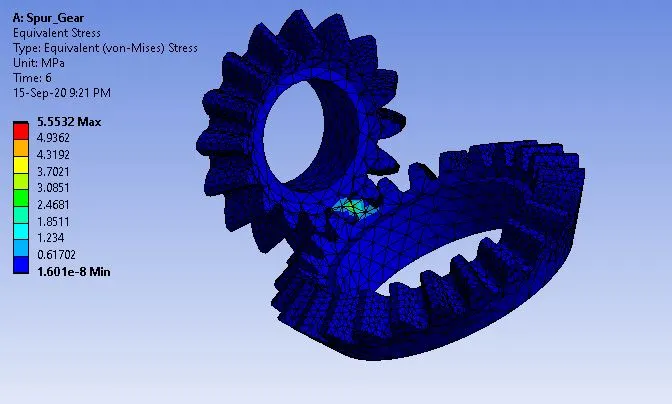
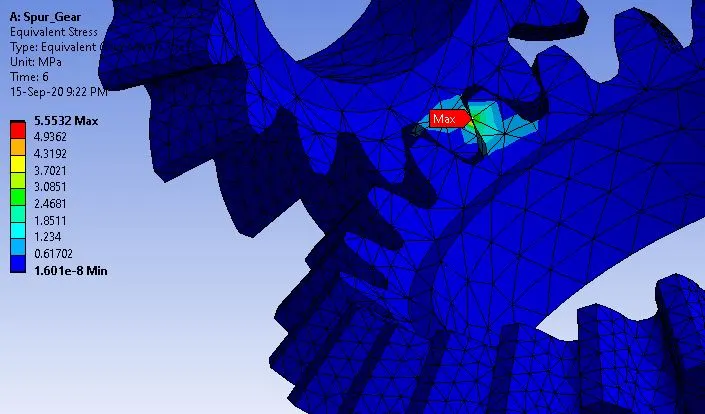
Stress Plot:
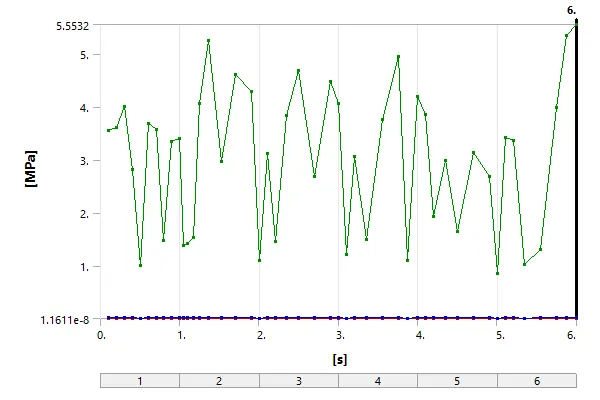
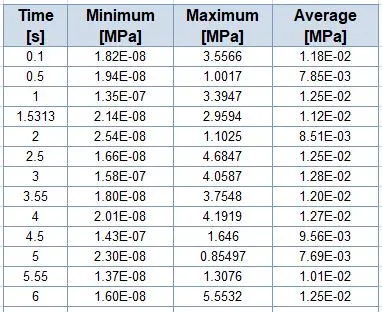
Detailed Stress Values:
- Stress data given below has been short listed for convenience.
Strain Contours:
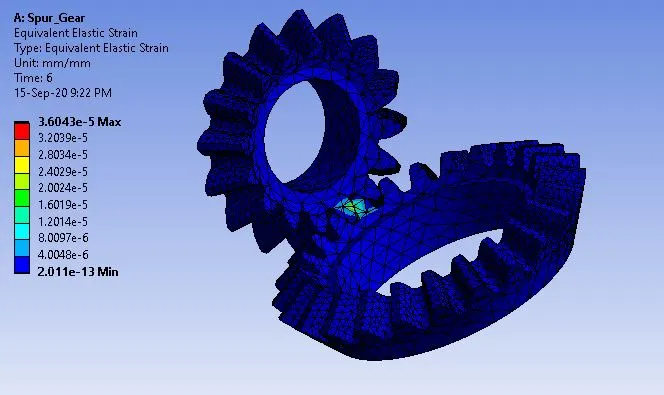
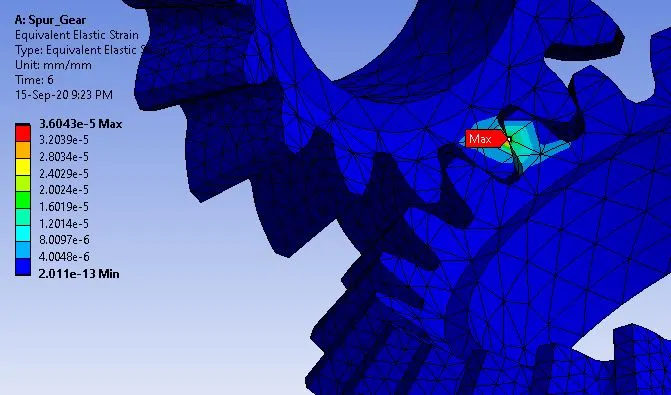
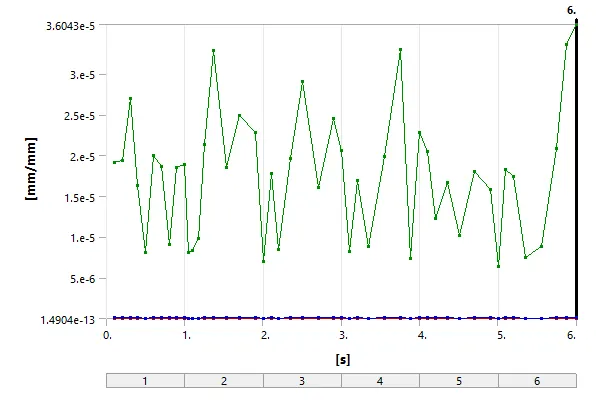
Strain Plot:
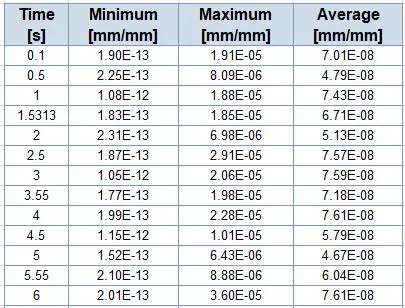
Detailed Strain Values:
Deformation Contours:
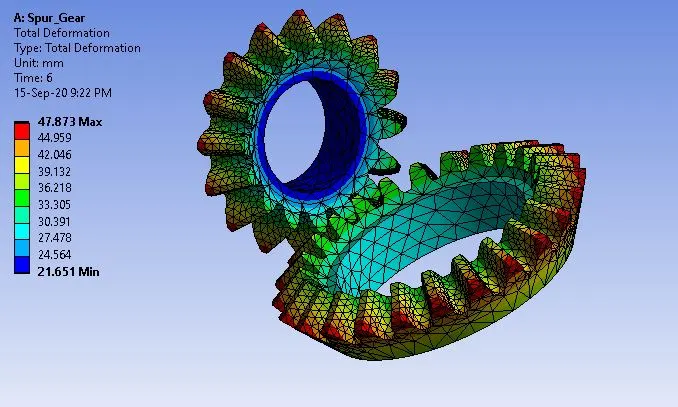
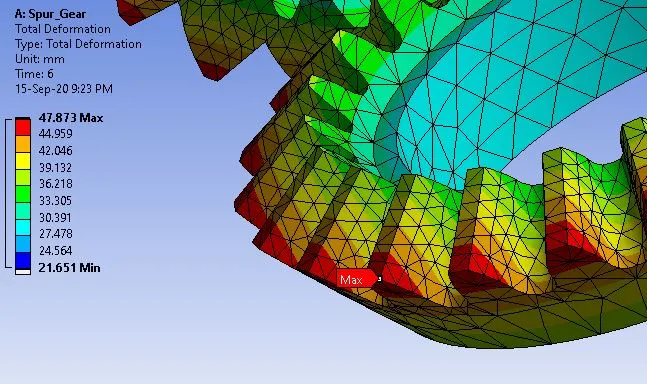
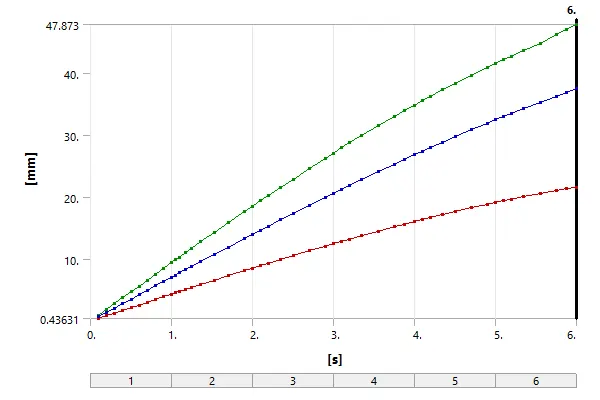
Deformation Plot:
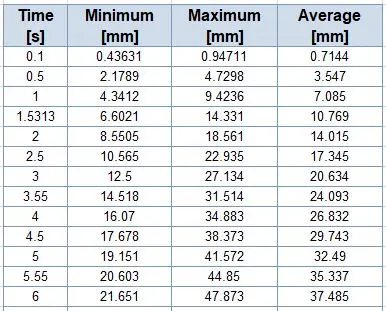
Detailed Deformation Values:
_ _ _ _ _ _ _ _ _ _ _ _ _ _ _ _ _ _ _ _ _ _ _ _ _ _ _ _ _ _ _ _ _ _ _ _ _ _ _ _ _ _ _ _ _ _ _ _ _
CASE_3: 4 mm
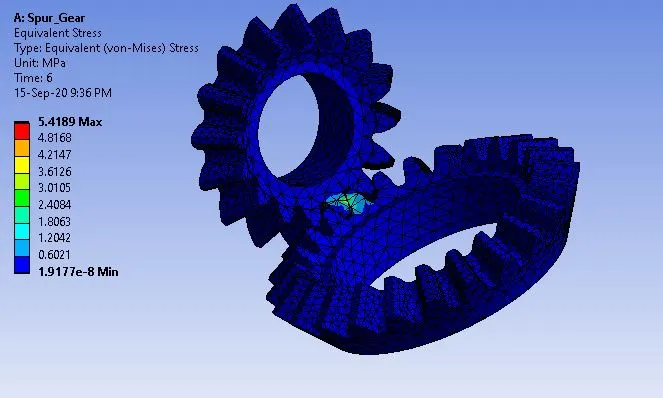
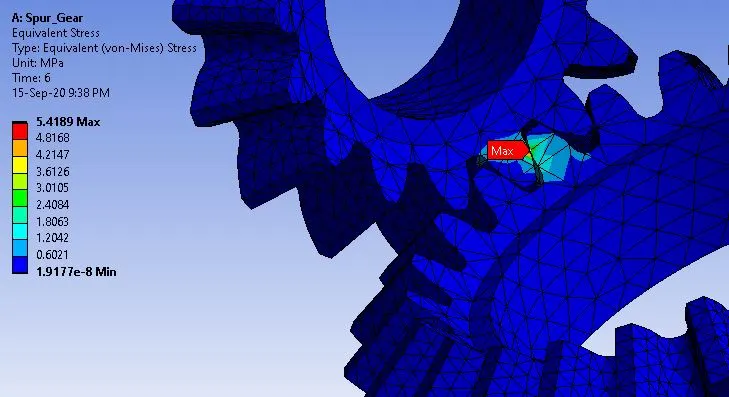
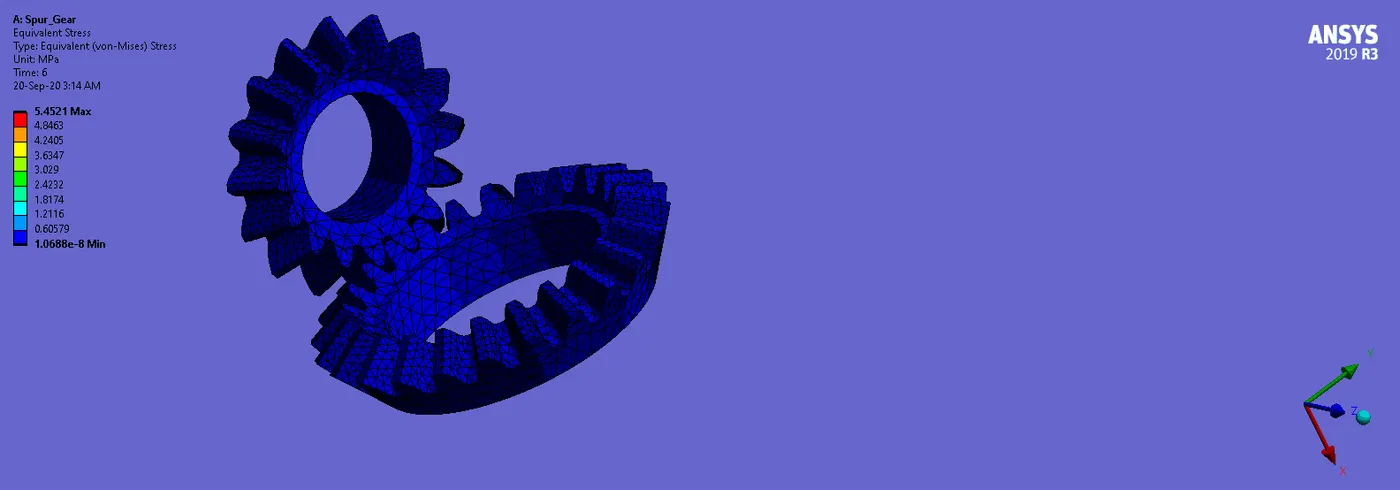
Stress Contours:
Stress Plot:
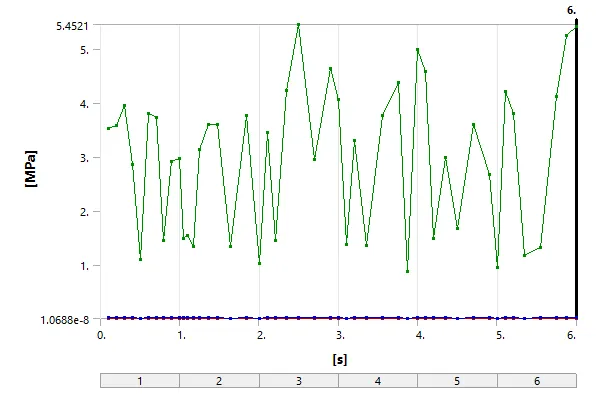
Detailed Stress Values:
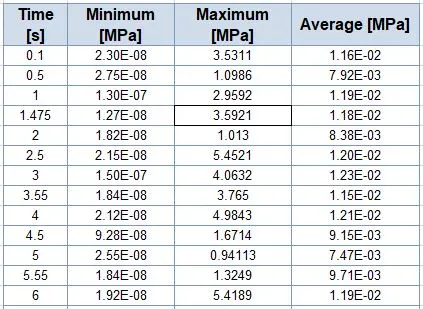
- Stress data given below has been short listed for convenience.
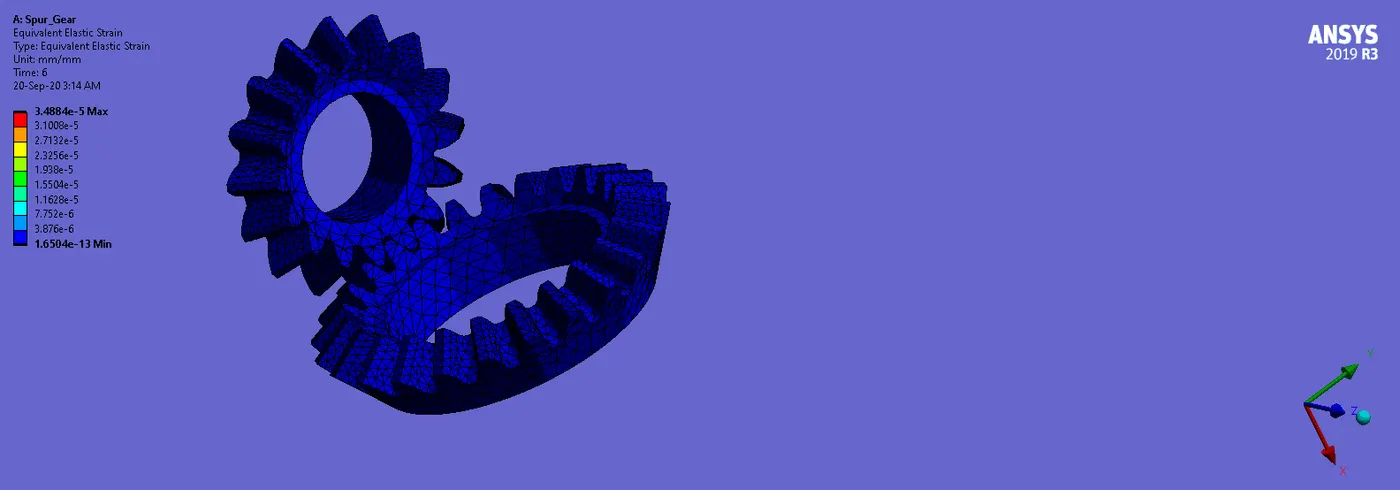
Strain Contours:
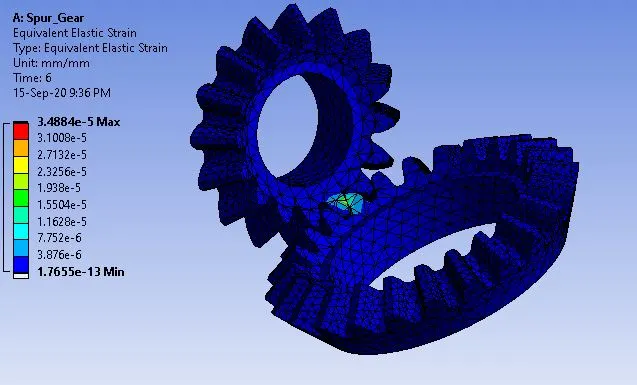
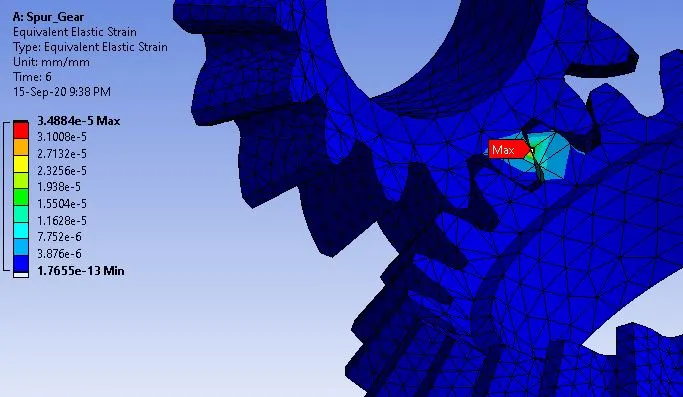
Strain Plot:
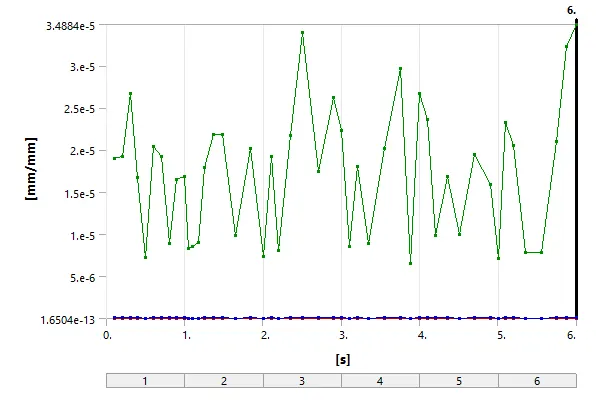
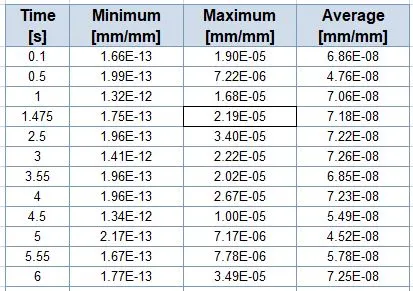
Detailed Strain Values:
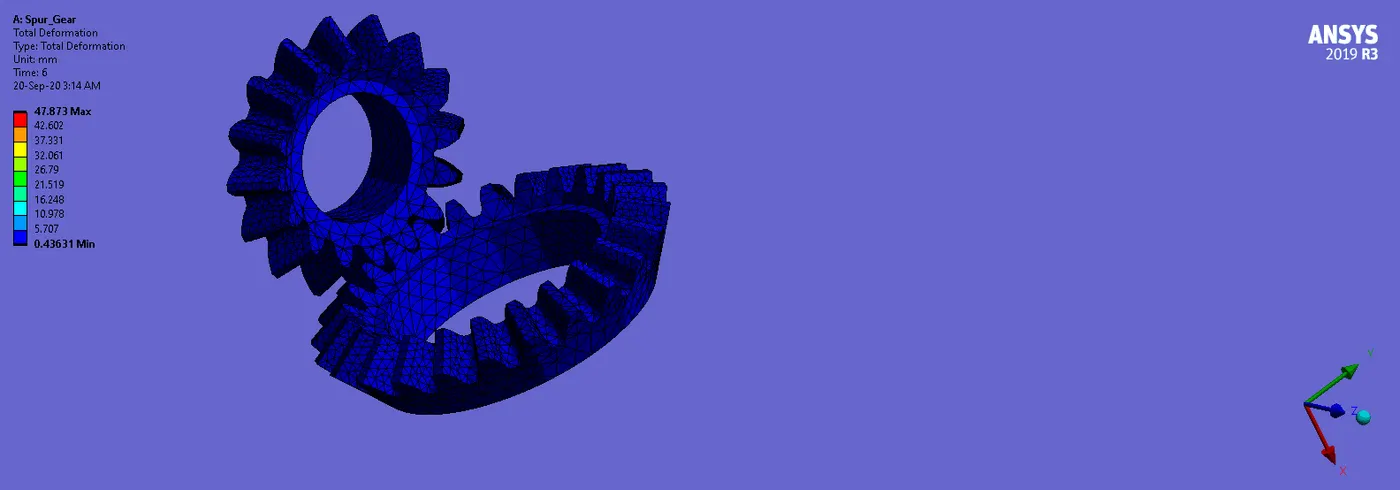
Deformation Contours:
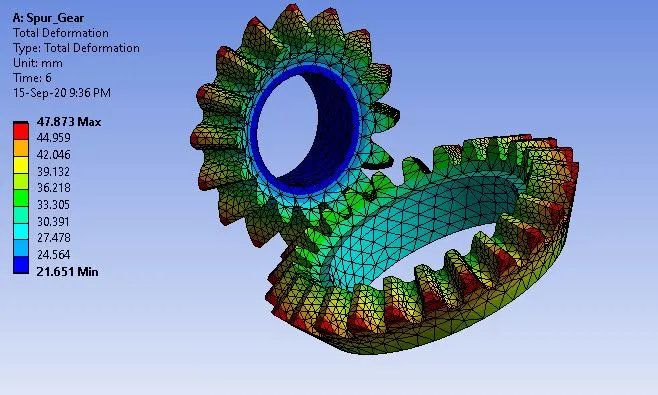
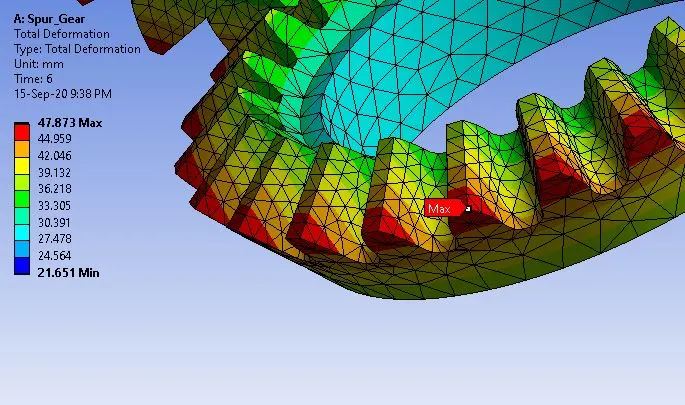
Deformation Plot:
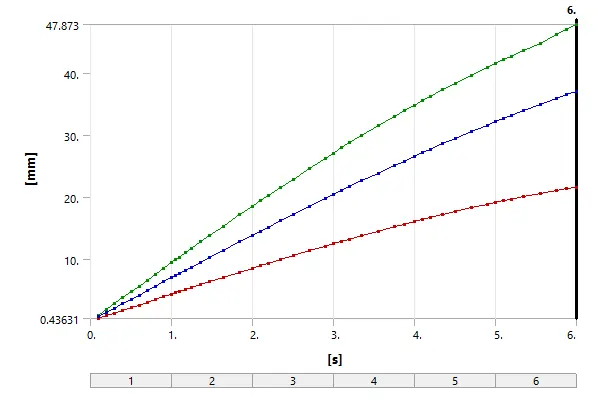
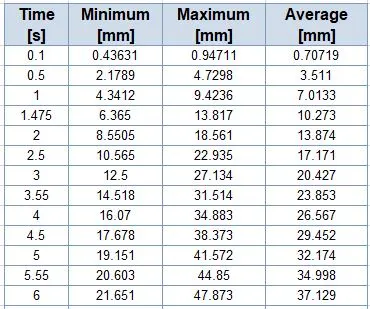
Detailed Deformation Values:
________________________________________________________________________________________________________________________
Comparison:
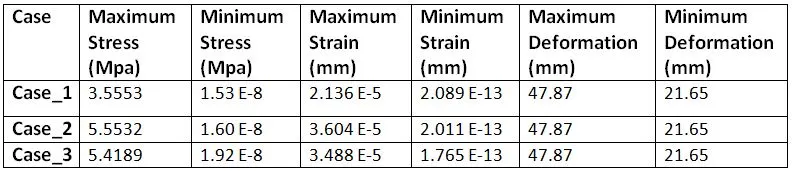
- From above table, we can see that Case_2 and Case_3 are nearly similar and Case_1 values are lower in comparison.
- Also we can see that maximum deformation occurs on Big Gear due to moment.
For more comparative solution on grid test we will see the Plot of Maximum Stress Vs Time for all three cases as given below:
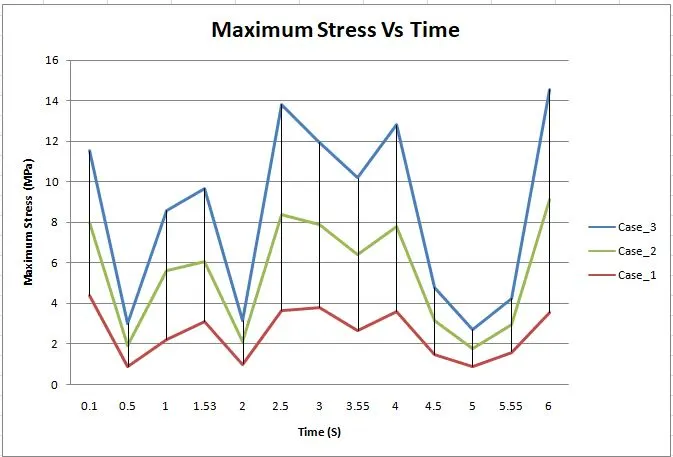
- Here we can see that line plot of Case_2 is better than Case_1 and plot of Case_3 is better than Case_2.
- In Case_3 there are more elements and nodes due finer mesh compared to Case_1 and Case_2.
- So results are better calculated for Case_3 with higher number of elements.
________________________________________________________________________________________________________________________
Conclusion:
Grid Dependency test has been performed and From the above table and plot, we can conclude performing grid dependency test on bevel gear by varying the global size of the mesh we achieve much better accuracy of the result. We can observe that as the mesh is refined from 6mm to 5mm and 5mm to 4mm we achieve better approximate of the result for equivalent elastic strain and equivalent stress, however, performing the simulation with further refining the mesh would result in a very close approximation of the result but with very negligible change in the result with an additional on the computational power and time.
________________________________________________________________________________________________________________________
Reference:
- https://en.wikipedia.org/wiki/Bevel_gear#:~:text=Bevel%20gears%20are%20gears%20where,bevel%20gears%20is%20a%20cone.
- http://www.edsl.myzen.co.uk/downloads/misc/3D%20CFD%20Scaling%20Grid%20Independence%20Test.pdf
- https://www.ansys.com/-/media/ansys/corporate/resourcelibrary/article/aa-v2-i1-parametric-design-analysis.pdf
________________________________________________________________________________________________________________________
Animations:
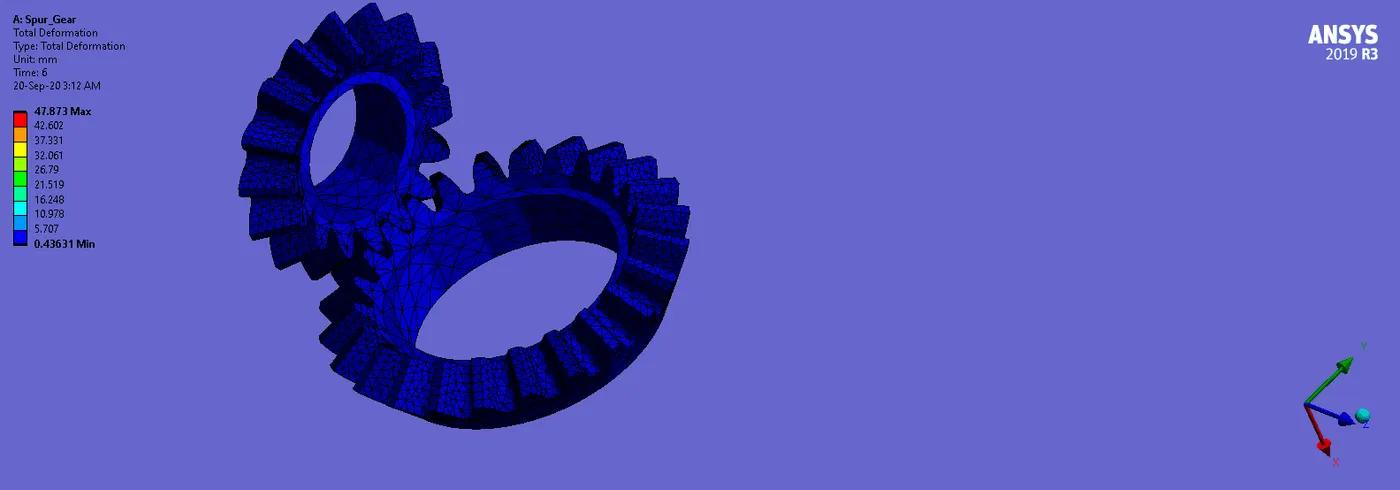
CASE_1:
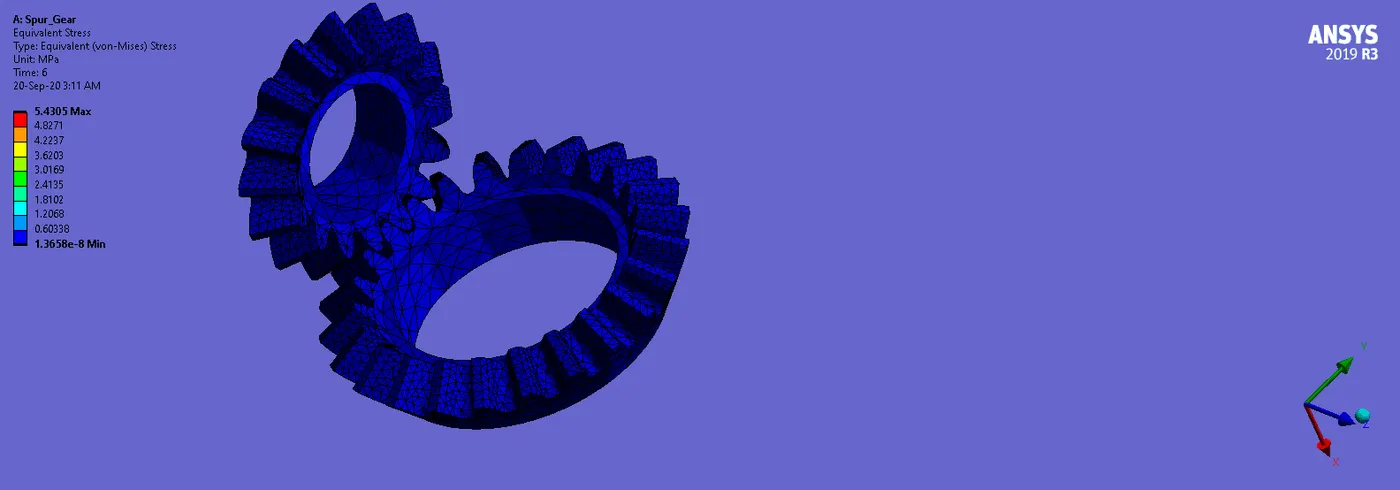
Stress:
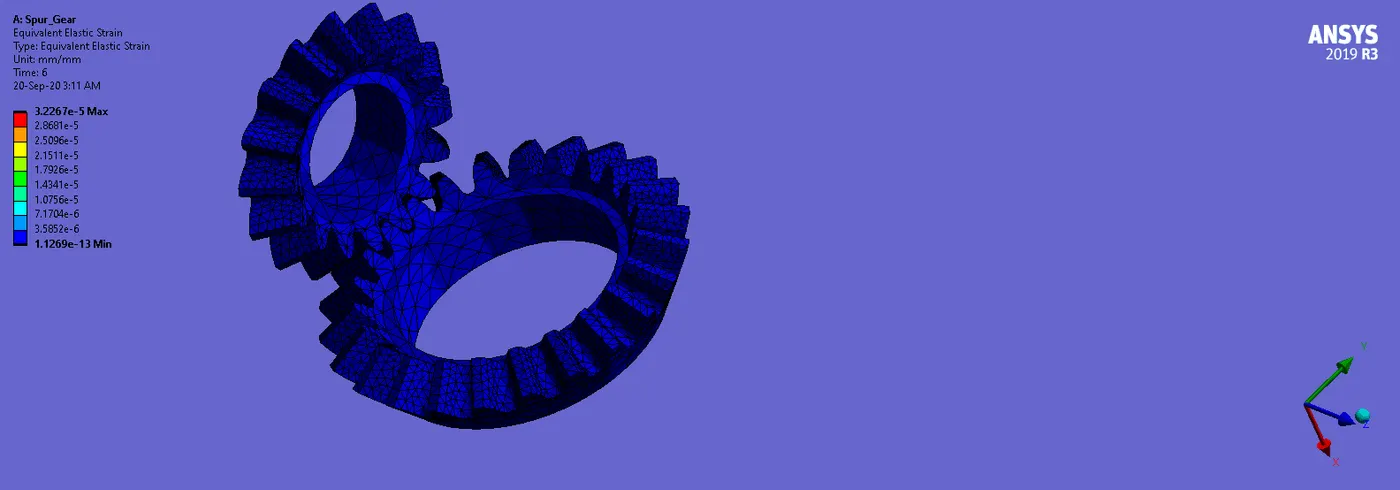
Strain:
Deformation:
_ _ _ _ _ _ _ _ _ _ _ _ _ _ _ _ _ _ _ _ _ _ _ _ _ _ _ _ _ _ _ _ _ _ _ _ _ _ _ _ _ _ _ _ _ _ _ _ _ _ _ _ _ _ _ _ _ _ _ _ _ _ _ _ _ _ _ _ _ _ _ _ _
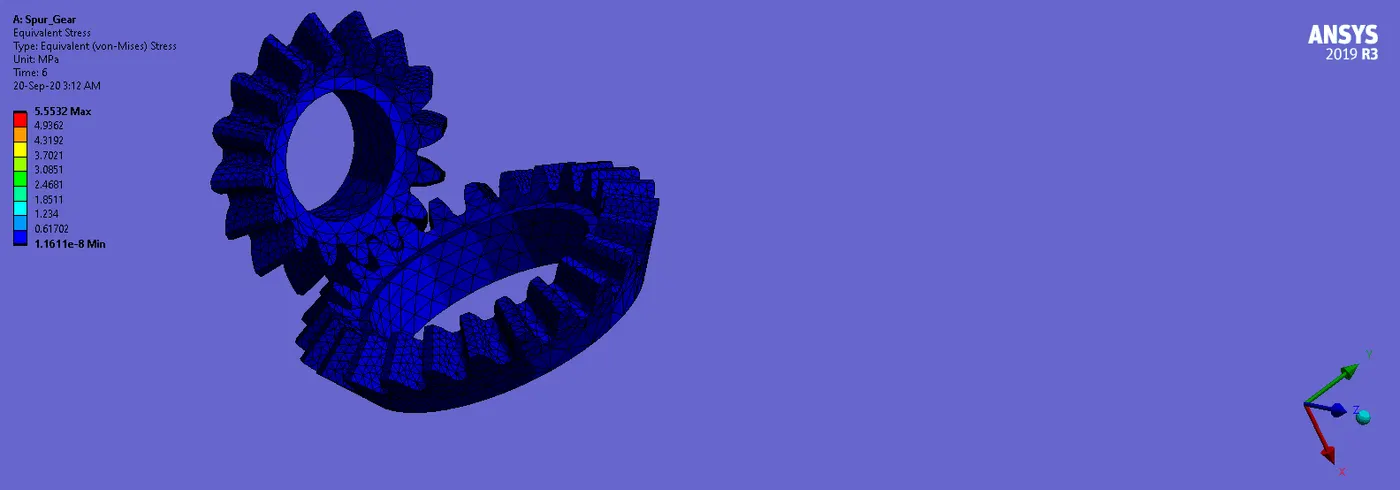
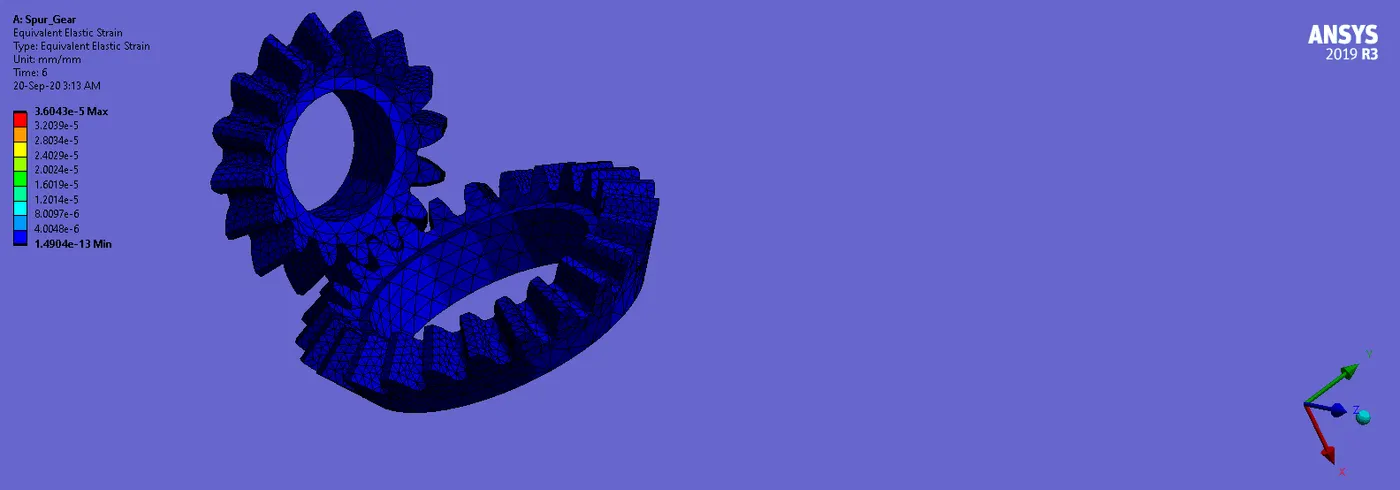
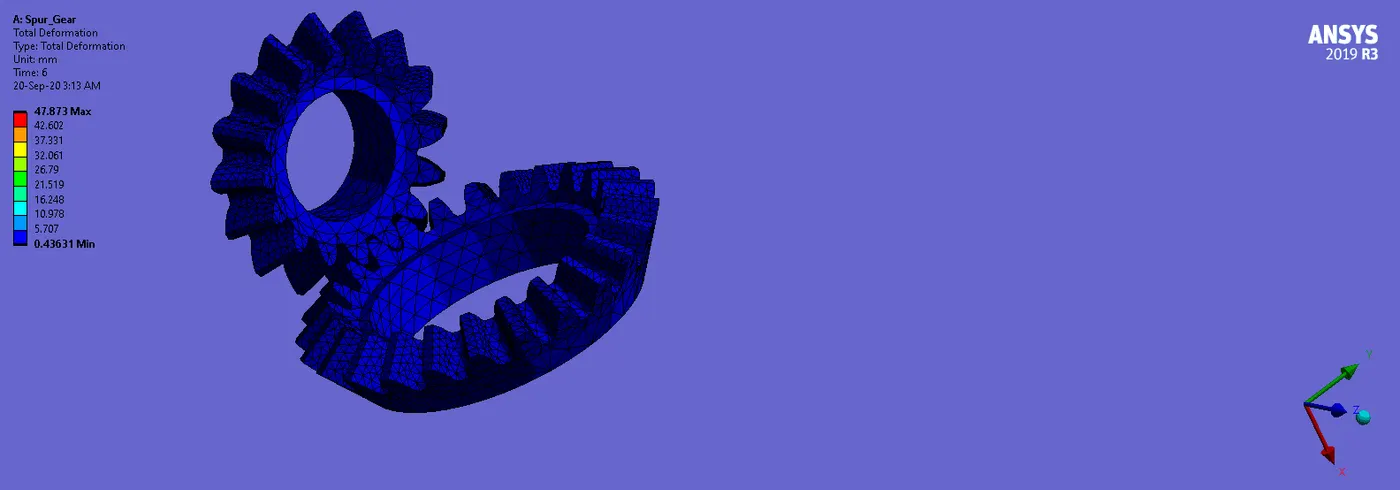
CASE_2:
Stress:
Strain:
Deformation:
_ _ _ _ _ _ _ _ _ _ _ _ _ _ _ _ _ _ _ _ _ _ _ _ _ _ _ _ _ _ _ _ _ _ _ _ _ _ _ _ _ _ _ _ _ _ _ _ _ _ _ _ _ _ _ _ _ _ _ _ _ _ _ _ _ _ _ _ _ _ _ _ _
CASE_3:
Stress:
Strain:
Deformation:
________________________________________________________________________________________________________________________
NOTE:
Due to large size of the Ansys file, i have attatched a link for the Ansys .wbpz file in below "Model Browse" area.
Kindly find attatched link via word document.
________________________________________________________________________________________________________________________
Thanks & Regards,
Dharmesh Joshi