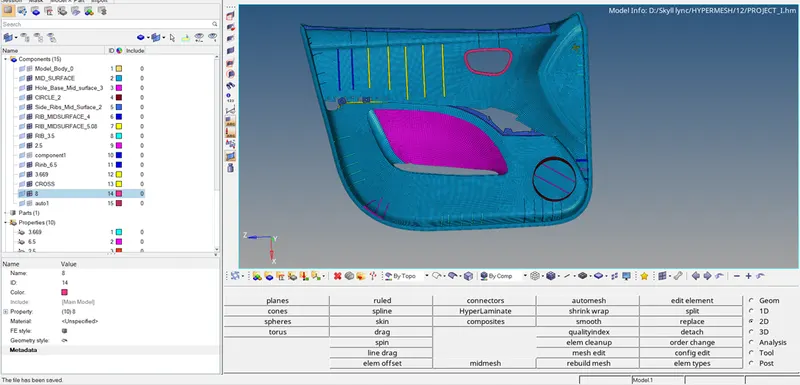
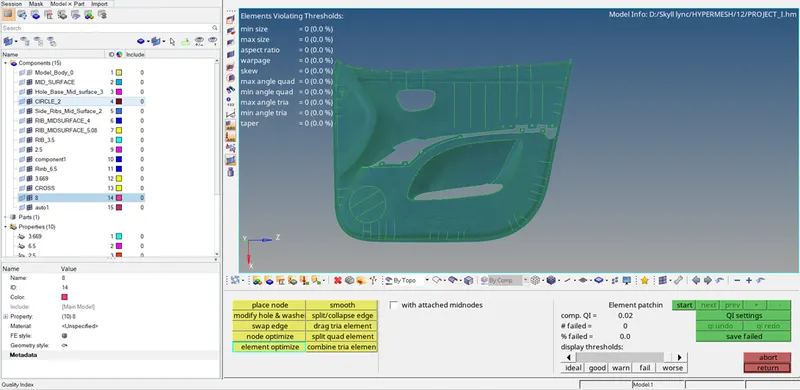
Week 12:Project-1-Meshing of Door Inner Panel Challenge
AIM: Perform pre-processing, for car side door panel by eliminating geometrical error, using hypermesh preprocessing software.
OBJECTIVE:
- Generate mid surface manually and perform geometry clean-up on the component.
- Generate mesh with proper mesh flow, with target element size 4 unit.
- Check the quality of the element according to the given quality criteria.
|
S.N |
Quality Criteria |
Value |
|
1 |
Aspect Ratio |
5 |
|
2 |
Skewness |
45 |
|
3 |
Warping |
15 |
|
4 |
Taper |
0.5 |
|
5 |
Min. Length |
2 Units |
|
6 |
Max. Length |
6 Units |
|
7 |
Min angle Quad |
45 |
|
8 |
Max angle Quad |
135 |
|
9 |
Min angle Tria |
20 |
|
10 |
Max angle Tria |
120 |
|
10 |
Tria % |
10 |
THEORY:
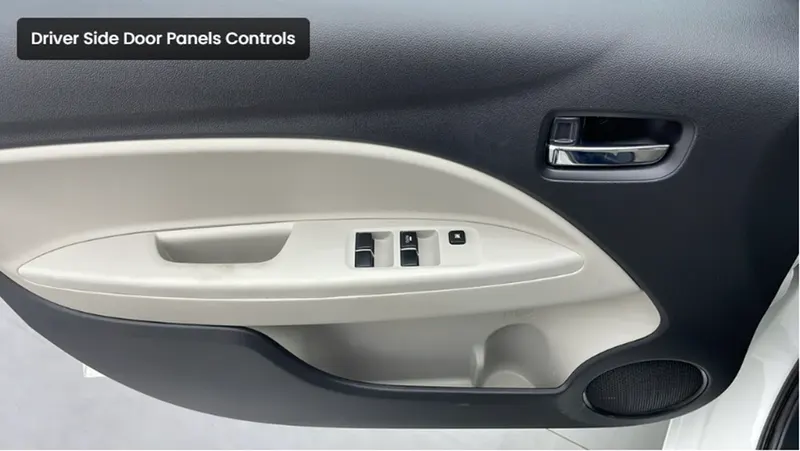
Car side door panel is an inner part of the car door, which is ideally plastic part. Whose function is to cover wire harness, lock, and different mechanical component which control glass window movement, and speaker. Hence it should be durable with high strength and toughness with good impact resistance
PROCEDURE:
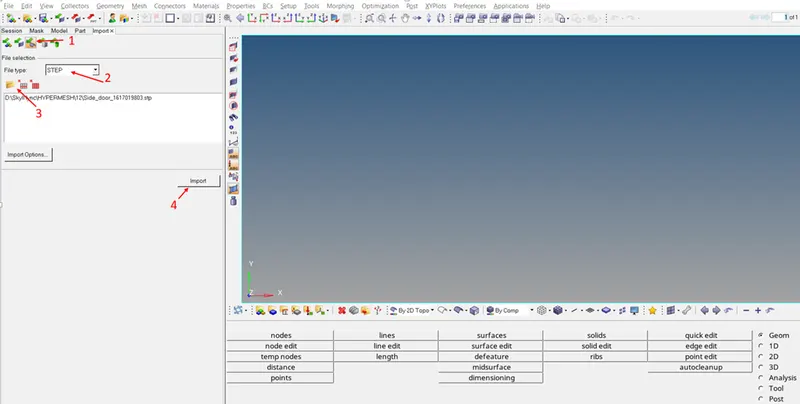
- Firstly need to import a .stp file of side door.
Import > Import geometry > File type (Step) > select file > Import.
- After import of the model, change the geometry color mode to by TOPO, so that construction line are visible properly.
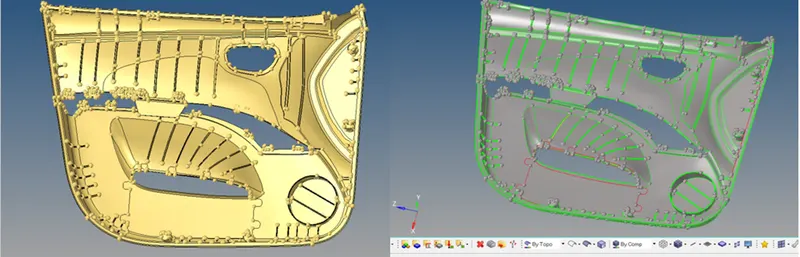
- Now, we need to check the construction line properly, like remove free edges, check surface deformation and rework on that, remove fillets for proper mesh flow.
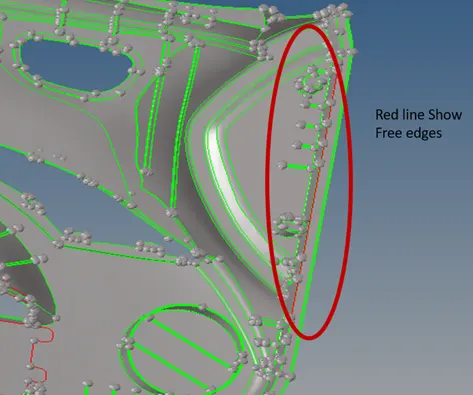
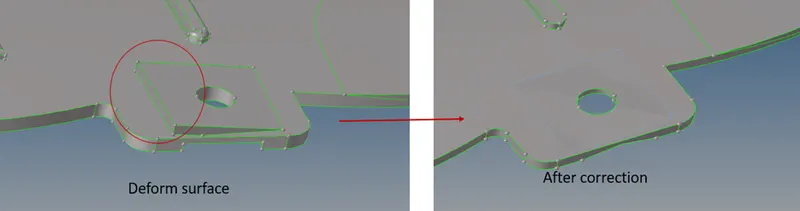
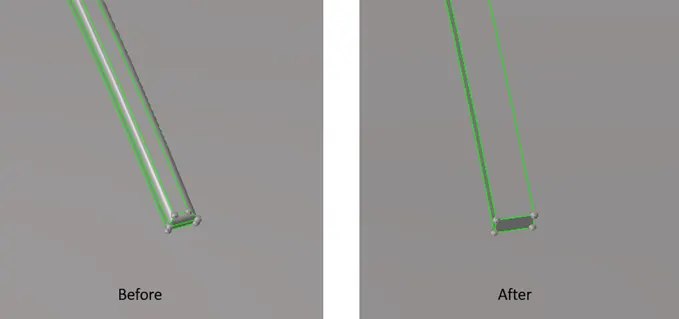
- After performing geometry clean-up, now mid-surface has to be created. Before that new component has to be created.
Geom > surface edit > offset > select surface > give offset value (half of the thickness) > check vector normal > offset.
- Check again mid surface like construction line and surface deformation.
- Tools used in improving mid-surface.
- Trim with surface/ plane
- Extend
- Surface (Ruled)
- Delete surface
- Split surface
- Replace point
- Toggle edge
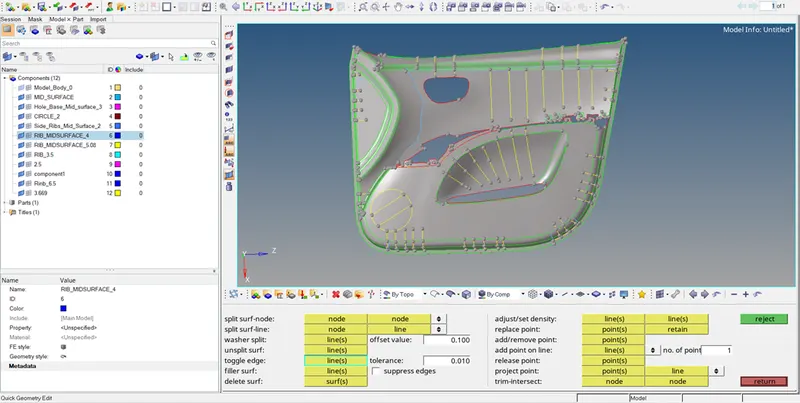
- Now we need to create a mesh.
2D > automesh > element size 4 > select surface > mesh.
- After creating a mesh, mesh quality has to check, and need to improve the mesh quality.
- At last, need to provide thickness.
Firstly create a property and provide thickness and then assign it to the component.