Project 2 - 2D meshing on the instrumental Panel
AIM: Prepare a post-processing for Instrumental panel by eliminating geometrical error, using ANSA pre-processing software.
OBJECTIVE:
- Generate mid-surface manually and perform geometry clean-up on the component.
- Generate mesh with proper mesh flow, with target element size of 4 unit.
- Check the quality of the element according to the given quality criteria.
|
S.No. |
Quality criteria |
Value |
|
1 |
Aspect ratio |
3 |
|
2 |
Skewness |
45 |
|
3 |
Warping |
15 |
|
4 |
Jacobian |
0.7 |
|
5 |
Min. Length |
2 Unit |
|
6 |
Max. Length |
6 Unit |
|
7 |
Min angle Quad |
45 |
|
8 |
Max angle Quad |
135 |
|
9 |
Min angle Tria |
30 |
|
10 |
Max angle Tria |
120 |
|
11 |
Tria % |
15 |
THEORY:
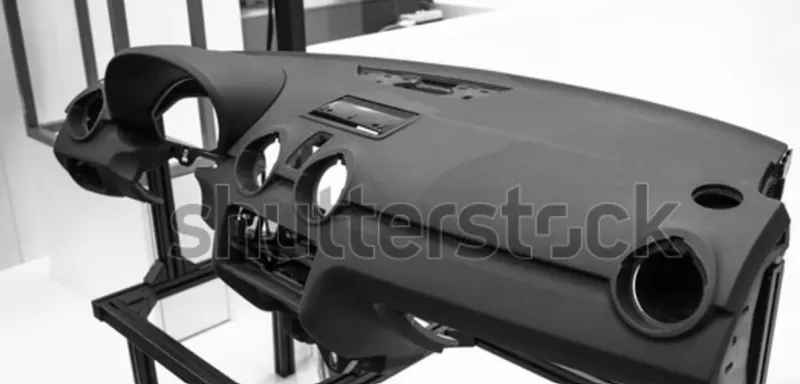
The car’s instrumental panel is a plastic component with variable thickness, whose function is to cover AC vent, wire harness. It has an assembly of a speedometer, display, and different switches for controlling various operation. Therefore, it should be durable, with high strength and toughness.
PROCEDURE:
- Firstly we need to open .step file of Floor panel model.
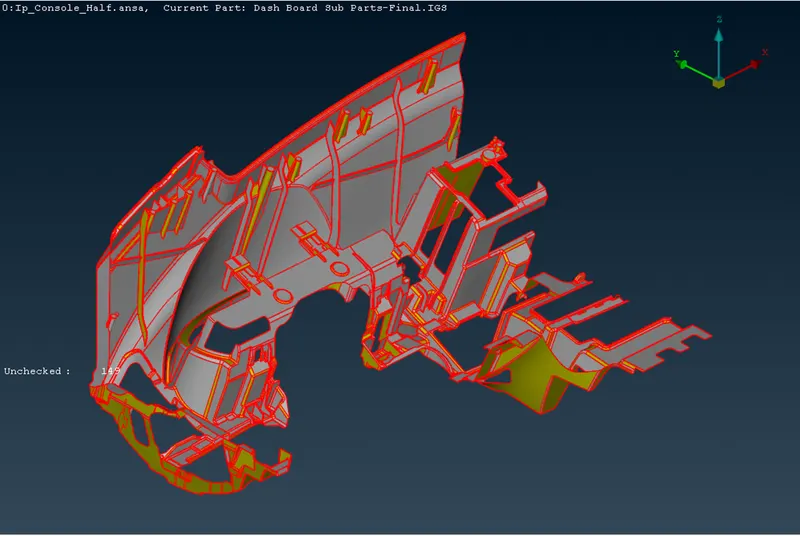
- Then we need to use TOPO command, so that single cons will remove.
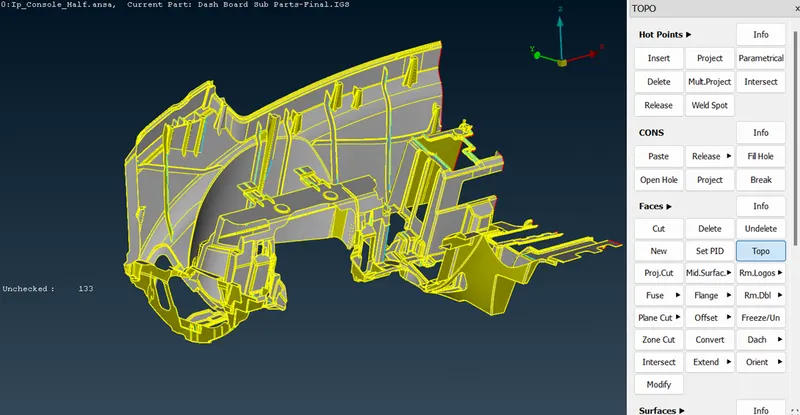
- Then we need to check all the parent geometry. And repair the geometry.
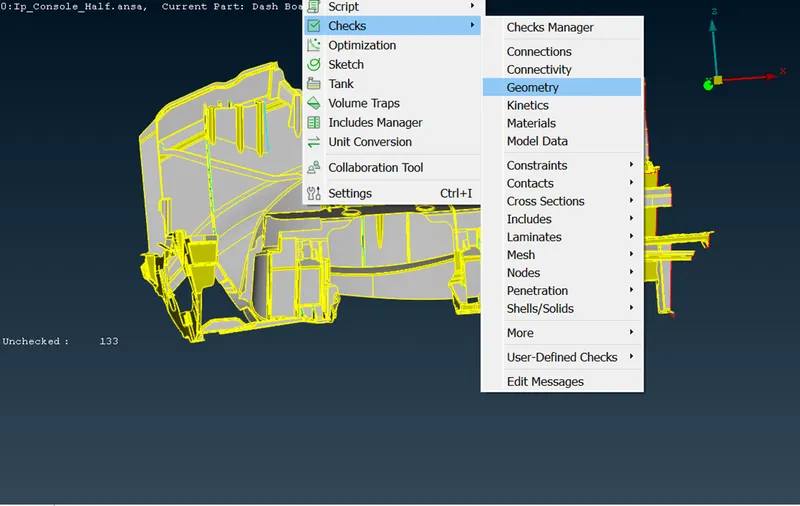
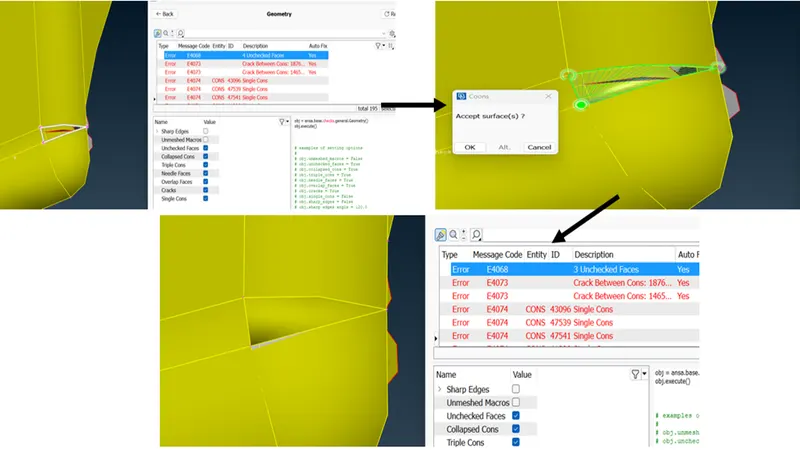
- Here we can see that there is deformation in parent component, therefore we need to repair this area with the help of new face command.
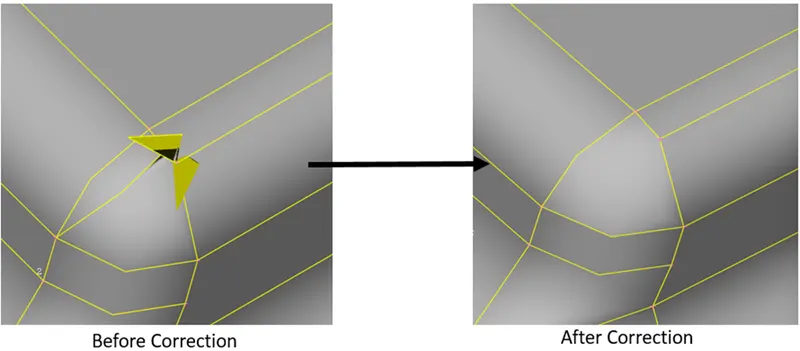
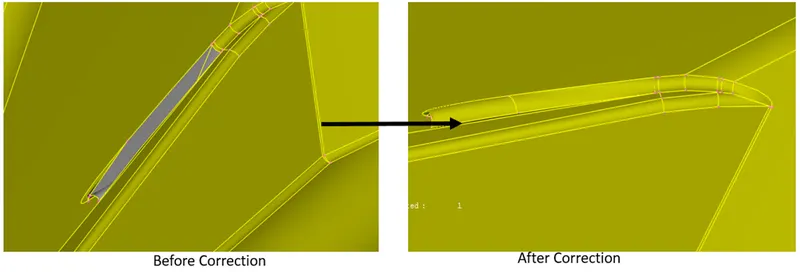
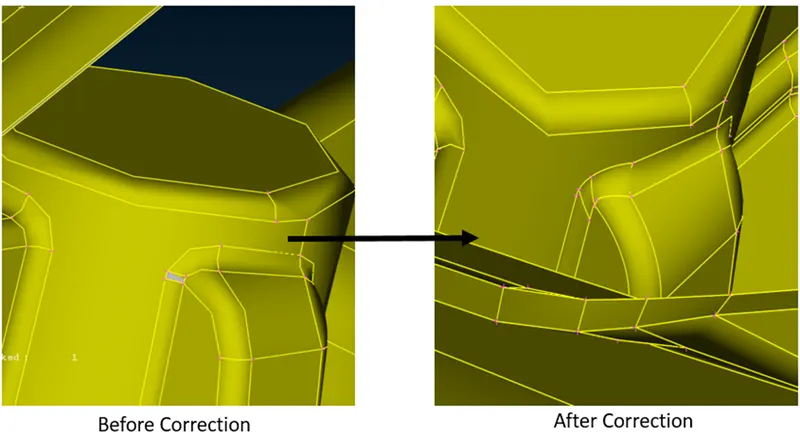
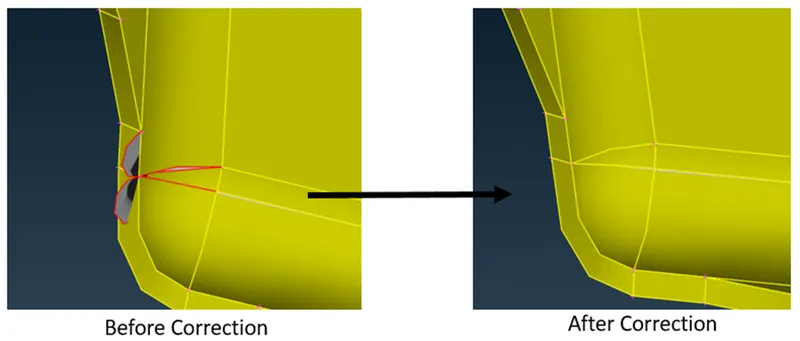
- Then we need to check the geometry again, but now we need to check single cons also, and we need to use new face command for repairing that area.
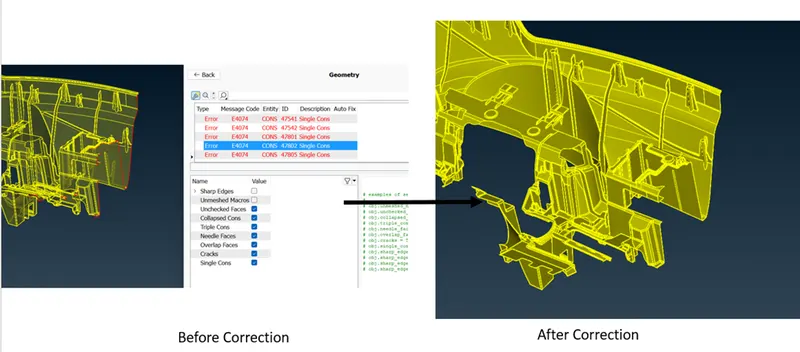
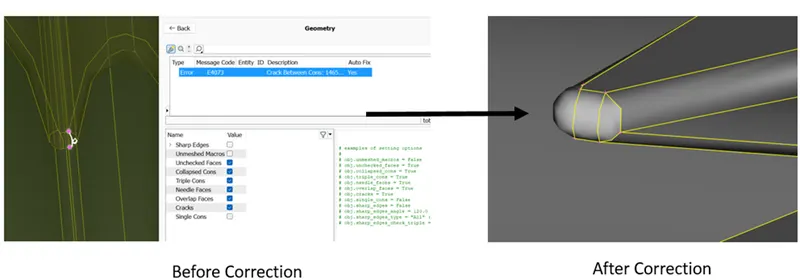
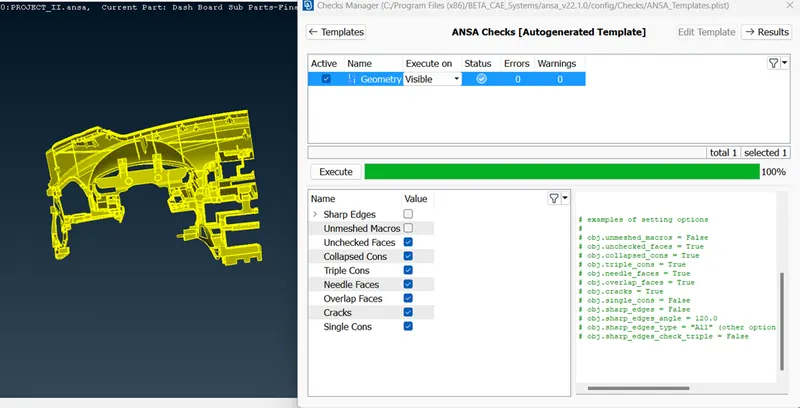
- After this we need to give input of given quality parameters. And mesh parameters
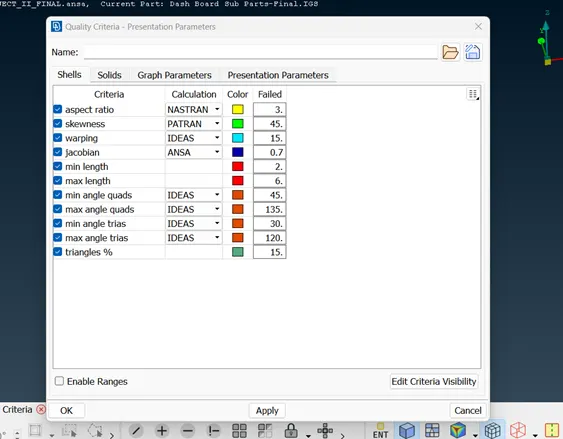
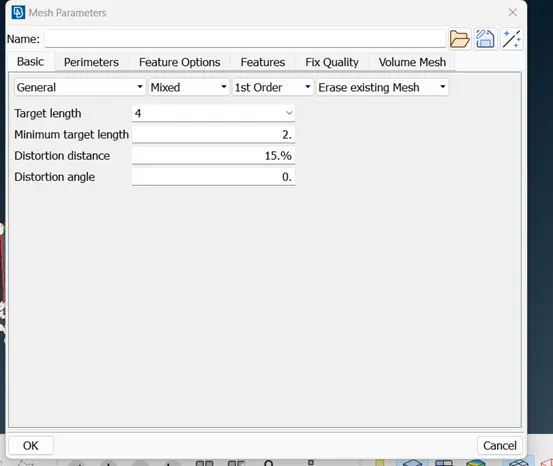
- After this we need to create mid surface and 2D mesh with the help of Casting/extraction command.
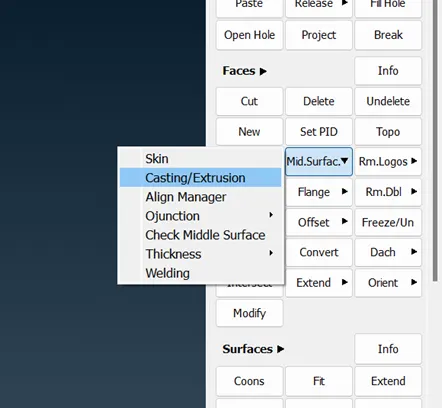
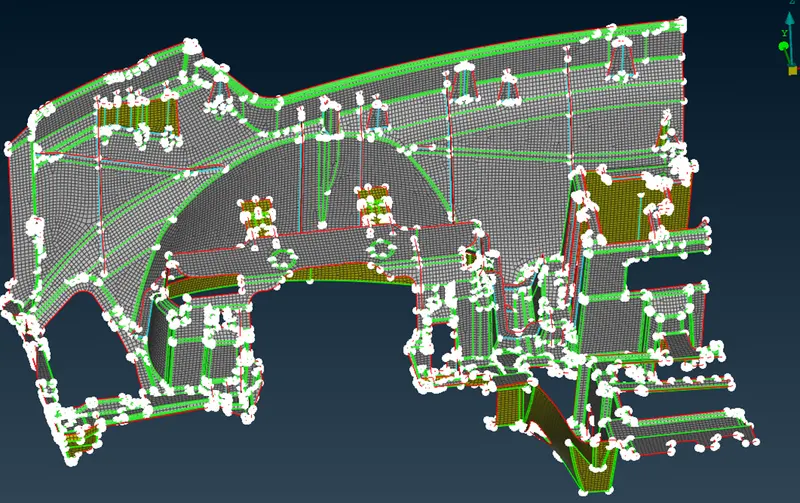
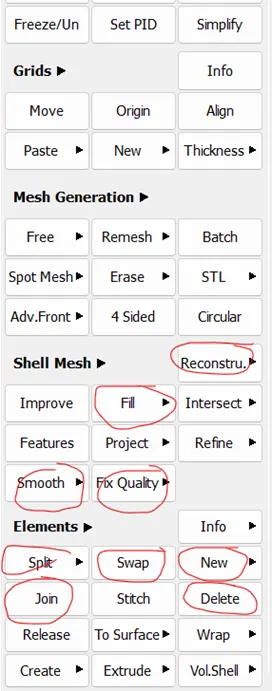
- Now we need to improve feature capturing and mesh flow with the Align manager command and improve mesh flow with the help of command like reconstruct, swap, split, join etc.
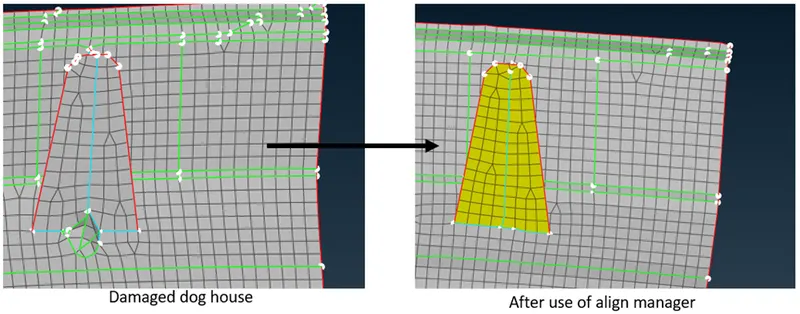
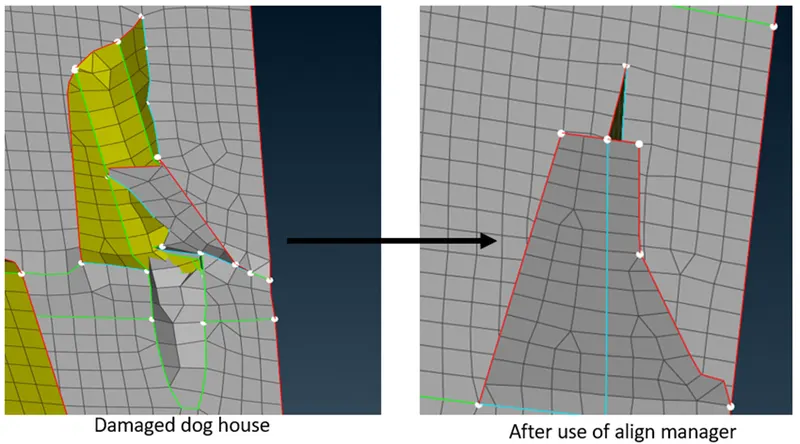
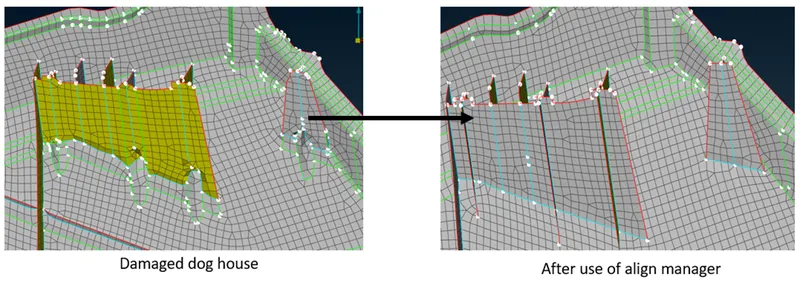
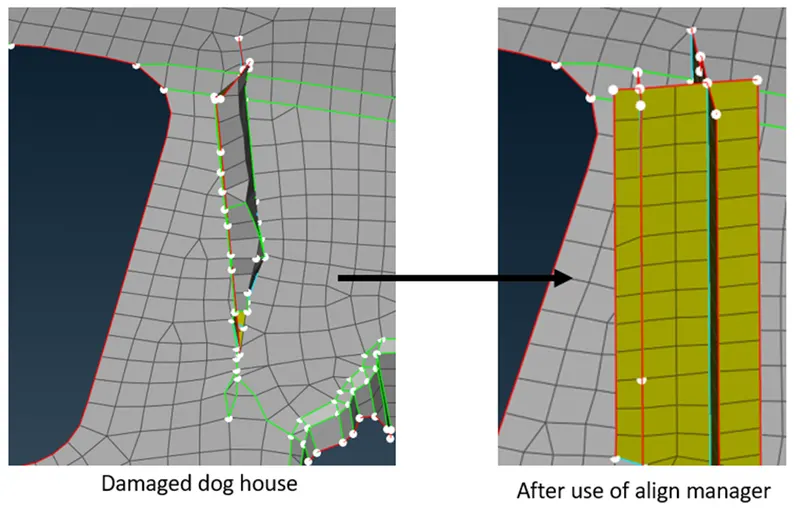
- Then we need to create different PDI, so that we can provide thickness and different property to that mid-surface. And check the mid-surface geometry again.
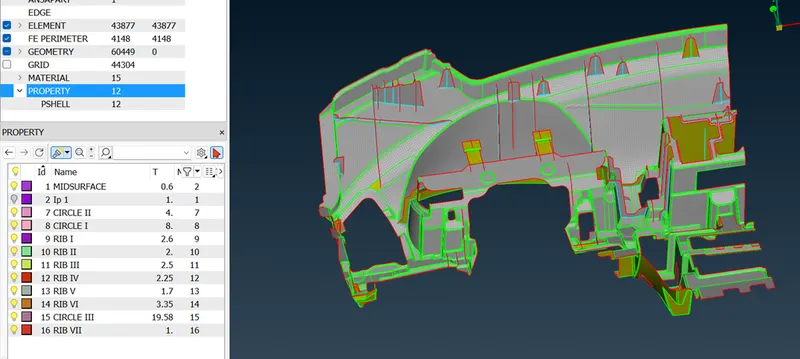
- At last we need to improve the mesh flow. With the help of commands like Reconstruct, sweep, split, join, New, delete, Fix quality etc.
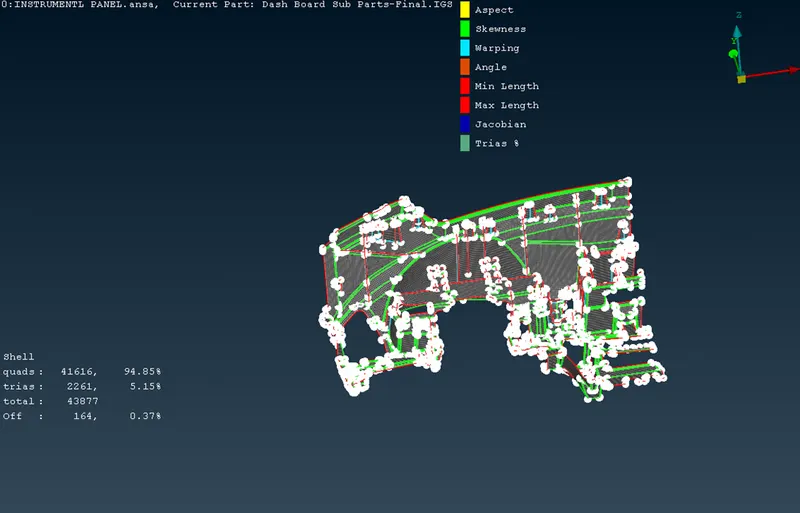
Here we can see that few off elements are there, because some place have triple cones which are not solved and geometry constraints.