week-11 Joint creation and Demonstration
JOINT CREATION AND DEMONSTRATION IN LS-DYNA
OBJECTIVES
In this challenge, we have to create joints Using the manual (*CONSTRAINED_JOINT keyword) to demonstrate spherical, revolute, cylindrical, and translational joints between two rigid bodies and two deformable bodies.
PROCEDURE
Mechanical joints are a section of a machine that is used to connect one part of the machine to another. Most mechanical joints are designed in a way to transmit motion or convert one type of motion to another with respect to DOF.
REVOLUTE JOINT WITH RIGID AND DEFORMABLE
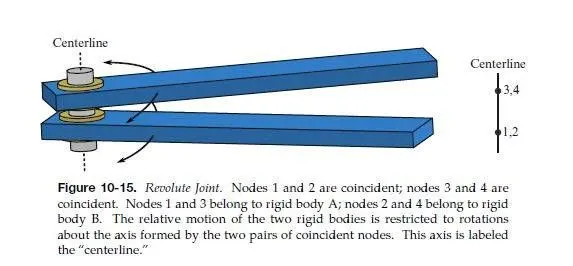
The revolute joint is a type of joint that has one DOF where it will rotate along the particular axis.
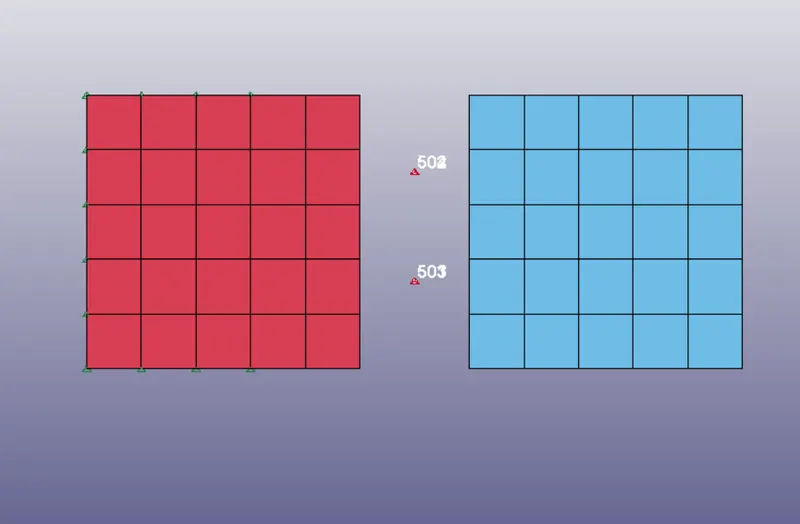
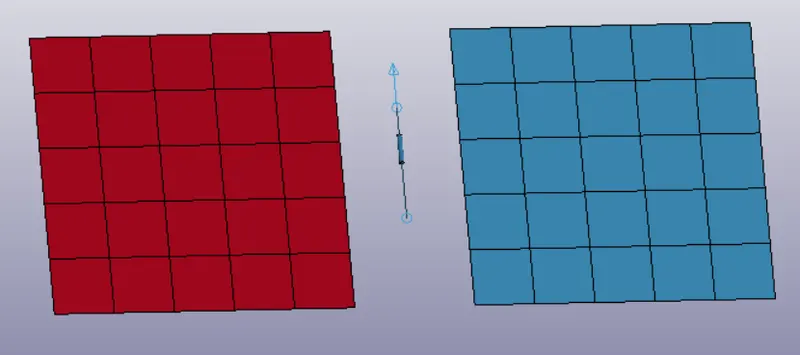
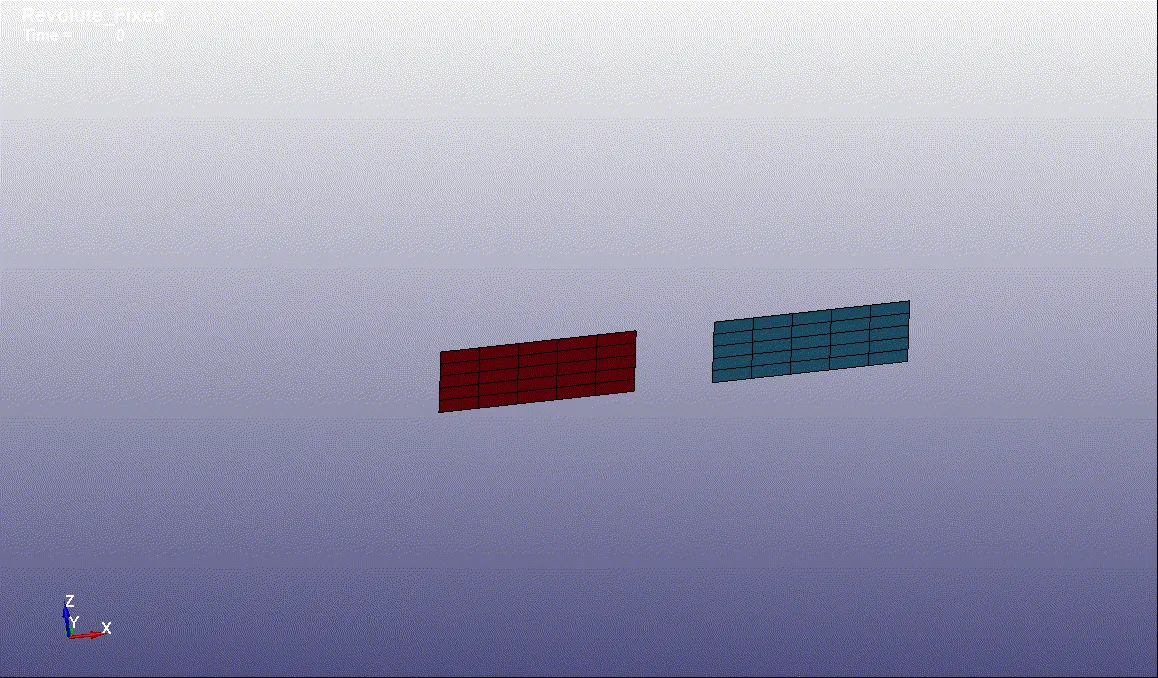
First, create two parts of plane mesh with a certain distance by mesh – shape M – 4N Shell.
Then create 4 nodes 501,502,503 and 504 in between the parts note: two nodes must share the same co-ordinates.
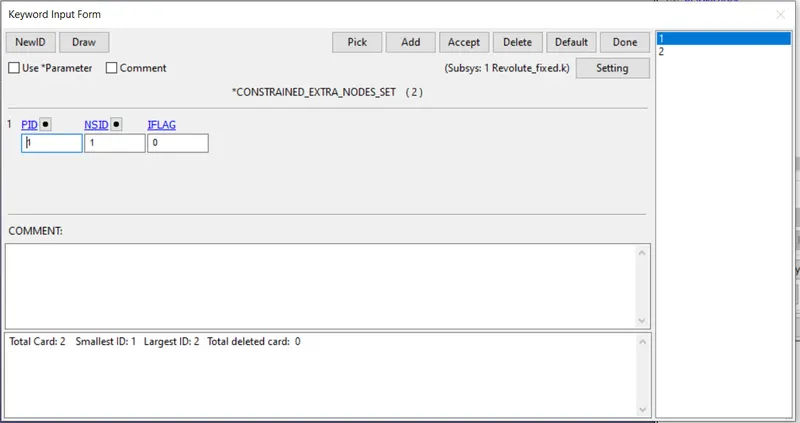
Then create constrain extra node-set so that the two nodes set (501,502) and (503,504) will be assigned to particular parts.
Then fixed one part and define prescribe motion for another part so that the part will rotate along the particular axis.
With the same boundary condition, a joint can be define using Cnrb by removing an extra node-set.
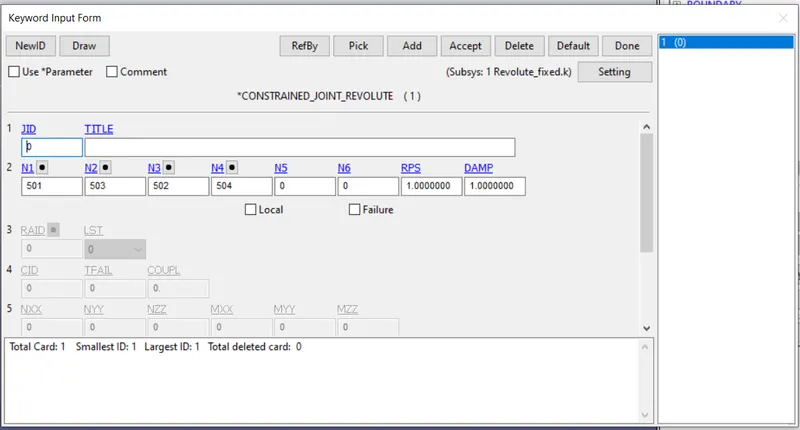
Create Cnrb by model – create entities – constrained – CNRB gives the PNB node as 501,502,503 and 504.
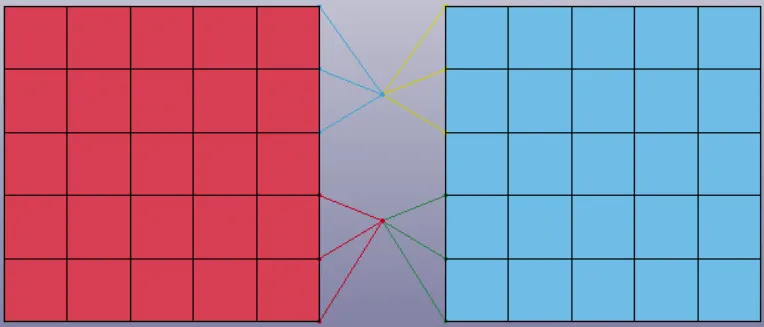
Then create model – keyword – constrained – Revolute joint and assign the nodes respectively.
SPHERICAL JOINT WITH RIGID AND DEFORMABLE
The spherical joint is a type of joint that has one DOF where it will rotate along the particular axis.
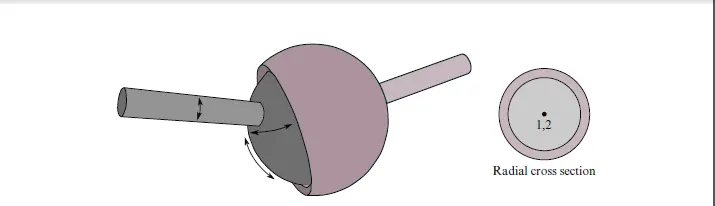
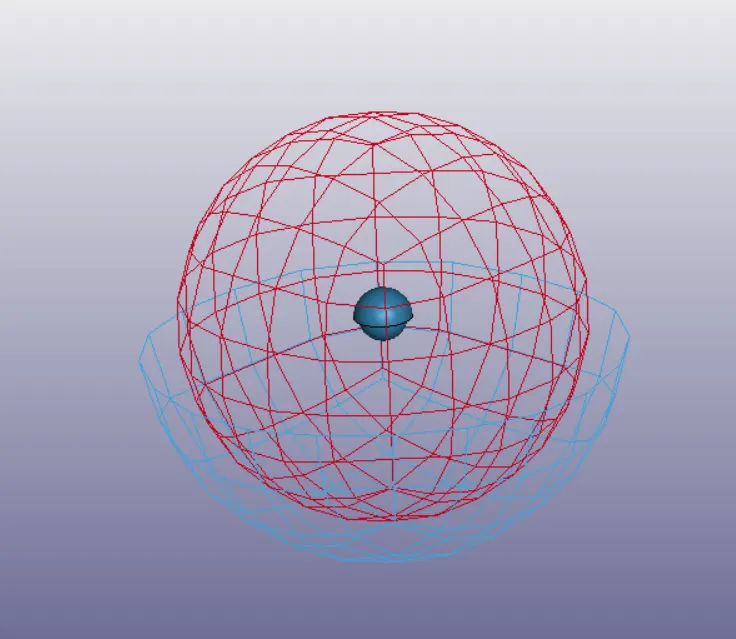
First, create two parts of spherical mesh with the same center point by mesh – shape M – sphere Shell.
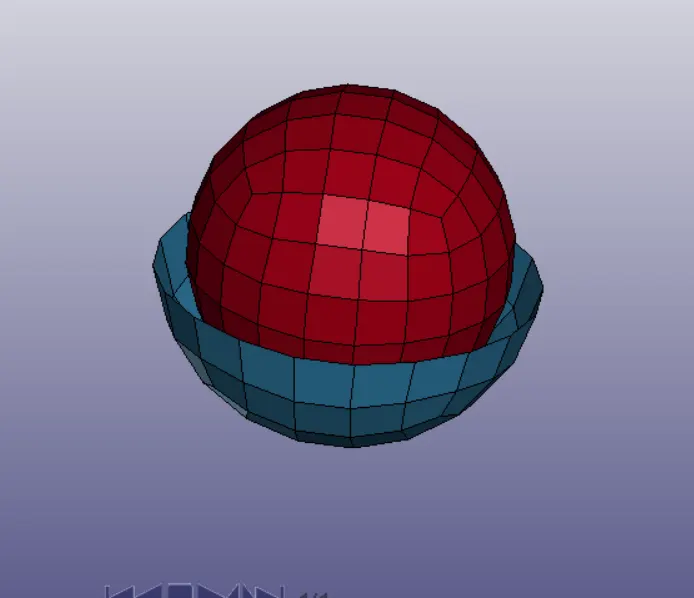
The center point of the sphere should be on the same coordinates.
Then create constrain extra node-set so that the two nodes set the center points will be assigned to particular parts.
Then fixed one part and define prescribe motion for another part so that the part will rotate along the particular axis.
With the same boundary condition, a joint can be define using Cnrb by removing an extra node-set.
Create Cnrb by model – create entities – constrained – CNRB gives the PNB node as center points 501 and 502.
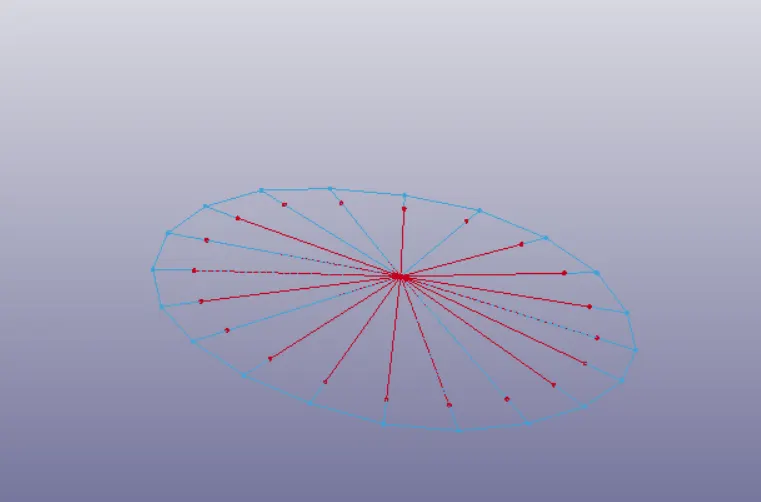
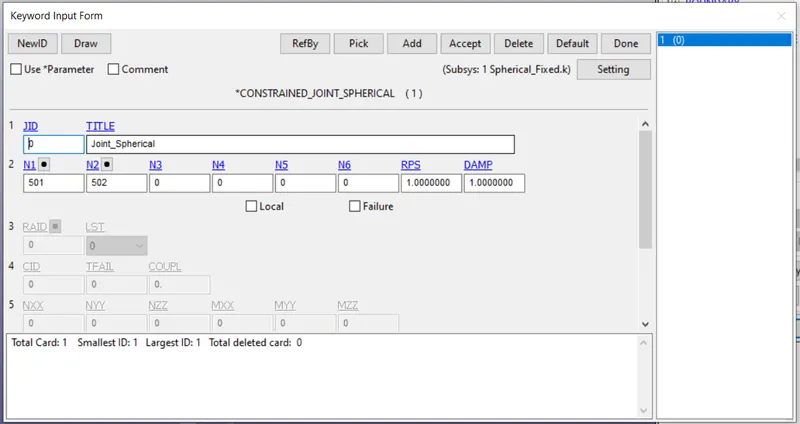
Then create model – keyword – constrained – spherical joint and assign the nodes respectively.
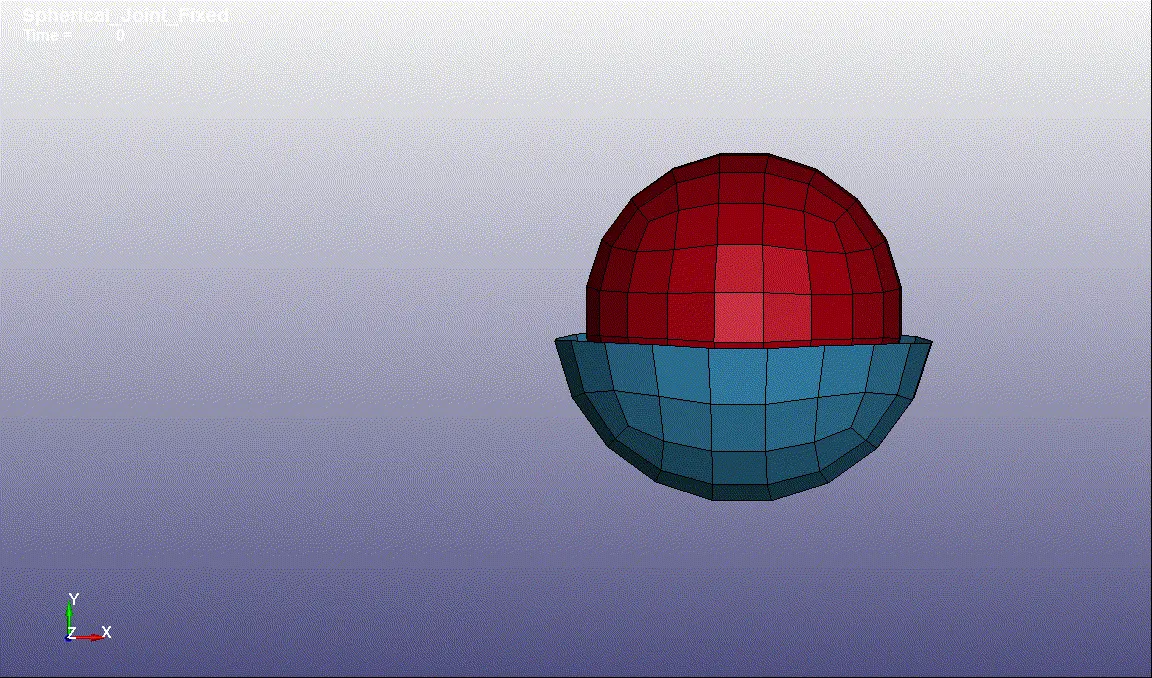
CYLINDRICAL JOINT WITH RIGID AND DEFORMABLE
The cylindrical joint is a type of joint that has two DOF where it will rotate and translate along the particular axis.
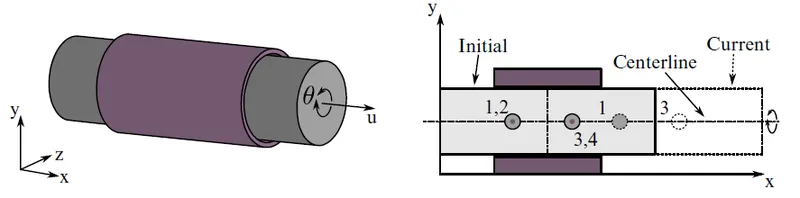
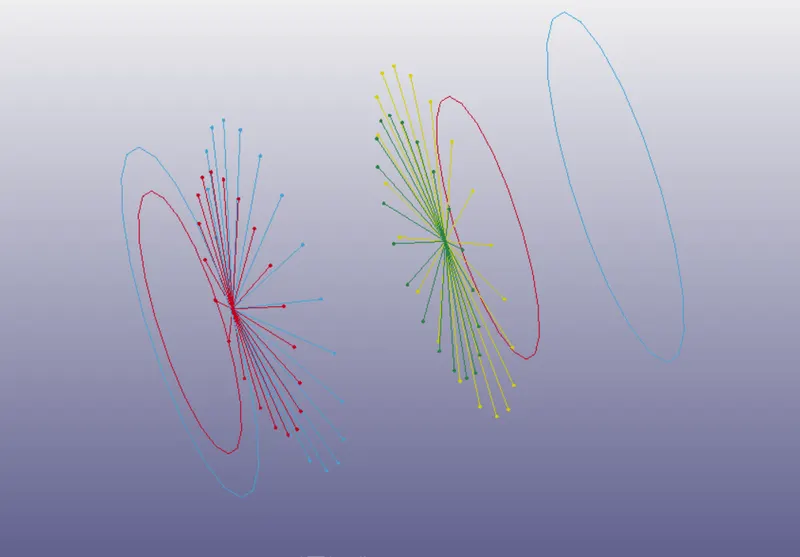
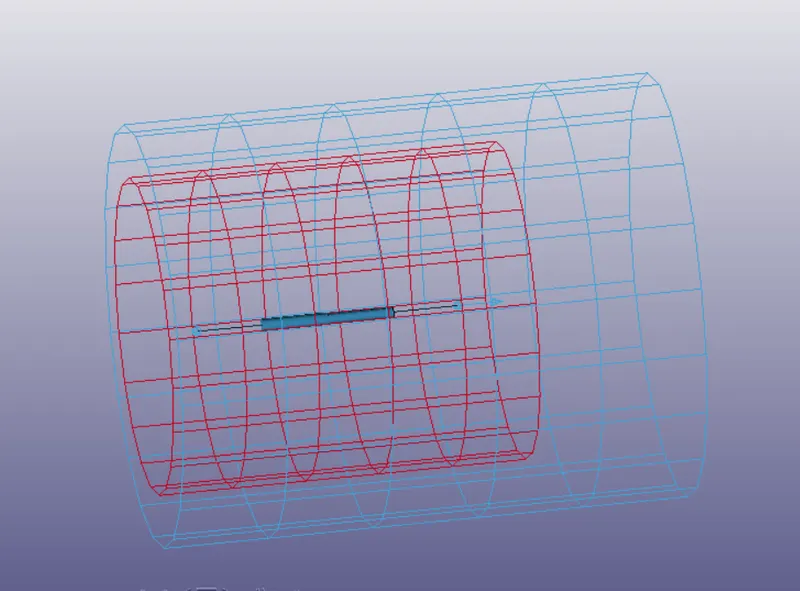
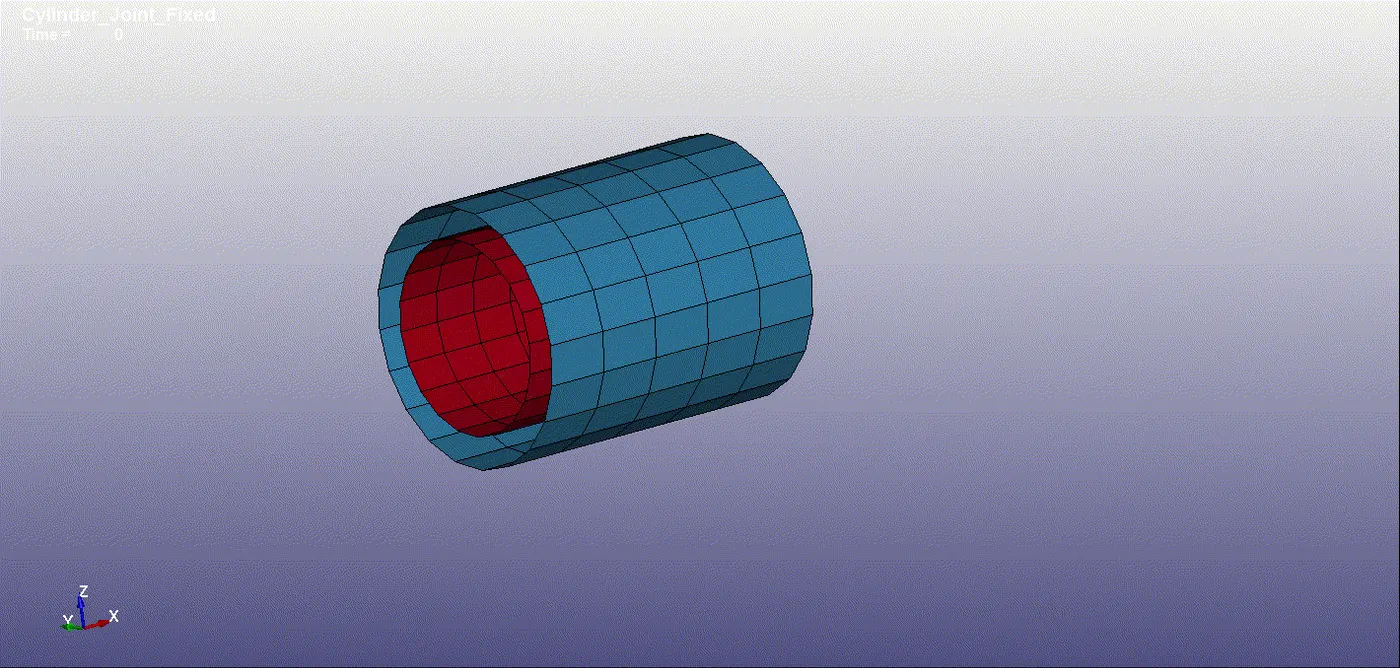
First, create two parts of cylindrical mesh with the same center point and vary in diameter by mesh – shape M – cylinder Shell.
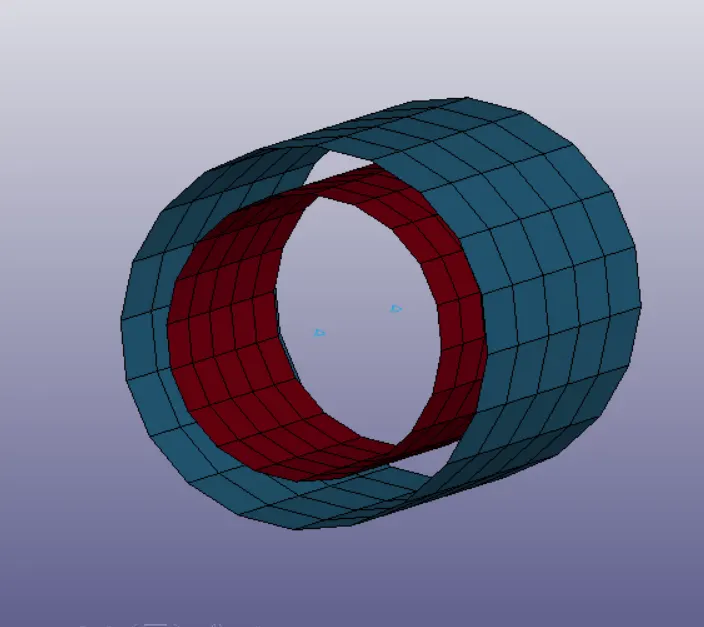
Then create 4 nodes 501,502,503 and 504 in between the parts note: two nodes must share the same co-ordinates.
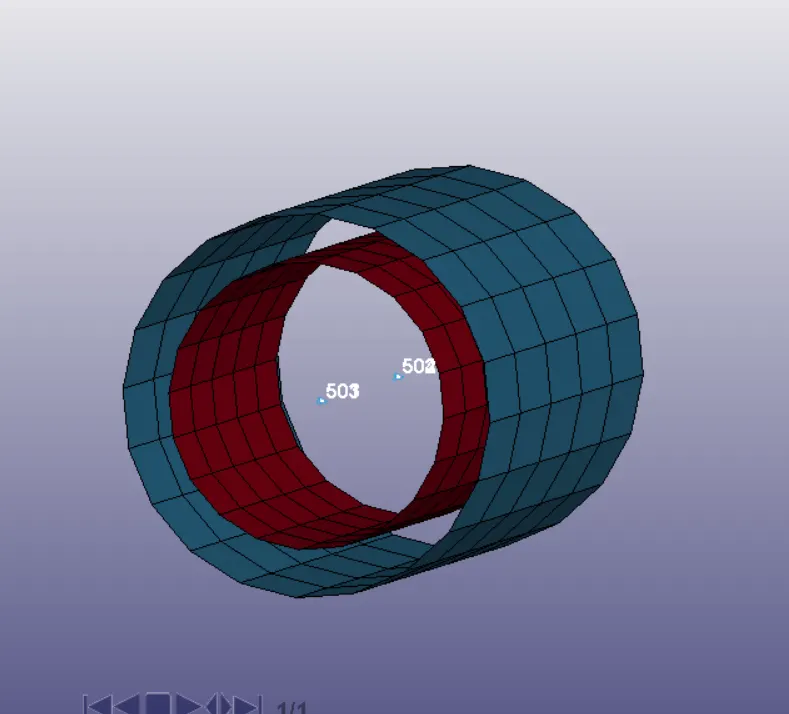
Then create constrain extra node-set so that the two nodes set (501,502) and (503,504) will be assigned to particular parts.
Then fixed one part and define prescribe motion for another part so that the part will rotate and translate along the particular axis.
With the same boundary condition, a joint can be define using Cnrb by removing an extra node-set.
Create Cnrb by model – create entities – constrained – CNRB gives the PNB node as 501,502,503 and 504.
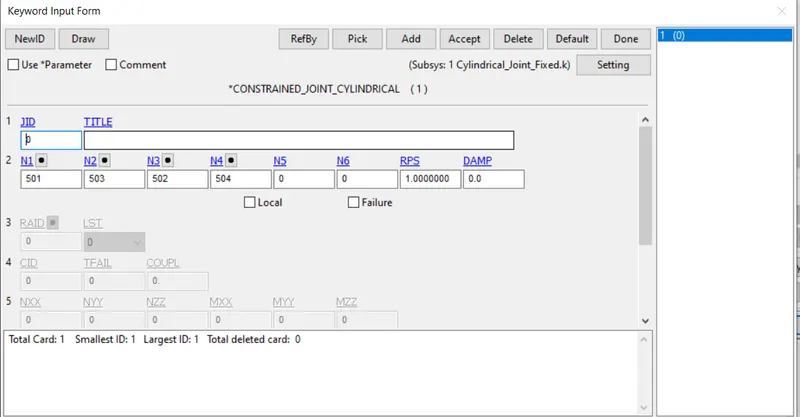
Then create model – keyword – constrained – spherical joint and assign the nodes respectively.
TRANSLATIONAL JOINT WITH RIGID AND DEFORMABLE
The translational joint is a type of joint that has one DOF where it will translate along the particular axis.
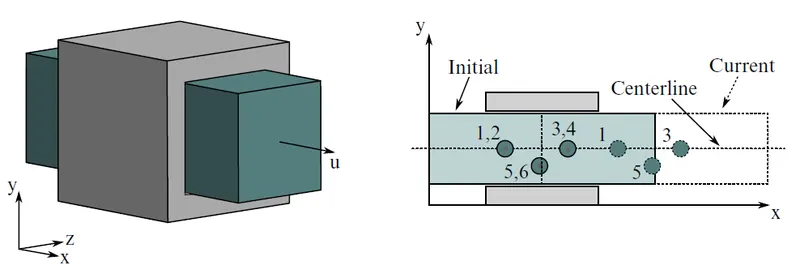
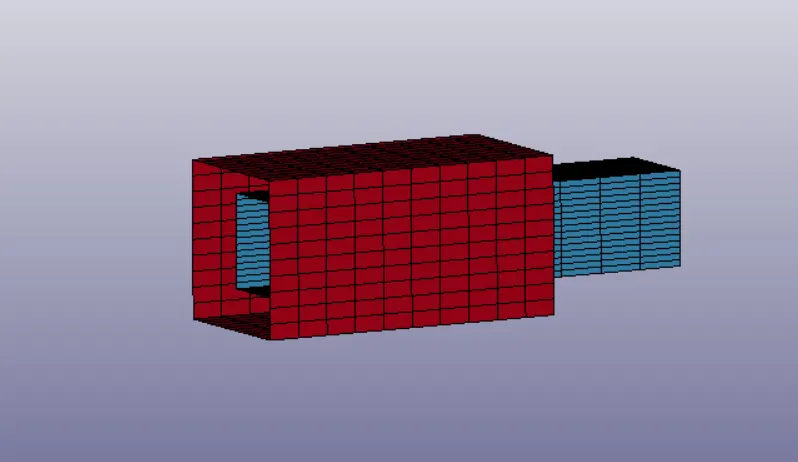
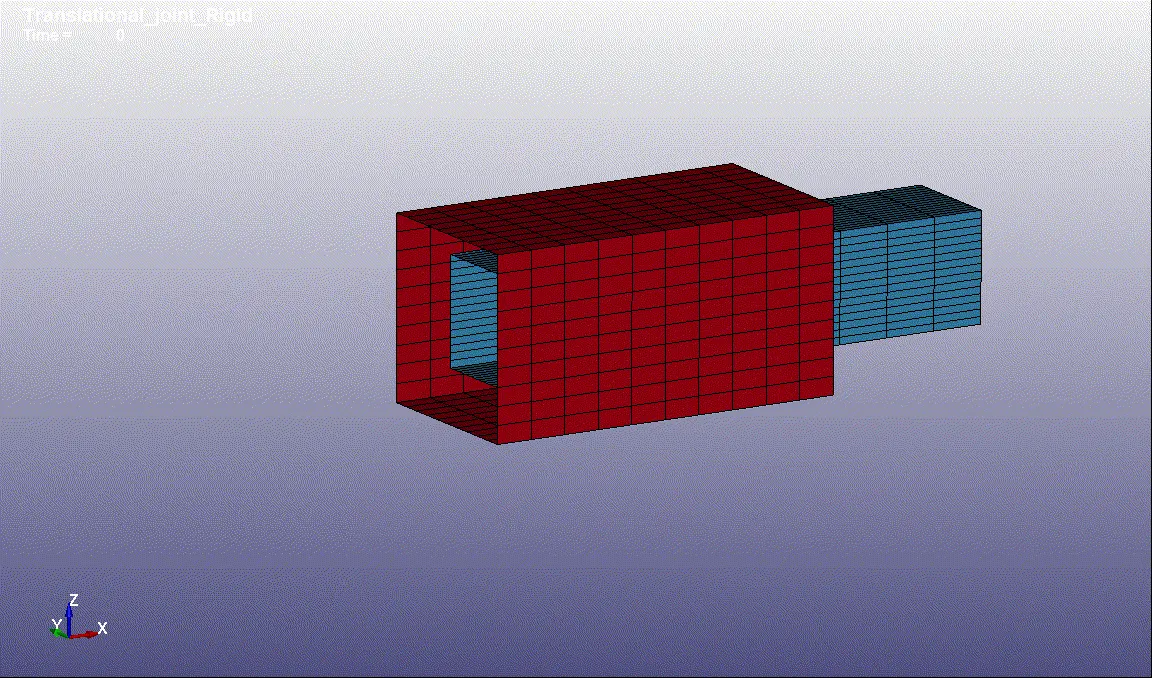
First, create two parts of rectangular or box mesh with the same center point and vary in size by mesh – shape M – box Shell.
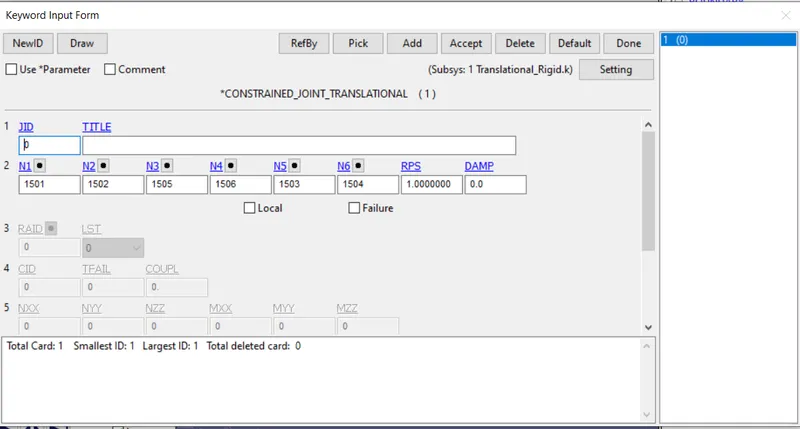
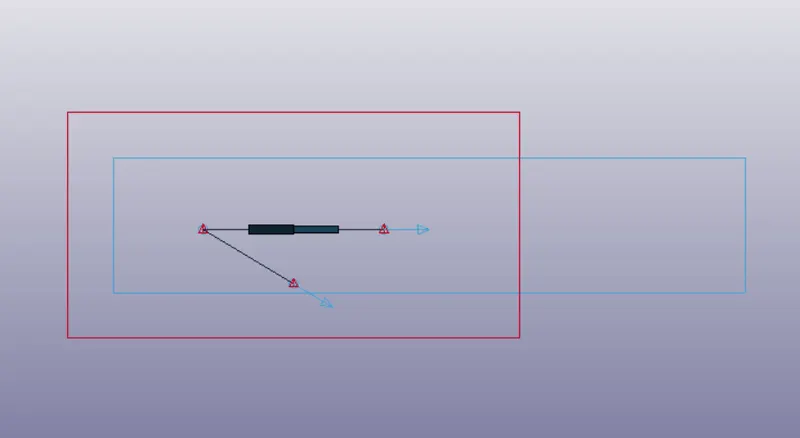
Then create 4 nodes 1501,1502,1503, 1504, 1505, and 1506 in between the parts note: two nodes must share the same co-ordinates.
4 nodes must locate on a straight line two-node should be below the line to constrain rotational DOF.
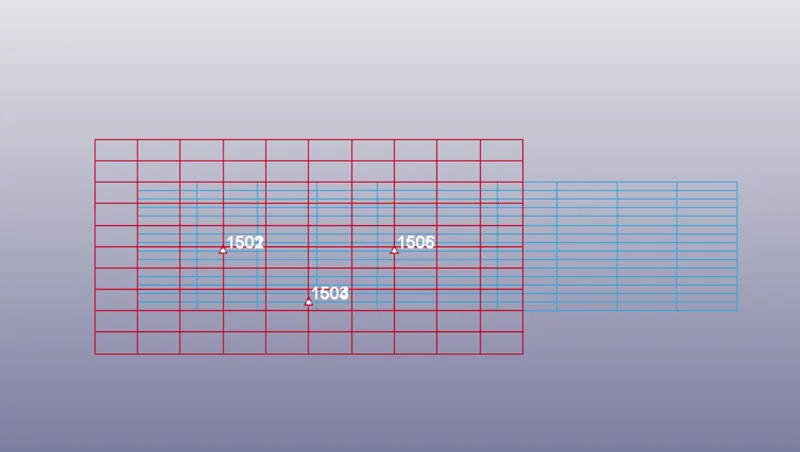
Then create constrain extra node-set so that the two nodes set (1501,1502), (1503,1504), and (1505,1506) will be assigned to particular parts.
Then fixed one part and define prescribe motion for another part so that the part translate along the particular axis.
With the same boundary condition, a joint can be define using Cnrb by removing an extra node-set.
Create Cnrb by model – create entities – constrained – CNRB gives the PNB node as 1501,1502,1503, 1504, 1505, and 1506.
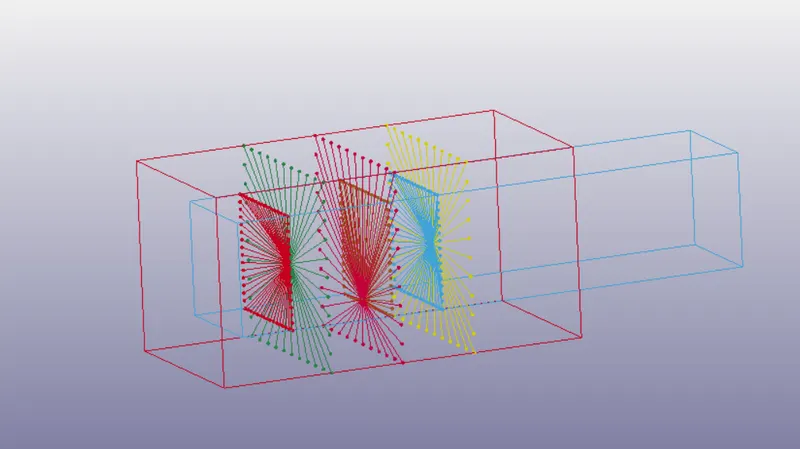
Then create model – keyword – constrained – translational joint and assign the nodes respectively.
CONCLUSION
Learned how to create rotational, spherical, cylindrical, and translational joints using Ls-Dyna and Demonstrate using constrain – extra – node-set and CNRB nodes.