Structural analysis of a buidling using Robot Structural Analysis
1.ans.:) The HVAC stands for is Heating, Ventilation, and Air Conditioning with respect to building structures. Basically, HVAC means the various systems and types used for moving air between different indoor and outdoor spaces. In addition to that, HVAC also offers heating and cooling in both residential and commercial buildings.
HVAC systems ensure the air quality of a building. From residential buildings like houses and apartments to commercial buildings like offices and hospitals, all use an HVAC system.
Poor air quality is the largest factor for environment-related sickness. Efficient HVAC systems solve this problem. It circulates the air, regulates the temperature according to the weather, and removes harmful particles or gases from the air.These features greatly reduce the risk of allergies, lung-related problems, and seasonal flu. These HVAC system is designed to achieve the environmental requirements of the comfort of occupants and a process. These systems control the overall climate in the building. They also make the proper adjustments whenever we experience changes in outdoor temperature.It reduces humidity so occupants can enjoy a better atmosphere. This is most especially useful in buildings or underground spaces where ventilation is limited. It is also energy efficient and thus economically helpful too. We also don’t have to waste energy when we forget to turn them off at night because modern HVACs are now automatic. Schedules and conditions can now be set. For instance, the newer airconditioner will stop working when it senses the temperature desired is already achieved and will start working again when it senses a drop in temperature. Some units can even tell when the occupants already left the premises and automatically shuts down. Since the air conditioner won’t work continuously, more energy can be saved.
Looking at these reasons, besides comfort, energy-saving is another benefit to enjoy from using the proper HVAC system.
2.ans.:) Aim:- Based on the building designing design a HVAC system for each floor.
Tools used:- Revit software, Mechanical template, Manage tab, Systems tab, HVAC equipments etc.
The HVAC stands for is Heating, Ventilation, and Air Conditioning with respect to building structures. Basically, HVAC means the various systems and types used for moving air between different indoor and outdoor spaces. In addition to that, HVAC also offers heating and cooling in both residential and commercial buildings. These systems ensure the air quality of a building too.
- Open Revit and click on New. Select a Mechanical template and click on OK. Using Manage tab and manage links to link Architectural model to this.
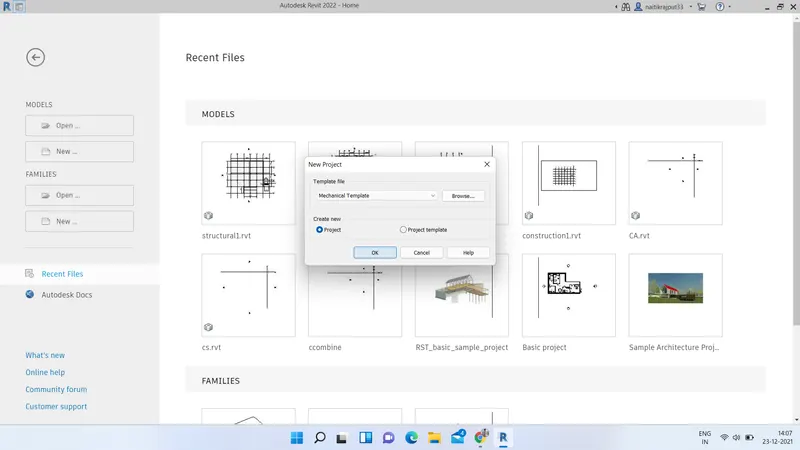
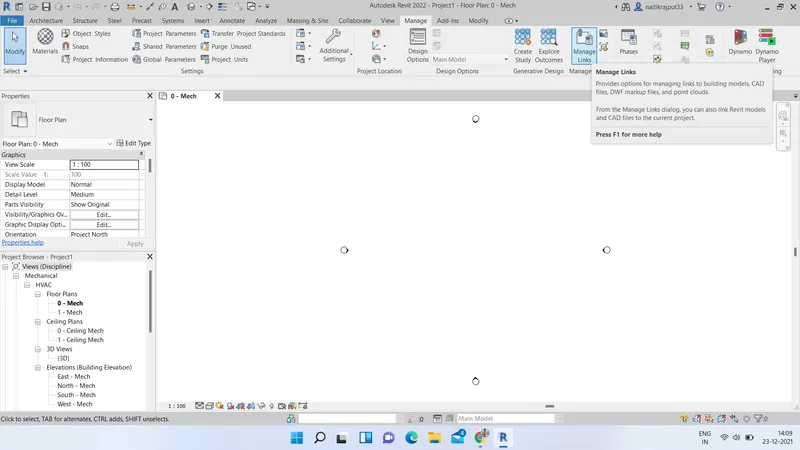
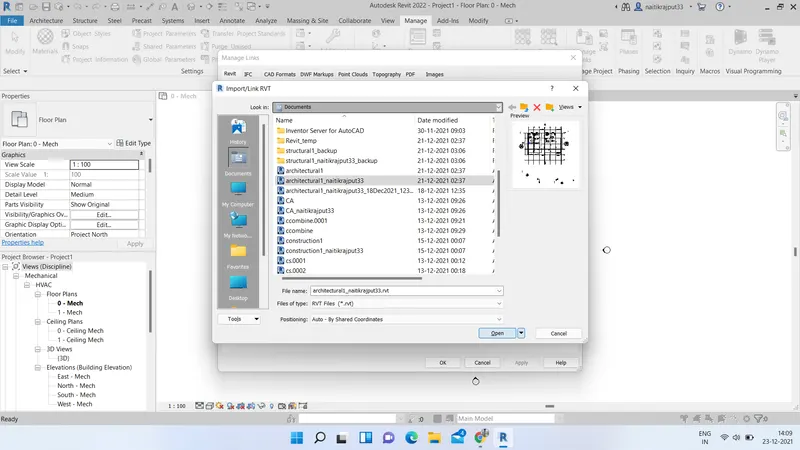
- Now go to systems tab and select Air terminal type and place the terminal at desired rooms at suitable place.
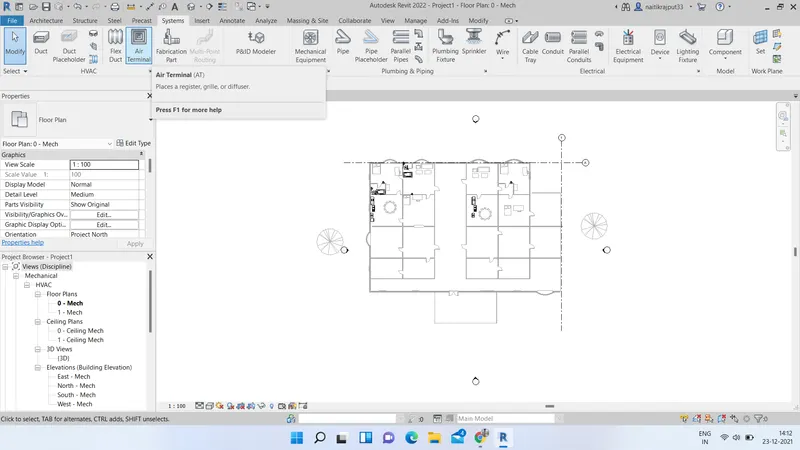
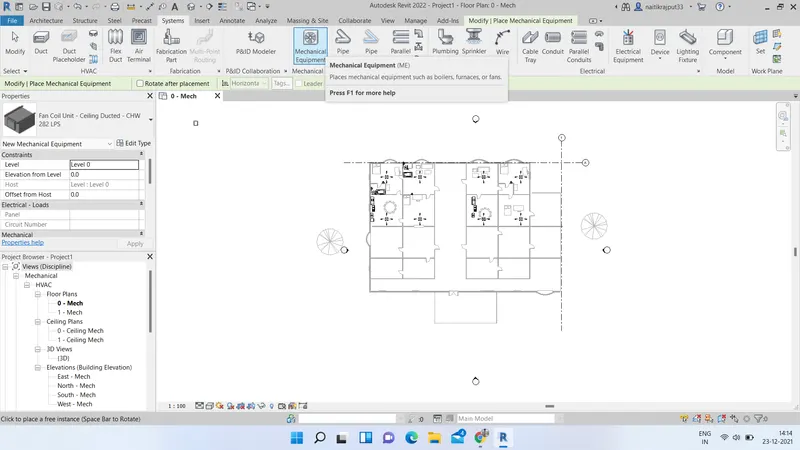
- Now select Mechanical equipment and select Air handling unit and place it at suitable locations.
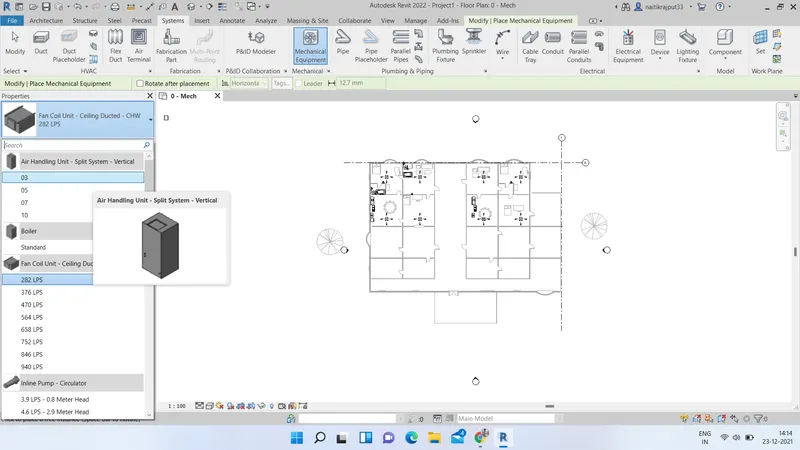
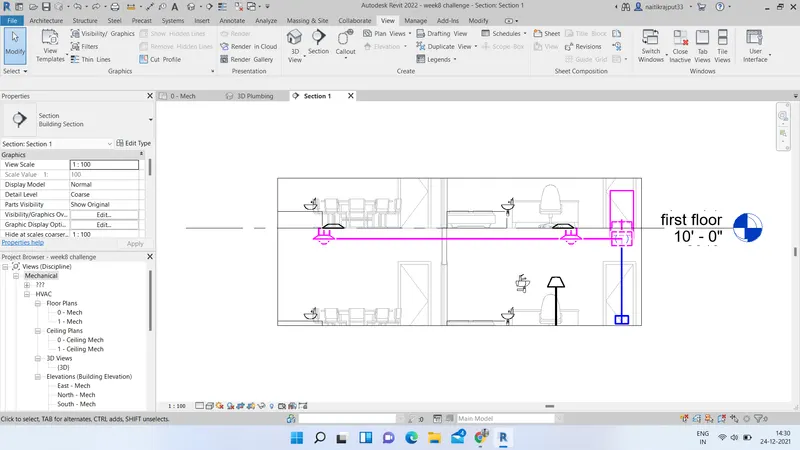
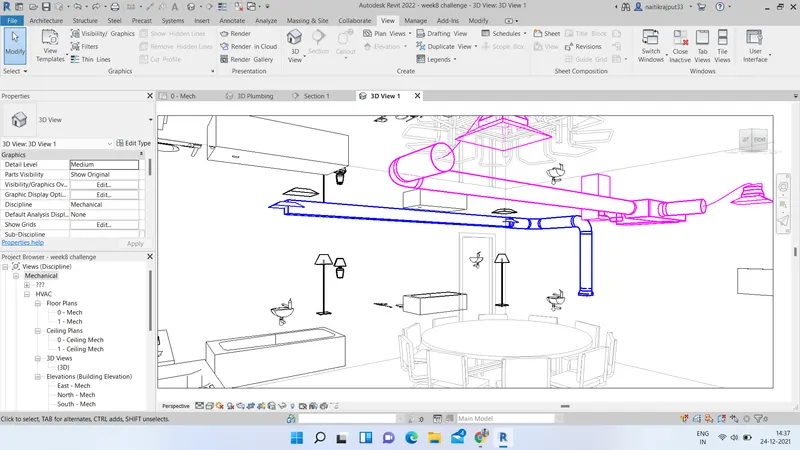
- Select all placed equipments and go to modify tab. Select Ducts option and then Generate layout option. Choose the suitable layout and click on OK. Layout will be generated and a HVAC system is added to desired room.
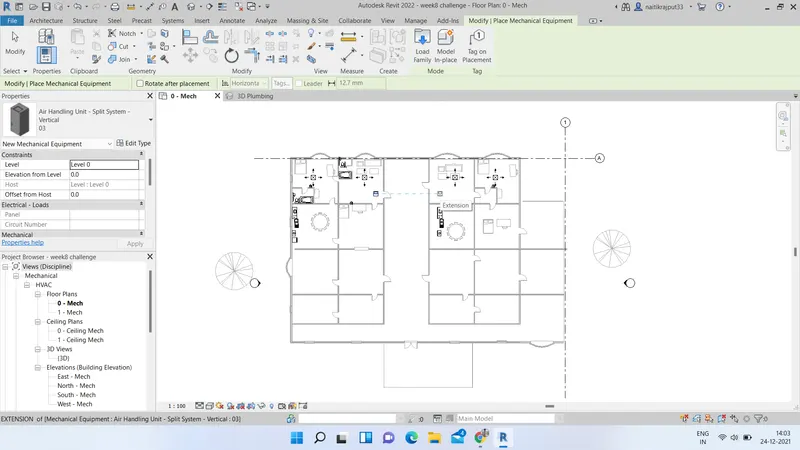
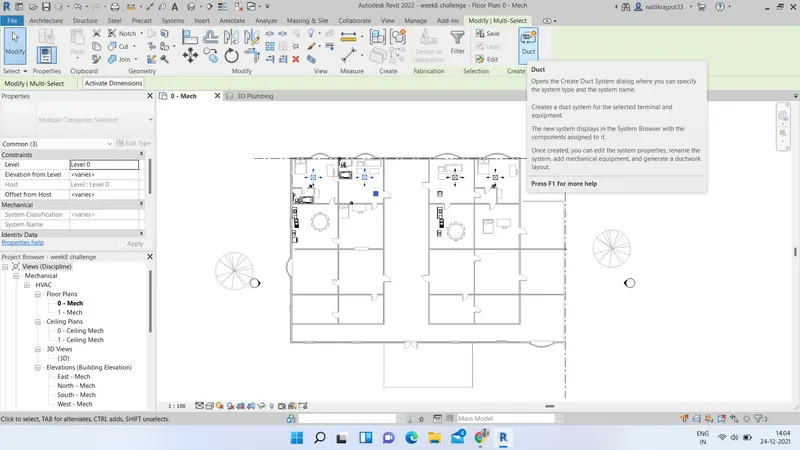
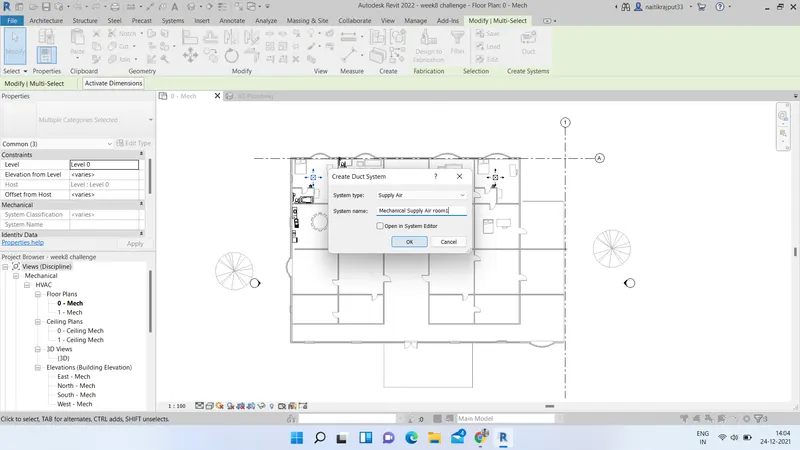
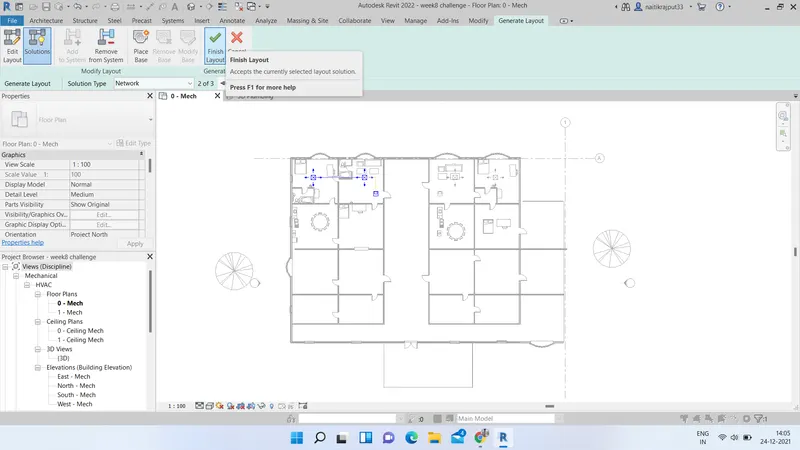
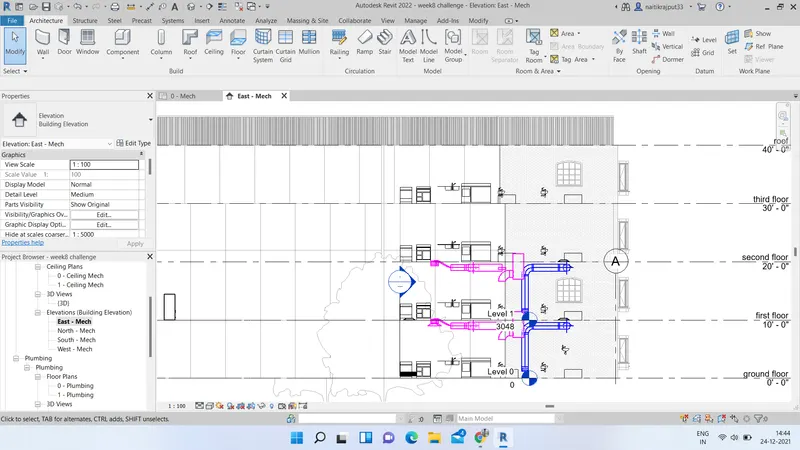
- Similarly add HVAC systems to all other Rooms. After adding on ground floor, copy the HVAC system and paste it by aligning to selected levels to add it for all desired floors.
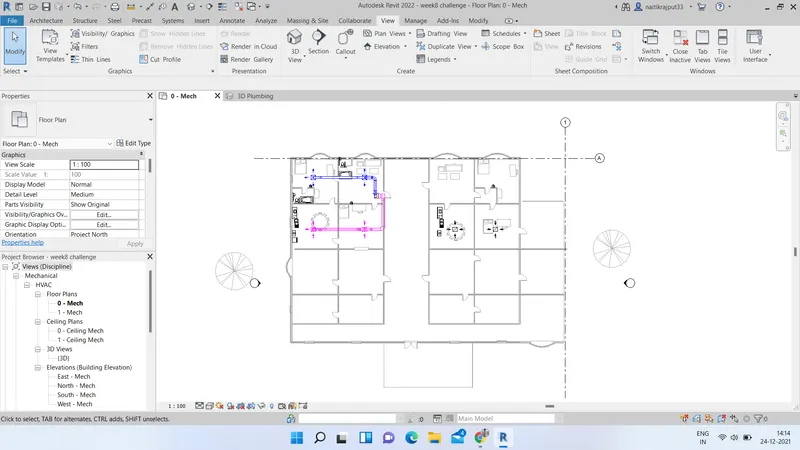
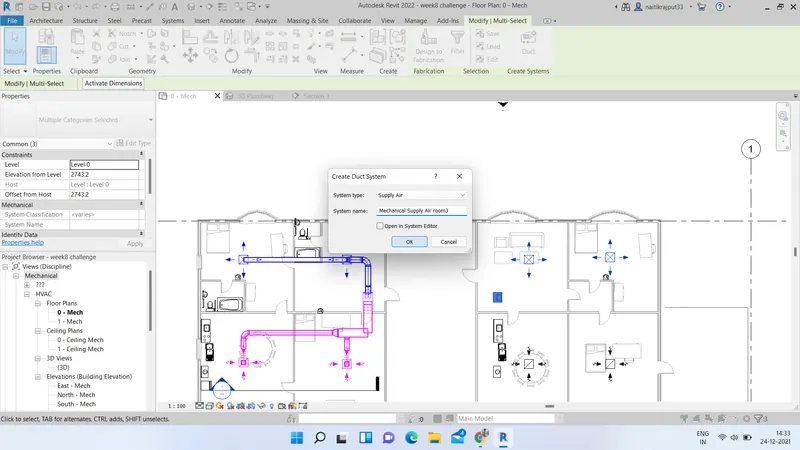
Results:
HVAC System has been added to selected rooms and floors as shown below:-
3.ans.:) Aim:- Using the add-ins tab to load plug-ins for robot structural analysis to Revit software.
Tools:- Revit software, Autodesk store etc.
Robot Structural Analysis is structural load analysis software that verifies code compliance and uses BIM-integrated workflows to exchange data with Revit. It can help you to create more resilient, constructible designs that are accurate, co-ordinated and connected to BIM.
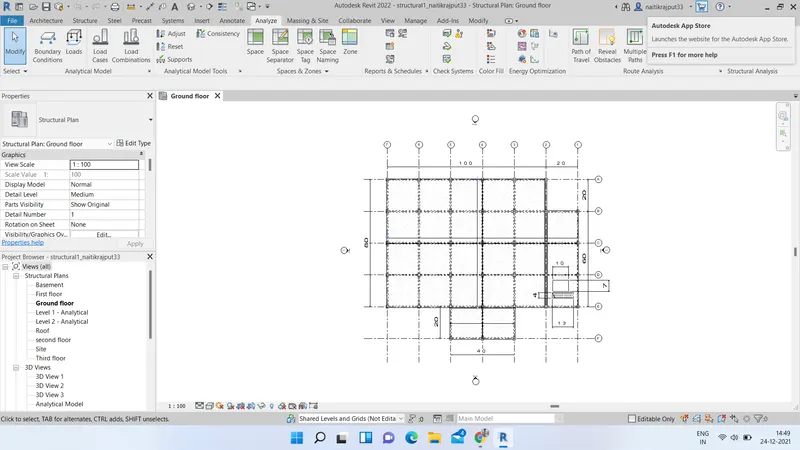
- Open the Revit project. Go to Analyze tab and if Robot Structural Analysis is not showing we need to add it.
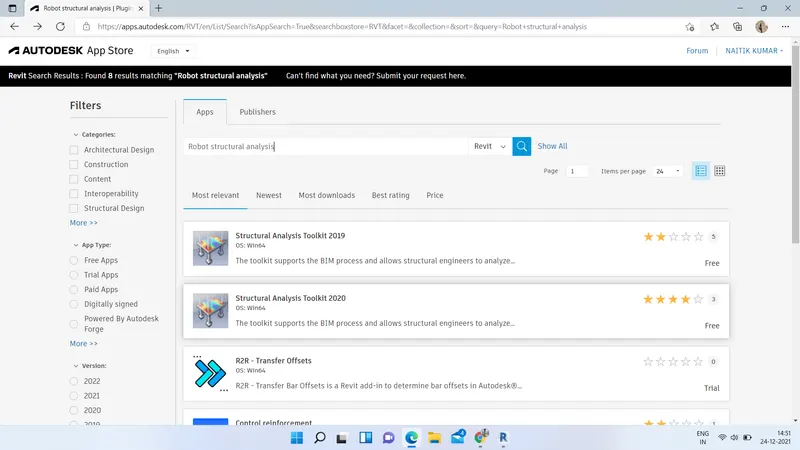
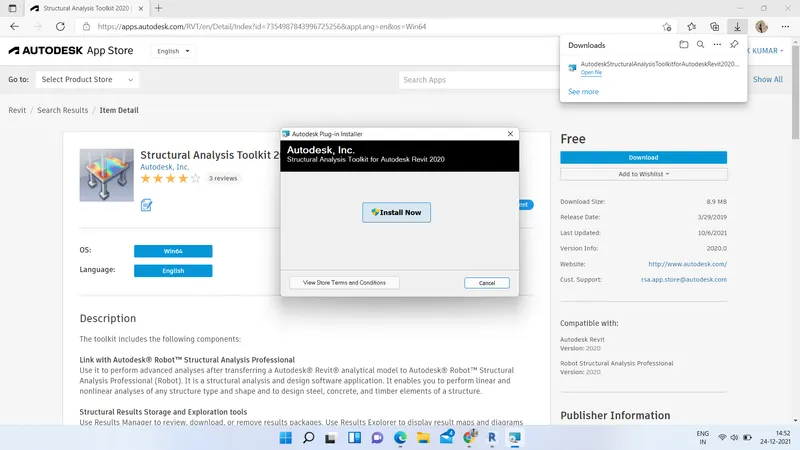
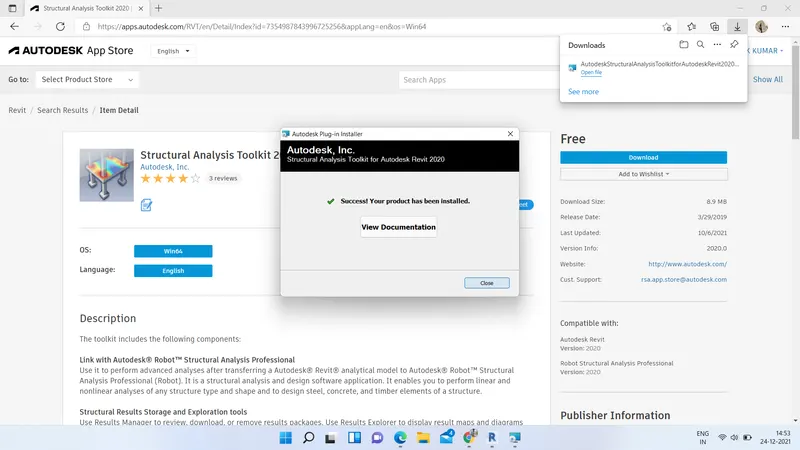
- We can download Robot Structural Analysis Professional software directly from google and install or Go to autodesk app store and search for structural analysis Toolkit. Download and Install it.
Result:
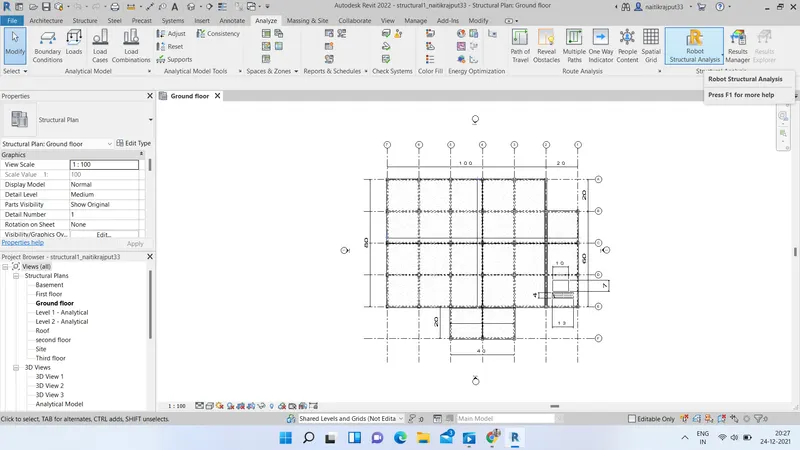
Robot Structural Analysis is added successfully to our software and can be viewed in Analyze tab.
4.ans.:) A structure is one in which the members are arranged in such a way that the weights, loads & forces are transmitted to the foundations by the cheapest means consistent with the intended use and nature of the structure.
There are two types of structures:
- Masonry Structures.
- Frame structure
We need to analyze the structure to improve multi-discipline coordination of structural design documentation, minimize errors, and enhance collaboration between structural engineers and extended project team members, such as architects, MEP engineers, and owners. Before modelling a structural engineer should have knowledge of loads, loads combination, moments, sfd, bmd and how structure behaves under certain loading and this all is achieved by Analyzing properly. Analyzing while modelling elements helps in
- Integrates physical and analytical structural models
- Features bidirectional associatively between models and views
- Utilizes multi-material structural components
- Facilitates the creation of structural details from 3D model views
- Compatible with industry-standard formats, including DWG™, DXF™, DGN, IFC, and CIS/2
- Interoperable with Autodesk Revit Architecture and Autodesk Revit MEP software
- Enables linking to multiple structural analysis applications
- Facilitates construction modeling, which helps to derive better construction insight from design models
- Supports the Building Information Modeling (BIM) process
In revit we use Robot Structural Analysis to analyze a structure and model.
Designers use many techniques to create products and solve problems. Design and development involve creating working drawings and parts lists to enable a third party to manufacture the design. Making a model allows designers to visualise and test how a product looks and performs in 3D and is a great way of checking a product’s viability. Thus we can infer that one piece of missed information may not show up in design process but it will adversely effect while we Model up our structure. Thus Design affects model definitely.
5.ans:) Aim:- From the structural model developed previous challenges, exporting the complete analytical model to robot structural analysis and Analysing the model through Load combinations, Check what Loadings can be placed and finding Maximum moment and displacements in Load Combinations.
Tools used:- Revit software, Analyze tab, Robot Structural Analysis Professional etc.
Robot Structural Analysis Professional is structural load analysis software that verifies code compliance and uses BIM-integrated workflows to exchange data with Revit. It can help we to create more resilient, constructible designs that are accurate, co-ordinated and connected to BIM. It verifies code compliance and uses BIM-integrated workflows to exchange data.
a.ans.) A boundary condition is a place on a structure where either the external force or the displacement are known at the start of the analysis. In this way, boundary conditions are where the structure interacts with the environment either through the application of an external force or through some restraint that is imposing a displacement. The known force or displacement may have some magnitude or it may be zero. For example, we may know that there are locations on our structure that have no external force. This would be a zero force boundary condition. A displacement boundary condition that is zero is equivalent to the structure being held in place at that location. The list of Parameters required are:- DEGREE OF FREEDOM, TYPE OF SUPPORT, RESTRAINTS.
b.ans.) Acording to Design standards following loads must be applied to floorings based on the type of structure:-
- Dead Load
- Live load
- Wind load
- Snow Loads
- Temperature Loads
- Earthquake load
c.ans.) Aim:- Listing the load combinations and including them in the analysis model
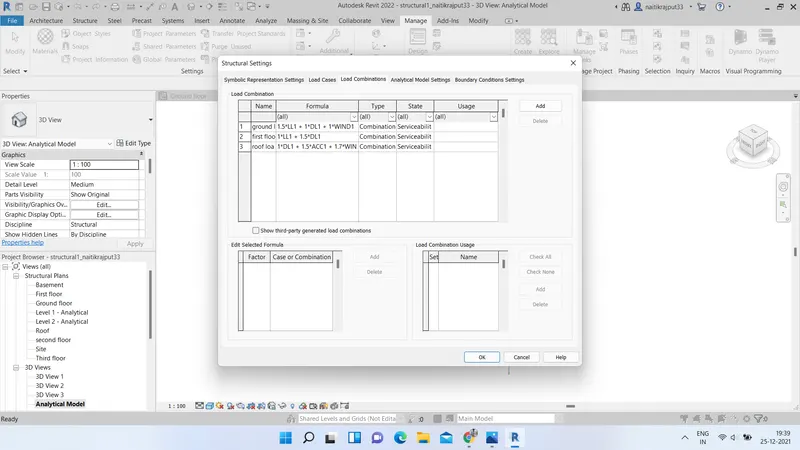
Load combinations included are:-
1.5*LL1 + 1*DL1 + 1*WIND1
1*LL1 + 1.5*DL1
1*DL1 + 1.5*ACC1 + 1.7*WIND1
- Open the Structural model created in previous project. Go to Structural Settings under Manage Tab.
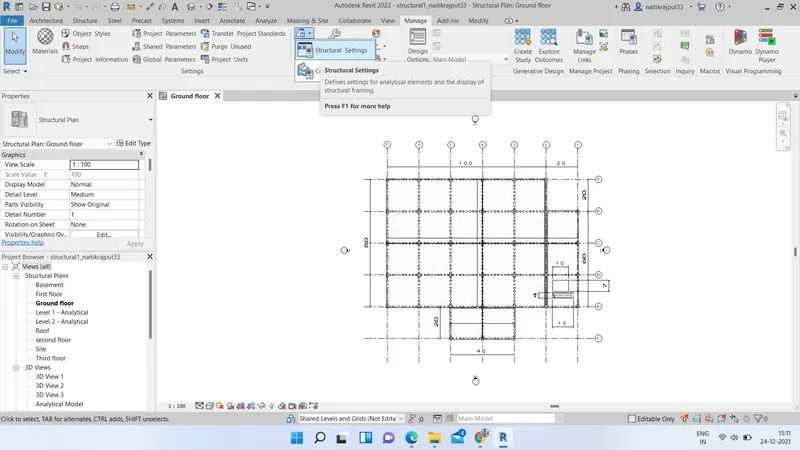
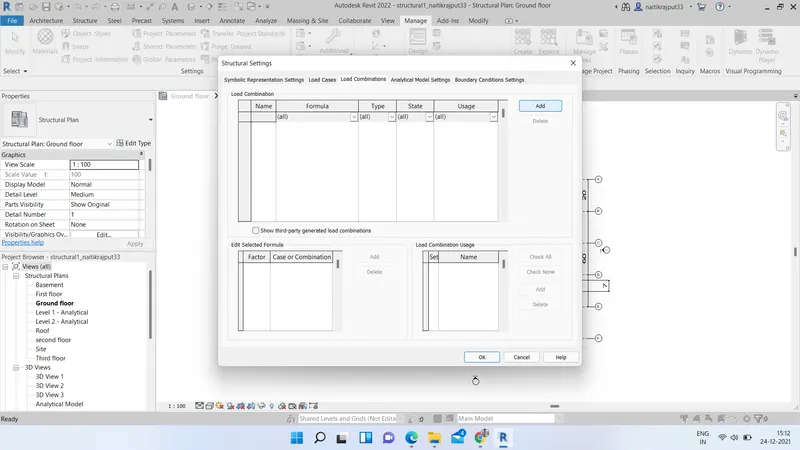
- Include the desired Load combinations and set the boundary conditions. Click OK finally.
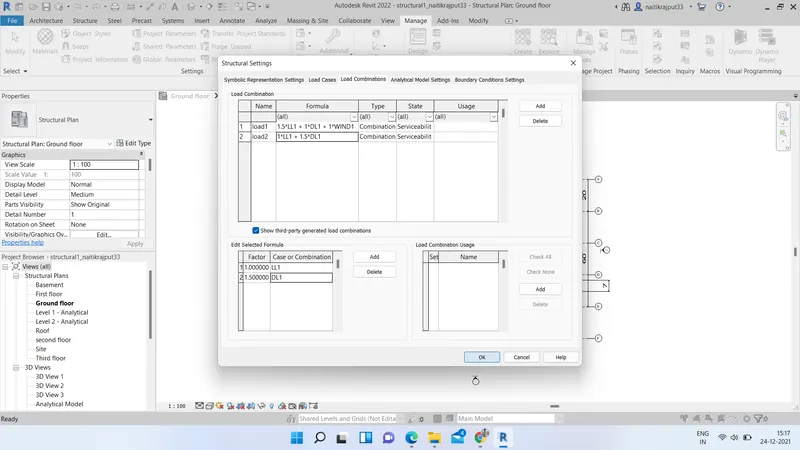
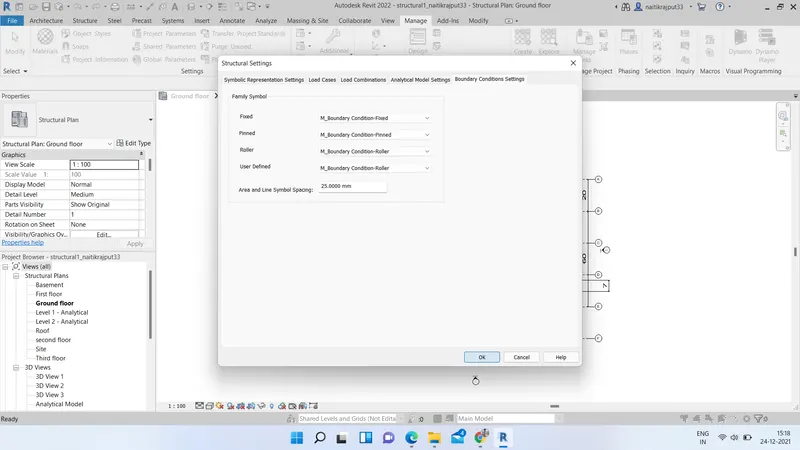
Result:-
Thus, Load combinations are listed in our analysis model.
d.ans.) Aim:- Analyzing the building and reporting the results.
Tools used:- Revit software, Analyze tab, Robot Structural Analysis Professional etc.
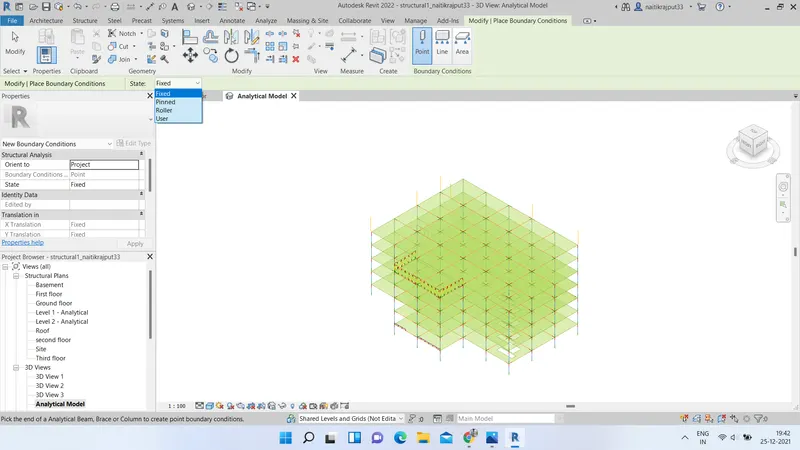
- Go to Analytical 3D model of the opened structural model. Go to Analyze tab and select boundary conditions as Fixed.
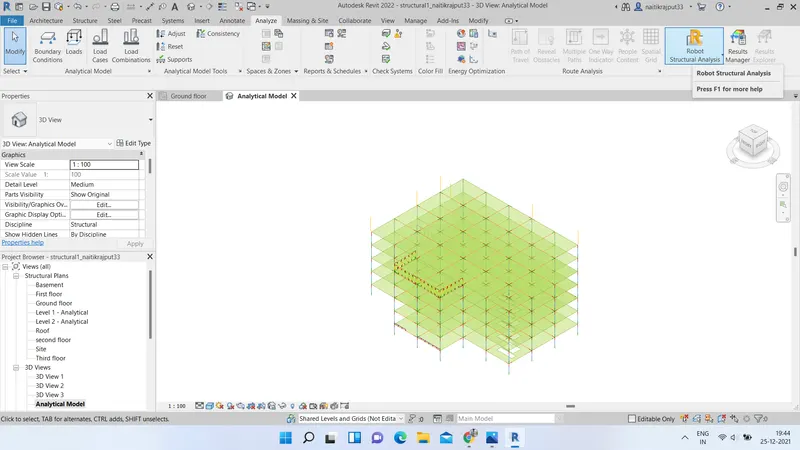
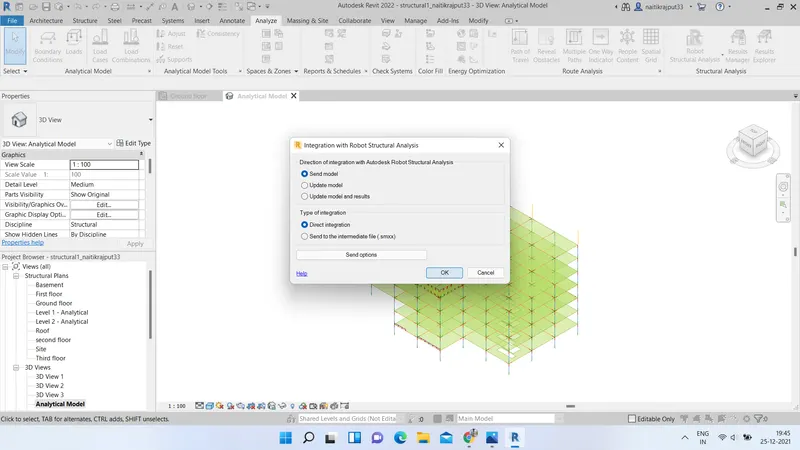
- Click on Robot Analysis and select Send model to Robot Structural Analysis. Click on Ok. Model will be send in Robot Structural Analysis.
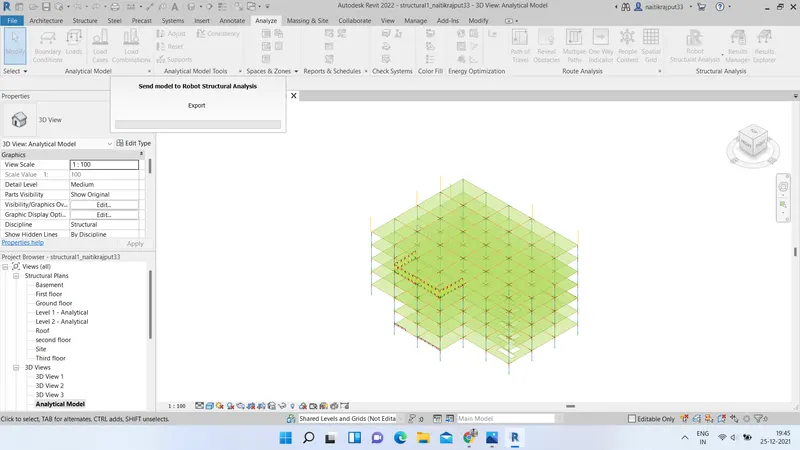
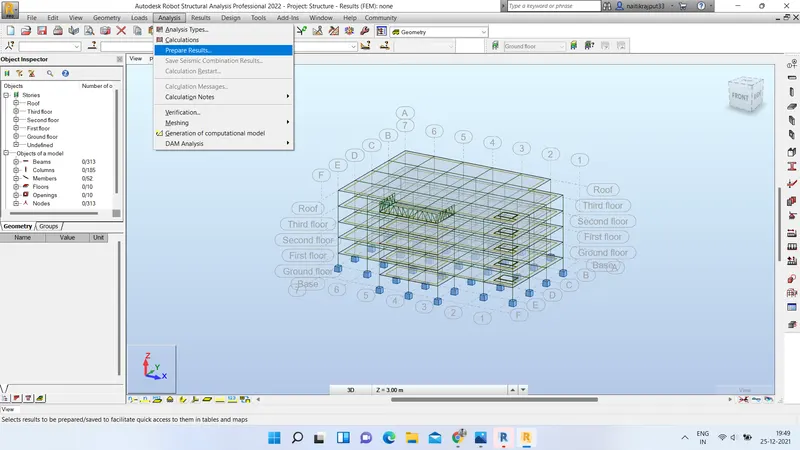
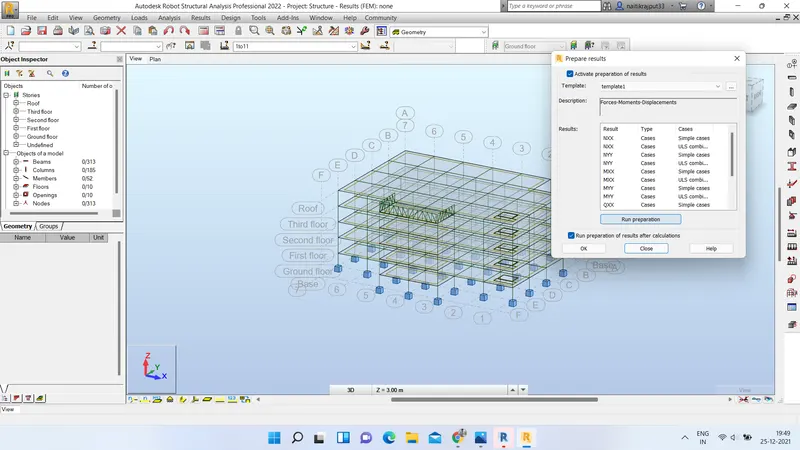
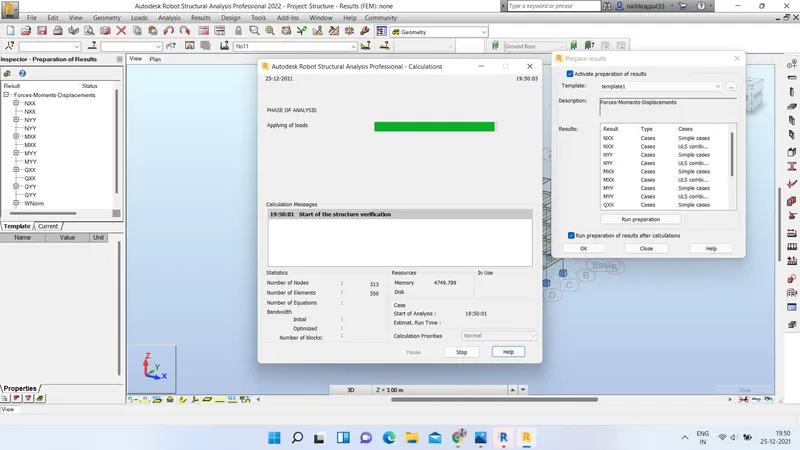
- Model will be send. Go to Analyse option in Robot structural analysis window and select prepare Results. Click on Run preparation on dialog box that will appear and after completion pree OK.
Results:
We can view our result by going to Results and selecting desired Result which we want to see.
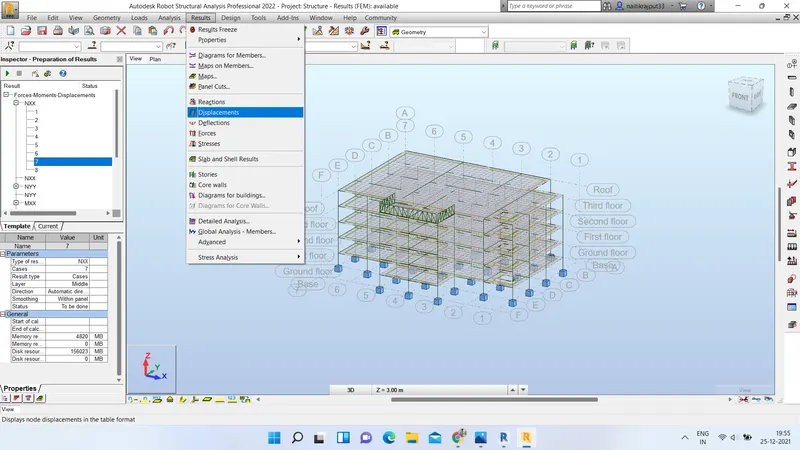
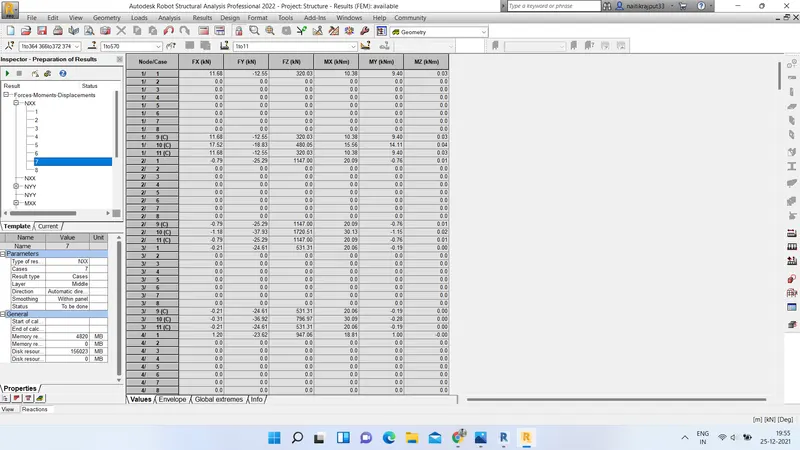
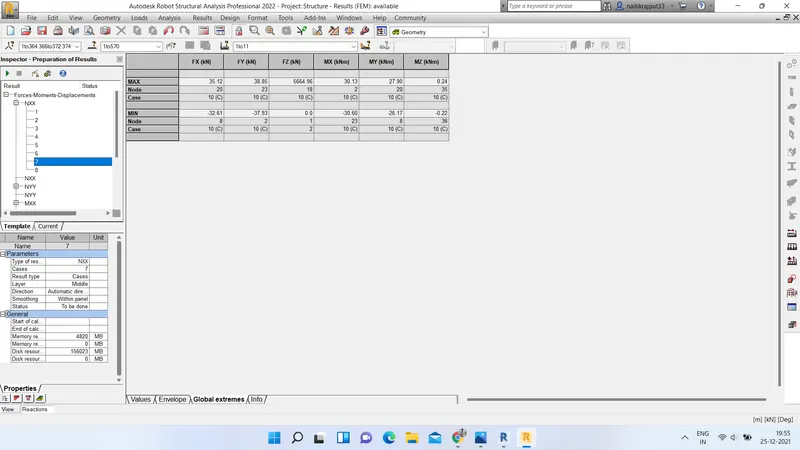
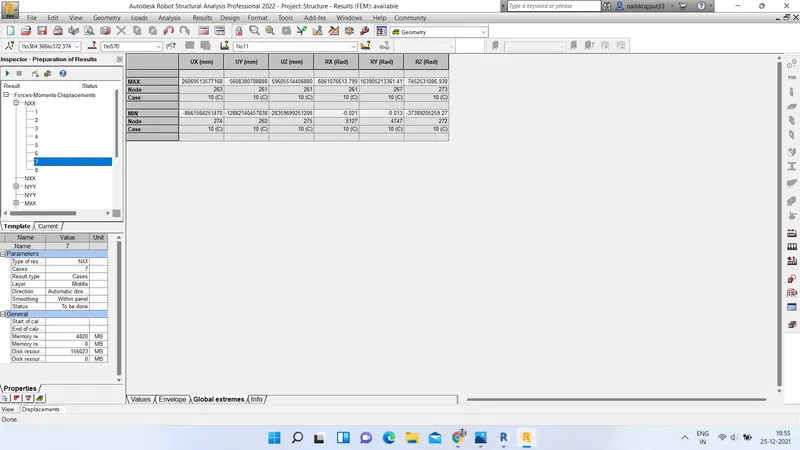
e.ans.) Yes, now I can say that Now, I have a better approach or idea in modeling structural members.
6.ans.:) Energy analysis is a common tool to investigate a system's performance and can be used to evaluate energy/fuel use and energy efficiency. Energy analysis can provide information on the quantity of energy input/output of a system. Energy analysis consists of acquiring energy use and its cost, and analyzing data to identify ECMs to reduce energy use and cost, and consequently increase efficiency. Based on the cost and operation type one needs to prioritize the ECMs.
Energy model uses the information generated by Revit for walls, doors, roofs, windows, and floors in order to perform the energy simulation.Energy settings control the behavior of the energy model creation. They also control the optional use of additional information specified in the model, such as material properties and thermal space properties. Based on the thermal input values for different components in the building such as walls, roof, ceiling, slabs, floor, and glass, it creates an impact on the heating and cooling load in the building.
We need to consider it while modelling in Revit as Energy simulation can help you analyze the movement of energy in, out, and through the rooms and volumes in a building model. This information can help designers make better informed, cost-effective decisions that improve the performance and reduce the environmental impact of buildings.Whole building energy simulation measures expected energy use (fuel and electricity) based on the building's geometry, climate, building type, envelope properties, and active systems (HVAC & Lighting). It takes into account the interdependencies of the building as a whole system.The energy model created from the Revit building model can be displayed in Revit, so you can view and validate the energy model used for analysis. The energy model can also be exported to third-party applications for further analysis in a variety of common formats.
Factor of sustainability improve the quality of our design as When sustainability is applied to design, it enlightens us to the impacts that the product will have across its full life cycle, enabling the creator to ensure that all efforts have been made to produce a product that fits within the system it will exist within in a sustainable way, that it offers a higher value than what was lost in its making, and that it does not intentionally break or be designed to be discarded when it is no longer useful. Provisions should have been made so that there are options for how to maximize its value across its full life cycle and keep materiality in a value flow.Sustainable design seeks to reduce negative impacts on the environment, and the health and comfort of building occupants, thereby improving building performance. The basic objectives of sustainability are to reduce consumption of non-renewable resources, minimize waste, and create healthy, productive environments.
Sustainable design principles include the ability to:
- optimize site potential;
- minimize non-renewable energy consumption;
- use environmentally preferable products;
- protect and conserve water;
- enhance indoor environmental quality; and
- optimize operational and maintenance practices.