Project - Data Handling and Interpolation
AIM :
In a laboratory experiment, data of voltage and current has been recorded and the same is attached in an excel file ( Click on this link VI.xlsx ). Read the excel file in the Matlab program and perform the interpolation in the range of -17.3:0.1:0.9. Generate the interactive plot for the interpolated data and store them in a text file.
To work the project of data Handling and Interpolation is the work with Excel file of the data using the project of the voltage
data V and current data I also avalibel in the excel sheet matlab is the program and perform the interpolation in the range of the valaue is -17.3:0.1:0.9 is all the interp1 is commant line is used in the data storage.
Key Highlights:
- Graphical solutions are more visual and appealing
- Interpolation of data
- Read excel file
- Write to text file
Deliverables:
- Find missing data and save it in text
- Interpolate the data set
- Save your program and attach the same.
- Save txt file and upload in attachment
Graphical solutions are more visual and appealing :
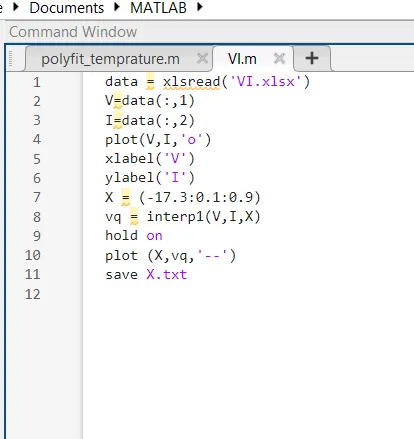
This is the data programming is the voltage V and current I data is avalible of the excel file to use the value and write the programming of the interpolation of data value. code
Interpolation of data :
The graph of the voltage V and current I file of the file output is plot, the wave of some excel value to the
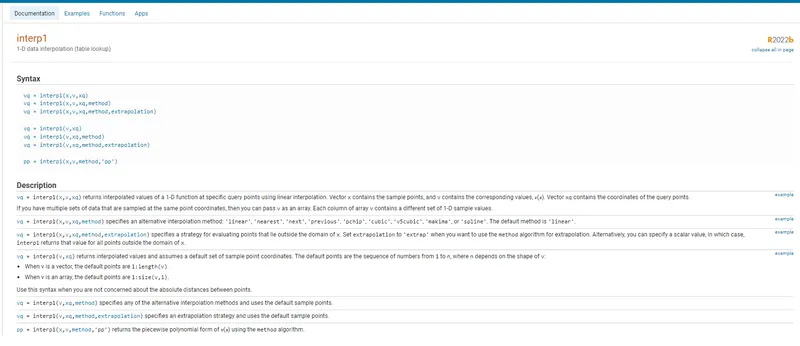
vq = interp1(x,v,xq) fromula is used to the Interpolation.Description
vq = interp1(x,v,xq)x contains the sample points, and v contains the corresponding values, v(x). Vector xq contains the coordinates of the query points.
If you have multiple sets of data that are sampled at the same point coordinates, then you can pass v as an array. Each column of array v contains a different set of 1-D sample values.
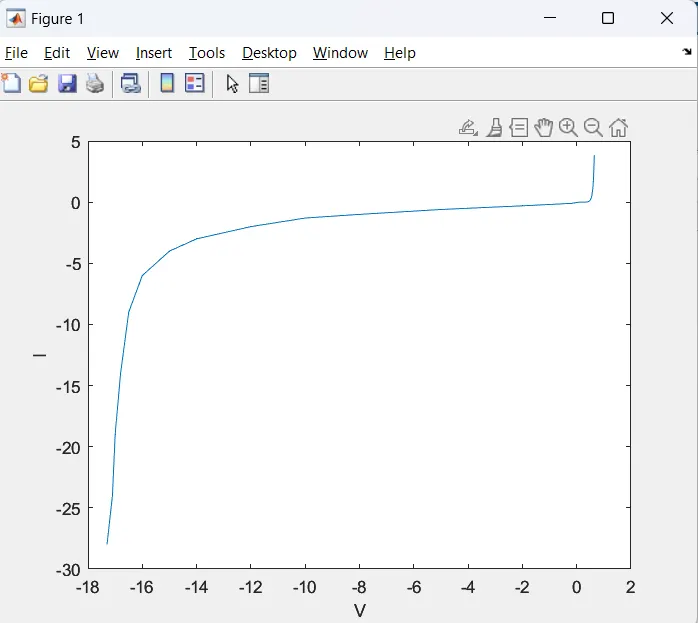
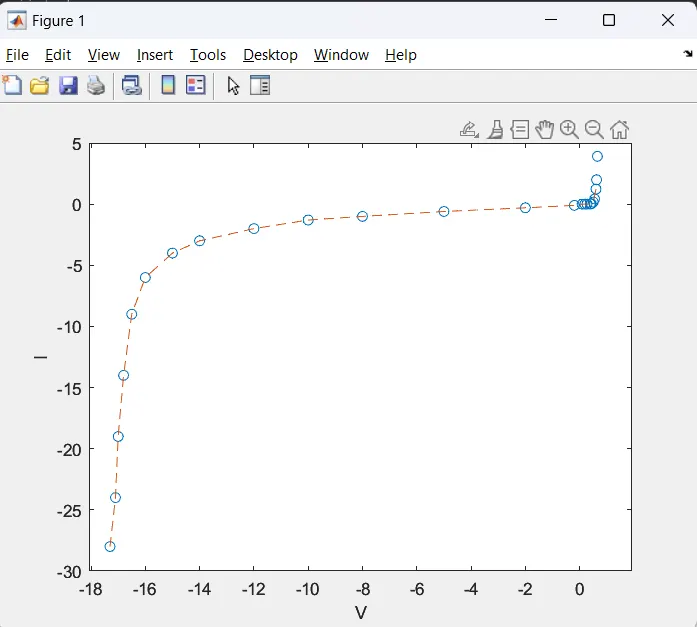
to output result of the plot is in Data Handling and Interpolation this is the interpolation is the voltage and current jointing point is the interpolation of the graph voltage singanal 17.3:0.1:0.9. the missing value to output.
Read excel file :
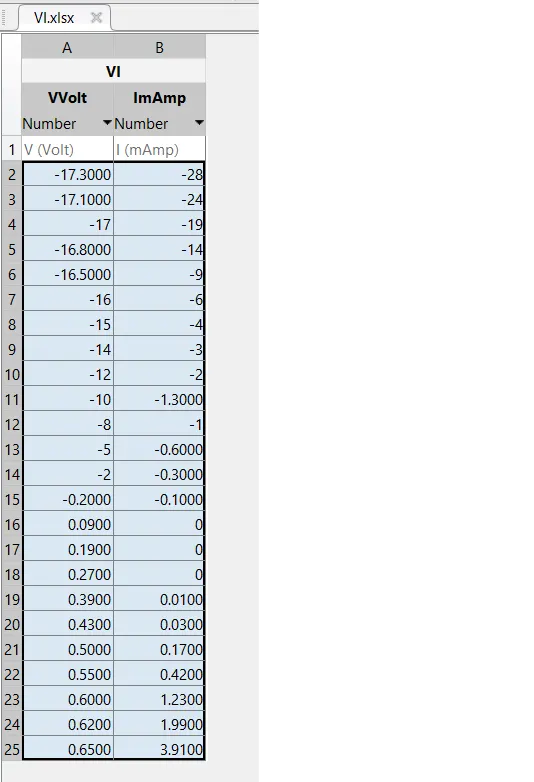
| V (Volt) | I (mAmp) |
| -17.3000 | -28 |
| -17.1000 | -24 |
| -17 | -19 |
| -16.8000 | -14 |
| -16.5000 | -9 |
| -16 | -6 |
| -15 | -4 |
| -14 | -3 |
| -12 | -2 |
| -10 | -1.3000 |
| -8 | -1 |
| -5 | -0.6000 |
| -2 | -0.3000 |
| -0.2000 | -0.1000 |
| 0.0900 | 0 |
| 0.1900 | 0 |
| 0.2700 | 0 |
| 0.3900 | 0.0100 |
| 0.4300 | 0.0300 |
| 0.5000 | 0.1700 |
| 0.5500 | 0.4200 |
| 0.6000 | 1.2300 |
| 0.6200 | 1.9900 |
| 0.6500 | 3.9100 |
The Voltage V and current I is the excel velue is the volt and amp is the file to import save and run the file to import the file to VI.xlsx file.
Write to text file :
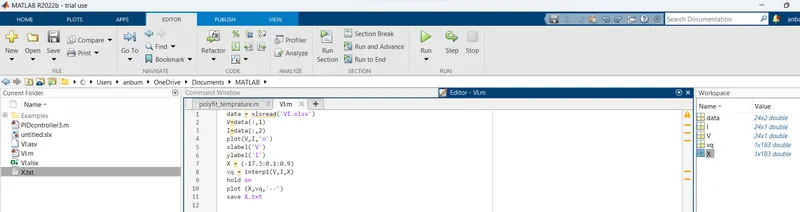
the text file save x.txt file and VI.xlsx file and VI.m file all the commant of woriting the data from to matlaab and excel data file from the value. Read the excel file in the Matlab program and perform the interpolation in the range of -17.3:0.1:0.9. Generate the interactive plot for the interpolated data and store them in a text file.
CONCLUSION :
To complete the all the voltage V and current I data from the excel file Data Handling and Interpolation to plot the interpolation of the wave from of graph.