Project 2
AIM- Route the Wiring harness on given Car Hatch and prepare a flatten view drawing in CATIA V5.
Route the Wiring harness on Given car body and Prepare flatten view drawing in CATIA V5. Application of all Packaging rules, Industry best practices studied in this course shall be demonstrated in design. Apply Protection coverings as required.
Available connector 3D data can be used, or you can download the connectors from www.te.com
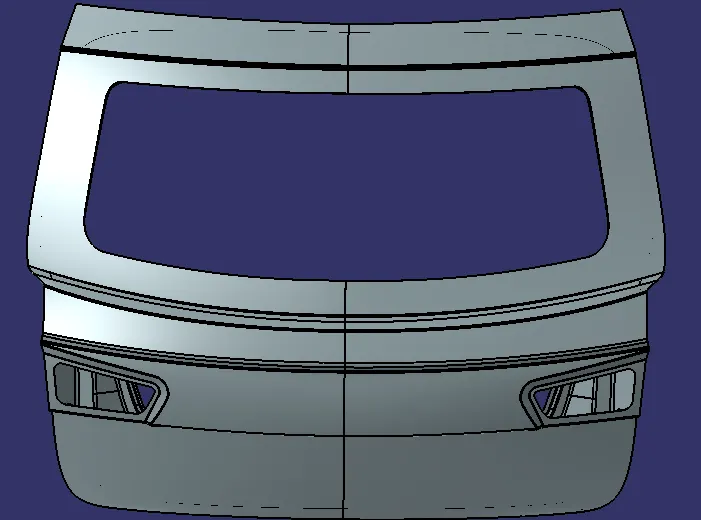
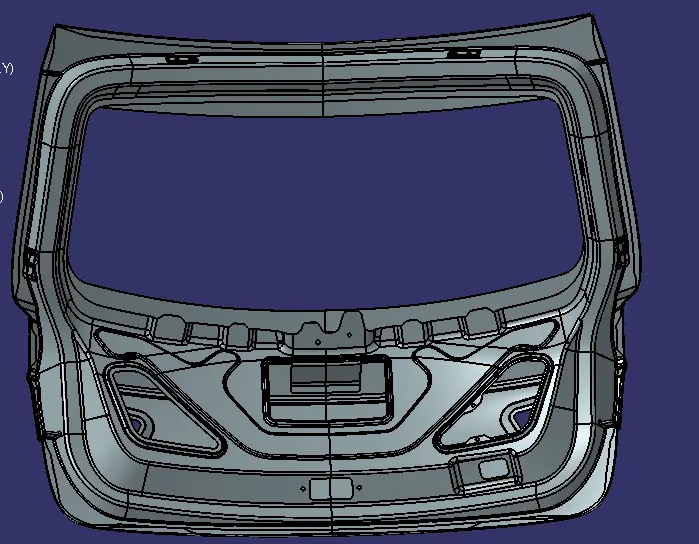
Assumptions :
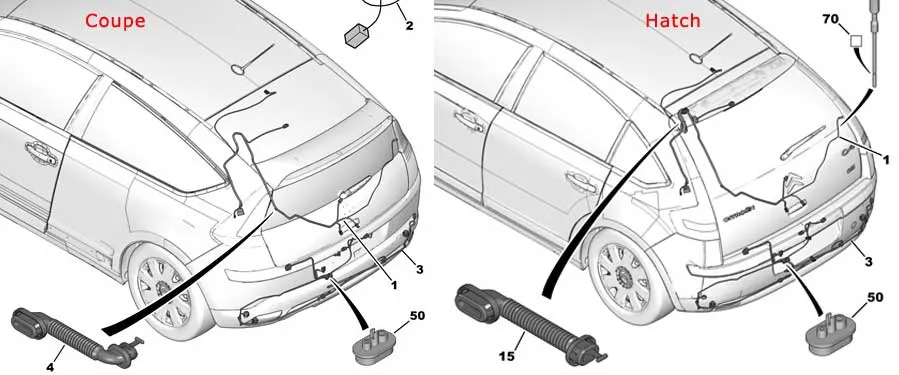
Below are the few references from the real-world which were considered while designing the wiring harness for this project
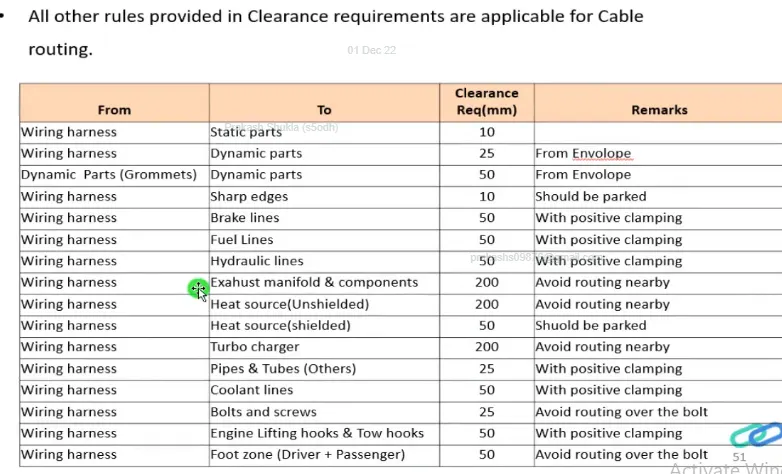
The wiring harness packaging rules and the industry best practices that have to be followed to complete this project are as follows:-
1. Easy manufacturing, installation, removal, and maintenance have to be considered while designing the wiring harness.
2. Routing through small structural holes or opening shall be avoided to minimize chaffing and handling during installation.
3. Avoid harness routing and clipping in the blind zone or hard to reach areas during harness assembly or in service.
4. Provide additional slack if needed according to the surrounding and harness bending requirement. For this project, the slack value between 1-5% is used.
5. It should be made sure that there is no case of fouling while designing the wiring harness in the CAD environment. Additional clips/ clamps may be used to avoid fouling.
6. Avoid harness routing near sharp edges or else provide protection over the harness.
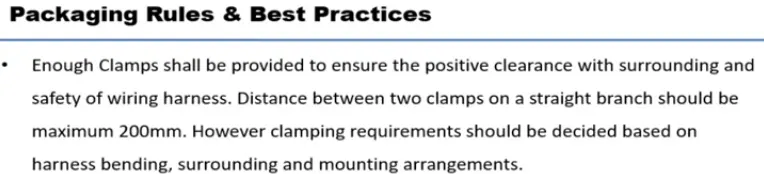
7. Enough mounting equipment such as clips and clamps should be provided.
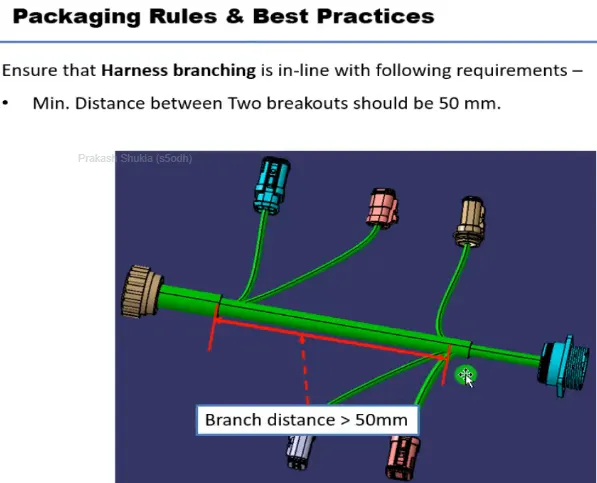
8. The branch length should be greater than 50mm.
9. The minimum distance between the clip to the branch point should be at least 25mm.
10. The minimum distance between the two branch points should be at least 50mm.
11. The wiring harness should be easy to assemble and easy to excess.
12. Clips/ clamps used for the wiring harness should be easily available in the market to avoid extra cost for custom mounting solutions.
The given car body hatch or trunk door has multiple areas of interest. The two taillights and the one license plate lights have to be wired and connected to the car electrical main system.
For these four lights, we will be using a Deutsch 4-pole connector for license plate light and 8 pole connector for tail light and wiper motor. The car hatch body will also have an interconnection connector which will connect the car hatch wiring harness to the main body harness of the vehicle. We will be using a 12-pole electrical connector.
The bend ratio for all the bundle segments is considered to be 1.4
Connectors used :
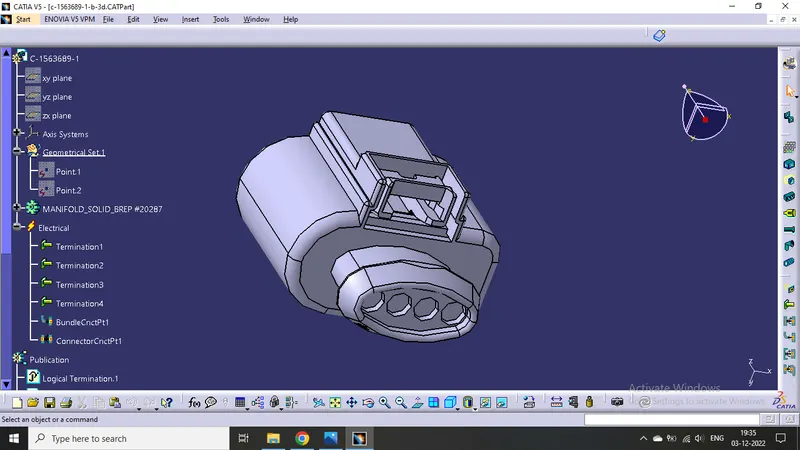
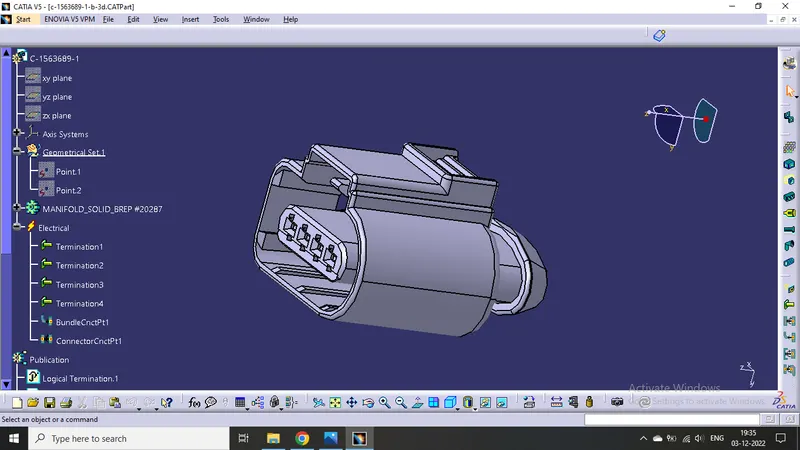
- 12 pole Interconnection connector
Now changing the mechanical part into electrical part design.
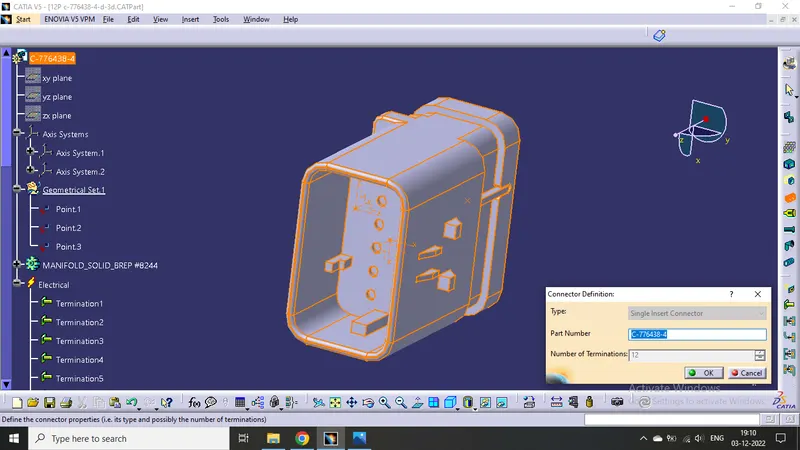
Defined the middle point with help of the mid point. On the connector side and bundle side.
Then define Bundle connection point
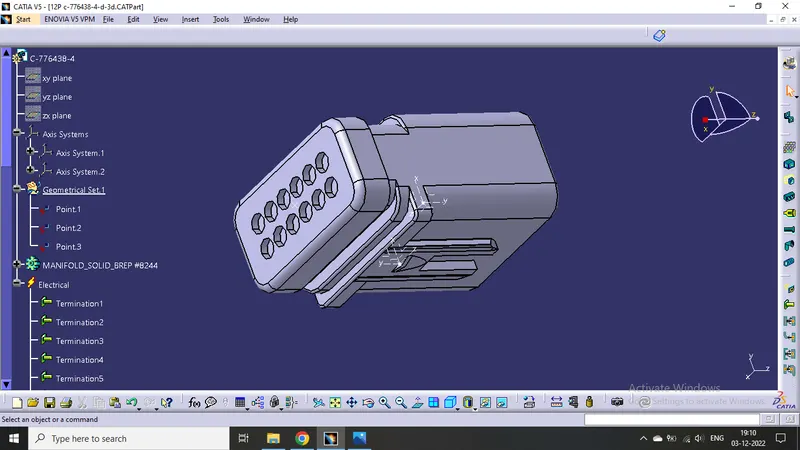
Given axis system to connector side.
Rotated x-axis 90 degrees for y-axis coincidence
Then define connector connection point
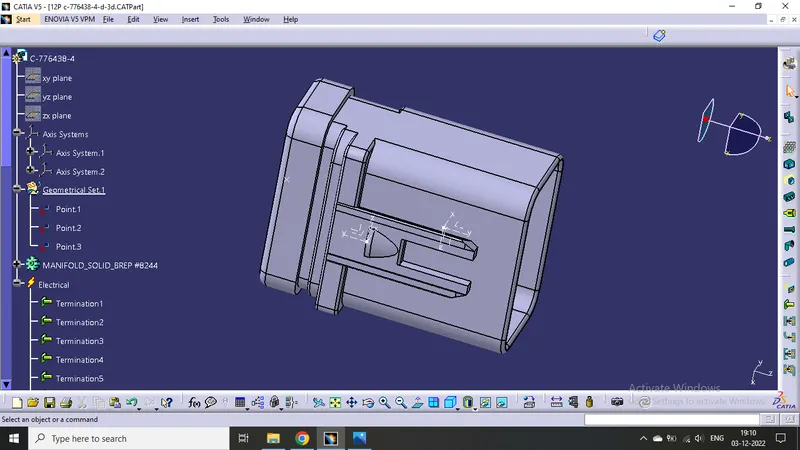
- 8 pole connector
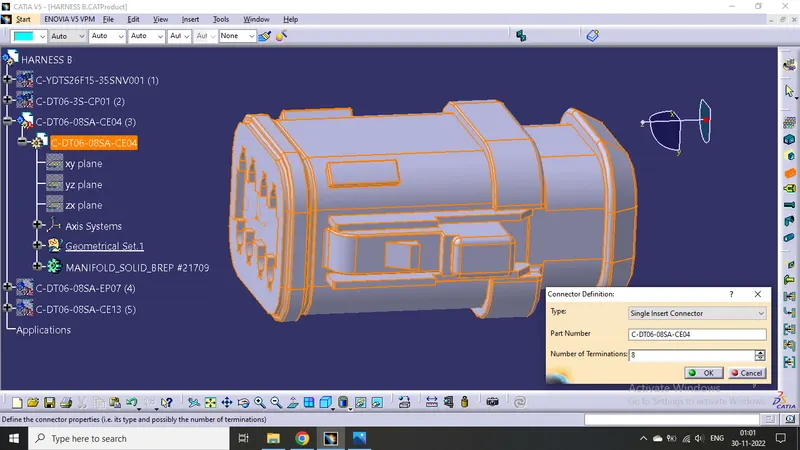
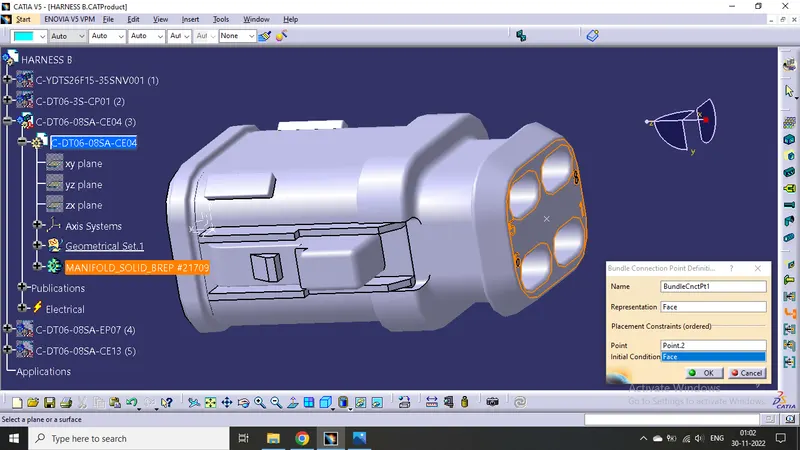
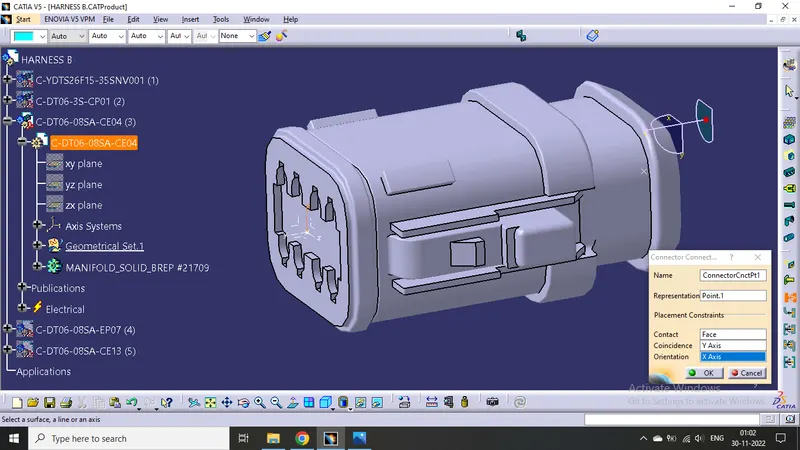
- 4 pole connector
Do same as above connector
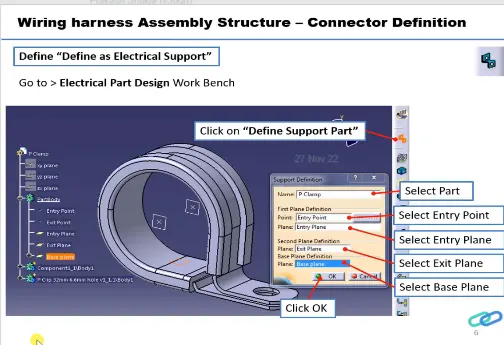
P clamp for support :
Define it as support
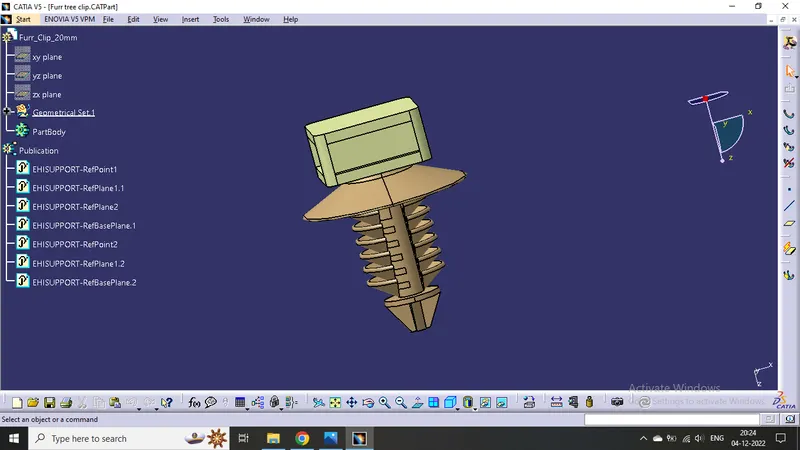
- Fir tree clip
Positioning :
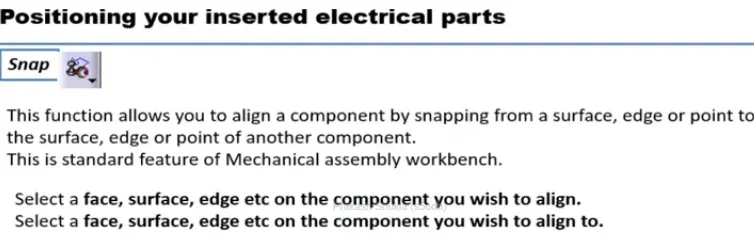
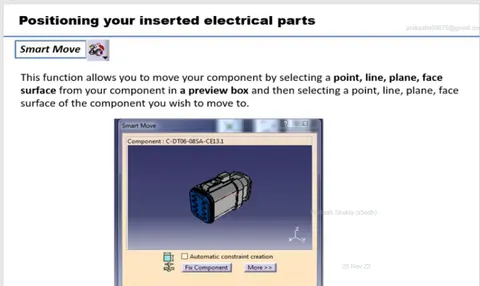
Positioning of all the parts is done by the help of "Smart move" command and "Compas".
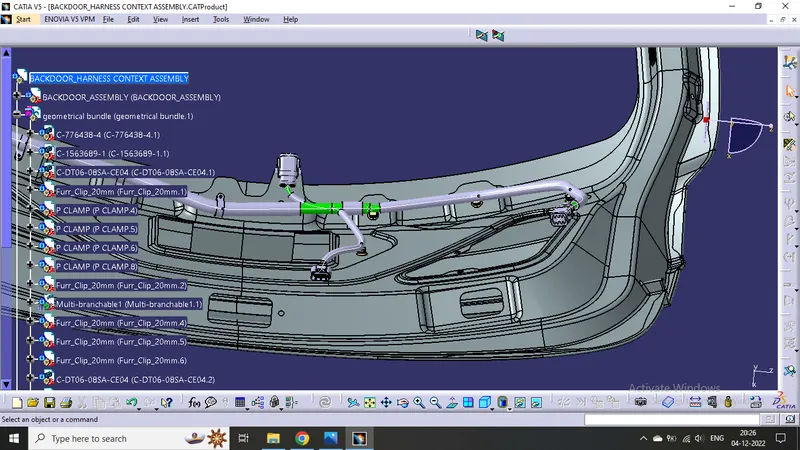
Creating Geometrical Bundle :
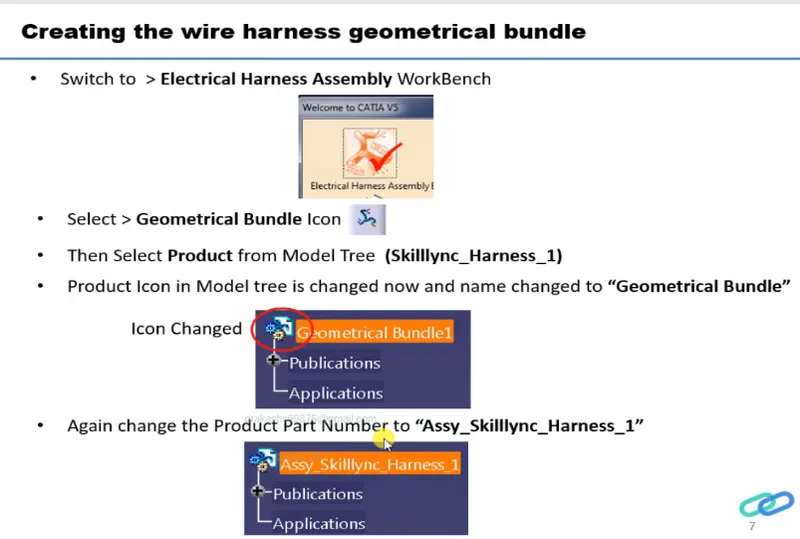
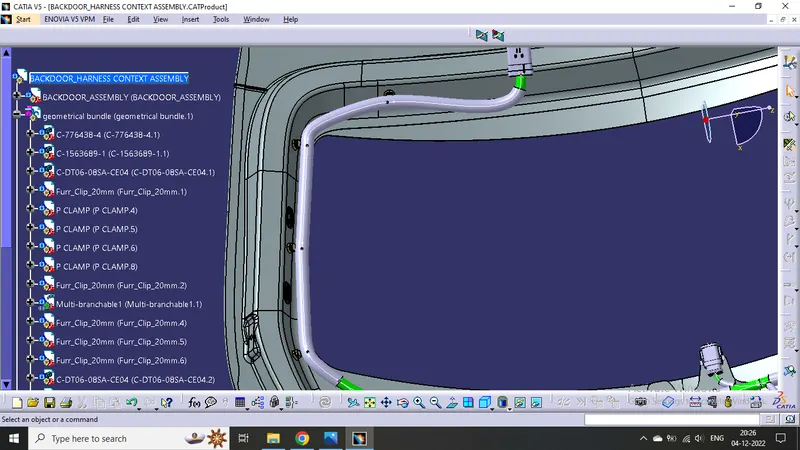
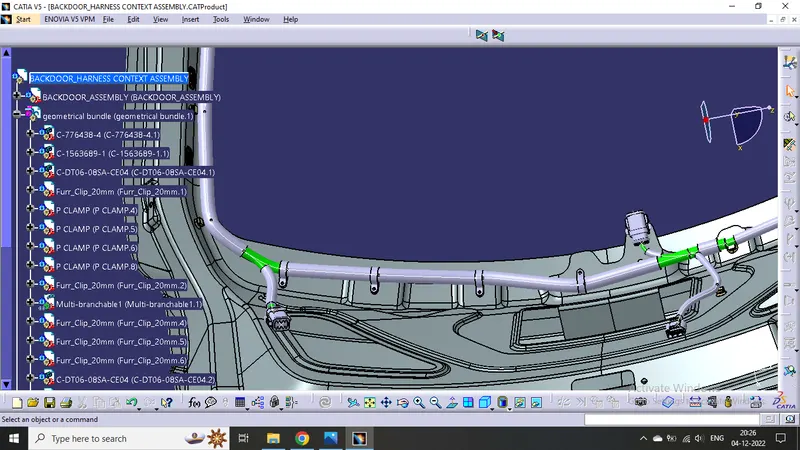
- Click on geometrical bundle command available in electrical harness assembly to convert mechanical assembly into electrical assembly.
- Then click on "Multi Branchable Document" to go on the branchable workbench.
- Then click on "Branch definition" to male branches.
- Then make Branch point click on "Add Branch Point".
- Create branches as per need.
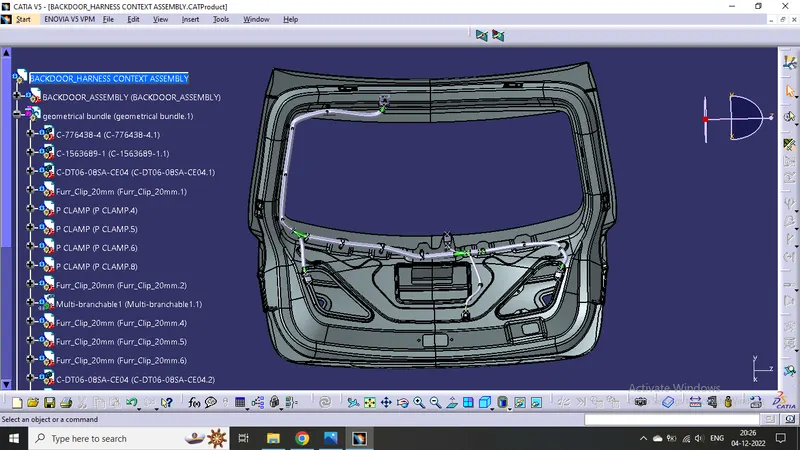
Adding protective covering on all branches connected to DT06-2S & DT06-4S connectors.
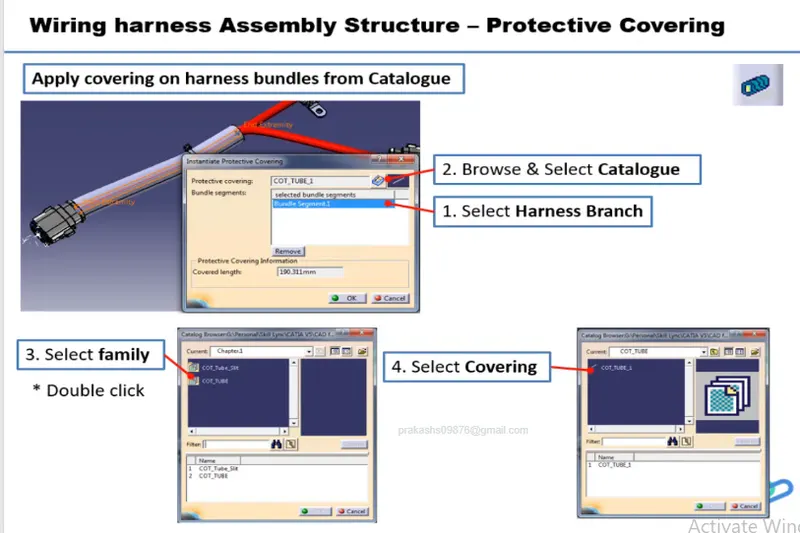
- Click on "Protective Covering" command in electrical harness assembly workbench.
- select the branch to be protected.
- click on catalogue icon then click on the protective cover which we want to use.
- Then click OK.
- We can change extrimity positions by double clicking on the same.
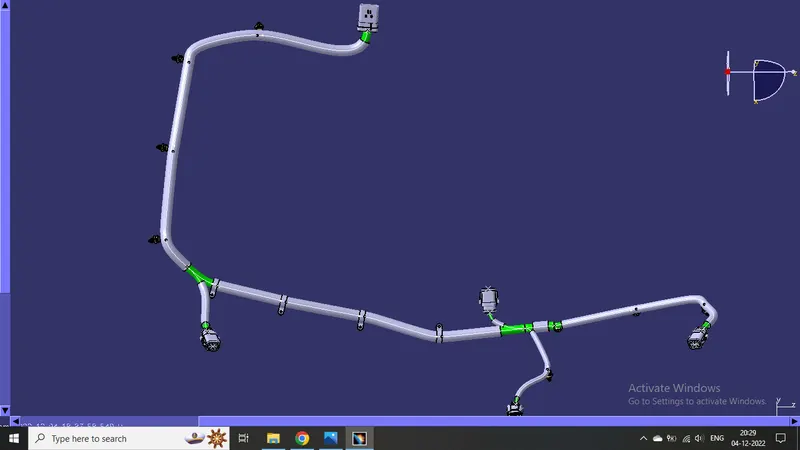
For flattening the harness bundles :
- Go to the "Electrical Harness Flattening" workbench.
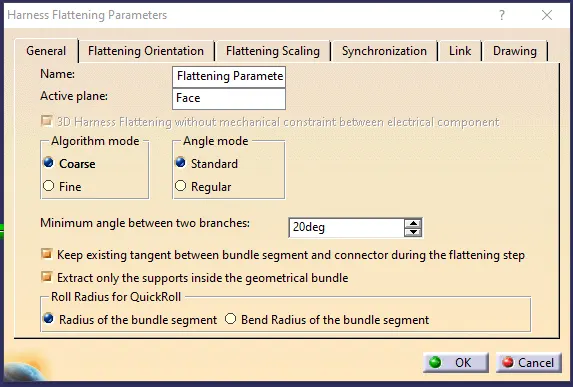
- Click on the "Harness Flattening Parameter" available in the workbench.
- Then adjust the parameters accordingly.
- Save the file in the same location where the harness is located whose flattening has to be done.
- Then Extract the harness product file into the flattness product file by clicking "Extract " command in the flattening workbench.
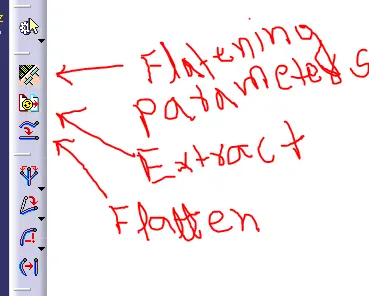
Then use the "Flatten " command.
Then we will get the following structure :
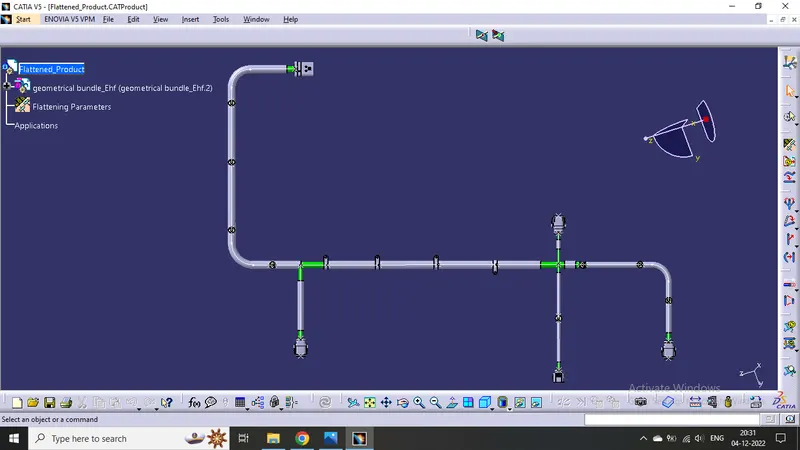
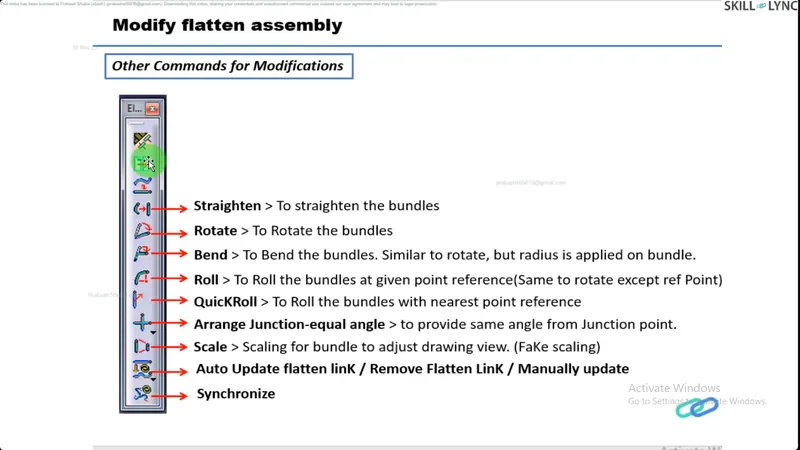
By adjusting the bundles with the following comands availabe in the same workbench :
Creating Harness Bundle Drawing :
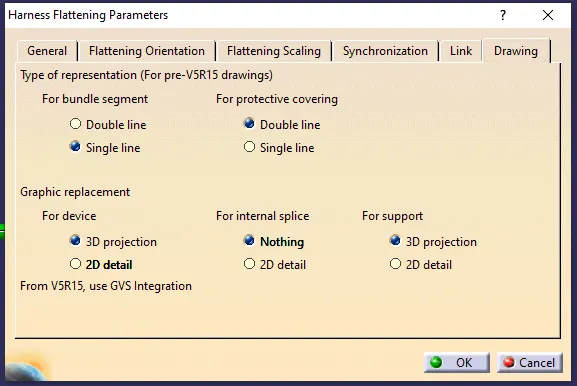
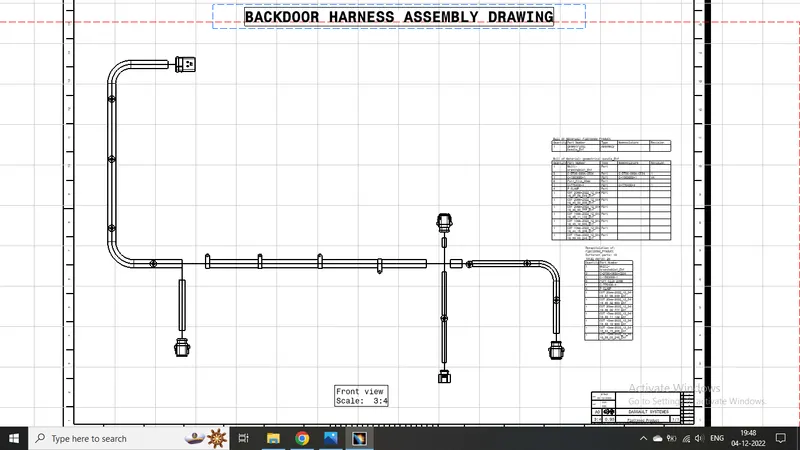
Ensure bundles with protective coverings has different visuals on drawing view.
Create new Drawing file and after adjusting the properties like below
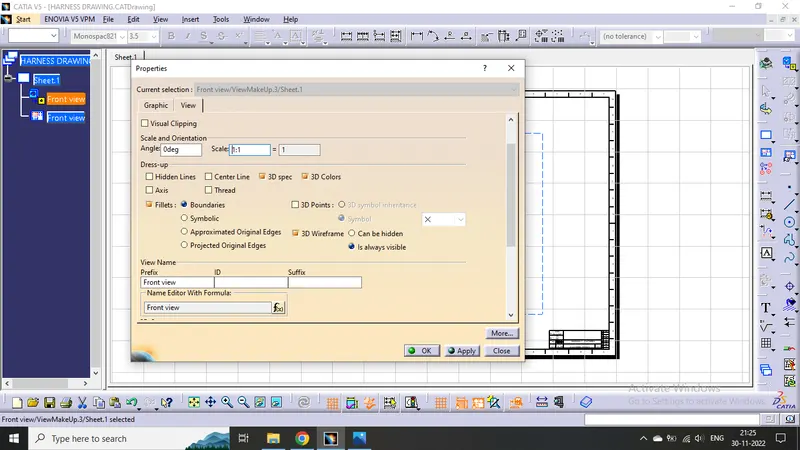
We will get the required view of the harness bundle assembly :
Challenge completed.