MODELING OF COMPONENTS AND ASSEMBLY & RENDERING OF AMERICAN CHOPPER USING SOLIDWORKS
MODELING OF COMPONENTS AND ASSEMBLY & RENDERING OF AMERICAN CHOPPER USING SOLIDWORKS
Introduction:
This report contains of modeling and assembly of chopper components and final rendering with detailed explanation using the solidworks software.
Objective:
- The objective in the project to learn and understand the different tools and commands in solidwoks.
- How to model different components in part option.
- How to assemble the various components together in assembly option.
- How to render the assembled chopper and make realistic view image in solidworks visualize.
Part modeling:
In part modeling the following plane has to be selected & sketch the model on the selected plane with following dimensions.
Parts modeled for American chopper:
- Transmission belt
- Kickstand
- Front fender
- Rear fender
- Oil tank
- Chain
- Pedal
- Front wheel
- Rear wheel
- Engine
- Front fork
- Chassis
- Fuel tank
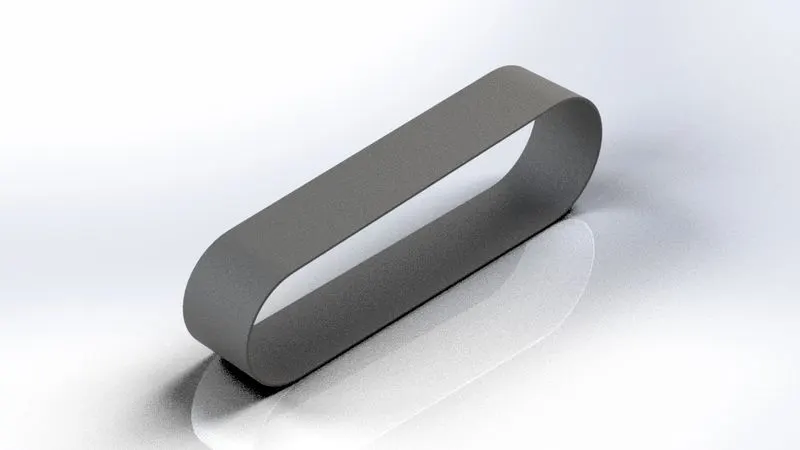
1.Transmission belt:
A belt is a loop of flexible material used to link two or more rotating shafts mechanically, most often parallel.
In chopper belt is used to transfer power from engine output to gear box input.
- Explanation:
The sketch of the transmission belt is created as per the following dimension in the front plane, the belt is given a thickness of 3.5mm using the offset command. After fully defined sketch was completed and click exit sketch, then the sketch was extruded to make the sketch in 3D view. Fillet command is used to avoid sharp edges in the sides of the belt.
Render the finished module to make it looks realistic image in visualize..
- Features used:
- Sketch
- Offset
- Extrude
- Fillet
- Appearances
- Sketch: The sketch is the basis for a 3D model. You can create a sketch on any of the default planes or a created
- Offset: one or more sketch entities, selected model edges or model faces by a specified distance.
- Extrude: Extrude feature can extrude the boundary edges of a face of a solid body or edges of the surface body in a customized direction. It converts the 2D sketch to 3D model.
- Fillet: Fillet creates a rounded internal or external face on the part. You can fillet all edges of the face, selected sets of faces, selected edges or edge loops.
- Rendered image:
2.Kick stand:
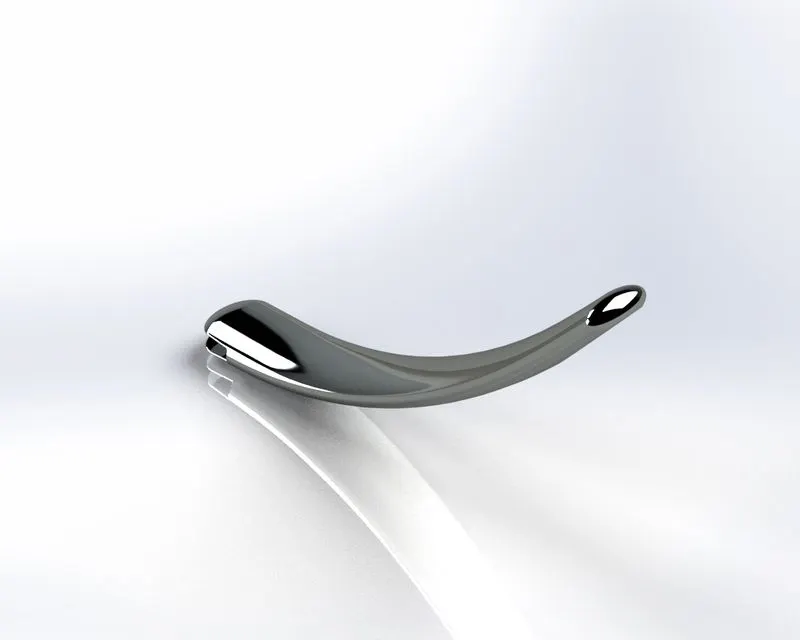
A kickstand is a device on a bicycle or motorcycle that allows the bike to kept upright without leaning against another object.
The kickstand is used to support the chopper. It is known as side stand.
- Explanation:
Using solidworks software open new part to model kick stand. Select the plane according to the positions of the kickstand, Sketch the model as per the dimensions.
- Features used :
- Sketch
- Loft
- Dome
- Boss extrude
- Extrude cut
- Fillet
- Split
- Loft: The feature allows you to generate complex geometry in a single feature. it does this by interpolating surfaces between various cross-sections of a model.
- Dome: The feature calculates the distance using the radius of the arc as a basis for the dome. It creates a dome that is tangent to the adjacent cylindrical or conical face.
- Extrude cut: The cut-extrude feature will then project the desired shape of cut based on the selected sketch.
- Split: The split line tool is used to project an entity (sketch, solid, surface, face, plane or surface spline) into other surfaces or curved/planar faces.
Render the entire part using the solidworks visualize.
- Rendered image:
3.Front fender:
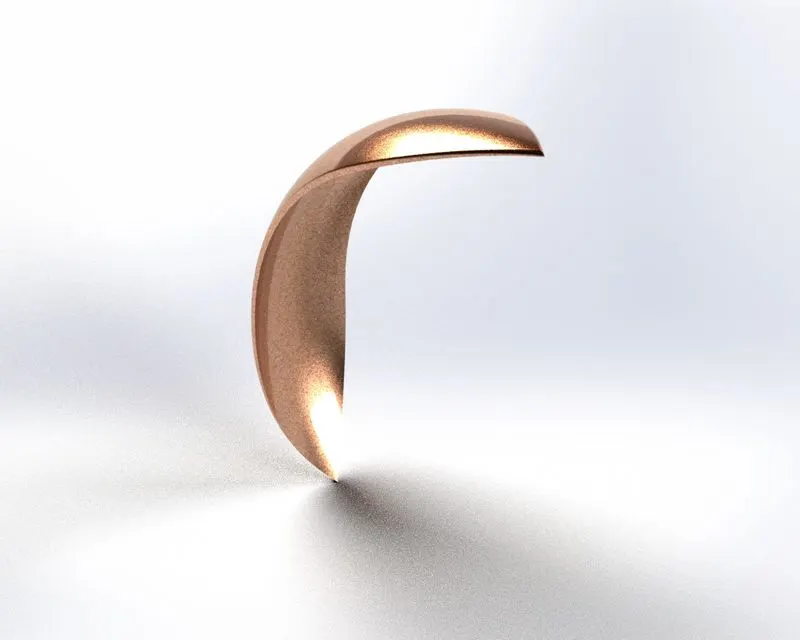
The part of an automobile that frames a wheel well. That part of an automobile designed to absorb minor impacts.
- Explanation:
A sketch of created in the front plane using a three point arc and offset it meet the thickness of the fender. Create an axis at the origin. Using revolve boss the required front fender is created. Two different sketches are created in the top plane and the right plane to cut the fender into required shape.
Fillets are given to avoid the sharp edges of the fender.
- Features used:
- Sketch
- Offset entities
- Trim entities
- Revolve
- Dynamic mirror
- Split
- Trim entities: Using power trim to trim multiple, adjacent sketch entities by dragging the pointer across each sketch entity.
- Revolve: Create a sketch that contains one or more profiles and a centre line, line or edge to use as the axis around which the feature revolves.
- Dynamic mirror: Mirror command is intended to be used on sketch entities that have already been created. Dynamic mirror, is intended to be used while you are sketching.
Render the entire part using the solidworks visualize.
- Rendered image:
4.Rear fender:
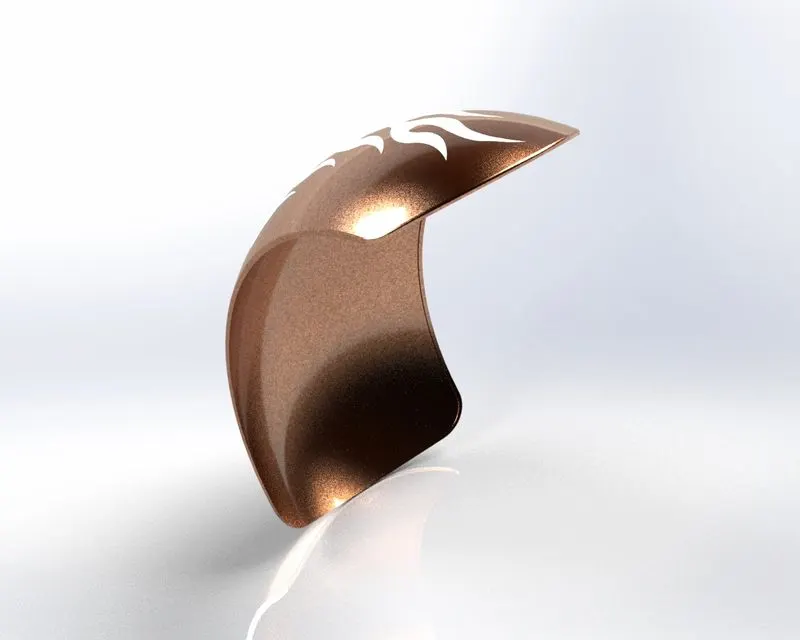
The rear fender runs from the chainstays all around the rear tyre until it is pointing almost straight down at the back. This fender really works to protect you and your chopper from spray kicked up by wet roads.
- Explanation:
A sketch of created in the front plane using a three point arc and offset it meet the thickness of the fender. Create an axis at the origin. Using revolve boss the required rear fender is created. Two different sketches are created in the top plane and the right plane to cut the fender into required shape.
Fillets are given to avoid the sharp edges of the fender.
- Features used:
- Sketch
- Offset entities
- Trim entities
- Revolve
- Appearances
- Appearances: An appearance defines the visual properties of a model, including color and texture. Appearances do not affect physical properties, which are defined by materials.
- Rendered image:
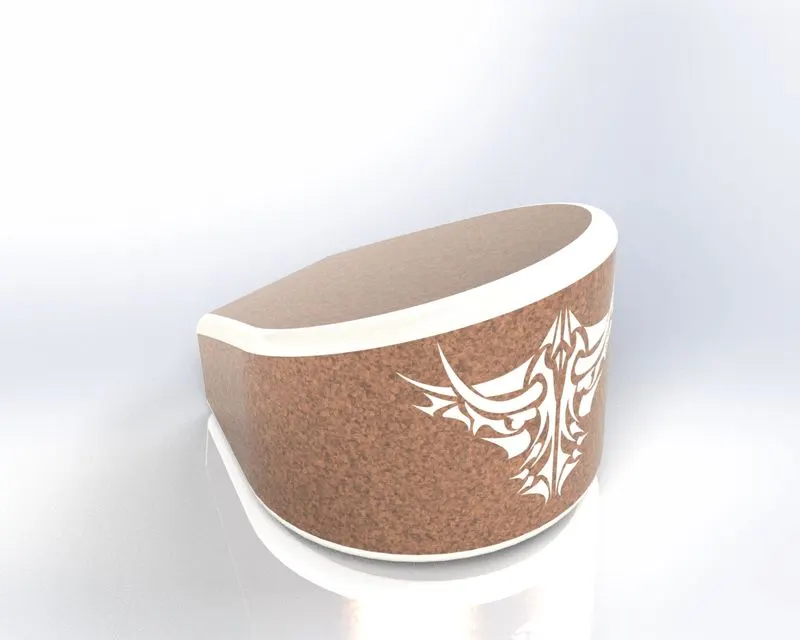
5.Oil tank:
The oil tank is hollow one which is used to store the oil required to run the engine and to reduce the heat produced by engine.
- Explanation:
On the top plane create a sketch by creating a 3 point arc and few line and apply tangent relations. Then extrude the profile to obtain a structure. On the front plane, create another sketch and extrude it using mid plane extrude. Now split the bodies and remove the unwanted part to obtain the oil tank. Apply necessary fillets. Now using shell feature make the oil tank hollow of required thickness. And apply the desired appearance.
- Features used:
- Sketch
- Boss extrude
- Combine
- Fillet
- Shell
- Appearances
- Combine: In a multibody part, you can combine multiple bodies to create a single body.
- Shell: The shell tool hollows out a part, leaves open the faces you select, and creates thin walled features on the remaining faces. If you do not select any face on the model, you can shell a solid part, creating a closed, hollow model. You can also shell a model using multiple thicknesses.
- Rendered image:
6.Chain:
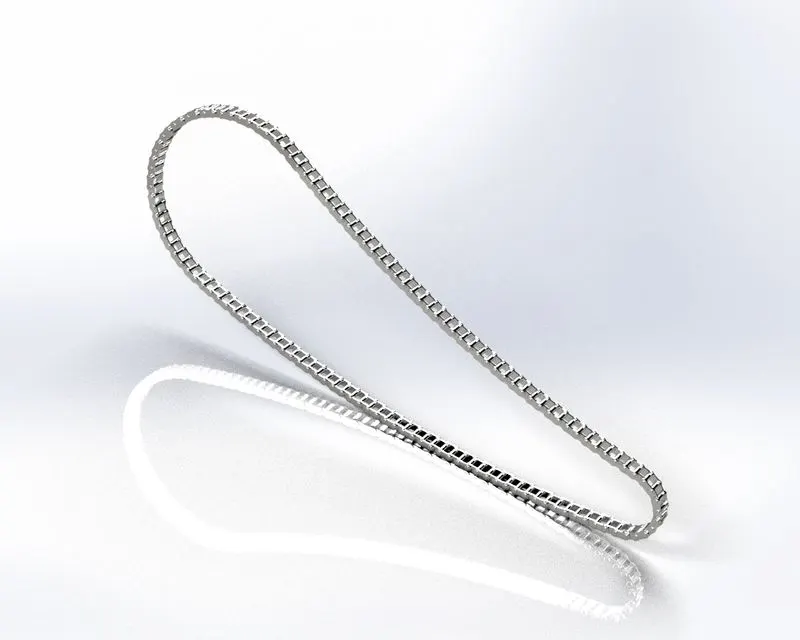
The drive chain of a motorcycle is a very important element of the motorcycle drivetrain. The chain is responsible for transferring the gear box power to rear wheel.
- Explanation:
A main profile of the chain is created using three point arc and tangent relations between the arcs using the given dimensions. Create two throwaway sketches which are used to create the inside and outside links of the chain. The plates of the chain links are extruded using the throwaway sketches and the connecting pins are created using the same sketch. Only one side of the plates of the chain links are created. The created chain links and pins are then populated on the main sketch using the linear pattern and circular pattern features. All the chain link plates are then mirrored on the front plane. All the components of the chain are combined together as a single part using combine feature. Chrome steel appearance is applied to the modeled chain.
- Features Used:
- Sketch
- Trim
- Fillet
- Blocks
- Extrude
- Patterns
- Appearance
- Blocks: You can make, save, edit and insert blocks for drawing items and sketch entities that you use often, such as standard notes, title blocks, label positions, and so on.
- Patterns: The curve driven pattern tool allows us to create patterns along a planar or 3D curve. To define the pattern you can use any sketch segment, or the edge of the face(solid or surface), that lies along the plane. You can place your pattern on an open curve or a closed curve.
- Rendered image:
7.Pedal:
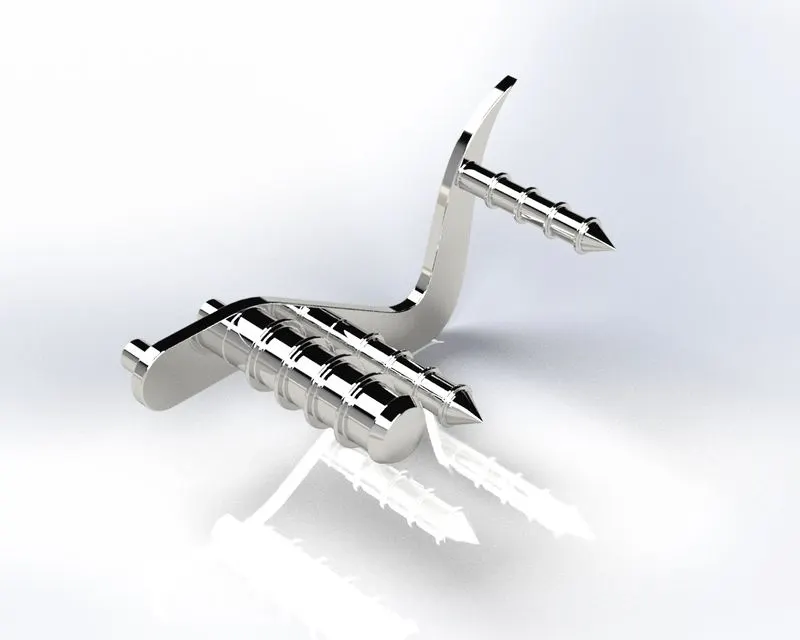
All the controls used to operate a motorcycle, the rear wheel brake, controlled by a brake pedal on the right side of the bike. It is the external part attached to the chassis.
- Explanation:
A sketch is made on the front plane in the form of the support plate as per the below picture. A few circles of required dimensions on either side of the profile which are later used to produce the extruded cylinders structures for the foot rest and the attachments to the chassis. Provide the required fillets and linear patterns to produce the ring structures on the extruded cylinders. Chrome steel appearance is applied to the modeled pedal.
- Features used:
- Sketch
- Extrude
- Fillet
- Linear pattern
- Dome
- Chamfer
- Appearances
- Chamfer: The chamfer tool creates a beveled feature on selected edges, faces or a vertex.
- Linear pattern: The linear pattern command is used to drive features, faces or bodies in a linear direction. This feature helps save time by cutting down the repetitive movements of adding a punch of holes or other forms of geometry.
Circular pattern is also similar to the linear pattern with small difference.
- Rendered image:
8.Front wheel:
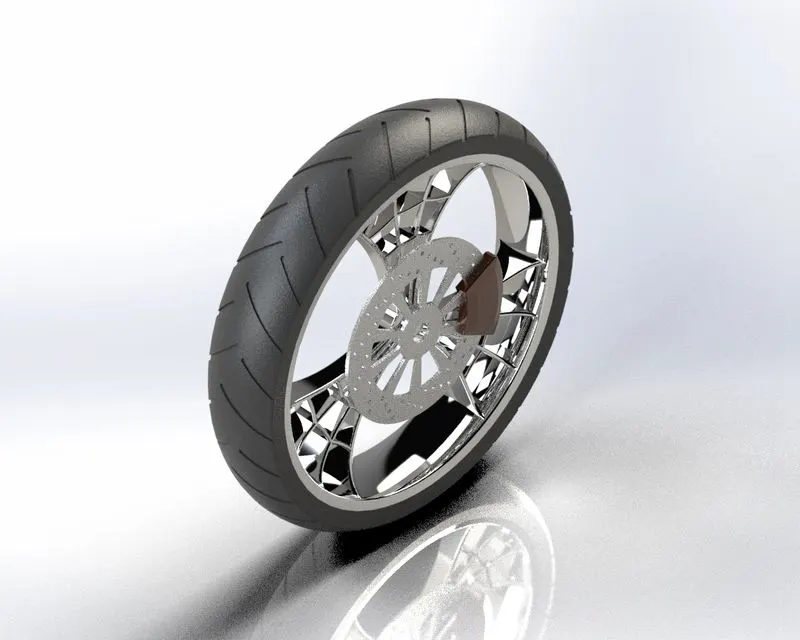
Wheels are made to cope with radial and axial forces. They also provide a way of mounting other critical components such as the brakes and suspension. This wheel helps to guide the vehicle according to the movement of the front fork as desired by the rider.
- Explanation:
- Wheel rim: It is a rolling part situated on the front of the chopper.
Initially the rim is created by sketching on the front line and the revolved extruded using the imaginary axis at the origin. A spider web design of the rim is created on the front plane and it is extruded using midplane extrude feature. And this spider web is circular patterned to required numbers and the rim is completed. The spider web spokes and the rim are combined to form a single solid body.
- For rotor: Sketch on the front plane and extrude it to following dimensions. Then create the necessary holes using circular pattern.
- For caliper: Create a profile using lines and circles and trim the unwanted sketch and midplane extrude the caliper profile. Provide fillets and chamfers to complete the caliper.
- For tyre: A sketch is created by convert entities of the rim. And the tyre is revolved extruded. Later profiles are created on the surface of the tyre to give the grips to the tyres.
Different appearances are applied to each part of the wheel.
- Features used:
- Sketch
- Revolve
- Trim
- Fillet entities
- Boss/Base extrude
- Revolve cut
- Linear pattern
- Chamfer
- Fillet features
- Cut extrude
- Circular pattern
- Appearances
- Rendered image:
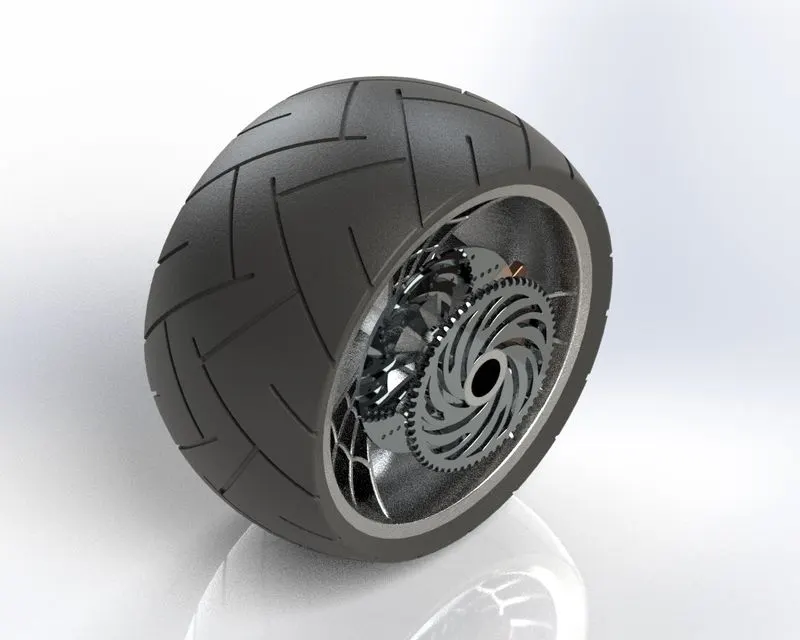
9.Rear wheel:
A circular object that revolves on an axle and is fixed below a vehicle or other object to move it easily over the ground. The disc and sprocket are attached with the rear wheel. The chain is connected between the engine and the rear wheel sprocket.
- Explanation:
For the rear wheel rim, rotor, caliper and tyre are modeled as per the front wheel procedure is mentioned above front wheel procedure.
- For sprocket: Sketch a circle and extrude it to a required thickness. Apply chamfer to the outer edges and create a tooth profile on the extrude and cut it. Apply fillets to the tooth edges and create the sprocket using circular pattern feature and required number of teeth.
- Features used:
- Sketch
- Revolve
- Trim
- Fillet entities
- Boss/Base extrude
- Revolve cut
- Linear pattern
- Chamfer
- Fillet features
- Cut extrude
- Circular pattern
- Appearances
- Planes
- Rendered image:
10.Engine:
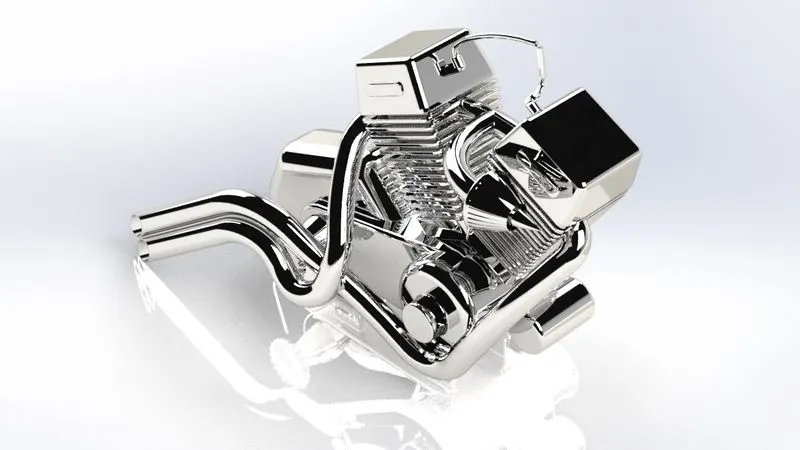
A motorcycle engine is an engine that powers a motorcycle. Motorcycle engines are typically two stroke or four stroke internal combustion engines, but other engine types, such as wankels and electric motors, have been used.
- Explanation:
The blue print of the motorcycle is imported to the part design, by adjusting the location, transparency and the sketch of the engine is carried on this blue print. The base of the engine is created using three point circle and lines(using tangency properties) and extrude to required dimensions. Again using the same sketch extrude the two circles. On the front plane create the twin engines in the V-shape. Create the sketch for pulley and create the pulley using revolved extrusion. Create the cylindrical part in the front of the engine on the front plane. Using the curves created and projected curves, create the profile of the exhaust pipes and create the swept boss feature. Then the spark plugs are created at the end. Chrome steel appearance is applied to the modeled engine.
- Features used:
- Sketch
- Convert entities
- Trim
- Revolve
- Boss extrude
- Cut extrude
- Offset
- Dome
- Fillet
- Projective curve
- Composite curve
- Sweep
- Mirror
- Circular pattern
- Split
- Mirror: It creates a copy of a feature, (multiple features), mirrored about a face or a plane. You can select the feature or you can select the faces that comprise the feature.
- Projective curve: Projective curve is a 3D curve which is projected based on the two different 2D sketches.
- Sweep: The tool that creates a solid, a cut or a surface feature by moving a profile along a path. To create a solid, use the swept boss tool to move a profile along a path. The profile can contain one or more closed contours.
- Rendered image:
11.Front fork:
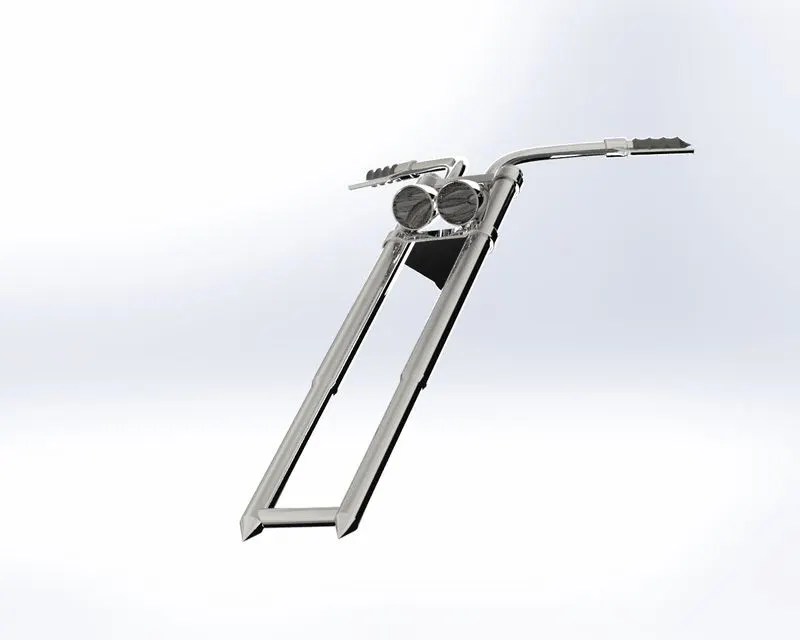
A front fork connects a chopper front wheel and axle to its frame, typically via a yoke, also known as a triple clamp, which consists of an upper yoke joined to a lower yoke via a steering stem, a shaft runs through the steering head, creating the steering axis.
- Explanation:
Create the long tube on the front plane by creating the sketches with appropriate dimensions and then revolve extrude it. then create the half of the triple clamp using the following dimension sketch. On the same plane create the headlight by revolve extrusion. On the top plane and draw the sketch for creating the handle using spline and sweep patterns. Select the all created bodies and mirror them along the front plane and combine the entire object. Chrome steel appearance is applied to the modeled front fork.
- Features used:
- Sketch
- Extrude
- Trim
- Revolve
- Split
- Combine
- Plane
- Convert entities
- Sweep/swept
- Dome
- Move/copy body
- Appearance
- Move/copy body: move/ copy body is used to moving or copying the body one place to another place in the model.
- Rendered image:
12.Chassis:
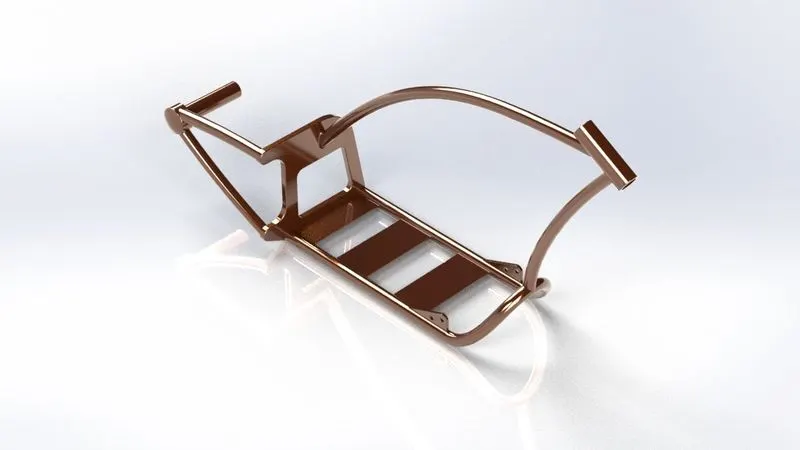
A motorcycle’s chassis or frame forms its skeleton. All the components of the motorcycle, like the suspension, wheels, fuel tank, seats, handle bars etc.., are attached to this base structure which lends a motorcycle its strength and ability to handle well. Motorcycle frames come in a variety of materials and shapes, based on the budgetary and performance related limits of the end product.
- Explanation:
A blueprint of a chopper was imported to the newly opened part file. The sketch chassis is carried on this blueprint. This chassis is made of 4mm thickness bend tubes and joined using splines and created/ projected curves. At the end all the tubes are connected to a plate and further this chassis is extended till the rear wheel hub.
- Features used:
- Sketch
- Offset
- Convert entities
- Projective curves
- Trim
- Plane
- Sweep
- Split
- Revolve
- Cut extrude
- Fillet
- Combine
- Appearance
- Rendered image:
13.Gas tank:
A gas tank (also called as fuel tank or petrol tank) is a safe container for flammable fluids. Though any storage tank for fuel may be so called, the term is typically applied to part of an engine system in which the fuel is stored and propelled (fuel pump) or released (pressurized gas) into an engine. Fuel tanks range in size and complexity from the small plastic tank of a butane lighter to the multi chambered cryogenic space shuttle external tank.
- Explanation:
In the front plane using splines, construction lines and projective curves create a surface sweep to create half of the tank. Create another surface extrude to create the seat. Now mirror the created part of the tank and knit the entire surface together. Now apply appropriate materials to the gas tank and the seat.
- Features used:
- Sketch
- Trim
- Projective curve
- Convert entities
- Sweep surface
- Loft surface
- Filled surface
- Surface trim
- Surface knit
- Sweep cut
- Fillet
- Appearance
- Loft surface: Loft surfaces are surfaces generated by multiple 3D curves or existing edges creating a smooth tangency between the selected curves. Match points are created between each selection donating the orientation and path of the loft surface.
- Sweep surface: Sweep surfaces are surfaces that are generated from a section curve positioned along a path. Parallel sweep is defined as a section curve moving along a guide path while maintaining the section curve to be parallel to the guide path.
- Filled surface: The filled surface feature constructs a surface patch with any number of sides, within a boundary defined by existing model edges, sketches, or curves, including composite curves.
- Trim surface: You can use a surface, plane, or sketch as a trim tool to trim intersecting surfaces. You can also use a surface in conjunction with additional as mutual trim
- Knit surface: Knit surface tool is used to combine two or more faces and surfaces into one.
- Rendered image:
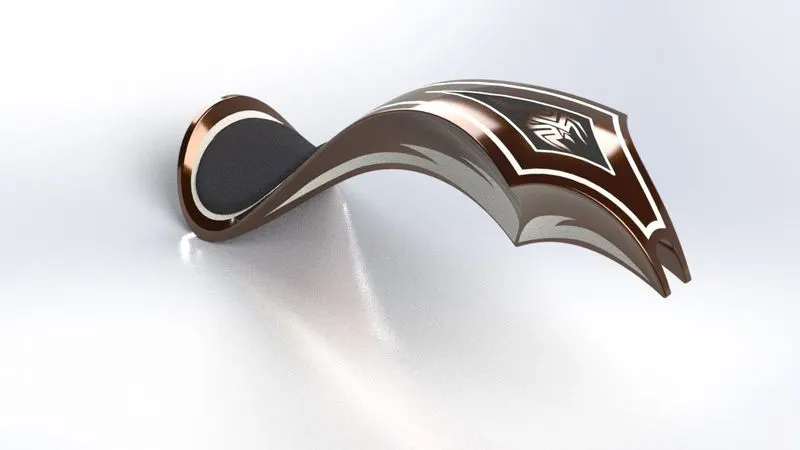
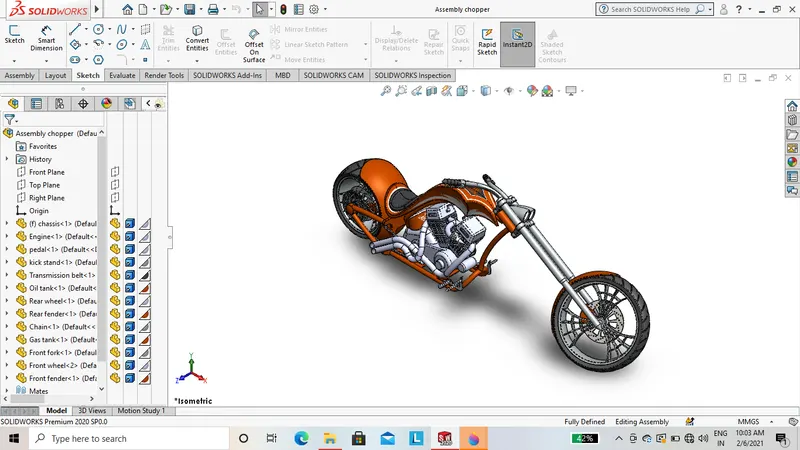
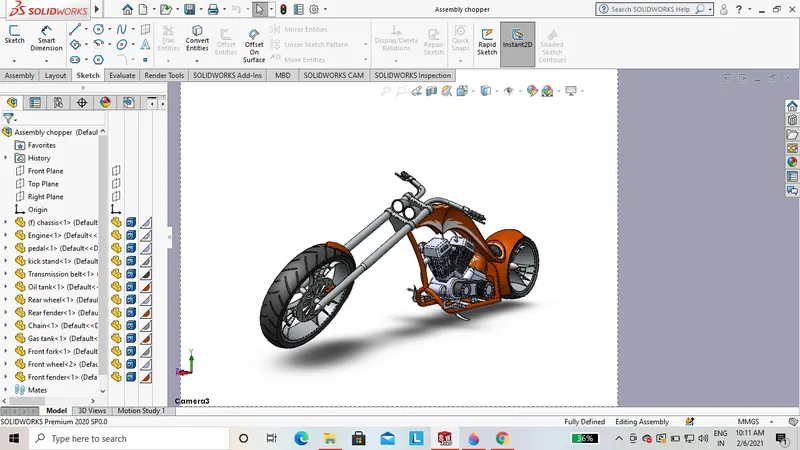
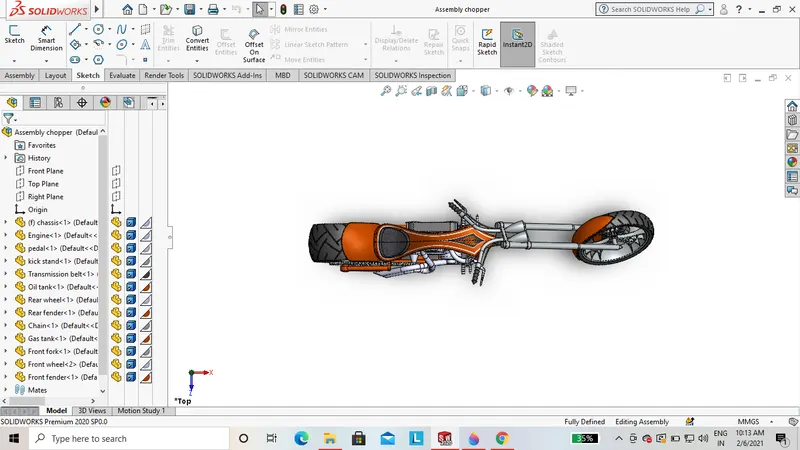
Assembly of American chopper:
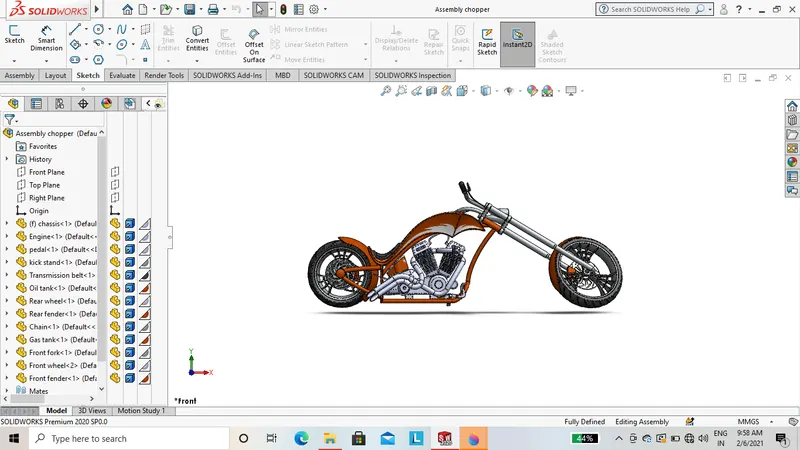
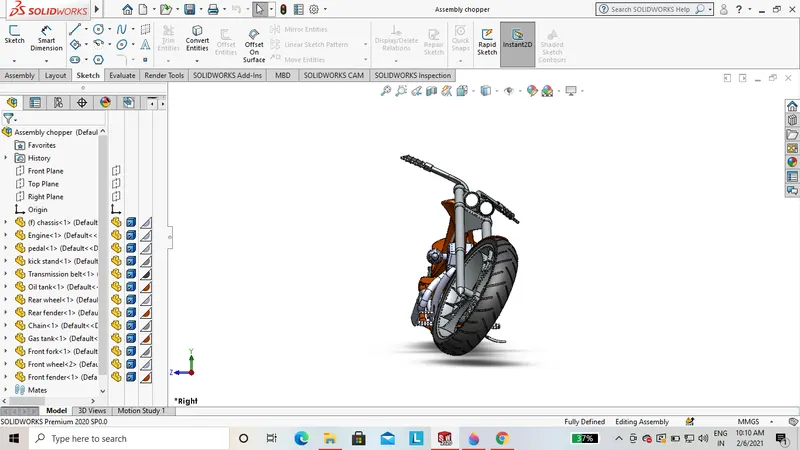
For assembly of chopper open the new assembly file. Now insert the modeled parts of the chopper. First we have insert chassis in correct position. With the reference of chassis assemble the other parts one by one using the mates.
Mates: Mates create geometric relationships between assembly components. As you add mates, you define the allowance directions of linear or rotational motion of the components. You can move the components within its degrees of freedom, visualizing the assembly`s behavior.
- Mates used to assembly of chopper such as:
- Coincident
- Concentric
- Distance
- Limit angle
- Width
- Angle
- Parallel
- Tangent
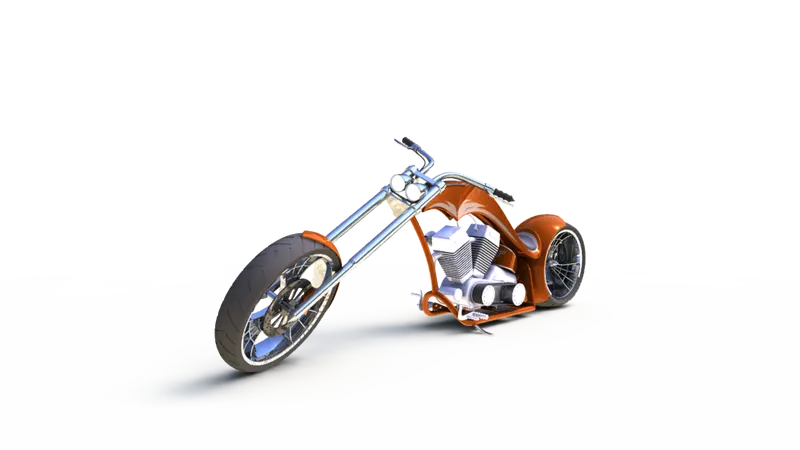
- View of assembled chopper:
Screen shots of views of chopper:
Solidworks visualize:
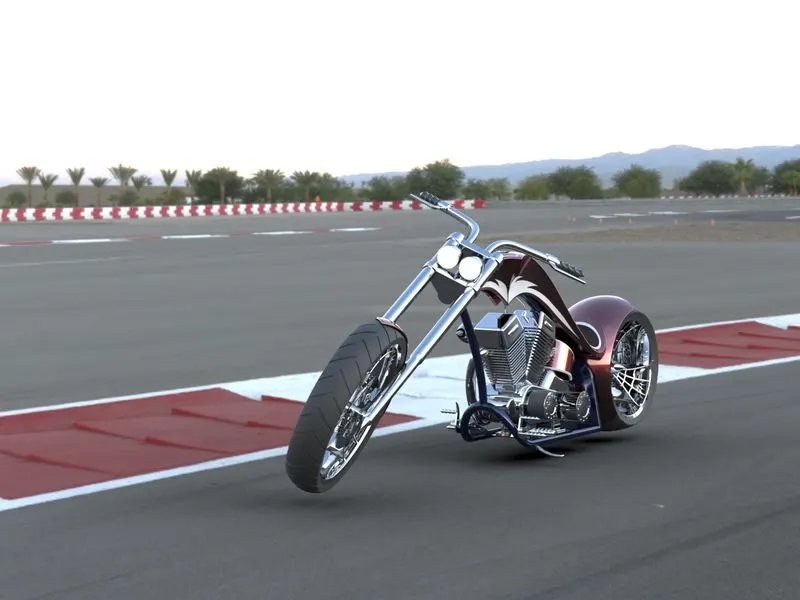
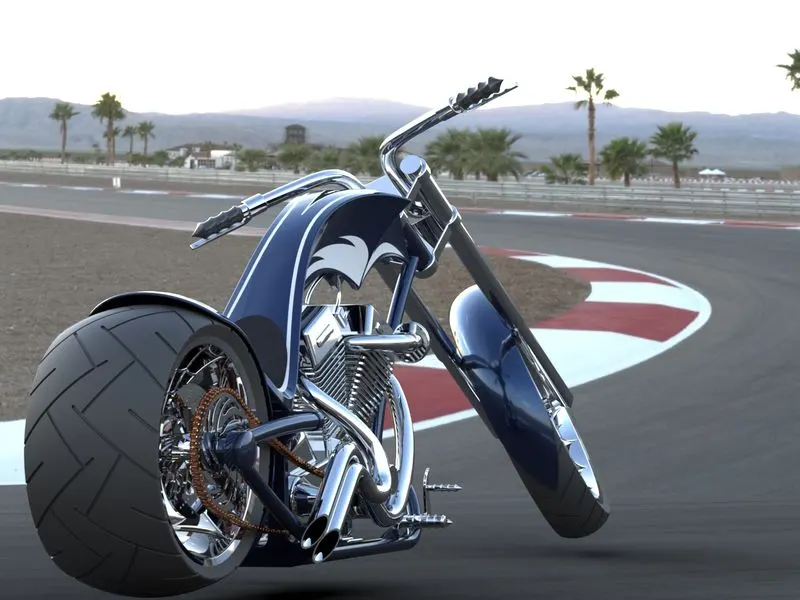
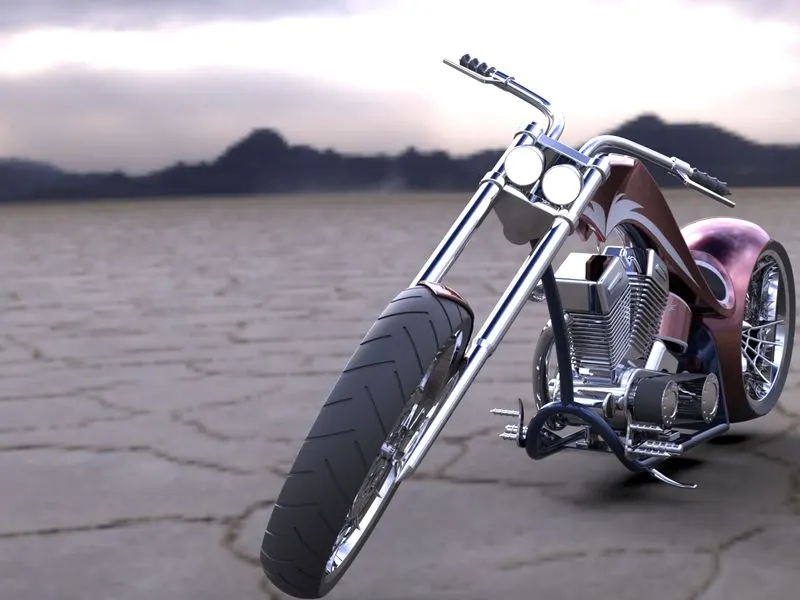
Solidworks visualize allows you to leverage your 3D CAD data to create photo quality content in the fastest and easiest way you can- from images to animations, interactive web content, and immersive virtual reality.
You can render the assembled chopper in the solidworks visualize and photoview 360.
- View of realistic image of chopper:
Conclusion:
In the above report we had modeled the parts of the chopper & assembled in together. then the assembled chopper is rendered and the realistic view image of chopper is created.