Photo Realistic Rendering
Modelling American Chopper in Solidworks
Aim
The aim of this project is to design & model an American Chopper using Solidworks, by creating part drawings, converting them to 3D models, assembling the parts to create the chopper model & finally giving it a realistic view by rendering the model using Photoview-360.
Introduction
Solidworks is one of the most used CAD (Computer-Aided Design) and CAE (Computer-Aided Engineering) programs today. This software is used to create 3D models. It gives realistic views of the product. This helps the designer in synthesizing, analyzing, and documenting the design.
A chopper is a type of custom motorcycle that emerged in California in the late 1950s. The chopper is perhaps the most extreme of all custom styles, often using radically modified steering angles and lengthened forks for a stretched-out appearance. They can be built from an original motorcycle that is modified (chopped) or built from scratch. Some of the characteristic features of choppers are long front ends with extended forks often coupled with an increased rake angle, hardtail frames (frames without rear suspension), very tall "ape hanger" or very short "drag" handlebars, lengthened or stretched frames, and larger than stock front wheels.
Methodology
The different parts are required to set up a Chopper such as the Transmission Belt, Front Fender, Rear Fender, Kickstand, Pedal, Chain, Oil Tank, Front Wheel, Rear Wheel, Front Fork, Chassis, Engine, and Gas Tank were modelled to the required dimensions by part modelling.
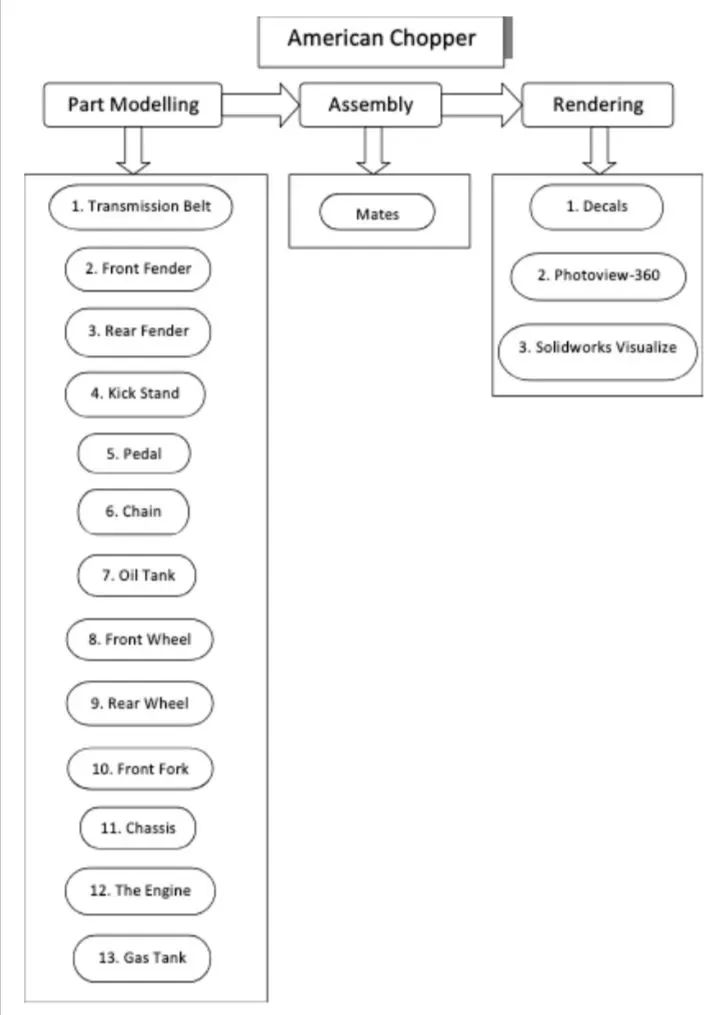
The different commands & features that were used to model the parts are as follows.
- Creating a 2D sketch: A 2D sketch is a base to create a 3D model. It is usually created on the X-axis & Y-axis. This includes lines, curves, circles, rectangles, splines, etc.
- Trim: The trim command is used to remove or erase the extra edges of intersecting lines on a 2D sketch.
- Offset: Add sketch entities by offsetting faces, edges, curves, or sketch entities to a specified distance.
- Convert Entities: Converts selected model edges or sketch entities into current sketch segments.
- Boss Extrude: It extrudes a sketch or selected sketch contours in one or two directions to create a solid feature.
- Extruded Cut: Extrude cut is a feature that helps to remove materials from the 3D model. It is just opposite to extrude boss/base feature because it cuts a sketch profile while extruding. It can cut in both directions and mainly used for creating holes, channels, slots, etc.
- Revolved Cut: Cuts a solid model by revolving a solid profile around an axis.
- Revolved Boss: Revolves a sketch or selected sketch contours around an axis to create a solid feature.
- Swept Boss: This feature sweeps a closed profile along an open or closed path to create a solid feature.
- Loft: The loft feature creates a shape by making transitions between multiple profiles and guides curves thus allowing to create complex geometry with a single tool. This feature can be used in both solid as well as surface modelling.
- Dome: A dome is a rounded vault forming the outside face of a body or structure, typically with a circular base.
- Combine: This feature is used to combine two or more solid bodies together.
- Fillet: A fillet is used to connect two adjacent faces using a smooth tangent arc.
- Chamfer: The chamfer command is used to connect two adjacent faces using an inclined line.
- Surface Extrude: Using this feature, we can extrude the boundary edges of a face of a solid body or edges of a surface body in a customized direction. A planar surface body is used to extrude its boundary edges.
- Revolved Surface: Creates surface feature by revolving an open or closed surface around an axis
- Surface Trim: This feature is used to trim one or more intersecting surfaces by selecting a cutting edge as the trim tool.
- Swept Surface: Creates a surface feature by sweeping an open or closed profile along an open or closed path.
- Surface Knit: Combines two or more adjacent, non-intersecting surfaces together.
- Shell: This feature removes material from a solid body to create a thin-walled feature.
- Mirror: This allows to mirror features, faces & bodies along a face or a plane.
- Curve Drive Pattern: Patterns features, faces & bodies based on a curve.
- Linear Pattern: Patterns features, faces & bodies in one or two linear directions.
- Circular Pattern: Patterns features, faces & bodies around an axis.
- Projected Curve: This feature is used to project a sketched curve onto a face or sketch.
- Composite Curve: Combines selected edges, curves, and sketches into a single curve.
The overview of different parts is given below.
- Transmission Belt
The transmission belt is used to link the two rotating shafts of the engine & was modelled using commands for sketching like Offset & features like Fillet & Boss Extrude.
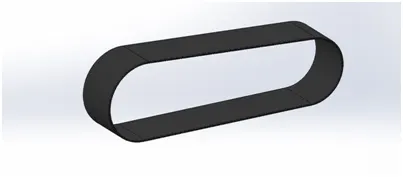
Fig1(a).Solidworks image of Transmission Belt
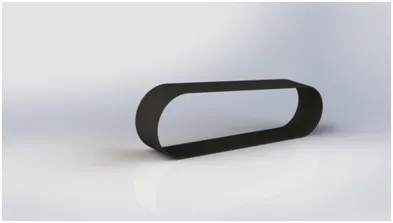
Fig1(a).Rendered image of Transmission Belt
- Fenders
The fenders are used to provide support to the wheel & also prevent the dust, sand & other contaminated particles from entering the wheel. The front & rear fenders were modelled by using commands for sketching such as Splines, Offset, Trim & features such as Boss Extrude, Revolve Boss, Split, Fillet & Shell.
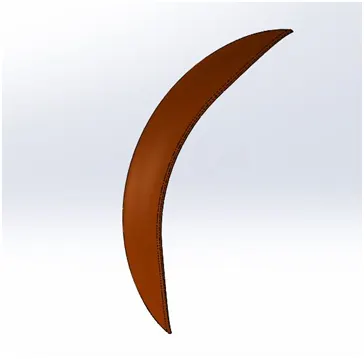
Fig2(a).Solidworks image of Front Fender
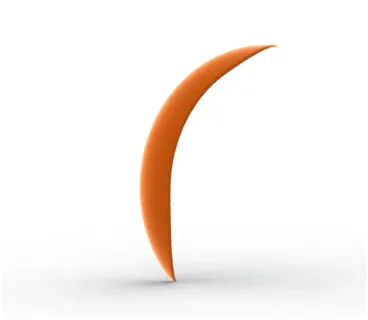
Fig2(b).Rendered Image of Front Fender
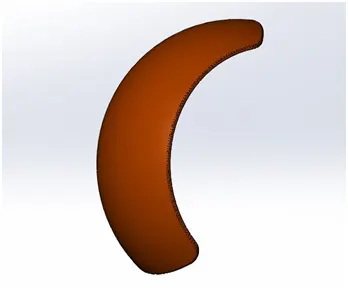
Fig3(a).Solidworks image of Rear Fender
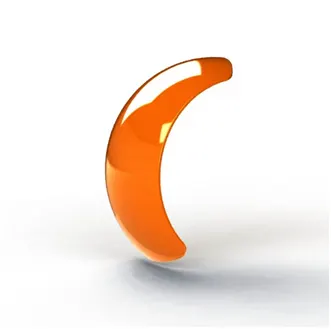
Fig3(b).Rendered Image of Rear Fender
- Kickstand
The kickstand provides support to the bike by making contact with the ground while it is parked. This part was modelled by using commands for sketching such as Splines, Ellipses & features such as Lofted Boss, Cut Extrude, Boss Extrude, Dome, Split & Fillet.
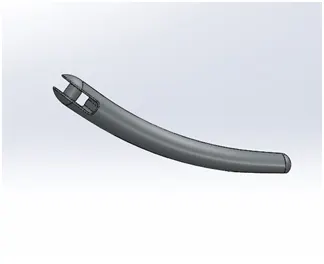
Fig4(a).Solidworks image of Kickstand
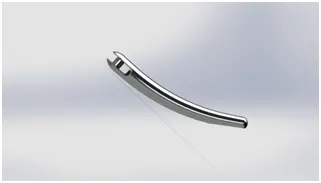
Fig4(b).Rendered Image of Kickstand
- Pedal
The Pedal is a lever controlled with the foot to apply the brake & also to shift the driving gears. This part is modelled by using commands such as Splines, Circles & features such as Boss Extrude, Fillet & Linear Patterns.
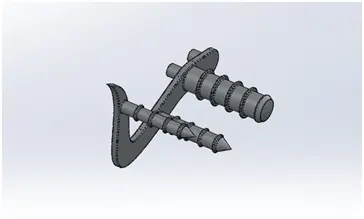
Fig5(a).Solidworks image of Pedal
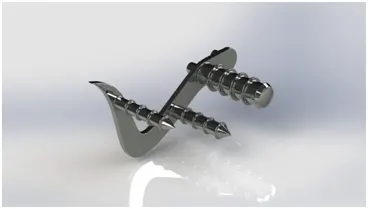
Fig5(b).Rendered Image of Pedal
- Chain
The chain is used to transmit the power generated by the crankshaft of the engine to the rear wheel using a sprocket set up on the rear wheel as well as on the crankshaft drive. Features such as Boss Extrude of the two different blocks were created & were assembled along a Curve Driven Pattern & also Fillets were applied to them. The Mirror command was finally used to recreate the pattern on the other side.
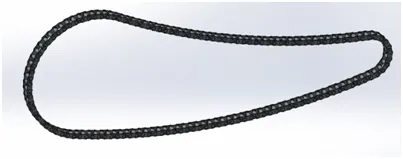
Fig6(a).Solidworks image of Chain
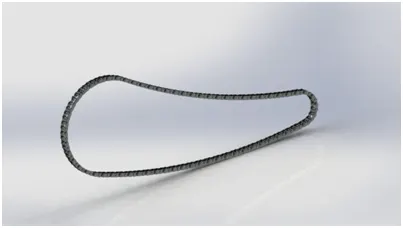
Fig6(b).Rendered Image of Chain
- Oil Tank
The oil tank stores the oil which is to be supplied to the engine for cooling & lubrication purposes. Features like Fillet, Boss Extrude & Combine were used to model the part.
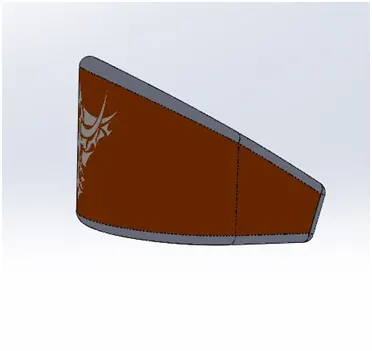
Fig7(a).Solidworks image of Oil Tank
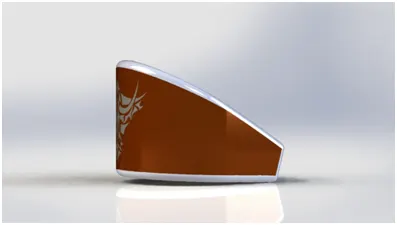
Fig7(b).Rendered Image of Oil Tank
- Front Wheel
The front wheel was designed by using sketch tools such as 3-point Arcs, Splines, sketch entities such as offset, mirror & features such as Revolve Boss, Boss Extrude, Cut Extrude, Fillet, Chamfer, Mirror & Circular Pattern.
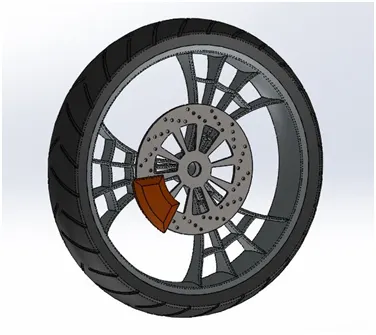
Fig8(a).Solidworks image of Front Wheel
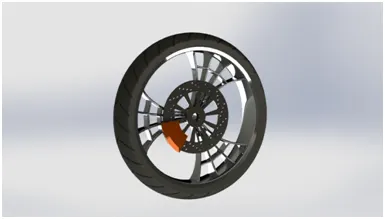
Fig8(b).Rendered Image of Front Wheel
- Rear Wheel
The rear wheel was modelled using similar features that were used while modelling the front wheel. But in terms of size, the front wheel diameter (Rim: 640mm; Hub: 350mm) is larger than that of the rear wheel (Rim: 546mm; Hub: 298mm) whereas the width of the rear wheel is larger than the width of the front wheel.
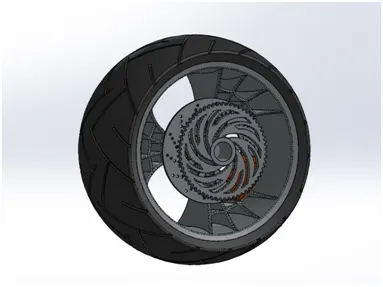
Fig9(a).Solidworks image of Rear Wheel
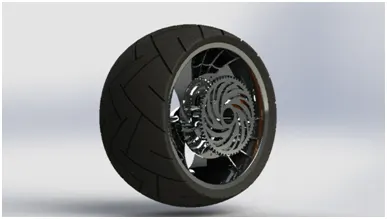
Fig9(b).Rendered Image of Rear Wheel
- Front Fork
The front fork includes the headlights, handlebar & the support to the front wheel. Features such as Boss Extrude, Revolve, Sweep, Projected Curves, Composite Curves, Shell, Dome, Mirror & Linear Pattern were used to model the part.
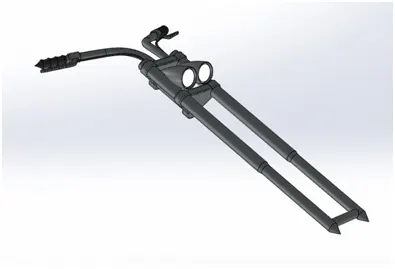
Fig10(a).Solidworks image of Front Fork
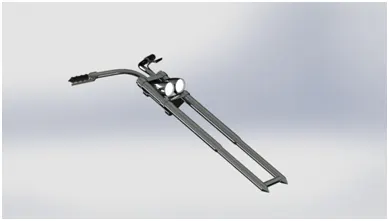
Fig10(b).Rendered Image of Front Fork
- Chassis
The chassis is the load-bearing framework of a bike, which structurally supports the other parts. Features such as Boss Extrude, Revolve, Sweep, Mirror, Fillet, Chamfer & Projected curves were used to generate the Chassis structure.
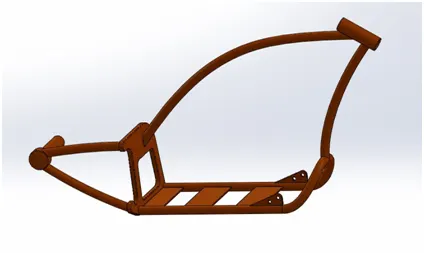
Fig11(a).Solidworks image of Chassis
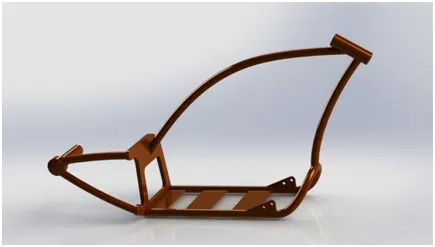
Fig11(b).Rendered Image of Chassis
- Engine
The engine, apparently known as the heart of a vehicle includes parts such as spark plug, inlet valve, outlet valve, cylinder & motor. Features such as Boss Extrude, Cut Extrude, Revolve, Sweep, Projected Curves, Composite Curves, Fillet, Chamfer, Mirror, Linear Pattern & Circular Pattern were used to model the engine.
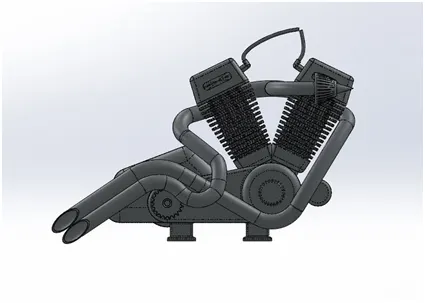
Fig12(a).Solidworks image of Engine
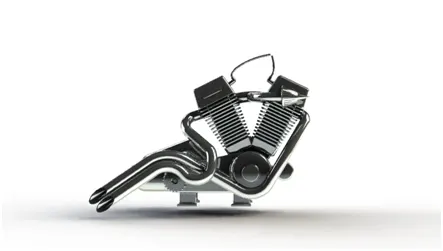
Fig12(b).Rendered Image of Engine
- Gas Tank
The gas tank stores the fuel required to run the engine. Unlike the other parts of the chopper, the gas tank was designed by using Surface Modelling using features like Surface Fill, Boundary Fill, Surface Sweep, Extrude Surface & Projected Curves.
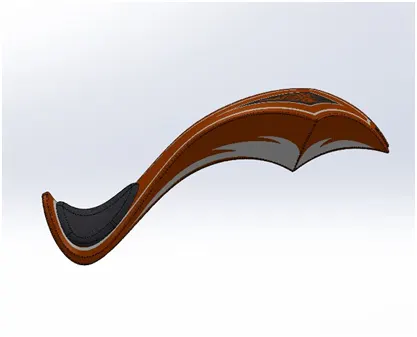
Fig13(a).Solidworks image of Gas Tank
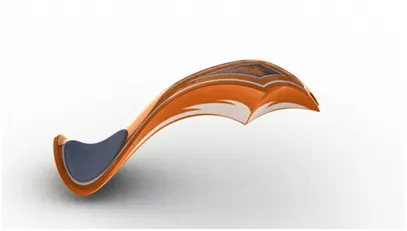
Fig13(b).Rendered Image of Gas Tank
Finally, all the parts were assembled in a Solidworks Assembly file by inserting each part, one after the other using suitable mate relations.
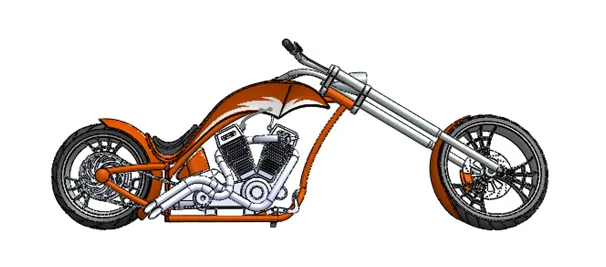
Fig14(a).Solidworks front view image of Assembled American Chopper
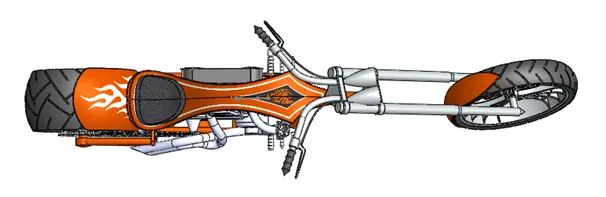
Fig14(b).Solidworks top view image of Assembled American Chopper
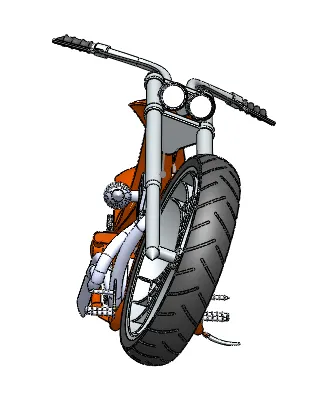
Fig14(c).Solidworks side view image of Assembled American Chopper
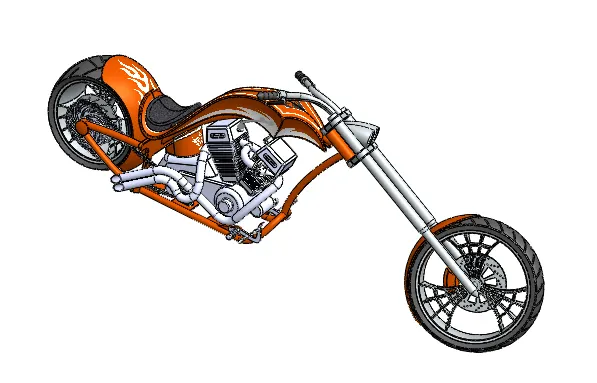
Fig14(d).Solidworks isometric view image of Assembled American Chopper
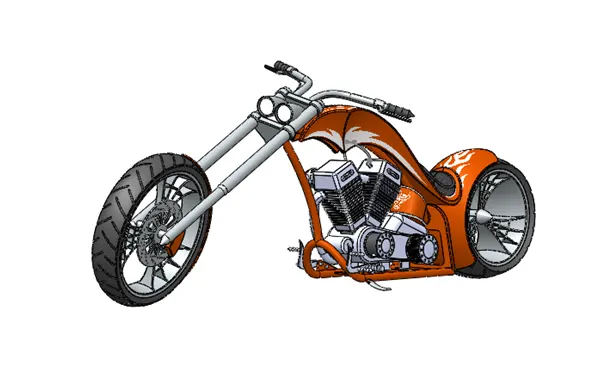
Fig14(e).Solidworks camera setup view image of Assembled American Chopper
The assembled model was then rendered using Photoview-360 to obtain a realistic view of the chopper. This is done by adding a camera or choosing the perspective view, focussing the Chopper from a certain angle or view & by adding decals to certain parts and adding a suitable scene setup such as a Sunny Driveway Environment, Route 66, Warehouse, Infinite Tarmac Light.
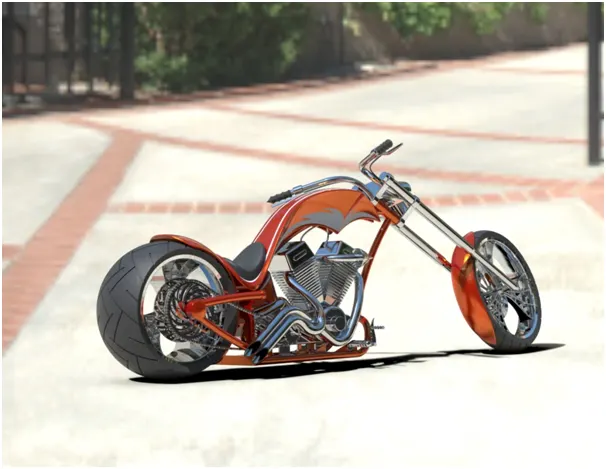
Fig14(f).Rendered Image of Assembled American Chopper
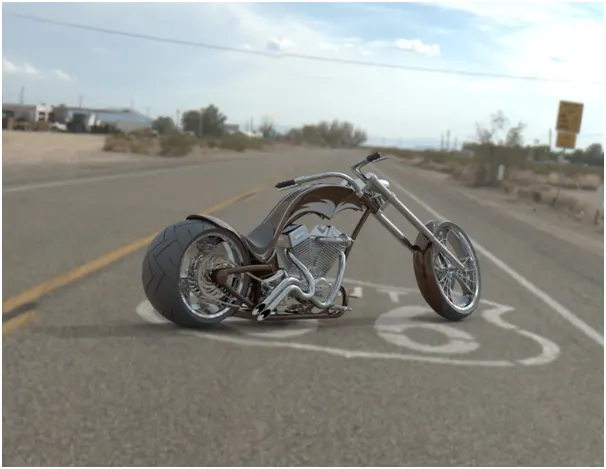
Fig14(g).Rendered Image of Assembled American Chopper
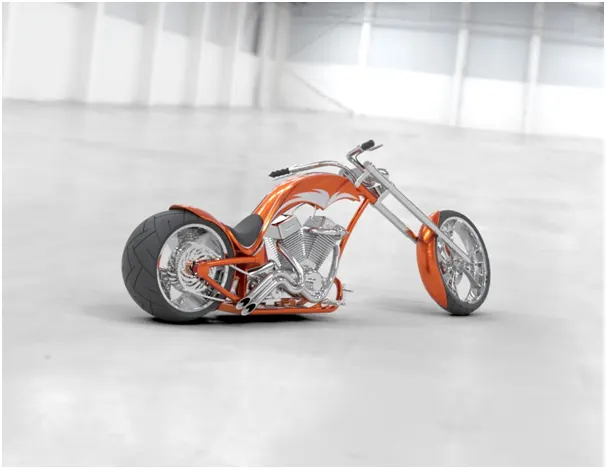
Fig14(h).Rendered Image of Assembled American Chopper
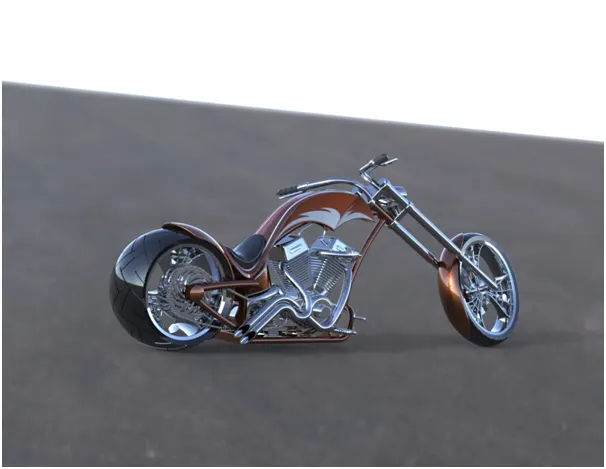
Fig14(i).Rendered Image of Assembled American Chopper
Conclusion
Thus, the different parts of the American Chopper were assembled and rendered to give a realistic view using Solidworks & Photoview-360 respectively.