FORWARD KINEMATICS OF 2R ROBOTIC ARM USING PYTHON
AIM:To simulate the forward kinematics of 2R robotic arm using python.
OBJECTIVE: To write a program in python to simulate the forward kinematics of 2R robotic arm and also to create animation video of the plots obtained as an output.
THEORY:
Forward kinematics refers to the use of the kinematic equations of a robot to compute the position of the end-effector from specified values for the joint parameters.
In the kinematic analysis of manipulator position, there are two separate problems to solve: direct kinemalics, and inverse kinematics. Direct kinematics involves solving the forward transformation equation to find the location of the hand in terms of the angles and displacements between the links. Inverse kinematics involves solving the inverse transformation equation to find the relationships between the links of the manipulator from the location of the hand in space.
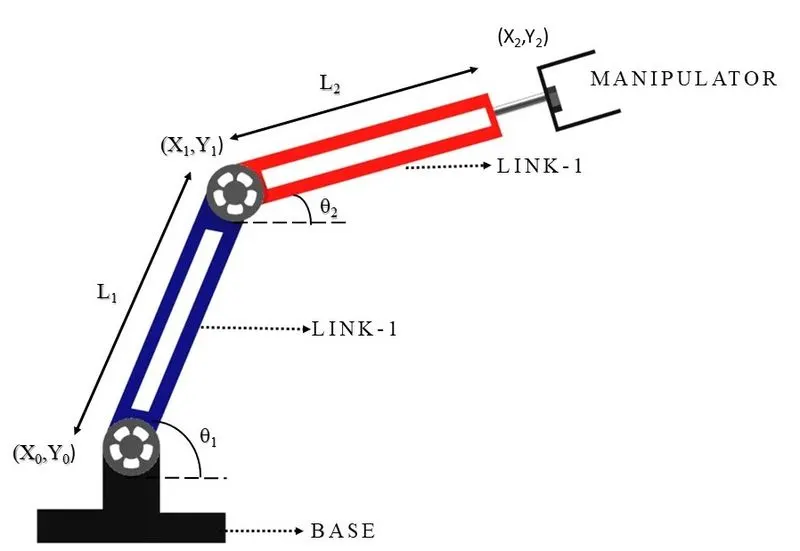
A robot arm is known manipulator. It is composed of a set of joints seperated in space by the arm links. The joints are where the motion in the arm occurs. In basic, a robot arm consists of the parts: base, joints, links, and a grapper. The base is the basic part over the arm, It may be fix or active. The joint is flexible and joins two seperated links. The link is fix and supports the grapper. The last part is a grapper. The grapper is used to hold and move the objects.
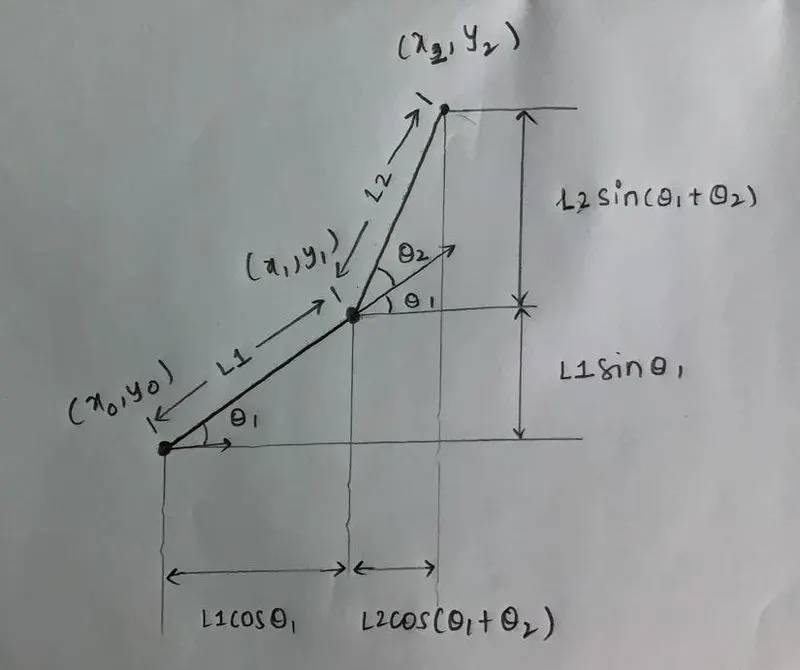
Steps/Procedure:
1.Import the "matplotlib.pyplot library" and other required libraries.
2.Then define the function using def keyword.
3.Then create two empty arrays.
4.Now initiate the for loop to calculate the different theta values and store them in the empty array created previously using append command.
5.Now initiate two for loops to calculate the coordinates of the link 1 and link 2 as well.
6.Assign the formulas in the for loop body for the coordinates of link 1 and link 2 respectively.
7.Then plot the graphs and save the images of the graphs using savefig command.
8.At last call the function and assign the values for various variables.
9.Now make the animation video using the images of plot graphs.
PYTHON CODE:
#importing the required libraries
import math
import matplotlib.pyplot as plt
import numpy as np


#defining the variable L1 and L2
#L1 = 1
#L2 = 0.5

#defining the theta values

#theta1 = 0
#theta2 = math.pi/2


#coordinates of arm base
#x0 = 0
#y0 = 0

#coordinates of the link 1

#x1 = L1*math.cos(theta1)
#y1 = L2*math.sin(theta2)

#coordinates of the link 2

#x2 = x1+L2*math.cos(theta1+theta2)
#y2 = y1+L2*math.sin(theta1+theta2)


#function defination
def test(theta1,theta2,theta_start,theta_end,n_theta,L1,L2,x0,y0):


	#creating empty arrays to store the values
	t1 = []
	t2 = []
		#for loop to calculate n values
	for i in range(0,n_theta):
		tmp = theta1+(i*(theta_end-theta_start)/(n_theta-1))
			#appending the values in an empty array
		t1.append(tmp)
		t2.append(tmp)
	print(t1)
	c = 1
	for k in t1:
		for j in t2:
				#coordinates of the link 1
			x1 = L1*math.cos(k)
			y1 = L2*math.sin(k)
				#coordinates of the link 2
			x2 = x1+L2*math.cos(j)
			y2 = y1+L2*math.sin(j)

			filename=str(c) + '.png'
			c = c+1


			plt.figure()
			ax=plt.axes()
			ax.set_facecolor('lightgrey')
			plt.plot([x0,x1],[y0,y1],color='red',linewidth=4)
			plt.plot([x1,x2],[y1,y2],color='darkviolet',linewidth=4)

			plt.xlim([0,2])
			plt.ylim([0,2])

			plt.grid(True,color='black',linestyle='dotted')
			plt.savefig(filename)
			plt.show()


#function call
test(0,math.pi/2,0,math.pi/2,10,1,0.5,0,0)
OUTPUT:
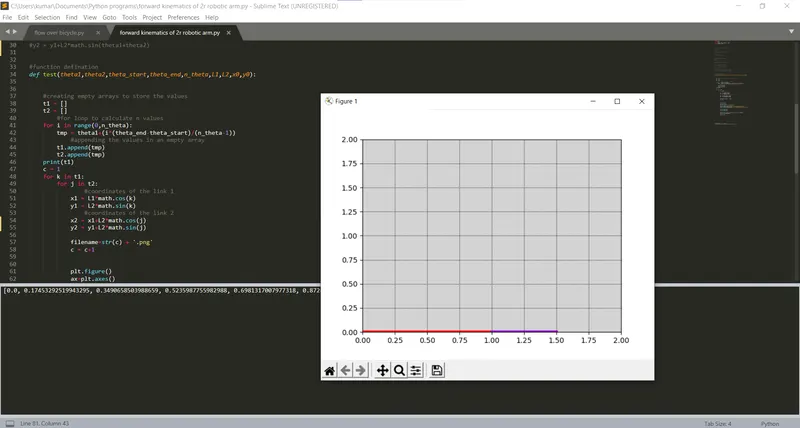
Animated video:
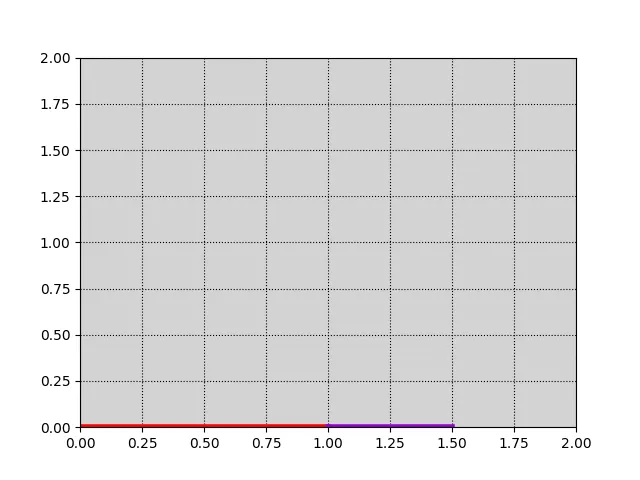
GOOGLE DRIVE LINK FOR ANIMATED VIDEO:
https://drive.google.com/file/d/1No-NktJPZSwbhnCyu-uzqyqRFQP00dc1/view?usp=sharing
RESULT:
A working visualisation of robotic arm and forward kinematics has been simulated using python program.