Flow simulation over an NACA 0017 Airfoil
Aim: To do the Flow simulation over a NACA 0017 Airfoil in SolidWorks
Objective:
- To create the wing section needed for SolidWorks Flow Simulation
- Insert the curve of NACA 0017 airfoil
- Create the extruded model of Airfoil
- Setting up a Flow Simulation project for external flow
- To run the calculations for various Angle of Attack(AOA) i.e., 0, 2, 4, 6, 8, 10
- Analyze the results obtained
Flow of the project:
- Introduction
- Procedure for the analysis
- Results and plots of all the Cases of AOA
- Observations and comparison of results obtained
- Conclusion
- Introduction:
- An airfoil is the cross-sectional shape designed with a curved surface, giving it the most favourable ratio between the lift and drag in flight.
- Airfoils are highly efficient in lifting shapes as they generate more lift than similarly sized flat plates of the same area and generate lift with significantly less drag.
- The design of airfoil depends on the aerodynamic characteristics, which further depends on the aircraft's weight, speed and purpose.
Terms used in Airfoil:
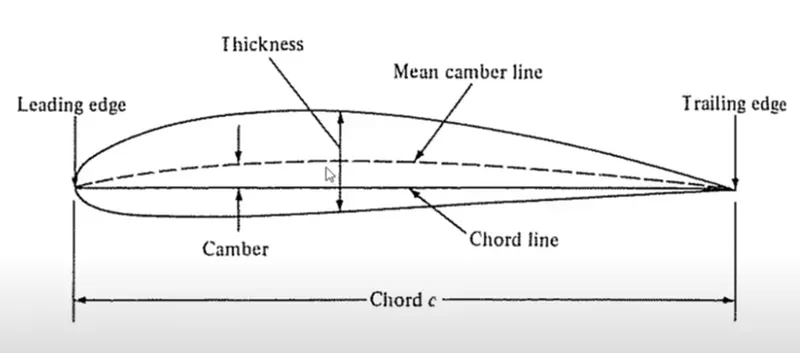
Figure 1 Basic figure and terms of airfoil
Chord: A chord is defined as the distance betweem the leading edge, which is the point at the front of the airfoil and has maximum curvature. while the trailing edge is the point at the rear of the airfoil with maximum curvature along the chord line.
Chord line: A chord line is the straight line connecting the leading and trailing edges.
Pitching moment: The moment or torque produced by the aerodynamic force on the airfoil.
Aerodynamic center: is the chord-wise length about which the pitching moment is independent of lift coefficient and angle of attack (AOA) at this centre.
Center of pressure is the chord-wise length about which pitching moment is zero.
Angle of attack: The angle formed between a refernce line on a body and the incoming flow.
Upper surface: the upper surface is also known as the suction surface, associated with high velocity and low static pressure.
Lower surface: The lower surface is aslo known as the pressure surface with high static pressure.
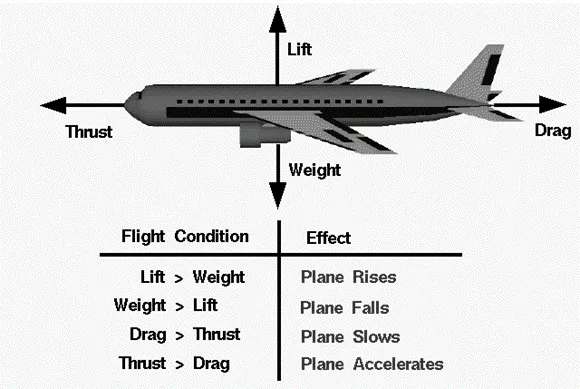
Figure 2 shows the overview of forces acting on an airplane
- Lift: Lift is the component such that the force is perpendicular to the direction of motion.
- Drag: Drag is the component parallel to the direction of motion.
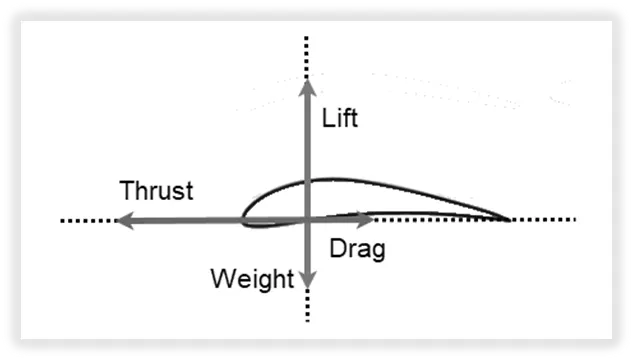
Figure 3 indicates the reaction forces acting on a single airfoil in an airplane wing
- Stall: An increase in the angle of attack causes the ratio of lift force to drag force to increase to a certain point. Increasing the angle of attack beyond this point leads to a sudden decrease in lift and a sharp increase in drag entering into a state of stall.
What is NACA?
NACA: NATIONAL ADVISORY COMMITTEE OF AERONAUTICS
NACA is now NASA: NATIONAL AERONAUTICS AND SPACE ADMINISTRATION
Nomenclature of NACA 4-digit series:
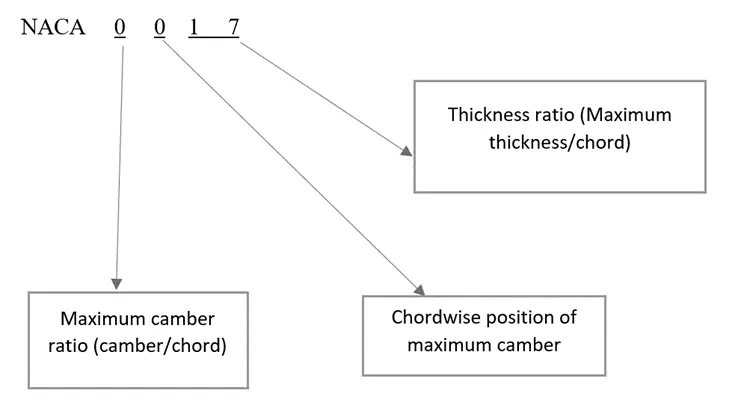
- Procedure:
CASE:1 (Angle of Attack – 0 degree)
Steps for modelling of Airfoil:
- Insert the .txt file of NACA 0017 inside SolidWorks new part file which was downloaded from http://airfoiltools.com/
Insert > Curve > Curve through XYZ points
- Select the .txt file and click Ok.
- Now, Sketch on front plane and using convert entities we got the final sketch of the airfoil. With the help of line close the trailing edge of the airfoil.
- Extrude the sketch 10mm in both directions.
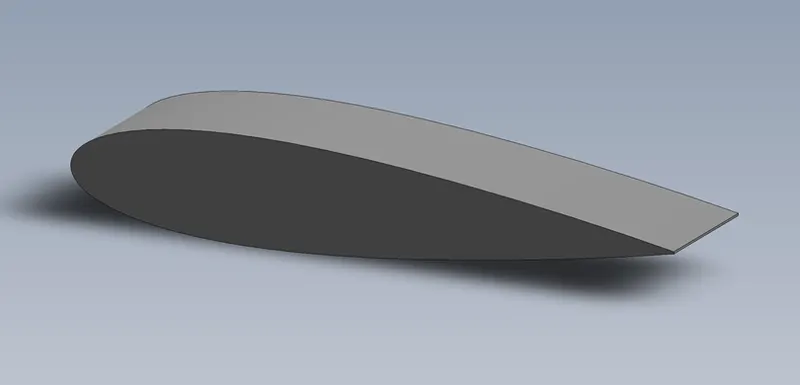
Figure 4 Extruded model of NACA 0017 Airfoil
- Use of configurations and Move/Copy Bodies were used for different ANGLE OF ATTACK.
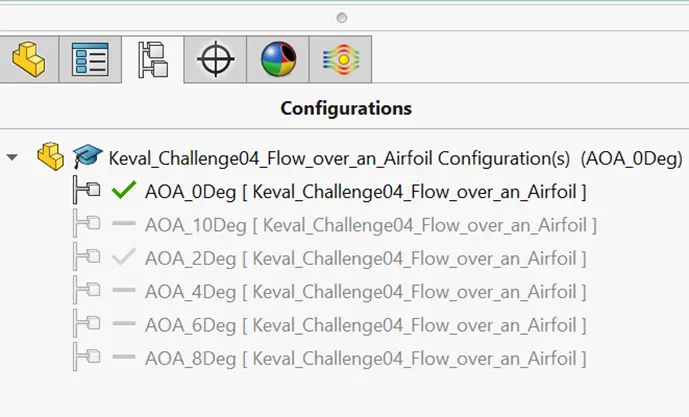
Figure 5 Configurations were used to create the different Angle of Attack (AOA)
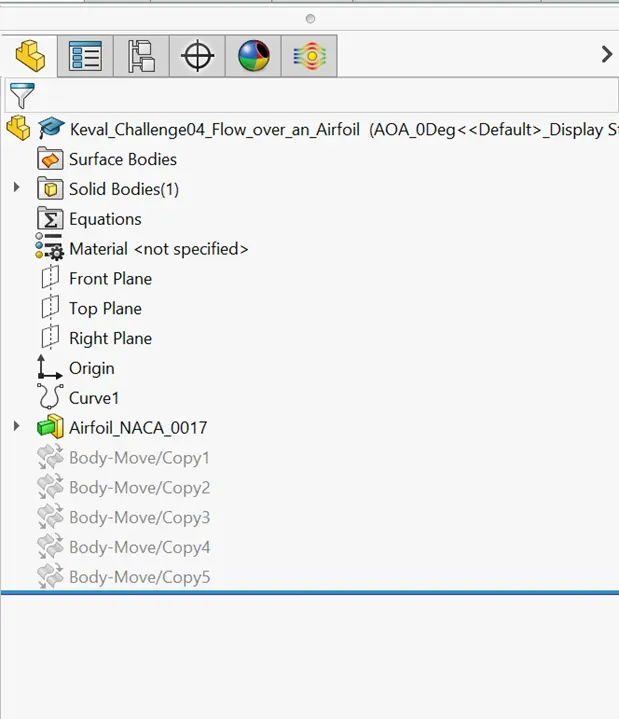
Figure 6 Body-Move/copy feature was used for changing the Angle of Attack (AOA)
Steps for Flow simulation study:
- From SolidWorks Add-ins, turn on the flow simulation icon.
- Create new project from the Wizard option.
- Project name: NACA_0017_AOA_0
- Unit system: SI (m kg s)
- Analysis type: External
- Time dependent
- Set total analysis time as 5 sec
- Set output time step as 1 sec
- Fluid: Air (Gases)
- Wall conditions: Adiabatic and Roughness = 0 micrometer
- Initial and ambient conditions:
- Velocity in X-direction = 600 m/s
- Pressure = 101325 Pa
- Temperature = 293.2 K
Computational Domain Settings:
- Select 2D Simulation
- XY plane
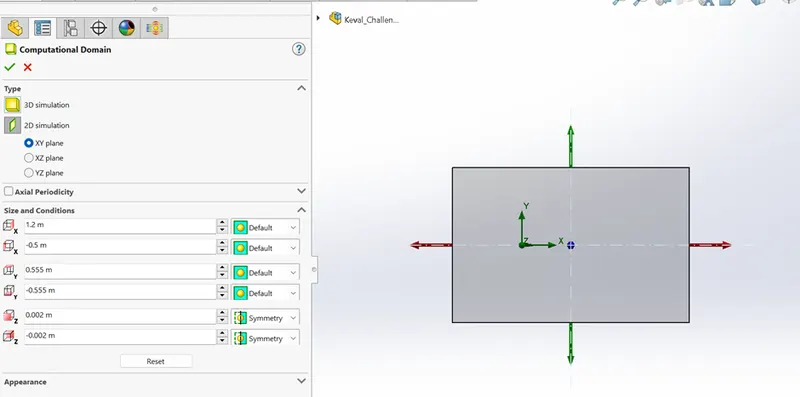
- Figure 7 Computational domain settings
The size of computational domain is generally taken as 5 times the chord from the leading edge and 10-15 times the chord from the trailing edge.
Goals:
Surface goals:
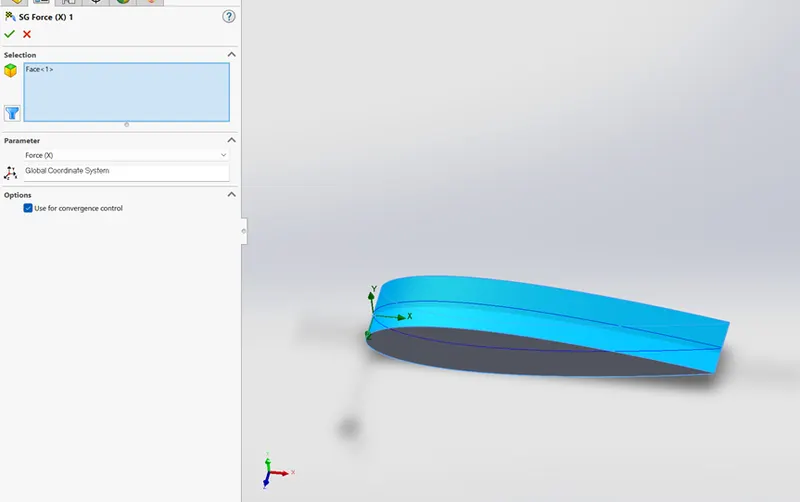
Figure 8 Shows the Face selection for surface goal
- Select Force (X) - Drag force
- Select Force (Y) - Lift force
Meshing:
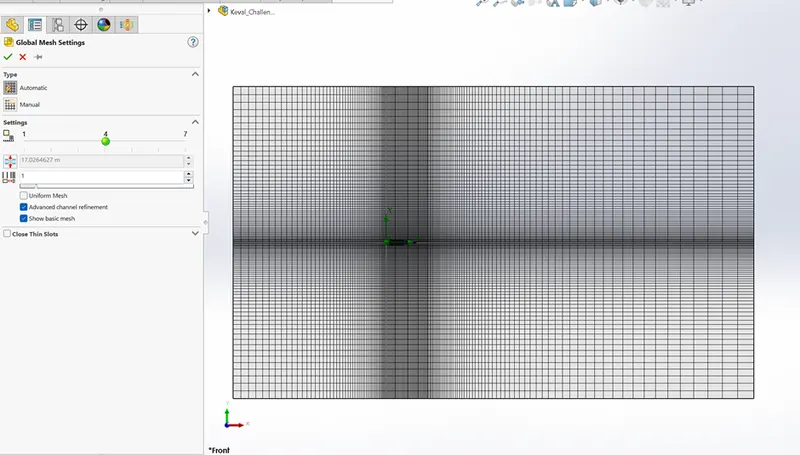
Figure 9 Indicates the mesh settings for simulation study
Automatic settings have been selected
- With Initial mesh settings of level 4
- Advanced channel refinement has been applied.
- Running the Flow Simulation:
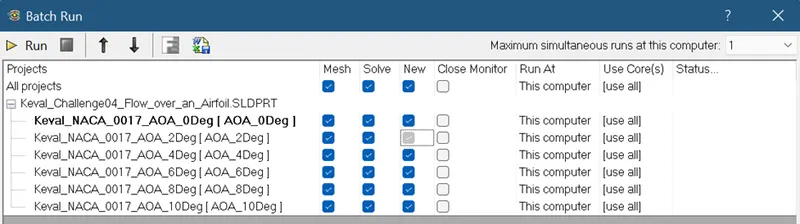
Figure 10 Batch Run Selection procedure
This flow simulation was performed using the Batch Run feature in SolidWorks.
- RESULTS AND PLOTS:
Results of Case-1 (Angle of Attack – 0 degree)
Cut plot of Velocity contour:
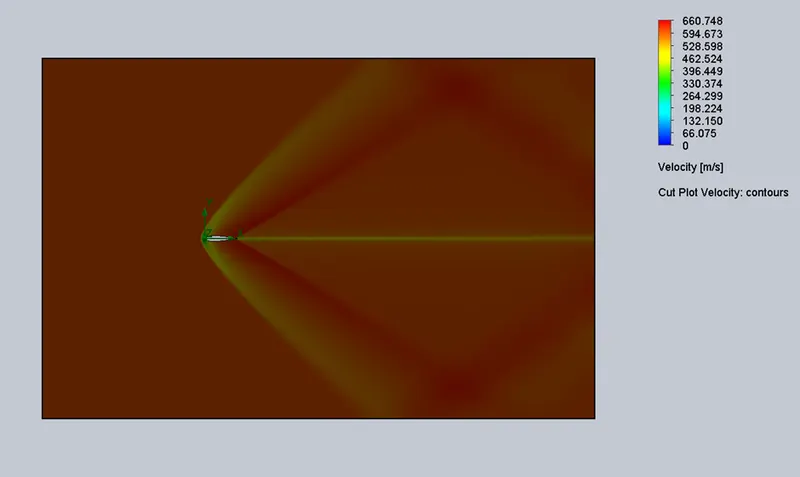
Figure 11 Cut plot of Velocity contour
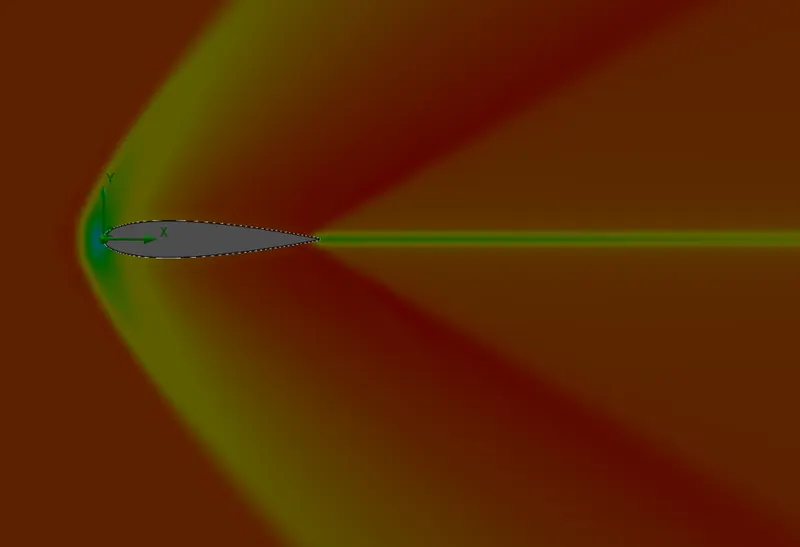
Figure 12 Detailed view of Cut plot of velocity contour
Cut Plot of Pressure contour:
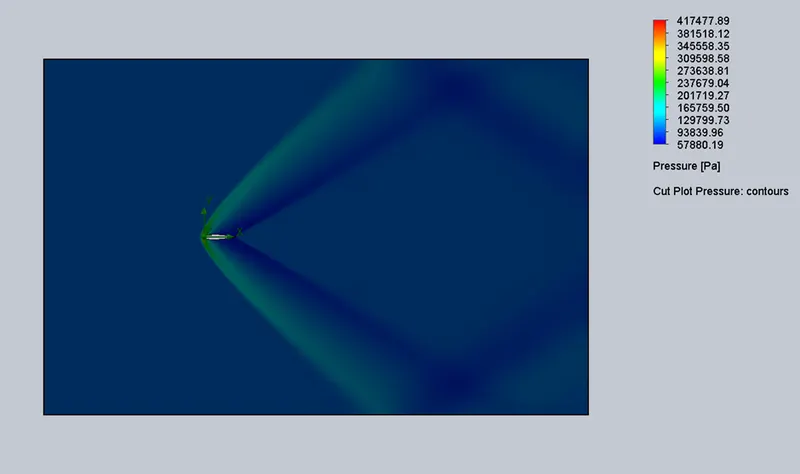
Figure 13 Cut plot of pressure contour
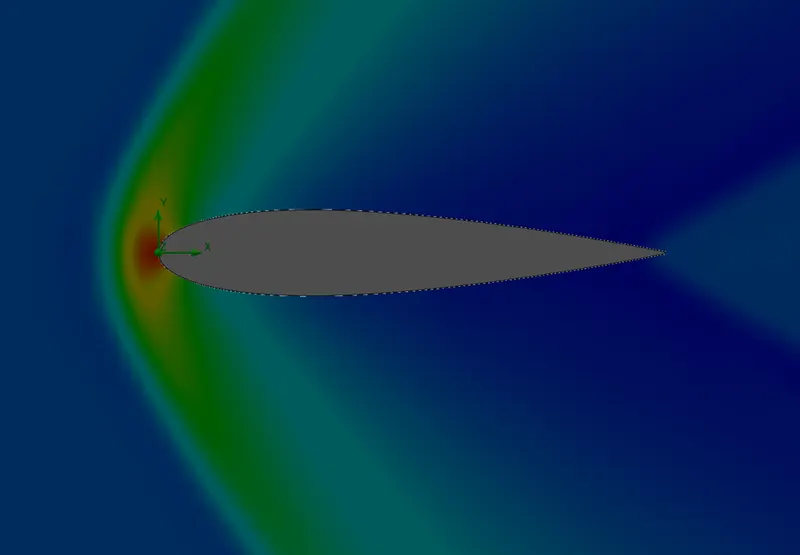
Figure 14 Detailed view of cut plot of pressure contour
Drag Force graph:
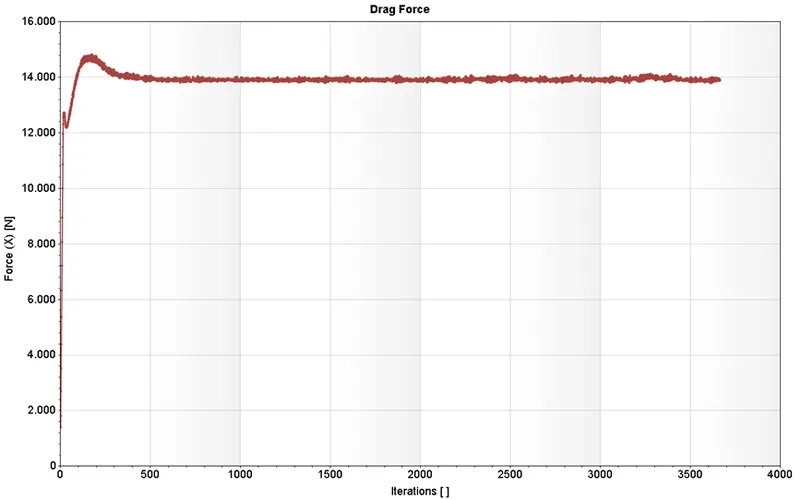
Figure 15 Graph of drag force vs no. of iterations
Lift Force graph:
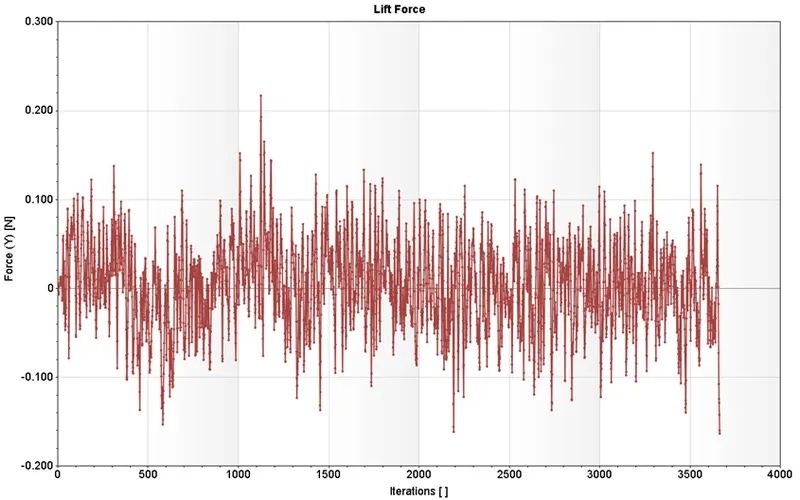
Figure 16 Graph of lift force vs no. of iterations

Figure 17 Results of Lift force and Drag force
- Drag force = 13.912 N (Average value)
- Lift force = -0.163 N (Average value)

Figure 18 Convergence of Drag Force was achieved at iteration number-189 while the Lift force failed to converge.
Results of Case-2 (Angle of Attack – 2 degree)
Cut plot of velocity
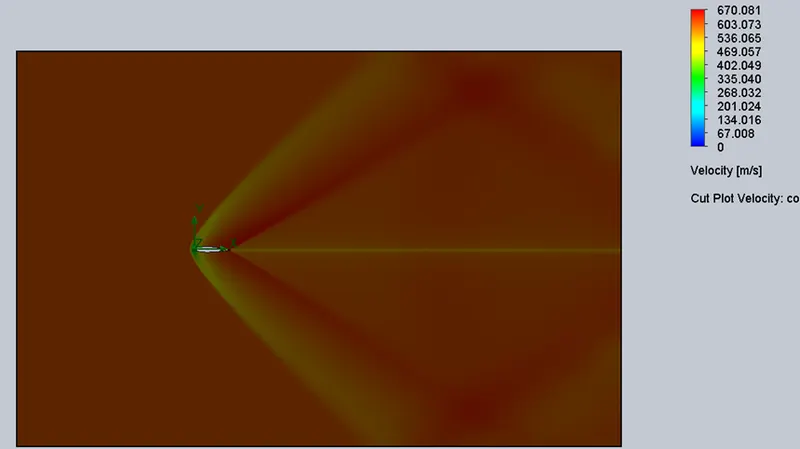
Figure 19 Cut plot of Velocity contour
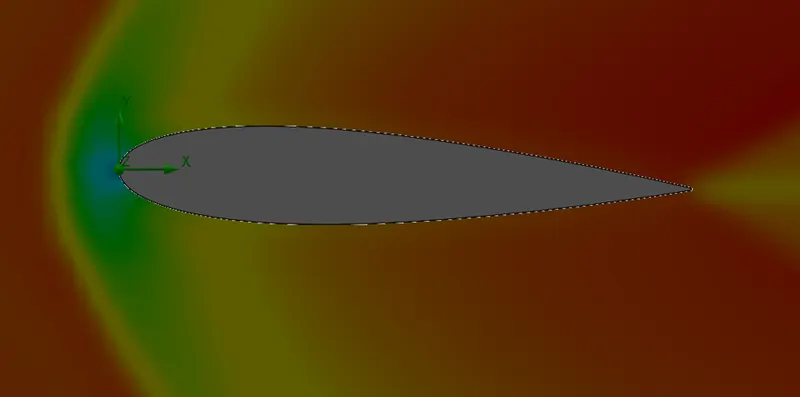
Figure 20 Detailed view of Cut plot of velocity contour
Cut plot of pressure:
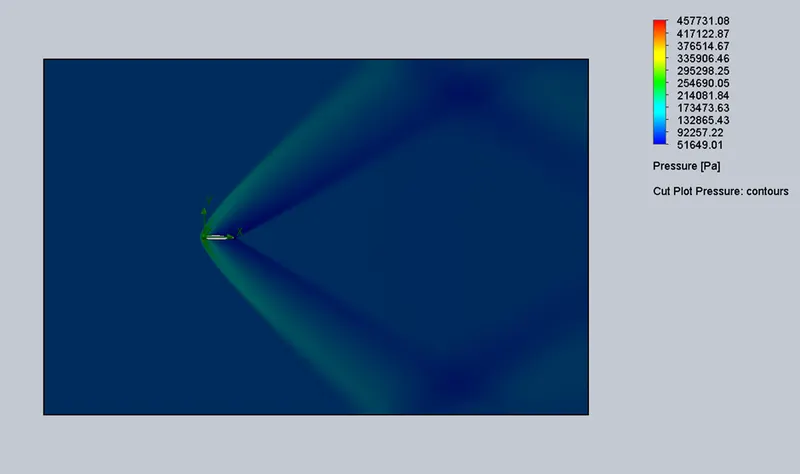
Figure 21 Cut plot of pressure contour
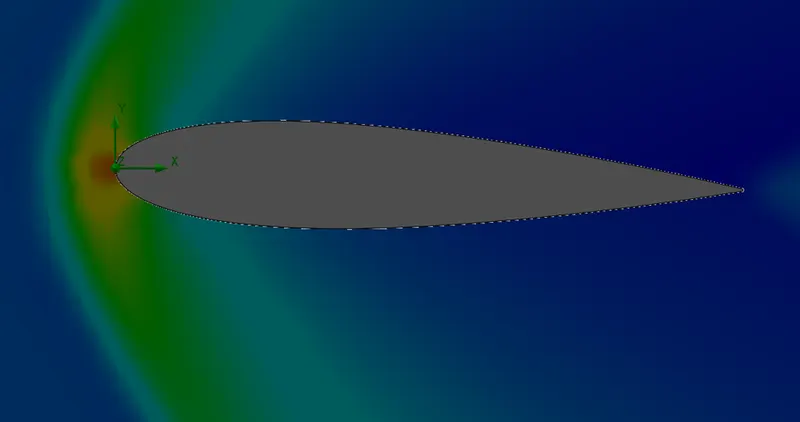
Figure 22 Detailed view of Cut plot of pressure contour
Drag force graph:
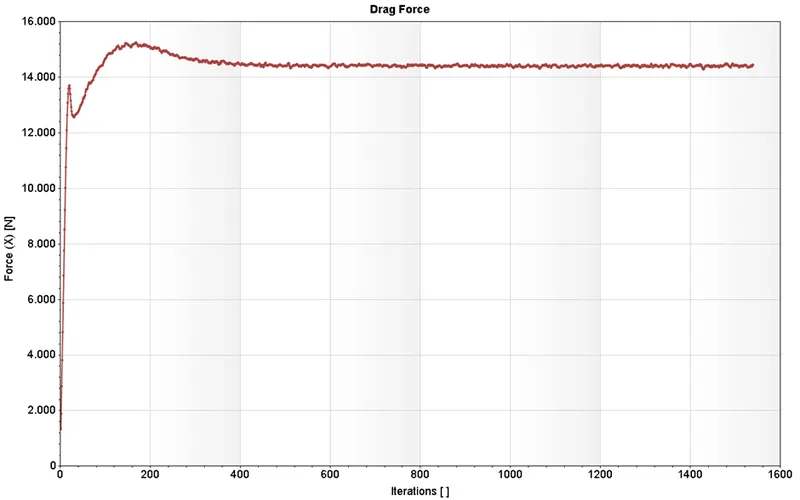
Figure 23 Graph of drag force vs no. of iterations
Lift Force graph:
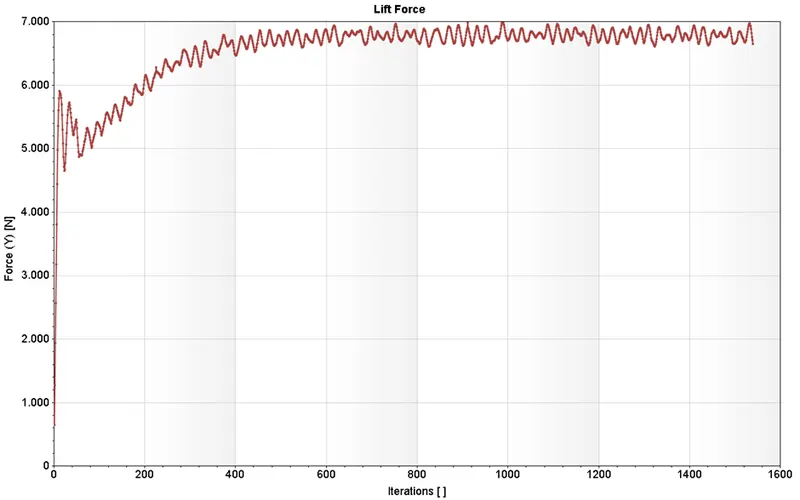
Figure 24 Graph of lift force vs no. of iterations

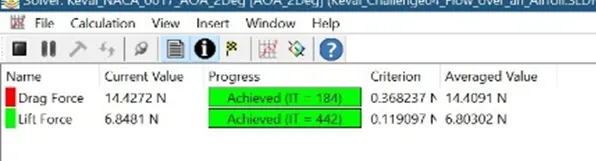
Figure 25 Results of Lift force and Drag force
- Drag force = 14.424 N (Average Value)
- Lift force = 6.785 N (Average value)
Results of Case-3 (Angle of Attack – 4 degree)
Cut plot of velocity
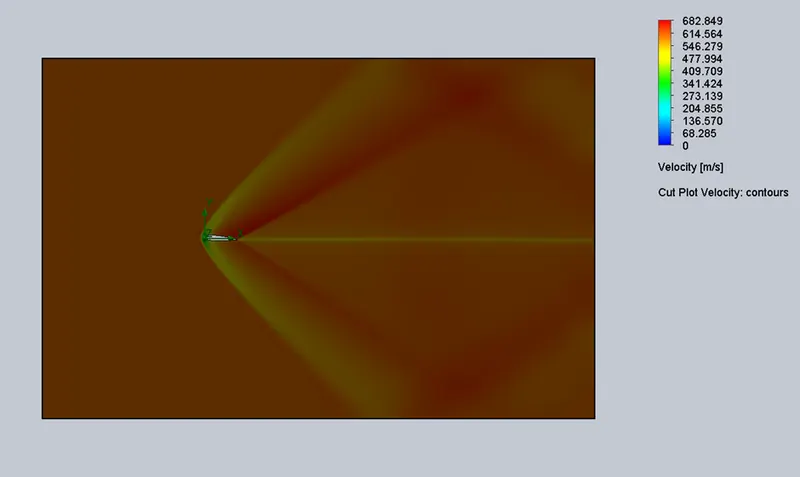
Figure 26 Cut plot of Velocity contour
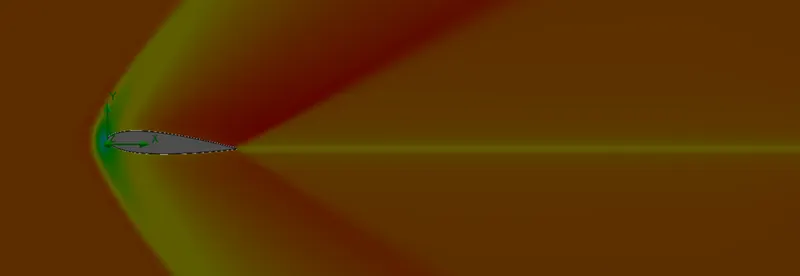
Figure 27 Detailed view of Cut plot of velocity contour
Cut plot of pressure:
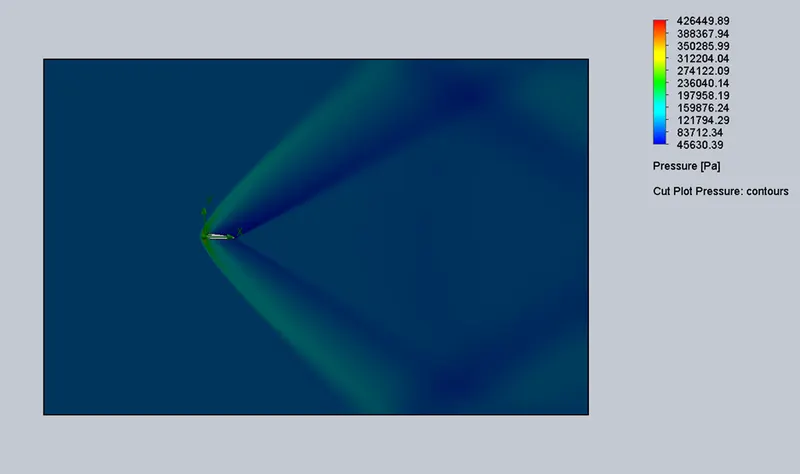
Figure 28 Cut plot of pressure contour
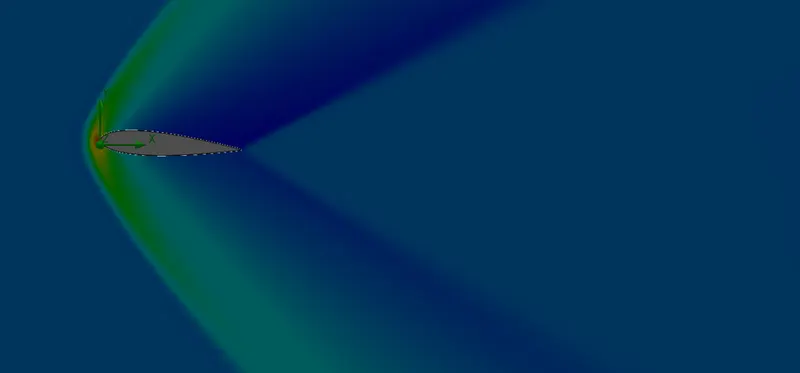
Figure 29 Detailed view of Cut plot of pressure contour
Drag force graph:
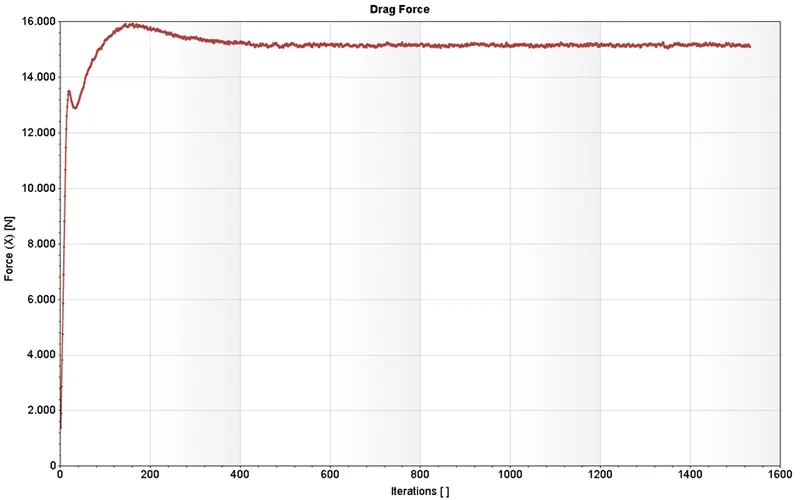
Figure 30 Graph of drag force vs no. of iterations
Lift Force graph:
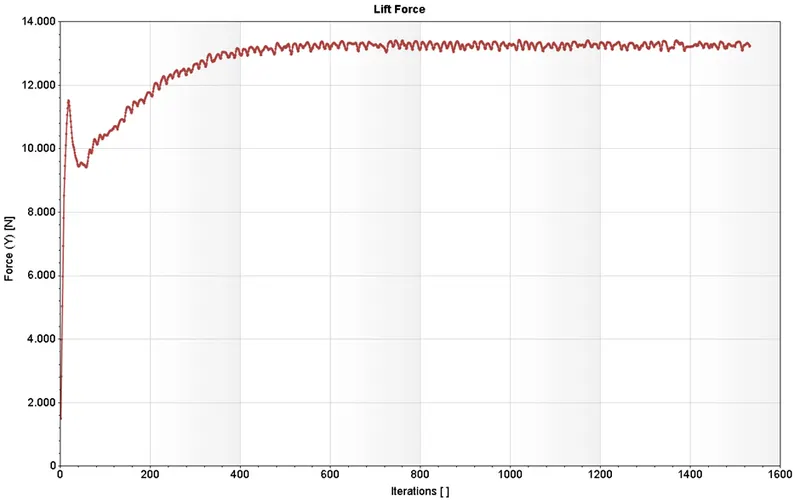
Figure 31 Graph of lift force vs no. of iterations

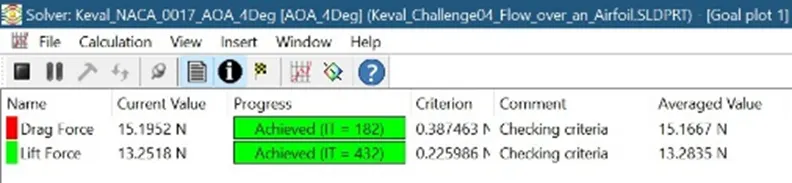
Figure 32 Results of Lift force and Drag force
- Drag force = 15.155 N (Average Value)
- Lift force = 13.276 N (Average value)
Results of Case-4 (Angle of Attack – 6 degree)
Cut plot of velocity
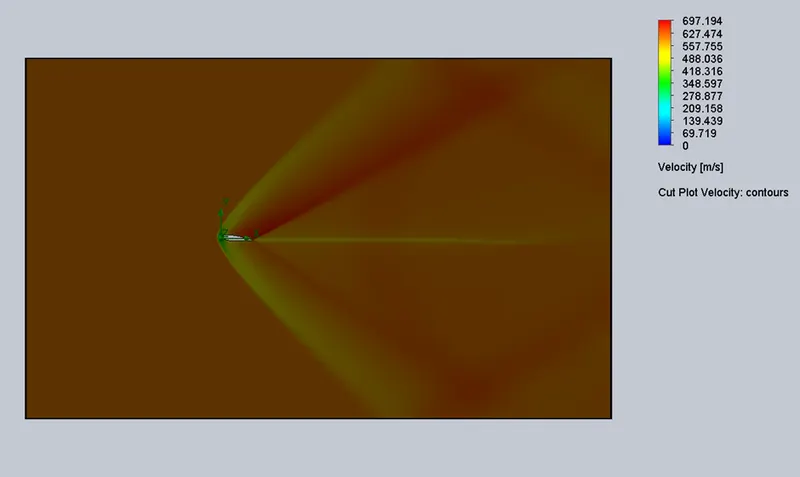
Figure 33 Cut plot of Velocity contour
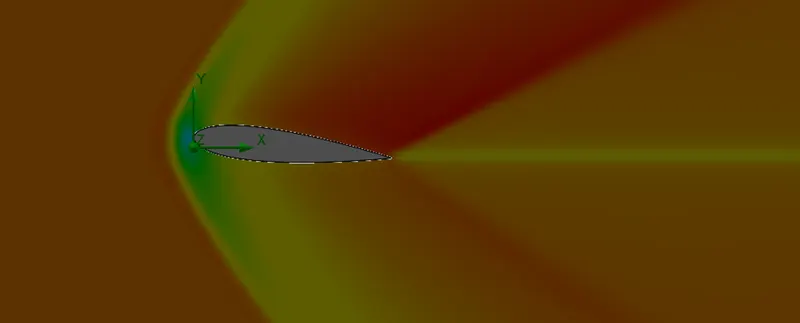
Figure 34 Detailed view of Cut plot of velocity contour
Cut plot of pressure:
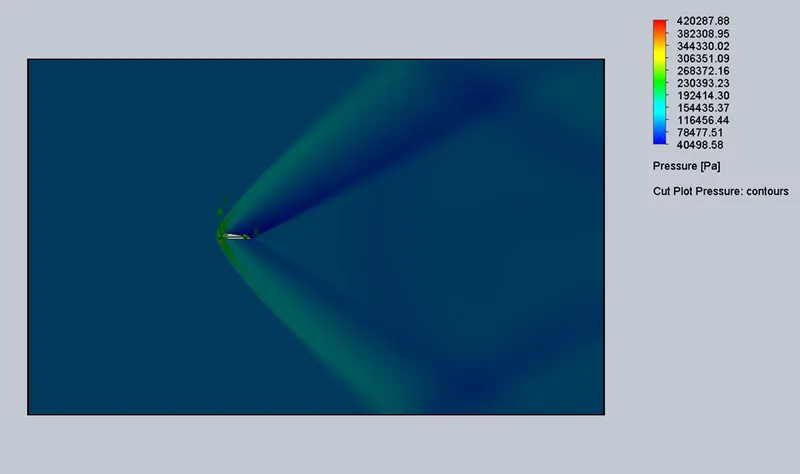
Figure 35 Cut plot of pressure contour
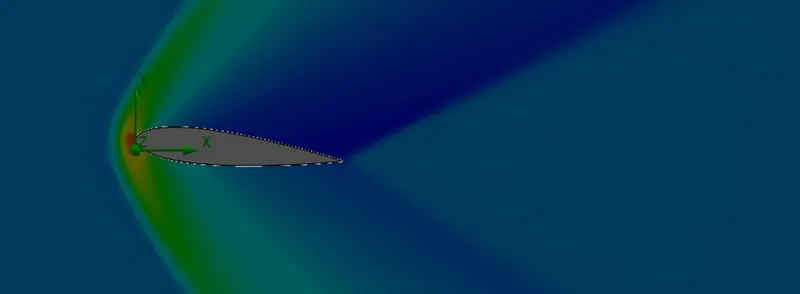
Figure 36 Detailed view of Cut plot of pressure contour
Drag force graph:
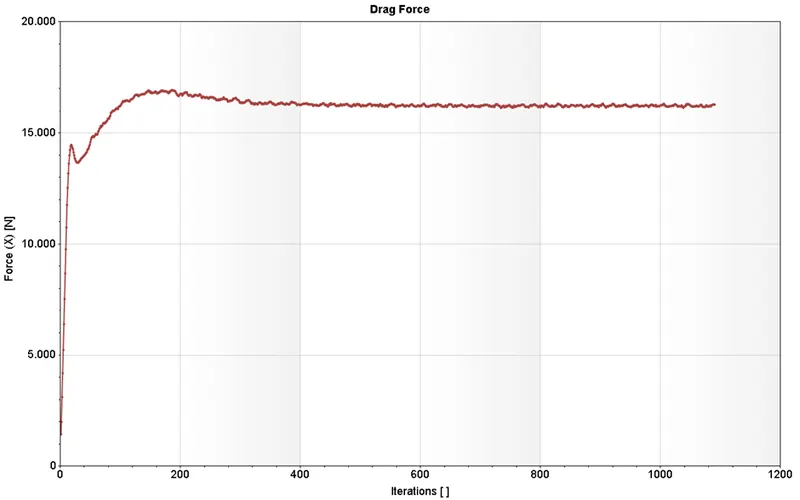
Figure 37 Graph of drag force vs no. of iterations
Lift Force graph:
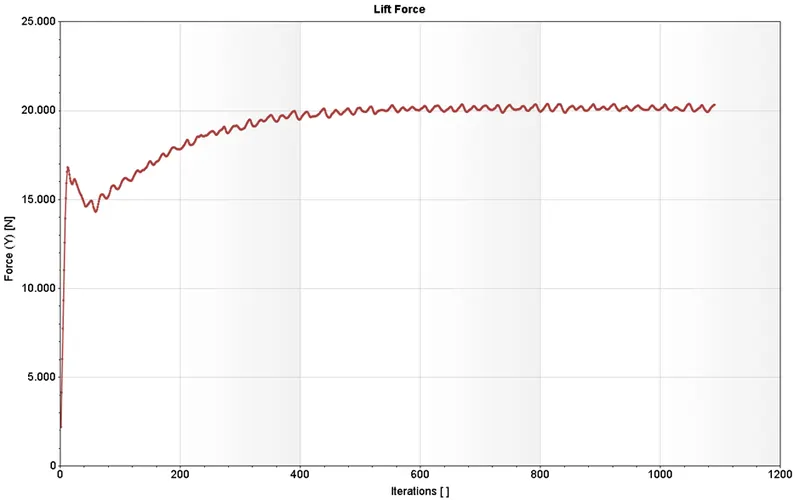
Figure 38 Graph of lift force vs no. of iterations

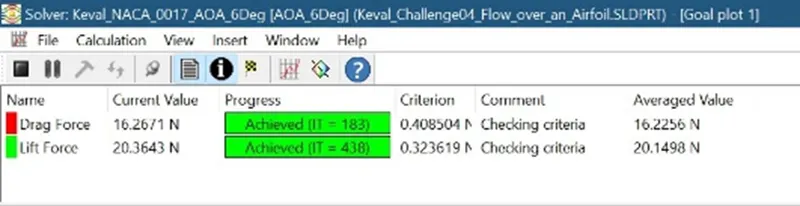
Figure 39 Results of Lift force and Drag force
- Drag force = 16.221 N (Average Value)
- Lift force = 20.135 N (Average value)
Results of Case-5 (Angle of Attack – 8 degree)
Cut plot of velocity
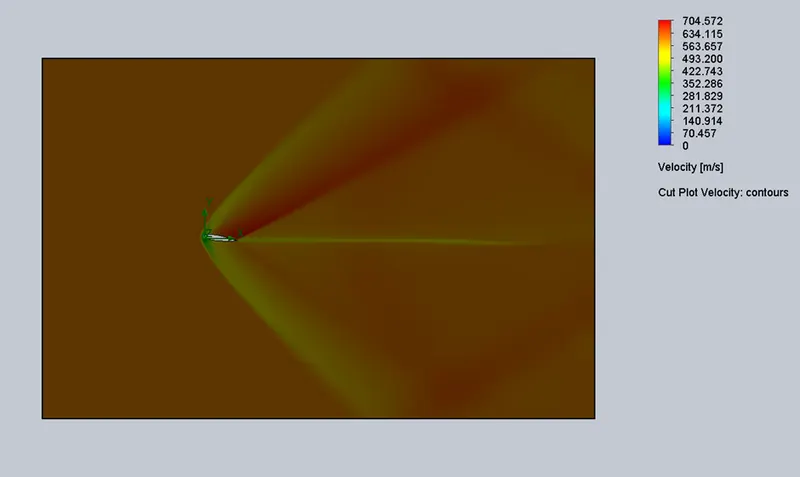
Figure 40 Cut plot of Velocity contour
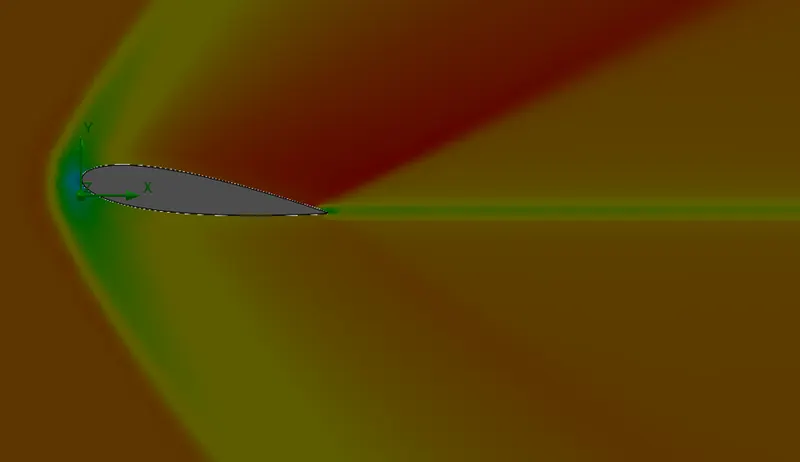
Figure 41 Detailed view of Cut plot of velocity contour
Cut plot of pressure:
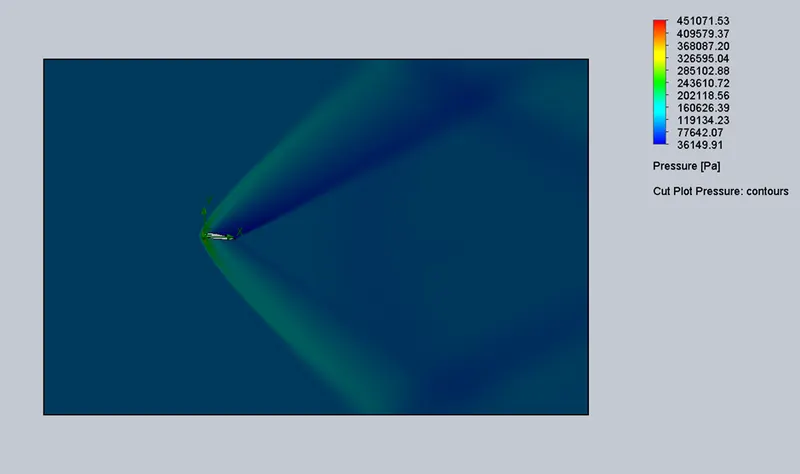
Figure 42 Cut plot of pressure contour
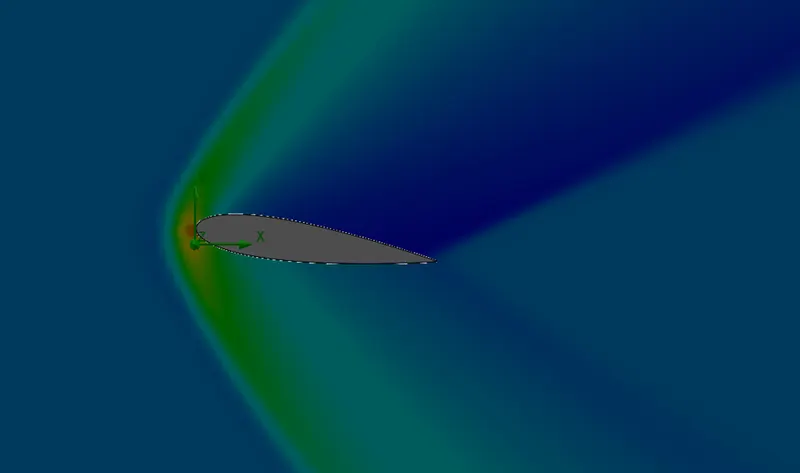
Figure 43 Detailed view of Cut plot of pressure contour
Drag force graph:
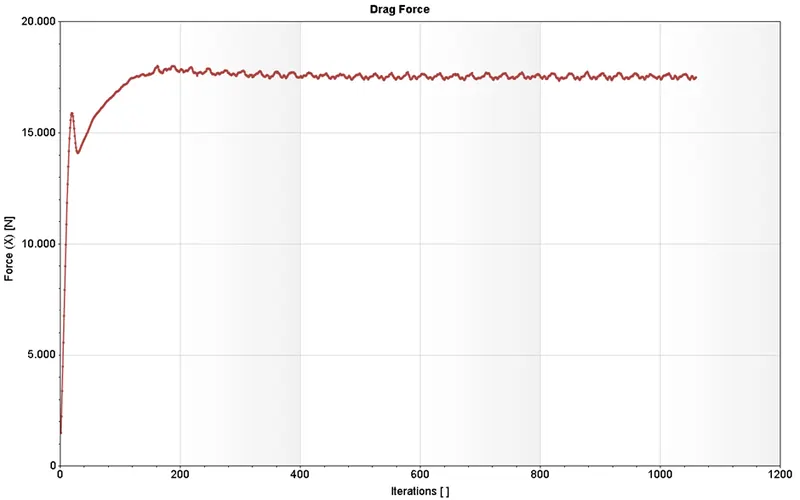
Figure 44 Graph of drag force vs no. of iterations
Lift Force graph:
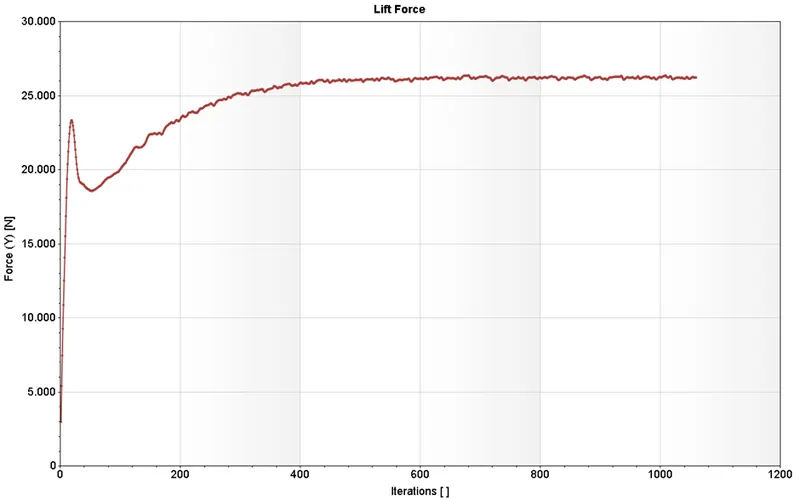
Figure 45 Graph of lift force vs no. of iterations

Figure 46 Results of Lift force and Drag force
- Drag force = 17.528 N (Average Value)
- Lift force = 26.237 N (Average value)
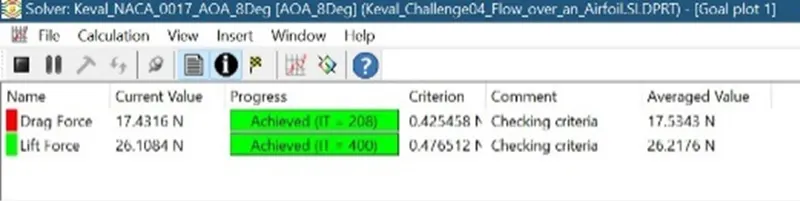
Results of Case-6 (Angle of Attack – 10 degree)
Cut plot of velocity
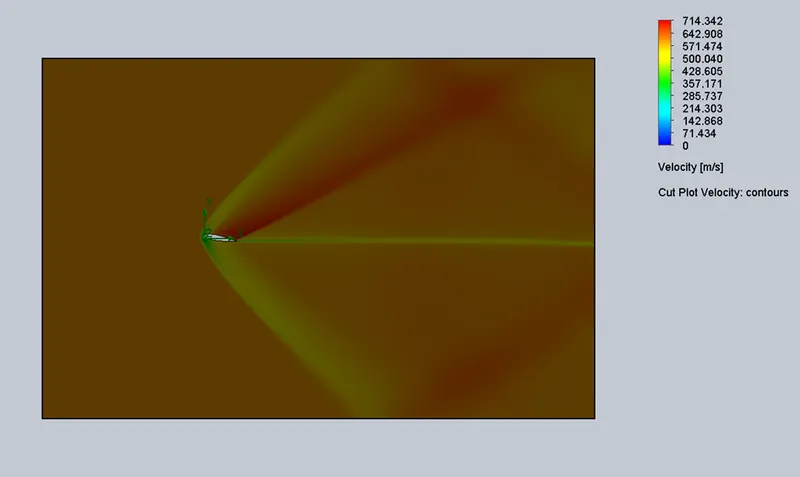
Figure 47 Cut plot of Velocity contour
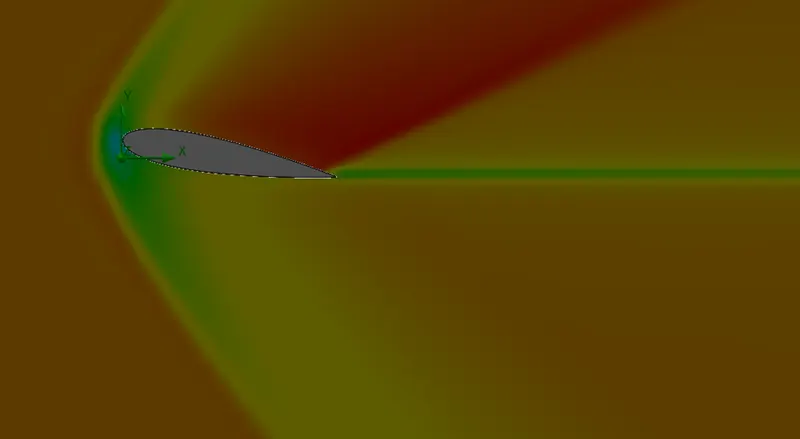
Figure 48 Detailed view of Cut plot of velocity contour
Cut plot of pressure:
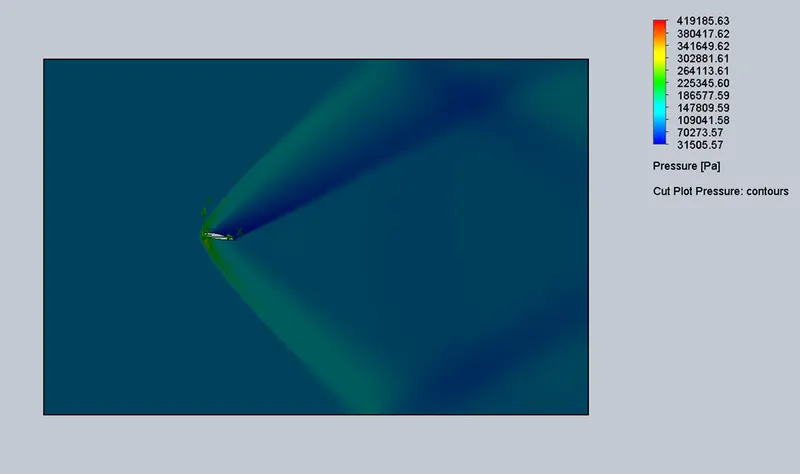
Figure 49 Cut plot of pressure contour
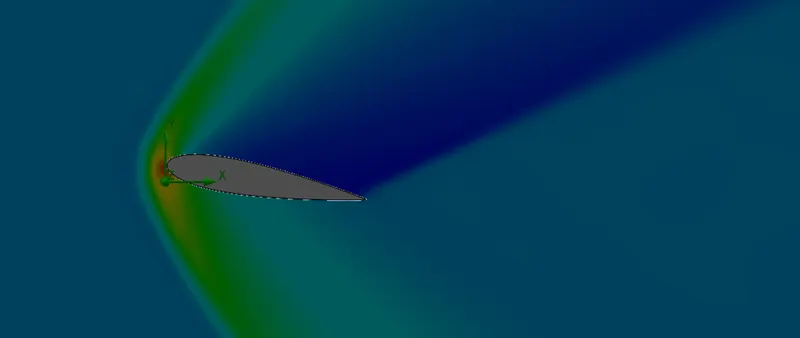
Figure 50 Detailed view of Cut plot of pressure contour
Drag force graph:
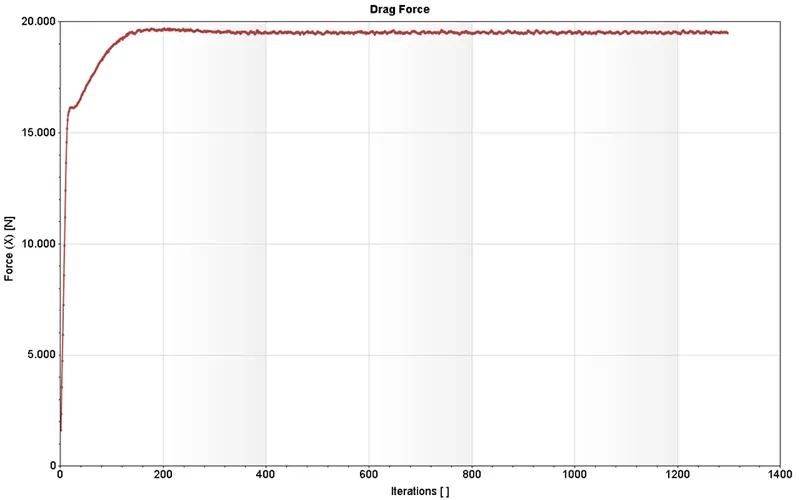
Figure 51 Graph of drag force vs no. of iterations
Lift Force graph:
Figure 52 Graph of lift force vs no. of iterations

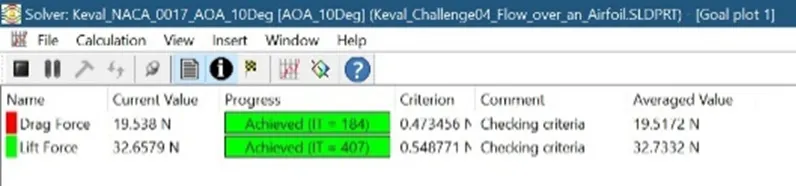
Figure 53 Results of Lift force and Drag force
- Drag force = 19.490 N (Average Value)
- Lift force = 32.825 N (Average value)
- Observations and Comparison of all the Cases:
| Goal | 0 Deg AOA | 2 Deg AOA | 4 Deg AOA | 6 Deg AOA | 8 Deg AOA | 10 Deg AOA |
| Drag Force [N] (Average Values) | 13.912 | 14.424 | 15.155 | 16.221 | 17.528 | 19.526 |
|
lLift Force [N] (Average values) |
-0.030 | 6.785 | 13.276 | 20.135 | 26.237 | 32.723 |
Figure 54 Comparison of Lift force and Drag force at various angle of attack 0,2, 4, 6, 8, 10
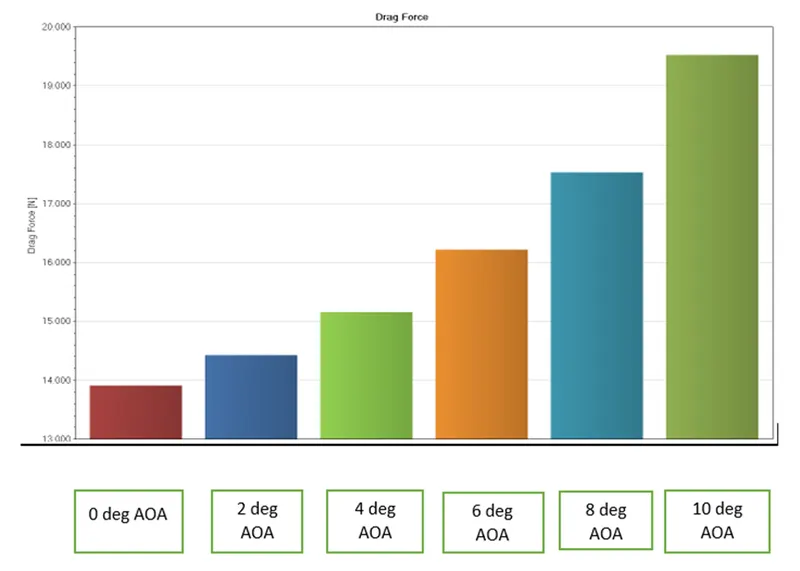
- From the chart we can see that as the angle of attack increases the drag force increases as well.
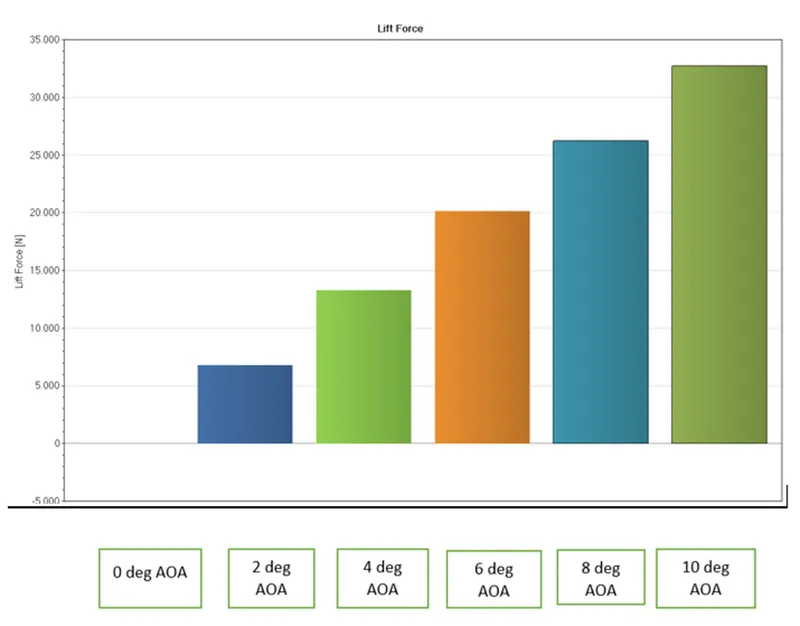
- From the above chart we can observe that as the angle of attack increases the lift force increases as well.
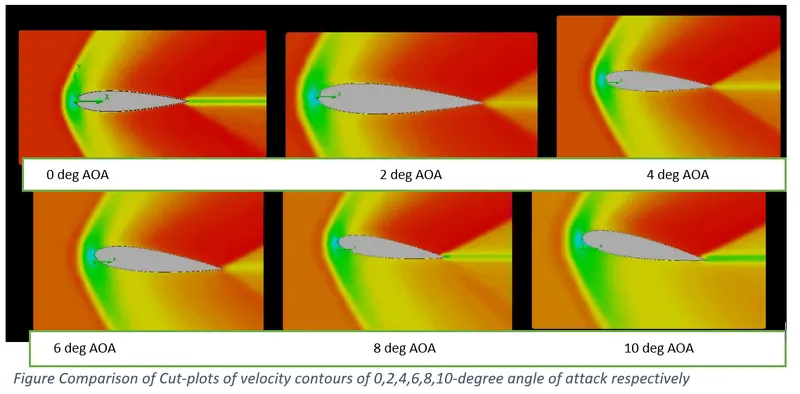
- From the above figure we can see that the velocity distribution is symmetrical over the upper and lower surface of the airfoil. As the angle of attack increases the velocity distribution is not symmetrical over the airfoil.
- In the 10 degree AOA we can see that the velocity is maximum on the upper surface (red region) and minimum at the lower surface of airfoil.
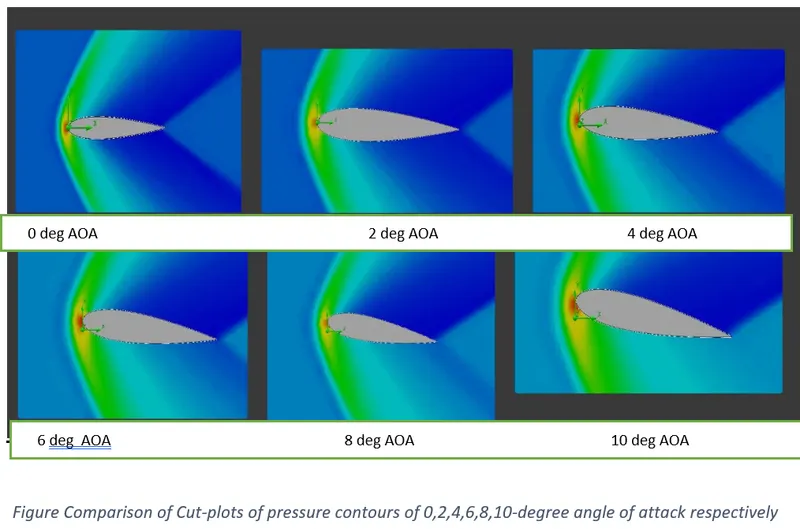
- From the above comparison of cut plot of pressure contour we can see that pressure distribution is symmetrical over the upper and lower surface initially.
- But as the angle of attack of attack increases it is not symmetric.
Conclusion:
- As the angle of attack increases the lift and drag forces also increases.